
Hystrix集群及集群监控turbine
Hystrix集群及监控turbine
前面Dashboard演示的仅仅是单机服务监控,实际项目基本都是集群,所以这里集群监控用的是turbine。
turbine是基于Dashboard的。
先搞个集群;
再microservice-student-provider-hystrix-1004项目的基础上再搞一个microservice-student-provider-hystrix-1005
代码和配置都复制一份,然后修改几个地方;
1、yml配置
---

server:

  port:

  context-path: /

spring:

  datasource:

    type: com.alibaba.druid.pool.DruidDataSource

    driver-class-name: com.mysql.jdbc.Driver

    url: jdbc:mysql://localhost:3306/xm1?useUnicode=true&characterEncoding=utf8

    username: root

    password:

  jpa:

    hibernate:

      ddl-auto: update

    show-sql: true

  application:

    name: microservice-student

  profiles: provider-hystrix-

eureka:

  instance:

    hostname: localhost

    appname: microservice-student

    instance-id: microservice-student:

    prefer-ip-address: true

  client:

    service-url:

      defaultZone: http://eureka2001.jt.com:2001/eureka/,http://eureka2002.jt.com:2002/eureka/,http://eureka2003.jt.com:2003/eureka/

info:

  groupId: com.jt.testSpringcloud

  artifactId: microservice-student-provider-hystrix-

  version: 1.0-SNAPSHOT

  userName: http://jt.com

  phone:

hystrix:

  command:

    default:

      execution:

        isolation:

          thread:

            timeoutInMilliseconds:

---

server:

  port:

  context-path: /

spring:

  datasource:

    type: com.alibaba.druid.pool.DruidDataSource

    driver-class-name: com.mysql.jdbc.Driver

    url: jdbc:mysql://localhost:3306/xm1?useUnicode=true&characterEncoding=utf8

    username: root

    password:

  jpa:

    hibernate:

      ddl-auto: update

    show-sql: true

  application:

    name: microservice-student

  profiles: provider-hystrix-

eureka:

  instance:

    hostname: localhost

    appname: microservice-student

    instance-id: microservice-student:

    prefer-ip-address: true

  client:

    service-url:

      defaultZone: http://eureka2001.jt.com:2001/eureka/,http://eureka2002.jt.com:2002/eureka/,http://eureka2003.jt.com:2003/eureka/

info:

  groupId: com.jt.testSpringcloud

  artifactId: microservice-student-provider-hystrix-

  version: 1.0-SNAPSHOT

  userName: http://jt.com

  phone:

hystrix:

  command:

    default:

      execution:

        isolation:

          thread:

            timeoutInMilliseconds:

---

server:

  port:

  context-path: /

spring:

  datasource:

    type: com.alibaba.druid.pool.DruidDataSource

    driver-class-name: com.mysql.jdbc.Driver

    url: jdbc:mysql://localhost:3306/xm1?useUnicode=true&characterEncoding=utf8

    username: root

    password:

  jpa:

    hibernate:

      ddl-auto: update

    show-sql: true

  application:

    name: microservice-student

  profiles: provider-hystrix-

eureka:

  instance:

    hostname: localhost

    appname: microservice-student

    instance-id: microservice-student:

    prefer-ip-address: true

  client:

    service-url:

      defaultZone: http://eureka2001.jt.com:2001/eureka/,http://eureka2002.jt.com:2002/eureka/,http://eureka2003.jt.com:2003/eureka/

info:

  groupId: com.jt.testSpringcloud

  artifactId: microservice-student-provider-hystrix-

  version: 1.0-SNAPSHOT

  userName: http://jt.com

  phone:

hystrix:

  command:

    default:

      execution:

        isolation:

          thread:

            timeoutInMilliseconds:
2、启动类配置
package com.jt.microservicestudentproviderhystrix;

import org.springframework.boot.SpringApplication;

import org.springframework.boot.autoconfigure.SpringBootApplication;

import org.springframework.boot.autoconfigure.domain.EntityScan;

import org.springframework.cloud.client.circuitbreaker.EnableCircuitBreaker;

import org.springframework.cloud.netflix.eureka.EnableEurekaClient;

@EnableCircuitBreaker

@EntityScan("com.jt.*.*")

@EnableEurekaClient

@SpringBootApplication

public class MicroserviceStudentProviderHystrixApplication {

    public static void main(String[] args) {

        SpringApplication.run(MicroserviceStudentProviderHystrixApplication.class, args);

    }

}
3、我们新建项目microservice-student-consumer-hystrix-turbine-91
pom.xml加下依赖
<dependency>

    <groupId>org.springframework.boot</groupId>

    <artifactId>spring-boot-starter-actuator</artifactId>

</dependency>

<dependency>

    <groupId>org.springframework.cloud</groupId>

    <artifactId>spring-cloud-starter-turbine</artifactId>

</dependency>
application.yml
server:

  port:

  context-path: /

eureka:

  client:

    service-url:

      defaultZone: http://eureka2001.jt.com:2001/eureka/,http://eureka2002.jt.com:2002/eureka/,http://eureka2003.jt.com:2003/eureka/

turbine:

  app-config: microservice-student   # 指定要监控的应用名称

  clusterNameExpression: "'default'" #表示集群的名字为default

spring:

  application:

    name: turbine
1、新建启动类MicroserviceStudentConsumerHystrixTurbine91Application 加注解:@EnableTurbine
package com.jt.microservicestudentconsumerhystrixturbine91;

import org.springframework.boot.SpringApplication;

import org.springframework.boot.autoconfigure.SpringBootApplication;

import org.springframework.boot.autoconfigure.jdbc.DataSourceAutoConfiguration;

import org.springframework.boot.autoconfigure.orm.jpa.HibernateJpaAutoConfiguration;

import org.springframework.cloud.netflix.turbine.EnableTurbine;

@SpringBootApplication(exclude={DataSourceAutoConfiguration.class, HibernateJpaAutoConfiguration.class})

@EnableTurbine

public class MicroserviceStudentConsumerHystrixTurbine91Application {

    public static void main(String[] args) {

        SpringApplication.run(MicroserviceStudentConsumerHystrixTurbine91Application.class, args);

    }

}
测试:
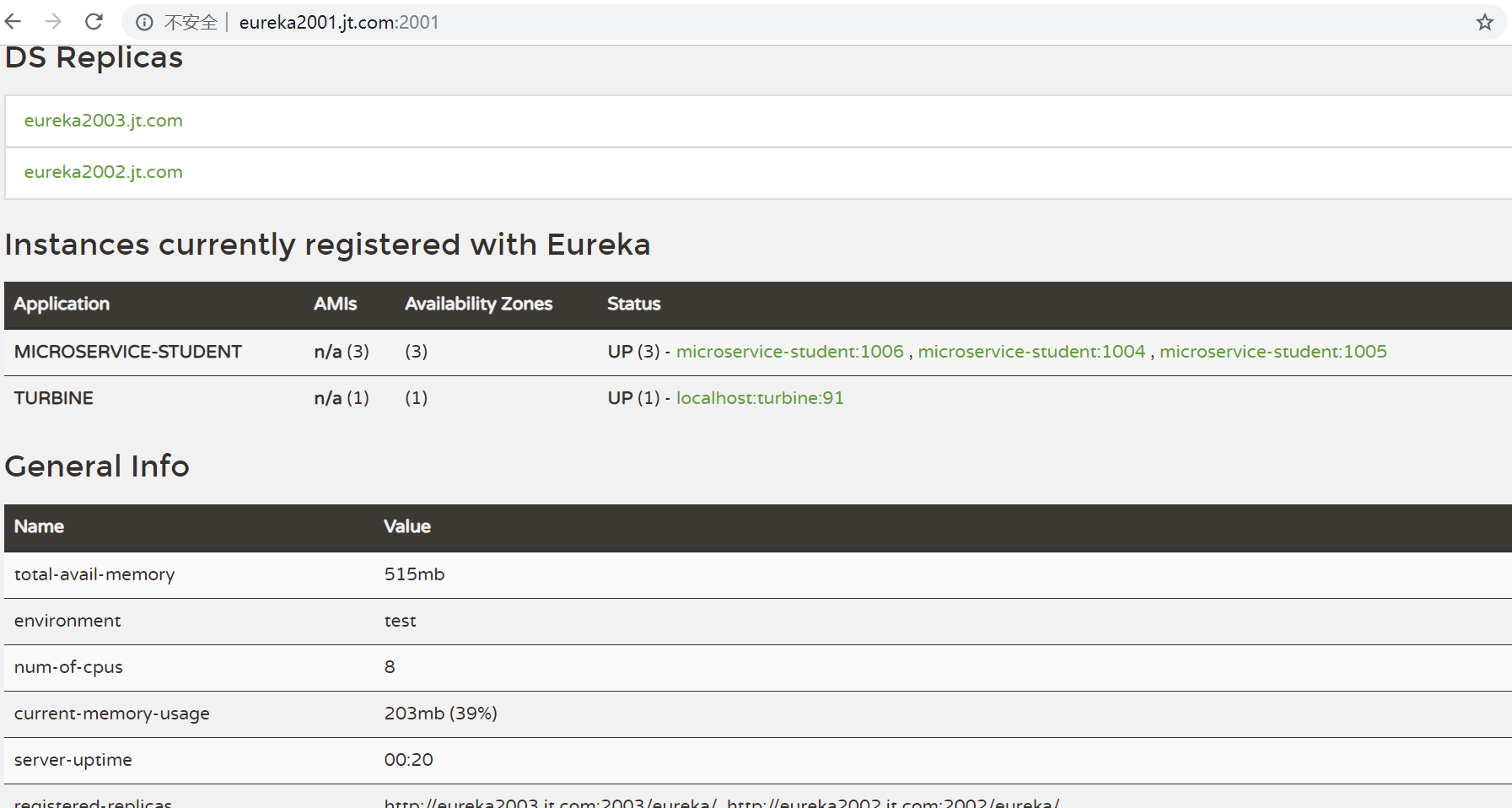
先启动三个eureka,然后把1004 1005 带hystrix的服务都启动;
microservice-student-consumer-80这个也启动,方便测试;
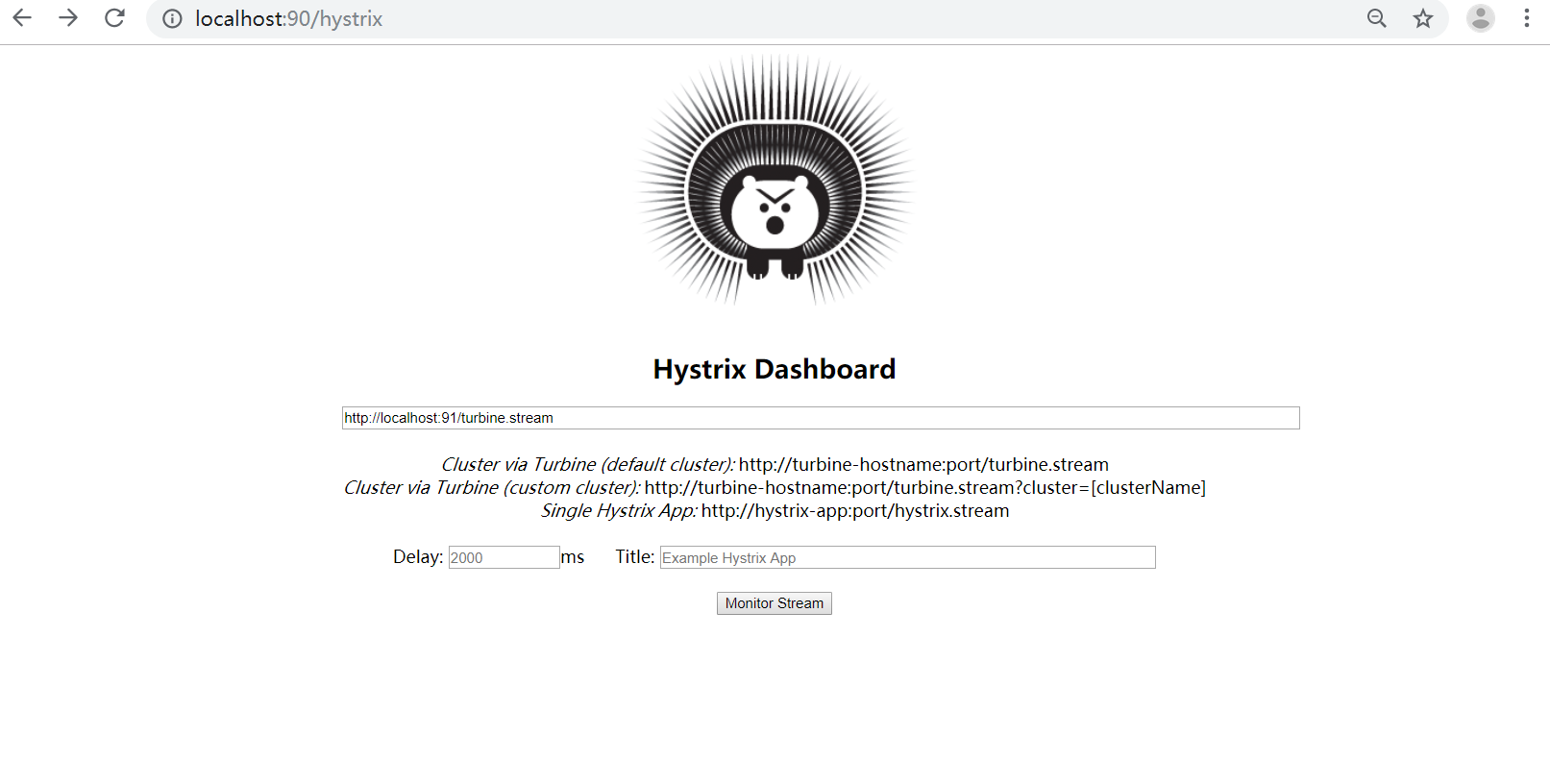
dashboard,turbine启动;
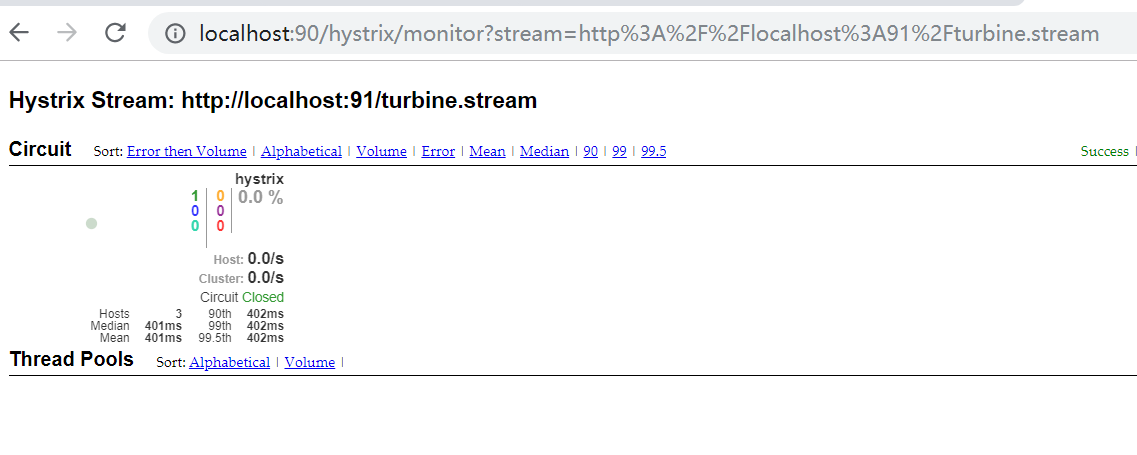
这样的话 http://localhost/student/hystrix 就能调用服务集群;
http://localhost:91/turbine.stream 可以监控数据,实时ping 返回data

Feign、Hystrix整合
前面的代码,用@HystrixCommand fallbackMethod是很不好的,因为和业务代码耦合度太高,不利于维护,所以需要解耦,这我们讲下Feign Hystrix整合。
1、microservice-student-provider-hystrix项目修改
我们不用原先那套。按照正常的逻辑来写;
StudentService加新的接口方法:
/**

 * 测试Hystrix服务降级

 * @return

 */

public Map<String,Object> hystrix();
StudentServiceImpl写具体实现:
@Override

public Map<String, Object> hystrix() {

    Map<String,Object> map=new HashMap<String,Object>();

    map.put("code", );

    map.put("info","工号【"+port+"】正在为您服务");

    return map;

}
StudentProviderController正常调用service方法:
/**

     * 测试Hystrix服务降级

     * @return

     * @throws InterruptedException

     */

    @ResponseBody

    @GetMapping(value="/hystrix")

//    @HystrixCommand(fallbackMethod="hystrixFallback")

    public Map<String,Object> hystrix() throws InterruptedException{

        Thread.sleep();

//        Map<String,Object> map=new HashMap<String,Object>();

//        map.put("code", 200);

//        map.put("info","工号【"+port+"】正在为您服务");

        return this.studentService.hystrix();

    }

//    public Map<String,Object> hystrixFallback() throws InterruptedException{

//        Map<String,Object> map=new HashMap<String,Object>();

//        map.put("code", 500);

//        map.put("info", "系统【"+port+"】繁忙,稍后重试");

//        return map;

//    }
2、microservice-common项目新建FallbackFactory类,解耦服务熔断服务降级
StudentClientService接口,新增getInfo方法;
/**

 * 服务熔断降级

 * @return

 */

@GetMapping(value="/student/hystrix")

public Map<String,Object> hystrix();
新建 StudentClientFallbackFactory 类,实现FallbackFactory<StudentClientService>接口;
package com.jt.microservicecommon.service;

import com.jt.microservicecommon.entity.Student;

import feign.hystrix.FallbackFactory;

import org.springframework.stereotype.Component;

import java.util.HashMap;

import java.util.List;

import java.util.Map;

/**

 * @author jt

 * @site www.xiaomage.com

 * @company xxx公司

 * @create  2019-12-10 21:50

 */

@Component

public class StudentClientFallbackFactory implements FallbackFactory<StudentClientService> {

    @Override

    public StudentClientService create(Throwable throwable) {

        return new StudentClientService() {

            @Override

            public Student get(Integer id) {

                return null;

            }

            @Override

            public List<Student> list() {

                return null;

            }

            @Override

            public boolean save(Student student) {

                return false;

            }

            @Override

            public boolean delete(Integer id) {

                return false;

            }

            @Override

            public String ribbon() {

                return null;

            }

            @Override

            public Map<String, Object> hystrix() {

                Map<String, Object> map = new HashMap<String, Object>();

                map.put("code", );

                map.put("info", "系统繁忙,请稍后重试。。。。");

                return map;

            }

        };

    }

}
StudentClientService接口的@FeignClient注解加下 fallbackFactory属性
@FeignClient(value="MICROSERVICE-STUDENT",fallbackFactory=StudentClientFallbackFactory.class)
这类我们实现了 降级处理方法实现;
3、microservice-student-consumer-feign-80修改 支持Hystrix
StudentConsumerFeignController新增方法调用
/**

 * Feign整合Hystrix服务熔断降级

 * @return

 * @throws InterruptedException

 */

@GetMapping(value="/hystrix")

public Map<String,Object> hystrix() throws InterruptedException{

    return studentClientService.hystrix();

}
4、microservice-student-consumer-feign-80的application.yml加上hystrix支持
server:

  port:

  context-path: /

eureka:

  client:

    service-url:

      defaultZone: http://eureka2001.jt.com:2001/eureka/,http://eureka2002.jt.com:2002/eureka/,http://eureka2003.jt.com:2003/eureka/

    register-with-eureka: false

feign:

  hystrix:

    enabled: true

ribbon:

  ReadTimeout:

  ConnectTimeout:
1、microservice-student-consumer-feign-80的启动类上添加公共模块
@ComponentScan(basePackages = {"com.javaxl.microservicecommon","com.javaxl.microservicestudentconsumerfeign80"})
注意:
公共子项目与当前子项目的基包都要扫描到;
只指定公共子模块为基包会导致本子项目的springmvc功能失效;
只指定本子项目为基包会导致feign与Hystrix集成失败,从而导致服务熔断功能失效
package com.jt.microservicestudentconsumerfeign80;

import org.springframework.boot.SpringApplication;

import org.springframework.boot.autoconfigure.SpringBootApplication;

import org.springframework.boot.autoconfigure.jdbc.DataSourceAutoConfiguration;

import org.springframework.boot.autoconfigure.orm.jpa.HibernateJpaAutoConfiguration;

import org.springframework.cloud.netflix.eureka.EnableEurekaClient;

import org.springframework.cloud.netflix.feign.EnableFeignClients;

import org.springframework.context.annotation.ComponentScan;

@ComponentScan(basePackages = {"com.jt.microservicecommon","com.jt.microservicestudentconsumerfeign80"})//扫描公共模块

@EnableFeignClients(value = "com.jt.*.*")

@EnableEurekaClient

@SpringBootApplication(exclude={DataSourceAutoConfiguration.class, HibernateJpaAutoConfiguration.class})

public class MicroserviceStudentConsumerFeign80Application {

    public static void main(String[] args) {

        SpringApplication.run(MicroserviceStudentConsumerFeign80Application.class, args);

    }

}


Hystrix集群及集群监控turbine的更多相关文章
- Spring Cloud第八篇 | Hystrix集群监控Turbine
本文是Spring Cloud专栏的第八篇文章,了解前七篇文章内容有助于更好的理解本文: Spring Cloud第一篇 | Spring Cloud前言及其常用组件介绍概览 Spring Clo ...
- SpringCloud之Hystrix集群及集群监控turbine
目的: Hystrix集群及监控turbine Feign.Hystrix整合之服务熔断服务降级彻底解耦 集群后超时设置 Hystrix集群及监控turbine 新建一个springboot工程mic ...
- Hystrix集群及监控turbine
Hystrix集群及监控turbine 前面Dashboard演示的仅仅是单机服务监控,实际项目基本都是集群,所以这里集群监控用的是turbine. turbine是基于Dashboard的. 先搞个 ...
- Spring Cloud :断路器集群监控(Turbine)
一. 简介 上一篇文章我们已经实现了对单个服务实例的监控,当然在实际应用中,单个实例的监控数据没有多大的价值,我们更需要的是一个集群系统的监控信息,这时我们就需要引入Turbine.Turb ...
- Kubernetes容器集群管理环境 - Prometheus监控篇
一.Prometheus介绍之前已经详细介绍了Kubernetes集群部署篇,今天这里重点说下Kubernetes监控方案-Prometheus+Grafana.Prometheus(普罗米修斯)是一 ...
- 049.Kubernetes集群管理-集群监控Metrics
一 集群监控 1.1 Metrics Kubernetes的早期版本依靠Heapster来实现完整的性能数据采集和监控功能,Kubernetes从1.8版本开始,性能数据开始以Metrics API的 ...
- 【MongoDB】windows平台搭建Mongo数据库复制集(类似集群)(转)
原文链接:[MongoDB]windows平台搭建Mongo数据库复制集(类似集群)(一) Replica Sets(复制集)是在mongodDB1.6版本开始新增的功能,它可以实现故障自动切换和自 ...
- Redis集群--Redis集群之哨兵模式
echo编辑整理,欢迎转载,转载请声明文章来源.欢迎添加echo微信(微信号:t2421499075)交流学习. 百战不败,依不自称常胜,百败不颓,依能奋力前行.--这才是真正的堪称强大!!! 搭建R ...
- zookeeper集群+kafka集群 部署
zookeeper集群 +kafka 集群部署 1.Zookeeper 概述: Zookeeper 定义 zookeeper是一个开源的分布式的,为分布式框架提供协调服务的Apache项目 Zooke ...
随机推荐
- .Net Core 3.0 使用 Serilog 把日志记录到 SqlServer
Serilog简介 Serilog是.net中的诊断日志库,可以在所有的.net平台上面运行.Serilog支持结构化日志记录,对复杂.分布式.异步应用程序的支持非常出色.Serilog可以通过插件的 ...
- 品优购详情页---产品详细信息区域 iteminfo_wrap
产品详细信息区域为整个大盒子命名为: iteminfo_wrap 1号盒子命名为:sku_name 2号盒子命名为:news 3号盒子命名为:summary step1:3个盒子搭建框架,以及完成前两 ...
- Spring Boot整合MyBatis(非注解版)
Spring Boot整合MyBatis(非注解版),开发时采用的时IDEA,JDK1.8 直接上图: 文件夹不存在,创建一个新的路径文件夹 创建完成目录结构如下: 本人第一步习惯先把需要的包结构创建 ...
- Ubuntu中git pull远程仓库时显示403错误
# 报错内容 fatal: unable to access 'https://git.dev.tencent.com/chendongnan/sfedu_wx.git/': The requeste ...
- Lua的面向对象,封装,继承,多态
概述 我们总所周知对象是由属性和方法组成的,要用lua要描述一个对象,也必然要有这两个特性,属性和方法.lua的基本结构是table,所以Lua的类,其实都是table,因为它可以存储普通的变量又可以 ...
- JSP + Session Cookie详解
篇幅较大,对JSP进行了非常详细的讲解,并解释了Session和Cookie的实现原理 ,预计看完需要20分钟左右,慢慢享受吧 JSP概述 掌握了servlet后,就可以利用servlet来开发动态页 ...
- kali linux中文乱码解决
命令中输入 LANG=en_US.UTF-8 apt-get install ttf-wqy-microhei xfonts-wqy gnome-tweak-tool
- 编码规范(c#)
万丈高楼平地起,好的编码风格能让别人撸起来更带劲,反之则想吐槽这是哪个傻X写的,这都是些什么乱七八糟的玩意? 然后看后面的注释发现是自己以前写的,那场面一度很尴尬.... 规约不是规则,不是一定要这样 ...
- Solr单机配置详解
Solr 单机版安装 安装环境 安装 jdk:JDK 版本: jdk-8u11-linux-x64.tar.gz 环境变量配置; export JAVA_HOME=/usr/local/jdk exp ...
- 【解决】image ... could not be accessed on a registry to record its digest.
[问题]image jmdiservice:1206 could not be accessed on a registry to record its digest. Each node will ...