
excel转换html
利用POI解析excel,转换成html,支持各种版本的excel、支持自定义样式、支持行列合并
需要用到的jar
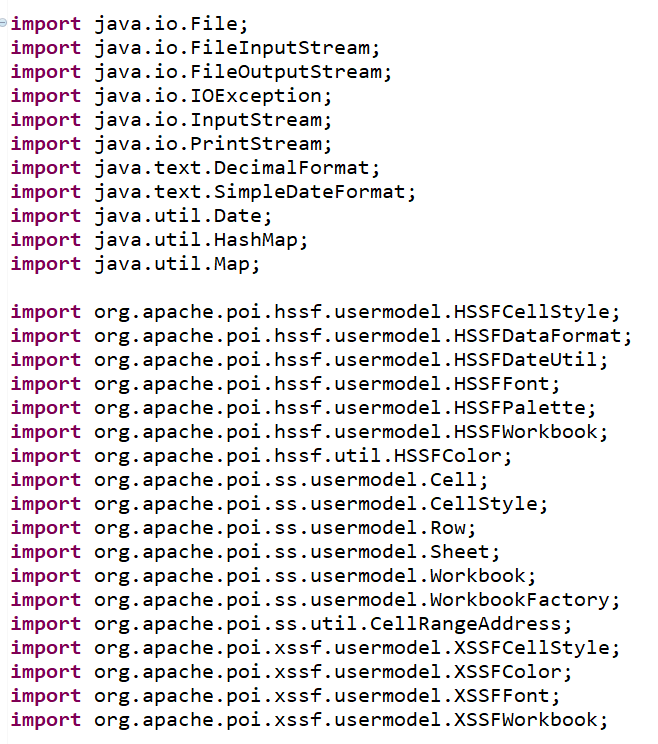
public class Excel2Html {
/**
* 读取Excel并转换成html
* @param filePath 需要转换的excel文件路径
* @param htmlPostion 转换后html存放路径
* @param isWithStyle 是否需要样式
* @param theme 主题(1--深色背景;2--浅色背景)
* @return
*/
public static String readExcelToHtml(String filePath, String htmlPostion, boolean isWithStyle, int theme) {
InputStream is = null;
String htmlExcel = null;
try {
File sourceFile = new File(filePath);
is = new FileInputStream(sourceFile);
Workbook wb = WorkbookFactory.create(is);
if(wb instanceof HSSFWorkbook) {//03版excel处理方法
HSSFWorkbook hwb = (HSSFWorkbook)wb;
htmlExcel = Excel2Html.getExcelInfo(hwb,isWithStyle, theme);
} else {//07以及10版本以后的excel处理方法
XSSFWorkbook xwb = (XSSFWorkbook)wb;
htmlExcel = Excel2Html.getExcelInfo(xwb, isWithStyle, theme);
}
writeFile(htmlExcel, htmlPostion, theme);
} catch(Exception e) {
e.printStackTrace();
} finally {
try {
is.close();
} catch(IOException e) {
e.printStackTrace();
}
}
return htmlExcel;
}
/**
*
* @param wb
* @param isWithStyle 是否需要样式
* @param theme 主题(1--深色背景;2--浅色背景)
* @return
*/
private static String getExcelInfo(Workbook wb, boolean isWithStyle, int theme) {
StringBuffer sb = new StringBuffer();
Sheet sheet = wb.getSheetAt(0);//获取第一个Sheet的内容
int lastRowNum = sheet.getLastRowNum();
Map<String, String> map[] = getRowSpanColSpanMap(sheet);
if(theme == 1) {
//深色背景样式
sb.append("<table style='border-collapse:collapse;background: #263B5C;' width='100%'>");
} else if(theme == 2) {
//浅色背景样式
sb.append("<table style='border-collapse:collapse;background: #fffff;' width='100%'>");
}
Row row = null;
Cell cell = null;
for(int rowNum = sheet.getFirstRowNum(); rowNum <= lastRowNum; rowNum++) {
row = sheet.getRow(rowNum);
if(row == null) {
sb.append("<tr><td ><nobr> </nobr></td></tr>");
continue;
}
sb.append("<tr>");
int lastColNum = row.getLastCellNum();
for(int colNum = 0; colNum < lastColNum; colNum++) {
cell = row.getCell(colNum);
if(cell == null) {
sb.append("<td></td>");
continue;
}
String stringValue = getCellValue(cell);
if(map[0].containsKey(rowNum + "," + colNum)) {
String pointString = map[0].get(rowNum + "," + colNum);
map[0].remove(rowNum + "," + colNum);
int bottomeRow = Integer.valueOf(pointString.split(",")[0]);
int bottomeCol = Integer.valueOf(pointString.split(",")[1]);
int rowSpan = bottomeRow - rowNum + 1;
int colSpan = bottomeCol - colNum + 1;
sb.append("<td rowspan= '" + rowSpan + "' colspan= '"+ colSpan + "' ");
} else if(map[1].containsKey(rowNum + "," + colNum)) {
map[1].remove(rowNum + "," + colNum);
continue;
} else {
sb.append("<td ");
}
//判断是否需要样式
if(isWithStyle) {
dealExcelStyle(wb, sheet, cell, sb);//处理单元格样式
}
sb.append("><nobr>");
if(stringValue == null || "".equals(stringValue.trim())) {
sb.append(" ");
} else {
//将ascii码为160的空格转换为html下的空格
sb.append(stringValue.replace(String.valueOf((char) 160)," "));
}
sb.append("</nobr></td>");
}
sb.append("</tr>");
}
sb.append("</table>");
return sb.toString();
}
private static Map<String, String>[] getRowSpanColSpanMap(Sheet sheet) {
Map<String, String> map0 = new HashMap<String, String>();
Map<String, String> map1 = new HashMap<String, String>();
int mergedNum = sheet.getNumMergedRegions();
CellRangeAddress range = null;
for(int i = 0; i < mergedNum; i++) {
range = sheet.getMergedRegion(i);
int topRow = range.getFirstRow();
int topCol = range.getFirstColumn();
int bottomRow = range.getLastRow();
int bottomCol = range.getLastColumn();
map0.put(topRow + "," + topCol, bottomRow + "," + bottomCol);
int tempRow = topRow;
while(tempRow <= bottomRow) {
int tempCol = topCol;
while(tempCol <= bottomCol) {
map1.put(tempRow + "," + tempCol, "");
tempCol++;
}
tempRow++;
}
map1.remove(topRow + "," + topCol);
}
Map[] map = {map0, map1};
return map;
}
/**
* 获取表格单元格Cell内容
* @param cell
* @return
*/
private static String getCellValue(Cell cell) {
String result = new String();
switch(cell.getCellType()) {
case Cell.CELL_TYPE_NUMERIC://数字类型
if(HSSFDateUtil.isCellDateFormatted(cell)) {//处理日期格式、时间格式
SimpleDateFormat sdf = null;
if(cell.getCellStyle().getDataFormat() == HSSFDataFormat.getBuiltinFormat("h:mm")) {
sdf = new SimpleDateFormat("HH:mm");
} else {
sdf = new SimpleDateFormat("yyyy-MM-dd");
}
Date date = cell.getDateCellValue();
result = sdf.format(date);
} else if(cell.getCellStyle().getDataFormat() == 58) {
//处理自定义日期格式:m月d日(通过判断单元格的格式id解决,id的值是58)
SimpleDateFormat sdf = new SimpleDateFormat("yyyy-MM-dd");
double value = cell.getNumericCellValue();
Date date = org.apache.poi.ss.usermodel.DateUtil.getJavaDate(value);
result = sdf.format(date);
} else {
double value = cell.getNumericCellValue();
CellStyle style = cell.getCellStyle();
DecimalFormat format = new DecimalFormat();
String temp = style.getDataFormatString();
//单元格设置成常规
if(temp.equals("General")) {
format.applyPattern("#");
}
result = format.format(value);
}
break;
case Cell.CELL_TYPE_STRING://String类型
result = cell.getRichStringCellValue().toString();
break;
case Cell.CELL_TYPE_BLANK:
result = "";
break;
default:
result = "";
break;
}
return result;
}
/**
* 处理表格样式
* @param wb
* @param sheet
* @param cell
* @param sb
*/
private static void dealExcelStyle(Workbook wb, Sheet sheet, Cell cell, StringBuffer sb) {
CellStyle cellStyle = cell.getCellStyle();
if(cellStyle != null) {
short alignment = cellStyle.getAlignment();
sb.append("align='" + convertAlignToHtml(alignment) + "' ");//单元格内容的水平对齐方式
short verticalAlignment = cellStyle.getVerticalAlignment();
//sb.append("valign='"+ convertVerticalAlignToHtml(verticalAlignment)+ "' ");//单元格中内容的垂直排列方式
sb.append("valign='center' ");//单元格中内容的垂直排列方式
if(wb instanceof XSSFWorkbook) {
XSSFFont xf = ((XSSFCellStyle)cellStyle).getFont();
short boldWeight = xf.getBoldweight();
String align = convertAlignToHtml(alignment);
sb.append("style='");
sb.append("font-weight:" + boldWeight + ";"); // 字体加粗
//sb.append("font-size: " + xf.getFontHeight() / 2 + "%;"); // 字体大小
sb.append("font-size: 14px;"); // 字体大小
int columnWidth = sheet.getColumnWidth(cell.getColumnIndex()) ;
sb.append("width:" + columnWidth + "px;");
sb.append("text-align:" + align + ";");//表头排版样式
XSSFColor xc = xf.getXSSFColor();
if (xc != null && !"".equals(xc)) {
sb.append("color:#" + xc.getARGBHex().substring(2) + ";"); // 字体颜色
}
XSSFColor bgColor = (XSSFColor) cellStyle.getFillForegroundColorColor();
if (bgColor != null && !"".equals(bgColor)) {
sb.append("background-color:#" + bgColor.getARGBHex().substring(2) + ";"); // 背景颜色
}
sb.append(getBorderStyle(0,cellStyle.getBorderTop(), ((XSSFCellStyle) cellStyle).getTopBorderXSSFColor()));
sb.append(getBorderStyle(1,cellStyle.getBorderRight(), ((XSSFCellStyle) cellStyle).getRightBorderXSSFColor()));
sb.append(getBorderStyle(2,cellStyle.getBorderBottom(), ((XSSFCellStyle) cellStyle).getBottomBorderXSSFColor()));
sb.append(getBorderStyle(3,cellStyle.getBorderLeft(), ((XSSFCellStyle) cellStyle).getLeftBorderXSSFColor()));
} else if(wb instanceof HSSFWorkbook) {
HSSFFont hf = ((HSSFCellStyle) cellStyle).getFont(wb);
short boldWeight = hf.getBoldweight();
short fontColor = hf.getColor();
sb.append("style='");
HSSFPalette palette = ((HSSFWorkbook) wb).getCustomPalette(); // 类HSSFPalette用于求的颜色的国际标准形式
HSSFColor hc = palette.getColor(fontColor);
sb.append("font-weight:" + boldWeight + ";"); // 字体加粗
//sb.append("font-size: " + hf.getFontHeight() / 2 + "%;"); // 字体大小
sb.append("font-size: 14px;"); // 字体大小
String align = convertAlignToHtml(alignment);
sb.append("text-align:" + align + ";");//表头排版样式
String fontColorStr = convertToStardColor(hc);
if (fontColorStr != null && !"".equals(fontColorStr.trim())) {
sb.append("color:" + fontColorStr + ";"); // 字体颜色
}
int columnWidth = sheet.getColumnWidth(cell.getColumnIndex());
sb.append("width:" + columnWidth + "px;");
short bgColor = cellStyle.getFillForegroundColor();
hc = palette.getColor(bgColor);
String bgColorStr = convertToStardColor(hc);
if (bgColorStr != null && !"".equals(bgColorStr.trim())) {
sb.append("background-color:" + bgColorStr + ";"); // 背景颜色
}
sb.append( getBorderStyle(palette,0,cellStyle.getBorderTop(),cellStyle.getTopBorderColor()));
sb.append( getBorderStyle(palette,1,cellStyle.getBorderRight(),cellStyle.getRightBorderColor()));
sb.append( getBorderStyle(palette,3,cellStyle.getBorderLeft(),cellStyle.getLeftBorderColor()));
sb.append( getBorderStyle(palette,2,cellStyle.getBorderBottom(),cellStyle.getBottomBorderColor()));
}
sb.append("' ");
}
}
/**
* 单元格内容的水平对齐方式
* @param alignment
* @return
*/
private static String convertAlignToHtml(short alignment) {
String align = "center";
switch(alignment) {
case CellStyle.ALIGN_LEFT:
align = "left";
break;
case CellStyle.ALIGN_CENTER:
align = "center";
break;
case CellStyle.ALIGN_RIGHT:
align = "right";
break;
default:
break;
}
return align;
}
/**
* 单元格中内容的垂直排列方式
* @param verticalAlignment
* @return
*/
private static String convertVerticalAlignToHtml(short verticalAlignment) {
String valign = "middle";
switch(verticalAlignment) {
case CellStyle.VERTICAL_BOTTOM:
valign = "bottom";
break;
case CellStyle.VERTICAL_CENTER:
valign = "center";
break;
case CellStyle.VERTICAL_TOP:
valign = "top";
break;
default:
break;
}
return valign;
}
private static String convertToStardColor(HSSFColor hc) {
StringBuffer sb = new StringBuffer("");
if(hc != null) {
if(HSSFColor.AUTOMATIC.index == hc.getIndex()) {
return null;
}
sb.append("#");
for(int i = 0; i < hc.getTriplet().length; i++) {
sb.append(fillWithZero(Integer.toHexString(hc.getTriplet()[i])));
}
}
return sb.toString();
}
private static String fillWithZero(String str) {
if(str != null && str.length() < 2) {
return "0" + str;
}
return str;
}
static String[] bordesr = {"border-top:", "border-right:", "border-bottom:", "border-left:"};
static String[] borderStyles = {"solid ", "solid ", "solid ", "solid ", "solid ", "solid ", "solid ", "solid ", "solid ", "solid", "solid", "solid", "solid", "solid"};
private static String getBorderStyle(HSSFPalette palette, int b, short s, short t) {
if(s == 0) {
return bordesr[b] + borderStyles[s] + "#5a6882 1px;";
}
String borderColorStr = convertToStardColor(palette.getColor(t));
borderColorStr=borderColorStr == null || borderColorStr.length() < 1 ? "#000000" : borderColorStr;
return bordesr[b] + borderStyles[s] + borderColorStr + " 1px;";
}
private static String getBorderStyle(int b, short s, XSSFColor xc) {
if(s == 0) {
return bordesr[b] + borderStyles[s] + "#5a6882 1px;";
}
if(xc != null && !"".equals(xc)) {
String borderColorStr = xc.getARGBHex();
borderColorStr=borderColorStr == null|| borderColorStr.length() < 1 ? "#000000" : borderColorStr.substring(2);
return bordesr[b] + borderStyles[s] + borderColorStr + " 1px;";
}
return "";
}
/**
* 将内容写进html
* @param content html内容
* @param htmlPath html路径
* @param theme 主题(1--深色背景;2--浅色背景)
*/
private static void writeFile(String content, String htmlPath, int theme) {
File file = new File(htmlPath);
StringBuilder sb = new StringBuilder();
try {
file.createNewFile();//创建文件
sb.append("<html><head><meta http-equiv=\"Content-Type\" content=\"text/html; charset=UTF-8\"><title>Html Test</title></head>");
if(theme == 1) {
//深色背景样式
sb.append("<style>tr {height: 50px;} nobr {color: #fff;}</style>");
} else {
//浅色背景样式
sb.append("<style>tr {height: 50px;} nobr {color: #515f6d;}</style>");
}
sb.append("<body>");
sb.append("<div>");
sb.append(content);
sb.append("</div>");
sb.append("</body></html>");
PrintStream printStream = new PrintStream(new FileOutputStream(file));
printStream.println(sb.toString());//将字符串写入文件
} catch(IOException e) {
e.printStackTrace();
}
}
public static void main(String[] args) {
// TODO Auto-generated method stub
String str = "整车进口数量年度统计.xlsx";
System.out.println(str.split("\\.")[0]);
//Excel2Html.readExcelToHtml("E:/testFile/整车进口数量年度统计.xlsx", "E:/testFile/整车进口数量年度统计.html", true, 1);
//Excel2Html.readExcelToHtml("E:/testFile/商务办单量统计.xlsx", "E:/testFile/商务办单量统计.html", true, 1);
}
}
excel转换html的更多相关文章
- TestLink学习七:TestLink测试用例Excel转换XML工具
TestLink对于测试用例的管理来说,是蛮强大的,但是在导入导出这块,功能有点弱,本文针对测试用例的导入,转载了一个Excel转换成xml工具. 1.根据到处的测试用例xml,定义一下我的Excel ...
- 转:TestLink1.9.3测试用例:Excel转换XML工具<二>实现代码
TestLink1.9.3测试用例:Excel转换XML工具<二>实现代码 http://blog.csdn.net/candle806/article/details/7490599 以 ...
- 转:Excel转换XML工具<一>
http://blog.csdn.net/candle806/article/details/7441695最近在整理测试用例,所以想找一个合适的工具来完成对测试需求.测试用例的管理.对比了一翻,发现 ...
- Java对象和Excel转换工具XXL-EXCEL
<Java对象和Excel转换工具XXL-EXCEL> 一.简介 1.1 概述 XXL-EXCEL 是一个灵活的Java对象和Excel文档相互转换的工具. 一行代码完成Java对象和Ex ...
- C# Excel转换成Json工具(含源码)
可执行版本下载:https://github.com/neil3d/excel2json/releases 完整项目源代码下载:https://github.com/neil3d/excel2json ...
- Epplus下的一个将Excel转换成List的范型帮助类
因为前一段时间公司做项目的时候,用到了Excel导入和导出,然后自己找了个插件Epplus进行操作,自己将当时的一些代码抽离出来写了一个帮助类. 因为帮助类是在Epplus基础之上写的,项目需要引用E ...
- Java中Office(word/ppt/excel)转换成HTML实现
运行条件:JDK + jacob.jar + jacob.dll 1) 把jacob.dll在 JAVA_HOME\bin\ 和 JAVA_HOME\jre\bin\ 以及C:\WINDOWS\sys ...
- Office 2013 Excel 转换 Word
最新文章:Virson's Blog 参考文章:百度百科 1.使用Excel打开需要转换的Excel文档: 2.采用另存为*.htm的方式将该Excel文档另存为网页,如下图: 3.找到保存的htm网 ...
- 利用NPOI将EXCEL转换成HTML的C#实现
领导说想做一个网页打印功能,而且模板可以自定义,我考虑了三个方案,一是打印插件,二是在线 html 编辑器,三是 excel 模板,领导建议用的是打印插件的形式,我研究了一下,一个是需要下载安装,二个 ...
- 如何将Excel转换成Markdown表格[转]
在这篇文章中,我将告诉你如何快速的将Excel转换为markdown表格,以及如何将Google Docs,Numbers,网页中的表格或其他类似Excel的程序数据转换为Markdown表格 你可能 ...
随机推荐
- Java--对象和引用 转载
这个讲的很详细,看了以后终于懂了.特转载供以后学习使用. 原文链接:http://www.cnblogs.com/dolphin0520/p/3592498.html
- nginx正则配置解释和fastadmin
参考:http://www.cnblogs.com/netsa/p/6383094.html 1 2 3 4 5 6 7 8 9 10 11 1.^: 匹配字符串的开始位置: 2. $:匹配字符串 ...
- 【php】 布尔值判断
当转换为 boolean 时,以下值被认为是 FALSE: 布尔值 FALSE 本身 整型值 0(零) 浮点型值 0.0(零) 空字符串,以及字符串 "0" 不包括任何元素的数组 ...
- sweetalert使用随笔
删除前确认框: //找到删除那天记录的按钮,触发点击事件 $(".del").on('click', function () { swal({ title: "操作确认& ...
- 元组-tuple
Python内置的元组数据类型:tuple tuple和list非常类似,但tuple一旦初始化就不能修改,因此它没有append(),insert()这样的方法 当定义一个tuple时,tuple的 ...
- windows中Python多版本与jupyter notebook中使用虚拟环境
本人电脑是windows系统,装了Python3.7版本,但目前tensorflow支持最新的python版本为3.6,遂想再安装Python3.6以跑tensorflow. 因为看极客时间的专栏提到 ...
- 我的第一个ajax脚本
代码如下 //创建XMLHttpRequest对象 var xmlHttp=null; function creatXMLHttp(){ try{ xmlHttp = new XMLHttpReque ...
- gnu printf可变参数宏
可变参数的宏 标准C只支持可变参数的函数,意味着函数的参数可以是不固定的 例如printf()函数的原型是int printf(const char *format [,argument]...) 而 ...
- mac下secureCRT 客户端 $redis-cli回车后没有反应的解决办法
启动redis server后,SecureCRT进入redis-cli,输入不断在后面追加IP:Port显示设置当前的Session Options-->Terminal-->Emula ...
- rocketmq 问题
1. 收不到消息-consumerOffset.json 信息错位 这种情况一般是,手动删除了store/commitlog目录里的数据等非常规手段造成了consumerOffset.json中记录的 ...