
测试drawable animation
public class DAActivity extends Activity implements OnClickListener {

    private ImageView iv_da_mm;
    private Button btn_da_start;
    private Button btn_da_stop;

    @Override
    public void onCreate(Bundle savedInstanceState) {
        super.onCreate(savedInstanceState);
        setContentView(R.layout.activity_animation_da);
        iv_da_mm = (ImageView) findViewById(R.id.iv_da_mm);
        btn_da_start = (Button) findViewById(R.id.btn_da_start);
        btn_da_stop = (Button) findViewById(R.id.btn_da_stop);

        btn_da_start.setOnClickListener(this);
        btn_da_stop.setOnClickListener(this);
    }

    private AnimationDrawable animationDrawable;
    @Override
    public void onClick(View v) {
        if (v == btn_da_start) {
            if(animationDrawable==null) {
                //得到背景动画图片对象
                animationDrawable = (AnimationDrawable) iv_da_mm.getBackground();
                //启动
                animationDrawable.start();
            }

        } else if (v == btn_da_stop) {
            if(animationDrawable!=null) {
                animationDrawable.stop();
                animationDrawable = null;
            }
        }
    }
}
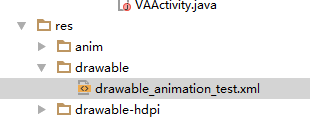
drawable_animation_test.xml
<?xml version="1.0" encoding="utf-8"?><animation-list xmlns:android="http://schemas.android.com/apk/res/android"
    android:oneshot="false">

    <item
        android:drawable="@drawable/nv1"
        android:duration="500"/>
    <item
        android:drawable="@drawable/nv2"
        android:duration="500"/>
    <item
        android:drawable="@drawable/nv3"
        android:duration="500"/>
    <item
        android:drawable="@drawable/nv4"
        android:duration="500">
    </item>

</animation-list>
activity_animation_da.xml
<?xml version="1.0" encoding="utf-8"?>
<RelativeLayout xmlns:android="http://schemas.android.com/apk/res/android"
    android:layout_width="fill_parent"
    android:layout_height="fill_parent"
    android:orientation="vertical" >

    <ImageView
        android:id="@+id/iv_da_mm"
        android:layout_width="80dp"
        android:layout_height="80dp"
        android:layout_alignParentTop="true"
        android:layout_centerHorizontal="true"
        android:layout_marginTop="160dp"
        android:background="@drawable/drawable_animation_test"/>

    <LinearLayout
        android:layout_width="wrap_content"
        android:layout_height="wrap_content"
        android:layout_alignParentBottom="true"
        android:layout_alignParentLeft="true"
        android:layout_alignParentRight="true" >

        <Button
            android:id="@+id/btn_da_start"
            android:layout_width="0dp"
            android:layout_height="wrap_content"
            android:layout_weight="1"
            android:text="启动动画" />

        <Button
            android:id="@+id/btn_da_stop"
            android:layout_width="0dp"
            android:layout_height="wrap_content"
            android:layout_weight="1"
            android:text="结束动画" />
    </LinearLayout>

</RelativeLayout>
测试drawable animation的更多相关文章
- 动画的使用—Drawable Animation
Drawable Animation可以称为帧动画,因为它是通过每次播放一帧Drawable资源实现的. Drawable Animation算不上真正意义上的动画,因为它的内部实现是通过定时发送消息 ...
- Android动画Drawable Animation
Drawable Animation是逐帧动画,那么使用它之前必须先定义好各个帧.我们可以通过代码定义,也可以使用xml文件定义,一般使用后者.如下: <?xml version="1 ...
- Android动画主要包含补间动画(Tween)View Animation、帧动画(Frame)Drawable Animation、以及属性动画Property Animation
程序运行效果图: Android动画主要包含补间动画(Tween)View Animation.帧动画(Frame)Drawable Animation.以及属性动画Property Animatio ...
- Android动画总结#补间动画(Tween Animation/View Animation) #帧动画(Frame Animation/Drawable Animation)#属性动画(PropertyAnimation)
1.共有三种动画,英文名字多种叫法如下 第一种动画:补间动画(Tween Animation/View Animation) 四个:RotateAnimation旋转. AlphaAnimation透 ...
- Android animation学习笔记之view/drawable animation
前一章中总结了android animation中property animation的知识和用法,这一章总结View animation和Drawable animation的有关知识: View ...
- 动画的使用—Drawable Animation
Drawable Animation可以称为帧动画,因为它是通过每次播放一帧Drawable资源实现的. Drawable Animation算不上真正意义上的动画,因为它的内部实现是通过定时发送消息 ...
- 【Android界面实现】Drawable Animation 使用介绍
转载请注明出处:http://blog.csdn.net/zhaokaiqiang1992 (眼下仅仅能用在View对象上的动画效果的实现有两种,一种就是上一篇的View Animat ...
- Android动画View Animation与Drawable Animation
Animations 一.Animations介绍 Animations是一个实现android UI界面动画效果的API,Animations提供了一系列的动画效果,可以进行旋转.缩放.淡入淡出等, ...
- drawable animation
drawable 动画,帧动画: 1 定义动画xml文件 <?xml version="1.0" encoding="utf-8"?> <an ...
随机推荐
- 通过run configuration启动项目
系统通过配置加载路径是通过classpath加载绝对路径 设置属性选中某个项目,然后在工具栏中选择"Run-->Run Confgurations“,然后在对话框的右边选择" ...
- 【开发总结】—— BABYLON 3D开发常见问题及解决方法
前言:组内同事们根据长时间的Babylon.js开发实践,一起将项目开发中遇到的问题及解决方法做了一个梳理. ios [最好] 关闭离线缓存—— 解决添加了反射的mesh 丢失的问题 不要使用 pos ...
- 2017.2.9 深入浅出MyBatis技术原理与实践-第八章 MyBatis-Spring(二)-----配置文件详解
深入浅出MyBatis技术原理与实践-第八章 MyBatis-Spring(二) ------配置文件详解 8.2 MyBatis-Spring应用 8.2.1 概述 本文主要讲述通过注解配置MyBa ...
- VIM正则表达式查找替换
0. 一些需要注意的不同 VIM中的正则表达式和其他的有点不一样 (1) 有些符号要用\转义,比如\+表示重复一次或以上,其他的还有一些,:h pattern查看(2) 非贪婪匹配用\{-}, 如 ...
- hdu 5339 Untitled【搜索】
题目链接:http://acm.hdu.edu.cn/showproblem.php?pid=5339 题意:一个整数a 和一个数组b.问你能否在b中取出r个元素排列组成c数组满足a%c1%c1%-. ...
- ListView嵌套两个EditText相关显示问题
这里说明:本人第一次写博客,可能写的不算太好.可是这个相关类型的研究与拓展,是项目中比較难得的.所以开一篇博客来总结和思考.先让我们看看项目需求. 项目需求说明: 1.须要在点击EditText的时候 ...
- 怎样通过Html网页调用本地安卓app
怎样使用html网页和本地app进行传递数据呢?经过研究.发现还是有方法的,总结了一下,大致有一下几种方式 一.通过html页面打开Android本地的app 1.首先在编写一个简单的html页面 & ...
- vue中使用key管理可复用的元素
1.概述 Vue 会尽可能高效地渲染元素,通常会复用已有元素而不是从头开始渲染. key解决上述问题之外的情景:这两个元素是完全独立的,不要复用它们. 2.示例 <!DOCTYPE html&g ...
- python:字符串的连接
python中有很多字符串连接方式,今天在写代码,顺便总结一下: 最原始的字符串连接方式:str1 + str2 python 新字符串连接语法:str1, str2 奇怪的字符串方式:str1 st ...
- DDR电源硬件设计要点
一.DDR电源简介 1. 电源 DDR的电源可以分为三类: a.主电源VDD和VDDQ,主电源的要求是VDDQ=VDD,VDDQ是给IO buffer供电的电源,VDD是给但是一般的使用中都是把VDD ...