
学习 表单验证插件validate
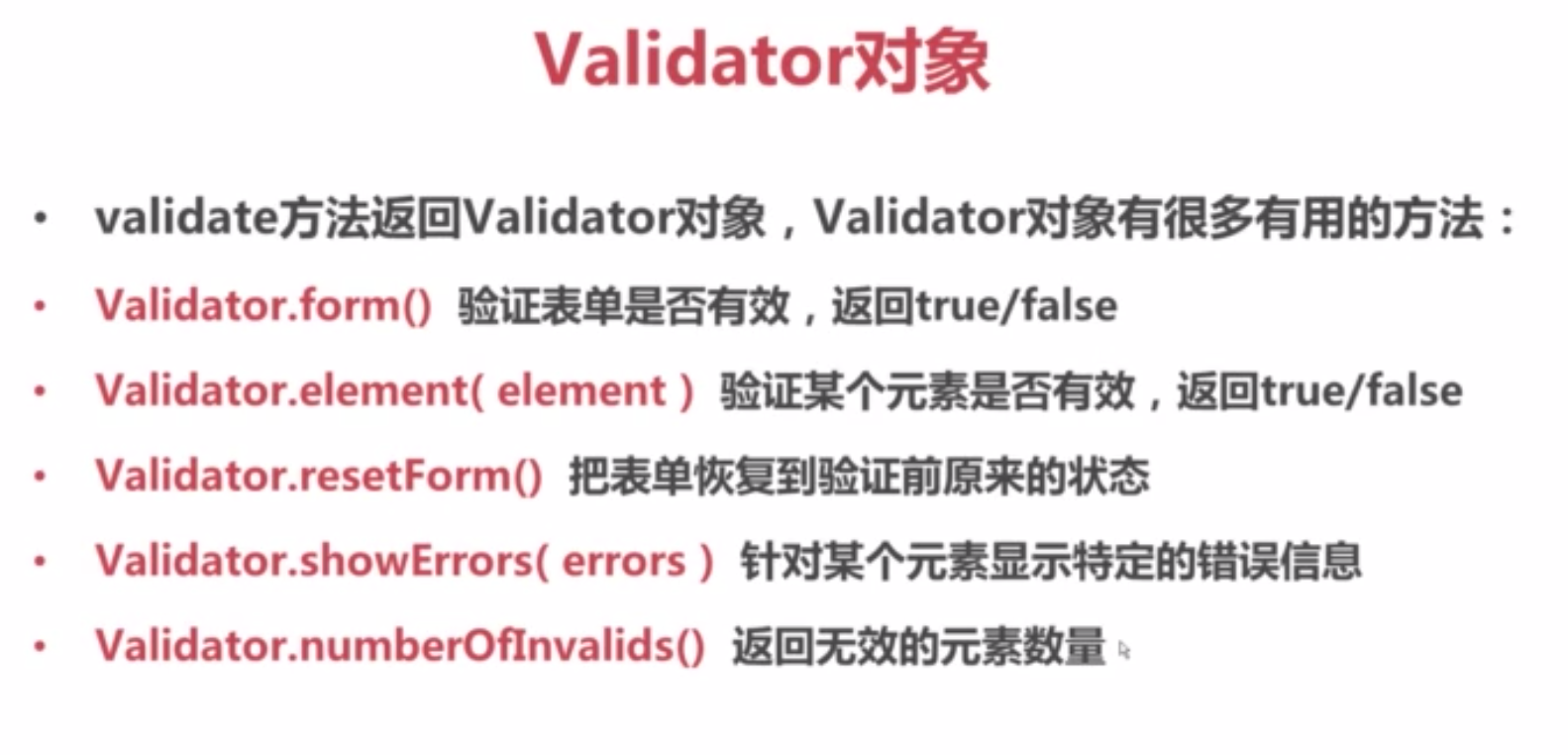
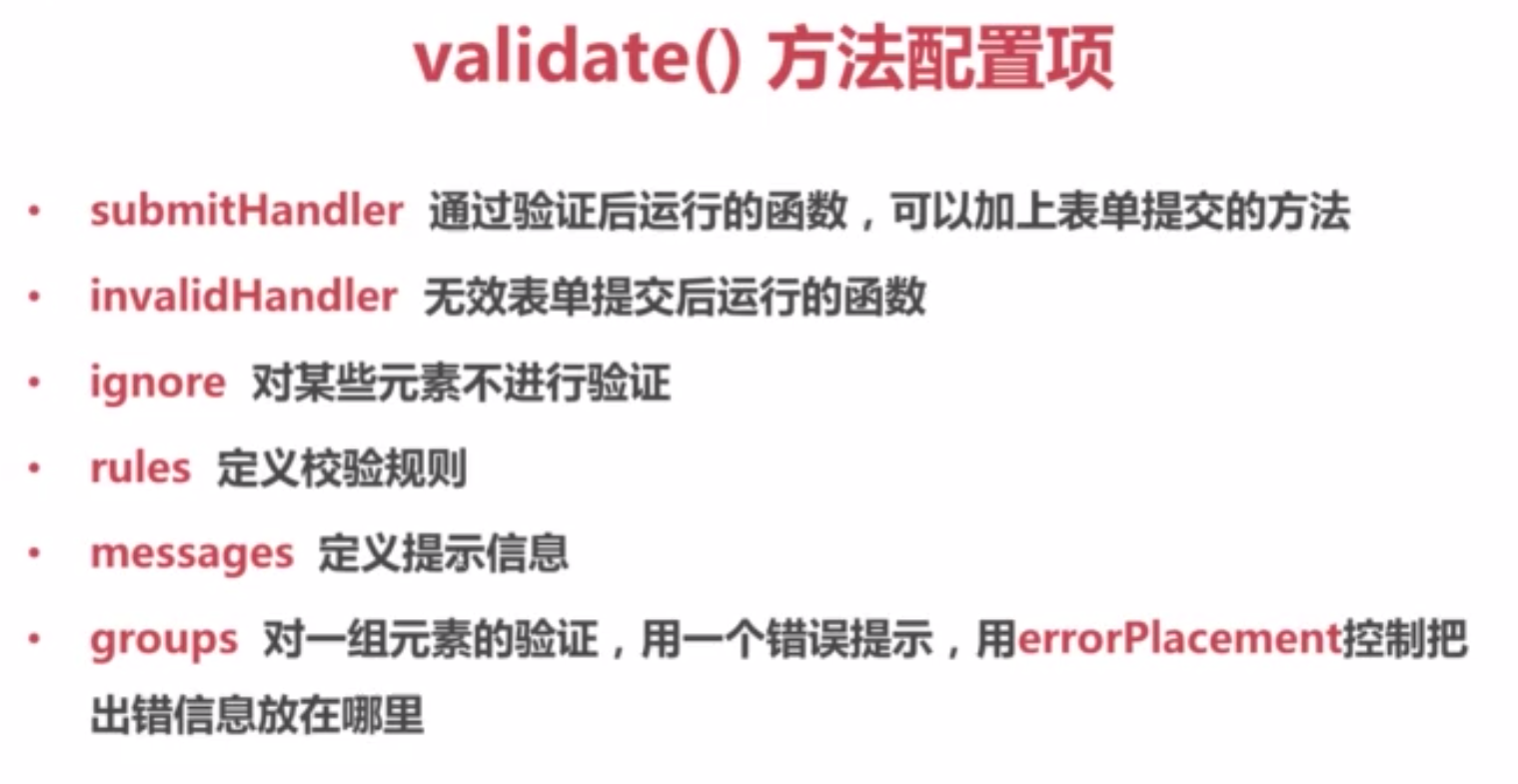
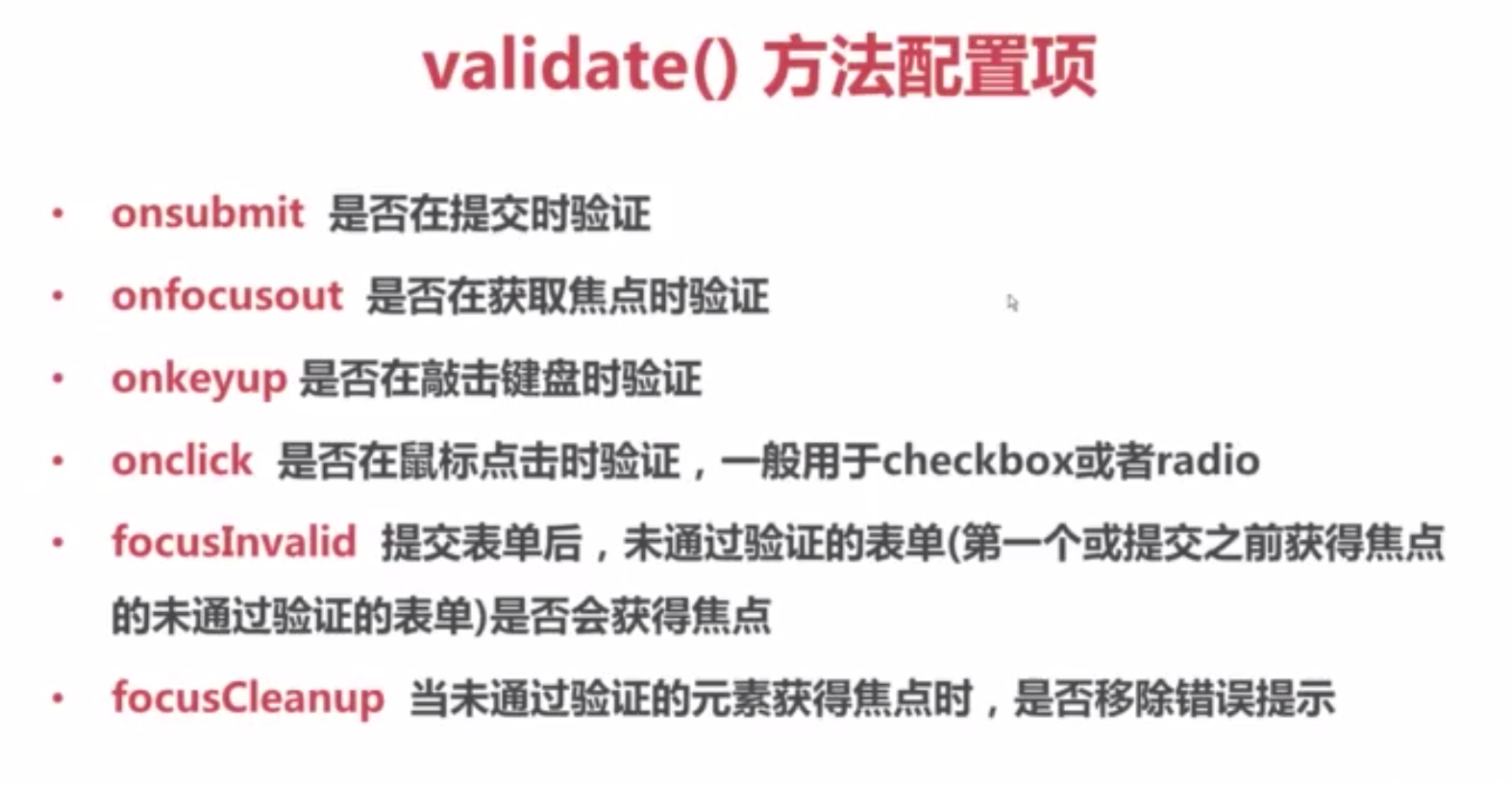
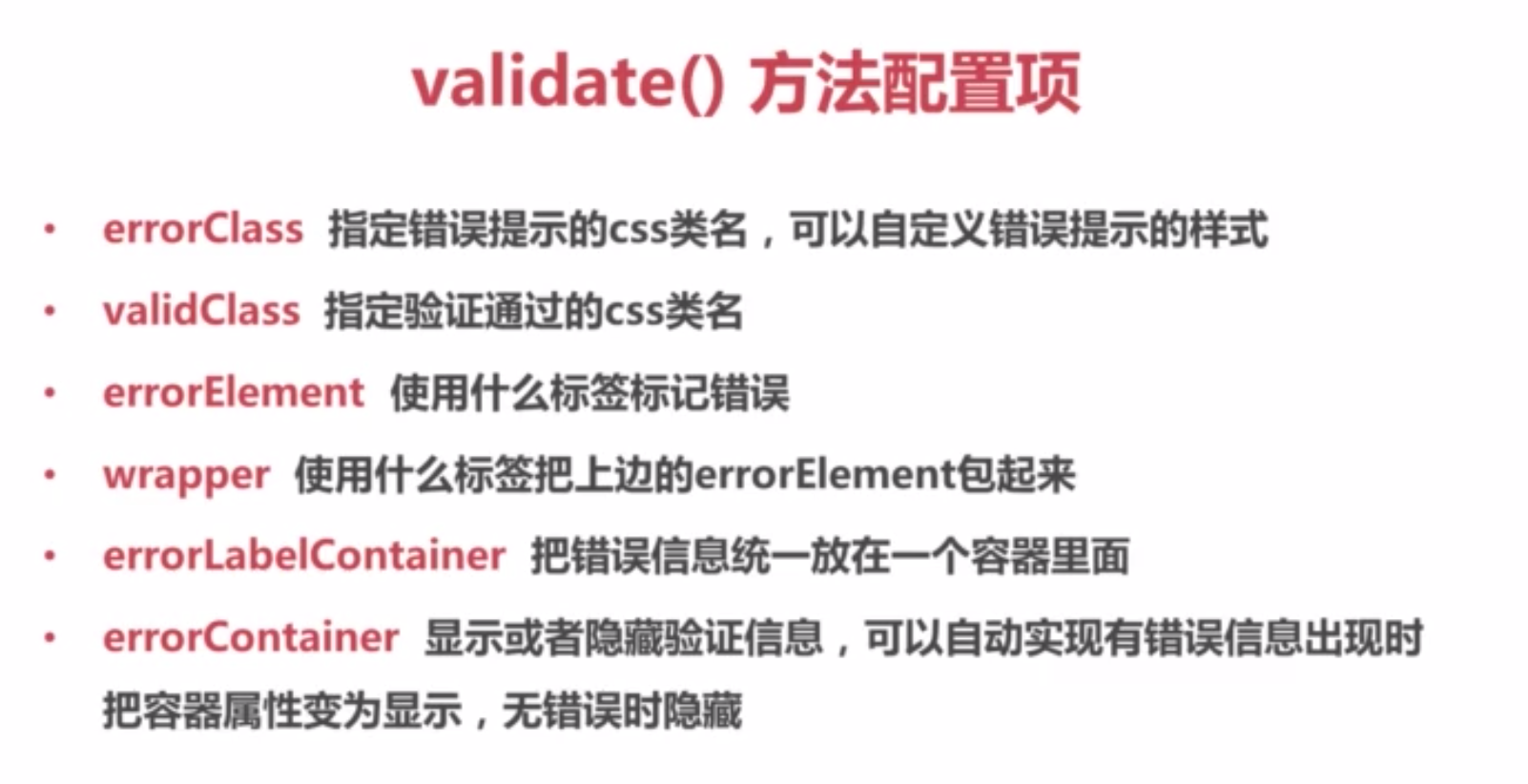
<!doctype html>

<html lang="en">

<head>

    <meta charset="UTF-8">

    <title>Document</title>

</head>

<link rel="stylesheet" href="style.css">

<body>

    <form action="" id="demoForm">

        <fieldset>

            <legend>用户登陆</legend>

                <p id="info"></p>

                <p id="info2" style="display:none">输入错误</p>

                <p>

                    <label for="usename">用户登录</label>

                    <input type="text" id="usename" name="usename">

                </p>

                <p>

                    <label for="parseword">密码</label>

                    <input type="password" id="parseword" name="parseword">

                </p>

                <p>

                    <label for="confirm-parseword">确认密码</label>

                    <input type="password" id="confirm-parseword" name="confirm-parseword">

                </p>

                <p>

                    <label for="dates">日期</label>

                    <input type="text" id="dates" name="dates">

                </p>

                <p>

                    <label for="emails">邮箱</label>

                    <input type="text" id="emails" name="emails">

                </p>

                <p>

                    <label for="loads">地址</label>

                    <input type="text" id="loads" name="loads">

                </p>

                <p>

                    <label for="numbers">数字</label>

                    <input type="text" id="numbers" name="numbers">

                </p>

                <p>

                    <label for="postcodes">邮政编码</label>

                    <input type="text" id="postcodes" name="postcodes">

                </p>

                <p>

                    <input type="submit" value="登录"/>

                </p>

                <p>

                    <button id="check">检测表单</button>

                </p>

        </fieldset>

    </form>

</body>

<script src="http://cdn.bootcss.com/jquery/3.1.0/jquery.js"></script>

<script src="jquery.validate.js"></script>

<script>

    var validator;

    $(document).ready(function(){

        validator = $("#demoForm").validate({

            debug:true,//只进行检测不提交,调试很方便

            rules:{//定义校验规则

                usename:{//usename是input的name不是id

                    required:{

                            depends:function(element){

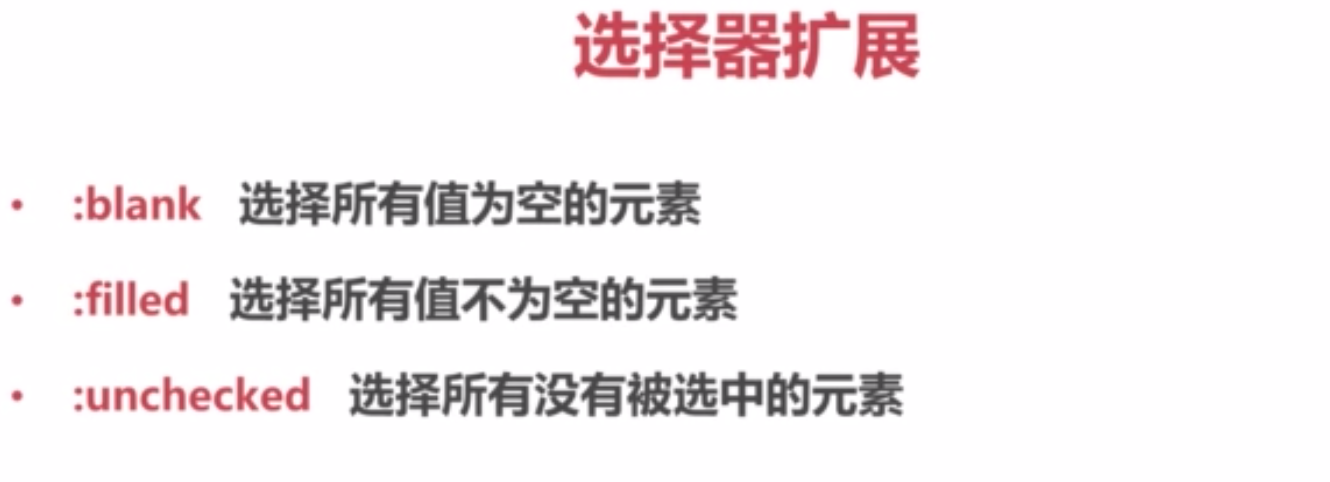
                                return $("#parseword").is(":filled");//密码是否填写  不填写密码不校验用户名

                            }

                        },

                    //url:true,//地址需要输入  http || https

                    //email:true,//验证邮箱

                    minlength:{

                            param:2,

                            depends:function(element){

                                return $("#parseword").is(":filled");//密码是否填写  不填写密码不校验用户名

                            }

                        },//最小长度

                    maxlength:10,//最大长度

                    //rangelength:[2,10],//长度范围

                    //remote:"remote.json" GET请求

                    /*remote:{

                        url:"remote.json",

                        type:"post",

                        data:{

                            loginTime:function(){

                                return + new Date;

                            }

                        }

                    }*/

                },

                parseword:{

                    required:true,

                    minlength:5,

                    maxlength:16

                },

                "confirm-parseword":{

                    equalTo:"#parseword"

                },

                dates:{

                    required:true,

                    //date:true//范围非常广

                    dateISO:true

                },

                emails:{

                    required:true,

                    email:true

                },

                loads:{

                    required:true,

                    url:true

                },

                numbers:{

                    required:true,

                    //number:true//整数数字、小数

                    digits:true//非负整数

                },

                postcodes:{

                    //required:true,

                    postcode:"中国"

                },

            },

            messages:{//定义提示信息

                usename:{

                    required:"必填",

                    minlength:"最少两位数",

                    maxlength:"最多十位数字",

                    remote:"用户名不存在",

                    rangelength:"2-10个字符",

                    email:"请输入正确的邮箱地址",

                    url:"请输入正确的地址"

                },

                parseword:{

                    required:"必填",

                    minlength:"最少五位数",

                    maxlength:"最多十六位数字"

                },

                "confirm-parseword":{

                    equalTo:"密码不一致"

                },

                dates:{

                    required:"必填",

                    date:"请输入正确的有效日期",

                    dateISO:"错误"

                },

                emails:{

                    required:"必填",

                    email:"错误"

                },

                loads:{

                    required:"必填",

                    url:"错误"

                },

                numbers:{

                    required:"必填",

                    number:"错误",

                    digits:"非负整数"

                }

            },

            submitHandler:function(form){//表单验证成功之后执行的方法

                console.log($(form).serialize());

            },

            //错误信息在一个地方显示

            /*groups:{

                login:"usename parseword confirm-parseword"

            },

            //错误信息显示在........

            errorPlacement:function(error,element){

                error.insertBefore("#info");

            },*/

            //onsubmit:false,//是否在登录时进行验证默认 true;

            focusInvalid:true,//提交表单后,未通过验证的表单是否获得焦点

            //errorClass:"wrong",//验证错误定义的类名

            //validClass:"right",//验证正确定义的类名

            //errorContainer:"#info", //设置 info 显示还是隐藏

            //errorContainer:"#info2",

            //errorLabelContainer:"#info",// ul 再放入 info里面

            //errorElement:"li",  //错误信息使用的标签

            //wapper:"ul",//包裹错误信息使用的标签

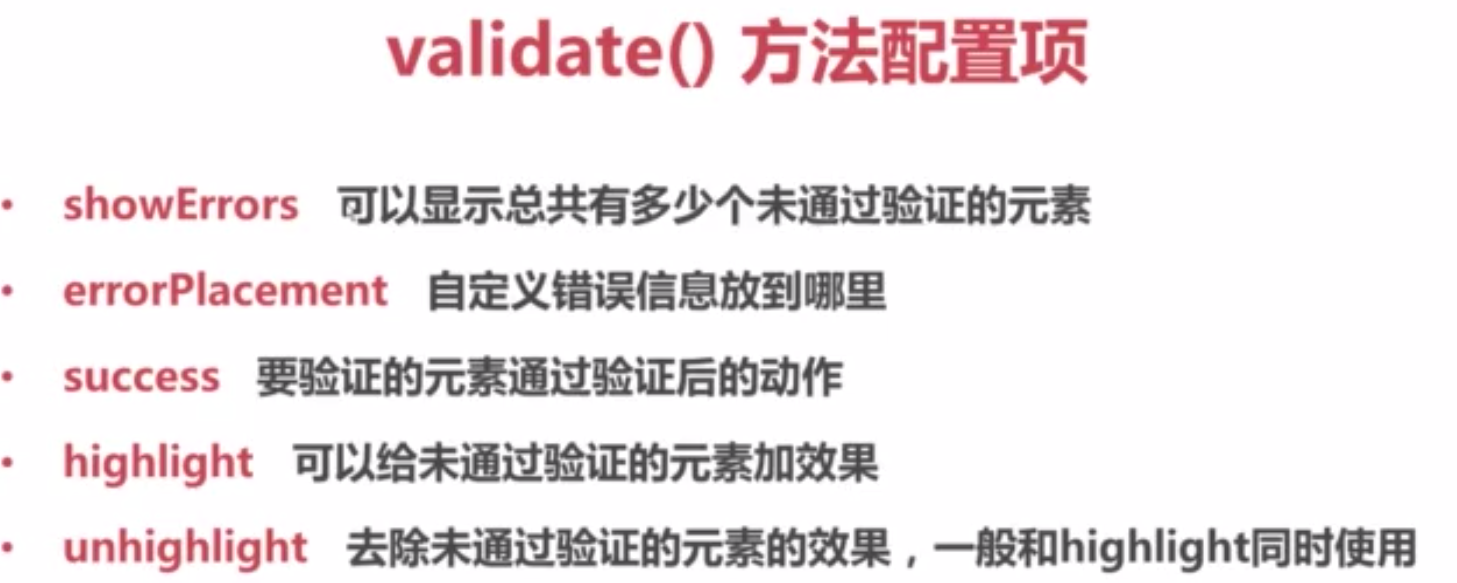
            showErrors:function(errorMap,errorList){

                console.log(errorMap);

                console.log(errorList);

                this.defaultShowErrors();//不调用默认不显示错误信息

            },

            //针对验证 元素 label

            success:function(label){//验证成功之后给验证成功的元素添加类名

                label.addClass("successright");

            },

            //针对表单元素 给未通过验证的元素添加效果

            highlight:function(element, errorClass, validClass){

                $(element).addClass(errorClass).removeClass(validClass);

                $(element).fadeOut().fadeIn();

            },

            unhighlight:function(element, errorClass, validClass){

                $(element).addClass(validClass).removeClass(errorClass);

            },

            /*invalidHandler:function(event,validator){//表单验证失败之后执行的方法

                console.log("错误数" + validator.numberOfInvalids());

            }*/

            //ignore:"#usename"//对某些元素不进行校验

            //ignore:"hidden"  //默认不对影藏的元素校验

        });

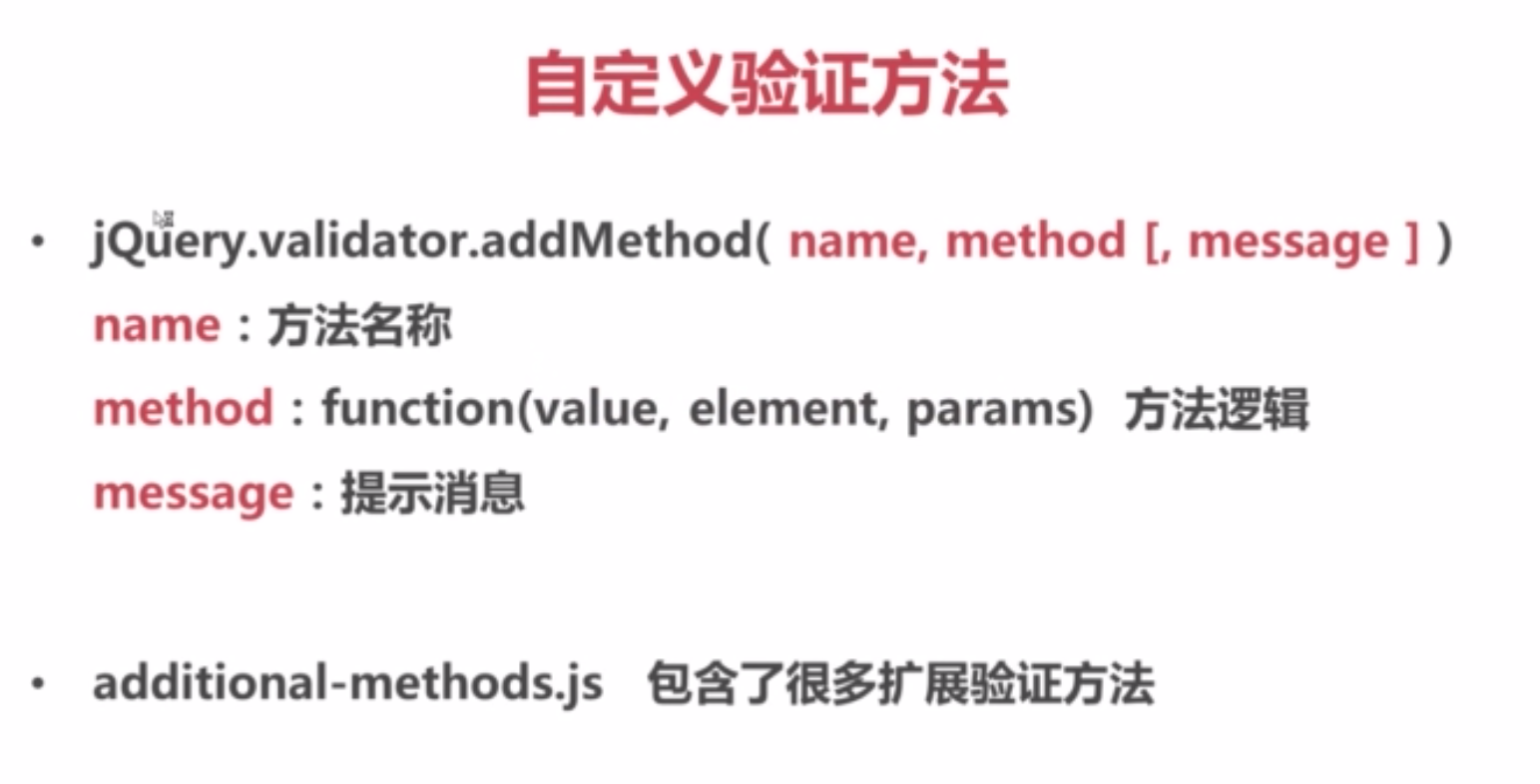
        //自定义验证方法  邮政编码

        $.validator.addMethod("postcode" ,function(value, element, params){

            var postcode = /^[0-9]{6}$/;

            console.log(params);

            return this.optional(element) || (postcode.test(value));

            //this.optional(element) 去掉之后不填也会提示 请填写正确的邮政编码!!

            //this.optional(element) 值为空的时候不去触发校验规则

        }, $.validator.format("请填写正确的{0}邮政编码!!"));

        /*$("#demoForm").on("invalid-form", function(event,validator){//表单验证失败之后执行的方法

                console.log("错误数" + validator.numberOfInvalids());

            });*/

        //检测

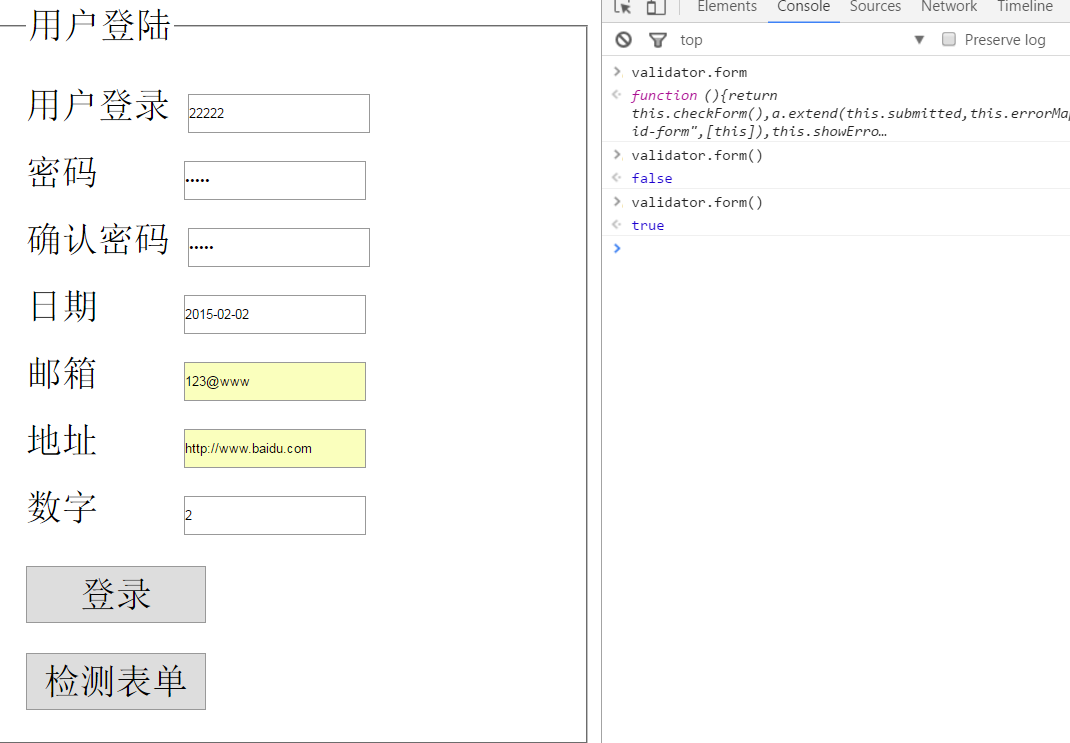
        $("#check").click(function(){

            alert($("#demoForm").valid() ? "填写正确" : "填写错误");

        })

    })

</script>

</html>
学习 表单验证插件validate的更多相关文章
- 表单验证插件——validate
表单验证插件——validate 该插件自带包含必填.数字.URL在内容的验证规则,即时显示异常信息,此外,还允许自定义验证规则,插件调用方法如下: $(form).validate({options ...
- jQuery Validate 表单验证插件----Validate简介,官方文档,官方下载地址
一. jQuery Validate 插件的介绍 jQuery Validate 插件为表单提供了强大的验证功能,让客户端表单验证变得更简单,同时提供了大量的定制选项,满足应用程序各种需求.该插件捆 ...
- Jquery表单验证插件validate
写在前面: 在做一些添加功能的时候,表单的提交前的验证是必不可少的,jquery的validate插件就还可以,对于基本的需求已经够了.这里记录下基本的用法. 还是写个简单的demo吧 <htm ...
- 表单验证插件validate
http://www.runoob.com/jquery/jquery-plugin-validate.html <!DOCTYPE html> <html lang="e ...
- 2.12 学习总结 之 表单校验插件validate
一.说在前面 昨天 学习了ajax的相关知识 今天 学习表单校验插件validate, 并使用ajax 自定义校验规则 二.validate 插件 1.网络上有许多成熟的插件共使用者参考,插件就是将j ...
- jQuery.validate.js表单验证插件
jQuery.validate.js表单验证插件的使用 效果: 代码: <!DOCTYPE html> <html lang="en"> <head& ...
- jQuery学习之:Validation表单验证插件
http://polaris.blog.51cto.com/1146394/258781/ 最近由于公司决定使用AJAX + Struts2来重构项目,让我仔细研究一下这两个,然后集中给同事讲讲,让每 ...
- Jquery.validate.js表单验证插件的使用
作为一个网站web开发人员,以前居然不知道还有表单验证这样好呀的插件,还在一行行写表单验证,真是后悔没能早点知道他们的存在. 最近公司不忙,自己学习一些东西的时候,发现了validation的一个实例 ...
- jquery validate表单验证插件-推荐
1 表单验证的准备工作 在开启长篇大论之前,首先将表单验证的效果展示给大家. 1.点击表单项,显示帮助提示 2.鼠标离开表单项时,开始校验元素 3.鼠标离开后的正确.错误提示及鼠标移入时的帮 ...
随机推荐
- vim正则表达式的替换变量
在正规表达式中使用 \( 和 \) 符号括起正规表达式,即可在后面使用\1.\2 等变量来访问 \( 和 \) 中的内容. 例如有下列英汉对照文本: adapter 适配器address 地址alge ...
- Mysql忘记密码找回步骤
Mysql密码忘记找回步骤: 1.首先停止数据库 [root@localhost ~]# /etc/init.d/mysqld stop 2.使用--skip-grant-tables启动mysql, ...
- JZOJ 3493. 【NOIP2013模拟联考13】三角形
3493. [NOIP2013模拟联考13]三角形(triangle) (File IO): input:triangle.in output:triangle.out Time Limits: 10 ...
- 02.VUE学习二之数据绑定
<!DOCTYPE html> <html> <head> <meta charset="utf-8"> <meta http ...
- javaWeb开发中常见的问题
1.修改表单提交的时候不好使可能是因为没写对应隐藏域的ID 2.el表达式在js代码中要加“”,例如 "${}" 3.JavaScript中的函数也有重载的特性.如果两个input ...
- 使用virtualbox安装的Ubuntu,窗口分辨率过小,使用增强工具完成和vmtools一样的功能。
今天用VirtualBox成功装上Ubuntu10.04之后发现了一个问题:默认情况下 ubuntu 的分辨率最高只能设到800*600.但是对于自己的大显示器,在分辨率800*600的ubuntu窗 ...
- C++ 11 从C++ primer第五版的学习笔记
1. auto (page107) auto 推断会忽略const const int ci = i, & cr = ci; auto b = ci; // b is an int (to ...
- Django 六——自定义标签、图片验证码、发送邮件、评论树、组合搜索
1.自定义标签 2.图片验证码 3.生成邮箱验证码.发送邮件 4.评论树实现 5.组合搜索(Q) 1.自定义标签 配置: a.在app中新建文件夹 templatetags,里面新建 xx.py文 ...
- loj2056 「TJOI / HEOI2016」序列
当年我还没学cdq的时候在luogu上写过树套树的代码orzzz ref #include <algorithm> #include <iostream> #include & ...
- laravel5.2总结--服务容器(依赖注入,控制反转)
1.依赖 我们定义两个类:class Supperman 和 class Power,现在我们要使用Supperman ,而Supperman 依赖了Power class Supperman { p ...