
istio1.2.2 安装及使用示例
前言
本文介绍istio的安装及使用
dashboard,grafana,prometheus,kiali,jaeger的配置示例.演示通过istio的ingressgateway统一访问入口
Istio简介
下载istio
https://github.com/istio/istio/releases

wget https://github.com/istio/istio/releases/download/1.2.2/istio-1.2.2-linux.tar.gz

tar xf  istio-1.2.2-linux.tar.gz

cd /root/istio-1.2.2

cp bin/istioctl /usr/local/bin/
Chart Details
This chart can install multiple Istio components as subcharts:

ingressgateway

egressgateway

sidecarInjectorWebhook

galley

mixer

pilot

security(citadel)

grafana

prometheus

tracing(jaeger)

kiali

To enable or disable each component, change the corresponding enabled flag.
Istio安装
使用helm部署istio服务
安装包内的 Helm 目录中包含了 Istio 的 Chart,官方提供了两种方法:
- 用 Helm 生成
istio.yaml,然后自行安装。 - 用
Tiller直接安装
这里采用第一种方法,通过helm template生成模板文件安装
注意:最新版本有2部分配置分开的,和之前版本有区别,所有要分别生成配置文件

生成Istio的CRDs

helm template --name istio-init --namespace istio-system ./install/kubernetes/istio-init > istio-init-1.2.2.yaml

生成istio配置文件

helm template --name istio --namespace istio-system ./install/kubernetes/helm/istio > istio-1.2.2.yaml
以上使用默认配置,有些组件默认是不开启的
vim install/kubernetes/helm/istio/values.yaml
可以手动修改配置文件 修改helm chart默认参数,在生成模板
也可以在命令行添加 --set key=value 覆盖默认值
查看默认参数配置:https://istio.io/docs/reference/config/installation-options/#kiali-options
如下:在命令行直接覆盖默认值:
helm template install/kubernetes/helm/istio --name istio --namespace istio-system --set sidecarInjectorWebhook.enabled=true --set ingress.service.type=NodePort --set gateways.istio-ingressgateway.type=NodePort --set gateways.istio-egressgateway.type=NodePort --set tracing.enabled=true --set servicegraph.enabled=true --set prometheus.enabled=true --set tracing.jaeger.enabled=true --set grafana.enabled=true > istio.yaml
[root@k8s-master istio-1.2.2]# kubectl apply -f istio-init-1.2.2.yaml

configmap/istio-crd-10 created

configmap/istio-crd-11 created

configmap/istio-crd-12 created

serviceaccount/istio-init-service-account created

clusterrole.rbac.authorization.k8s.io/istio-init-istio-system unchanged

clusterrolebinding.rbac.authorization.k8s.io/istio-init-admin-role-binding-istio-system unchanged

job.batch/istio-init-crd-10 created

job.batch/istio-init-crd-11 created

job.batch/istio-init-crd-12 created

[root@k8s-master istio-1.2.2]# kubectl apply -f istio-1.2.2.yaml

###

[root@k8s-master istio-1.2.2]# kubectl get pods -n istio-system

NAME                                      READY   STATUS      RESTARTS   AGE

grafana-6575997f54-2lppn                  1/1     Running     0          55m

istio-citadel-894d98c85-644wd             1/1     Running     0          55m

istio-cleanup-secrets-1.2.2-g8568         0/1     Completed   0          55m

istio-galley-5b984f89b-l5prq              1/1     Running     2          55m

istio-grafana-post-install-1.2.2-xcgtb    0/1     Completed   0          55m

istio-ingressgateway-6599d6749-5v9xx      0/1     Running     0          55m

istio-init-crd-10-dfjr2                   0/1     Completed   0          59m

istio-init-crd-11-z28bv                   0/1     Completed   0          59m

istio-init-crd-12-b9hmw                   0/1     Completed   0          59m

istio-pilot-7ccff5dbdc-lhvhm              0/2     Pending     0          55m

istio-policy-77bbfdbd6-rfgsz              2/2     Running     8          55m

istio-security-post-install-1.2.2-tlv6m   0/1     Completed   0          55m

istio-sidecar-injector-7b98dd6bcc-kn7z9   1/1     Running     0          55m

istio-telemetry-7f8d5c5b74-glft4          2/2     Running     8          55m

istio-tracing-555cf644d-g7hsn             1/1     Running     0          55m

kiali-6cd6f9dfb5-trzqx                    1/1     Running     0          55m

prometheus-7d7b9f7844-m7ffd               1/1     Running     0          55m

[root@k8s-master istio-1.2.2]#

#使用下面命令验证是否有23个istio crds

[root@k8s-master istio-1.2.2]# kubectl get crds | grep 'istio.io\|certmanager.k8s.io' | wc -l

23

[root@k8s-master istio-1.2.2]#
Istio使用
gateway和virtualserive配置
[root@k8s-master ~]# cat gateway-istio.yaml

apiVersion: networking.istio.io/v1alpha3

kind: Gateway

metadata:

  name: gateway-istio

  namespace: istio-system

spec:

  selector:

    istio: ingressgateway # use istio default controller

  servers:

  - port:

      number: 80

      name: http-istio

      protocol: HTTP

    hosts:

    - "prometheus.test.com"

    - "kiali.test.com"

    - "jaeger.test.com"

    - "dashboard.test.com"

    - "grafana.test.com"

---

apiVersion: networking.istio.io/v1alpha3

kind: VirtualService

metadata:

  name: jaeger

  namespace: istio-system

spec:

  hosts:

  - "jaeger.test.com"

  gateways:

  - gateway-istio

  http:

  - retries:

      attempts: 3

      perTryTimeout: 2s

    route:

    - destination:

        host: tracing

        port:

          number: 80

---

apiVersion: networking.istio.io/v1alpha3

kind: VirtualService

metadata:

  name: prometheus

  namespace: istio-system

spec:

  hosts:

  - "prometheus.test.com"

  gateways:

  - gateway-istio

  http:

  - retries:

      attempts: 3

      perTryTimeout: 2s

    route:

    - destination:

        host: prometheus

        port:

          number: 9090

---

apiVersion: networking.istio.io/v1alpha3

kind: VirtualService

metadata:

  name: grafana

  namespace: istio-system

spec:

  hosts:

  - "grafana.test.com"

  gateways:

  - gateway-istio

  http:

  - retries:

      attempts: 3

      perTryTimeout: 2s

    route:

    - destination:

        host: grafana

        port:

          number: 3000

---

apiVersion: networking.istio.io/v1alpha3

kind: VirtualService

metadata:

  name: kiali

  namespace: istio-system

spec:

  hosts:

  - "kiali.test.com"

  gateways:

  - gateway-istio

  http:

  - retries:

      attempts: 3

      perTryTimeout: 2s

    route:

    - destination:

        host: kiali

        port:

          number: 20001

[root@k8s-master ~]#
使用haproxy代理本机80,443端口到k8s集群istio ingressgateway的31380(http)和31390(https)
haproxy配置请看:https://www.cnblogs.com/xuliang666/p/11136829.html
配置域名如下
(base) xuliang@xuliang-PC:~$ cat /etc/hosts

127.0.0.1	localhost

127.0.1.1   xuliang-PC

# The following lines are desirable for IPv6 capable hosts

::1     ip6-localhost ip6-loopback

fe00::0 ip6-localnet

ff00::0 ip6-mcastprefix

ff02::1 ip6-allnodes

ff02::2 ip6-allrouters

10.0.2.51 red.aijiatui.com

192.168.100.29 myapp.test.com

192.168.100.29 prometheus.test.com

192.168.100.29 grafana.test.com

192.168.100.29 kiali.test.com

192.168.100.29 jaeger.test.com

(base) xuliang@xuliang-PC:~$
dashboard配置
查看dashboard svc
[root@k8s-master ~]# kubectl get svc -n kube-system|grep dashboard

kubernetes-dashboard   ClusterIP   10.106.65.78   <none>        9090/TCP                 27d

[root@k8s-master ~]#
创建gateway和virtualservice
#gateway网关配置:

apiVersion: networking.istio.io/v1alpha3

kind: Gateway

metadata:

  name: gateway-dashboard

  namespace: kube-system

spec:

  selector:

    istio: ingressgateway # use istio default controller

  servers:

  - port:

      number: 80

      name: http-dashboard

      protocol: HTTP

    hosts:

    - "dashboard.test.com"

---

apiVersion: networking.istio.io/v1alpha3

kind: VirtualService

metadata:

  name: dashboard

  namespace: kube-system

spec:

  hosts:

  - "dashboard.test.com"

  gateways:

  - gateway-dashboard

  http:

  - retries:

      attempts: 3

      perTryTimeout: 2s

    route:

    - destination:

        host: kubernetes-dashboard

        port:

          number: 9090
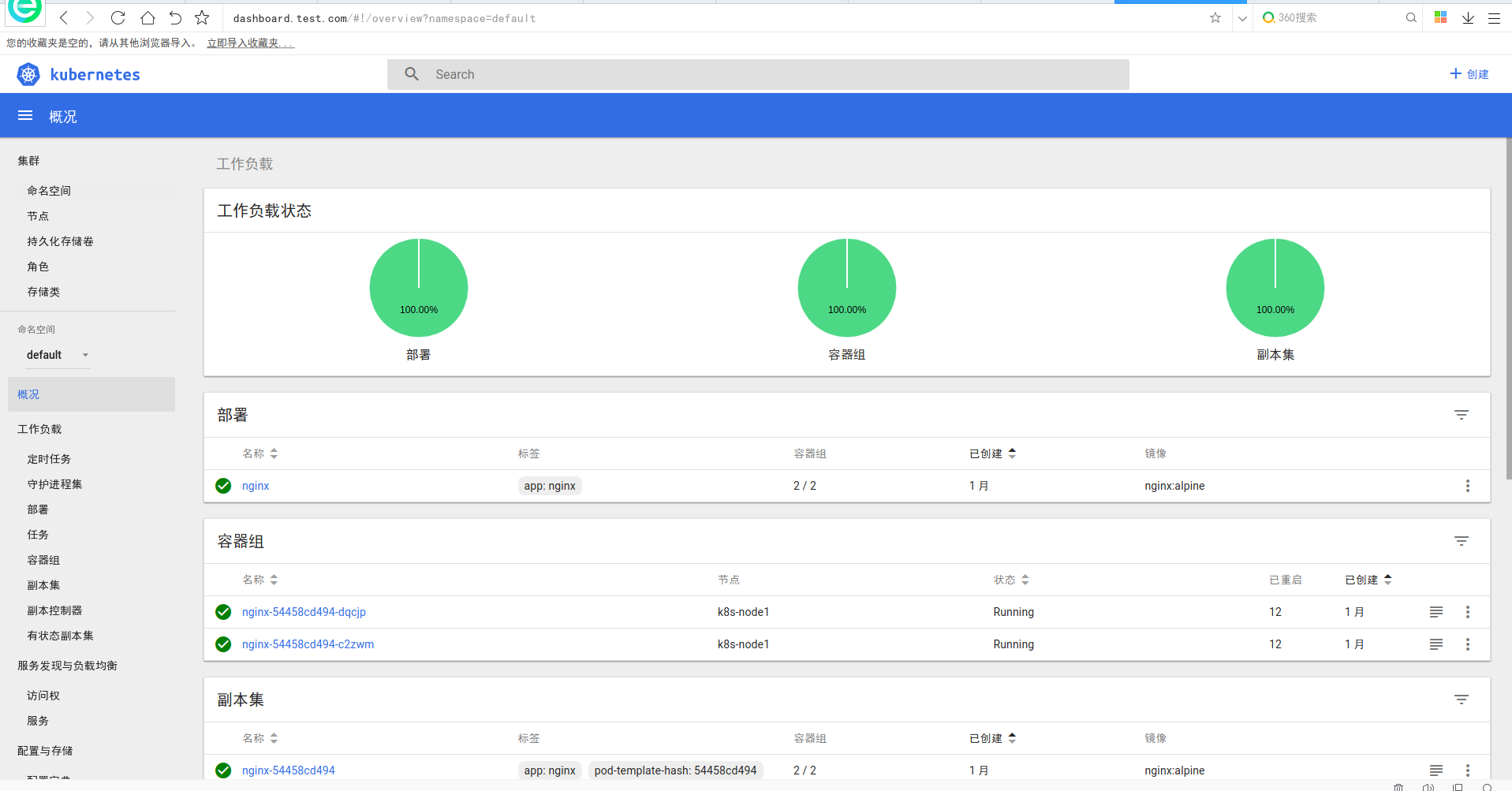
在浏览器中输入dashboard.test.com即可访问
jaeger介绍
官网地址:https://www.jaegertracing.io/
Jaeger受Dapper和OpenZipkin的启发,是Uber Technologies公开发布的分布式跟踪系统。它用于监视和排除基于微服务的分布式系统,包括:
- 分布式上下文传播
- 分布式事务监控
- 根本原因分析
- 服务依赖性分析
- 性能/延迟优化
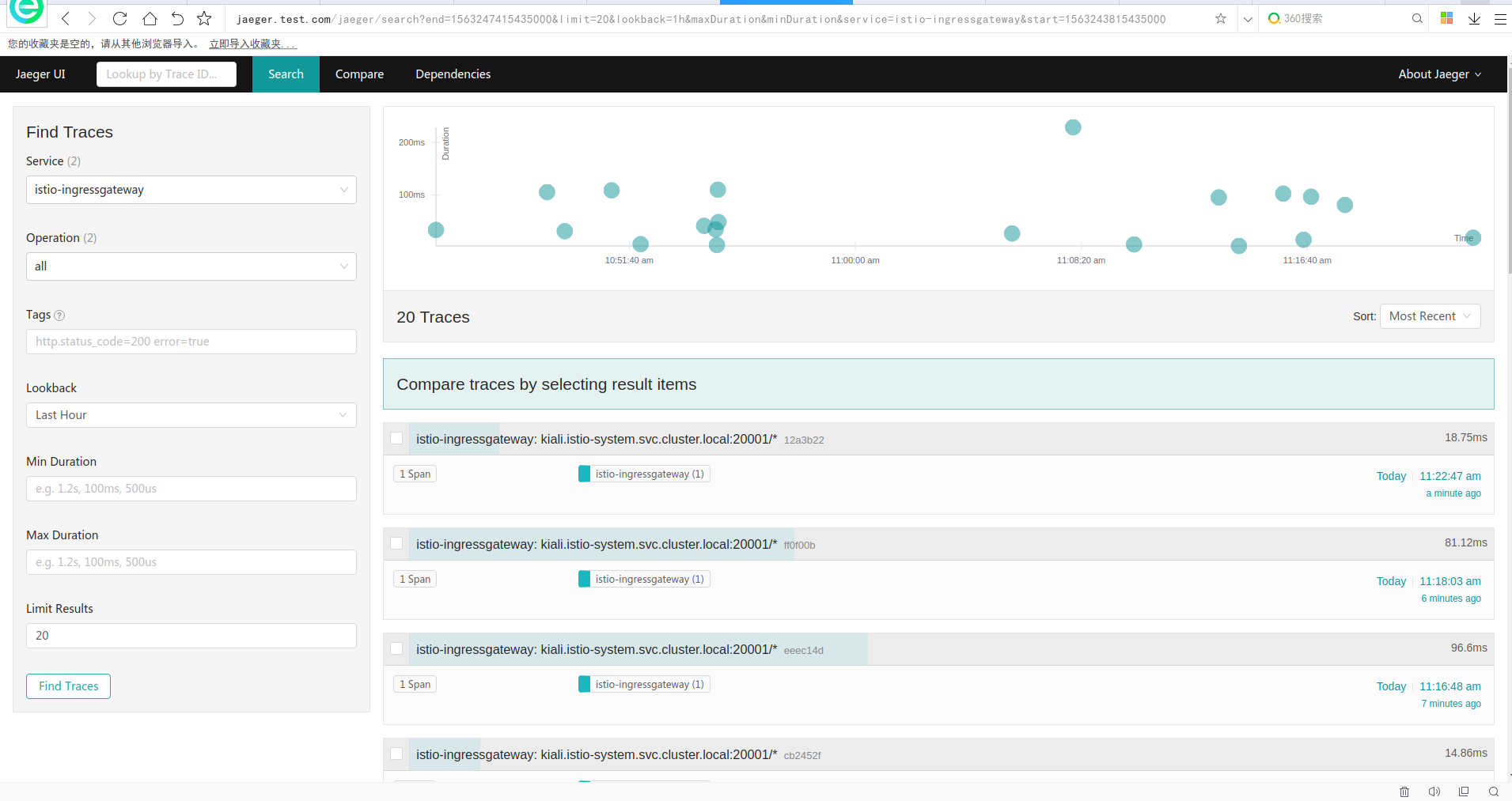
访问地址如下:
kiali介绍
服务网格可观察性和配置
通过helm模板安装完,是没有账户密码的
helm template \

--set kiali.enabled=true \

--set "kiali.dashboard.jaegerURL=http://$(kubectl get svc tracing --namespace istio-system -o jsonpath='{.spec.clusterIP}'):80" \

--set "kiali.dashboard.grafanaURL=http://$(kubectl get svc grafana --namespace istio-system -o jsonpath='{.spec.clusterIP}'):3000" \

install/kubernetes/helm/istio \

--name istio --namespace istio-system > istio.yaml
[root@k8s-master ~]# echo -n 'admin' | base64

YWRtaW4=

[root@k8s-master ~]# echo -n 'admin' | base64

YWRtaW4=

[root@k8s-master ~]#

[root@k8s-master ~]# cat kiali.yaml

apiVersion: v1

kind: Secret

metadata:

  name: kiali

  namespace: istio-system

  labels:

    app: kiali

type: Opaque

data:

  username: YWRtaW4K=

  passphrase: YWRtaW4K

[root@k8s-master ~]#
或者
USERNAME=$(echo -n 'admin' | base64)

PASSPHRASE=$(echo -n 'admin' | base64)

cat <<EOF | kubectl apply -f -

apiVersion: v1

kind: Secret

metadata:

  name: kiali

  namespace: $NAMESPACE

  labels:

    app: kiali

type: Opaque

data:

  username: $USERNAME

  passphrase: $PASSPHRASE

EOF
查看或修改kiali的配置文件
[root@k8s-master istio-1.2.2]# kubectl get configmap kiali -n istio-system -o yaml

apiVersion: v1

data:

  config.yaml: |

    istio_namespace: istio-system

    auth:

      strategy: "login"

    server:

      port: 20001

      web_root: /kiali

    external_services:

      tracing:

        url: http://jaeger.test.com/jaeger

      grafana:

        url: http://10.100.148.230:3000

      prometheus:

        url: http://10.109.28.54:9090

kind: ConfigMap

metadata:

  annotations:

    kubectl.kubernetes.io/last-applied-configuration: |

      {"apiVersion":"v1","data":{"config.yaml":"istio_namespace: istio-system\nauth:\n  strategy: \"login\"\nserver:\n  port: 20001\n  web_root: /kiali\nexternal_services:\n  tracing:\n    url: http://10.100.190.53\n  grafana:\n    url: http://10.100.148.230:3000\n  prometheus:\n    url: http://10.109.28.54:9090\n"},"kind":"ConfigMap","metadata":{"annotations":{},"labels":{"app":"kiali","chart":"kiali","heritage":"Tiller","release":"istio"},"name":"kiali","namespace":"istio-system"}}

  creationTimestamp: "2019-07-12T06:40:16Z"

  labels:

    app: kiali

    chart: kiali

    heritage: Tiller

    release: istio

  name: kiali

  namespace: istio-system

  resourceVersion: "1386411"

  selfLink: /api/v1/namespaces/istio-system/configmaps/kiali

  uid: f2100d5c-05b4-48ca-92c7-73ebea15401e

[root@k8s-master istio-1.2.2]#
注意:
 external_services:

      tracing:

        url: http://10.100.190.53:80

      grafana:

        url: http://10.100.148.230:3000

      prometheus:

        url: http://10.109.28.54:9090
这里的三个地址可以写svc ip也可以写成域名
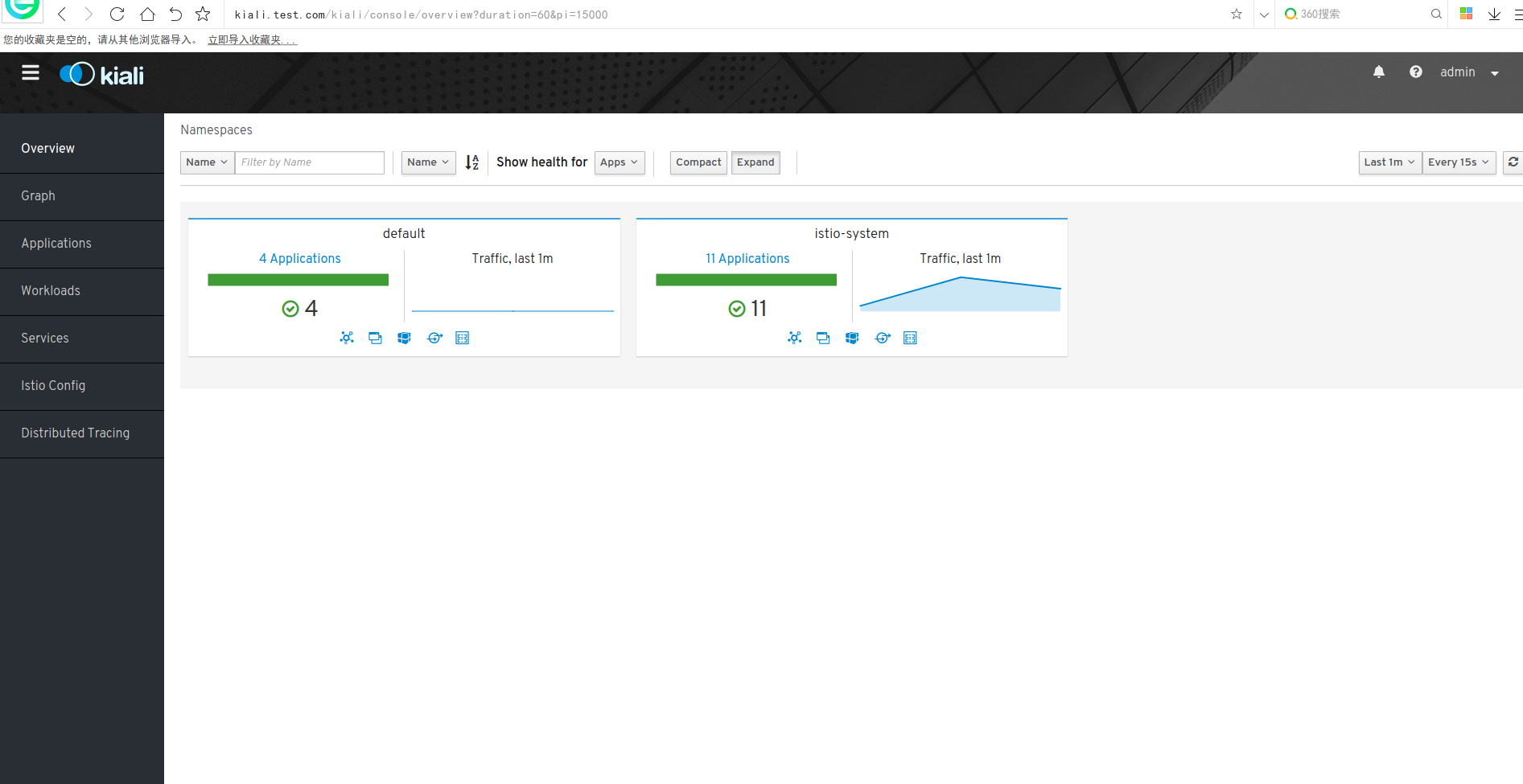
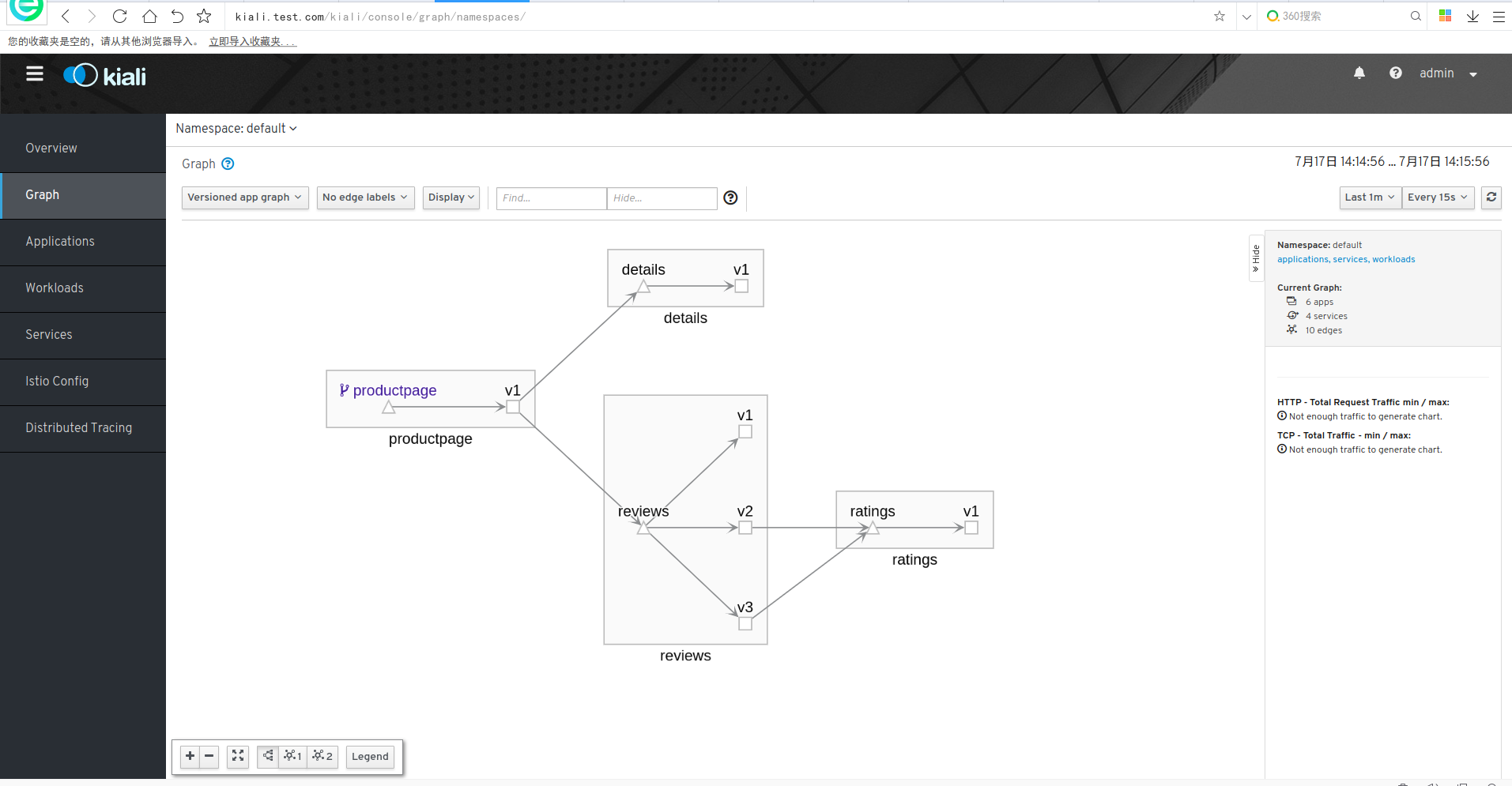
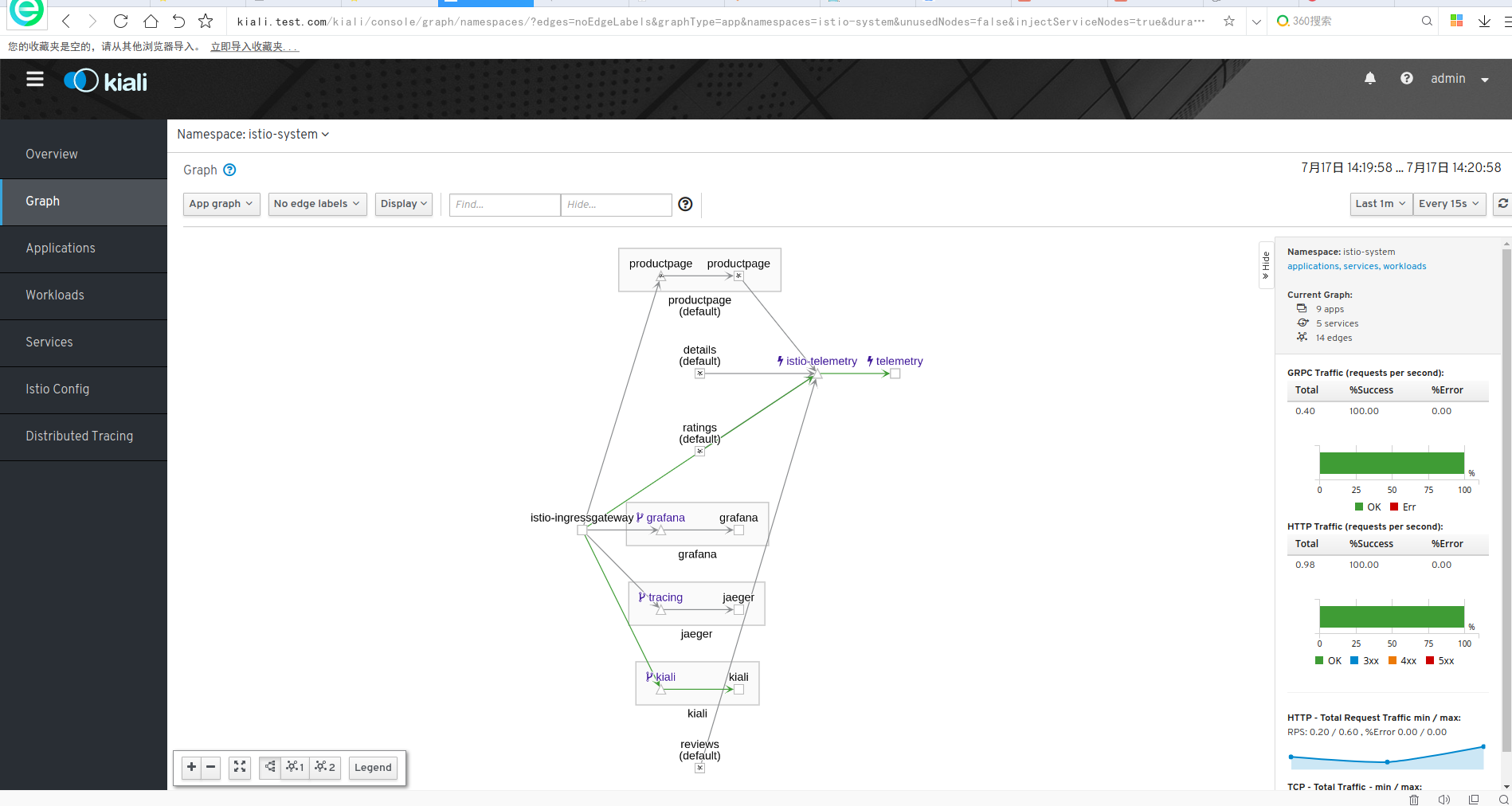
账户:admin 密码:admin
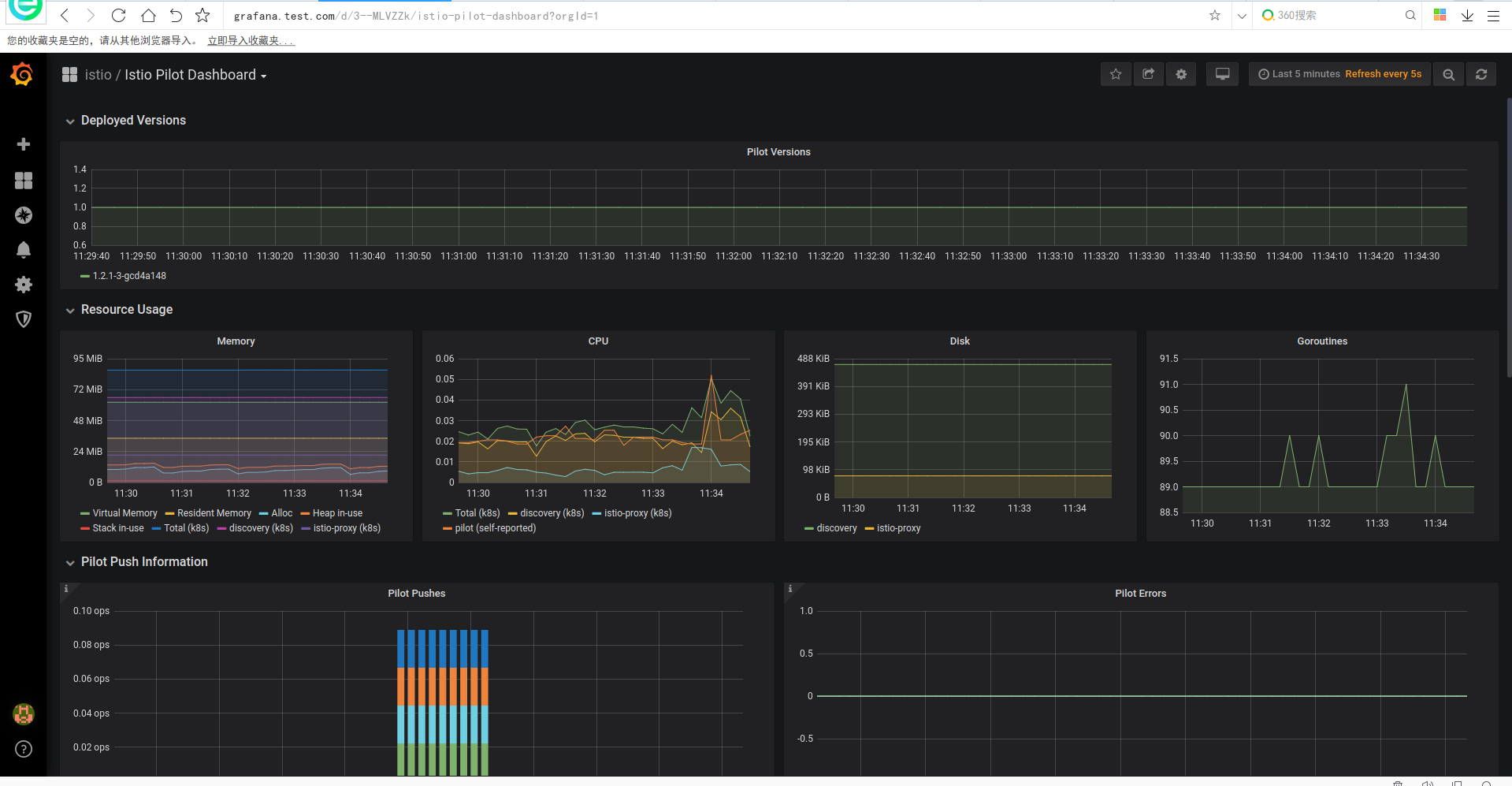
grafana
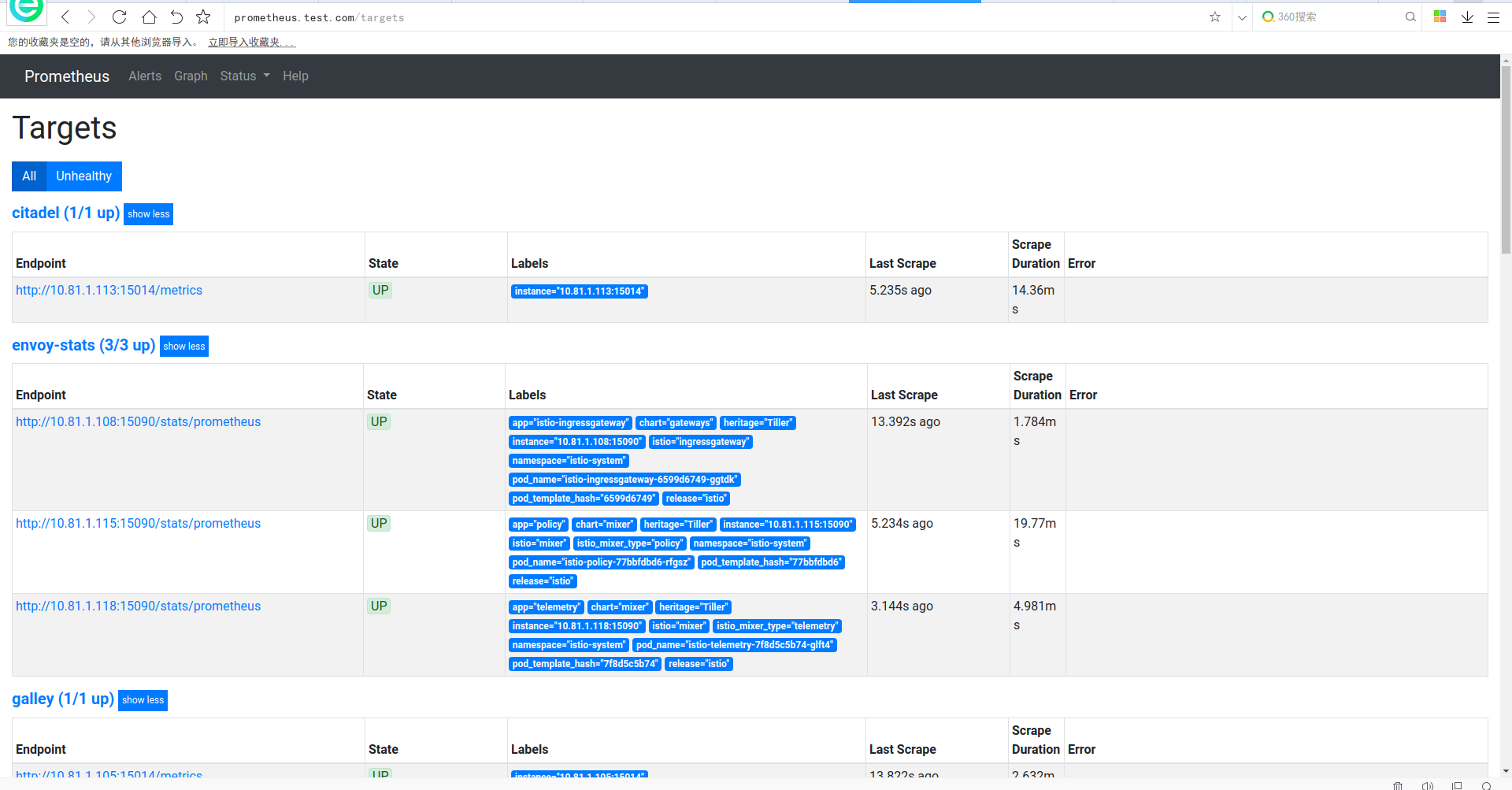
prometheus
istio1.2.2 安装及使用示例的更多相关文章
- Thrift在Windows及Linux平台下的安装和使用示例
本文章也同时发表在个人博客Thrift在Windows及Linux平台下的安装和使用示例上. thrift介绍 Apache Thrift 是 Facebook 实现的一种高效的.支持多种编程语言的R ...
- Redis 安装与简单示例
Redis 安装与简单示例 一.Redis的安装 Redis下载地址如下:https://github.com/dmajkic/redis/downloads 解压后根据自己机器的实际情况选择32位或 ...
- TensorFlow入门,基本介绍,基本概念,计算图,pip安装,helloworld示例,实现简单的神经网络
TensorFlow入门,基本介绍,基本概念,计算图,pip安装,helloworld示例,实现简单的神经网络
- Linux下安装GB2312的示例
Linux下安装GB2312的示例 Step 1: 到Linux字符集的安装包目录下 [cd /usr/share/i18n/charmaps] Step 2: 解压该目录下的GB2312.gz ...
- cesium安装及第一个示例
cesium安装及第一个示例 一.环境要求 二.浏览器要求 三.安装node.js 四.下载cesium包(地址为https://cesiumjs.org) 包括了 五.在你的项目里引入相关js与cs ...
- istio 安装与bookinfo示例运行
目的 本文旨在帮助想了解istio安装和运行bookinfo示例的同学快速入门 前置准备 安装k8s和helm 1.k8s安装 修改主机名 hostnamectl set-hostname k8s-m ...
- Hadoop:pig 安装及入门示例
pig是hadoop的一个子项目,用于简化MapReduce的开发工作,可以用更人性化的脚本方式分析数据. 一.安装 a) 下载 从官网http://pig.apache.org下载最新版本(目前是0 ...
- Redis 安装与简单示例 01_转
一.Redis的安装 Redis下载地址如下:https://github.com/dmajkic/redis/downloads 解压后根据自己机器的实际情况选择32位或者64位.下载解压后图片如下 ...
- Redis 安装与简单示例 <第一篇>
一.Redis的安装 Redis下载地址如下:https://github.com/dmajkic/redis/downloads 解压后根据自己机器的实际情况选择32位或者64位.下载解压后图片如下 ...
随机推荐
- WPF权限控制框架——【4】抛砖引玉
写第一篇"权限控制框架"系列博客是在2021-01-29,在这不到一个月的时间里,收集自己零碎的时间,竟然写出了一个"麻雀虽小,五脏俱全"的权限控制框架:对于一 ...
- Pycharm模块导入失败,带有红色波浪线。
在Pycharm中打开一个python开源工程,结果在导入库的部分一堆红色波浪线显示错误,并且按住Ctrl + 鼠标左击无法跳转到指定类或方法,如下图所示. 解决方法: (1)首先忽略掉这些报错,先运 ...
- 由于makefile编译所有子目录中 sed 's,/($*/)/.o[ :],/1.o $@ : ,g' <$@ > $@ 的解释
这个语句分为好几层,我们一层一层来看 1. sed 's,/($*/)/.o[ :],/1.o $@ : ,g' <$@ > $@ 首先看加粗这一层,$@表示目标参数中的.d文件, '&l ...
- C# 应用 - 多线程 7) 处理同步数据之 Synchronized code regions (同步代码区域): Monitor 和 lock
目录: System.Threading.Monitor:提供同步访问对象的机制; lock 是语法糖,是对 Monitor Enter 和 Exit 方法的一个封装 lock 案例 1. Monit ...
- 单元测试 - SpringBoot2+Mockito实战
单元测试 - SpringBoot2+Mockito实战 在真实的开发中,我们通常是使用SpringBoot的,目前SpringBoot是v2.4.x的版本(SpringBoot 2.2.2.RELE ...
- POJ_2253 Frogger 【最短路变形】
一.题目 Frogger 二.分析 题意关键点就是那个青蛙距离.就是所有1到2的点的路径中,每条路径都可以确定一个最大值,这个最大值就是青蛙要跳的青蛙距离,然后要求这个青蛙距离最小值. 其实就是最短路 ...
- Django1和2的区别
一.路由的区别 1.Django1中的url from django.conf.urls import url # 使用url关键字 urlpatterns = [ url('article-(\d+ ...
- SpringBoot自动配置探究
@SpringBootApplication @SpringBootApplication表示SpringBoot应用,标注在某个类上说明这个类是SpringBoot的主配置类,SpringBoot就 ...
- python-递归函数和内置函数笔记汇总
1. def syz(*args) # *args 参数组 不必填,不限制参数的个数 参数组不常用 2.def sys2(**kwargs): #关键字参数 3.递归函数, 不常 ...
- 软件漏洞--Hello-Shellcode
软件漏洞--Hello-Shellcode 使用上一次的栈溢出的漏洞软件 可以直接通过栈溢出来修改返回值,或者要跳转的函数地址 实现一个ShellCode来跳转自己的代码 源bug软件代码 #defi ...