
CSS——动画
@keyframes 规则
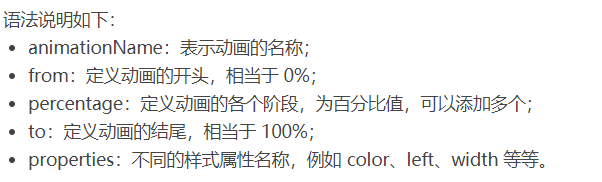
要创建 CSS 动画,您首先需要了解 @keyframes 规则,@keyframes 规则用来定义动画各个阶段的属性值,类似于 flash 动画中的关键帧,语法格式如下:
@keyframes animationName {

    from {

        properties: value;

    }

    percentage {

        properties: value;

    }

    to {

        properties: value;

    }

}

// 或者

@keyframes animationName {

    0% {

        properties: value;

    }

    percentage {

        properties: value;

    }

    100% {

        properties: value;

    }

}
下面我们来看一个简单的 @keyframes 规则示例:
@keyframes ball {

    0% { top: 0px; left: 0px;}

    25% { top: 0px; left: 350px;}

    50% { top: 200px; left: 350px;}

    75% { top: 200px; left: 0px;}

    100% { top: 0px; left: 0px;}

}

下面就来详细介绍一下上述属性的使用:
<!DOCTYPE html>

<html>

<head>

    <style>

        @keyframes ball {

            0% { top: 0px; left: 0px;}

            25% { top: 0px; left: 350px;}

            50% { top: 200px; left: 350px;}

            75% { top: 200px; left: 0px;}

            100% { top: 0px; left: 0px;}

        }

        div {

            width: 100px;

            height: 100px;

            border-radius: 50%;

            border: 3px solid black;

            position: relative;

            animation-name: ball;

        }

    </style>

</head>

<body>

    <div></div>

</body>

</html>
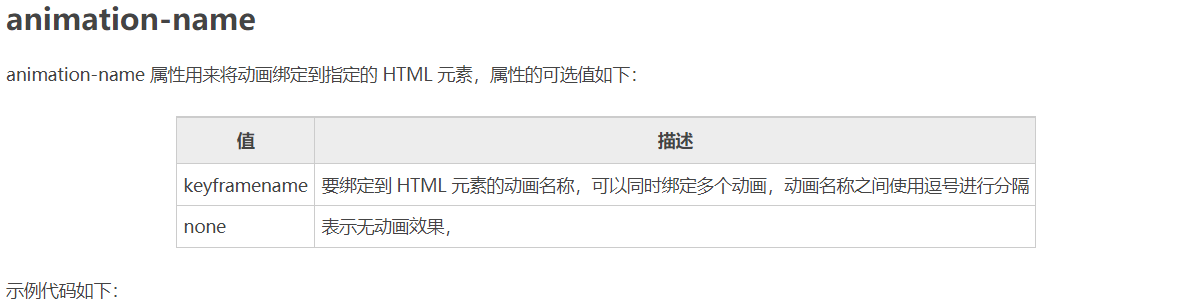
注意:要想让动画成功播放,您还需要定义 animation-duration 属性,否则会因为 animation-duration 属性的默认值为 0,导致动画并不会播放。

<!DOCTYPE html>

<html>

<head>

    <style>

        @keyframes ball {

            0% { top: 0px; left: 0px;}

            25% { top: 0px; left: 350px;}

            50% { top: 200px; left: 350px;}

            75% { top: 200px; left: 0px;}

            100% { top: 0px; left: 0px;}

        }

        div {

            width: 100px;

            height: 100px;

            border-radius: 50%;

            border: 3px solid black;

            position: relative;

            animation-name: ball;

            animation-duration: 2s;

        }

    </style>

</head>

<body>

    <div></div>

</body>

</html>
提示:动画若想成功播放,必须要定义 animation-name 和 animation-duration 属性。
<!DOCTYPE html>

<html>

<head>

    <style>

        @keyframes ball {

            0% {left: 0px;}

            50% {left: 350px;}

            100% {left: 0px;}

        }

        div {

            width: 100px;

            height: 100px;

            border-radius: 50%;

            border: 3px solid black;

            text-align: center;

            line-height: 100px;

            position: relative;

            animation-name: ball;

            animation-duration: 2s;

        }

        .one {

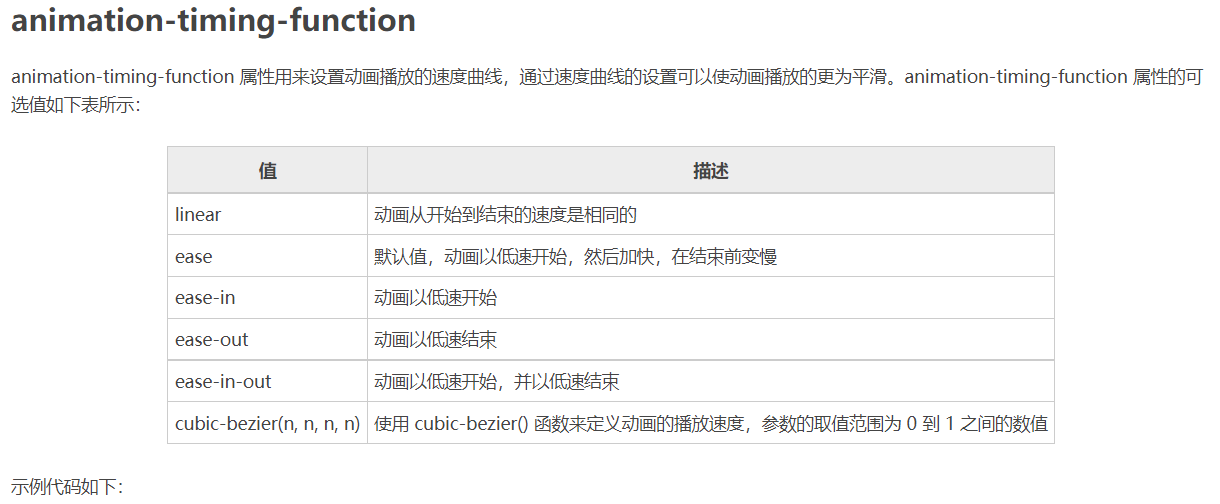
            animation-timing-function: ease;

        }

        .two {

            animation-timing-function: ease-in;

        }

        .three {

            animation-timing-function: ease-out;

        }

        .four {

            animation-timing-function: ease-in-out;

        }

    </style>

</head>

<body>

    <div class="one">ease</div>

    <div class="two">ease-in</div>

    <div class="three">ease-out</div>

    <div class="four">ease-in-out</div>

</body>

</html>
<!DOCTYPE html>

<html>

<head>

    <style>

        @keyframes box {

            0% {transform: rotate(0);}

            50% {transform: rotate(0.5turn);}

            100% {transform: rotate(1turn);}

        }

        div {

            width: 100px;

            height: 100px;

            border-radius: 50%;

            float: left;

            border: 3px solid black;

            text-align: center;

            line-height: 100px;

            position: relative;

            animation-name: box;

            animation-duration: 2s;

            animation-iteration-count: 1;

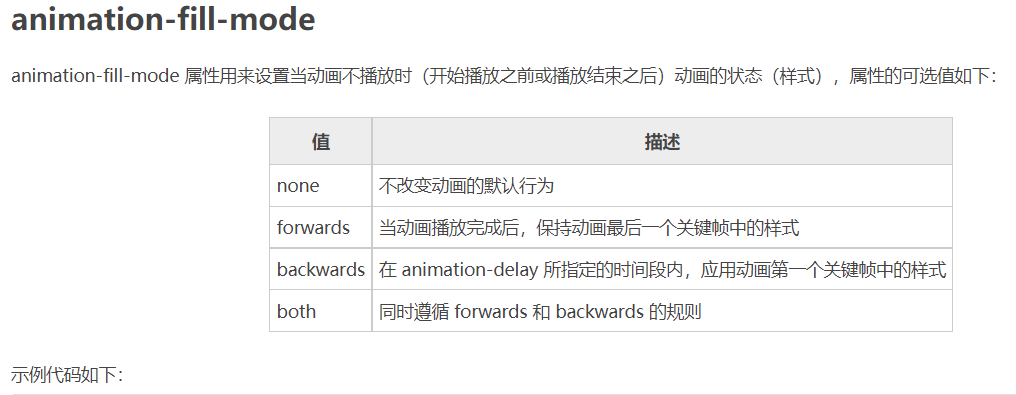
            animation-fill-mode: forwards;

        }

    </style>

</head>

<body>

    <div>forwards</div>

</body>

</html>
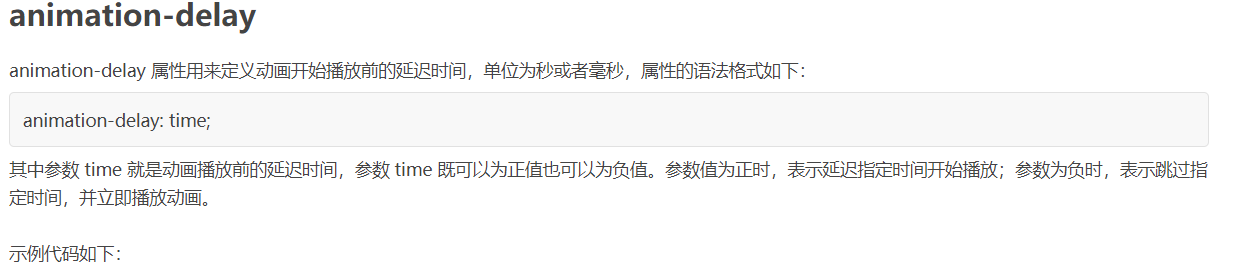
<!DOCTYPE html>

<html>

<head>

    <style>

        @keyframes ball {

            0% {left: 0px;}

            50% {left: 350px;}

            100% {left: 0px;}

        }

        div {

            width: 100px;

            height: 100px;

            border-radius: 50%;

            border: 3px solid black;

            text-align: center;

            line-height: 100px;

            position: relative;

            animation-name: ball;

            animation-duration: 2s;

        }

        .one {

            animation-delay: 0.5s;

        }

        .two {

            animation-delay: -0.5s;

        }

    </style>

</head>

<body>

    <div class="one">0.5s</div>

    <div class="two">-0.5s</div>

</body>

</html>
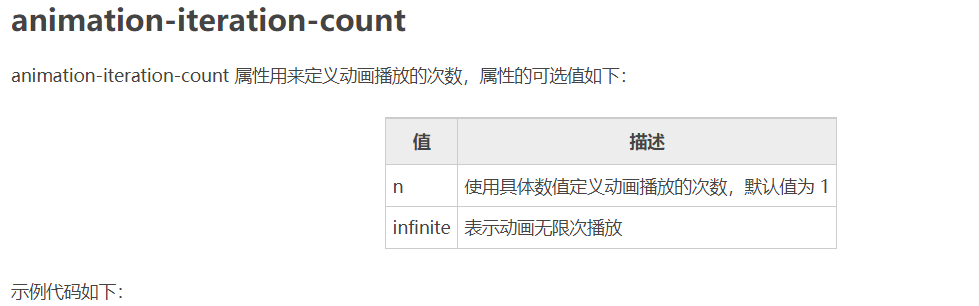
<!DOCTYPE html>

<html>

<head>

    <style>

        @keyframes box {

            0% {transform: rotate(0);}

            50% {transform: rotate(0.5turn);}

            100% {transform: rotate(1turn);}

        }

        div {

            width: 100px;

            height: 100px;

            float: left;

            border: 3px solid black;

            text-align: center;

            line-height: 100px;

            position: relative;

            animation-name: box;

            animation-duration: 2s;

        }

        .one {

            animation-iteration-count: 1;

        }

        .two {

            margin-left: 50px;

            animation-iteration-count: infinite;

        }

    </style>

</head>

<body>

    <div class="one">1</div>

    <div class="two">infinite</div>

</body>

</html>
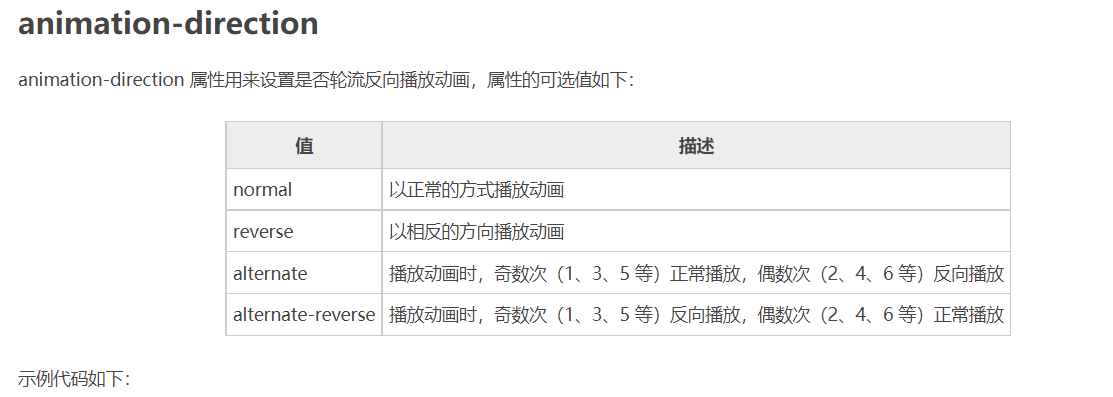
<!DOCTYPE html>

<html>

<head>

    <style>

        @keyframes box {

            0% {transform: rotate(0);}

            50% {transform: rotate(0.5turn);}

            100% {transform: rotate(1turn);}

        }

        div {

            width: 100px;

            height: 100px;

            float: left;

            border: 3px solid black;

            text-align: center;

            line-height: 100px;

            position: relative;

            animation-name: box;

            animation-duration: 2s;

            animation-iteration-count: infinite;

        }

        .one {

            animation-direction: reverse;

        }

        .two {

            margin-left: 50px;

            animation-direction: alternate;

        }

    </style>

</head>

<body>

    <div class="one">reverse</div>

    <div class="two">alternate</div>

</body>

</html>
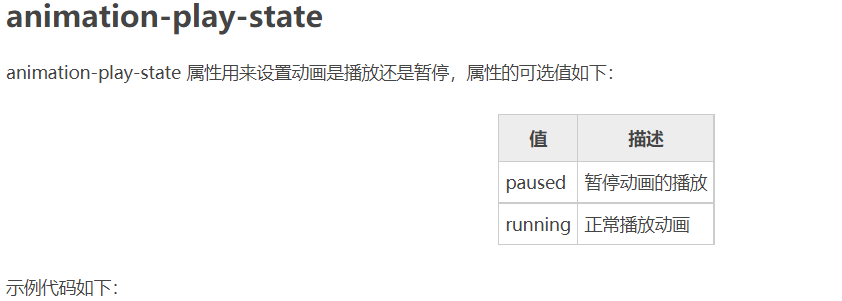
<!DOCTYPE html>

<html>

<head>

    <style>

        @keyframes box {

            0% {transform: rotate(0);}

            50% {transform: rotate(0.5turn);}

            100% {transform: rotate(1turn);}

        }

        div {

            width: 100px;

            height: 100px;

            float: left;

            border: 3px solid black;

            text-align: center;

            line-height: 100px;

            position: relative;

            animation-name: box;

            animation-duration: 2s;

            animation-iteration-count: infinite;

        }

        .one {

            animation-play-state: running;

        }

        .two {

            margin-left: 50px;

            animation-play-state: paused;

        }

    </style>

</head>

<body>

    <div class="one">running</div>

    <div class="two">paused</div>

</body>

</html>
<!DOCTYPE html>

<html>

<head>

    <style>

        @keyframes box {

            0% {transform: rotate(0);}

            50% {transform: rotate(0.5turn);}

            100% {transform: rotate(1turn);}

        }

        div {

            width: 100px;

            height: 100px;

            border-radius: 50%;

            float: left;

            border: 3px solid black;

            text-align: center;

            line-height: 100px;

            position: relative;

            animation: box 2s linear 0s infinite alternate;

        }

    </style>

</head>

<body>

    <div>animation</div>

</body>

</html>
CSS——动画的更多相关文章
- 梅须逊雪三分白,雪却输梅一段香——CSS动画与JavaScript动画
CSS动画并不是绝对比JavaScript动画性能更优越,开源动画库Velocity.js等就展现了强劲的性能. 一.两者的主要区别 先开门见山的说说两者之间的区别. 1)CSS动画: 基于CSS的动 ...
- Css 动画的回调
在做项目中经常会遇到使用动画的情况.以前的情况是用js写动画,利用setTimeout函数或者window.requestAnimationFrame()实现目标元素的动画效果.虽然后者解决了刷新频率 ...
- 【译】css动画里的steps()用法详解
原文地址:http://designmodo.com/steps-c... 原文作者:Joni Trythall 我想你在css 动画里使用steps()会和我一样有很多困惑.一开始我不清楚怎样使用它 ...
- css动画属性性能
性能主要表现:流量.功耗与流畅度 在现有的前端动画体系中,通常有两种模式:JS动画与CSS3动画. JS动画是通过JS动态改写样式实现动画能力的一种方案,在PC端兼容低端浏览器中不失为一种推荐方案. ...
- Css动画形式弹出遮罩层,内容区上下左右居中于不定宽高的容器中
<!DOCTYPE html> <html> <head> </head> <body id="body"> <! ...
- css动画与js动画的区别
CSS动画 优点: (1)浏览器可以对动画进行优化. 1. 浏览器使用与 requestAnimationFrame 类似的机制,requestAnimationFrame比起setTimeout ...
- CSS动画与GPU
写在前面 满世界的动画性能优化技巧,例如: 只允许改变transform.opacity,其它属性不要动,避免重新计算布局(reflow) 对动画元素应用transform: translate3d( ...
- 15个来自 CodePen 的酷炫 CSS 动画效果【下篇】
CodePen 是一个在线的前端代码编辑和展示网站,能够编写代码并即时预览效果.你在上面可以在线分享自己的 Web 作品,也可以欣赏到世界各地的优秀开发者在网页中实现的各种令人惊奇的效果. 今天这篇文 ...
- 赞!15个来自 CodePen 的酷炫 CSS 动画效果
CodePen 是一个在线的前端代码编辑和展示网站,能够编写代码并即时预览效果.你在上面可以在线分享自己的 Web 作品,也可以欣赏到世界各地的优秀开发者在网页中实现的各种令人惊奇的效果. 今天这篇文 ...
- Animo.js :一款管理 CSS 动画的强大的小工具
Animo.js 是一个功能强大的小工具,用于管理 CSS 动画.它的特色功能包括像堆栈动画,创建跨浏览器的模糊,设置动画完成的回调等等.Animo 还包括惊人的 animate.css,为您提供了近 ...
随机推荐
- 【直播预告】HarmonyOS极客松赋能直播第四期:HarmonyOS开发经验分享
- c# 反编译对比(旧)
前言 旧的都是我以前博客的迁移. 我们写代码有时候遇到一些问题,或者我们想优化我们的代码,我们想要看编译后的运行情况,那么反编译是必须要做的一件事. 正文 在此我自己使用的是reflector和ILS ...
- linux 允许root 用户登录(旧)
前言 旧博客迁移的内容 正文 vi /etc/ssh/sshd_config 将PermitRootLogin值改yes service sshd restart
- Python数据分析 Series 笔记
002,pandas介绍 003,Series创建 导入Pandas Series 是一种类似于一维数组的对象,由下面两个部分组成: values:一组数据(ndarray类型) index:相关的数 ...
- 力扣205(java)-同构字符串(简单)
题目: 给定两个字符串 s 和 t ,判断它们是否是同构的. 如果 s 中的字符可以按某种映射关系替换得到 t ,那么这两个字符串是同构的. 每个出现的字符都应当映射到另一个字符,同时不改变字符的顺序 ...
- 使用日志上下文聚合插件使能上下文查询及Livetail
简介: 日志上下文浏览是排查业务故障时常用的方式,但受限于Logtail插件系统的设计,在Logtail 1.2.1版本前,如果用户使用Logtail插件来处理日志或采集容器的标准输出,那么用户将无法 ...
- 揭秘 cache 访问延迟背后的计算机原理
简介:本文介绍如何测试多级 cache 的访存延迟,以及背后蕴含的计算机原理. CPU 的 cache 往往是分多级的金字塔模型,L1 最靠近 CPU,访问延迟最小,但 cache 的容量也最小.本 ...
- 饿了么EMonitor演进史
简介: 可观测性作为技术体系的核心环节之一,跟随饿了么技术的飞速发展,不断自我革新. 序言 时间回到2008年,还在上海交通大学上学的张旭豪.康嘉等人在上海创办了饿了么,从校园外卖场景出发,饿了么一步 ...
- kubernetes pv-controller 解析
简介:pv controller是 kcm 的组件之一,它负责处理集群中的pvc/pv对象,对pvc/pv 对象进行状态转换.本文将基于 kubernetes 1.23进行解析. 作者 | 牧琦 ...
- 如何专业化监控一个Kubernetes集群?
简介: 本文会介绍 Kubernetes 可观测性系统的构建,以及基于阿里云云产品实现 Kubernetes 可观测系统构建的最佳实践. 作者:佳旭 阿里云容器服务技术专家 引言 Kubernetes ...