
ubuntu16.04下snort的安装(官方文档安装)(图文详解)
不多说,直接上干货!
最近为了科研,需要安装和使用Snort。
snort的官网
https://www.snort.org/

Snort作为一款优秀的开源主机入侵检测系统,在windows和Linux平台上均可安装运行。Ubuntu作为一个以桌面应用为主的Linux操作系统,同样也可以安装Snort。
对于网络安全而言入侵检测是一件非常重要的事。入侵检测系统(IDS)用于检测网络中非法与恶意的请求。Snort是一款知名的开源的入侵检测系统。其 Web界面(Snorby)可以用于更好地分析警告。Snort使用iptables/pf防火墙来作为入侵检测系统。本篇博文中,我会安装并配置一个开源的入侵检测系统snort。
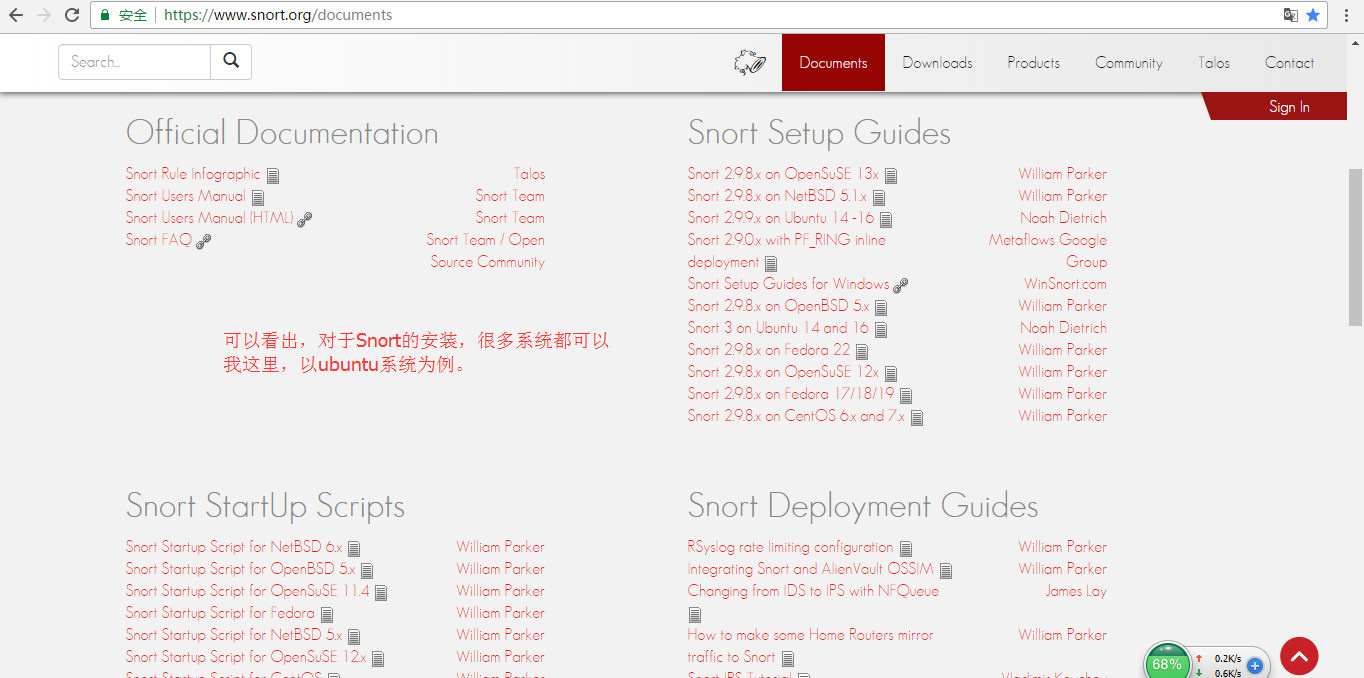
最好的文档,不愧还是官方文档!
说在前面的话
因为,我这里选择的是用官方当前最新来安装Snort,并且版本是定位在Snort2.9.9
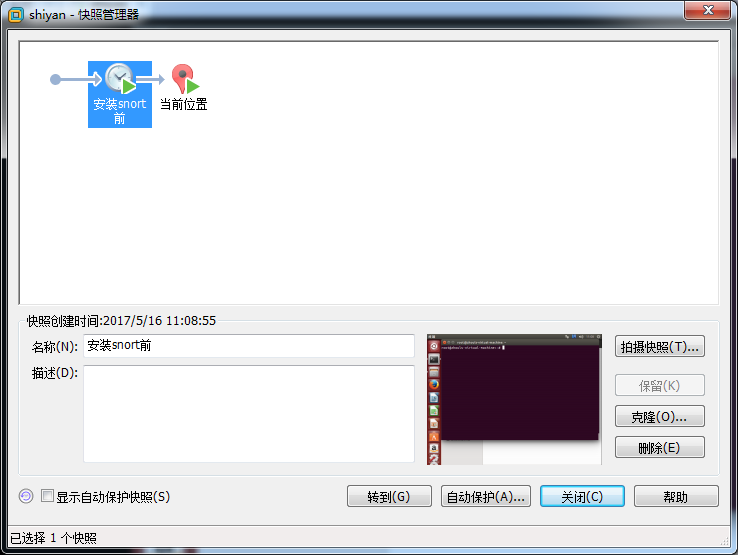
建议,大家跟我这样,在安装Snort前,先快照下,大不了错误,恢复重头再来一次呗!
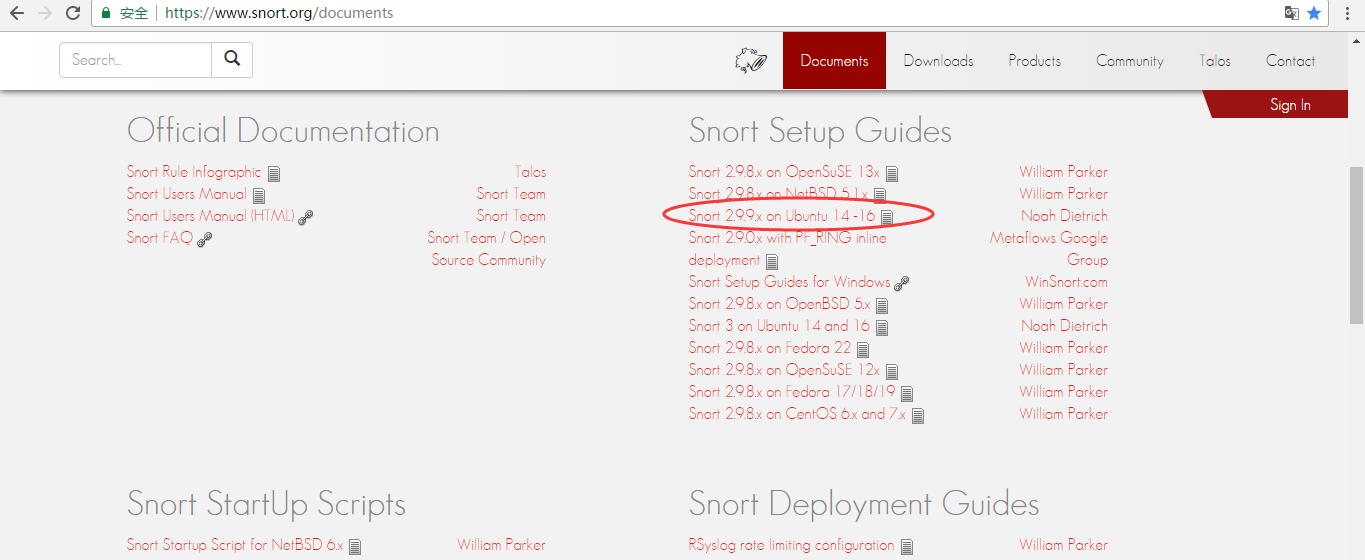
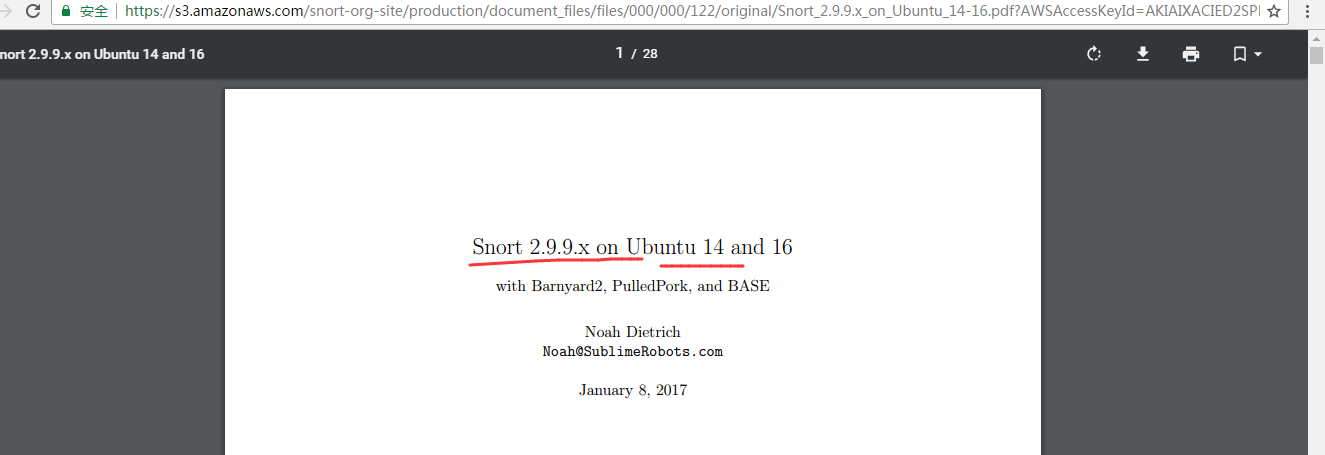
点击进入,带领大家来看官方文档。
https://s3.amazonaws.com/snort-org-site/production/document_files/files/000/000/122/original/Snort_2.9.9.x_on_Ubuntu_14-16.pdf?AWSAccessKeyId=AKIAIXACIED2SPMSC7GA&Expires=1494907659&Signature=xhOV%2FnF7%2BOsP%2FZUHpPLmYTU4%2Fkc%3D

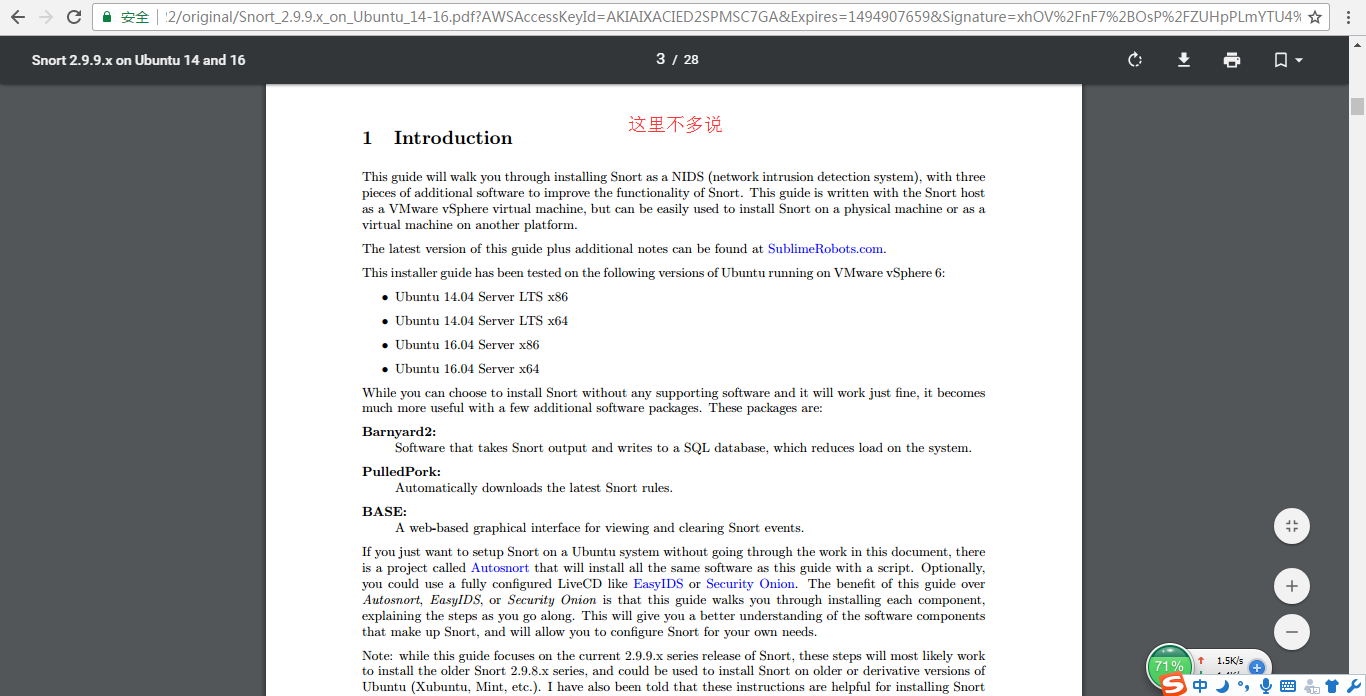

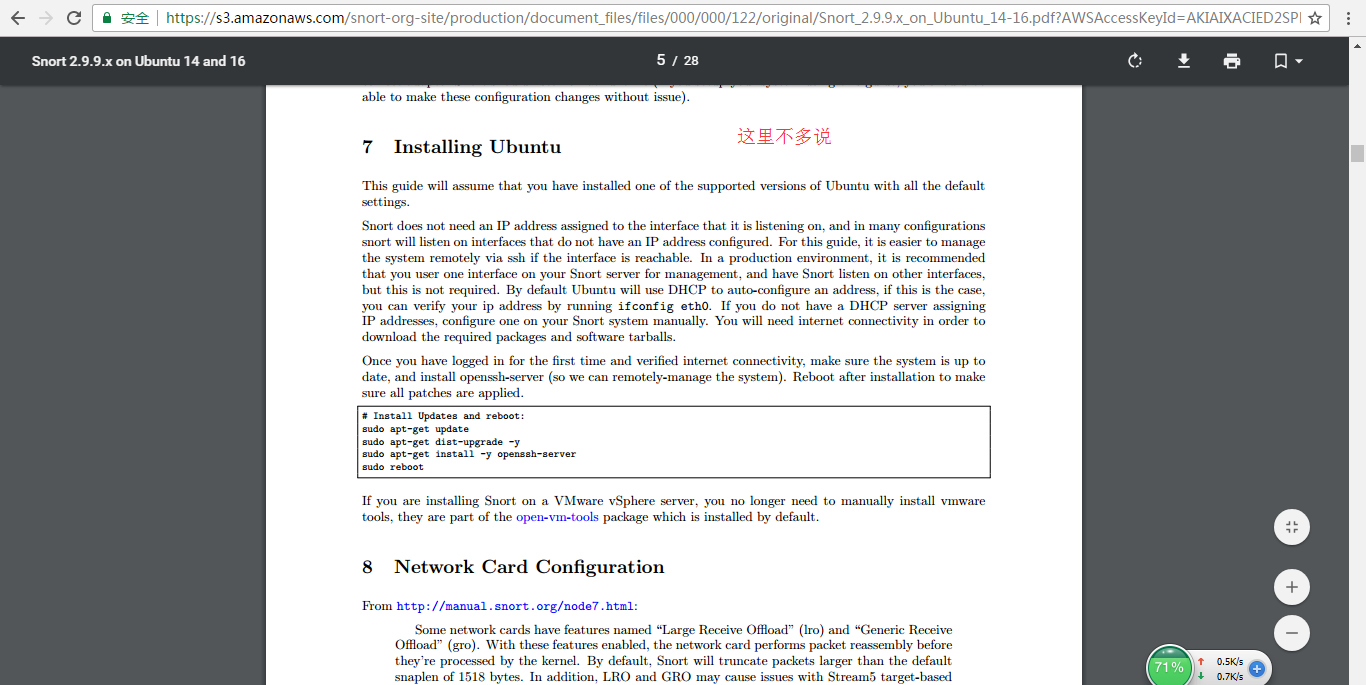
然后,现在,来带领大家,网络设置。
8 Network Card Configuration
From http://manual.snort.org/node7.html:
Some network cards have features named “Large Receive Offload” (lro) and “Generic Receive
Offload” (gro). With these features enabled, the network card performs packet reassembly before
they’re processed by the kernel. By default, Snort will truncate packets larger than the default
snaplen of 1518 bytes. In addition, LRO and GRO may cause issues with Stream5 target-based
reassembly. We recommend that you turn off LRO and GRO.
To disable LRO and GRO for any interface that Snort listens on, we will use the ethtool command in the
network interface configuration file /etc/network/interfaces. We use vi to edit the network interfaces
file:
sudo vi /etc/network/interfaces

Append the following two lines for each network interface, making sure to change eth0 to match the interface
you are working on, since your interface names may be different, especially on Ubuntu 16:(这个是必须的)
因为,我这里,ifconfig下来,网卡名称是ens33。所以就得用这个。

post-up ethtool -K ens33 gro off

post-up ethtool -K ens33 lro off
an example of how the /etc/network/interfaces file should look for a single interface:

# This file describes the network interfaces available on your system

# and how to activate them. For more information, see interfaces(5).

source /etc/network/interfaces.d/*

# The loopback network interface

auto lo

iface lo inet loopback

# The primary network interface

auto ens33

iface ens33 inet dhcp

post-up ethtool -K ens33 gro off

post-up ethtool -K ens33 lro off

Restart networking (replace ens33 with your interfaces with below) and verify that LRO and GRO are disabled:
user@snortserver:~$ sudo ifconfig ens33 down && sudo ifconfig ens33 up

user@snortserver:~$ ethtool -k ens33 | grep receive-offload

generic-receive-offload: off

large-receive-offload: off

user@snortserver:~$

而我出现了on,所以,官网文档也说了,重启虚拟机。
if the interfaces do not show LRO and GRO as off, reboot and check again (it can be difficult to get Ubuntu to reload the network configuration without a reboot).

下一步

9 Installing the Snort Pre-Requisites
Snort has four main pre-requisites:(预安装)
pcap (libpcap-dev) available from the Ubuntu repository
PCRE (libpcre3-dev) available from the Ubuntu repository
Libdnet (libdumbnet-dev) available from the Ubuntu repository
DAQ (http://www.snort.org/downloads/) compiled from source
First we want to install all the tools required for building software. The build-essentials package does
this for us:
sudo apt-get install -y build-essential

Once our build tools are installed, we install all Snort pre-requisites that are available from the Ubuntu
repositories3
sudo apt-get install -y libpcap-dev libpcre3-dev libdumbnet-dev

如果这里大家出现网络不可达,或者下载慢的情况,可以见
Ubuntu14.04官方默认更新源sources.list和第三方源推荐(干货!)

成功
The Snort DAQ (Data AcQuisition library)has a few pre-requisites that need to be installed:
sudo apt-get install -y bison flex

成功!
In this guide, we will be downloading a number of tarbals for various software packages. We will create a
folder called snort src to keep them all in one place:
mkdir ~/snort_src

cd ~/snort_src
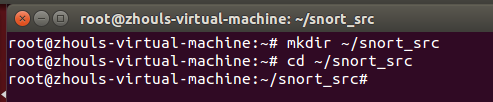
Download and install the latest version of DAQ from the Snort website. The steps below use wget to download version 2.0.6 of DAQ, which is the latest version at the time of writing this guide.
cd ~/snort_src

wget https://snort.org/downloads/snort/daq-2.0.6.tar.gz

tar -xvzf daq-2.0.6.tar.gz

cd daq-2.0.6

./configure

make

sudo make install
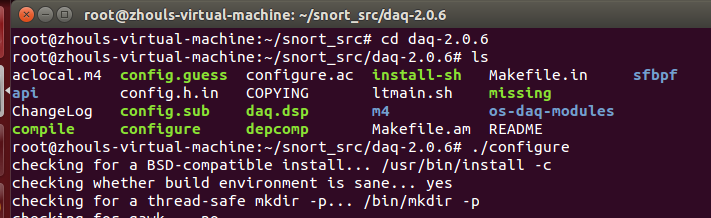
解决办法1:


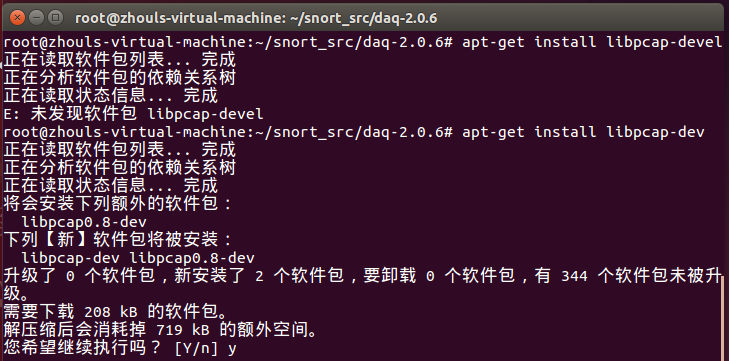
解决办法2:
或者(如果大家上述走不通的话,也可以下面来做)
其实解决办法就是
yum install bison
yum install flex
yum install libpcap-devel
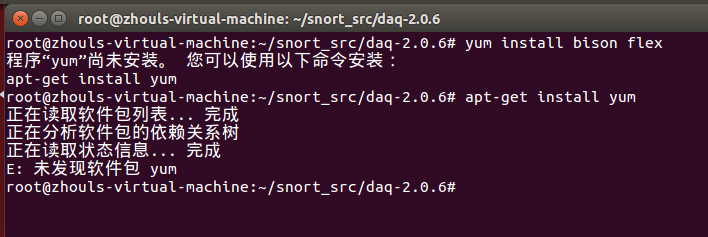
像这样的问题,等等,都可以通过我下面的博客来解决。说白了,就是源的问题。(优先试用清华源和网易源)
Ubuntu14.04官方默认更新源sources.list和第三方源推荐(干货!)
现在没有可用的软件包 *** ,但是它被其它的软件包引用了 和 E: 无法定位软件包 ***问题解决(思路清晰干货)
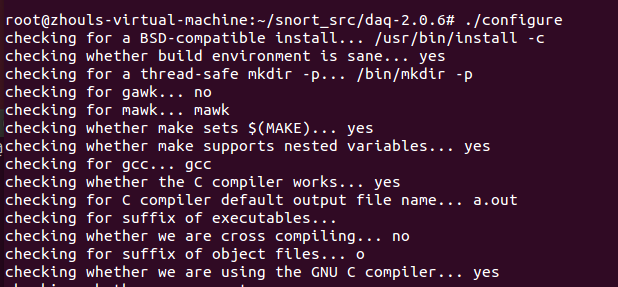
然后,安装完必要的工具后,再次运行./configure脚本,将会显示下面的输出。
ubuntu16.04下snort的安装(官方文档安装)(图文详解)的更多相关文章
- Ubuntu16.04下Neo4j图数据库官网安装部署步骤(图文详解)(博主推荐)
不多说,直接上干货! 说在前面的话 首先,查看下你的操作系统的版本. root@zhouls-virtual-machine:~# cat /etc/issue Ubuntu LTS \n \l r ...
- Ubuntu16.04下搜狗输入法、Sublime Text 3的安装
Ubuntu16.04下搜狗输入法.Sublime Text 3的安装 一.搜狗输入法 1. 安装中文语言 默认在Ubuntu16.04下是没有中文的,需要安装中文,在System Settings- ...
- VMware下OSSIM 4.1.0的下载、安装和初步使用(图文详解)
不多说,直接上干货! 为什么,我写了一篇OSSIM 5.2.0的,还要再来写OSSIM 4.1.0呢,是因为,OSSIM 5.2.0所需内存较大,8G甚至16G,但是,肯定性能和里面集成组件越高级.也 ...
- Git学习系列之Windows上安装Git详细步骤(图文详解)
前言 最初,Git是用于Linux下的内核代码管理.因为其非常好用,目前,已经被成功移植到Mac和Windows操作系统下. 鉴于大部分使用者使用的是Windows操作系统,故,这里详细讲解Windo ...
- CentOS7+CDH5.14.0安装全流程记录,图文详解全程实测-总目录
CentOS7+CDH5.14.0安装全流程记录,图文详解全程实测-总目录: 0.Windows 10本机下载Xshell,以方便往Linux主机上上传大文件 1.CentOS7+CDH5.14.0安 ...
- ubuntu14.04下snort的安装(官方文档安装)(图文详解)
不多说,直接上干货! 最近为了科研,需要安装和使用Snort. snort的官网 https://www.snort.org/ Snort作为一款优秀的开源主机入侵检测系统,在windows和Linu ...
- Ubuntu14.04下完美安装cloudermanage多种方式(图文详解)(博主推荐)
说在前面的话 我的机器是总共4台,分别为ubuntucmbigdata1.ubuntucmbigdata2.ubuntucmbigdata3和ubuntucmbigdata4. ClouderaMan ...
- centos7安装oracle11g(根据oracle官方文档安装,解决图形界面安装问题)
一.系统及安装包 操作系统:centos 7.4 oracle版本:oracle 11g r2 二.centos环境配置 安装数据库所需要的软件包 [root@localhost data]# yum ...
- VMware下OSSIM 5.2.0的下载、安装和初步使用(图文详解)
不多说,直接上干货! 入门阶段不建议选用最新的版本. 采用OSSIM 4.11 到 OSSIM5.0.3 之间任何版本做实验,sensor的状态都会是“V”. 建议,入门,采用OSSIM5.0.0 ...
随机推荐
- 设计网页录入信息与自己定义server数据接收
需求:设计一个注冊网页用于录入username和登录password.并将数据传入server并显示出来. 1.前言:网页提交的 get 和 post 两种方式. (1)对于get提交方式,以本文中样 ...
- m_Orchestrate learning system---十、解决bug最根本的操作是什么
m_Orchestrate learning system---十.解决bug最根本的操作是什么 一.总结 一句话总结:多学多练,遇到bug超级轻松 1.如何查看js代码的异常? 开发者选项里面可以查 ...
- oracle 11g RAC 的一些基本概念
一.脑裂以及对策 脑裂(split-brain)是集群中的一个糟糕的情况:集群中的所有集群正在工作的时候,内部通讯被断开.这种情况下,集群被分成了几个部分,每个部分的集群软件都会尝试去接管其他节点的资 ...
- VC++基于CXImage库实现缩略图
一般的图像处理软件都对读入程序的图像文件建一个缩略图的列表,像ACDSee那样.笔者最近在做一个图像处理的项目,处理的原始数据就是图像文件.从项目一开始就想做一个缩略图,但一直苦于技术水平有限,且时间 ...
- 解决django.db.utils.InternalError: (1049, "Unknown database 'exam_db'")
先检查seeting数据库配置DATABASES = { 'default': { 'ENGINE': 'django.db.backends.mysql', 'NAME': 'eaxm_db', ' ...
- kindEditor编写插件遇到的问题
kindEditor是一个功能强大的在线文本编辑器,而且提供了插件扩展功能,更好的满足用户各方面的需求.在项目中,我们就有如此的需求:在kindEditor编辑器中,添加一条下划线,并且在下划线的中间 ...
- STM8S103之GPIO
如何快速了解GPIO,查看Reference manual中GPIO章节,初步了解到GPIO GPIO输入分为:Floating Input和Input with pull-up GPIO输出分为:O ...
- rman备份工具简介
RMAN工具简介: 备份的文件: 数据文件 归档日志 控制文件(当前控制文件) spfile 自动管理备份相关元数据 文件名称 完成备份的scn 以数据块为单位,只备份使用过的数据块(物理层面判断是否 ...
- BZOJ2225: [Spoj 2371]Another Longest Increasing CDQ分治,3维LIS
Code: #include <cstdio> #include <algorithm> #include <cstring> #define maxn 20000 ...
- [agc015c]nuske vs phantom thnook
题意: 有一个n*m的网格图,每个格子是蓝色或白色.四相邻的两个格子连一条边,保证蓝格子构成一个森林. 有q组询问,每次询问给出一个矩形,问矩形内蓝格子组成的联通块个数. $1\leq n,m\leq ...