
WPF的两棵树与绑定
原文:WPF的两棵树与绑定
先建立测试基类
public class VisualPanel : FrameworkElement

{

    protected VisualCollection Children { get; set; }

    public VisualPanel()

    {

        Children = new VisualCollection(this);

    }

    protected override int VisualChildrenCount

    {

        get

        {

            return Children.Count;

        }

    }

    protected override Visual GetVisualChild(int index)

    {

        return Children[index];

    }

    protected override Size ArrangeOverride(Size finalSize)

    {

        if (VisualChildrenCount>0)

        {

            (Children[0] as FrameworkElement).Arrange(new Rect(0, 0, 100, 25));

        }

        return base.ArrangeOverride(finalSize);

    }

}
添加元素,并将加入到Window窗体中
public class  VisualTest  : VisualPanel

{

    public  TextBlock  textblock;

    private void  TestVisual()

    {

        textblock = new  TextBlock() { Text = "Hello", Background = Brushes.Red };

        this.Children.Add(textblock);

    }

    public  VisualTest()

    {

        TestVisual();

    }

}
效果

视觉树绑定测试
//test1

textblock.SetBinding(TextBlock.TextProperty, new Binding("Title")

{

    RelativeSource =

        new RelativeSource() { Mode = RelativeSourceMode.FindAncestor, AncestorType = typeof(Window) }

});

//test2

this.Tag = "Test";

textblock.SetBinding(TextBlock.TextProperty, new Binding("Tag")

{

    RelativeSource =

        new RelativeSource() { Mode = RelativeSourceMode.FindAncestor, AncestorType = typeof(VisualTest) }

});
测试均通过

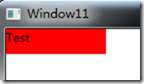
使用ElementName绑定
//test3

this.Name = "VisualTest";

textblock.SetBinding(TextBlock.TextProperty, new Binding("Tag")

{

    ElementName = this.Name

});
可以参考这里
http://www.cnblogs.com/Clingingboy/archive/2010/11/29/1891253.html
结果错误
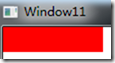
设置NameScope
this.Name = "VisualTest";

NameScope ns = new NameScope();

NameScope.SetNameScope(this, ns);

this.RegisterName(this.Name, this);

textblock.SetBinding(TextBlock.TextProperty, new Binding("Tag")

{

    ElementName = this.Name

});
测试再次未通过
将元素添加到逻辑树当中
this.Name = "VisualTest";

NameScope ns = new NameScope();

NameScope.SetNameScope(this, ns);

this.RegisterName(this.Name, this);

AddLogicalChild(textblock);

textblock.SetBinding(TextBlock.TextProperty, new Binding("Tag")

{

    ElementName = this.Name

});
测试通过
去除视觉树只添加逻辑树的情况
private void TestLogic()

{

    textblock = new TextBlock() { Text = "Hello", Background = Brushes.Red };

    this.Tag = "Test";

    this.Name = "VisualTest";

    NameScope ns = new NameScope();

    NameScope.SetNameScope(this, ns);

    this.RegisterName(this.Name, this);

    AddLogicalChild(textblock);

    textblock.SetBinding(TextBlock.TextProperty, new Binding("Tag")

    {

        ElementName = this.Name

    });

}
现在UI将一片空白,但绑定成功
重写ArrangeOverride方法
protected override Size ArrangeOverride(Size finalSize)

{

    textblock.Arrange(new Rect(0, 0, 100, 25));

    return base.ArrangeOverride(finalSize);

}
即使重写也无效,wpf依赖于VisualChildrenCount和GetVisualChild方法.
总结
绑定的ElementName依赖于NameScope和逻辑树,
FindAncestor的查找方式则依赖于视觉树
测试的父元素逻辑树与视觉树不一致的情况
private void TestTwoTree()

{

    var visual = new VisualTest(string.Empty);

    visual.Name = "InternalPanel";

    textblock = new TextBlock() { Text = "Hello", Background = Brushes.Red };

    visual.AddLogicalChild(textblock);

    this.Children.Add(textblock);

}
现在TextBlock有两个父元素一个是逻辑父元素InternalPanel,一个是外部的VisualTest.
绑定逻辑父元素
private void TestTwoTree()

{

    var visual = new VisualTest(string.Empty);

    visual.Name = "InernalPanel";

    NameScope ns = new NameScope();

    NameScope.SetNameScope(visual, ns);

    visual.RegisterName(visual.Name, visual);

    textblock = new TextBlock() { Text = "Hello", Background = Brushes.Red };

    textblock.SetBinding(TextBlock.TextProperty, new Binding("Name")

    {

        ElementName = visual.Name

    });

    visual.AddLogicalChild(textblock);

    this.Children.Add(textblock);

}
测试结果
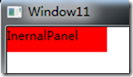
这样就实现了可以在不同父元素的绑定,通过这个例子也可以看到逻辑树与视觉树的不同之处
WPF的两棵树与绑定的更多相关文章
- LeetCode——Same Tree(判断两棵树是否相同)
问题: Given two binary trees, write a function to check if they are equal or not. Two binary trees are ...
- element ui改写实现两棵树
使用element ui组件库实现一个table的两棵树的效果 效果如下,左边树自动展开一级,右边树默认显示楼层,然后可以一个个展开 代码如下 <el-table :data="rel ...
- [51nod1325]两棵树的问题
description 题面 solution 点分治+最小割. 点分必选的重心,再在树上dfs判交,转化为最大权闭合子图. 可以做\(k\)棵树的情况. code #include<iostr ...
- 51 NOD 1325 两棵树的问题
Discription 对于 100% 的数据, N<=50. solution: 发现N比较小,所以我们可以花O(N^2)的代价枚举两颗树的联通块的LCA分别是哪个点,然后现在问题就变成了:选 ...
- 51nod 1325 两棵树的问题(最大权闭合子图)
首先如果点权全都为正,就可以直接选所有的点. 活在梦里.. 考虑枚举一个点\(i\),作为我们选择的集合中的一个点. 然后我们把另一个点\(j\)选入集合的时候必须把两棵树中\(i\)和\(j\)路径 ...
- HDU 6315.Naive Operations-线段树(两棵树合并)(区间单点更新、区间最值、区间求和)+思维 (2018 Multi-University Training Contest 2 1007)
6315.Naive Operations 题意很好理解,但是因为区间求和求的是向下取整的a[i]/b[i],所以直接分数更新区间是不对的,所以反过来直接当a[i]==b[i]的时候,线段树对应的位置 ...
- 判断两棵树是否相等 leecode
很简单 提交代码 https://oj.leetcode.com/problems/same-tree/ iven two binary trees, write a function to chec ...
- WPF 中的逻辑树(Logical Tree)与可视化元素树(Visual Tree)
一.前言 WPF 中有两种"树":逻辑树(Logical Tree)和可视化元素树(Visual Tree). Logical Tree 最显著的特点就是它完全由布局组件和控件 ...
- hdu-3015 Disharmony Trees---离散化+两个树状数组
题目链接: http://acm.hdu.edu.cn/showproblem.php?pid=3015 题目大意: 有一些树,这些树的高度和位置给出.现在高度和位置都按从小到大排序,对应一个新的ra ...
随机推荐
- Android OnGestureListener用法 识别用户手势 左右滑动
Android可以识别用户的手势(即用户用手指滑动的方向),通过用户不同的手势,从而做出不同的处理 需要使用OnGestureListener 比如说看电子书的时候翻页,或者要滑动一些其他内容 直接上 ...
- Android JavaMail介绍及发送一封简单邮件
本文来自:高爽|Coder,原文地址:http://blog.csdn.net/ghsau/article/details/17839983,转载请注明. JavaMail是SUN提供给开 ...
- WPF应用程序启动的问题(自定义Main函数启动)
问题引入: 一般WPF创建之后可以直接运行并不需要编写Main函数指定入口,但是在开发的过程中会遇到一些情况需要自定义Main让WPF从指定的Main函数中进行启动,这样可能会更好控制一点.但是我们再 ...
- Unity中做放大镜 效果
孙广东 2015.8.16 事实上和 小地图都几乎相同了. 还是要借助 还有一个相机 目的: 这篇文章的主要目的是 要给你一个想法 怎样做放大境效果 . 在unity中能够简单的实现放大镜效果啊 ...
- swift 旋转加载动画
https://github.com/naoyashiga/RPLoadingAnimation
- ORACLE PL/SQL 中序列(sequence)的简易使用方法介绍
如果我是C罗 原文 ORACLE PL/SQL 中序列(sequence)的简易使用方法介绍 sequence在ORACLE中应用十分广泛,就是序列号的意思,会自动增加指定变数,如逐次增加1或者2或者 ...
- 实现拖拽上传文件的一款小控件——dropzone
由于专注所以专业.非常多小巧的东西乍一看非常不起眼,却在特定的领域表现不俗,就是由于集中了热情. dropzone就是这样一款小控件,实现拖拽上传.它不依赖于其他像jquery等JS库.并且支持多方面 ...
- 微擎 plugin 时间插件 图片上传插件不显示 报错 影响下面执行
可能是版本更新导致的,之前可能不需要 load()->func('tpl');这个方法 现在加上 load()->func('tpl');应该就可以了
- [Javascript] Create scrollable DOM elements with Greensock
In this lesson, we will look at Greensock's Draggable API. We will implement a scrollable <div> ...
- 谈谈JavaEE的mvc模式及典型的三层架构
首先,向读者介绍一下mvc架构,mvc是一种源于桌面程序的架构模式,它的基本思想是把程序界面和业务逻辑分开,这样便于软件的后期维护,同时也方便开发时期分工及管理,mvc有很多有点所以现在已经被广泛的应 ...