
Structs复习 Path问题
Path问题相对复杂 主要是路劲问题 但结论很简单 就是统一使用绝对路径
jar包
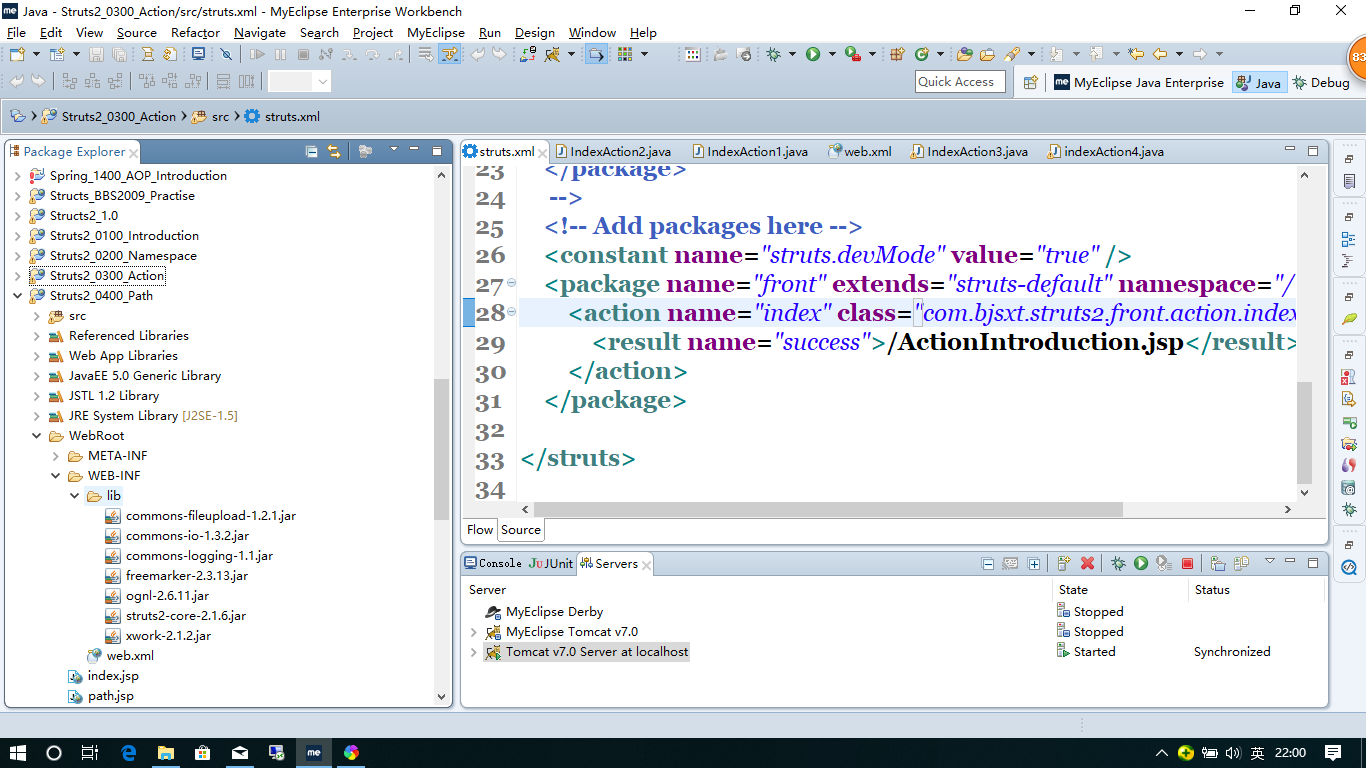
web.xml
<?xml version="1.0" encoding="UTF-8"?>

<web-app version="2.5"

    xmlns="http://java.sun.com/xml/ns/javaee"

    xmlns:xsi="http://www.w3.org/2001/XMLSchema-instance"

    xsi:schemaLocation="http://java.sun.com/xml/ns/javaee

    http://java.sun.com/xml/ns/javaee/web-app_2_5.xsd">

  <welcome-file-list>

    <welcome-file>index.jsp</welcome-file>

  </welcome-file-list>

  <filter>

        <filter-name>struts2</filter-name>

        <filter-class>org.apache.struts2.dispatcher.ng.filter.StrutsPrepareAndExecuteFilter</filter-class>

    </filter>

    <filter-mapping>

        <filter-name>struts2</filter-name>

        <url-pattern>/*</url-pattern>

    </filter-mapping>

</web-app>
Structs.xml
<?xml version="1.0" encoding="UTF-8" ?>

<!DOCTYPE struts PUBLIC

    "-//Apache Software Foundation//DTD Struts Configuration 2.0//EN"

    "http://struts.apache.org/dtds/struts-2.0.dtd">

<struts>

    <constant name="struts.devMode" value="true" />

    <package name="path" extends="struts-default" namespace="/path">

        <action name="path" class="com.bjsxt.struts2.path.action.PathAction">

            <result name="path">/path.jsp</result>

        </action>

    </package>

</struts>
PathAction.java
package com.bjsxt.struts2.path.action;

public class PathAction {

    public String execute() {

        return "path";

    }

}
Path.jsp
<?xml version="1.0" encoding="GB18030" ?>

<%@ page language="java" contentType="text/html; charset=GB18030"

    pageEncoding="GB18030"%>

    <%@taglib uri="/struts-tags" prefix="s" %>

    <%

String path = request.getContextPath();

String basePath = request.getScheme()+"://"+request.getServerName()+":"+request.getServerPort()+path+"/";

%>

<!DOCTYPE html PUBLIC "-//W3C//DTD XHTML 1.0 Transitional//EN" "http://www.w3.org/TR/xhtml1/DTD/xhtml1-transitional.dtd">

<html xmlns="http://www.w3.org/1999/xhtml">

<head>

<base href="<%=basePath%>" />

<meta http-equiv="Content-Type" content="text/html; charset=GB18030" />

<title>Insert title here</title>

</head>

<body>

struts2中的路径问题是根据action的路径而不是jsp路径来确定,所以尽量不要使用相对路径。<br />

<a href="index.jsp">index.jsp</a>

<br />

虽然可以用redirect方式解决,但redirect方式并非必要。

<br />

解决办法非常简单,统一使用绝对路径。(在jsp中用request.getContextRoot方式来拿到webapp的路径)

<br />

或者使用myeclipse经常用的,指定basePath

</body>

</html>
index.jso
<?xml version="1.0" encoding="GB18030" ?>

<%@ page language="java" contentType="text/html; charset=GB18030"

    pageEncoding="GB18030"%>

    <%@taglib uri="/struts-tags" prefix="s" %>

    <%

String path = request.getContextPath();

String basePath = request.getScheme()+"://"+request.getServerName()+":"+request.getServerPort()+path+"/";

%>

<!DOCTYPE html PUBLIC "-//W3C//DTD XHTML 1.0 Transitional//EN" "http://www.w3.org/TR/xhtml1/DTD/xhtml1-transitional.dtd">

<html xmlns="http://www.w3.org/1999/xhtml">

<head>

<base href="<%=basePath%>" />

<meta http-equiv="Content-Type" content="text/html; charset=GB18030" />

<title>Insert title here</title>

</head>

<body>

struts2中的路径问题是根据action的路径而不是jsp路径来确定,所以尽量不要使用相对路径。<br />

<a href="index.jsp">index.jsp</a>

<br />

虽然可以用redirect方式解决,但redirect方式并非必要。

<br />

解决办法非常简单,统一使用绝对路径。(在jsp中用request.getContextRoot方式来拿到webapp的路径)

<br />

或者使用myeclipse经常用的,指定basePath

</body>

</html>
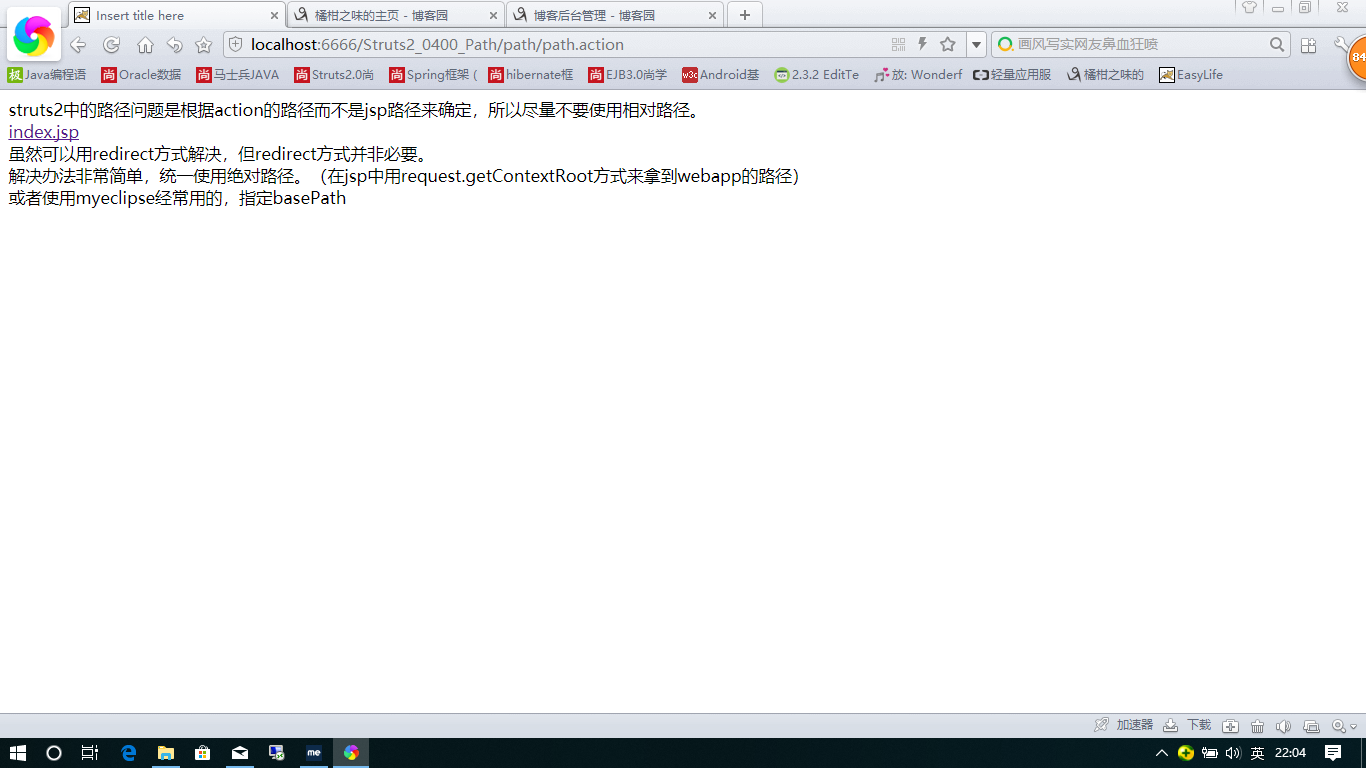
输入
http://localhost:6666/Struts2_0400_Path/index.jsp
Structs复习 Path问题的更多相关文章
- Structs复习 Structs标签
如果类型是object Structs会把它默认解析为OGNL表达式 想取字符串的话就 ‘’ ‘ ’ ‘’ jar包 web.xml. <?xml version="1.0" ...
- Structs复习 Action传递参数
Structs传递参数通常有三种方式 下面我来一个个介绍 1.属性 Jar包 web.xml <?xml version="1.0" encoding="UTF-8 ...
- Structs复习 开始 第一个helloworld项目
大体已经学完ssh了 感觉一起做一个项目有点难 计划先用一下独立的Structs 然后再把数据库操作换成hibernate 然后在用Spring 整合 计划用10天左右吧 但今天开始用Struct ...
- Structs复习 OGNL
Dominmodel只有传 User.age 类似的这种Structs才能帮创建对象 Dominmodel User里必须有空的构造方法 OGNL:OBJECT GRAPHIC NAVAGATION ...
- Structs复习 Result第二部分
1.动态结果 2.web.xml <?xml version="1.0" encoding="UTF-8"?> <web-app versio ...
- Structs复习 Result第一部分
Jar包 web.xml <?xml version="1.0" encoding="UTF-8"?> <web-app version=&q ...
- Structs复习 访问web元素
Structs帮我们在action和http里建立了联系 主要有四种方式 我们主要用第二种(IOC 依赖容器注入 ) Jar包 web.XML <?xml version="1.0&q ...
- Structs复习 简单数据校验
jar包 web.XML <?xml version="1.0" encoding="UTF-8"?> <web-app version=&q ...
- Structs复习 通配符
1.jar包 web.xml <?xml version="1.0" encoding="UTF-8"?> <web-app version= ...
随机推荐
- 可变卷积Deforable ConvNet 迁移训练自己的数据集 MXNet框架 GPU版
[引言] 最近在用可变卷积的rfcn 模型迁移训练自己的数据集, MSRA官方使用的MXNet框架 环境搭建及配置:http://www.cnblogs.com/andre-ma/p/8867031. ...
- 过滤器Filter的四种拦截方式
过滤器有四种拦截方式!分别是:REQUEST.FORWARD.INCLUDE.ERROR. REQUEST: 直接访问目标资源时执行过滤器.包括:在地址栏中直接访问.表单提交.超链接.重定向,只要在地 ...
- js控制高度自适应,做到响应式
//9宫格布局 var prints=window.innerHeight-($('.header').height()+40);//屏幕去掉(头部高度+头部padding) $('.weui-gri ...
- ELK集群部署实例(转)
转载自:http://blog.51cto.com/ckl893/1772287,感谢原博. 一.ELK说明 二.架构图 三.规划说明 四.安装部署nginx+logstash 五.安装部署redis ...
- RPC通信原理
什么是 RPCRPC(Remote Procedure Call Protocol)远程过程调用协议.通俗的描述是:客户端在不知道调用细节的情况下,调用存在于远程计算上的某个过程或函数,就像调用本地应 ...
- 《汇编语言 基于x86处理器》第八章高级过程部分的代码 - 两种规范计算数组元素的和
▶ 输入 Count 个 32 位有符号整数,计算他们的和 ● 代码,使用堆栈传参 ;// Sum_main.asm,主过程 INCLUDE Irvine32.inc EXTERN PromptFor ...
- oozie 工作流调试及报错
1. oozie 调用sql文件的workflow 错误汇总: 1)hive2server密码错误.(有时设置可以无密码,有时需要登陆密码,有时是单独的hive2server密码) Connecti ...
- Apache- DBUtils框架学习
一.DBUtils DBUtils 的介绍 commons-dbutils 是 Apache 组织提供的一个开源 JDBC工具类库,它是对JDBC的简单封装,,DBUtils封装了对JDBC的操作,简 ...
- 基于canvas的电子始终
//code <!DOCTYPE html> <html> <head> <meta charset="UTF-8"> <ti ...
- template.js 数据渲染引擎
template.js 数据渲染引擎 template.js是一款JavaScript模板引擎,用来渲染页面的. 原理:提前将Html代码放进编写模板 <script id="tpl& ...