
批量下载,多文件压缩打包zip下载
0、写在前面的话
1、先叨叨IO
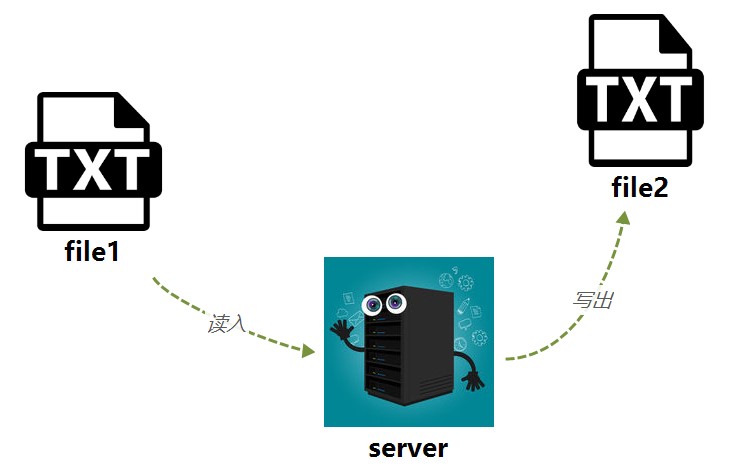
outputStream = new FileOutputStream(file);

byte[] temp = new byte[1024];

int size = -1;

while ((size = inputStream.read(temp)) != -1) { // 每次读取1KB,直至读完

    outputStream.write(temp, 0, size);

}outputStream = new FileOutputStream(file);
byte[] temp = new byte[1024];
int size = -1;
while ((size = inputStream.read(temp)) != -1) { // 每次读取1KB,直至读完
outputStream.write(temp, 0, size);
}
2、再叨叨ajax
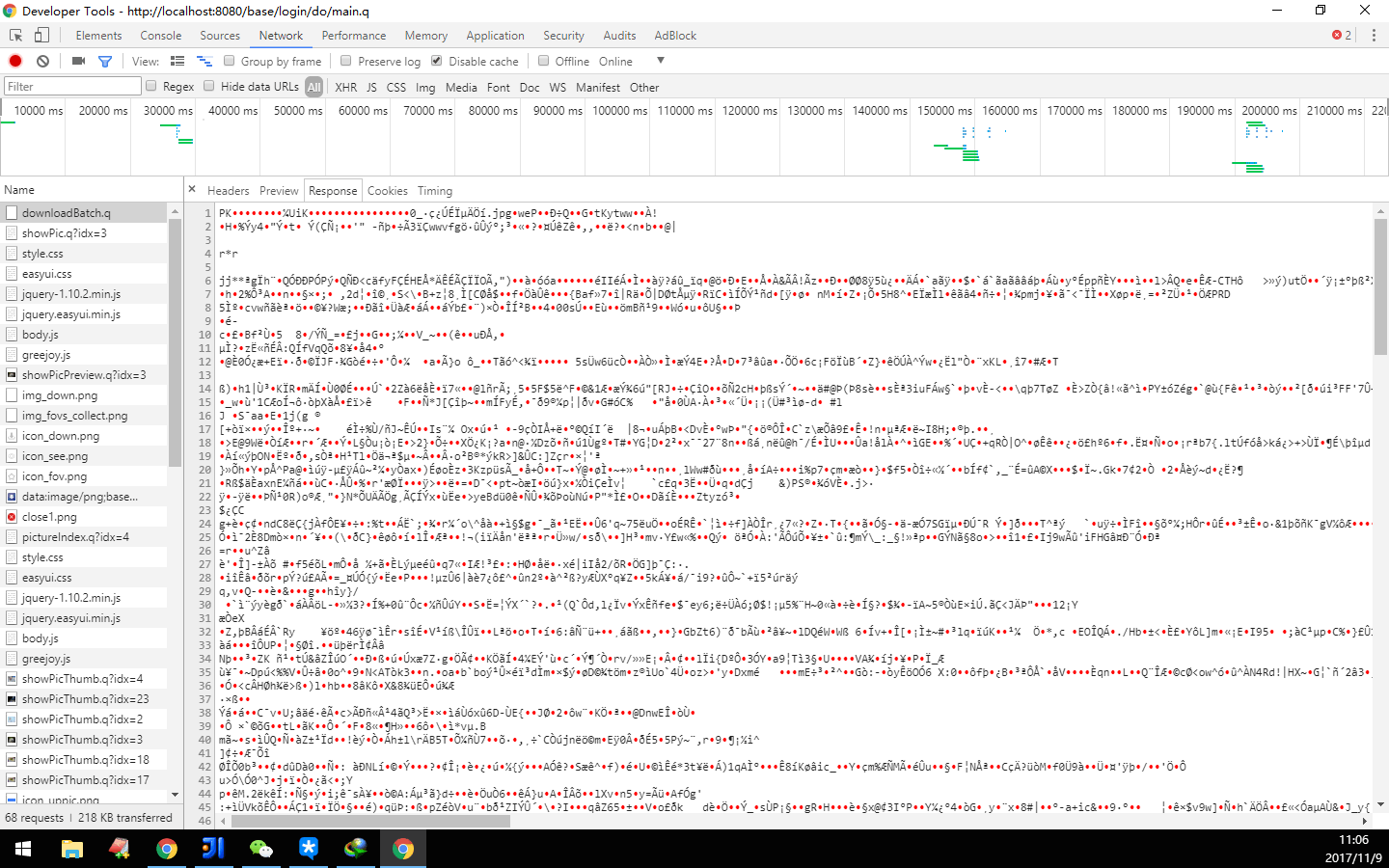
3、正儿八经的批量下载实现
<dependency>

  <groupId>ant</groupId>

  <artifactId>ant</artifactId>

  <version>1.6.5</version>

</dependency><dependency>
<groupId>ant</groupId>
<artifactId>ant</artifactId>
<version>1.6.5</version>
</dependency>
/**

 * 批量下载

 *

 * @param idxs 图片的id拼接字符串,用逗号隔开

 */

public String downloadBatch(String idxs) {

    String[] ids = idxs.split(",");

    try {

        HttpServletResponse response = ServletActionContext.getResponse();

        OutputStream out = setDownloadOutputStream(response, String.valueOf(new Date().getTime()), "zip");

        ZipOutputStream zipOut = new ZipOutputStream(out);

        for (int i = 0; i < ids.length; i++) {

            Picture picture = Picture.get(Picture.class, Long.parseLong(ids[i]));

            byte[] data = picture.getData();

            zipOut.putNextEntry(new ZipEntry(i + "_" + picture.getName() + "." + picture.getFormat().getValue()));

            writeBytesToOut(zipOut, data, BUFFER_SIZE);

            zipOut.closeEntry();

        }

        zipOut.flush();

        zipOut.close();

    } catch (IOException e) {

        e.printStackTrace();

        log.warn("下载失败:" + e.getMessage());

    }

    return null;

}/**
* 批量下载
*
* @param idxs 图片的id拼接字符串,用逗号隔开
*/
public String downloadBatch(String idxs) {
String[] ids = idxs.split(",");
try {
HttpServletResponse response = ServletActionContext.getResponse();
OutputStream out = setDownloadOutputStream(response, String.valueOf(new Date().getTime()), "zip");
ZipOutputStream zipOut = new ZipOutputStream(out);
for (int i = 0; i < ids.length; i++) {
Picture picture = Picture.get(Picture.class, Long.parseLong(ids[i]));
byte[] data = picture.getData();
zipOut.putNextEntry(new ZipEntry(i + "_" + picture.getName() + "." + picture.getFormat().getValue()));
writeBytesToOut(zipOut, data, BUFFER_SIZE);
zipOut.closeEntry();
}
zipOut.flush();
zipOut.close();
} catch (IOException e) {
e.printStackTrace();
log.warn("下载失败:" + e.getMessage());
}
return null;
}
/**

 * 设置文件下载的response格式

 *

 * @param response 响应

 * @param fileName 文件名称

 * @param fileType 文件类型

 * @return 设置后响应的输出流OutputStream

 * @throws IOException

 */

private static OutputStream setDownloadOutputStream(HttpServletResponse response, String fileName, String fileType) throws IOException {

    fileName = new String(fileName.getBytes(), "ISO-8859-1");

    response.setHeader("Content-Disposition", "attachment;filename=" + fileName + "." + fileType);

    response.setContentType("multipart/form-data");

    return response.getOutputStream();

}/**
* 设置文件下载的response格式
*
* @param response 响应
* @param fileName 文件名称
* @param fileType 文件类型
* @return 设置后响应的输出流OutputStream
* @throws IOException
*/
private static OutputStream setDownloadOutputStream(HttpServletResponse response, String fileName, String fileType) throws IOException {
fileName = new String(fileName.getBytes(), "ISO-8859-1");
response.setHeader("Content-Disposition", "attachment;filename=" + fileName + "." + fileType);
response.setContentType("multipart/form-data");
return response.getOutputStream();
}
/**

 * 将byte[]类型的数据,写入到输出流中

 *

 * @param out 输出流

 * @param data 希望写入的数据

 * @param cacheSize 写入数据是循环读取写入的,此为每次读取的大小,单位字节,建议为4096,即4k

 * @throws IOException

 */

private static void writeBytesToOut(OutputStream out, byte[] data, int cacheSize) throws IOException {

    int surplus = data.length % cacheSize;

    int count = surplus == 0 ? data.length / cacheSize : data.length / cacheSize + 1;

    for (int i = 0; i < count; i++) {

        if (i == count - 1 && surplus != 0) {

            out.write(data, i * cacheSize, surplus);

            continue;

        }

        out.write(data, i * cacheSize, cacheSize);

    }

}/**
* 将byte[]类型的数据,写入到输出流中
*
* @param out 输出流
* @param data 希望写入的数据
* @param cacheSize 写入数据是循环读取写入的,此为每次读取的大小,单位字节,建议为4096,即4k
* @throws IOException
*/
private static void writeBytesToOut(OutputStream out, byte[] data, int cacheSize) throws IOException {
int surplus = data.length % cacheSize;
int count = surplus == 0 ? data.length / cacheSize : data.length / cacheSize + 1;
for (int i = 0; i < count; i++) {
if (i == count - 1 && surplus != 0) {
out.write(data, i * cacheSize, surplus);
continue;
}
out.write(data, i * cacheSize, cacheSize);
}
}
- 设置文件ContentType类型和文件头
- 读取文件数据为byte[]
- 将数据写入到响应response的输出流中
- ZipOutputStream zipOut = new ZipOutputStream(out);
- //把响应的输出流包装一下而已,便于使用相关压缩方法,就像多了个包装袋
- zipOut.putNextEntry(new ZipEntry(i + "_" + picture.getName() + "." + picture.getFormat().getValue()));
- zipOut.closeEntry();
- //压缩包中的多个文件,实际上每个就是这里的ZipEntry对象,每开始写入某个文件的内容时,必须先putNextEntry(new ZipEntry(String fileName)),然后才可以写入,写完这个文件,必须使用closeEntry()说明,已经写完了第一个文件。就好像putNextEntry是在说 “我要开始写压缩包的下一个文件啦”,而closeEntry则是在说“压缩包里的这个文件我已经写完啦”。循环反复,最终把所有文件写入这个“披着压缩输出流外壳的响应输出流”
- zipOut.flush();
- 写入完成后,刷一下即可。就像去超市买东西,购物车装好了,总得结一次帐才能把东西拿走吧。当然,最后别忘了close关闭。
4、参考链接
批量下载,多文件压缩打包zip下载的更多相关文章
- 打包zip下载
//首先引入的文件为org.apache的切记不是jdk的import org.apache.tools.zip.ZipOutputStream;import org.apache.tools.zip ...
- java实现将文件压缩成zip格式
以下是将文件压缩成zip格式的工具类(复制后可以直接使用): zip4j.jar包下载地址:http://www.lingala.net/zip4j/download.php package util ...
- Web端文件打包.zip下载
使用ant.jar包的API进行文件夹打包.直接上代码: String zipfilename = "test.zip"; File zipfile = new File(zipf ...
- Linux文件压缩/打包/解压
在Linux日常维护中,经常需要备份同步一些比较重要的文件,而在传输过程中如果文件比较大往往会非常慢,而且还会非常占用空间,这时候就需要我们使用压缩工具对大文件进行压缩打包,下面我们来介绍一下常用的压 ...
- Linux中的文件压缩,打包和备份命令
压缩解压命令 gzip 文件 -c : 将压缩数据输出到屏幕,可用来重定向 -v 显示压缩比等信息 -d 解压参数 -t 用来检验一个压缩文件的一致性看看档案有没错 -数字 : 压 ...
- 文件压缩:zip
[root@localhost ~]# yum install -y zip unzip // 安装 zip 和 unzip [root@localhost ~]# ..txt // 压缩文件,要同时 ...
- Java实现多文件压缩打包的方法
package com.biao.test; import java.io.File; import java.io.FileInputStream; import java.io.FileOutpu ...
- [转]C#如何把文件夹压缩打包然后下载
public partial class _Default2 : System.Web.UI.Page{ protected void Page_Load(object sender, EventAr ...
- Java Springboot 根据图片链接生成图片下载链接 及 多个图片打包zip下载链接
现有一些图片在服务器上的链接,在浏览器中打开这些链接是直接显示在浏览器页面的形式. 现在需要生成这些图片的单独下载以及打包下载链接,即在浏览器中打开下载链接后弹出下载框提示下载.由于前端存在跨域问题, ...
随机推荐
- 你不知道的JavasScript上篇·第四章·混合对象·类
一.类的理论 1.类的核心概念:多态 是说父类的通用行为可以被子类用更特殊的行为重写 二.类的机制 1.构造函数 类实例是有一个特殊的类方法构造的,这个方法名通常和类名一致: 类构造函数属于类,构造函 ...
- 将textarea实现自适应高度及IE下滚动条不出现的bug
1.<el-table-column label="备注" width="180"> <template scope="scope& ...
- X86和X64环境下的基本类型所占用的字节大小
同样的程序代码,使用Visual Studio 进行编译,当目标平台分别为x86或x64环境时,其编译结果是不同的.在x86环境下,指针都是4个字节的:而在x64环境下,指针都是8字节的.测试代码如下 ...
- MySQL 性能监控4大指标——第一部分
[编者按]本文作者为 John Matson,主要介绍 mysql 性能监控应该关注的4大指标. 第一部分将详细介绍前两个指标: 查询吞吐量与查询执行性能.文章系国内 ITOM 管理平台 OneAPM ...
- android dev概念快速入门
apk: android将源代码依赖库等经过编译后打包分发的应用. 打包详细过程如下: android-studio安装 由于google被qiang,需要制定proxy,可以使用sock,同时安装完 ...
- python自学——文件打开
#文件的打开 新建一个文件new file.txt #方法一:f=open("yesterday","r",encoding="utf-8" ...
- alsa声卡分析alsa-utils调用过程(一)-tinyplay
如何分析tinyplay 播放音频和tinymix的过程?需要相应的工具来支持追查: 一.分析tinyplay和tinymix: 1.1 利用strace工具: strace -o tinyplay. ...
- [Spark SQL_3] Spark SQL 高级操作
0. 说明 DataSet 介绍 && Spark SQL 访问 JSON 文件 && Spark SQL 访问 Parquet 文件 && Spark ...
- 【转】Spring学习---Spring 学习总结
什么是Spring ? Spring是一个开源框架,Spring是于2003 年兴起的一个轻量级的Java 开发框架,由Rod Johnson在其著作Expert One-On-One J2EEDev ...
- String、StringBuffer与StringBuilder的区别-陈远波
String Stringbuffer StringBuilder的区别: 1.string是字符串常量,且长度是不可改变的,Stringbuffer.stringBuilder是字符串变量 2.S ...