
Unity初步 基本拼图实现
 using System.Collections;

 using System.Collections.Generic;

 using UnityEngine;

 using UnityEngine.UI;

 public class GameControl : MonoBehaviour {

     //资源加载路径

     public string spritePath = "Sprites/Teriri";

     //拼图碎片

     public Sprite[] sprites = null;

     //拼图控制(以按钮的形式)

     public Button[] buttons = null;

     //携带网格方块自动布局组件的背景

     public Transform bgTransform = null;

     //碎片预制体

     public GameObject puzzlePrefab = null;

     //用于记录空图片的位置

     public RectTransform nullImage = null;

     //用于获取布局方块的大小,便于调节碎片

     private GridLayoutGroup bgLayout = null;

     //用于记录正确的图片名字相加顺序

     private string correctSpritesNameOrder = null;

     //用于确认按钮化的图片碎片是否正确

     private string spritesNameOrder = null;

     private Sprite remainSprite = null;//用于保存被置空的图片,最后游戏结束时现实出来

     //此函数用于初始化

     private void Start() {

         string theLastSpriteName = null;

         //资源加载

         this.sprites = Resources.LoadAll<Sprite>(this.spritePath);

         this.bgLayout = bgTransform.GetComponent<GridLayoutGroup>();

         List<Sprite> tempSprites = new List<Sprite>();

         //记录正确的精灵名字顺序

         for (int i = ; i < this.sprites.Length; i++) {

             tempSprites.Add(this.sprites[i]);

             this.correctSpritesNameOrder += this.sprites[i].name;

             //记录下最后一张碎片的名字

             if (i == this.sprites.Length - ) {

                 theLastSpriteName = this.sprites[i].name;

             }

         }

         print("正确的图片名字构成顺序:" + this.correctSpritesNameOrder.ToString());

         int spritesLength = this.sprites.Length;

         //Debug.Log(spritesLength);

         for (int i = spritesLength - ; i >= ; i--) {

             //实例化预制体

             GameObject btnInstance = Instantiate(this.puzzlePrefab) as GameObject;

             //获取按钮组件

             Button btn = btnInstance.GetComponent<Button>();

             GameControl self = this;//要保存一下当前的this对象,以免出现this指向错误

             btn.onClick.AddListener(delegate () {

                 self.BtnOnclick(btnInstance.GetComponent<RectTransform>());

             });

             //随机取图片出来放置,达到打乱的效果

             int randomNumber = Random.Range(, tempSprites.Count);

             btnInstance.name = tempSprites[randomNumber].name;

             Image btnInstanceImage = btnInstance.GetComponent<Image>();

             if (btnInstance.name == theLastSpriteName) {

                 //置空,否则打乱

                 this.remainSprite = tempSprites[randomNumber];

                 btnInstanceImage.sprite = null;

                 this.nullImage = btnInstance.GetComponent<RectTransform>();

             } else {

                 //btnInstance.GetComponent<Image>().sprite = tempSprites[randomNumber];

                 btnInstanceImage.sprite = tempSprites[randomNumber];

             }

             //Debug.Log(btnInstanceImage);

             tempSprites.Remove(tempSprites[randomNumber]);

             btnInstance.transform.SetParent(bgTransform);

             btnInstance.GetComponent<RectTransform>().localScale = Vector3.one;

             //Debug.Log(randomNumber + ":" + btnInstance.name);

         }

         this.buttons = this.transform.Find("BackGround").GetComponentsInChildren<Button>();

         ////随机放置一个空图片位置

         //int tempNumber = Random.Range(0, this.buttons.Length);

         //this.remainSprite = buttons[tempNumber].GetComponent<Image>().sprite;//保存被置空的图片

         //this.buttons[tempNumber].GetComponent<Image>().sprite = null;

         //this.nullImage = this.buttons[tempNumber].GetComponent<RectTransform>();

         //设置最右下角的图片为消失的图片

     }

     //拼图按钮点击事件

     private void BtnOnclick(RectTransform btnRect) {

         if (Vector2.Distance(btnRect.anchoredPosition, this.nullImage.anchoredPosition)

                 <= (this.bgLayout.cellSize.x + this.bgLayout.spacing.x)) {

             //print("产生替换");

             //Sprite btnRectSprite = btnRect.GetComponent<Image>().sprite;//获取需要替换的引用

             ////这个空位应该是啥也没有

             //Sprite nullImageSprite = this.nullImage.GetComponent<Image>().sprite;

             Sprite cacheSprite = btnRect.GetComponent<Image>().sprite;//交换前缓存一下图片

             string cacheString = btnRect.gameObject.name;

             btnRect.gameObject.name = this.nullImage.gameObject.name;

             this.nullImage.gameObject.name = cacheString;

             btnRect.GetComponent<Image>().sprite = this.nullImage.GetComponent<Image>().sprite;

             this.nullImage.GetComponent<Image>().sprite = cacheSprite;

             //this.nullImage.GetComponent<Image>().sprite = cacheSprite;

             this.nullImage = btnRect;

             CheckAll();

         }

     }

     //遍历所有图片名字顺序,判断是否完成拼图,结束游戏

     private void CheckAll() {

         this.spritesNameOrder = "";

         this.buttons = this.bgTransform.GetComponentsInChildren<Button>();

         for (int i = ; i < this.buttons.Length; i++) {

             this.spritesNameOrder += this.buttons[i].gameObject.name;

         }

         if (this.spritesNameOrder == this.correctSpritesNameOrder) {

             this.nullImage.GetComponent<Image>().sprite = this.remainSprite;//现实被置空的图片

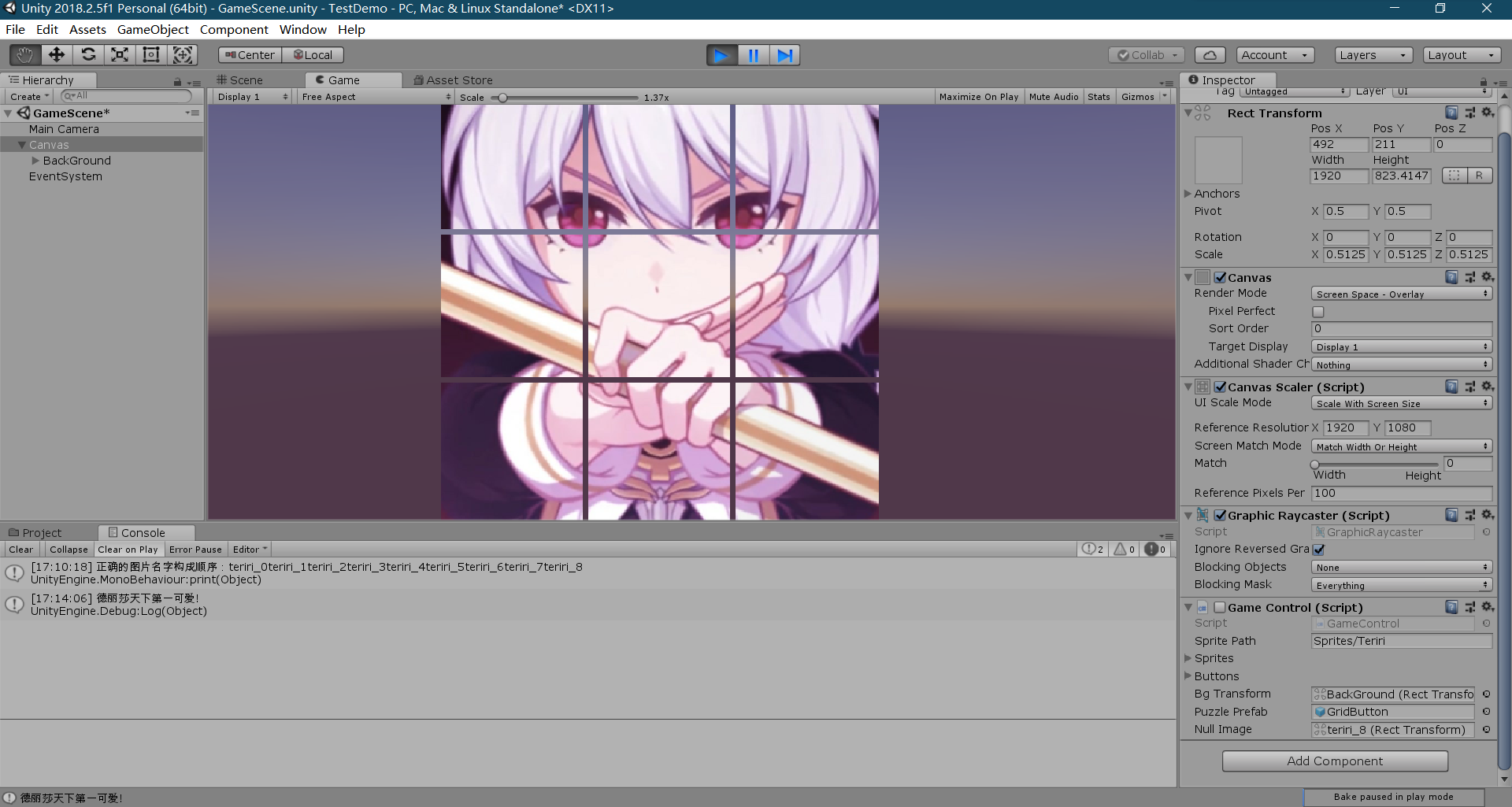
             Debug.Log("德丽莎天下第一可爱!");

             this.enabled = false;//停止游戏刷新

         }

     }

 }
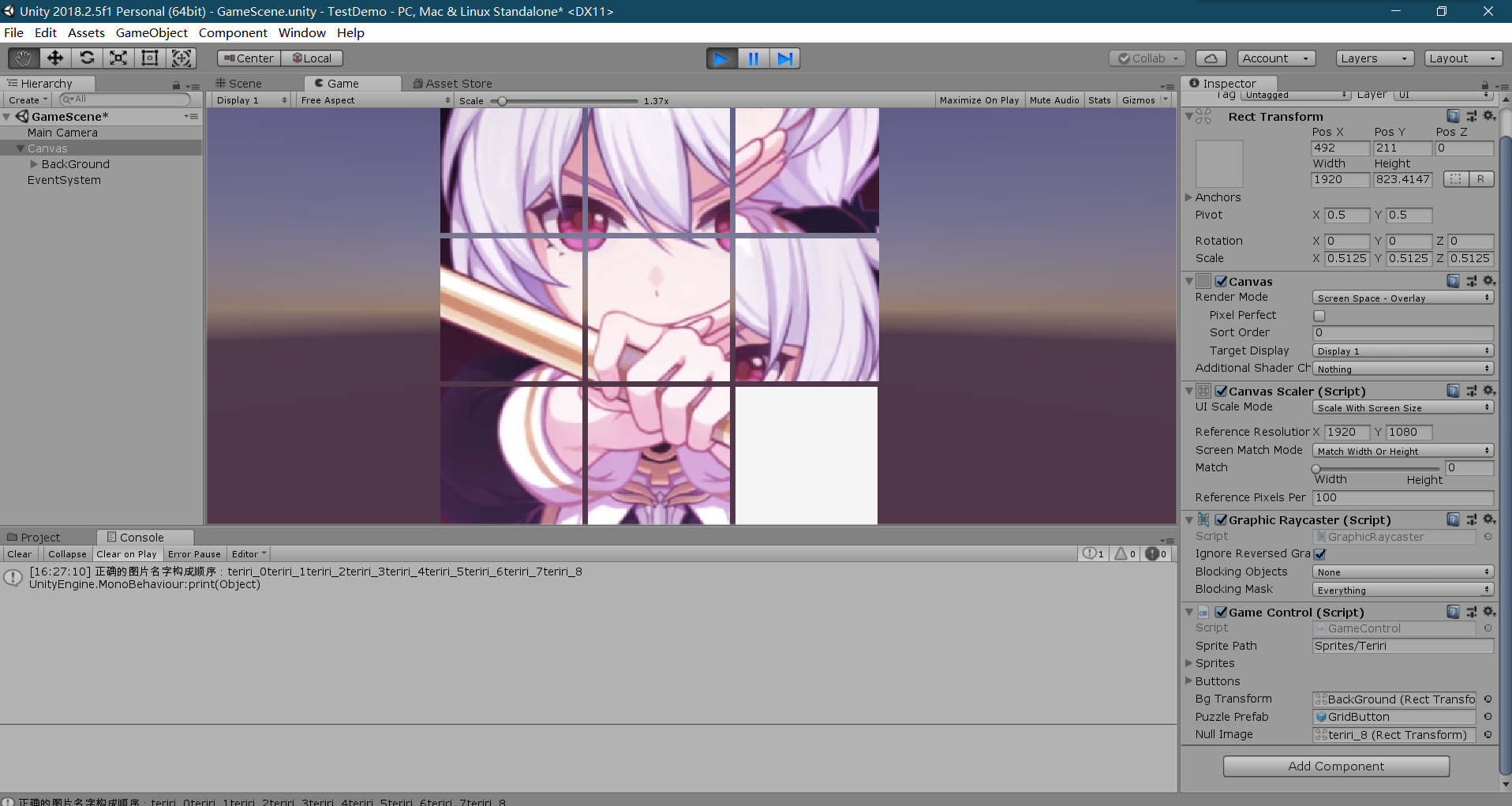
结束:
Unity初步 基本拼图实现的更多相关文章
- ARToolKit for Unity环境搭建(初步搭建成功)
最近一段时间才开始学习使用Unity3d,AR的学习使用中,先后使用了metaio SDK.vuforia SDK,但由于这两个都属于收费的,今天开始尝试使用ARToolKit.先将ARToolKit ...
- Unity 芯片拼图算法
很多游戏的养成系统中会有利用芯片或者碎片来合成特定道具的功能,或者来给玩家以额外的属性提升等,先截个图以便更好说明: 如上图,我们有各种各样形状迥异的碎片,上面只不过列举了其中一部分,现在,我们需要利 ...
- Unity3D学习笔记3——Unity Shader的初步使用
目录 1. 概述 2. 详论 2.1. 创建材质 2.2. 着色器 2.2.1. 名称 2.2.2. 属性 2.2.3. SubShader 2.2.3.1. 标签(Tags) 2.2.3.2. 渲染 ...
- Unity V3 初步使用 —— 为我的.NET项目从简单三层架构转到IOC做准备
[声明]由于本人表达能力有限,为避免不必要的误人子弟,本文将不会涉及IOC与DI,仅仅描述新版本Unity 3的使用(非Unity 3D,如果您想看的是Unity 3D请立即离开,否则莫怪此处“谋财害 ...
- Egret3D初步笔记二 (Unity导出场景使用)
一 Scene 根据上一节的继续.在导入unity4.7.1_Egret3D_Dll.unitypackage后. 在Unity中双击打开Assets/Egret3D/Example下的Example ...
- Unity中数据的存储与交互的初步分析(PlayerPrefs,Dictionary,JsonUnility)
1.PlayerPrefs PlayerPrefs.SetString(key,Value); PlayerPrefs.GetString(key,Value);字符串类型 PlayerPref ...
- Unity3D游戏开发初探—2.初步了解3D模型基础
一.什么是3D模型? 1.1 3D模型概述 简而言之,3D模型就是三维的.立体的模型,D是英文Dimensions的缩写. 3D模型也可以说是用3Ds MAX建造的立体模型,包括各种建筑.人物.植被. ...
- [Unity3D]Unity+Android交互教程——让手机"动"起来
想要用Unity实现一个二维码扫描的功能,然后网上找插件,找到一个貌似叫EasyCodeScanner,但下载下来用用,真不好使,一导入运行就报错,调好错了再运行发现点按钮没反应,反复试了几遍发现还是 ...
- Unity学习疑问记录之触屏
当将Unity游戏运行到ios或android设备上时,桌面系统中的鼠标左键操作可以自动变为手机屏幕上的触屏操作,但鼠标操作无法实现一些特有的触屏操作,比如多点触屏. 触控对于Android移动设备来 ...
随机推荐
- 502,csssprite是什么,有什么优缺点
(百科:csssprite是一种网页图片应用处理方式,国内常叫css精灵.它允许你将一个页面涉及到的所有零星图片都包含到一张大图中去,这样一来,当访问该页面时,载入的图片就不会像以前那样一幅一幅地慢慢 ...
- Docker - 创建第一个 docker 实例
1. 概述 安装完准备开始使用 2. 环境 os centos 7 docker docker - ce 19.03 3. 步骤 启动docker > systemctl start docke ...
- Windows上搭建hexo博客
1.windows上下载git(官网太慢),建议去其他地方下载啊(右键出现 Git Bash Here 的标志就安装完成) 2.安装npm:http://nodejs.cn/download/ 3.安 ...
- tp5 rewrite apache 配置
emmmmm,本来还是nginx服务器,突然换成了apache ubuntu系统,apache2服务器,tp5, 1.首先还是运行phpinfo.php,搜一下“Loaded Modules”这里面是 ...
- python-turtle-画雪花-2种方法及效果的详解
1.方法一: 代码: #python3.8 #xuguojun #2020.1.30 #导出模块 import turtle as t import random as r #定义画雪 def dra ...
- 用数组实现 最简 hash线性探测
package arr; import java.util.Random; /** 模拟线性寻址式hash函数 模拟将1000大小包含50个数字的数组,存入大小为100的数组内(为了方便判断,我们将0 ...
- PHPExcel 导出图片
$objDrawing = new PHPExcel_Worksheet_Drawing(); // 本地图片文件路径 $objDrawing->setPath('/www/images/img ...
- C语言:有序递增链表的插入问题。
//已建立一个带头节点的单向链表,链表中的各结点按结点数据域中的数据递增有序连接.fun函数:把形参x的值放入一个新结点并插入链表中,使插入的各个数据域的数据仍保持递增有序. #include < ...
- 【Go语言系列】1.1、GO语言简介:什么是GO语言
一.Go的起源 Go语言的所有设计者都说,设计Go语言是因为 C++ 给他们带来了挫败感.在 Google I/O 2012 的 Go 设计小组见面会上,Rob Pike 是这样说的: 我们做了大量的 ...
- python写入文件中遇到 UnicodeEncodeError: ‘gbk’ codec can’t encode character 错误的解决办法
在写入TXT文件时,某些页面总是报UnicodeEncodeError: ‘gbk’ codec can’t encode character错误,网上找了半天也没找到解决办法. 后来终于找到了解决办 ...