
Angular2 Pipe
AngularJs 1.x 中使用filters来帮助我们转换templates中的输出,但在Angular2中使用的是pipes,以下展示Angular 1.x and Angular 2中filter和pipe的对比:
| Filter/Pipe Name | Angular 1.x | Angular 2 |
|---|---|---|
| currency | ✓ | ✓ |
| date | ✓ | ✓ |
| uppercase | ✓ | ✓ |
| json | ✓ | ✓ |
| limitTo | ✓ | ✓ |
| lowercase | ✓ | ✓ |
| number | ✓ | |
| orderBy | ✓ | |
| filter | ✓ | |
| async | ✓ | |
| decimal | ✓ | |
| percent | ✓ |
Basic Pipes
// app.ts

// <reference path="typings/angular2/angular2.d.ts" />

import {Component, View, bootstrap} from 'angular2/angular2';

@Component({

  selector: 'pipes'

})

@View({

  templateUrl: 'pipesTemplate.html'

})

// Component controller

class PipesAppComponent {

  date: Date;

  constructor() {

    this.date = new Date();

  }

}

bootstrap(PipesAppComponent);
<!-- pipesTemplate.html -->

  <h1>Dates</h1>

  <!-- Sep 1, 2015 -->

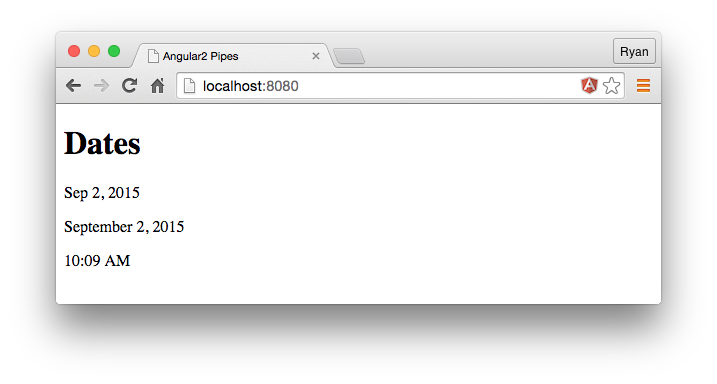
  <p>{{date | date:'mediumDate'}}</p>

  <!-- September 1, 2015 -->

  <p>{{date | date:'yMMMMd'}}</p>

  <!-- 3:50 pm -->

  <p>{{date | date:'shortTime'}}</p>
结果:
New Pipes
decimal和percent是Angular2中新增的管道,参数规则是:{minIntegerDigits}.{minFractionDigits}-{maxFractionDigits}.
decimal管道在模板中使用number关键字
// app.ts

...

@View({

  templateUrl: 'pipesTemplate.html'

})

class PipesAppComponent {

  grade: number;

  rating: number;

  constructor() {

    this.grade = 0.99;

    this.rating = 9.1243;

  }

}

...
html
<h1>Decimals/Percentages</h1>

  <!-- 99.00% -->

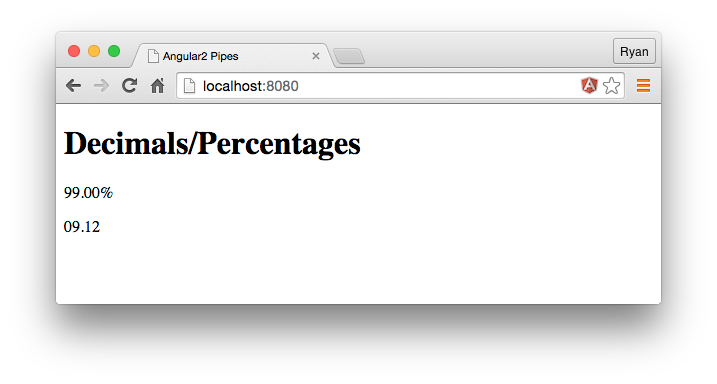
  <p>{{grade | percent:'.2'}}</p>

  <!-- 09.12 -->

  <p>{{rating | number:'2.1-2'}}</p>
结果:
Async Pipe
Angular 2's async allows us to bind our templates directly to values that arrive asynchronously. This ability is great for working with promises and observables.
// app.ts

...

@Component({

  selector: 'pipes',

  changeDetection: 'ON_PUSH'

})

@View({

  templateUrl: 'pipesTemplate.html',

})

class PipesAppComponent {

  promise: Promise;

  constructor() {

    this.promise = new Promise(function(resolve, reject) {

      setTimeout(function() {

        resolve("Hey, I'm from a promise.");

      }, 2000)

    });

  }

}

...
html
<!-- pipesTemplate.html -->

  <h1>Async</h1>

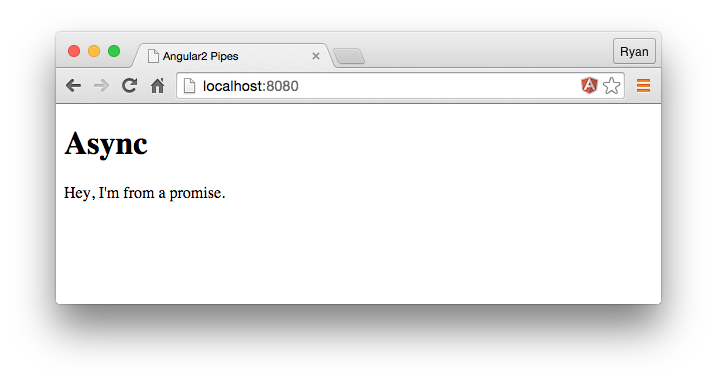
  <p>{{ promise | async}}</p>
After a 2 second delay, the value from the resolved promise will be displayed on the screen.
Custom Pipes
自定义pipe需要使用@Pipe装饰器,并实现PipeTransform接口里的transform方法。定义好的pipe要在需使用pipe的view或component中声明。
Pipe接口的定义
export interface Pipe {

  name: string;

  pure?: boolean;

}
PipeDecorator
export const Pipe: PipeDecorator = <PipeDecorator>makeDecorator('Pipe', {

  name: undefined,

  pure: true, // 默认是pure

});
PipeTransform接口
export interface PipeTransform {

  transform(value: any, ...args: any[]): any;

}
管道分类
pure 管道:仅当管道输入值变化的时候,才执行转换操作,默认的类型是 pure 类型。(备注:输入值变化是指原始数据类型如:string、number、boolean 等的数值或对象的引用值发生变化)
impure 管道:在每次变化检测期间都会执行,如鼠标点击或移动都会执行 impure 管道
// app.ts

import {Component, View, bootstrap, Pipe, PipeTransform} from 'angular2/angular2';

...

// We use the @Pipe decorator to register the name of the pipe

@Pipe({

  name: 'tempConvert'

})

// The work of the pipe is handled in the tranform method with our pipe's class

class TempConvertPipe implements PipeTransform {

  transform(value: number, args: any[]) {

    if(value && !isNaN(value) && args[0] === 'celsius') {

      var temp = (value - 32) * 5/9;

      var places = args[1];

      return temp.toFixed(places) + ' C';

    }

    return;

  }

}

...

@View({

  templateUrl: 'pipesTemplate.html',

  // We can pass the pipe class name into the pipes key to make it usable in our views

  pipes: [TempConvertPipe]

})

class PipesAppComponent {

  temperature: number;

  constructor() {

    this.temperature = 85;

  }

}
html
<h1>Custom Pipes - Convert Temperature</h1>

  <!-- 85 F -->

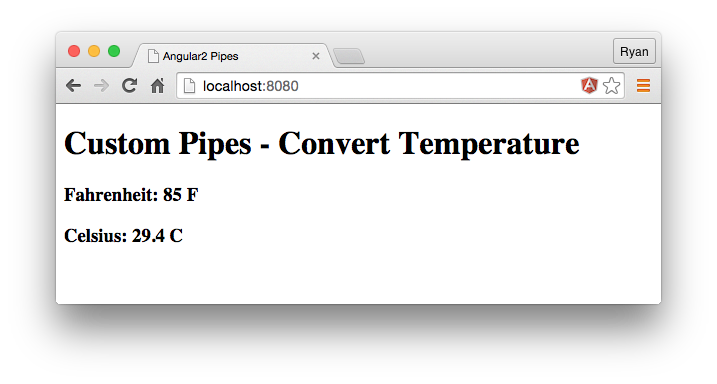
  <h3>Fahrenheit: {{temperature + ' F'}}</h3>

  <!-- 29.4 C -->

  <h3>Celsius: {{temperature | tempConvert:'celsius':1}}</h3>
结果
过滤出指定范围的值
定义一个pipe
import {Pipe, PipeTransform} from 'angular2/core';

// Tell Angular2 we're creating a Pipe with TypeScript decorators

@Pipe({

  name: 'AgePipe'

})

export class AgePipe implements PipeTransform {

  // Transform is the new "return function(value, args)" in Angular 1.x

  transform(value, args?) {

    // ES6 array destructuring

    let [minAge, maxAge] = args;

    return input.filter(person => {

      return person.age >= +minAge && person.age <= +maxAge;

    });

  }

}
import {Component} from 'angular2/core';

import {AgePipe} from './pipes/age-pipe/age-pipe';

@Component({

  selector: 'playground-app',

  templateUrl: 'app/playground.html',

  // tell our component it uses our AgePipe

  pipes: [AgePipe]

})

export class PlaygroundApp {

  sliderValue:number = 20;

anotherSliderValue: number = 90;

  people:Array<any> = [{

      name: 'Justin Bieber',

      age: 21

    }, {

      name: 'Miley Cyrus',

      age: 23

    }, {

      name: 'John Legend',

      age: 37

    }, {

      name: 'Betty White',

      age: 94

    }, {

      name: 'Roger Waters',

      age: 72

    }, {

      name: 'Larry Page',

      age: 42

    }];

}
html
<div>

  <p>

  0

    <input type="range" min="0" max="100"

          [value]="sliderValue"

          (input)="sliderValue = $event.target.value" />

  100

  </p>

  <span>{{ sliderValue }}</span>

<p>

  0

    <input type="range" min="0" max="100"

          [(ngModel)]="anotherSliderValue" />

  100

  </p>

  <span>{{anotherSliderValue }}</span>

    <ul>

      <li *ngFor="#person of people | AgePipe:sliderValue:anotherSliderValue">

        {{ person.name }} ({{ person.age }})

      </li>

    </ul>

</div>
Angular2 Pipe的更多相关文章
- angular2 pipe实现搜索结果中的搜索关键字高亮
效果图如下 1.声明一个pipe import {Pipe, Injectable, PipeTransform} from '@angular/core';import { DomSanitizer ...
- 4、Angular2 pipe
1. stateless pipe 2.stateful pipe
- [Angular 2] Create a simple search Pipe
This lesson shows you how to create a component and pass its properties as it updates into a Pipe to ...
- [Angular 2] Pipe Purity
Explaining how Pipes only change by default when your Pipe input parameters change and not when your ...
- ASP.NET MVC和Web API中的Angular2 - 第2部分
下载源码 内容 第1部分:Visual Studio 2017中的Angular2设置,基本CRUD应用程序,第三方模态弹出控件 第2部分:使用Angular2管道进行过滤/搜索,全局错误处理,调试客 ...
- [Angular 2] Pipes with Multiple Parameters
Showing how to set up a Pipe that takes multiple updating inputs for multiple Component sources. imp ...
- [Angular 2] Using Pipes to Filter Data
Pipes allow you to change data inside of templates without having to worry about changing it in the ...
- Angular 2 to Angular 4 with Angular Material UI Components
Download Source - 955.2 KB Content Part 1: Angular2 Setup in Visual Studio 2017, Basic CRUD applicat ...
- ionic2 目录
首先 ionic2 暂时找不到中文文档.本人英语又很渣.无奈之下只能依赖于百度翻译.完全是已自己理解的方式运作 ,可能里面会有一些偏差之类的 不过我都测试过代码是可以跑通的 只不过讲解的部分可能... ...
随机推荐
- 一道百度的java面试题的几种解法
考试结束,班级平均分只拿到了年级第二,班主任于是问道:大家都知道世界第一高峰珠穆朗玛峰,有人知道世界第二高峰是什么吗?正当班主任要继续发话,只听到角落默默想起来一个声音:”乔戈里峰” 前言 文章出自: ...
- 报错The VMware Authorization Service is not running
今天上linux课程的时候,开启虚拟机报错: The VMware Authorization Service is not running 解决方案里面各种提供: 1.以管理员身份运行虚拟机,治标不 ...
- C# 过滤sql特殊字符串方法
1. /// <summary> /// 过滤不安全的字符串 /// </summary> /// <param name="Str" ...
- [PHP] 通用网关接口CGI 的运行原理
CGI 的运行原理:1.客户端访问某个 URL 地址之后,通过 GET/POST/PUT 等方式提交数据,并通过 HTTP 协议向 Web 服务器发出请求.2.服务器端的 HTTP Daemon(守护 ...
- linux ubuntu 学习总结(day01)基本命令学习
个人总结,请尊重版权,转载请在显眼地方注明出处:https://www.cnblogs.com/sunshine5683/p/9948259.html day(01)基本命令学习 今天开始自学linu ...
- bzoj一句话题解
发现好多人都在搞这个...本人也想来试试(Solved刚到70就搞这个靠不靠谱啊喂).会更新的.嗯. 1000-1029 1000 A+B problem (这个还需要一句话吗?). 1001 狼抓兔 ...
- 1475 m进制转十进制
1475 m进制转十进制 时间限制: 1 s 空间限制: 128000 KB 题目等级 : 白银 Silver 题解 题目描述 Description 将m进制数n转化成一个十进制数 ...
- PHP之SimpleXML函数
使用php创建XML文件十分简单,使用SimpleXML那就更简便了,同时读取XML文件也十分方便.XML文件是直接在浏览器中打开,以自定义标签的方式直观简洁的方式展示给读者. 1.创建XML文件 h ...
- 【html/css】若母div设置了透明度,如何才能使得里面的子div不继承母div的透明度
用rgba的方式给母div设置透明度的话就不会影响子div的透明度了. 例: background: rgba(51, 51, 51, 0.5);
- The parameter to the method is the basic data type
package method.invocation; public class TheParameterToTheMethodIsTheBasicDataType { public static vo ...