
Nodejs in Visual Studio Code 10.IISNode
1.开始
Nodejs in Visual Studio Code 08.IIS : http://www.cnblogs.com/mengkzhaoyun/p/5410185.html
参考此篇内容,部署一个iisnode示例
2.将Node.js Express框架示例程序部署在IISNode中
- 创建一个Express示例程序
$ cd D:\Libraries\Documents\Visual Studio Code

$ express myapp

create : myapp

create : myapp/package.json

......

install dependencies:

> cd myapp && npm install

run the app:

> SET DEBUG=myapp:* & npm start

- 在IIS中创建一个myapp的目录发布此node程序
- 应用程序池:DefaultAppPool(IIS默认的,.Net 集成)

- 创建Web.config文件至myapp目录
- 注意上图,Node Express的启动程序是bin/www文件
<configuration>

  <system.webServer>

    <!-- bin/www 是Express示例默认的启动程序 -->

    <handlers>

      <add name="iisnode" path="bin/www" verb="*" modules="iisnode" />

    </handlers>

    <rewrite>

      <rules>

        <rule name="myapp">

          <match url="/*" />

          <action type="Rewrite" url="bin/www" />

        </rule>

      </rules>

    </rewrite>

  </system.webServer>

</configuration>
- 此时在浏览器中打开地址http://localhost/myapp/,将出现404错误
- 原因是bin目录是默认输出目录,默认不允许模块调用
HTTP 错误 404.8 - Not Found

请求筛选模块被配置为拒绝包含 hiddenSegment 节的 URL 中的路径。
- myapp目录下,新建一个index.js,尝试解决此问题
将bin/www代码剪切过来,并删除bin/www,修改Web.config中的入口程序为index.js
<configuration>

  <system.webServer>

    <!-- index.js 是myapp的启动程序 -->

    <handlers>

      <add name="iisnode" path="index.js" verb="*" modules="iisnode" />

    </handlers>

    <rewrite>

      <rules>

        <rule name="myapp">

          <match url="/*" />

          <action type="Rewrite" url="index.js" />

        </rule>

      </rules>

    </rewrite>

  </system.webServer>

</configuration>
- 此时重新浏览http://localhost/myapp/,出现运行时错误
- 这个运行时错误表示node在执行index.js过程中出错,是个相对地址写错了的问题,node终于执行了,不容易啊,可能因为我将bin/www硬Copy过来忘记修正相对目录了。。
iisnode encountered an error when processing the request.

HRESULT: 0x2

HTTP status: 500

HTTP subStatus: 1002

HTTP reason: Internal Server Error

You are receiving this HTTP 200 response because system.webServer/iisnode/@devErrorsEnabled configuration setting is 'true'.

In addition to the log of stdout and stderr of the node.exe process, consider using debugging and ETW traces to further diagnose the problem.

The last 64k of the output generated by the node.exe process to stderr is shown below:

Application has thrown an uncaught exception and is terminated:

Error: Cannot find module '../app'

    at Function.Module._resolveFilename (module.js:325:15)

    at Function.Module._load (module.js:276:25)

    at Module.require (module.js:353:17)

    at require (internal/module.js:12:17)

    at Object.<anonymous> (D:\Libraries\Documents\Visual Studio Code\myapp\index.js:7:11)

    at Module._compile (module.js:409:26)

    at Object.Module._extensions..js (module.js:416:10)

    at Module.load (module.js:343:32)

    at Function.Module._load (module.js:300:12)

    at Module.require (module.js:353:17)
- 修改index.js
- ../app改成./app就少了个点,看出来了么
var app = require('./app');

var debug = require('debug')('myapp:server');

var http = require('http');
- 再访问,出现错误Cannot find module 'serve-favicon' ,粗心忘记NPM INSTALL了。。。
- 执行CMD命令 npm install为myapp安装依赖包
- 重新访问网页http://localhost/myapp/,出现404 Not Found
- 虚拟路径错误,需要在app.js中修改虚拟路径
Not Found

404

Error: Not Found

    at D:\Libraries\Documents\Visual Studio Code\myapp\app.js:30:13

    at Layer.handle [as handle_request] (D:\Libraries\Documents\Visual Studio Code\myapp\node_modules\express\lib\router\layer.js:95:5)

    at trim_prefix (D:\Libraries\Documents\Visual Studio Code\myapp\node_modules\express\lib\router\index.js:312:13)

    at D:\Libraries\Documents\Visual Studio Code\myapp\node_modules\express\lib\router\index.js:280:7

    at Function.process_params (D:\Libraries\Documents\Visual Studio Code\myapp\node_modules\express\lib\router\index.js:330:12)

    at next (D:\Libraries\Documents\Visual Studio Code\myapp\node_modules\express\lib\router\index.js:271:10)

    at D:\Libraries\Documents\Visual Studio Code\myapp\node_modules\express\lib\router\index.js:618:15

    at next (D:\Libraries\Documents\Visual Studio Code\myapp\node_modules\express\lib\router\index.js:256:14)

    at Function.handle (D:\Libraries\Documents\Visual Studio Code\myapp\node_modules\express\lib\router\index.js:176:3)

    at router (D:\Libraries\Documents\Visual Studio Code\myapp\node_modules\express\lib\router\index.js:46:12)
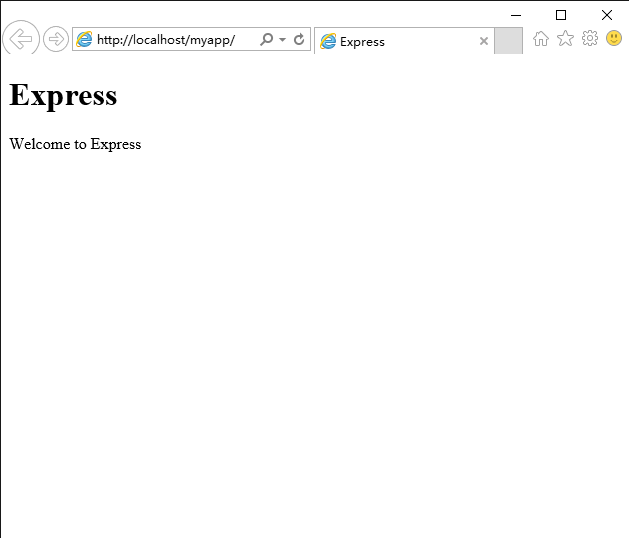
- 修改app.js,注意发布路径是myapp,终于看到了Welcome to Express不容易啊,别忘了改public目录的路径
app.use('/myapp',express.static(path.join(__dirname, 'public')));

app.use('/myapp', routes);

app.use('/myapp/users', users);
- 修改views/layout.jade,注意有个相对CSS相对路径,去掉最前的斜杠
doctype html

html

  head

    title= title

    link(rel='stylesheet', href='stylesheets/style.css')

  body

    block content

- 在Chrome中打开http://localhost/myapp/index.js/debug远程调试,出现错误,还是图样啊
- 看来这个index.js/debug这个连接被app执行了...
- 到目前为止,所有错误完全无法调试,全靠我经(wo)验(shi)丰(cai)富(de)

- 出现上面错误的原因是UrlRewriter配置
将所有myapp下的执行请求都交给index.js去执行了,显然myapp/index.js/debug这个地址不应该给index.js去执行。
修改web.config中的url rewriter节,将index.js/debug这个地址设置成不匹配negate="true"。
<configuration>

  <system.webServer>

    <!-- index.js 是myapp的启动程序 -->

    <handlers>

      <add name="iisnode" path="index.js" verb="*" modules="iisnode" />

    </handlers>

    <rewrite>

      <rules>

        <rule name="myapp">

          <match url="index.js/debug" negate="true" />

          <action type="Rewrite" url="index.js" />

        </rule>

      </rules>

    </rewrite>

  </system.webServer>

</configuration>

- 终于见到Node Inspector了,在浏览器中输入http://localhost/myapp/users,Node Inspector将捕获这个处理

3.总结
iisnode各种叼,支持发布后跨平台远程调试,如果发布过程中遇到问题怎么办呢,iisnode发布5年了(目前是0.2.*版本),应该积累了不少issues了,一篇篇翻看,或者去问作者解决吧。
示例代码,请前往:https://github.com/Mengkzhaoyun/nodepractise
04.iisNode&myApp
Nodejs in Visual Studio Code 10.IISNode的更多相关文章
- Nodejs in Visual Studio Code 14.IISNode与IIS7.x
1.开始 部署IISNode环境请参考:Nodejs in Visual Studio Code 08.IIS 部署Nodejs程序请参考:Nodejs in Visual Studio Code 1 ...
- crossplatform---Nodejs in Visual Studio Code 10.IISNode
1.开始 Nodejs in Visual Studio Code 08.IIS : http://www.cnblogs.com/mengkzhaoyun/p/5410185.html 参考此篇内容 ...
- Nodejs in Visual Studio Code 11.前端工程优化
1.开始 随着互联网技术的发展,企业应用里到处都是B/S设计,我有幸经历了很多项目有Asp.Net的,有Html/js的,有Silverlight的,有Flex的.很遗憾这些项目很少关注前端优化的问题 ...
- Nodejs in Visual Studio Code 04.Swig模版
1.开始 设置Node_Global:npm config set prefix "C:\Program Files\nodejs" Express组件:npm install e ...
- Nodejs in Visual Studio Code 01.简单介绍Nodejs
1.开始 作者自己:开发人员,Asp.Net , html / js , restful , memcached , oracle ,windows , iis 目标读者:供自己以后回顾 2.我看No ...
- Nodejs in Visual Studio Code 07.学习Oracle
1.开始 Node.js:https://nodejs.org OracleDB: https://github.com/oracle/node-oracledb/blob/master/INSTAL ...
- Nodejs in Visual Studio Code 09.企业网与CNPM
1.开始 CNPM : https://npm.taobao.org/ 2.企业网HTTP代理上网 平时办公在一个大企业网(10.*.*.*)中,使用HTTP代理上网,发现npm命令无法执行. 解决方 ...
- Nodejs in Visual Studio Code 08.IIS
1.开始 本文部分内容均转载自文章: http://www.hanselman.com/blog/InstallingAndRunningNodejsApplicationsWithinIISOnWi ...
- Nodejs in Visual Studio Code 06.新建Module
1.开始 Node.js:https://nodejs.org 2.Moudle js编程中,由于大家可以直接在全局作用域中编写代码,使开发人员可以很容易的新建一个全局变量或这全局模块,这些全局变量或 ...
随机推荐
- iOS 里面如何使用第三方应用程序打开自己的文件,调用wps其他应用打开当前应用里面的的ppt doc xls
我们的自己的应用里面经常涉及的要打开ppt doc,这样的功能,以前总以为iOS沙盒封闭化,不可能实现,后来终于解决了 使用 UIDocumentInteractionController 来解决这一 ...
- Java循环性能随笔
for iterator做迭代循环性能最好 然后是foreach 然后是提前声明好变量的for循环 最后是每次都要计算集合size的for package test; import j ...
- SGU 148.B-Station
时间限制:0.25s 空间限制:4M 题目 在离著名的国家Berland不远的地方,有一个水下工作站.这个工作站有N层.已知:是第层装有Wi的水,最多可以容纳Li的水,恐怖分子炸毁第i的代价是Pi. ...
- IO流基础
IO流,也称为数据流,用于处理设备之间的数据传输. JAVA对数据的操作就是通过流的方式,而流分为两种:字符流,字节流 字符流: 可以内部制定码表,处理文字很方便,字符流里的基类是Reader,Wri ...
- kafka监控
做kafka相关项目,需要用到监控的东东,找到了两个方法 第一个: http://quantifind.com/KafkaOffsetMonitor/ 非常容易上手,效果也直观,可以显示各个topic ...
- 生成订单唯一id
$yCode = array('A', 'B', 'C', 'D', 'E', 'F', 'G', 'H', 'I', 'J'); $orderSn = $yCode[intval(date('Y') ...
- pytesser的使用
pytesser以及其依赖插件下载地址:链接: http://pan.baidu.com/s/1i3zgpjJ 密码: ueyy 在学习Webdriver的过程中遇到验证码的识别问题,问了度娘知道了p ...
- ipconfig的C语言实现
首先,这篇文章实现了两种方法查询IP,实现截图如下: 第一种方法时调用系统命令,代码如下: #include <cstdlib> #include <iostream> usi ...
- OBJC运行时方法替换(Method swizzling)
在上周associated objects一文中,我们开始探索Objective-C运行时的一些黑魔法.本周我们继续前行,来讨论可能是最受争议的运行时技术:method swizzling. Me ...
- 编译内核出错:invalid option `abi=aapcs-linux' 解决办法
出现此问题的原因是由于kernel feature中选中了Use the ARM EABIto compile the kernel引起的,有两各解决办法: 1)换编译器为arm-linux-gcc ...