
crossplatform---Nodejs in Visual Studio Code 10.IISNode
1.开始
Nodejs in Visual Studio Code 08.IIS : http://www.cnblogs.com/mengkzhaoyun/p/5410185.html
参考此篇内容,部署一个iisnode示例
2.将Node.js Express框架示例程序部署在IISNode中
- 创建一个Express示例程序
|
1
2
3
4
5
6
7
8
9
10
11
|
$ cd D:\Libraries\Documents\Visual Studio Code$ express myapp create : myappcreate : myapp/package.json...... install dependencies:> cd myapp && npm installrun the app:> SET DEBUG=myapp:* & npm start |

- 在IIS中创建一个myapp的目录发布此node程序
- 应用程序池:DefaultAppPool(IIS默认的,.Net 集成)

- 创建Web.config文件至myapp目录
- 注意上图,Node Express的启动程序是bin/www文件
|
1
2
3
4
5
6
7
8
9
10
11
12
13
14
15
16
|
<configuration> <system.webServer> <!-- bin/www 是Express示例默认的启动程序 --> <handlers> <add name="iisnode" path="bin/www" verb="*" modules="iisnode" /> </handlers> <rewrite> <rules> <rule name="myapp"> <match url="/*" /> <action type="Rewrite" url="bin/www" /> </rule> </rules> </rewrite> </system.webServer></configuration> |
- 此时在浏览器中打开地址http://localhost/myapp/,将出现404错误
- 原因是bin目录是默认输出目录,默认不允许模块调用
|
1
2
3
|
HTTP 错误 404.8 - Not Found请求筛选模块被配置为拒绝包含 hiddenSegment 节的 URL 中的路径。 |
- myapp目录下,新建一个index.js,尝试解决此问题
将bin/www代码剪切过来,并删除bin/www,修改Web.config中的入口程序为index.js
|
1
2
3
4
5
6
7
8
9
10
11
12
13
14
15
16
|
<configuration> <system.webServer> <!-- index.js 是myapp的启动程序 --> <handlers> <add name="iisnode" path="index.js" verb="*" modules="iisnode" /> </handlers> <rewrite> <rules> <rule name="myapp"> <match url="/*" /> <action type="Rewrite" url="index.js" /> </rule> </rules> </rewrite> </system.webServer></configuration> |
- 此时重新浏览http://localhost/myapp/,出现运行时错误
- 这个运行时错误表示node在执行index.js过程中出错,是个相对地址写错了的问题,node终于执行了,不容易啊,可能因为我将bin/www硬Copy过来忘记修正相对目录了。。
|
1
2
3
4
5
6
7
8
9
10
11
12
13
14
15
16
17
18
19
20
21
22
23
|
iisnode encountered an error when processing the request.HRESULT: 0x2HTTP status: 500HTTP subStatus: 1002HTTP reason: Internal Server ErrorYou are receiving this HTTP 200 response because system.webServer/iisnode/@devErrorsEnabled configuration setting is 'true'.In addition to the log of stdout and stderr of the node.exe process, consider using debugging and ETW traces to further diagnose the problem.The last 64k of the output generated by the node.exe process to stderr is shown below:Application has thrown an uncaught exception and is terminated:Error: Cannot find module '../app' at Function.Module._resolveFilename (module.js:325:15) at Function.Module._load (module.js:276:25) at Module.require (module.js:353:17) at require (internal/module.js:12:17) at Object.<anonymous> (D:\Libraries\Documents\Visual Studio Code\myapp\index.js:7:11) at Module._compile (module.js:409:26) at Object.Module._extensions..js (module.js:416:10) at Module.load (module.js:343:32) at Function.Module._load (module.js:300:12) at Module.require (module.js:353:17) |
- 修改index.js
- ../app改成./app就少了个点,看出来了么
|
1
2
3
|
var app = require('./app');var debug = require('debug')('myapp:server');var http = require('http'); |
- 再访问,出现错误Cannot find module 'serve-favicon' ,粗心忘记NPM INSTALL了。。。
- 执行CMD命令 npm install为myapp安装依赖包
- 重新访问网页http://localhost/myapp/,出现404 Not Found
- 虚拟路径错误,需要在app.js中修改虚拟路径
|
1
2
3
4
5
6
7
8
9
10
11
12
13
14
|
Not Found404Error: Not Found at D:\Libraries\Documents\Visual Studio Code\myapp\app.js:30:13 at Layer.handle [as handle_request] (D:\Libraries\Documents\Visual Studio Code\myapp\node_modules\express\lib\router\layer.js:95:5) at trim_prefix (D:\Libraries\Documents\Visual Studio Code\myapp\node_modules\express\lib\router\index.js:312:13) at D:\Libraries\Documents\Visual Studio Code\myapp\node_modules\express\lib\router\index.js:280:7 at Function.process_params (D:\Libraries\Documents\Visual Studio Code\myapp\node_modules\express\lib\router\index.js:330:12) at next (D:\Libraries\Documents\Visual Studio Code\myapp\node_modules\express\lib\router\index.js:271:10) at D:\Libraries\Documents\Visual Studio Code\myapp\node_modules\express\lib\router\index.js:618:15 at next (D:\Libraries\Documents\Visual Studio Code\myapp\node_modules\express\lib\router\index.js:256:14) at Function.handle (D:\Libraries\Documents\Visual Studio Code\myapp\node_modules\express\lib\router\index.js:176:3) at router (D:\Libraries\Documents\Visual Studio Code\myapp\node_modules\express\lib\router\index.js:46:12) |
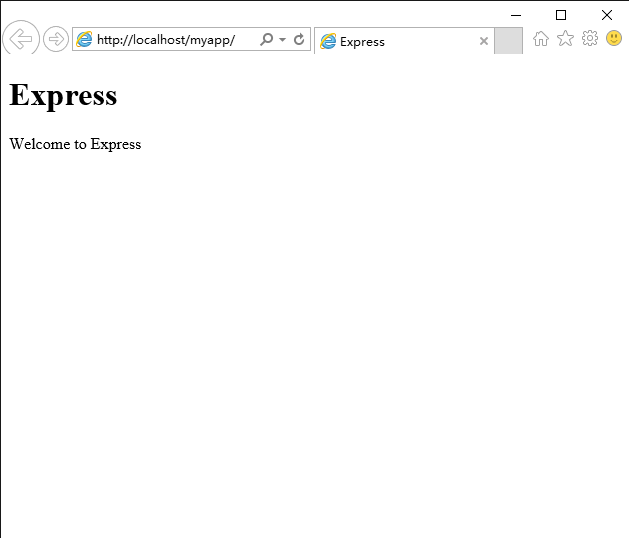
- 修改app.js,注意发布路径是myapp,终于看到了Welcome to Express不容易啊,别忘了改public目录的路径
|
1
2
3
4
|
app.use('/myapp',express.static(path.join(__dirname, 'public')));app.use('/myapp', routes);app.use('/myapp/users', users); |
- 修改views/layout.jade,注意有个相对CSS相对路径,去掉最前的斜杠
|
1
2
3
4
5
6
7
|
doctype htmlhtml head title= title link(rel='stylesheet', href='stylesheets/style.css') body block content |

- 在Chrome中打开http://localhost/myapp/index.js/debug远程调试,出现错误,还是图样啊
- 看来这个index.js/debug这个连接被app执行了...
- 到目前为止,所有错误完全无法调试,全靠我经(wo)验(shi)丰(cai)富(de)

- 出现上面错误的原因是UrlRewriter配置
将所有myapp下的执行请求都交给index.js去执行了,显然myapp/index.js/debug这个地址不应该给index.js去执行。
修改web.config中的url rewriter节,将index.js/debug这个地址设置成不匹配negate="true"。
|
1
2
3
4
5
6
7
8
9
10
11
12
13
14
15
16
|
<configuration> <system.webServer> <!-- index.js 是myapp的启动程序 --> <handlers> <add name="iisnode" path="index.js" verb="*" modules="iisnode" /> </handlers> <rewrite> <rules> <rule name="myapp"> <match url="index.js/debug" negate="true" /> <action type="Rewrite" url="index.js" /> </rule> </rules> </rewrite> </system.webServer></configuration> |

- 终于见到Node Inspector了,在浏览器中输入http://localhost/myapp/users,Node Inspector将捕获这个处理

3.总结
iisnode各种叼,支持发布后跨平台远程调试,如果发布过程中遇到问题怎么办呢,iisnode发布5年了(目前是0.2.*版本),应该积累了不少issues了,一篇篇翻看,或者去问作者解决吧。
示例代码,请前往:https://github.com/Mengkzhaoyun/nodepractise
04.iisNode&myApp
http://www.cnblogs.com/mengkzhaoyun/p/5414501.html
crossplatform---Nodejs in Visual Studio Code 10.IISNode的更多相关文章
- Nodejs in Visual Studio Code 10.IISNode
1.开始 Nodejs in Visual Studio Code 08.IIS : http://www.cnblogs.com/mengkzhaoyun/p/5410185.html 参考此篇内容 ...
- Nodejs in Visual Studio Code 14.IISNode与IIS7.x
1.开始 部署IISNode环境请参考:Nodejs in Visual Studio Code 08.IIS 部署Nodejs程序请参考:Nodejs in Visual Studio Code 1 ...
- Nodejs in Visual Studio Code 11.前端工程优化
1.开始 随着互联网技术的发展,企业应用里到处都是B/S设计,我有幸经历了很多项目有Asp.Net的,有Html/js的,有Silverlight的,有Flex的.很遗憾这些项目很少关注前端优化的问题 ...
- Nodejs in Visual Studio Code 04.Swig模版
1.开始 设置Node_Global:npm config set prefix "C:\Program Files\nodejs" Express组件:npm install e ...
- Nodejs in Visual Studio Code 01.简单介绍Nodejs
1.开始 作者自己:开发人员,Asp.Net , html / js , restful , memcached , oracle ,windows , iis 目标读者:供自己以后回顾 2.我看No ...
- Nodejs in Visual Studio Code 07.学习Oracle
1.开始 Node.js:https://nodejs.org OracleDB: https://github.com/oracle/node-oracledb/blob/master/INSTAL ...
- Nodejs in Visual Studio Code 09.企业网与CNPM
1.开始 CNPM : https://npm.taobao.org/ 2.企业网HTTP代理上网 平时办公在一个大企业网(10.*.*.*)中,使用HTTP代理上网,发现npm命令无法执行. 解决方 ...
- Nodejs in Visual Studio Code 08.IIS
1.开始 本文部分内容均转载自文章: http://www.hanselman.com/blog/InstallingAndRunningNodejsApplicationsWithinIISOnWi ...
- Nodejs in Visual Studio Code 06.新建Module
1.开始 Node.js:https://nodejs.org 2.Moudle js编程中,由于大家可以直接在全局作用域中编写代码,使开发人员可以很容易的新建一个全局变量或这全局模块,这些全局变量或 ...
随机推荐
- Java swing项目-图书管理系统(swing+mysql+jdbc)
(一)项目功能分析 该项目是设计一个图书管理系统,主要包含的内容有: (1)管理员登陆界面 ->信息录入 ->登录 ->重置 (2)图书管理系统总界面 ->子界面菜单: 1)图 ...
- SVN服务器安装
CentOS 6.5 SVN搭建 (YUM安装) 参考文献:http://www.linuxidc.com/Linux/2013-10/91903.htm 安装说明 安装了一下SVN服务器,过程如 ...
- poj 3841 Double Queue (AVL树入门)
/****************************************************************** 题目: Double Queue(poj 3481) 链接: h ...
- 实现的一个ajax请求组件 有加载效果
var zhanglei_Ajax = function(url,data,fn){ var str = '<div class="mask" style="pos ...
- Two Sum & Add Two Numbers
Two Sum 题目:https://leetcode.com/problems/two-sum/ class Solution(object): def twoSum(self, nums, tar ...
- redis hash map
redis hash的使用详见文章:http://www.miaoyueyue.com/archives/235.html hash操作命令如下: hset(key, field, value):向名 ...
- javascript第四节其它引用对象
单体对象 Global对象(全局)这个对象不存在,无形的对象 其内部定义了一些方法和属性:encodeURL.encodeURIComponent.decodeURI.decodeURICompone ...
- NGINX下配置404错误页面的方法分享
NGINX下配置自定义的404页面是可行的,而且很简单,只需如下几步,需要的朋友可以参考下 1. 创建自己的404.html页面 2.更改nginx.conf在http定义区域加入: fastcg ...
- 进程调度算法Linux进程调度算法
这次介绍一下操作系统的进程调度算法 操作系统的调度分为三种:1.远程调度(创建新进程):2.中程调度(交换功能的一部分):3.短程调度(下次执行哪个进程) 这次讲述的就是短程调度,可以简单的看作咱们平 ...
- 1296: [SCOI2009]粉刷匠
Description windy有 N 条木板需要被粉刷. 每条木板被分为 M 个格子. 每个格子要被刷成红色或蓝色. windy每次粉刷,只能选择一条木板上一段连续的格子,然后涂上一种颜色. 每个 ...