
[转]How to Add Bootstrap to an Angular CLI project
本文转自:https://loiane.com/2017/08/how-to-add-bootstrap-to-an-angular-cli-project/
In this article we will learn how to setup an Angular project with Bootstrap 3 or Bootstrap 4.
Update May 2018: code updated to Angular v6. Stackblitz link also available at the end of this article.
Contents
Although the setup seems simple, I still get a lot of questions on how to setup an Angular project generated with Angular CLI with Bootstrap. So let’s see the step by step in the sections below.
1: Creating an Angular project with Angular CLI
The first step is creating your Angular project using Angular CLI.
For this example we will use the following command:
ng new angular-bootstrap-example
2: Installing Bootstrap from NPM
Next, we need to install Bootstrap. Change the directory to the project we created (cd angular-bootstrap-example) and execute the following command:
For Bootstrap 3:
npm install bootstrap@3.3.7
For Bootstrap 4:
npm install bootstrap
2.1: Alternative: Local Bootstrap CSS
As an alternative, you can also download the Bootstrap CSS and add it locally to your project. I donwloaded Bootstrap from the website and created a folder styles (same level as styles.css):
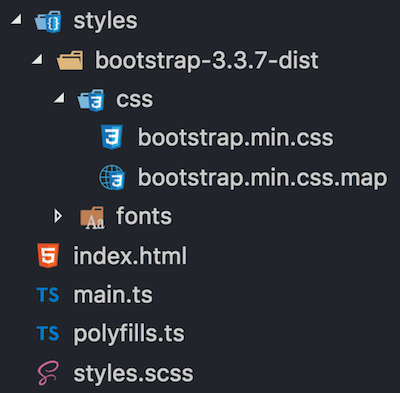
Don’t place your local CSS files under
assetsfolder. When we do the production build with Angular CLI, the CSS files declared in theangular.jsonwill be minified and all styles will be bundled into a single styles.css. The assets folder is copied to the dist folder during the build process (the CSS code will be duplicated). Only place your local CSS files underassetsin case you are importing them directly in theindex.html.
3: Importing the CSS
We have two options to import the CSS from Bootstrap that was installed from NPM:
1: Configure angular.json:
"styles": [

  "node_modules/bootstrap/dist/css/bootstrap.min.css",

  "styles.scss"

]
2: Import directly in src/style.css or src/style.scss:
@import '~bootstrap/dist/css/bootstrap.min.css';
I personally prefer to import all my styles in src/style.css since it’s been declared in angular.json already.
3.1 Alternative: Local Bootstrap CSS
If you added the Bootstrap CSS file locally, just import it in angular.json
"styles": [

  "styles/bootstrap-3.3.7-dist/css/bootstrap.min.css",

  "styles.scss"

],
or src/style.css:
@import './styles/bootstrap-3.3.7-dist/css/bootstrap.min.css';
With this setup we are able to start using the Bootstrap CSS classes in our project.
4: Bootstrap JavaScript Components with ngx-bootstrap (Option 1)
In case you don’t need to use Bootstrap JavaScript components (that require JQuery), this is all the setup you need. But if you need to use modals, accordion, datepicker, tooltips or any other component, how can we use these components without installing jQuery?
There is an Angular wrapper library for Bootstrap called ngx-bootstrap that we can also install from NPM:
npm install ngx-bootstrap --save
ng2-bootstrapandngx-bootstrapare the same package. ng2-bootstrap was renamed to ngx-bootstrap after#itsJustAngular.
In case you want to install Bootstrap and ngx-bootstrap at the same time when you create your Angular CLI project:
npm install bootstrap ngx-bootstrap --save
4.1: Adding the required Bootstrap modules in app.module.ts
Go through the ngx-bootstrap and add the modules needed in your app.module.ts. For example, suppose we want to use the Dropdown, Tooltip and Modal components:
import { BsDropdownModule } from 'ngx-bootstrap/dropdown';

import { TooltipModule } from 'ngx-bootstrap/tooltip';

import { ModalModule } from 'ngx-bootstrap/modal';

@NgModule({

  imports: [

    BrowserModule,

    BsDropdownModule.forRoot(),

    TooltipModule.forRoot(),

    ModalModule.forRoot()

  ],

  // ...

})

export class AppBootstrapModule {}
Because we call the .forRoot() method for each module (due the ngx-bootstrap module providers), the functionalities will be available in all components and modules of your project (global scope).
As an alternative, if you would like to organize the ngx-bootstrap in a different module (just for organization purposes in case you need to import many bs modules and don’t want to clutter your app.module), you can create a module app-bootstrap.module.ts, import the Bootstrap modules (using forRoot()) and also declare them in the exports section (so they become available to other modules as well).
import { NgModule } from '@angular/core';

import { CommonModule } from '@angular/common';

import { BsDropdownModule } from 'ngx-bootstrap/dropdown';

import { TooltipModule } from 'ngx-bootstrap/tooltip';

import { ModalModule } from 'ngx-bootstrap/modal';

@NgModule({

  imports: [

    CommonModule,

    BsDropdownModule.forRoot(),

    TooltipModule.forRoot(),

    ModalModule.forRoot()

  ],

  exports: [BsDropdownModule, TooltipModule, ModalModule]

})

export class AppBootstrapModule {}
At last, don’t forget to import your bootstrap module in you app.module.ts.
import { AppBootstrapModule } from './app-bootstrap/app-bootstrap.module';

@NgModule({

  imports: [BrowserModule, AppBootstrapModule],

  // ...

})

export class AppModule {}
ngx-bootstrap works with Bootstrap 3 and 4. And I also made some tests and most of the functionalities also work with Bootstrap 2.x (yes, I still have some legacy code to maintain).
5: Let’s code!
Now that we have the setup for CSS and JavaScript components completed, let’s add some code to our app.component.html:
<nav class="navbar navbar-default">

    <div class="container-fluid">

        <div class="navbar-header">

            <a class="navbar-brand">

              <img src="assets/img/ngx-bootstrap.svg" class="logo">

            </a>

            <span class="navbar-brand">Angular + Bootstrap</span>

        </div>

        <ul class="nav navbar-nav">

            <li class="active"><a href="#">

              Link <span class="sr-only">(current)</span>

            </a></li>

            <li><a href="#">Link</a></li>

            <li class="dropdown" dropdown> <!-- {1} -->

                <a dropdownToggle role="button"> <!-- {2} -->

                  Dropdown <span class="caret"></span></a>

                <ul *dropdownMenu class="dropdown-menu"> <!-- {3} -->

                    <li><a href="#">Action</a></li>

                    <li><a href="#">Another action</a></li>

                    <li><a href="#">Something else here</a></li>

                    <li role="separator" class="divider"></li>

                    <li><a href="#">Separated link</a></li>

                    <li role="separator" class="divider"></li>

                    <li><a href="#">One more separated link</a></li>

                </ul>

            </li>

        </ul>

    </div>

</nav>
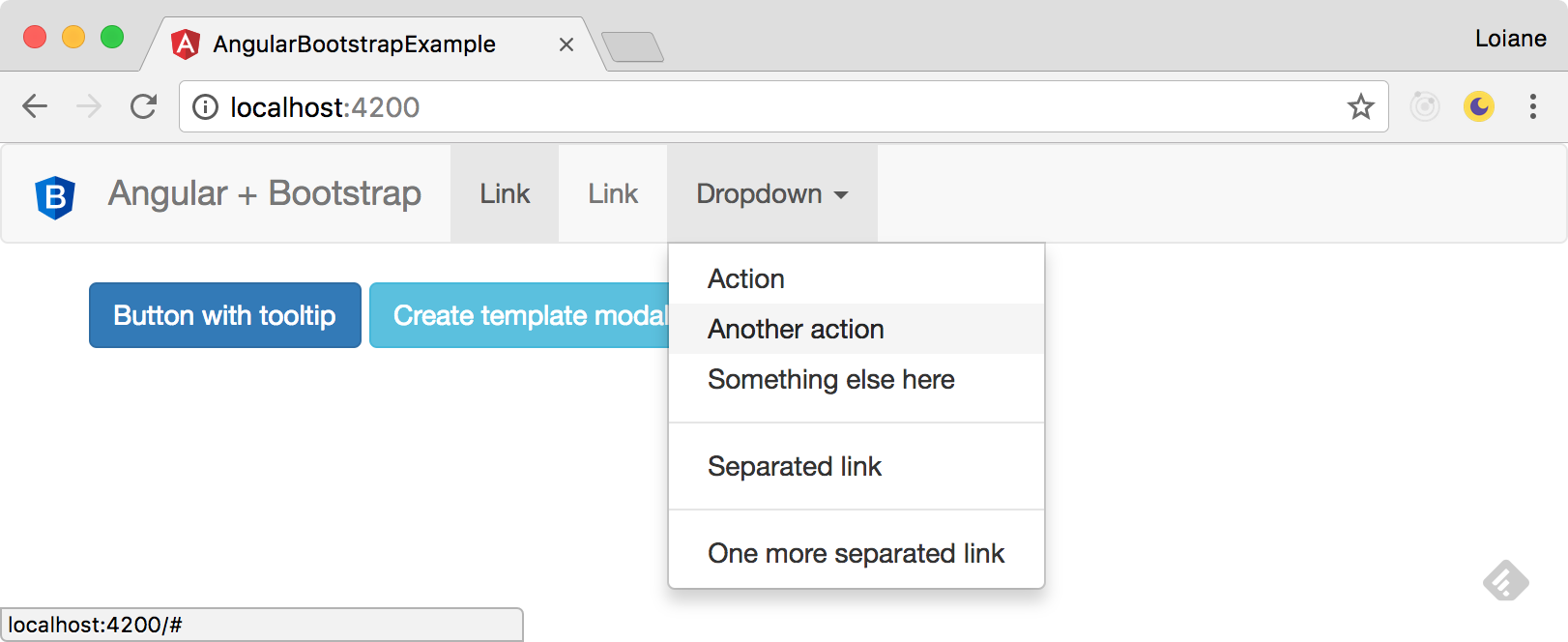
For the DropDown component, ngx-bootstrap provides some directives:
{1}: dropdown directive: use this directive instead of class="dropdown".
{2}: dropdownToggle directive: use this directive instead of class="dropdown-toggle" data-toggle="dropdown". It will also add the aria atributes to the HTML element.
{3}: dropdownMenu directive: use this directive instead of class="dropdown-menu".
And you’ll have the same behavior as Bootstrap + Jquery:
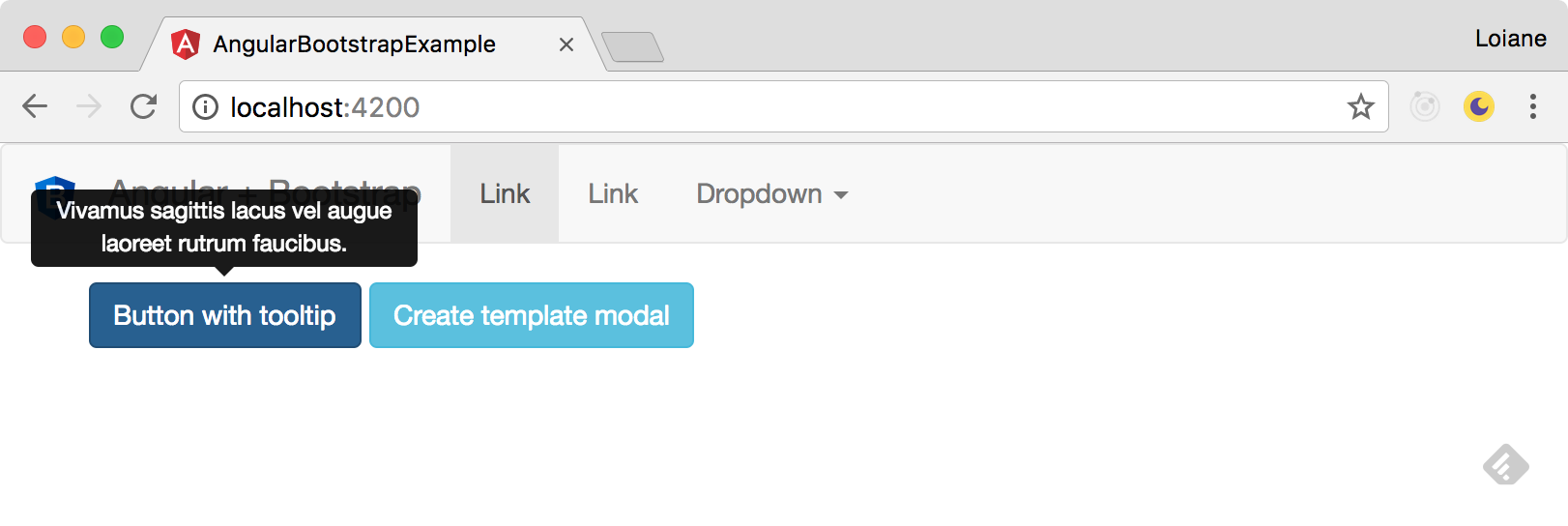
Let’s also develop a button with a tooltip:
<button type="button" class="btn btn-primary"

        tooltip="Vivamus sagittis lacus vel augue laoreet rutrum faucibus.">

Button with tooltip

</button>
The tooptip directive has the same effect as data-toggle="tooltip" title="Tooltip text".
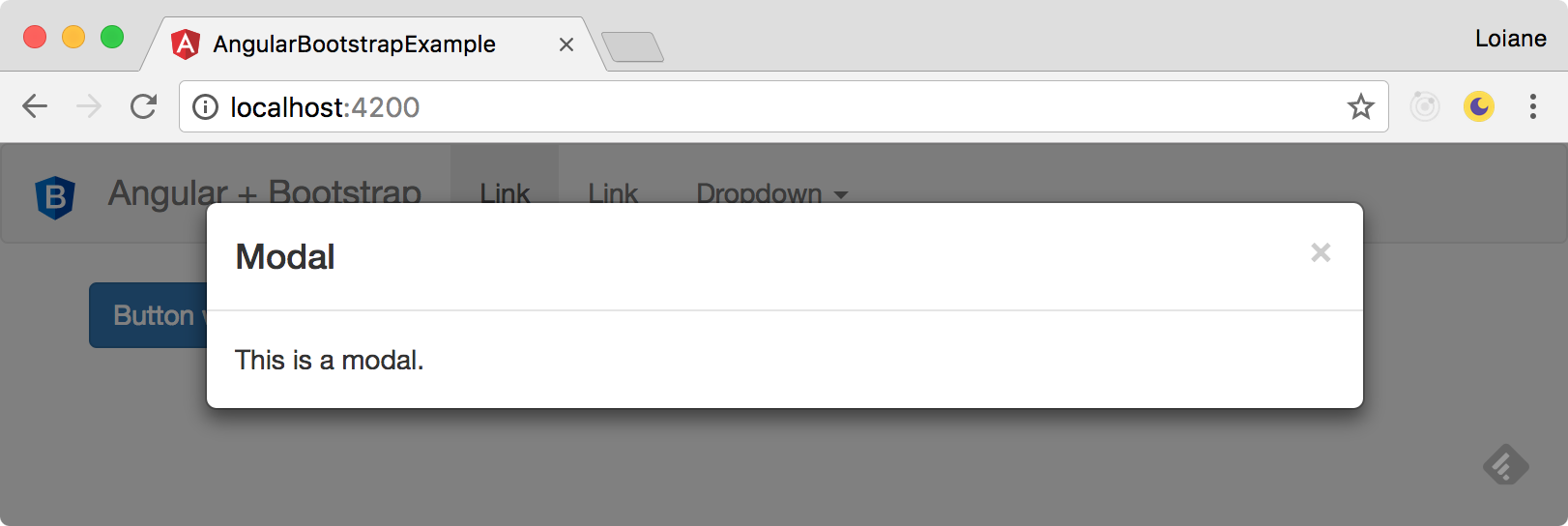
Let’s also take a look how to use a Modal component:
<button type="button" class="btn btn-info"
(click)="openModal(template)">Create template modal</button>
<ng-template #template>
<div class="modal-header">
<h4 class="modal-title pull-left">Modal</h4>
<button type="button" class="close pull-right"
aria-label="Close" (click)="modalRef.hide()">
<span aria-hidden="true">×</span>
</button>
</div>
<div class="modal-body">
This is a modal.
</div>
</ng-template>
In the code above, note the we are using a ng-template as container of our modal template. This template is being referenced by a template local variable template. When the user clicks on the button, we tell our code to open the modal referenced by template (you can have as many modals as needed, just give different names to your local variables).
There is also a close button in the modal that is calling modalRef.hide().
So we need some TypeScript code in our app.component.ts as well:
import { BsModalRef, BsModalService } from 'ngx-bootstrap/modal';

@Component({

  // ..

})

export class AppComponent {

  public modalRef: BsModalRef; // {1}

  constructor(private modalService: BsModalService) {} // {2}

  public openModal(template: TemplateRef<any>) {

    this.modalRef = this.modalService.show(template); // {3}

  }

}
{1}: first we need a variable to keep a reference of our modal. This is going to be used to close the modal.
{2}: to show the modal, we also need the ngx-bootstrap service
{3}: and when the user clicks on the button to open the popup we keep the modal reference and pass the template local name to the modalService.
ngx-bootstrap source code is still using Angular v2.x. Since there were no major breaking changes from v2.x to v.4x, it’s ok to use with v4.x. However, some ngx-bootstrap components use
<template>instead of<ng-template>, so you might get warnings in your browser console related totemplatebeing deprecated. For the examples, such as the modal, replacetemplatewithng-templatein your code and you should be fine.
We have an Angular project using Bootstrap and did not need to import JQuery to have the same behavior!
6: Bootstrap 4 JavaScript Components with ng-bootstrap (Option 2)
There is also a second option to use Bootstrap JavaScript components in Angular without JQuery in case you are using Bootstrap 4: ng-bootstrap.
You can install ng-bootstrap in your project from NPM:
npm install --save @ng-bootstrap/ng-bootstrap
In your app.module.ts you need to import the NgbModule.forRoot() using the forRoot() method.
import { NgbModule } from '@ng-bootstrap/ng-bootstrap';

@NgModule({

  imports: [ NgbModule.forRoot(), ... ],

  // ...

})

export class AppModule {}
If you have feature modules in your application, you also need to import NgbModule, but without the forRoot() method:
Other modules in your application can simply import NgbModule:
import {NgbModule} from '@ng-bootstrap/ng-bootstrap';

@NgModule({

 // ...

  imports: [NgbModule, ...],

})

export class OtherModule {

}
Source code + live demo + Stackblitz
Source code available on GitHub
References:
Happy coding!
[转]How to Add Bootstrap to an Angular CLI project的更多相关文章
- Using Sass with the Angular CLI
https://www.tuicool.com/articles/mauiMzY One of the first things you'll usually do in a project is t ...
- Configure a proxy for your API calls with Angular CLI
Table of contents Local development setup with Angular Issue: Dev server plus backend API Configurin ...
- 从Java角度理解Angular之入门篇:npm, yarn, Angular CLI
本系列从Java程序员的角度,带大家理解前端Angular框架. 本文重点介绍Angular的开发.编译工具:npm, yarn, Angular CLI,它们就像Java在中的Maven,同时顺便介 ...
- (转载)从Java角度理解Angular之入门篇:npm, yarn, Angular CLI
本系列从Java程序员的角度,带大家理解前端Angular框架. 本文是入门篇.笔者认为亲自动手写代码做实验,是最有效最扎实的学习途径,而搭建开发环境是学习一门新技术最需要先学会的技能,是入门的前提. ...
- @angular/cli项目构建--组件
环境:nodeJS,git,angular/cli npm install -g cnpm --registry=https://registry.npm.taobao.org cnpm instal ...
- Angular环境准备和Angular cli
Angular4.0来了,更小,更快,改动少 接下来为Angular4.0准备环境和学会使用Angular cli项目 1.环境准备: 1)在开始工作之前我们必须设置好开发环境 如果你的机器上还没有安 ...
- Angular CLI 安装和使用
1.背景介绍 关于Angular版本,Angular官方已经统一命名Angular 1.x同一为Angular JS:Angular 2.x及以上统称Angular: CLI是Command Line ...
- .Net Core + Angular Cli / Angular4 开发环境搭建
一.基础环境配置 1.安装VS 2017 v15.3或以上版本 2.安装VS Code最新版本 3.安装Node.js v6.9以上版本 4.重置全局npm源,修正为 淘宝的 NPM 镜像: npm ...
- [Docker] Running Multiple Containers for an Angular, Node project
The code is from Plusight course, github link is here. In this post, we will give a overview about h ...
随机推荐
- Linux shell脚本学习(一)
一.shell脚本简介 shell脚本是用shell脚本语法将shell命令组织起来形成的文件形式.Shell脚本与Windows/Dos 下的批处理相似,主要为了将大量命令通过一个纯文本文件一次执行 ...
- Rabbitmq的使用及Web监控工具使用
本文转载自:https://www.cnblogs.com/gossip/p/4475978.html windows安装手册请参考:http://www.rabbitmq.com/install-w ...
- webpack之牛刀小试 打包并压缩html、js
1.创建项目文件夹test,在文件夹下创建src文件夹用来存放源码,在src文件夹下创建index.html/index.js两件文件. 我们的最终目的是将这两个文件打包压缩并输出到/test/dis ...
- 暴走Python之运算符与条件语句
本文原创作者:LoneliNess,本文属i春秋原创奖励计划,未经许可禁止转载 本文来源:i春秋学院 i春秋(ichunqiu.com)网络安全平台能提供专业的网络安全技术.网络渗透技术.网络 ...
- 微服务中Feign快速搭建
在微服务架构搭建声明性REST客户端[feign].Feign是一个声明式的Web服务客户端.这使得Web服务客户端的写入更加方便 要使用Feign创建一个界面并对其进行注释.它具有可插入注释支持,包 ...
- 【面试必备】常见Java面试题大综合
一.Java基础 1.Arrays.sort实现原理和Collections.sort实现原理答:Collections.sort方法底层会调用Arrays.sort方法,底层实现都是TimeSort ...
- Javascript高级编程学习笔记(80)—— 表单(8)表单序列化
表单序列化 随着 Ajax 的出现,表单序列化成为一种常见需求 以将表单信息序列化为查询字符串为例 我们可以利用表单的 type 属性,以及 name 和 value 实现对表单的序列化 序列化应满足 ...
- Docker学习笔记-Docker for Windows 安装
前言: 环境:windows10专业版 64位 正文: 官方下载地址:https://hub.docker.com/editions/community/docker-ce-desktop-windo ...
- python之asyncio
asyncio是Python 3.4版本引入的标准库,直接内置了对异步IO的支持. asnycio是用来编写并发代码的库,python3.5以后使用async/await语法. asyncio 被用作 ...
- Mybatis+Thymeleaf开发遇到的几个问题笔录
我的开发工具是IntelliJ IDEA,然后在SpringBoot集成Mybatis,前端用模块引擎Thymeleaf的过程中遇到几个问题,不过也花了点时间,现在记录下来,作为笔记记录. Inval ...