
REST-assured 2发送消息代码重构
将获取token的方法封装到公共类
#java

package date811;

import io.restassured.response.Response;

import org.testng.annotations.Test;

import static org.junit.Assert.assertNotNull;

import static org.junit.Assert.assertThat;

import static io.restassured.RestAssured.given;

public class WXUtil {

    /*

    公共类

     */

    private static String corpID = "xxxxx";

    private static String corpSecret = "xxxxxxxx";

    private static String tokenURL = "https://qyapi.weixin.qq.com/cgi-bin/gettoken";

    //获取access_token的方法

    public static String getToken(){

        Response res = given().param("corpid",corpID).

                param("corpsecret",corpSecret).get(tokenURL).prettyPeek();

        String token_text = res.getBody().jsonPath().getString("access_token");

        assertNotNull(token_text);

        return token_text;

    }

}
将返回的body封装,便于修改和查看
#java

package date811;

import java.util.Map;

public class WXTextMessage {

    /**

     *     {

     *        "touser" : "UserID1|UserID2|UserID3",

     *        "toparty" : "PartyID1|PartyID2",

     *        "totag" : "TagID1 | TagID2",

     *        "msgtype" : "text",

     *        "agentid" : 1,

     *        "text" : {

     *            "content" : "你的快递已到,请携带工卡前往邮件中心领取。\n出发前可查看<a href=\"http://work.weixin.qq.com\">邮件中心视频实况</a>,聪明避开排队。"

     *        },

     *        "safe":0

     *     }

     */

    private String touser;

    private String toparty;

    private String totag;

    private String msgtype;

    private Integer agentid;

    private Map<String,String> text;

    private Integer safe;

    /**

     * 生成set和get方法

     * 右键选择Generate或者control+enter,Getter and Setter全选

     */

    public String getTouser() {

        return touser;

    }

    public void setTouser(String touser) {

        this.touser = touser;

    }

    public String getToparty() {

        return toparty;

    }

    public void setToparty(String toparty) {

        this.toparty = toparty;

    }

    public String getTotag() {

        return totag;

    }

    public void setTotag(String totag) {

        this.totag = totag;

    }

    public String getMsgtype() {

        return msgtype;

    }

    public void setMsgtype(String msgtype) {

        this.msgtype = msgtype;

    }

    public Integer getAgentid() {

        return agentid;

    }

    public void setAgentid(Integer agentid) {

        this.agentid = agentid;

    }

    public Map<String, String> getText() {

        return text;

    }

    public void setText(Map<String, String> text) {

        this.text = text;

    }

    public Integer getSafe() {

        return safe;

    }

    public void setSafe(Integer safe) {

        this.safe = safe;

    }

}
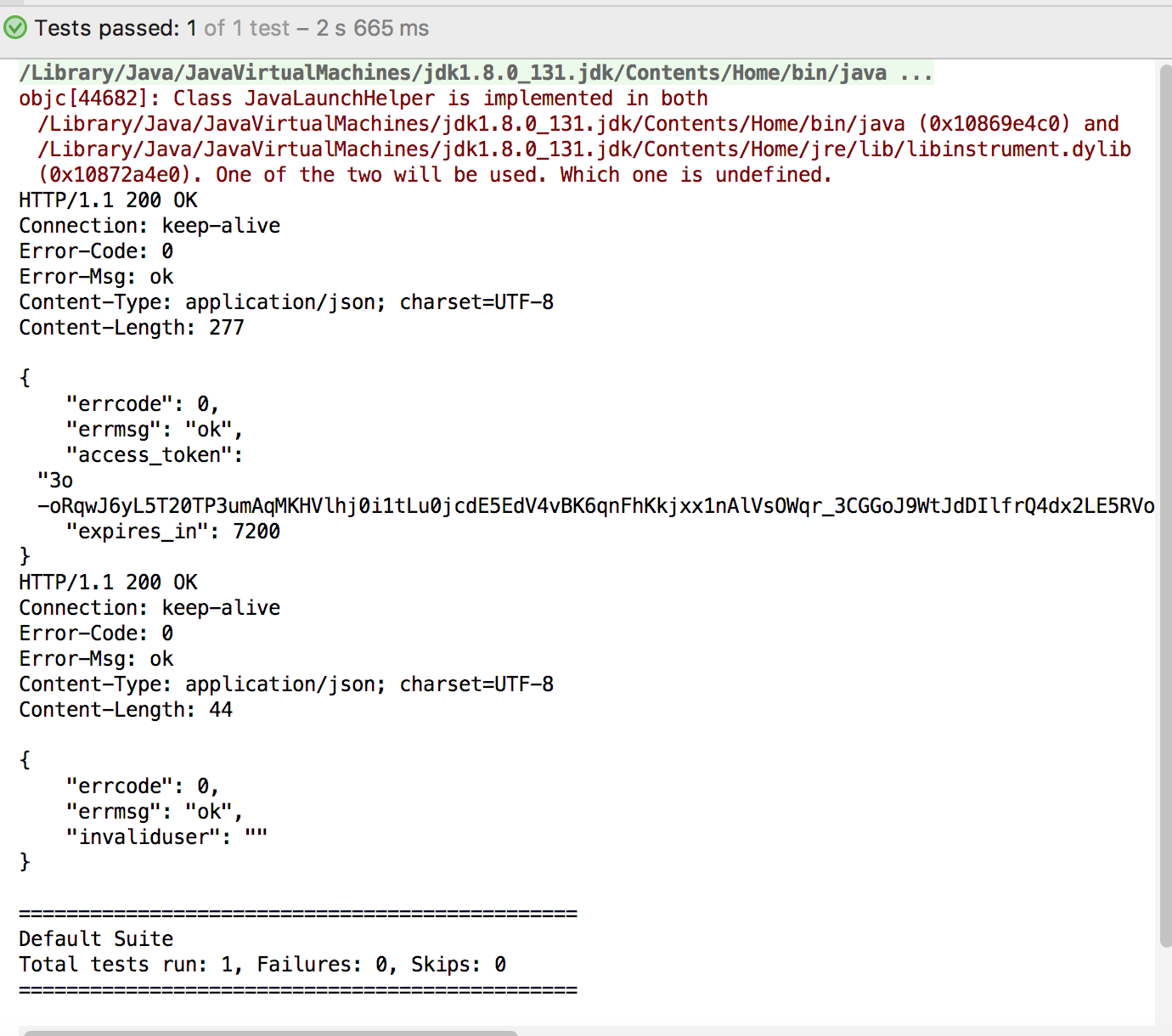
执行类
#java

package date811;

import io.restassured.RestAssured.*;

import io.restassured.http.ContentType;

import io.restassured.matcher.RestAssuredMatchers.*;

import io.restassured.response.Response;

import org.hamcrest.Matchers.*;

import org.testng.annotations.Test;

import java.util.HashMap;

import java.util.Map;

import static io.restassured.RestAssured.given;

import static org.hamcrest.Matchers.equalTo;

//assertThat方法一定要静态导入

import static org.hamcrest.Matchers.notNullValue;

import static org.junit.Assert.assertThat;

public class GetToken {

    @Test

    public void post_message() {

        String token_text = WXUtil.getToken();

        String postURL = "https://qyapi.weixin.qq.com/cgi-bin/message/send";

        WXTextMessage wx = new WXTextMessage();

        wx.setAgentid(0);

        wx.setSafe(0);

        wx.setToparty("0");

        wx.setMsgtype("text");

        Map<String,String> text = new HashMap<>();

        text.put("content","你的快递已到,请携带工卡前往邮件中心领取。\\n" +

                "出发前可查看<a href=\\\"http://work.weixin.qq.com\\\">" +

                "邮件中心视频实况</a>,聪明避开排队");

        wx.setText(text);

        Response res = given().contentType(ContentType.JSON).body(wx).queryParam("access_token",token_text)

                .post(postURL).prettyPeek();

        assertThat(res.getBody().jsonPath().getString("errmsg"),equalTo("ok"));

    }

}
REST-assured 2发送消息代码重构的更多相关文章
- rocketmq发送消息代码
DefaultMQProducer defaultMQProducer = new DefaultMQProducer(); defaultMQProducer.setProducerGroup(Co ...
- SPRING 集成 KAFKA 发送消息
准备工作 1.安装kafka+zookeeper环境 2.利用命令创建好topic,创建一个topic my-topic 集成步骤 1.配置生产者 <?xml version="1.0 ...
- SpringBoot Rabbitmq发送消息
官方文档:https://docs.spring.io/spring-boot/docs/2.1.3.RELEASE/reference/htmlsingle/#boot-features-amqp ...
- RabbitMQ学习系列二-C#代码发送消息
RabbitMQ学习系列二:.net 环境下 C#代码使用 RabbitMQ 消息队列 http://www.80iter.com/blog/1437455520862503 上一篇已经讲了Rabbi ...
- python实现微信发送服务器监控报警消息代码实现
这篇文章主要介绍了python3.8 微信发送服务器监控报警消息代码实现,文中通过示例代码介绍的非常详细,对大家的学习或者工作具有一定的参考学习价值,需要的朋友可以参考下 ! python版本 > ...
- NET代码重构
记一次.NET代码重构 好久没写代码了,终于好不容易接到了开发任务,一看时间还挺充足的,我就慢慢整吧,若是遇上赶进度,基本上直接是功能优先,完全不考虑设计.你可以认为我完全没有追求,当身后有鞭子使 ...
- 代码重构 & 常用设计模式
代码重构 重构目的 相同的代码最好只出现一次 主次方法 主方法 只包含实现完整逻辑的子方法 思维清楚,便于阅读 次方法 实现具体逻辑功能 测试通过后,后续几乎不用维护 重构的步骤 1 新建一个方法 ...
- PHP实现RTX发送消息提醒
RTX是腾讯公司推出的企业级即时通信平台,大多数公司都在使用它,但是我们很多时候需要将自己系统或者产品的一些通知实时推送给RTX,这就需要用到RTX的服务端SDK,建议先去看看RTX的SDK开发文档( ...
- 【C#】给无窗口的进程发送消息
注:本文适用.net2.0+的winform程序 一个winform程序,我希望它不能多开(但是如何防多开不是本文要讲的),那么在用户启动第二个实例的时候,作为第二个实例来说,大概可以有这么几种做法: ...
随机推荐
- GetTickCount()函数
GetTickCount(),这个函数,在此做下整理和总结.1.定义For Release configurations, this function returns the number of mi ...
- P2S、P2P、P2SP之对比
P2S.P2P.P2SP之对比 一.下载原理分析 1.服务端下载技术(P2S):P2S下载方式分为HTTP与FTP两种类型,它们分别是Hyper Text Transportation Protoco ...
- Thrift之双向通讯
在实际应用中,却经常会有客户端建立连接后,等待服务端数据的长连接模式,也可以称为双向连接.一.双连接,服务端与客户端都开ThriftServer如果网络环境可控,可以让服务端与客户端互相访问,你可以给 ...
- HDU 3546
http://acm.hdu.edu.cn/showproblem.php?pid=3546 题意:10个寄存器初值为1,有加乘赋值运算,最多30w次运算,大数最多5000位,问最后10个寄存器的结果 ...
- 转载:二次指数平滑法求预测值的Java代码
原文地址: http://blog.csdn.net/qustmeng/article/details/52186378?locationNum=4&fps=1 import java.uti ...
- Ubuntu python-opcua Test
/********************************************************************************* * Ubuntu python-o ...
- chapter02 回归模型在''美国波士顿房价预测''问题中实践
#coding=utf8 # 从sklearn.datasets导入波士顿房价数据读取器. from sklearn.datasets import load_boston # 从sklearn.mo ...
- python编码问题 decode与encode
参考: http://www.jb51.net/article/17560.htm 如果要在python2的py文件里面写中文,则必须要添加一行声明文件编码的注释,否则python2会默认使用ASCI ...
- DoTween可视化编程用法详解
DoTween可视化编辑 本文提供全流程,中文翻译.Chinar坚持将简单的生活方式,带给世人!(拥有更好的阅读体验 -- 高分辨率用户请根据需求调整网页缩放比例) Chinar -- 心分享.心创新 ...
- Springboot集成mybatis(mysql),mail,mongodb,cassandra,scheduler,redis,kafka,shiro,websocket
https://blog.csdn.net/a123demi/article/details/78234023 : Springboot集成mybatis(mysql),mail,mongodb,c ...