
批量删除checkbox前台后台

<%@ page contentType="text/html;charset=UTF-8" %>
<%@ include file="/WEB-INF/views/include/taglib.jsp"%>
<html>
<head>
<title>探测器管理</title>
<meta name="decorator" content="default"/>
<script type="text/javascript">
$(document).ready(function() {
$("#inputForm").validate({
rules: {
ampDevice:{ required:true}
}});
$("#btnExport").click(function(){
top.$.jBox.confirm("确认要导出探测器数据吗?","系统提示",function(v,h,f){
if(v=="ok"){
$("#searchForm").attr("action","${ctx}/cx/ampDevice/export");
$("#searchForm").submit();
}
},{buttonsFocus:1});
top.$('.jbox-body .jbox-icon').css('top','55px');
});
$("#btnImport").click(function(){
$.jBox($("#importBox").html(), {title:"导入数据", buttons:{"关闭":true},
bottomText:"导入文件不能超过5M,仅允许导入“xls”或“xlsx”格式文件!"});
});
});
function allcheck() {
var nn = $("#allboxs").is(":checked"); //判断th中的checkbox是否被选中,如果被选中则nn为true,反之为false
if(nn == true) {
var namebox = $("input[name^='boxs']"); //获取name值为boxs的所有input
for(i = 0; i < namebox.length; i++) {
namebox[i].checked=true; //js操作选中checkbox
}
}
if(nn == false) {
var namebox = $("input[name^='boxs']");
for(i = 0; i < namebox.length; i++) {
namebox[i].checked=false;
}
}
};
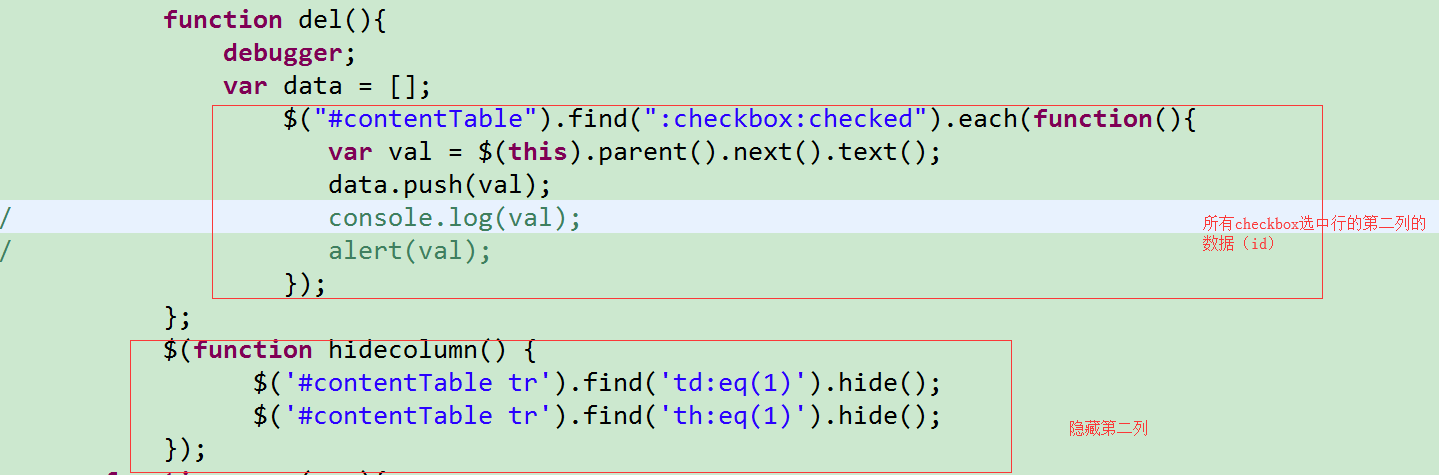
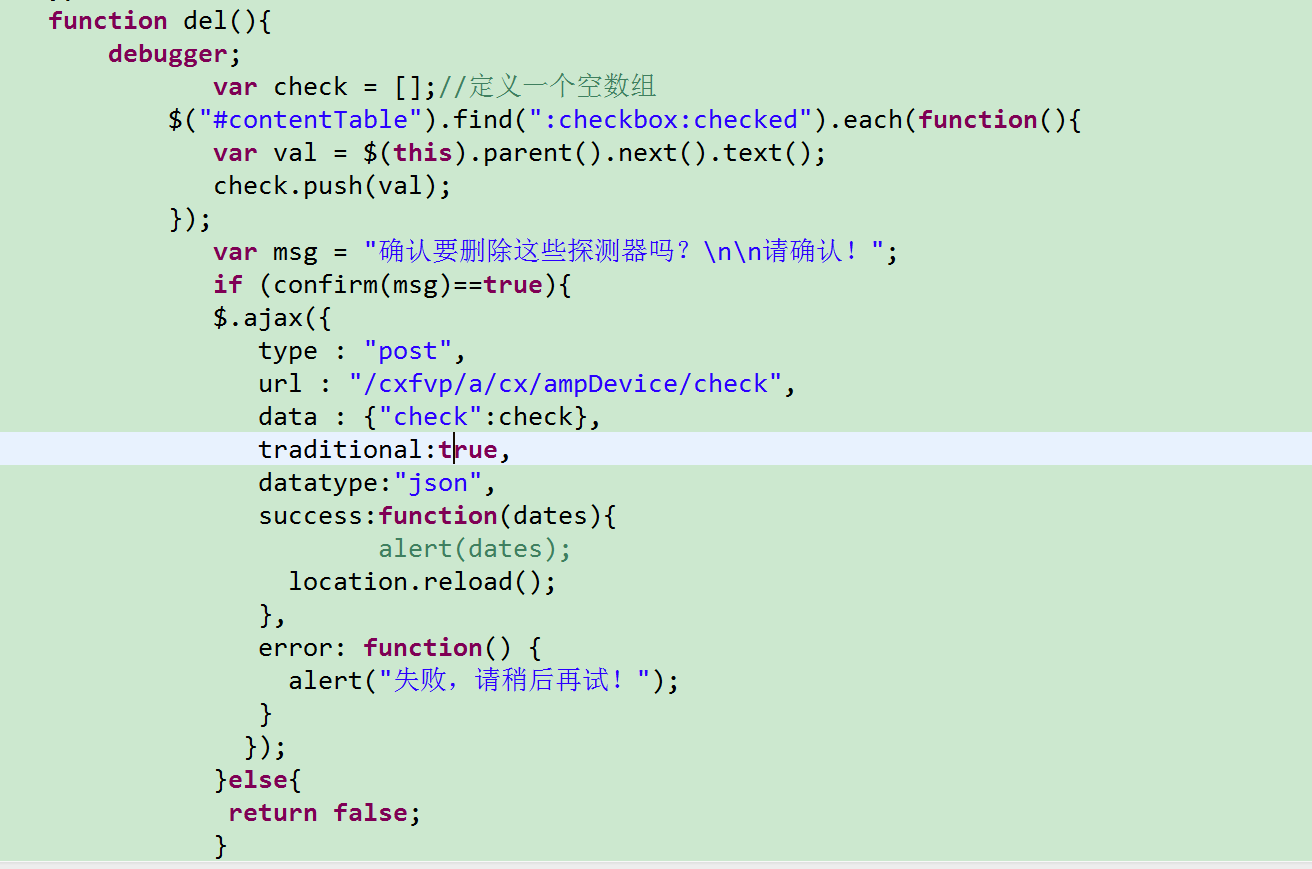
function del(){
debugger;
var check = [];//定义一个空数组
$("#contentTable").find(":checkbox:checked").each(function(){
var val = $(this).parent().next().text();
check.push(val);
});
var msg = "确认要删除这些探测器吗?\n\n请确认!";
if (confirm(msg)==true){
$.ajax({
type : "post",
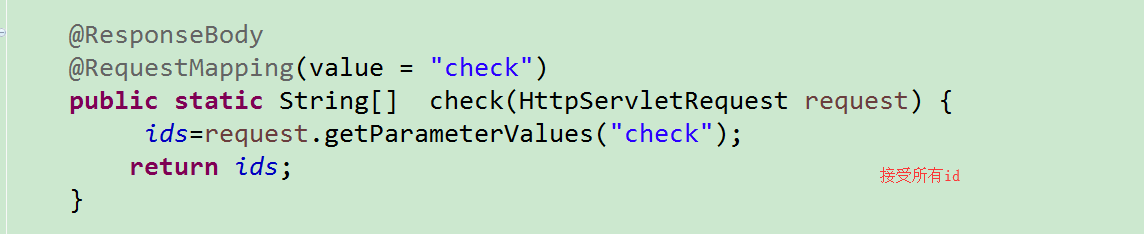
url : "/cxfvp/a/cx/ampDevice/check",
data : {"check":check},
traditional:true,
datatype:"json",
success:function(dates){
// alert(dates);
location.reload();
},
error: function() {
alert("失败,请稍后再试!");
}
});
}else{
return false;
}
};
$(function hidecolumn() {
$('#contentTable tr').find('td:eq(1)').hide();
$('#contentTable tr').find('th:eq(1)').hide();
});
function page(n,s){
$("#pageNo").val(n);
$("#pageSize").val(s);
$("#searchForm").submit();
return false;
}
</script>
</head>
<body>
<div id="importBox" class="hide">
<form id="importForm" action="${ctx}/cx/ampDevice/import" method="post" enctype="multipart/form-data"
class="form-search" style="padding-left:20px;text-align:center;" onsubmit="loading('正在导入,请稍等...');"><br/>
<input id="uploadFile" name="file" type="file" style="width:330px"/><br/><br/>
<input id="btnImportSubmit" class="btn btn-primary" type="submit" value=" 导 入 "/>
<a href="${ctx}/cx/ampDevice/import/template">下载模板</a>
</form>
</div>
<ul class="nav nav-tabs">
<li class="active"><a href="${ctx}/cx/ampDevice/">探测器列表</a></li>
<shiro:hasPermission name="cx:ampDevice:edit"><li><a href="${ctx}/cx/ampDevice/form">探测器添加</a></li></shiro:hasPermission>
</ul>
<form:form id="searchForm" modelAttribute="ampDevice" action="${ctx}/cx/ampDevice/" method="post" class="breadcrumb form-search">
<input id="pageNo" name="pageNo" type="hidden" value="${page.pageNo}"/>
<input id="pageSize" name="pageSize" type="hidden" value="${page.pageSize}"/>
<ul class="ul-form">
<li><label>探测器名称:</label>
<form:input path="name" htmlEscape="false" maxlength="255" class="input-medium" labelName="name" labelValue="${name}" />
</li>
<li><label>企业名称:</label>
<form:input path="entName" htmlEscape="false" maxlength="255" class="input-medium" labelName="name" labelValue="${entName}" />
</li>
<li><label>产品类型:</label>
<form:select path="search" class="input-medium required" >
<form:option value="" label=""/>
<form:options items="${fns:getDictList('act_search')}" itemLabel="label" itemValue="value" htmlEscape="false"/>
</form:select>
</li>
<li><label>类型:</label>
<form:select path="monitorType" class="input-xlarge required">
<form:option value="" label=""/>
<form:options items="${fns:getDictList('amp_monitor_type')}" itemLabel="label" itemValue="value" htmlEscape="false"/>
</form:select>
</li>
<li class="btns">
<input id="btnSubmit" class="btn btn-primary" type="submit" value="查询"/>
<input id="btnExport" class="btn btn-primary" type="button" value="导出"/>
<input id="btnImport" class="btn btn-primary" type="button" value="导入"/>
<input class="btn btn-primary" type="button" onclick="del()" value="批量删除"/>
</li>
<li class="clearfix"></li>
</ul>
</form:form>
<sys:message content="${message}"/>
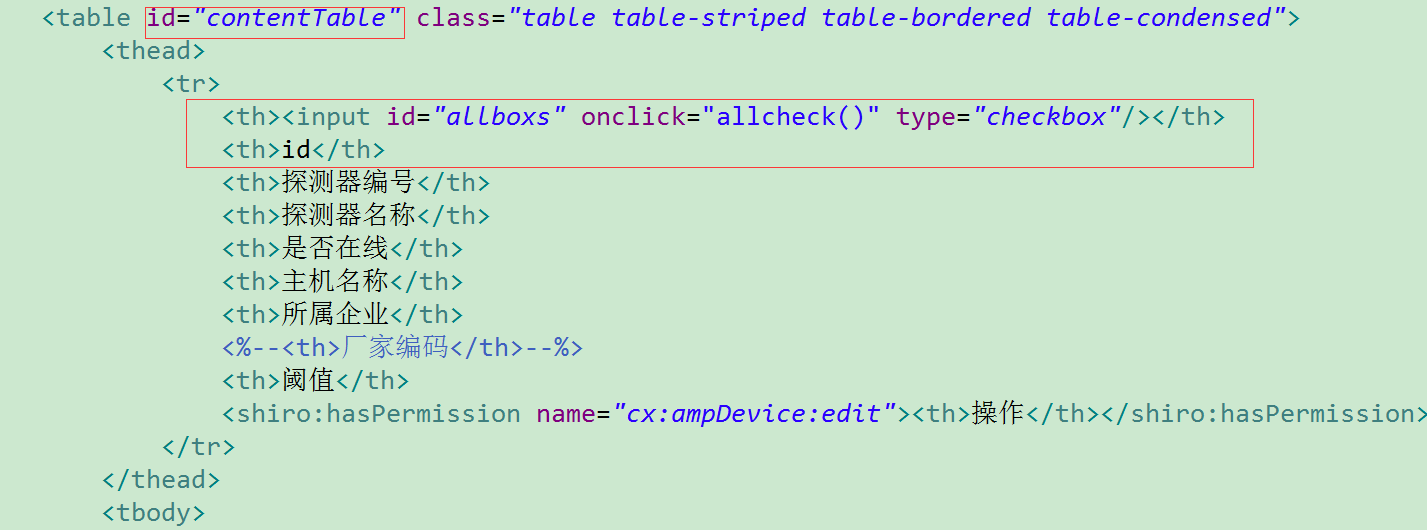
<table id="contentTable" class="table table-striped table-bordered table-condensed">
<thead>
<tr>
<th><input id="allboxs" onclick="allcheck()" type="checkbox"/></th>
<th>id</th>
<th>探测器编号</th>
<th>探测器名称</th>
<th>是否在线</th>
<th>主机名称</th>
<th>所属企业</th>
<%--<th>厂家编码</th>--%>
<th>阈值</th>
<shiro:hasPermission name="cx:ampDevice:edit"><th>操作</th></shiro:hasPermission>
</tr>
</thead>
<tbody>
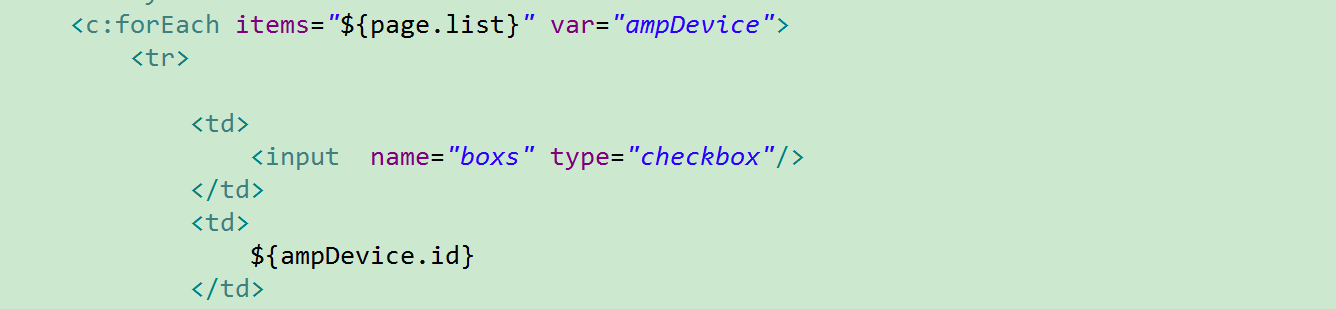
<c:forEach items="${page.list}" var="ampDevice">
<tr>
<td>
<input name="boxs" type="checkbox"/>
</td>
<td>
${ampDevice.id}
</td>
<td>
${ampDevice.deviceId}
</td>
<td>
<a href="${ctx}/cx/ampDevice/form?id=${ampDevice.id}">${ampDevice.name}</a>
</td>
<td>
${fns:getDictLabel(ampDevice.isOnline, 'amp_isonline', '')}
</td>
<td>
${ampDevice.machineName}
</td>
<td>
${ampDevice.entName}
</td>
<%--<td>--%>
<%--${fns:getDictLabel(ampDevice.venderCode, 'amp_dvender_code', '')}--%>
<%--</td>--%>
<td>
${ampDevice.monitorMaxValue}
</td>
<shiro:hasPermission name="cx:ampDevice:edit"><td>
<a href="${ctx}/cx/ampDevice/form?id=${ampDevice.id}">修改</a>
<a href="${ctx}/cx/ampDevice/delete?id=${ampDevice.id}" onclick="return confirmx('确认要删除该探测器吗?', this.href)">删除</a>
<%--<a href="${ctx}/cx/ampChannel/form?deviceId=${ampDevice.id}">添加传感器</a>--%>
</td></shiro:hasPermission>
</tr>
</c:forEach>
</tbody>
</table>
<div class="pagination">${page}</div>
</body>
</html>
批量删除checkbox前台后台的更多相关文章
- Android 长按Listview显示CheckBox,实现批量删除。
ListView实现的列表,如果是可编辑,可删除的,一般都要提供批量删除功能,否则的话,一项一项的删除体验很不好,也给用户带来了很大的麻烦. 实现效果图 具体实现代码 select.xml 主布局文件 ...
- checkbox复选框全选批量删除
多选框全选实现批量删除 html代码 <body> <form action="" method="post" name="Form ...
- repeater 结合checkbox批量删除
项目中用到这个,从网上搜了搜相关内容,代码如下 <script type="text/javascript"> function checkAllThis(obj) { ...
- checkbox批量删除功能
参考:http://www.jb51.net/article/35338.htm 感谢作者 代码片段:jsp <c:forEach items="${infolist }" ...
- 数据批量删除_从页面js到后台数据库
LayUI 批量选择的 ,然后操作 batchdel: function () { var checkStatus = table.checkStatus('LAY-gridview') , ch ...
- PHP后台批量删除数据
html <form action="" method="post"> <div><input type="submit ...
- 项目element-ui checkbox里面获取选中项 实现批量删除 修改
<el-table :data="tableData" stripe border style="width: 100%" @selection-chan ...
- js 中数组传递到后台controller 批量删除
/*批量删除*/function datadel(url) { var ids=[]; $("input[type='checkbox']:checked").each(funct ...
- 通过dataGridView控件中的checkBox控件对数据库进行批量删除
string id_s = ""; ; i < dataGridView1.Rows.Count; i++) //遍历所有行 { if (dataGridView1.Rows ...
随机推荐
- MERN——MongoDB && React && Node && Express
原文链接:Let’s build a full stack MongoDB, React, Node and Express (MERN) app github源码地址:jelorivera08/re ...
- 货币转换函数:CURRENCY_CONVERTING_FACTOR
针对不同币别要做金额栏位转换 计算规则: 金额 = 原始金额 * 转换率 以下转自博客:https://www.cnblogs.com/sanlly/p/3371568.html 货币转换函数:CUR ...
- linux 安装网易云音乐
1.首先去官网下载最新的网易云 网易云音乐曾经推出官方Linux版本,提供的下载安装包有:deepin15(32位):http://s1.music.126.net/download/pc/net . ...
- python学习笔记-电子书
程序输入和raw_inoput() 内建函数 字符解释 f% :对应小数 >>> print "%s is number %d" % ("python& ...
- [CareerCup] Guards in a museum 博物馆的警卫
A museum was represented by a square matrix that was filled with O, G, and W where O represented ope ...
- Tools - 关于Network
Tcpdump homepage - tcpdump wiki - tcpdump Wireshark homepage - wireshark wiki - wireshark Wireshark基 ...
- Docker 容器的通信(十二)
目录 一.容器间通信 1.IP 通信 2.Docker DNS Server 3.joined 容器 二.容器访问外部网络 三.外部网络访问容器 1.随机端口 2.指定端口 3.不指定任何端口. 4. ...
- 线程.Qt更新界面
1.信号&槽 机制 即可 ZC:个人暂时 测试下来,类似是 PostMessage(...)的方式: a.是在各自的线程中执行代码, b.调用 emit不耗时(指的意思是 像调用PostMes ...
- codevs1227:方格取数2
题目描述 Description 给出一个n*n的矩阵,每一格有一个非负整数Aij,(Aij <= )现在从(,)出发,可以往右或者往下走,最后到达(n,n),每达到一格,把该格子的数取出来,该 ...
- POJ2449 【第k短路/A*】
题目链接:http://poj.org/problem?id=2449 题目大意: 给出n个点,m条有向边,最后一行给出起点到终点的第k短路.求长度. 题解思路: 这是我第一道第k短路题以及A*算法的 ...