
Spring Boot 2.0 整合Thymeleaf 模板引擎
本节将和大家一起实战Spring Boot 2.0 和thymeleaf 模板引擎
1. 创建项目
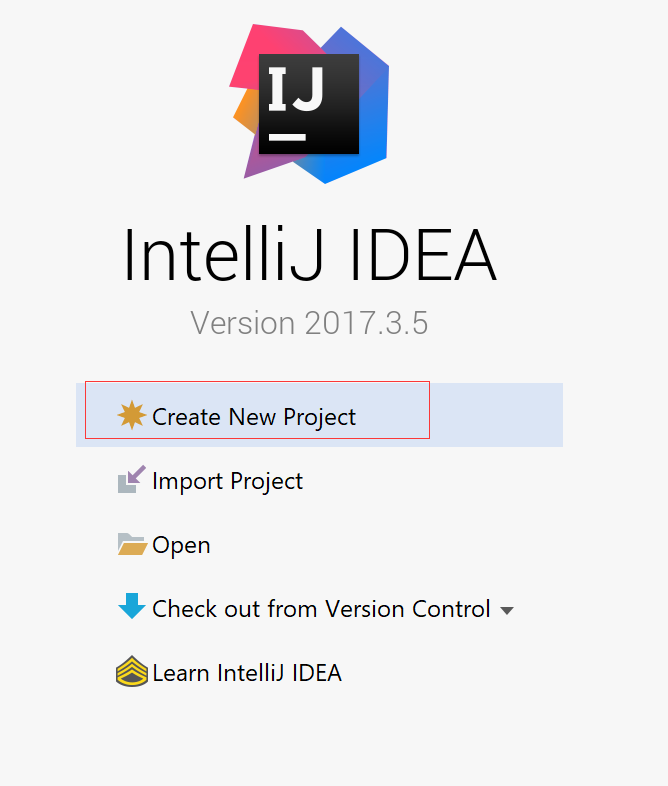
2. 使用Spring Initlizr 快速创建Spring Boot 应用程序
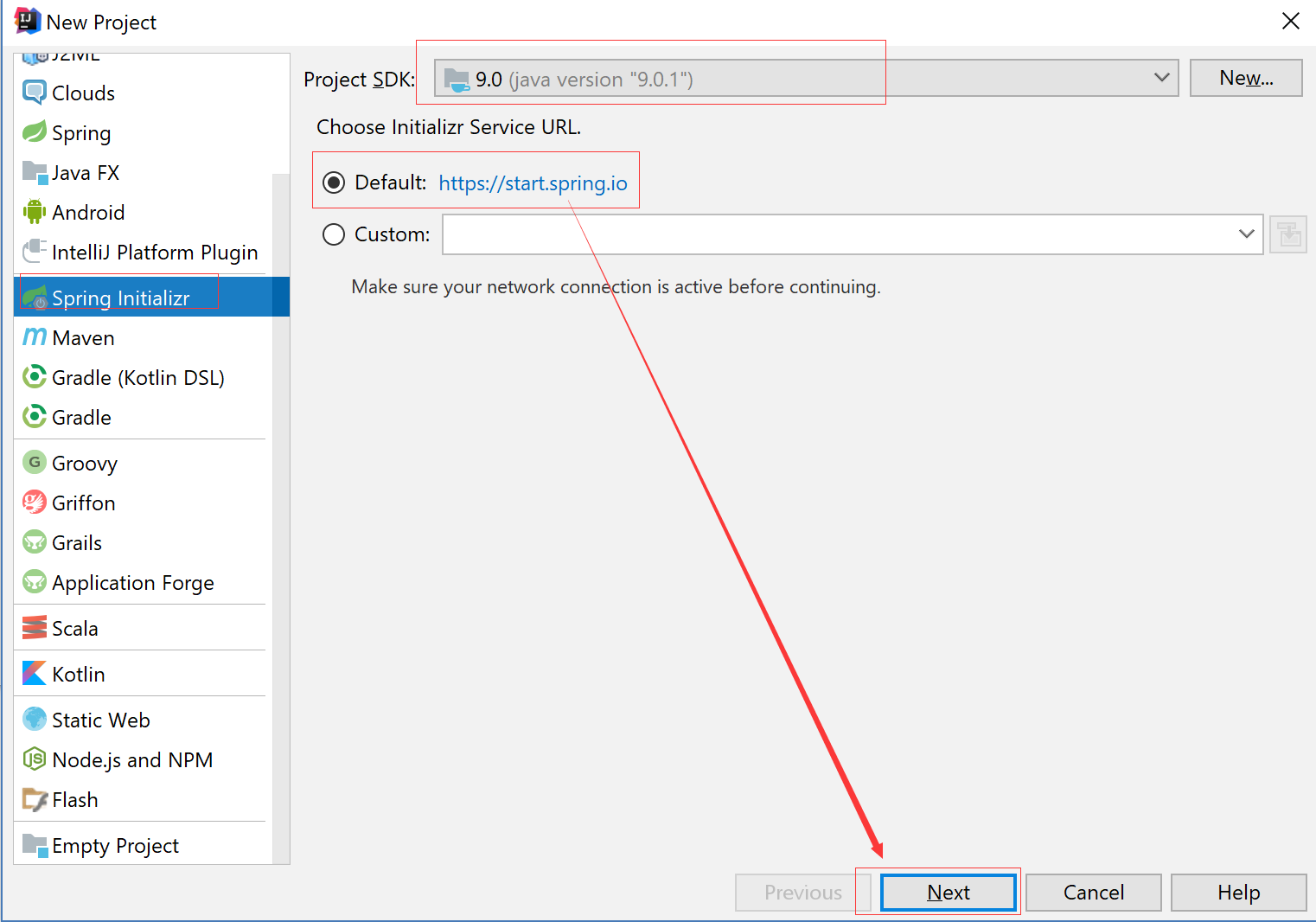
3. 填写项目配置信息

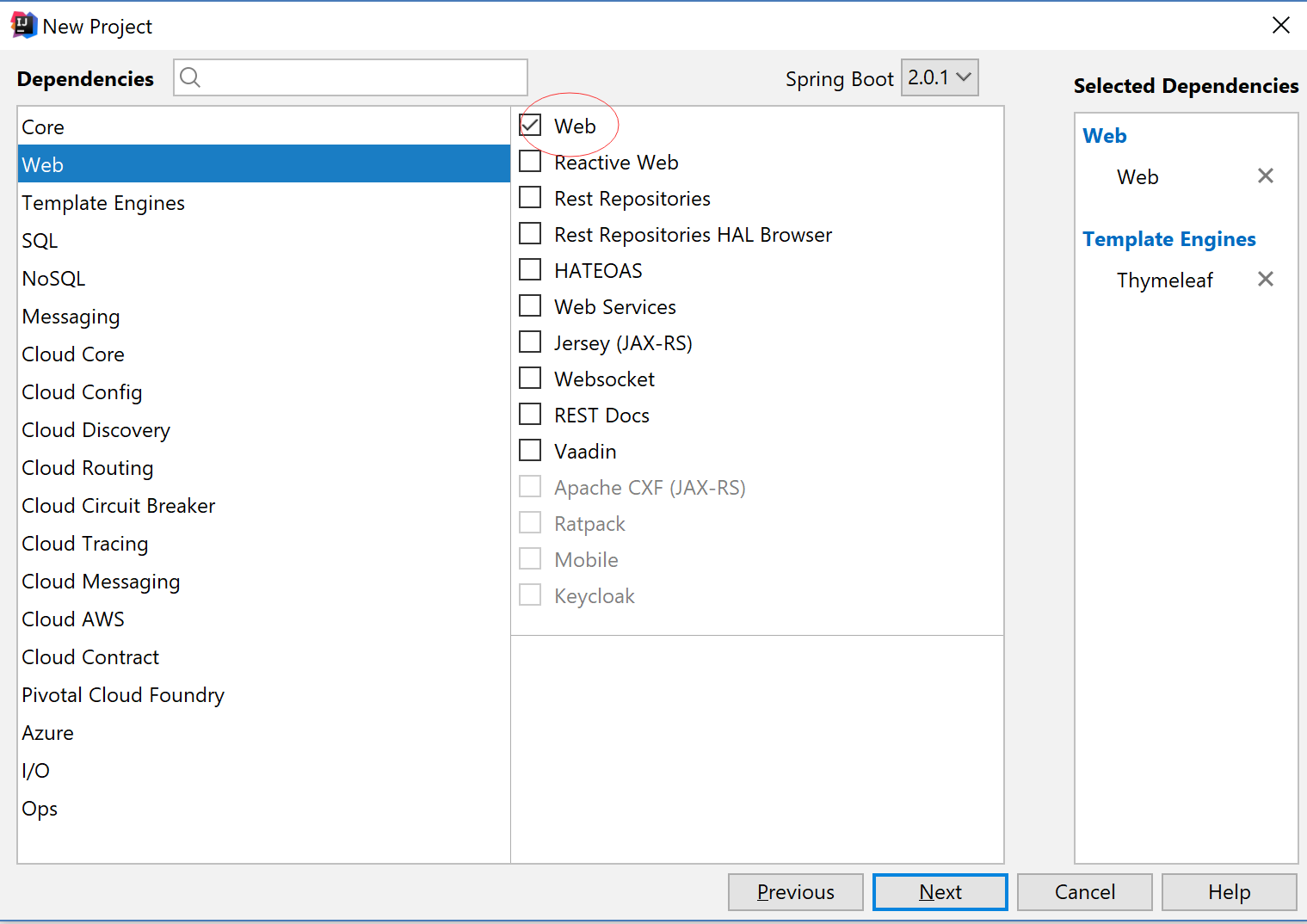
4. 添加Web 模块
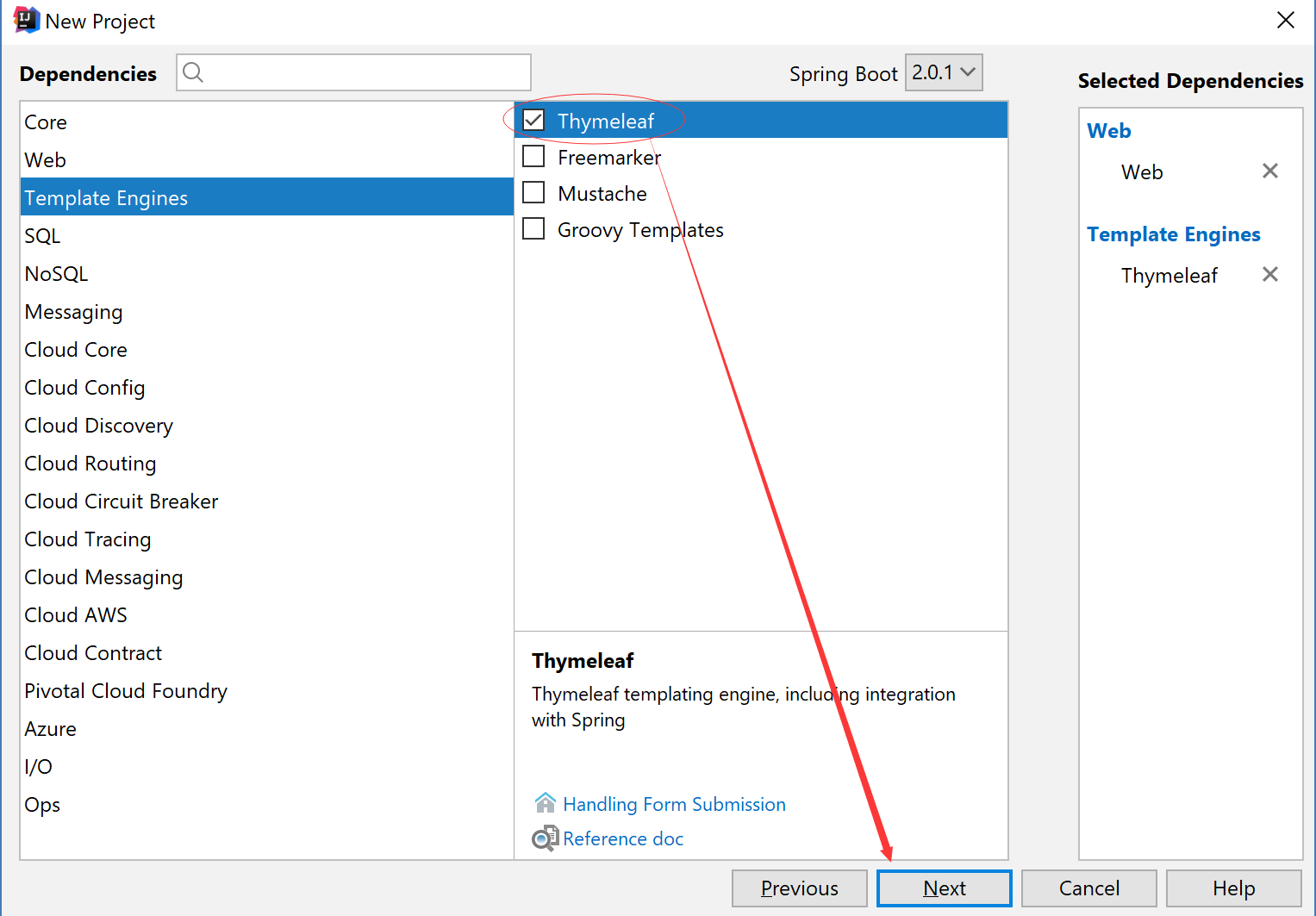
5. 添加thymeleaf 模块
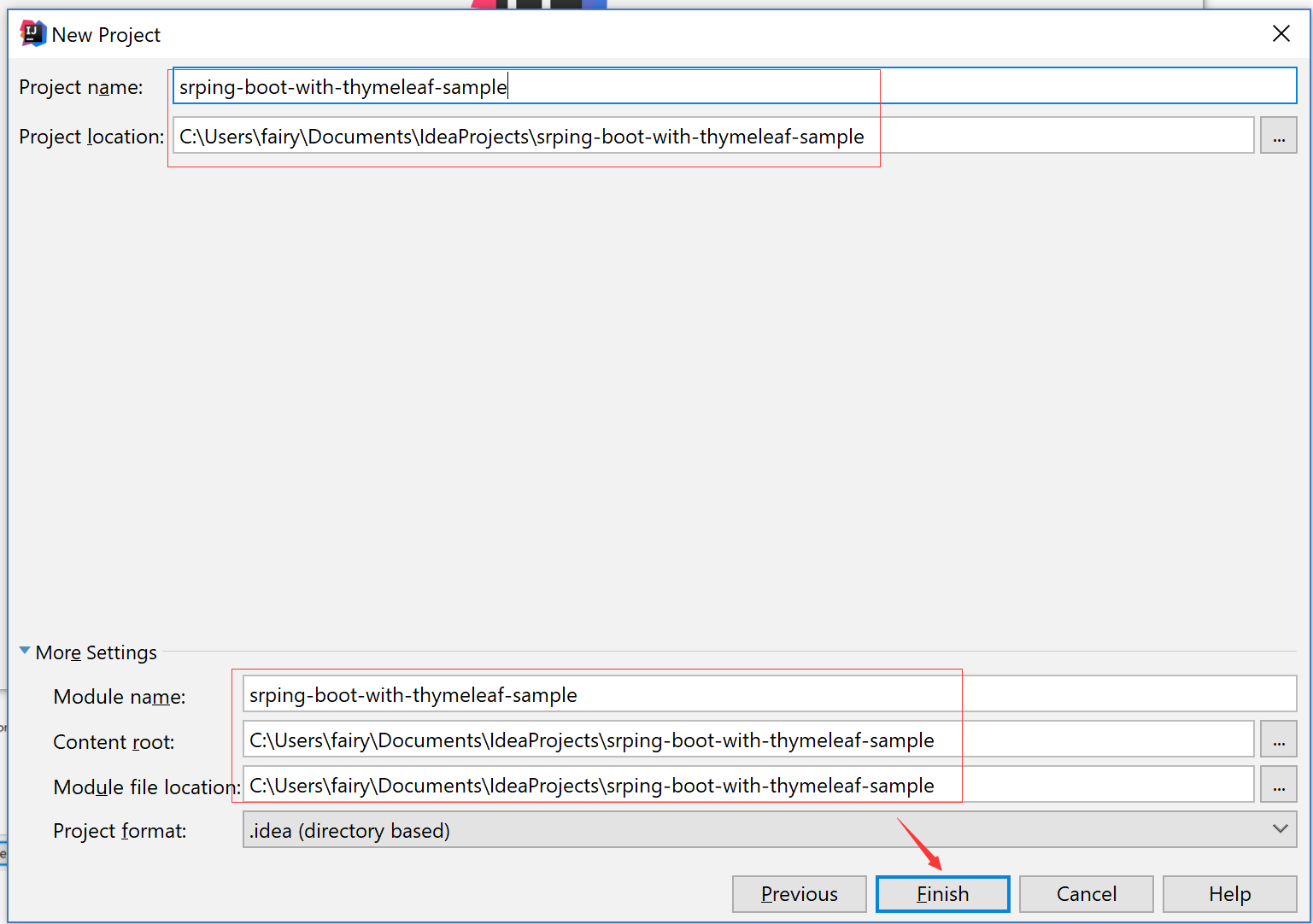
6. 项目保存路径
7. POM.xml 添加thymeleaf依赖
<?xml version="1.0" encoding="UTF-8"?>

<project xmlns="http://maven.apache.org/POM/4.0.0" xmlns:xsi="http://www.w3.org/2001/XMLSchema-instance"

    xsi:schemaLocation="http://maven.apache.org/POM/4.0.0 http://maven.apache.org/xsd/maven-4.0.0.xsd">

    <modelVersion>4.0.0</modelVersion>

    <groupId>com.xingyun</groupId>

    <artifactId>srping-boot-with-thymeleaf-sample</artifactId>

    <version>0.0.1-SNAPSHOT</version>

    <packaging>jar</packaging>

    <name>srping-boot-with-thymeleaf-sample</name>

    <description>Demo project for Spring Boot</description>

    <parent>

        <groupId>org.springframework.boot</groupId>

        <artifactId>spring-boot-starter-parent</artifactId>

        <version>2.0.1.RELEASE</version>

        <relativePath/> <!-- lookup parent from repository -->

    </parent>

    <properties>

        <project.build.sourceEncoding>UTF-8</project.build.sourceEncoding>

        <project.reporting.outputEncoding>UTF-8</project.reporting.outputEncoding>

        <java.version>1.8</java.version>

    </properties>

    <dependencies>

        <dependency>

            <groupId>org.springframework.boot</groupId>

            <artifactId>spring-boot-starter-thymeleaf</artifactId>

        </dependency>

        <dependency>

            <groupId>org.springframework.boot</groupId>

            <artifactId>spring-boot-starter-web</artifactId>

        </dependency>

        <dependency>

            <groupId>org.springframework.boot</groupId>

            <artifactId>spring-boot-starter-test</artifactId>

            <scope>test</scope>

        </dependency>

    </dependencies>

    <build>

        <plugins>

            <plugin>

                <groupId>org.springframework.boot</groupId>

                <artifactId>spring-boot-maven-plugin</artifactId>

            </plugin>

        </plugins>

    </build>

</project>
8. 配置application.properties
spring.thymeleaf.prefix=classpath:/templates/

spring.thymeleaf.suffix=.html

spring.thymeleaf.mode=HTML

spring.thymeleaf.encoding=UTF-8

spring.thymeleaf.servlet.content-type=text/html

# 关闭缓存,即时刷新,上线生产环境需改成true

spring.thymeleaf.cache=false
9. 创建模板文件
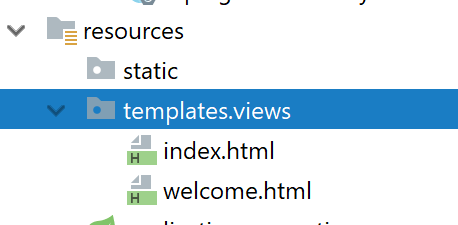
index.html
<!DOCTYPE html>

<html lang="en">

<head>

    <meta charset="UTF-8">

    <title>Title</title>

</head>

<body>

this is index.html

</body>

</html>
welcome.html
<!DOCTYPE html>

<html lang="en">

<head>

    <meta charset="UTF-8">

    <title>Title</title>

</head>

<body>

this is welcome.html

</body>

</html>
10.创建Controller
package com.xingyun.srpingbootwiththymeleafsample;

import org.springframework.stereotype.Controller;

import org.springframework.web.bind.annotation.GetMapping;

import org.springframework.web.bind.annotation.RequestMapping;

@Controller

public class HomeController {

    @GetMapping(value = "/")

    public String index(){

        return "/views/index";

    }

    @GetMapping(value = "/welcome")

    public String welcome(){

        return "/views/welcome";

    }

}
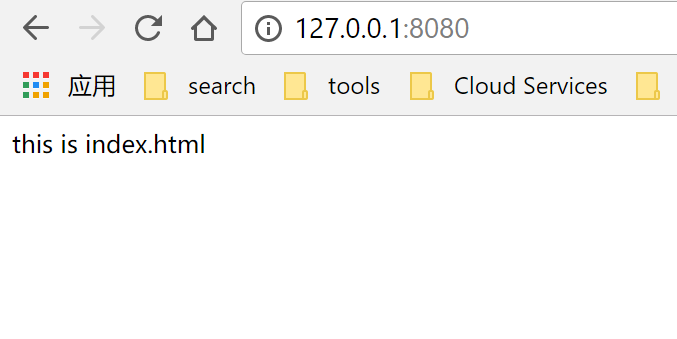
11. 访问 http://127.0.0.1:8080
12. 访问http://127.0.0.1:8080/welcome

Spring Boot 2.0 整合Thymeleaf 模板引擎的更多相关文章
- Spring Boot 2.0 整合 FreeMarker 模板引擎
本篇博文将和大家一起使用Spring Boot 2.0 和FreeMarker 模板引擎整合实战. 1. 创建新的项目 2. 填写项目配置信息 3. 勾选web 模块 4. 勾选freemarker模 ...
- Spring Boot Web开发与thymeleaf模板引擎
简介: 使用Springboot应用,选中需要的模块, Spring已经默认将场景配置好了,只需在配置文件中少量配置就可以运行起来 自己编写业务代码 自动配置原理 这个场景Springboot帮我们配 ...
- Spring Boot Web开发中Thymeleaf模板引擎的使用
这里使用的是idea 1.新建Spring Boot项目 File-->New-->Project...,然后选择左边的Spring Initializr-->Next,可根据自己的 ...
- Spring Boot学习记录(二)--thymeleaf模板 - CSDN博客
==他的博客应该不错,没有细看 Spring Boot学习记录(二)--thymeleaf模板 - CSDN博客 http://blog.csdn.net/u012706811/article/det ...
- spring boot 2.0 整合 elasticsearch6.5.3,spring boot 2.0 整合 elasticsearch NoNodeAvailableException
原文地址:spring boot 2.0 整合 elasticsearch NoNodeAvailableException 原文说的有点问题,下面贴出我的配置: 原码云项目地址:https://gi ...
- Spring Boot 2.0 整合携程Apollo配置中心
原文:https://www.jianshu.com/p/23d695af7e80 Apollo(阿波罗)是携程框架部门研发的分布式配置中心,能够集中化管理应用不同环境.不同集群的配置,配置修改后能够 ...
- SpringBoot:2.SpringBoot整合Thymeleaf模板引擎渲染web视图
在Web开发过程中,Spring Boot可以通过@RestController来返回json数据,那如何渲染Web页面?Spring Boot提供了多种默认渲染html的模板引擎,主要有以下几种: ...
- Spring Boot WebFlux-04——WebFlux 整合 Thymeleaf
第04课:WebFlux 整合 Thymeleaf 上一篇介绍的是用 MongoDB 来实现 WebFlux 对数据源的操作,那么有了数据需要渲染到前台给用户展示,这就是本文关心的 View 层,Vi ...
- 【Springboot】Springboot整合Thymeleaf模板引擎
Thymeleaf Thymeleaf是跟Velocity.FreeMarker类似的模板引擎,它可以完全替代JSP,相较与其他的模板引擎,它主要有以下几个特点: 1. Thymeleaf在有网络和无 ...
随机推荐
- 用户设置与virtual host配置
1.进入localhost:15672yemian 然后选择Admin菜单. 2.添加用户 caojun/123456 3.效果 4.virtual hosts添加 相当于db. /cjhost,一般 ...
- Java Swing 实时刷新JTextArea,以显示不断append的内容?
方法一: 在代码中执行完textArea.append("message")后,如果你想让这个更新立刻显示在界面上而不是等swing的主线程返回后刷新,我们一般会在该语句后调用te ...
- NumPy学习(索引和切片,合并,分割,copy与deep copy)
NumPy学习(索引和切片,合并,分割,copy与deep copy) 目录 索引和切片 合并 分割 copy与deep copy 索引和切片 通过索引和切片可以访问以及修改数组元素的值 一维数组 程 ...
- 在netcore中如何注入同一个接口的多个实现
netcore中自带了Ioc框架,这也影响了我们的编码习惯,以前都是静态类或者直接new对象,现在有了Ioc框架的支持,我们也不必守旧,应当使用起来,接受这种对象管理方式.使用过java的同仁,都习惯 ...
- Python 函数装饰器
首次接触到装饰器的概念,太菜啦! Python 装饰器可以大大节省代码的编写量,提升代码的重复使用率.函数装饰器其本质也是一个函数,我们可以把它理解为函数中定义了一个子函数. 例如我们有这么一个需求, ...
- js数据结构之栈和队列的详细实现方法
队列 队列中我们主要实现两种: 1. 常规队列 2. 优先队列(实际应用中的排队加急情况等) 常规队列的实现方法如下: // 常规队列 function Queue () { this.queue = ...
- php插入上万条mysql数据最快的方法
1.使用thinkphp框架 先生成包含所有数据的数组,再使用 addAll() 方法,插入1万条数据仅需3秒钟. 2.PHP原始方法: 将SQL语句进行拼接,使用 insert into table ...
- 喵哈哈村的魔法考试 Round #20 (Div.2) 题解
题解: A 喵哈哈村的跳棋比赛 题解:其实我们要理解题意就好了,画画图看看这个题意.x<y,那么就交换:x>y,那么x=x%y. 如果我们经过很多次,或者y<=0了,那么就会无限循环 ...
- 实操重写IK分词器源码,基于mysql热更新词库
实操重写IK分词器源码,基于mysql热更新词库参考网址:https://blog.csdn.net/wuzhiwei549/article/details/80451302 问题一:按照这篇文章的介 ...
- C#轻量级日志监控器EasyLogMonitor
一.课程介绍 本次分享课程属于<C#高级编程实战技能开发宝典课程系列>中的一部分,阿笨后续会计划将实际项目中的一些比较实用的关于C#高级编程的技巧分享出来给大家进行学习,不断的收集.整理和 ...