
使用Toast进行用户提醒(转)
Toast是Android提供的一个轻量级的用户提醒控件,使用也很简单,就相当一个极简的dialog!!!下面将向您介绍一些Toast的详细用法:
1、普遍使用的方法:
  Context context = getApplicationContext();

    CharSequence text = "Hello toast!";

    int duration = Toast.LENGTH_SHORT;

    Toast toast = Toast.makeText(context, text, duration);

    toast.show();
一般情况下,我们都是这样使用Toast的,就跟其他的UI一样,初始化一个UI需要传入一个Context,这里是通过getApplicationContext获取应用程序的上下文!!!
2、设置Toast显示的位置:
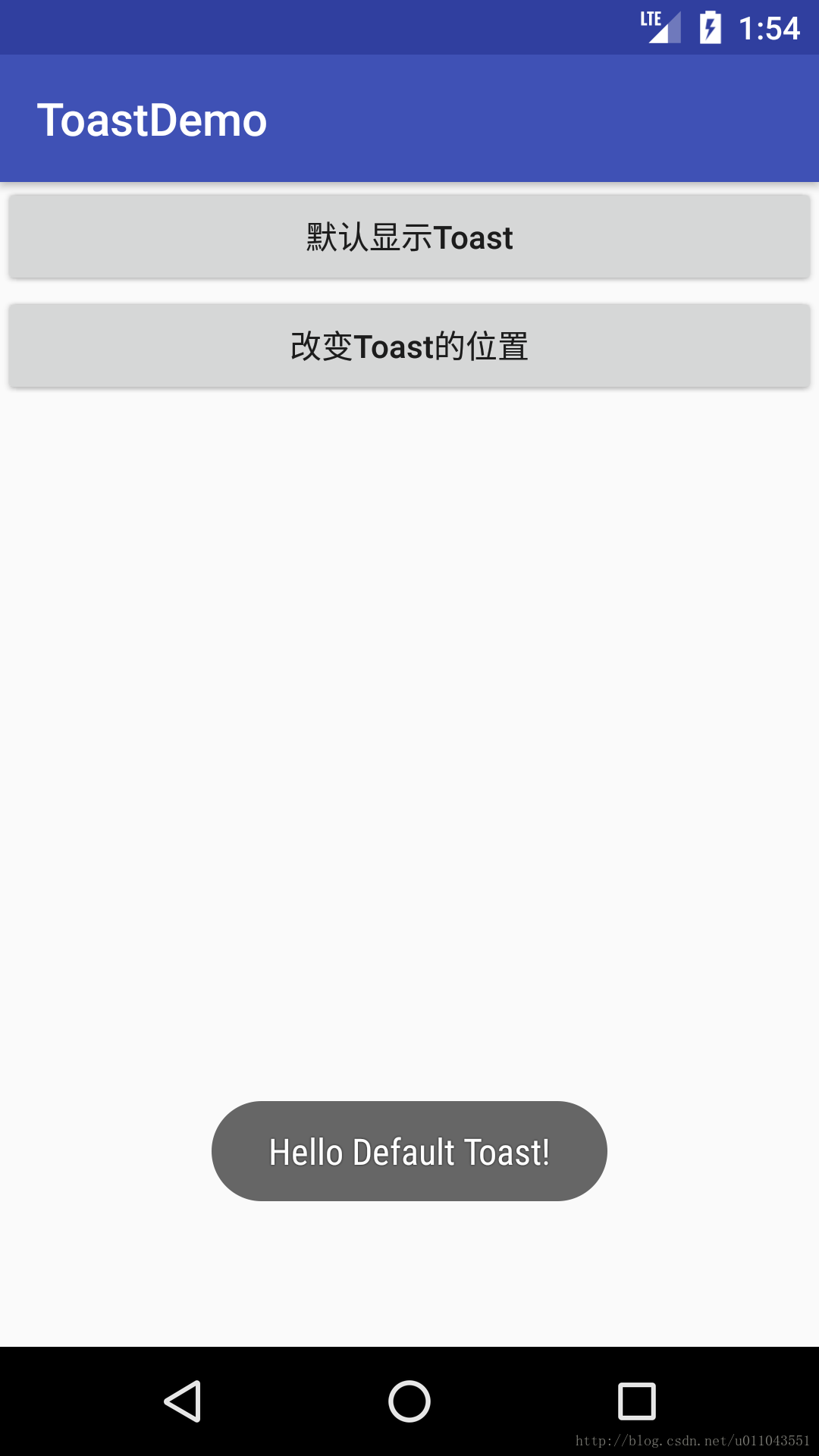
一般情况下,Toast显示在屏幕的下半屏幕中,就像下图所示的那样:
我们可以通过代码更新Toast显示的位置:
 Context context = getApplicationContext();

    CharSequence text = "Hello toast!";

    int duration = Toast.LENGTH_SHORT;

    Toast toast = Toast.makeText(context, text, duration);

    toast.setGravity(Gravity.TOP|Gravity.LEFT, 0, 0);

    toast.show();
方法原型:
public void setGravity(int gravity, int xOffset, int yOffset)
这里的参数意义就不介绍,相信您根据名字就可以猜出来!!!
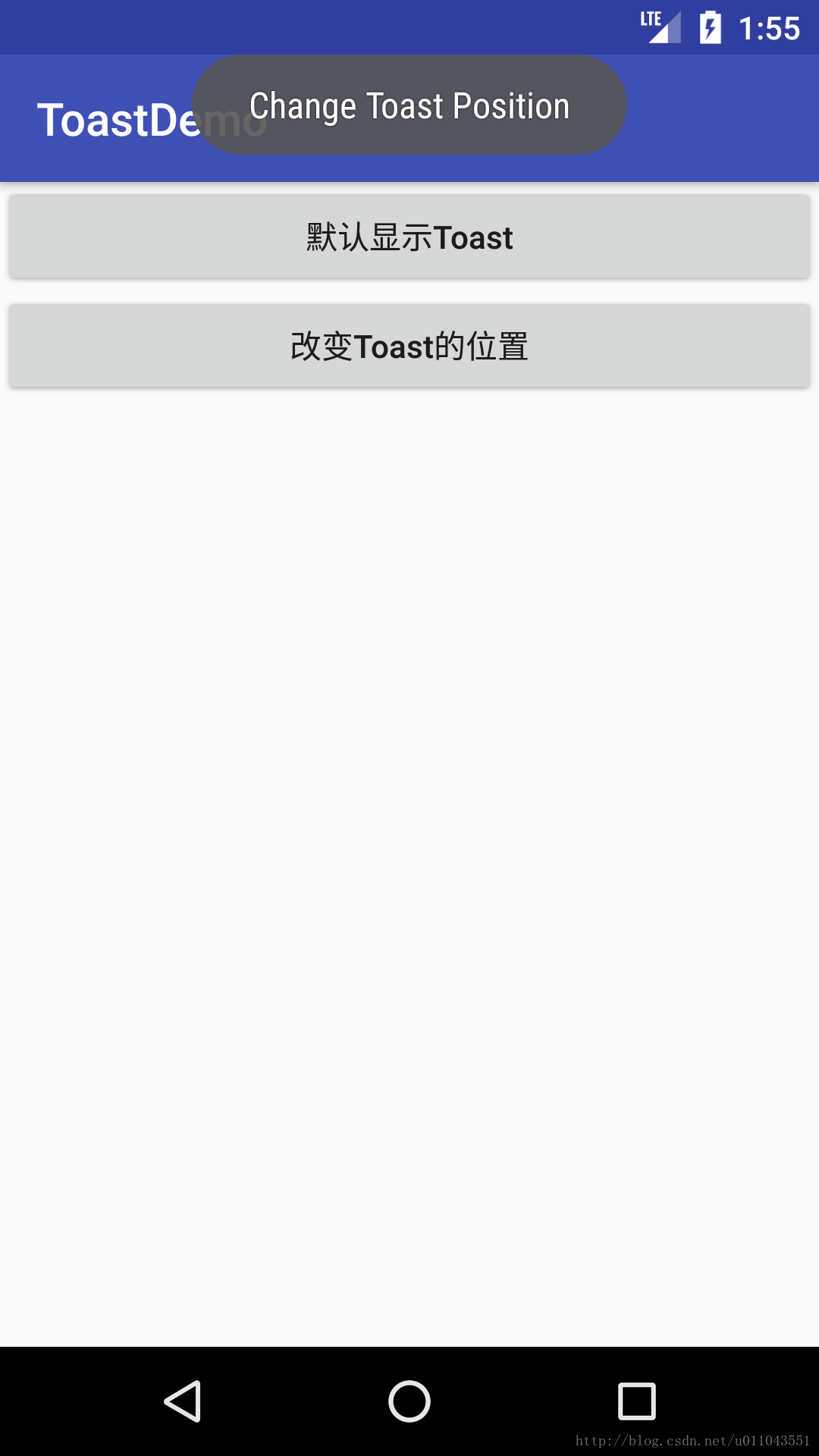
改变位置后的Toast:
3、自定义Toast的Layout:
Toast的布局如下所示:
 <LinearLayout xmlns:android="http://schemas.android.com/apk/res/android"

                  android:id="@+id/custom_toast_container"

                  android:orientation="horizontal"

                  android:layout_width="fill_parent"

                  android:layout_height="fill_parent"

                  android:padding="8dp"

                  android:background="#DAAA"

                  >

        <ImageView android:src="@drawable/droid"

                   android:layout_width="wrap_content"

                   android:layout_height="wrap_content"

                   android:layout_marginRight="8dp"

                   />

        <TextView android:id="@+id/text"

                  android:layout_width="wrap_content"

                  android:layout_height="wrap_content"

                  android:textColor="#FFF"

                  />

    </LinearLayout>
在代码中解析layout,并将解析的布局添加至Toast中,具体代码如下所示:
  public void onShowCustomToast(View view) {

        LayoutInflater inflater = getLayoutInflater();

        View layout = inflater.inflate(R.layout.toast_layout,

                null);

        TextView text = (TextView) layout.findViewById(R.id.text);

        text.setText("This is a custom toast");

        Toast toast = new Toast(getApplicationContext());

        toast.setGravity(Gravity.CENTER_VERTICAL, 0, 0);

        toast.setDuration(Toast.LENGTH_LONG);

        toast.setView(layout);

        toast.show();

    }
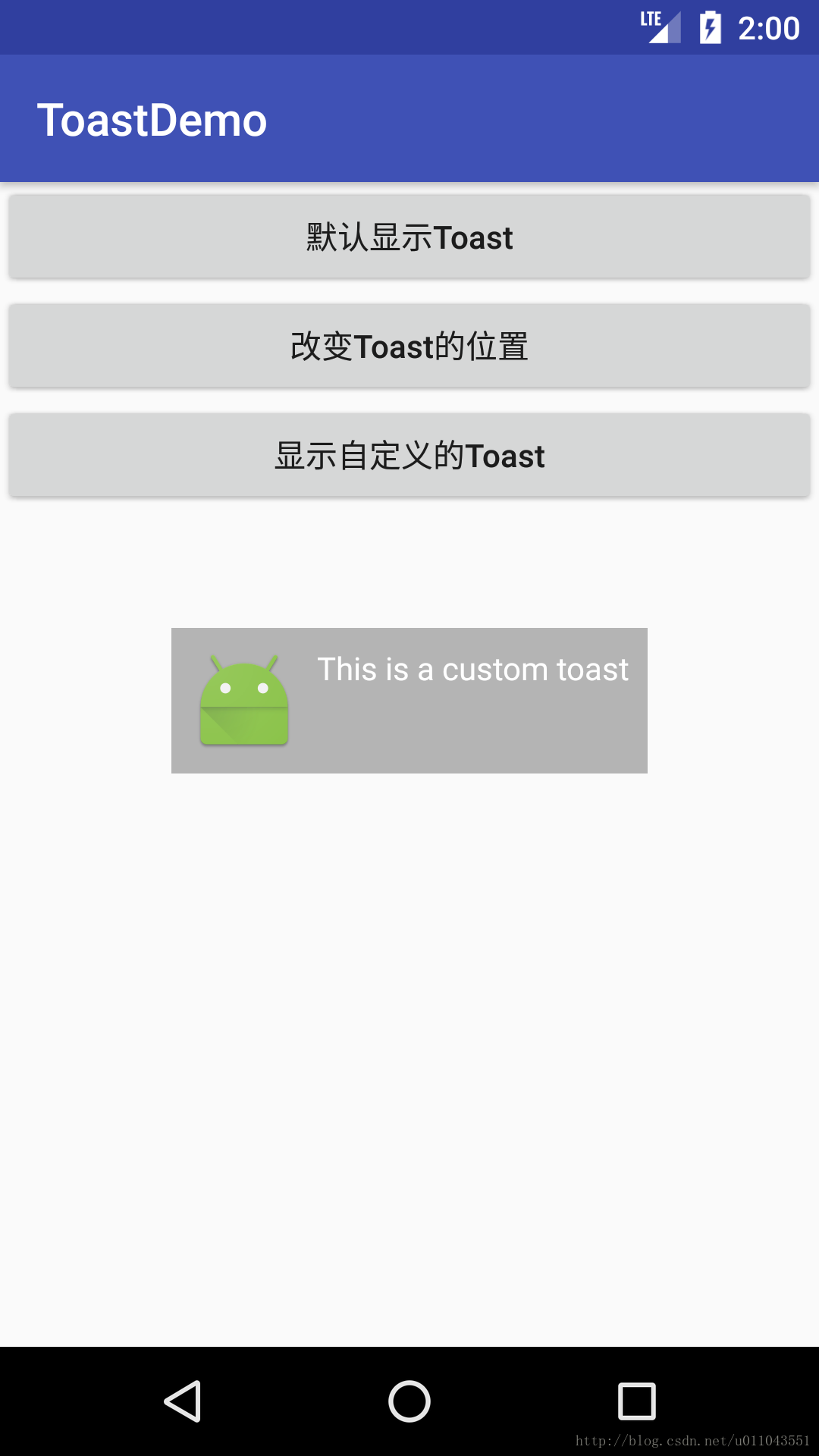
代码运行效果:
使用Toast进行用户提醒(转)的更多相关文章
- 【完全开源】知乎日报UWP版:增加Live磁贴、Badge、以及Toast通知
目录 说明 实现方法 APP生命期 后台任务 说明 之前网上有人建议增加磁贴(tile).徽章(badge)功能.利用周末的时间,将这两个功能添加上去了.如果将磁贴固定到开始屏幕,磁贴就会循环播放首页 ...
- Android开发——你真的了解Dialog、Toast和Snackbar吗
0. 前言 今天给大家带来一篇简单易懂的关于Android提醒小功能的文章.Dialog和Toast我们都不陌生,而Snackbar是Design Support库中提供的新控件,有些朋友可能还不了解 ...
- Android 更改 Toast 的默认位置
Android中Toast的默认位置在屏幕靠近底部的位置,这个默认位置有时候并不合适.比如页面上内容较少时,内容一般集中在屏幕上半部分,用户的注意力也集中在屏幕上半部分,默认位置的Toast用户可能没 ...
- android 该项目的优化toast优化技巧
我们这样做的时候经常登录认证使用toast提示用户输入出现错误等..很多人都直接使用 Toast.makeText(LoginActivity.this, "请联系小区的物业管理" ...
- Toast与Snackbar的那点事
背景 Toast是Android平台上的常用技术.从用户角度来看,Toast是用户与App交互最基本的提示控件:从开发者角度来看,Toast是开发过程中常用的调试手段之一.此外,Toast语法也非常简 ...
- UWP开发:获取用户当前所在的网络环境(WiFi、移动网络、LAN…)
原文:UWP开发:获取用户当前所在的网络环境(WiFi.移动网络.LAN-) UWP开发:获取用户当前所在的网络环境: 在uwp开发中,有时候,我们需要判断用户所在的网络,是WiFi,还是移动网络,给 ...
- 2015最流行的Android组件、工具、框架大全
Android 是目前最流行的移动操作系统之一. 随着新版本的不断发布, Android的功能也日益强大, 涌现了很多流行的应用程序, 也催生了一大批的优秀的组件. 本文试图将目前流行的组件收集起来以 ...
- 【Win 10 应用开发】打印UI元素
Windows App支持将UI界面进行打印的功能,这与浏览器中的打印网页的用途相近,其好处就是“所见即所得”,直接把界面上呈现的内容打印下来,比重新创建打印图像方便得多. 要在通用App中实现打印, ...
- 转载 Android 多线程处理之多线程用法大集合
handler.post(r)其实这样并不会新起线程,只是执行的runnable里的run()方法,却没有执行start()方法,所以runnable走的还是UI线程. 1.如果像这样,是可以操作ui ...
随机推荐
- linux目录架构及常用的基本命令
linux目录架构 / 根目录 /bin 常用的命令 binary file 的目錄 /boot 存放系统启动时必须读取的档案,包括核心 (kernel) 在内 /boot/g ...
- 2、qq物联环境搭建
1.使用easyopenjtag.openjtag来烧写uboot 2.体验uboot 插讲<网络设置_ping问题解决_远程登录ssh_文件互传ftp> 192.168.1.183 wi ...
- LeetCode解题报告--2Sum, 3Sum, 4Sum, K Sum求和问题总结
前言: 这几天在做LeetCode 里面有2sum, 3sum(closest), 4sum等问题, 这类问题是典型的递归思路解题.该这类问题的关键在于,在进行求和求解前,要先排序Arrays.sor ...
- 对延时敏感的应用是否应该使用Docker?
在High Scalability上看到一篇文章 How Does The Use of Docker Effect Latency? .文章回答了一个问题 I keep hearing about ...
- Java提高:采用异常链传递异常
一.分析 异常需要封装,但是仅仅封装还是不够的,还需要传递异常.一个系统的友好型的标识,友好的界面功能是一方面,另一方面就是系统出现非预期的情况的处理方式了. 二.场景 比如我们的JEE项目一般都又三 ...
- PatentTips - Multi-host SATA Controller
BACKGROUND The present subject matter relates, in general, to a computing system having multi-host p ...
- WordPress通过插件发送邮件
原文发表自我的个人站点,欢迎大家訪问~转载请保留本段,或注明原文链接:http://www.hainter.com/wordpress-send-email-via-plugins WordPress ...
- NYOJ 364 田忌赛马
田忌赛马 时间限制:3000 ms | 内存限制:65535 KB 难度:3 描写叙述 Here is a famous story in Chinese history. "That ...
- php实现把数组排成最小的数(核心是排序)(看别人的代码其实也没那么难)(把php代码也看一下)(implode("",$numbers);)(usort)
php实现把数组排成最小的数(核心是排序)(看别人的代码其实也没那么难)(把php代码也看一下)(implode("",$numbers);)(usort) 一.总结 核心是排序 ...
- php中的var关键字的用法总结(var在类外用报错)(类属性必须带限定词)
php中的var关键字的用法总结(var在类外用报错)(类属性必须带限定词) 一.总结 1.var在类外用报错:如果不是在类中,用var定义变量是错的. 2.类属性必须带限定词:php中类属性必须定义 ...