
scrapy_电影天堂多页数据和图片下载
嵌套的 爬取
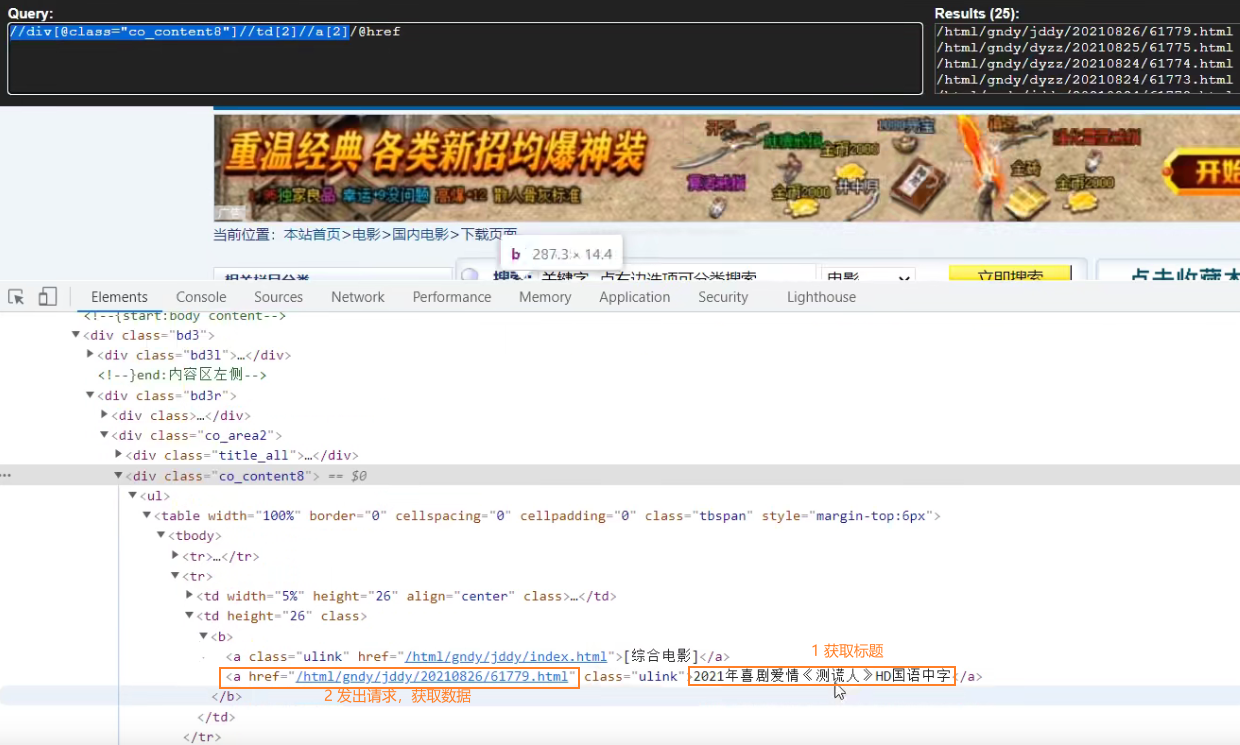
先获取第一页的标题
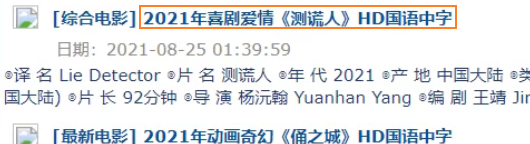
点击标题到第二页的图片url

1、创建项目
> scrapy startproject scrapy_movie_099
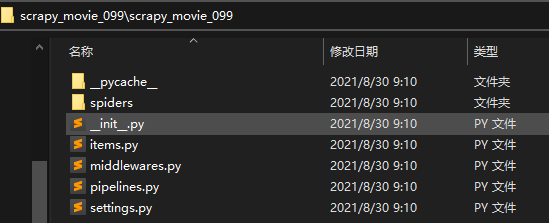
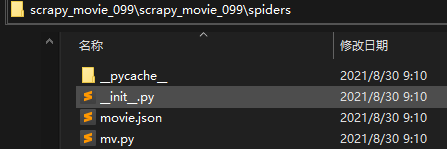
2、创建爬虫文件
spiders>scrapy genspider mv https: //www.dytt8.net/html/gndy/china/index.html
3、测试
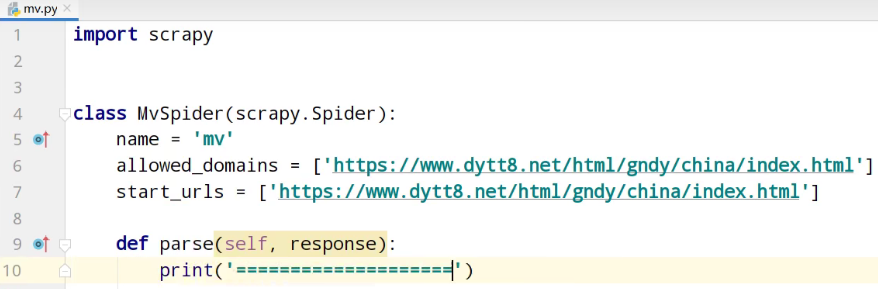
5、运行
spiders> scrapy crawl mv

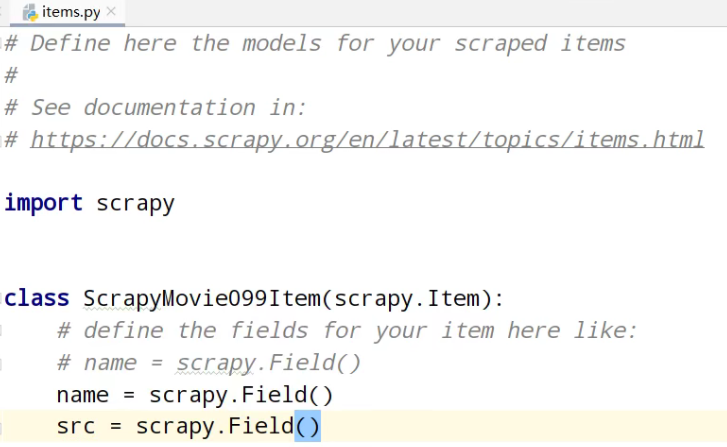
①、定义数据结构
②、分析xpath
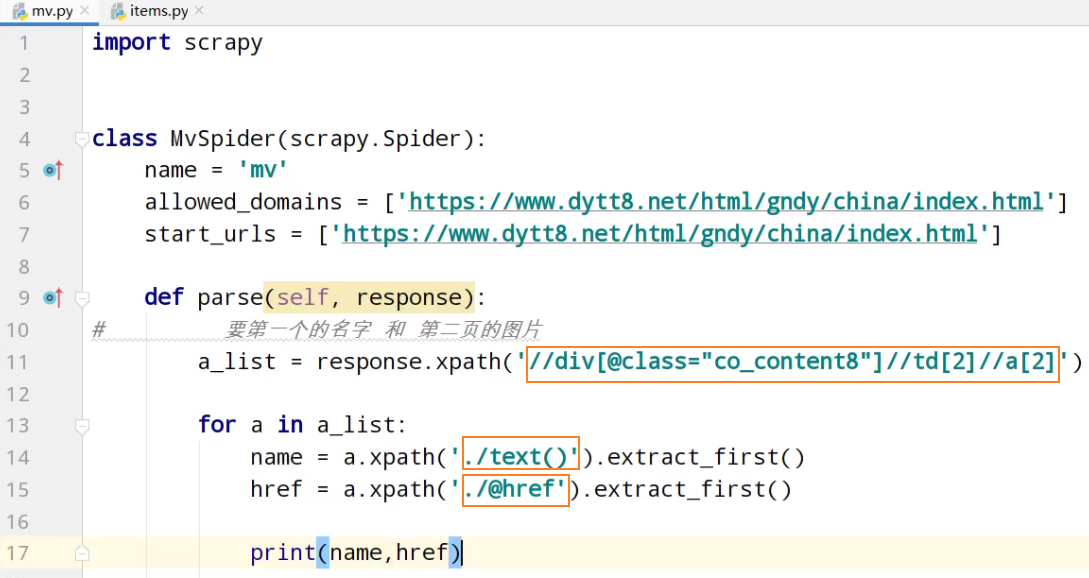
运行
spiders> scrapy crawl mv

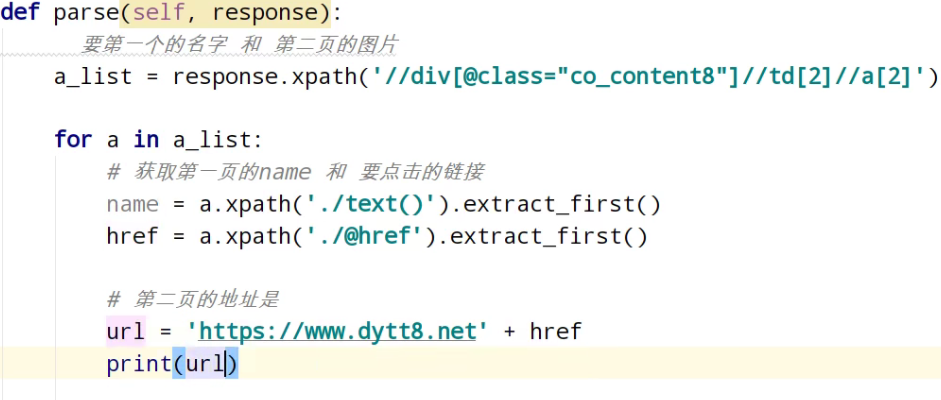
分析第二页的地址

运行
spiders> scrapy crawl mv

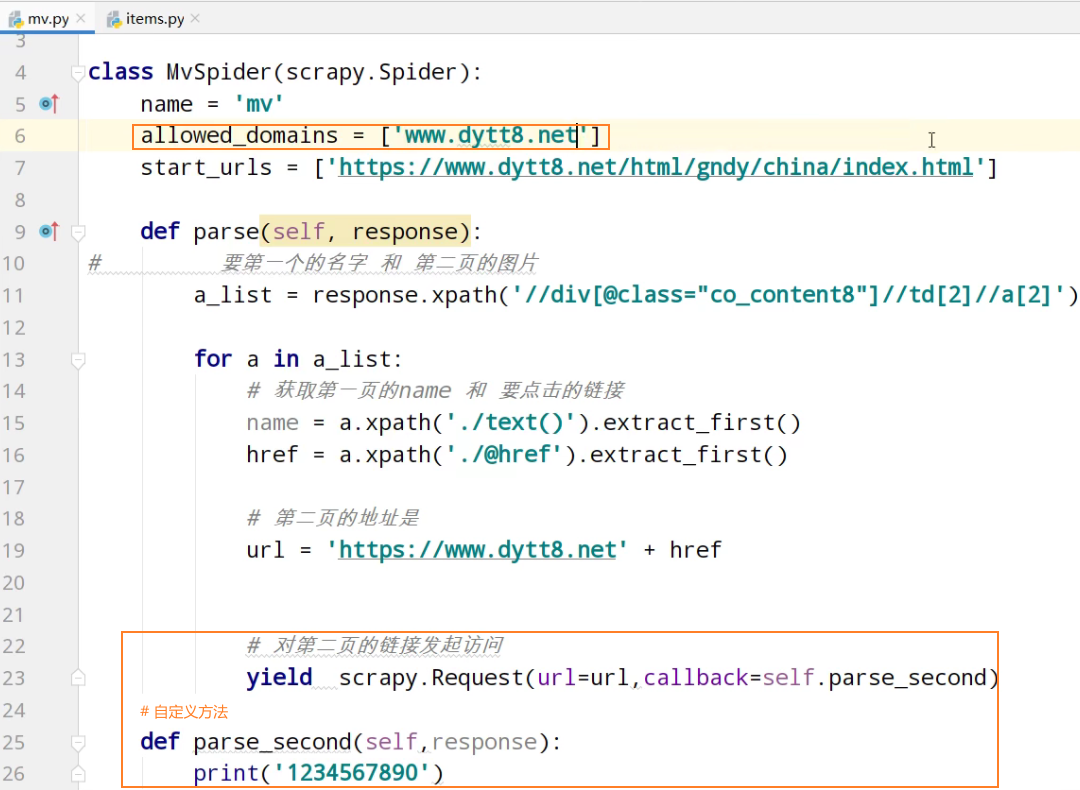
测试

分析第二页的地址
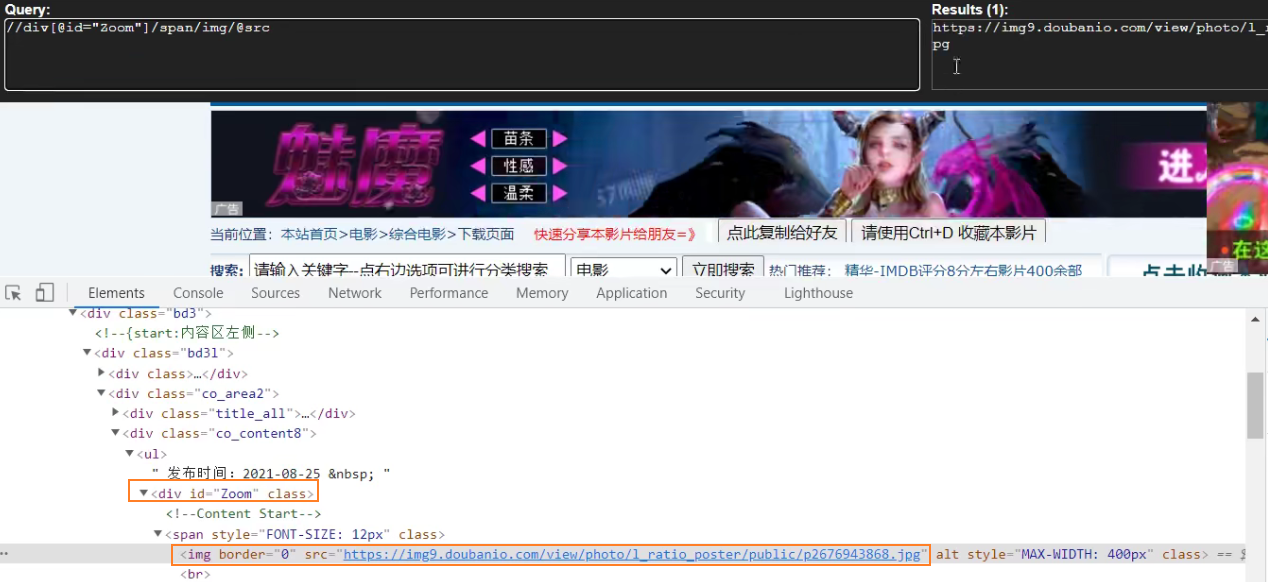
测试xpath,有些span标签识别不了。调试修改成 //div[@id="Zoom"]//img/@src
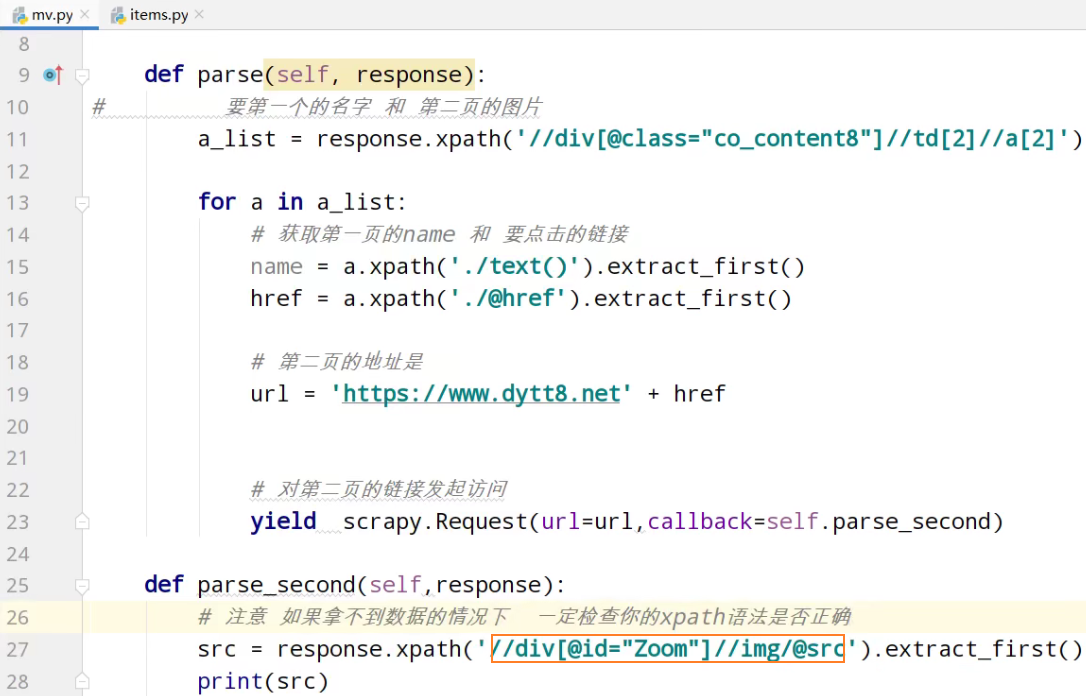
测试

查看转到定义request

meta是个字典

导入数据结构类

movie返回个管道
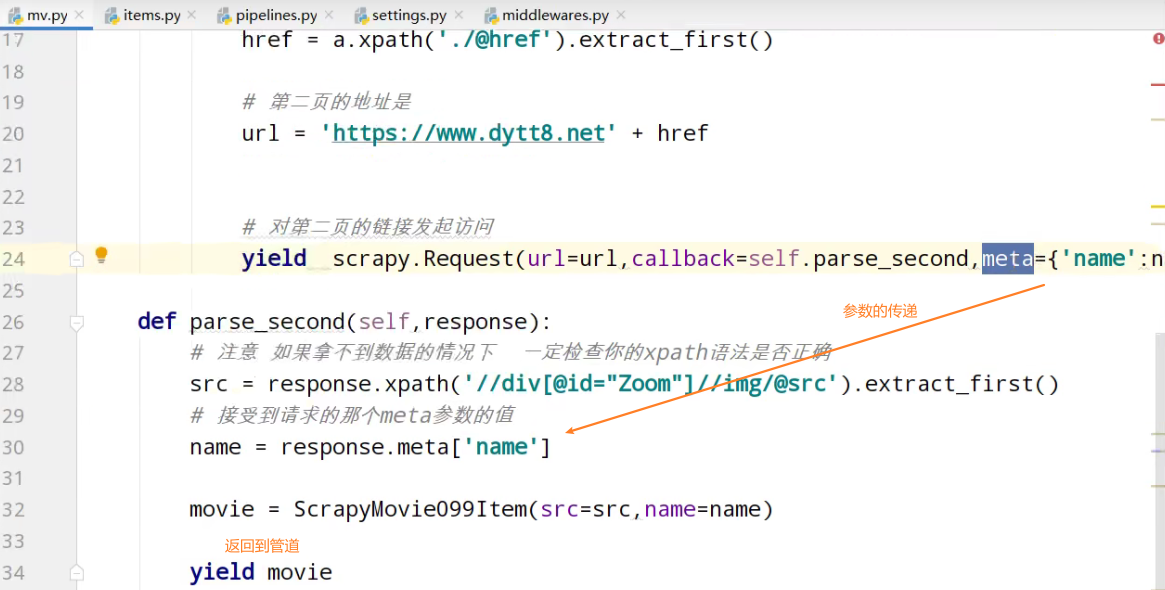
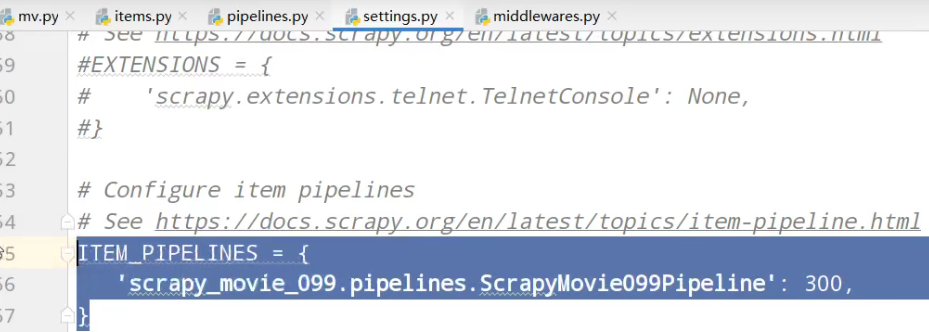
settings中开启管道
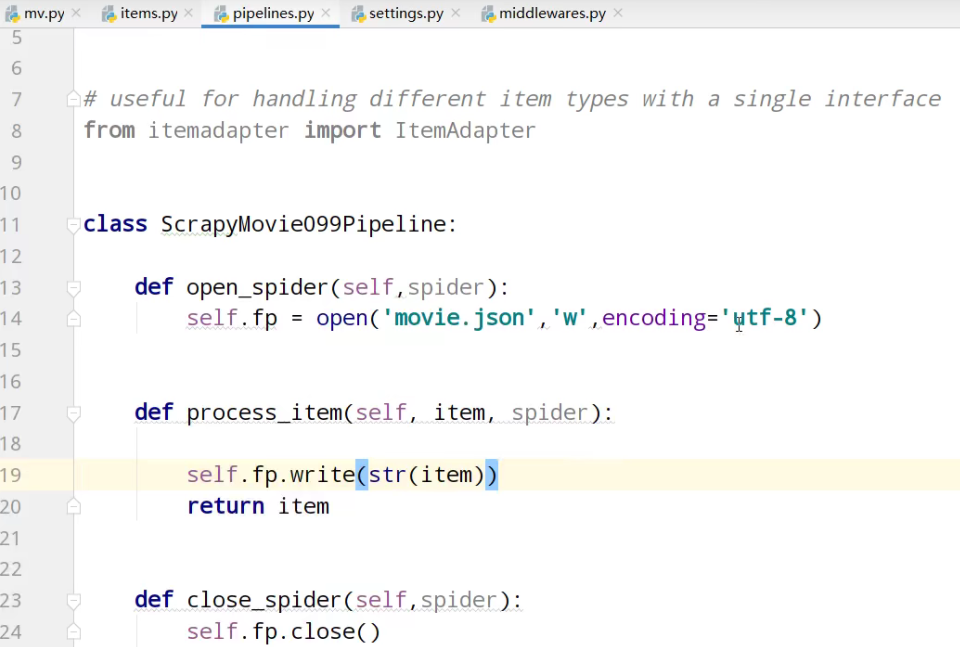
pipeline管道的封装
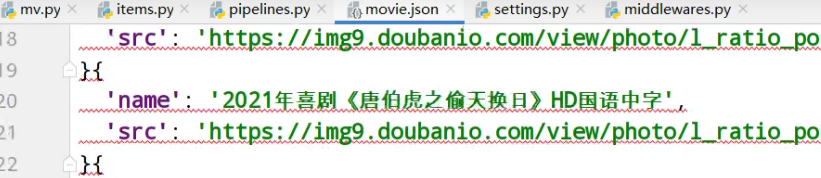
运行
spiders> scrapy crawl mv

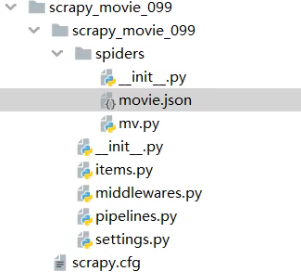
项目文件
爬虫核心文件mv.py
import scrapy

from scrapy_movie_099.items import ScrapyMovie099Item

class MvSpider(scrapy.Spider):

    name = 'mv'

    allowed_domains = ['www.dytt8.net']

    start_urls = ['https://www.dytt8.net/html/gndy/china/index.html']

    def parse(self, response):

#         要第一个的名字 和 第二页的图片

        a_list = response.xpath('//div[@class="co_content8"]//td[2]//a[2]')

        for a in a_list:

            # 获取第一页的name 和 要点击的链接

            name = a.xpath('./text()').extract_first()

            href = a.xpath('./@href').extract_first()

            # 第二页的地址是

            url = 'https://www.dytt8.net' + href

            # 对第二页的链接发起访问

            yield  scrapy.Request(url=url,callback=self.parse_second,meta={'name':name})

    def parse_second(self,response):

        # 注意 如果拿不到数据的情况下  一定检查你的xpath语法是否正确

        src = response.xpath('//div[@id="Zoom"]//img/@src').extract_first()

        # 接受到请求的那个meta参数的值

        name = response.meta['name']

        movie = ScrapyMovie099Item(src=src,name=name)

        yield movie
items.py自定义结构类
# Define here the models for your scraped items

#

# See documentation in:

# https://docs.scrapy.org/en/latest/topics/items.html

import scrapy

class ScrapyMovie099Item(scrapy.Item):

    # define the fields for your item here like:

    # name = scrapy.Field()

    name = scrapy.Field()

    src = scrapy.Field()
settings.py基本配置。robots协议配置,管道配置
# Scrapy settings for scrapy_movie_099 project

#

# For simplicity, this file contains only settings considered important or

# commonly used. You can find more settings consulting the documentation:

#

#     https://docs.scrapy.org/en/latest/topics/settings.html

#     https://docs.scrapy.org/en/latest/topics/downloader-middleware.html

#     https://docs.scrapy.org/en/latest/topics/spider-middleware.html

BOT_NAME = 'scrapy_movie_099'

SPIDER_MODULES = ['scrapy_movie_099.spiders']

NEWSPIDER_MODULE = 'scrapy_movie_099.spiders'

# Crawl responsibly by identifying yourself (and your website) on the user-agent

#USER_AGENT = 'scrapy_movie_099 (+http://www.yourdomain.com)'

# Obey robots.txt rules

ROBOTSTXT_OBEY = True

# Configure maximum concurrent requests performed by Scrapy (default: 16)

#CONCURRENT_REQUESTS = 32

# Configure a delay for requests for the same website (default: 0)

# See https://docs.scrapy.org/en/latest/topics/settings.html#download-delay

# See also autothrottle settings and docs

#DOWNLOAD_DELAY = 3

# The download delay setting will honor only one of:

#CONCURRENT_REQUESTS_PER_DOMAIN = 16

#CONCURRENT_REQUESTS_PER_IP = 16

# Disable cookies (enabled by default)

#COOKIES_ENABLED = False

# Disable Telnet Console (enabled by default)

#TELNETCONSOLE_ENABLED = False

# Override the default request headers:

#DEFAULT_REQUEST_HEADERS = {

#   'Accept': 'text/html,application/xhtml+xml,application/xml;q=0.9,*/*;q=0.8',

#   'Accept-Language': 'en',

#}

# Enable or disable spider middlewares

# See https://docs.scrapy.org/en/latest/topics/spider-middleware.html

#SPIDER_MIDDLEWARES = {

#    'scrapy_movie_099.middlewares.ScrapyMovie099SpiderMiddleware': 543,

#}

# Enable or disable downloader middlewares

# See https://docs.scrapy.org/en/latest/topics/downloader-middleware.html

#DOWNLOADER_MIDDLEWARES = {

#    'scrapy_movie_099.middlewares.ScrapyMovie099DownloaderMiddleware': 543,

#}

# Enable or disable extensions

# See https://docs.scrapy.org/en/latest/topics/extensions.html

#EXTENSIONS = {

#    'scrapy.extensions.telnet.TelnetConsole': None,

#}

# Configure item pipelines

# See https://docs.scrapy.org/en/latest/topics/item-pipeline.html

ITEM_PIPELINES = {

   'scrapy_movie_099.pipelines.ScrapyMovie099Pipeline': 300,

}

# Enable and configure the AutoThrottle extension (disabled by default)

# See https://docs.scrapy.org/en/latest/topics/autothrottle.html

#AUTOTHROTTLE_ENABLED = True

# The initial download delay

#AUTOTHROTTLE_START_DELAY = 5

# The maximum download delay to be set in case of high latencies

#AUTOTHROTTLE_MAX_DELAY = 60

# The average number of requests Scrapy should be sending in parallel to

# each remote server

#AUTOTHROTTLE_TARGET_CONCURRENCY = 1.0

# Enable showing throttling stats for every response received:

#AUTOTHROTTLE_DEBUG = False

# Enable and configure HTTP caching (disabled by default)

# See https://docs.scrapy.org/en/latest/topics/downloader-middleware.html#httpcache-middleware-settings

#HTTPCACHE_ENABLED = True

#HTTPCACHE_EXPIRATION_SECS = 0

#HTTPCACHE_DIR = 'httpcache'

#HTTPCACHE_IGNORE_HTTP_CODES = []

#HTTPCACHE_STORAGE = 'scrapy.extensions.httpcache.FilesystemCacheStorage'
pipelines.py管道功能
# Define your item pipelines here

#

# Don't forget to add your pipeline to the ITEM_PIPELINES setting

# See: https://docs.scrapy.org/en/latest/topics/item-pipeline.html

# useful for handling different item types with a single interface

from itemadapter import ItemAdapter

class ScrapyMovie099Pipeline:

    def open_spider(self,spider):

        self.fp = open('movie.json','w',encoding='utf-8')

    def process_item(self, item, spider):

        self.fp.write(str(item))

        return item

    def close_spider(self,spider):

        self.fp.close()
scrapy_电影天堂多页数据和图片下载的更多相关文章
- 猫眼电影和电影天堂数据csv和mysql存储
字符串常用方法 # 去掉左右空格 'hello world'.strip() # 'hello world' # 按指定字符切割 'hello world'.split(' ') # ['hello' ...
- [py][mx]django添加后台课程机构页数据-图片上传设置
分析下课程页前台部分 机构类别-目前机构库中没有这个字段,需要追加下 所在地区 xadmin可以手动添加 课程机构 涉及到机构封面图, 即图片上传media设置, 也需要在xadmin里手动添加几条 ...
- ajax的get方法获取豆瓣电影前10页的数据
# _*_ coding : utf-8 _*_ # @Time : 2021/11/2 11:45 # @Author : 秋泊酱 # 1页数据 电影条数20 # https://movie.dou ...
- python爬取豆瓣电影第一页数据and使用with open() as读写文件
# _*_ coding : utf-8 _*_ # @Time : 2021/11/2 9:58 # @Author : 秋泊酱 # @File : 获取豆瓣电影第一页 # @Project : 爬 ...
- python利用requests和threading模块,实现多线程爬取电影天堂最新电影信息。
利用爬到的数据,基于Django搭建的一个最新电影信息网站: n1celll.xyz (用的花生壳动态域名解析,服务器在自己的电脑上,纯属自娱自乐哈.) 今天想利用所学知识来爬取电影天堂所有最新电影 ...
- Node.js 抓取电影天堂新上电影节目单及ftp链接
代码地址如下:http://www.demodashi.com/demo/12368.html 1 概述 本实例主要使用Node.js去抓取电影的节目单,方便大家使用下载. 2 node packag ...
- 使用Requests+正则表达式爬取猫眼TOP100电影并保存到文件或MongoDB,并下载图片
需要着重学习的地方:(1)爬取分页数据时,url链接的构建(2)保存json格式数据到文件,中文显示问题(3)线程池的使用(4)正则表达式的写法(5)根据图片url链接下载图片并保存(6)MongoD ...
- scrapy电影天堂实战(二)创建爬虫项目
公众号原文 创建数据库 我在上一篇笔记中已经创建了数据库,具体查看<scrapy电影天堂实战(一)创建数据库>,这篇笔记创建scrapy实例,先熟悉下要用到到xpath知识 用到的xpat ...
- 14.python案例:爬取电影天堂中所有电视剧信息
1.python案例:爬取电影天堂中所有电视剧信息 #!/usr/bin/env python3 # -*- coding: UTF-8 -*- '''======================== ...
随机推荐
- 支持remote write和exemplar的prometheus服务
最近项目组在做Prometheus指标采集和告警,其中用到了Prometheus的exemplar特性,由于该特性比较新,当前支持该特性的存储有比较少.因此需要自行实现exemplar功能. 我在gi ...
- FastAPI(54)- 详解 Request 请求对象
背景 前面讲了可以自定义 Response,那么这里就讲下请求对象 Request 可以通过 Request 来获取一些数据 获取请求基础信息 @app.get("/base") ...
- 使用Golang搭建gRPC服务提供给.NetCore客户端调用
目录 gRPC概述 RPC gRPC又是什么呢 安装 Golang IDE(Goland) Protocol Buffer 下载Protocal Buffer 配置Protocal Buffer编译器 ...
- Unity——对象池管理
Unity对象池管理 一.Demo展示 二.逻辑 在游戏中会出现大量重复的物体需要频繁的创建和销毁:比如子弹,敌人,成就列表的格子等: 频繁的创建删除物体会造成很大的开销,像这种大量创建重复且非持续性 ...
- java多线程--wait和sleep
调用sleep方法将时线程进入休眠状态 如 public class ThreadTest implements Runnable{ @Override public void run() { try ...
- iOS实现XMPP通讯(二)XMPP编程
项目概述 这是一个可以登录jabber账号,获取好友列表,并且能与好友进行聊天的项目. 使用的是第三方库XMPPFramework框架来实现XMPP通讯. 项目地址:XMPP-Project 项目准备 ...
- 运用shapefile.js解析Shp文件
<!DOCTYPE html> <html lang="zh-CN"> <head> <meta charset="utf-8& ...
- DRF的action装饰器
1.action装饰器 Django默认的路由分发规则决定了视图函数只能以get.post等请求方式命名,如果想要使用自定义的方式命名,我们可以使用action去映射请求方法名与自定义方法 view. ...
- Java(17)面向对象之多态
作者:季沐测试笔记 原文地址:https://www.cnblogs.com/testero/p/15201621.html 博客主页:https://www.cnblogs.com/testero ...
- Poetry(2)Poetry的基本使用方式
Poetry的基本使用 准备工作 如果你是在一个已有的项目里使用Poetry,你只需要执行 poetry init 命令来创建一个 pyproject.toml 文件: poetry init 可看到 ...