
centos 安装gitlab
1.开始安装依赖软件:yum -y install policycoreutils openssh-server openssh-clients postfix
2.设置postfix开机自启动,postfix支持gitlab发信功能:systemctl enable postfix && systemctl start postfix
如果出现:
Job for postfix.service failed because the control process exited with error code. See "systemctl status postfix.service" and "journalctl -xe" for details.
vim /etc/postfix/main.cf
inet_protocols = ipv4

inet_interfaces = all
3.下载gitlab包(建议去网站下载最新版本https://mirrors.tuna.tsinghua.edu.cn/gitlab-ce/yum/el7/?C=M&O=A)
wget https://mirrors.tuna.tsinghua.edu.cn/gitlab-ce/yum/el7/gitlab-ce-11.3.3-ce.0.el7.x86_64.rpm
rpm -i gitlab-ce-11.3.3-ce.0.el7.x86_64.rpm
如果报错:
error: Failed dependencies:
policycoreutils-python is needed by gitlab-ce-10.7.3-ce.0.el7.x86_64
安装环境
yum install policycoreutils-python
别的网站下载后有时候会报错


4.修改gitlab 端口和ip
vim /etc/gitlab/gitlab.rb
IP地址+端口号: external_url 'http://192.168.0.217:8010'
5.配置并启动gitlab
gitlab-ctl reconfigure (可能会一段时间)
gitlab-ctl restart
下图表示成功

6.页面打开 如果出现这个错误

1.更改端口号 vim /etc/gitlab/gitlab.rb(更改后要重新运行)
gitlab-ctl reconfigure (可能会一段时间)
gitlab-ctl restart
2.权限问题,解决方法:chmod -R 755 /var/log/gitlab
3.内存大于4G
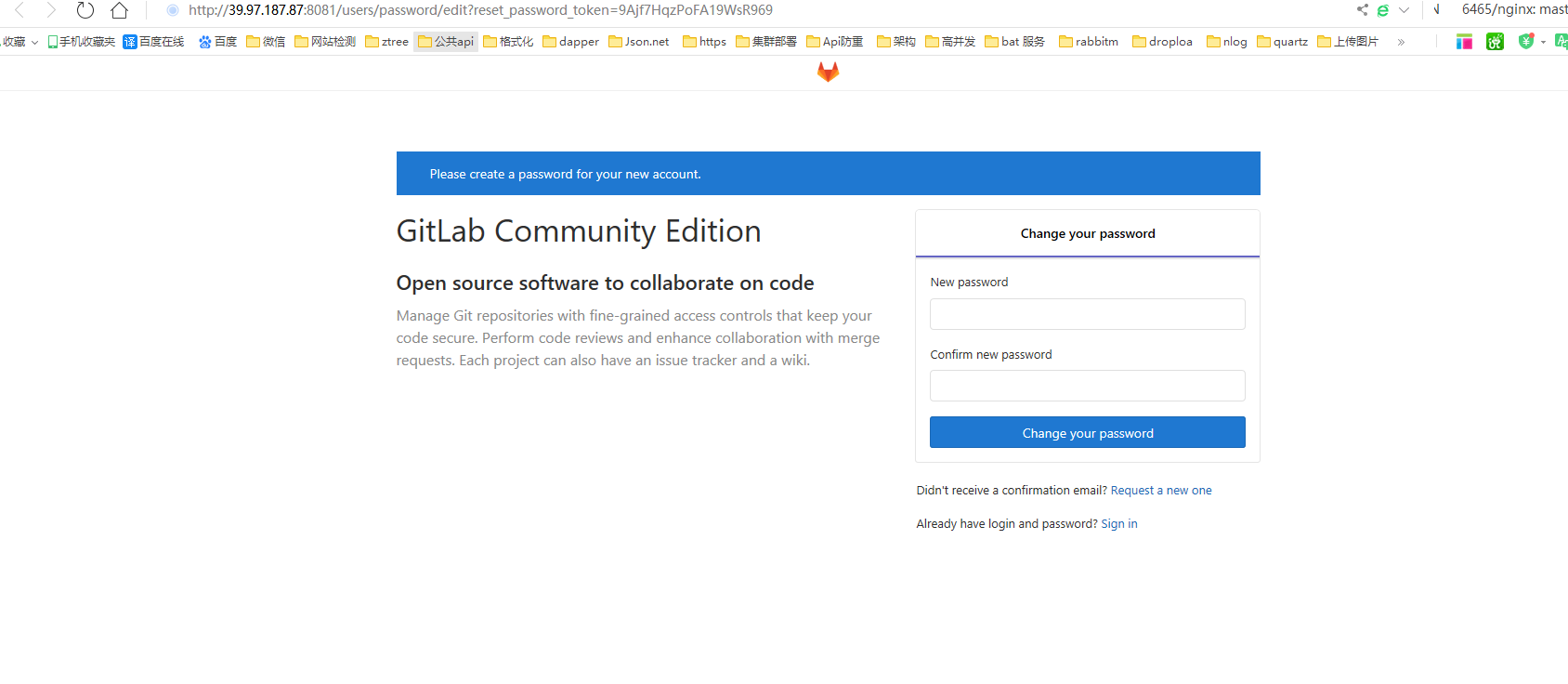
7.首次进入会让你修改密码:修改后进入
.后来把端口改为8081后就可以了
9.创建用户
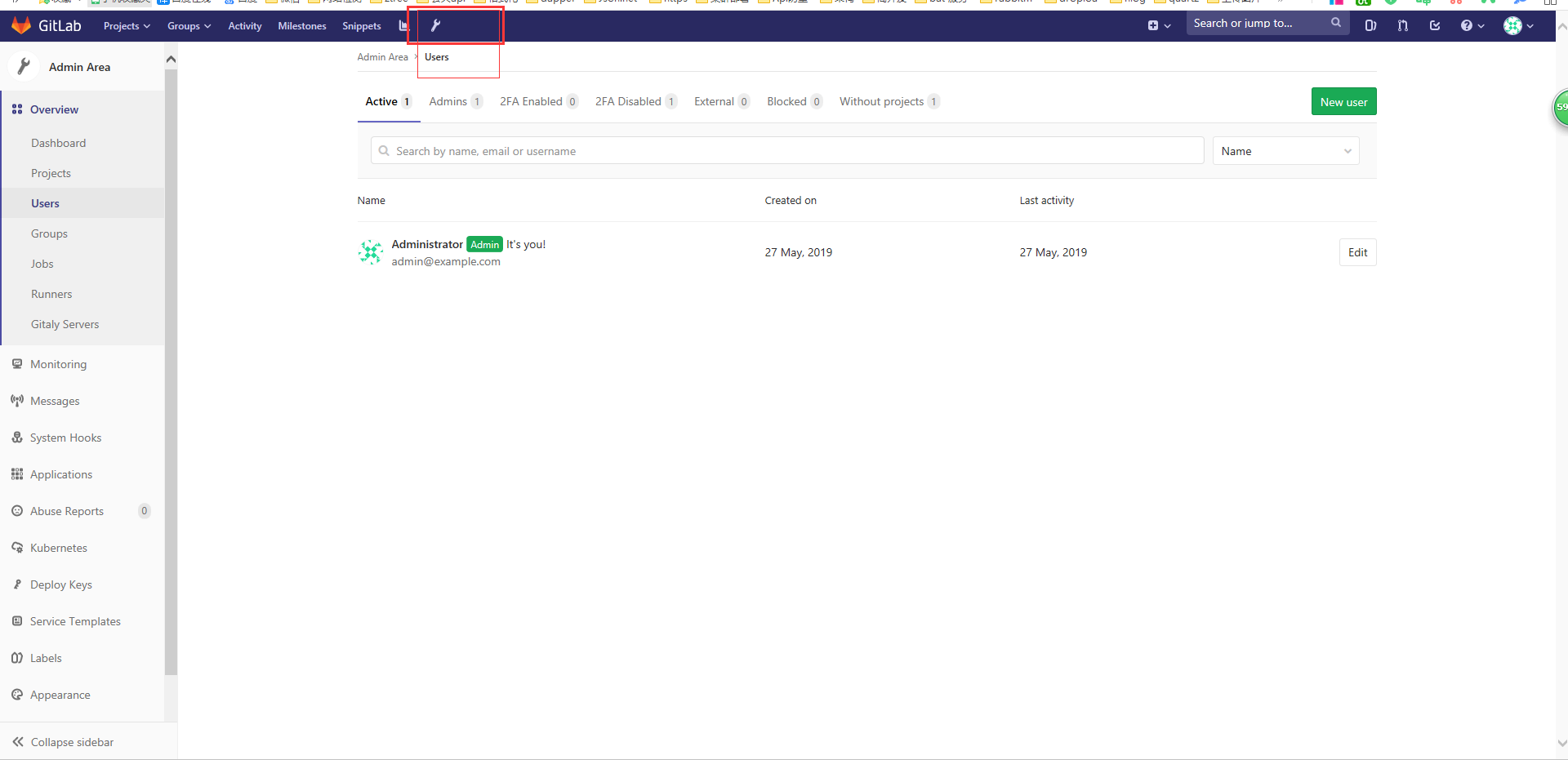
1.点击小工具
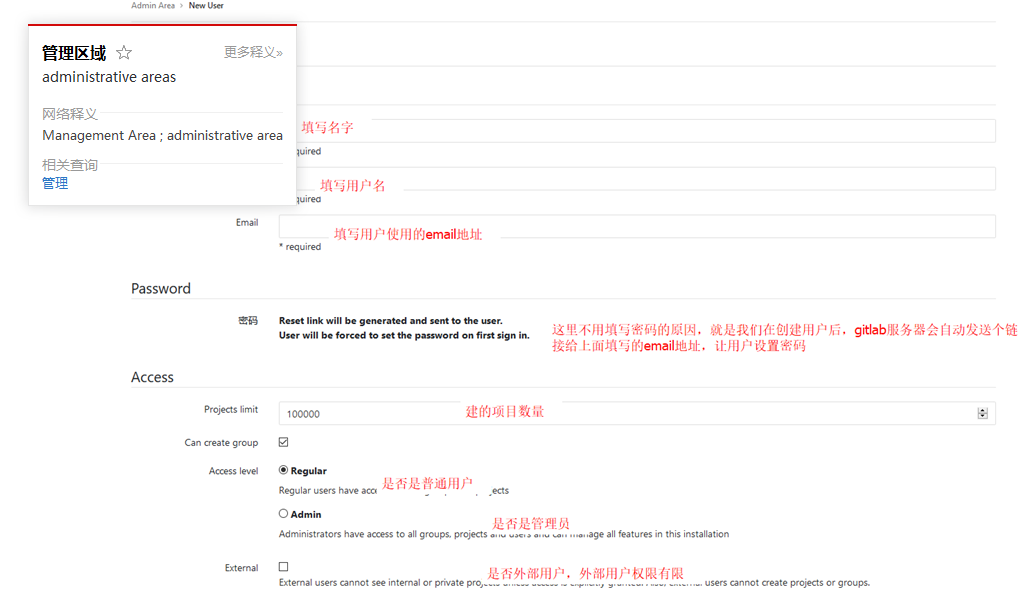
2.添加user
10.关于发送邮箱。postfix默认用的25端口,但是阿里云又不让开启25端口。
vim /etc/gitlab/gitlab.rb
gitlab_rails['smtp_enable'] = true

gitlab_rails['smtp_address'] = "smtp.qq.com"

gitlab_rails['smtp_port'] =

gitlab_rails['smtp_user_name'] = "2833xxx@qq.com"  # 你自己QQ号

gitlab_rails['smtp_password'] = "*************"             # QQ授权码

gitlab_rails['smtp_domain'] = "smtp.qq.com"

gitlab_rails['smtp_authentication'] = "login"

gitlab_rails['smtp_enable_starttls_auto'] = true

gitlab_rails['smtp_tls'] = true

gitlab_rails['gitlab_email_from'] = '2833xxx@qq.com'   # 你自己QQ号
3.打开自己的qq邮箱
打开QQ邮箱-设置-账户-帐户安全-开启服务-POP3/SMTP服务-生成授权码-发个短信
gitlab-ctl reconfigure 重新配置
4.进入gitlab-rails console
Notify.test_email('yoyo_你自己随便邮箱@qq.com', '邮件标题_test', '邮件正文_test').deliver_now
[root@iZ2ze9m7ocdxc43mxwv5uwZ ~]# gitlab-rails console

-------------------------------------------------------------------------------------

 GitLab:       11.11.0 (3e8ca2fb781)

 GitLab Shell: 9.1.0

 PostgreSQL:   9.6.11

-------------------------------------------------------------------------------------

Loading production environment (Rails 5.1.7)

irb(main):001:0> Notify.test_email('1003487863@qq.com','标题党','正文').deliver_now

Notify#test_email: processed outbound mail in 189.3ms

Sent mail to 1003487863@qq.com (1514.7ms)

Date: Mon, 27 May 2019 15:56:21 +0800

From: GitLab <1003487863@qq.com>

Reply-To: GitLab <noreply@39.97.187.87>

To: 1003487863@qq.com

Message-ID: <5ceb9825445e3_3d873ff6a9dd65f0390e9@iZ2ze9m7ocdxc43mxwv5uwZ.mail>

Subject: =?UTF-8?Q?=E6=A0=87=E9=A2=98=E5=85=9A?=

Mime-Version: 1.0

Content-Type: text/html;

 charset=UTF-8

Content-Transfer-Encoding: 7bit

Auto-Submitted: auto-generated

X-Auto-Response-Suppress: All

<!DOCTYPE html PUBLIC "-//W3C//DTD HTML 4.0 Transitional//EN" "http://www.w3.org/TR/REC-html40/loose.dtd">

<html><body><p>正文</p></body></html>

=> #<Mail::Message:70328290558700, Multipart: false, Headers: <Date: Mon, 27 May 2019 15:56:21 +0800>, <From: GitLab <1003487863@qq.com>>, <Reply-To: GitLab <noreply@39.97.187.87>>, <To: 1003487863@qq.com>, <Message-ID: <5ceb9825445e3_3d873ff6a9dd65f0390e9@iZ2ze9m7ocdxc43mxwv5uwZ.mail>>, <Subject: 标题党>, <Mime-Version: 1.0>, <Content-Type: text/html; charset=UTF-8>, <Content-Transfer-Encoding: 7bit>, <Auto-Submitted: auto-generated>, <X-Auto-Response-Suppress: All>>

irb(main):002:0> exit()

[root@iZ2ze9m7ocdxc43mxwv5uwZ ~]#
5.现在创建用户就会发送邮件
centos 安装gitlab的更多相关文章
- CentOS安装gitlab,gerrit,jenkins并配置ci流程
CentOS安装gitlab,gerrit,jenkins并配置ci流程 By Wenbin juandx@163.com 2016/4/9 这是我参考了网上很多的文档,配置了这三个软件在一个机器上, ...
- CentOS安装gitLab服务器
首先利用gitlab-install-el6.sh安装,比较简单: (出处:http://www.linuxidc.com/Linux/2013-06/85754.htm) 1:如果有条件,提供一台全 ...
- centos安装gitlab成果
centos安装gitlab成果 开始之前 在开始之前请先查看官方的刚需文档: https://github.com/gitlabhq/gitlabhq/blob/master/doc/install ...
- CentOS 安装 Gitlab
源地址 https://mirror.tuna.tsinghua.edu.cn/gitlab-ce/ # 清华源 https://mirrors.tuna.tsinghua.edu.cn/help/g ...
- 转载:centos安装gitlab详解
原文地址:http://blog.csdn.net/jiangtao_st/article/details/73612298 一, 服务器快速搭建gitlab方法 可以参考gitlab中文社区 的教程 ...
- centos安装gitlab及汉化
GitLab 是一个用于仓库管理系统的开源项目,使用Git作为代码管理工具,并在此基础上搭建起来的web服务.今天,就记录一下centos部署gitlab及其汉化的操作方法. 1.下载安装 下载地址: ...
- 腾讯云Centos安装gitlab
参考了网上很多人写的安装教程,结果并不好,最后阅读了官方的英文api,才安装成功,这里记录下来,方便以后使用.我的安装环境为腾讯云主机Centos7.3 64bit gitlab官方api地址点我试试 ...
- Centos 安装 GitLab 8.5.1 版本管理
GitLab版本管理 GitLab是利用 Ruby on Rails 一个开源的版本管理系统,实现一个自托管的Git项目仓库,可通过Web界面进行访问公开的或者私人项目.它拥有与Github类似的功能 ...
- centos安装gitlab
原文链接: http://www.centoscn.com/image-text/install/2015/0320/4929.html http://www.01happy.com/centos-6 ...
随机推荐
- Java生鲜电商平台-商城系统库存问题分析以及产品设计对逻辑/物理删除思考
Java生鲜电商平台-商城系统库存问题分析以及产品设计对逻辑/物理删除思考 说明:在生鲜电商的库存设计,是后台的重点,也是难点,关乎商品是否存在超卖.商品的库存增加方式倒不难,直接在后台添加即可,而扣 ...
- BeanUtils.populate()空字符串转换日期的解决办法
我们在使用beanutils.populate()封装参数时,如果封装的字符串是空,在转换成date时会出现以上异常,此时可以在工具类中添加静态代码块即可解决:注意导入beanutils 包 impo ...
- Java数据类型和自动拆装箱
1.java的数据类型:基本数据类型(8种)和引用数据类型. 基本数据类型: 类型 boolean byte short char int long float double 位 1 8 16 16 ...
- Kafka与RabbitMQ对比
Infi-chu: http://www.cnblogs.com/Infi-chu/ Kafka是LinkedIn在2012年发布的开源的消息发布订阅系统,他主要用于处理活跃的流式数据.大数据量的数据 ...
- 在vue项目中的js文件里使用vue实例
参考的网址:https://blog.csdn.net/weixin_34353714/article/details/86958742 不为其他,就为了记录一下,方便以后查看: 第一种方法: 1.首 ...
- 简单sql注入学到的延时盲注新式攻击
0x01 知识点 mysql_pconnect(server,user,pwd,clientflag) mysql_pconnect() 函数打开一个到 MySQL 服务器的持久连接. mysql_p ...
- 读取property配置的N种方式
@Value注解 @Value("${ddd}") <!-- 加载配置属性文件 --> <context:property-placeholder ignore- ...
- 基于C# 调用百度AI 人脸识别
一.设置 登录百度云控制台,添加应用-添加人脸识别,查找,对比等. 记住API Key和Secret Key 二.创建Demo程序 1.使用Nuget安装 Baidu.AI 和 Newtonsoft. ...
- Data Management Technology(1) -- Introduction
1.Database concepts (1)Data & Information Information Is any kind of event that affects the stat ...
- Spark中持久化和序列化学习
一.cache和persisit的对比 -rw-r--r--@ 1 hadoop staff 68M 5 17 07:04 access.log    cache/persitence是 laz ...