
pixijs shader 案例
pixijs shader 案例
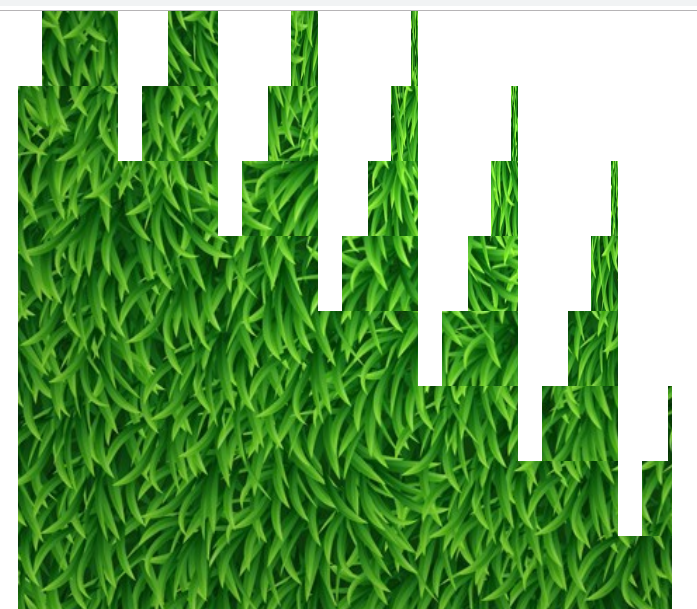
 const app = new PIXI.Application({ transparent: true });

        document.body.appendChild(app.view);

        // Create background image

        const background = PIXI.Sprite.from('/moban/bg_grass.jpg');

        background.width = app.screen.width;

        background.height = app.screen.height;

        app.stage.addChild(background);

        // Stop application wait for load to finish

        app.stop();

        app.loader.add('shader', '/moban/shader.frag')

            .load(onLoaded);

        let filter;

        // Handle the load completed

        function onLoaded(loader, res) {

            // Create the new filter, arguments: (vertexShader, framentSource)

            filter = new PIXI.Filter(null, res.shader.data, {

                customUniform: 0.0,

            });

            // === WARNING ===

            // specify uniforms in filter constructor

            // or set them BEFORE first use

            // filter.uniforms.customUniform = 0.0

            // Add the filter

            background.filters = [filter];

            // Resume application update

            app.start();

        }

         var i=;

        // Animate the filter

        app.ticker.add((delta) => {

            i+=0.03;

            filter.uniforms.customUniform = i;

        });
precision mediump float;

varying vec2 vTextureCoord;

varying vec4 vColor;

uniform sampler2D uSampler;

uniform float customUniform;

const float n = .;                              // number boxes

const float s = . / n;                          // box size in texels

const float pi = 3.14159265358979;

const float _90 = 0.5 * pi;                      // 90 degrees

#define unDuration 10.0

void main(void)

{

    vec2  p = vTextureCoord;

    p.y = . - p.y; // Shader Toy

//  float t = min( 1., 2. *     unTime                 / unDuration); // one-time

    float t = min( ., . * mod(customUniform,0.5*unDuration) / unDuration); // repeat

    vec2  b = mod( p, s );                       // offset in box

    vec2  i = floor( p / s );                    // box#

    float cells = (.*n - .);

    float delay = (i.x + i.y) / cells;

    t -= 0.5*delay;

    float a = _90*t;                             // 90 degrees * t

    float rate = (cells - (i.x + i.y)) / cells;

    rate *= n/.;                                // how fast first cell turns

    rate += n/.;                                // how fast last cell turns: min 2.0

    a *= rate;

    a = min( _90, a );

    a = max( 0.0, a );

    float ca = cos(a);

    float sa = sin(a);

    const float w = 0.5*s;                       // half box size in world space

    vec2 l = vec2( -w,  w );                     // pre top-left

    vec2 m = vec2(  w,  w );                     // pre top-right

    vec2 r = vec2(  w, -w );                     // pre bot-right

    vec2 L = vec2( l.x*ca - l.y*sa, l.x*sa+ l.y*ca );// post top-left

    vec2 M = vec2( m.x*ca - m.y*sa, m.x*sa+ m.y*ca );// post top-right

    vec2 R = vec2( r.x*ca - r.y*sa, r.x*sa+ r.y*ca ); // post bot-right

    float Fx = b.x - w;

    if( Fx < M.x ) {

        float dx = Fx - L.x;

        float dy = tan(a)*dx;                    // y1-y0=m(x1-x0)

        float d = sqrt( (dx*dx) + (dy*dy) );

        p.x = i.x*s + d;

        gl_FragColor = vec4(.,.,.,.);

    } else {                                     // image2 rotating towards

        float ex = Fx - M.x;

        float ey = tan(a + _90)*ex;

        float e = sqrt( (ex*ex) + (ey*ey) );

        p.x = i.x*s + e;

        gl_FragColor = texture2D(uSampler,p);

    }

}
pixijs shader 案例的更多相关文章
- pixijs shader 贴图溶解效果教程
pixijs shader 贴图溶解效果教程 我直接贴代码了 没什么好讲解了 稍微有点基础的人应该能看懂 const app = new PIXI.Application({ transparent: ...
- pixijs shader fade 从左到有右淡入 从下到上淡入效果
pixijs shader fade 从左到有右淡入 从下到上淡入效果 const app = new PIXI.Application({ transparent: true }); doc ...
- pixijs shader颗粒化显示贴图
pixijs shader颗粒化显示贴图 const app = new PIXI.Application({ transparent: true }); document.body.appendCh ...
- pixijs shader 扫光加强版
pixijs shader 扫光加强版 const app = new PIXI.Application({ transparent: true }); document.body.appendChi ...
- pixijs shader贴图扫光效果
pixijs shader贴图扫光效果 直接贴代码 const app = new PIXI.Application({ transparent: true }); document.body.app ...
- pixijs shader 制作百叶窗效果
pixijs shader 制作百叶窗效果 直接贴代码了 const app = new PIXI.Application({ transparent: true }); document.body. ...
- pixijs shader教程
pixijs 写shader 底层都封装好了 只要改改片段着色器就行了 pxijs一定刚要设置支持透明 不然 颜色不支持透明度了 const app = new PIXI.Application({ ...
- pixijs shader 实现图片波浪效果
const app = new PIXI.Application({ transparent: true }); document.body.appendChild(app.view); // Cre ...
- 有意思的shader案例
屏幕水波效果 https://blog.csdn.net/puppet_master/article/details/52975666
随机推荐
- [Go]TCP服务中读写进行协程分离
读写两部分进行一下分离,中间通过chan进行传递数据 ,这样可以方便的在write中进行一些业务处理 single/snet/tcpconn.go package snet import ( &quo ...
- Unity3D 使用Socket处理数据并将数据 在UGUI、NGUI上显示出来
Unity3d 不支持C#的线程直接调用Unity3D 主线程才能实现的功能.例如:给UGUI text 赋值.改变Color值等.怎样解决这个问题呢?使用一个Loom脚本. 按照惯例贴上代码. 首先 ...
- sublime相关操作
装插件 1,安装过Package Control ctrl + shift + p 输入install package 选择 Package Control: Install Package 搜索自己 ...
- java对 zip文件的压缩和解压(ant解决中文乱码)
说明: 1.对于压缩的文件,当文件名称是中文时,若使用JDK API中自带的类(java.util.zip.ZipEntry; java.util.zip.ZipOutputStream;)进行压缩, ...
- Java学习关于setContentPane()和getContentPane()的应用
http://www.java-gaming.org/topics/active-rendering-in-j2me/25240/view.html
- typescript与nodejs(二)基于装饰器实现路由表
之前实现了一个简单的WebServer 但是这离实际使用还有一点距离 webserver 首先面对第一个问题是路由表 啥是路由表 路由表别看听起来神秘,但是其实就是 if else onhttp- { ...
- 对于jenkins上前端项目 npm 或 yarn 打包 及 部署 使用
1.npm和yarn镜像源地址 npmMirror ~~~~~ https://skimdb.npmjs.com/registry/ edunpm ~~~~~~ http://registry.enp ...
- ubuntu上编译和使用easy_profiler对C++程序进行性能分析
本文首发于个人博客https://kezunlin.me/post/91b7cf13/,欢迎阅读最新内容! tutorial to compile and use esay profiler with ...
- 【Web开发】到底什么是短链接
目录 什么是短链接 为什么使用短链接 节省发送的内容 提升用户体验 便于链接追踪,分析点击来源 一定程度上保护原始网站链接 短链接生成平台 短链接生成原理 参考 今天无意中看到一个名词--" ...
- [Spring cloud 一步步实现广告系统] 7. 中期总结回顾
在前面的过程中,我们创建了4个project: 服务发现 我们使用Eureka 作为服务发现组件,学习了Eureka Server,Eureka Client的使用. Eureka Server 加依 ...