
[iOS基础控件 - 6.11.1] - 控制器 & 控制器view
通过storyboard创建
1 ViewController *vc = [[ViewController alloc] init];
1 ViewController *vc = [[ViewController alloc] initWithNibName:@"ViewController" bundle:nil];
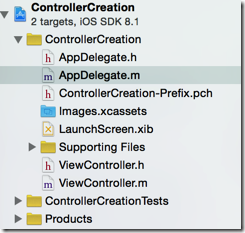
1 - (BOOL)application:(UIApplication *)application didFinishLaunchingWithOptions:(NSDictionary *)launchOptions {

2     // 手动添加window到screen

3     self.window = [[UIWindow alloc] init];

4     self.window.frame = [[UIScreen mainScreen] bounds];

5     self.window.backgroundColor = [UIColor grayColor];

6     [self.window makeKeyAndVisible];

7     return YES;

8 }
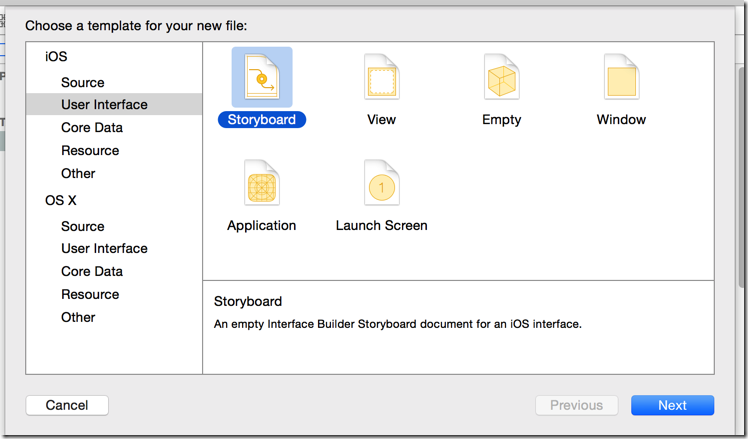
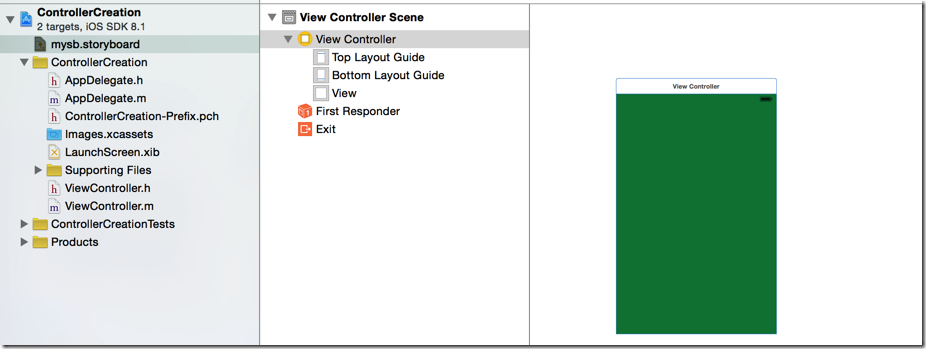
1     // 2.取得stroyboard

2     UIStoryboard *sb = [UIStoryboard storyboardWithName:@"mysb" bundle:nil];
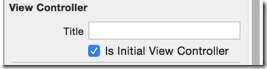
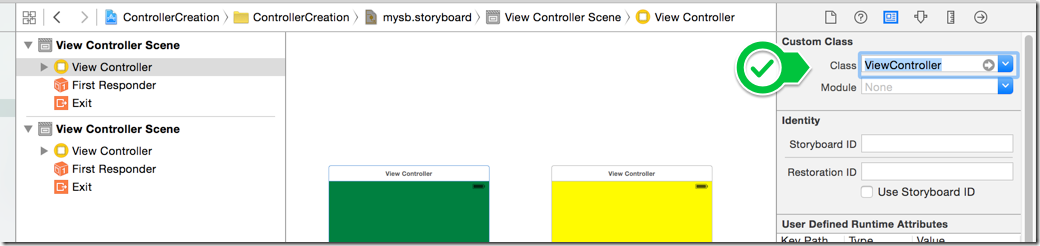
1     // 3.1直接使用InitialViewController

2     self.window.rootViewController = [sb instantiateInitialViewController];
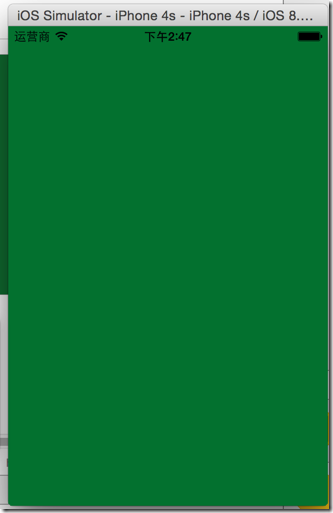
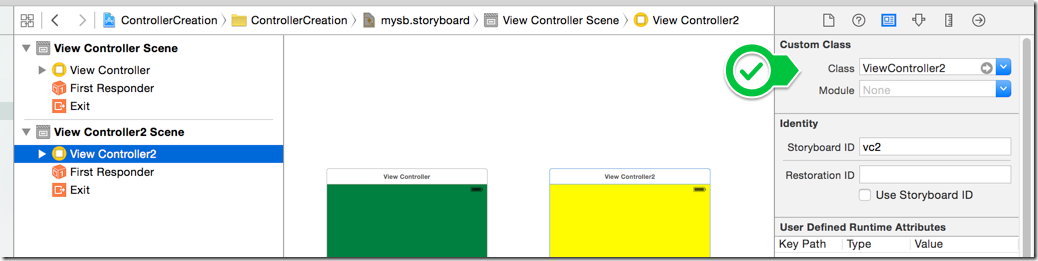
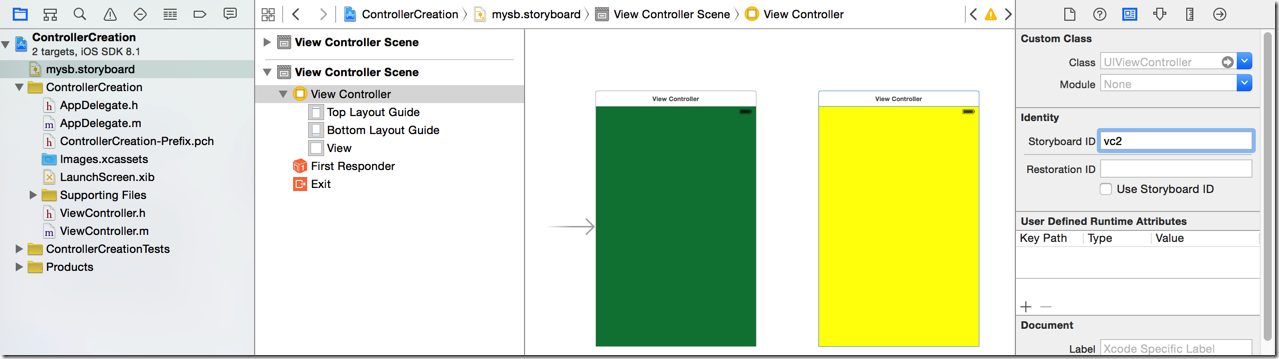
1     // 4.使用ID取得controller, 设置rootViewController

2     self.window.rootViewController = [sb instantiateViewControllerWithIdentifier:@"vc2"];
 1 - (BOOL)application:(UIApplication *)application didFinishLaunchingWithOptions:(NSDictionary *)launchOptions {

 2     // 1.手动添加window到screen

 3     self.window = [[UIWindow alloc] init];

 4     self.window.frame = [[UIScreen mainScreen] bounds];

 5     self.window.backgroundColor = [UIColor grayColor];

 6     [self.window makeKeyAndVisible];

 7

 8     // 2.取得stroyboard

 9     UIStoryboard *sb = [UIStoryboard storyboardWithName:@"mysb" bundle:nil];

10

11     // 3.取出storyboar中的controller

12     // 3.1直接使用InitialViewController

13     ViewController *controller = [sb instantiateInitialViewController];

14

15     // 3.2使用ID

16     ViewController2 *controller2 = [sb instantiateViewControllerWithIdentifier:@"vc2"];

17

18     // 4.设置rootViewController

19     self.window.rootViewController = controller2;

20

21     return YES;

22 }


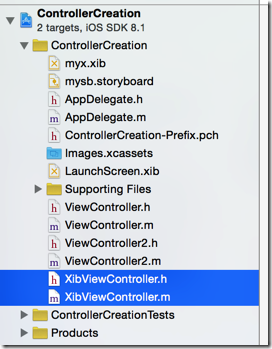
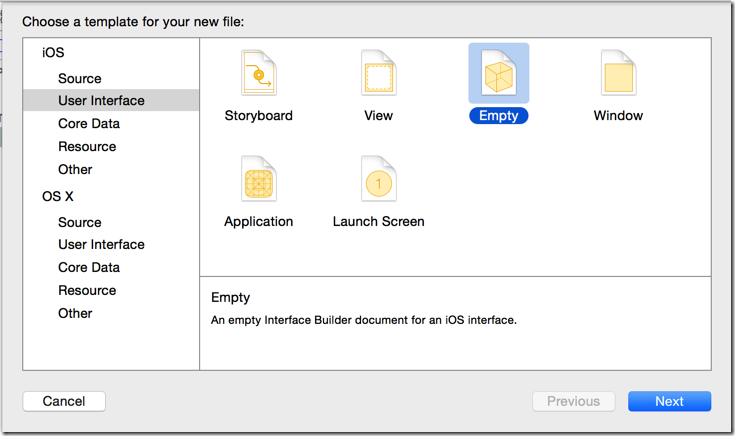
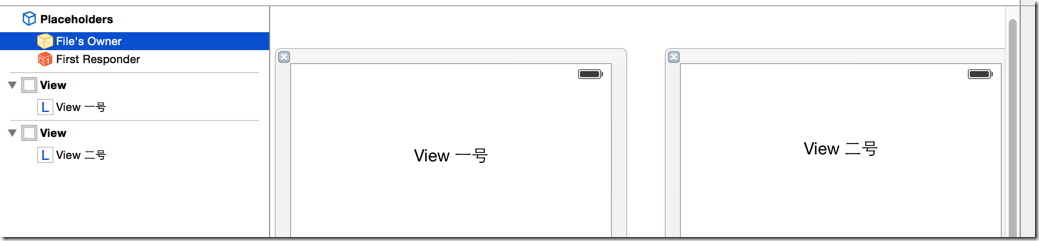

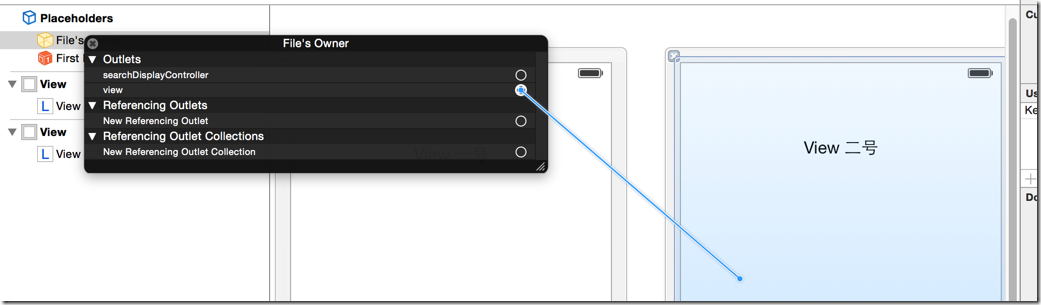
 1 - (BOOL)application:(UIApplication *)application didFinishLaunchingWithOptions:(NSDictionary *)launchOptions {

 2     // 1.手动添加window到screen

 3     self.window = [[UIWindow alloc] init];

 4     self.window.frame = [[UIScreen mainScreen] bounds];

 5     self.window.backgroundColor = [UIColor grayColor];

 6     [self.window makeKeyAndVisible];

 7

 8     // 从xib加载控制器, 设置rootViewController

 9     self.window.rootViewController = [[XibViewController alloc] initWithNibName:@"myx" bundle:nil];

10

11     return YES;

12 }
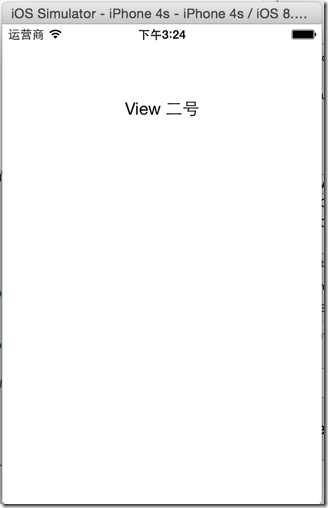
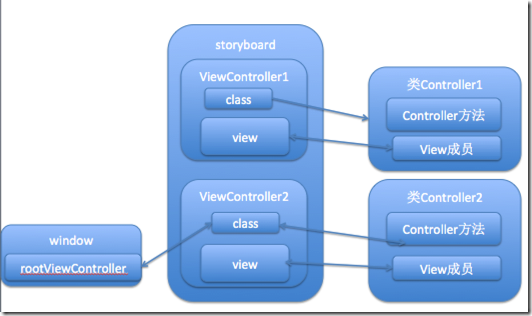
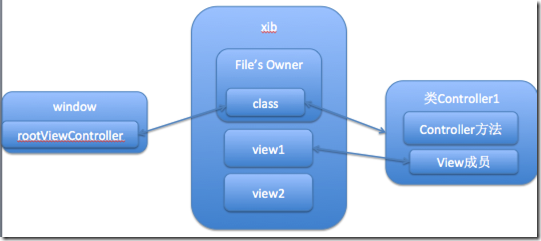
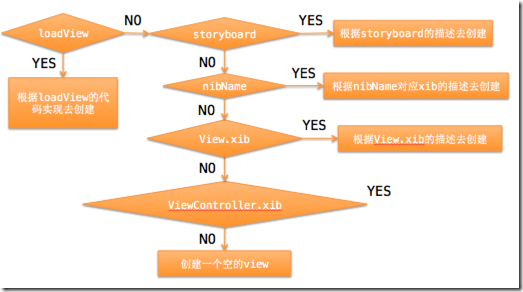
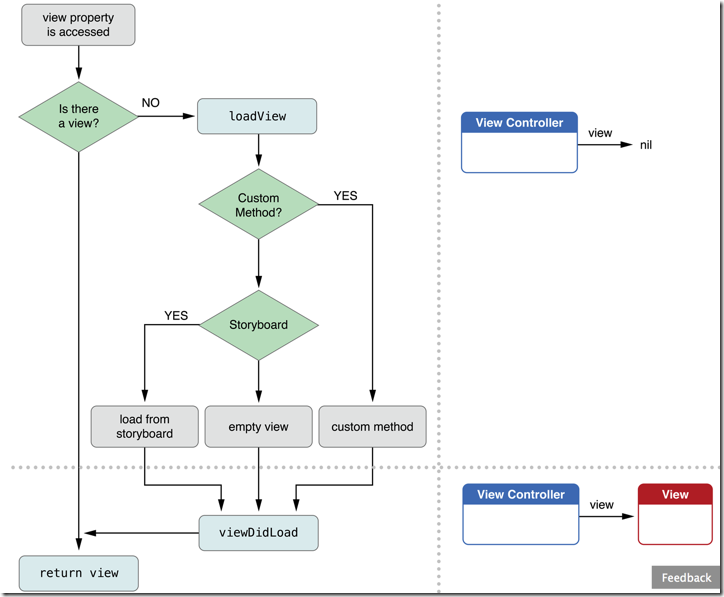
- loadView代码(controller实现loadView方法)
- storyboard描述
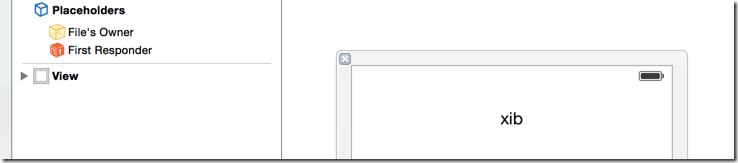
- xib
最新版的官方文档:
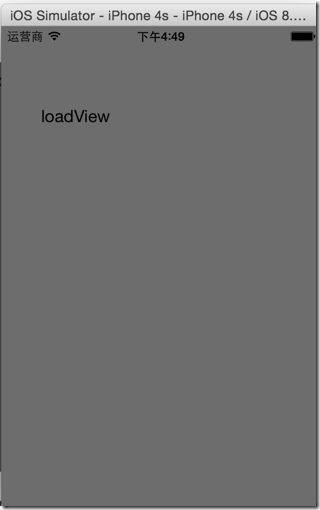
 1 // 加载view,这是延迟加载,当需要使用view而view是空的时候调用

 2 - (void)loadView {

 3     NSLog(@"loadView...");

 4     self.view = [[UIView alloc] init];

 5     self.view.frame = [[UIScreen mainScreen] bounds];

 6     UILabel *label = [[UILabel alloc] init];

 7     label.frame = CGRectMake(40, 40, 100, 100);

 8     label.text = @"loadView";

 9     [self.view addSubview:label];

10 }
 1 - (BOOL)application:(UIApplication *)application didFinishLaunchingWithOptions:(NSDictionary *)launchOptions {

 2     // 配置window

 3     self.window = [[UIWindow alloc] init];

 4     self.window.frame = [[UIScreen mainScreen] bounds];

 5     self.window.backgroundColor = [UIColor grayColor];

 6

 7     // 配置storyboard中的controller为rootViewController

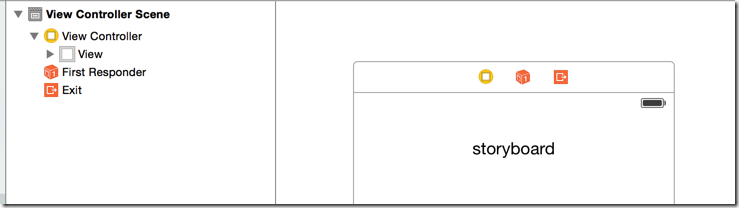
 8     self.window.rootViewController = [[UIStoryboard storyboardWithName:@"test" bundle:nil] instantiateInitialViewController];

 9

10      // 配置xib中的controller为rootViewController,主要要使用带有loadView的controller

11 //    self.window.rootViewController = [[ViewController alloc] initWithNibName:@"ViewController" bundle:nil];

12

13     // 显示window

14     [self.window makeKeyAndVisible];

15     return YES;

16 }

17
1      // 配置xib中的controller为rootViewController,主要要使用带有loadView的controller

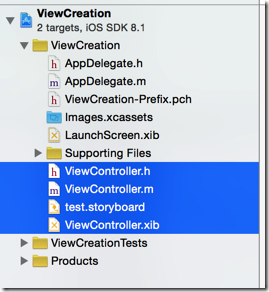
2     self.window.rootViewController = [[ViewController alloc] initWithNibName:@"ViewController" bundle:nil];
[iOS基础控件 - 6.11.1] - 控制器 & 控制器view的更多相关文章
- [iOS基础控件 - 6.11.3] 私人通讯录Demo 控制器的数据传递、存储
A.需求 1.搭建一个"私人通讯录"Demo 2.模拟登陆界面 账号 密码 记住密码开关 自动登陆开关 登陆按钮 3.退出注销 4.增删改查 5.恢复数据(取消修改) 这个代码 ...
- [iOS基础控件 - 6.11.2] - UINavigationController 多控制器 简单使用
A.概念 1.通常一个app有多个控制器 2.需要对这些控制器进行管理 3.有多个view的时候,用一个父view去管理多个子view 4.控制器管理也是如此,使用给一个父控制器,去控制子控制器 ...
- [iOS基础控件 - 6.11.4] storyboard 的 Segue
A.概念 storyboard中的跳转事件连线,都是一个UIStoryboardSegue对象(Segue) 来源控制器 触发控制器 目标控制器 跳转到的控制器 Seg ...
- [iOS基础控件 - 6.11.5] 沙盒 & 数据存储
A.沙盒 每个APP都有一个沙盒,是独立存在的 1.Xcode5和Xcode6的模拟器文件目录 a.模拟器路径改版 (1)Xcode5中模拟器路径为:/Users/用户名/Library/Appl ...
- [iOS基础控件 - 5.5] 代理设计模式 (基于”APP列表"练习)
A.概述 在"[iOS基础控件 - 4.4] APP列表 进一步封装,初见MVC模式”上进一步改进,给“下载”按钮加上效果.功能 1.按钮点击后,显示为“已下载”,并且不 ...
- [iOS基础控件 - 6.12.3] @property属性 strong weak copy
A.概念 @property 的修饰词 strong: 强指针/强引用(iOS6及之前是retain) weak: 弱智真/弱引用(iOS6及之前是assign) 默认情况所有指针都是强指针 ...
- [iOS基础控件 - 6.12.1] QQ菜单管理 UITabBarController 控制器管理
A.需求 1.类似QQ.微信顶部或者底部的窗口转换导航条 2.给每个页面添加相应内容 B.UITabBarController 1.基本概念: (1)内容高度 iOS7之前内容高度为:屏幕高度 - ...
- iOS 基础控件(下)
上篇介绍了UIButton.UILabel.UIImageView和UITextField,这篇就简短一点介绍UIScrollView和UIAlertView. UIScrollView 顾名思义也知 ...
- [iOS基础控件 - 6.10.2] PickerView 自定义row内容 国家选择Demo
A.需求 1.自定义一个UIView和xib,包含国家名和国旗显示 2.学习row的重用 B.实现步骤 1.准备plist文件和国旗图片 2.创建模型 // // Flag.h // Co ...
随机推荐
- [POJ2377]Bad Cowtractors(最大生成树,Kruskal)
题目链接:http://poj.org/problem?id=2377 于是就找了一道最大生成树的AC了一下,注意不连通的情况啊,WA了一次. /* ━━━━━┒ギリギリ♂ eye! ┓┏┓┏┓┃キリ ...
- Eclipse中Python插件PyDev的安装与配置流程
安装PyDev插件的两种安装方法: 方法1.下载地址:http://sourceforge.net/projects/pydev/files/,将下载的PyDev解压(目前最新版本 PyDev 4.5 ...
- ganglia对于tomcat进程的res内存监控扩展
ganglia是采用yum的安装,因此安装相关内容路径可能不同,但是不影响插件的扩展编写: 本次介绍的扩展是采用python脚本进行扩展,因此监控节点上需要安装python的相关插件: sudo yu ...
- IIS修改队列长度(IIS6+IIS7)
Internet Information Services (IIS) 限制了在任何给定时间可在队列中等待的应用程序池请求的最大数量.如果达到此限制,则所有新请求都将被拒绝,而且用户将收到错误消息“5 ...
- django --------------------- [必要操作]
基本models 命令: python manage.py validate (验证模型有效性, 记得配置 settings.py - INSTALLED_APPS) python manage.py ...
- 最简单的视音频播放示例8:DirectSound播放PCM
本文记录DirectSound播放音频的技术.DirectSound是Windows下最常见的音频播放技术.目前大部分的音频播放应用都是通过DirectSound来播放的.本文记录一个使用Direct ...
- MyBatis学习 之 一、MyBatis简介与配置MyBatis+Spring+MySql
目录(?)[-] 一MyBatis简介与配置MyBatisSpringMySql MyBatis简介 MyBatisSpringMySql简单配置 搭建Spring环境 建立MySql数据库 搭建My ...
- PIG的配置
Pig是一个客户端应用程序,就算你要在Hadoop集群上运行Pig,也不需要在集群上装额外的东西.Pig的配置非常简单: 1.下载pig,网址http://pig.apache.org/ 2.在机器上 ...
- Mysql 多表联合查询效率分析及优化
1. 多表连接类型 1. 笛卡尔积(交叉连接) 在MySQL中可以为CROSS JOIN或者省略CROSS即JOIN,或者使用',' 如: SELECT * FROM table1 CROSS JO ...
- 浅谈javascript的变量作用域
1.变量遵循先声明再使用. console.log(b); b=123; 代码运行结果: Uncaught ReferenceError: b is not defined 2.方法内定义的局部变量外 ...