
[iOS基础控件 - 6.11.2] - UINavigationController 多控制器 简单使用
- UINavigationController
- UITabBarController
初始化UINavigationController
设置UIWindow的rootViewController为UINavigationController
 1 - (BOOL)application:(UIApplication *)application didFinishLaunchingWithOptions:(NSDictionary *)launchOptions {

 2     // 设置window

 3     self.window = [[UIWindow alloc] init];

 4     self.window.frame = [[UIScreen mainScreen] bounds];

 5     self.window.backgroundColor = [UIColor grayColor]; // window是灰色背景

 6     [self.window makeKeyAndVisible];

 7

 8

 9     // 设置UINavigationController

10     UINavigationController *nvController = [[UINavigationController alloc] init];

11     nvController.view.backgroundColor = [UIColor blueColor]; // 设置蓝色背景

12     self.window.rootViewController = nvController;

13

14     return YES;

15 }
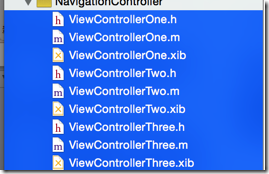
 1     // 配置第一个子控制器

 2     ViewControllerOne *vc1 = [[ViewControllerOne alloc] init];

 3     [nvController pushViewController:vc1 animated:YES];

 4

 5     // 配置第二个子控制器

 6     ViewControllerTwo *vc2 = [[ViewControllerTwo alloc] init];

 7     [nvController pushViewController:vc2 animated:YES];

 8

 9     // 配置第三个子控制器,这是栈顶的控制器

10     ViewControllerThree *vc3 = [[ViewControllerThree alloc] init];

11     [nvController pushViewController:vc3 animated:YES];
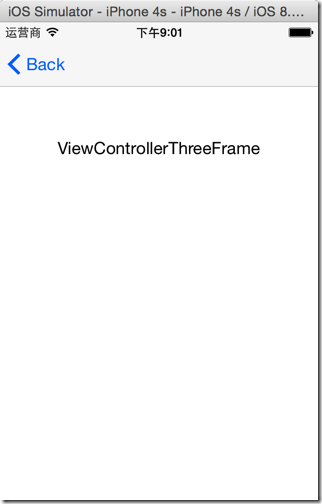
1 - (void)applicationDidBecomeActive:(UIApplication *)application {

2     // 必须在加载完毕激活app后,所有的view的尺寸位置才能确定

3     UINavigationController *nvController = (UINavigationController *)self.window.rootViewController;

4     NSLog(@"%@", NSStringFromCGRect(nvController.view.frame)); // 整个导航控制器的frame

5     NSLog(@"%@", NSStringFromCGRect(nvController.navigationBar.frame)); // 导航条的frame

6 }

7
1 @property(nonatomic,copy) NSArray *viewControllers; // The current view controller stack.
1 - (void)pushViewController:(UIViewController *)viewController animated:(BOOL)animated; // Uses a horizontal slide transition. Has no effect if the view controller is already in the stack.
1     // 配置第一个子控制器

2     ViewControllerOne *vc1 = [[ViewControllerOne alloc] init];

3     [nvController pushViewController:vc1 animated:YES];
- UINavigationController中的”viewControllers"成员是一个数组,就是子控制器栈
- "childViewControllers"的功能也是一样的(这是UIViewController的成员属性)
- "addChildController"和"pushViewController"的功能一样(这是UIViewController的方法)
1     ViewControllerOne *vc1 = [[ViewControllerOne alloc] init];

2     [nvController addChildViewController:vc1];
1     // 配置第一个子控制器

2     ViewControllerOne *vc1 = [[ViewControllerOne alloc] init];

3     nvController.viewControllers = @[vc1];
1     // 传入一个viewController作为 nvController的 rootViewController

2     nvController = [[UINavigationController alloc] initWithRootViewController:vc1];
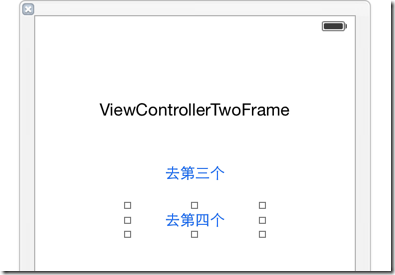
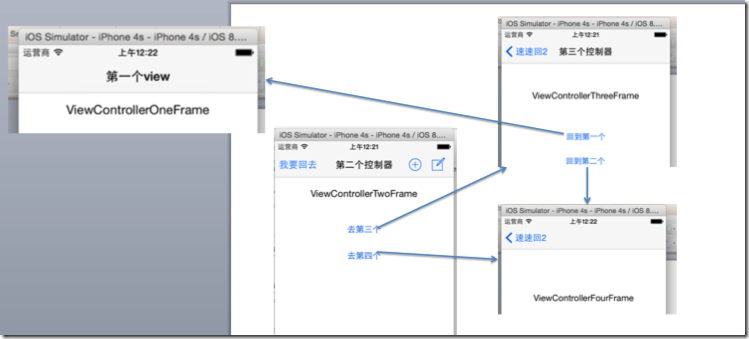
 1 - (IBAction)goToThree {

 2     // 配置第三个子控制器

 3     ViewControllerThree *vc3 = [[ViewControllerThree alloc] init];

 4     [self.navigationController pushViewController:vc3 animated:YES];

 5 }

 6

 7 - (IBAction)gotoFour {

 8     // 配置第四个子控制器

 9     ViewControllerFour *vc4 = [[ViewControllerFour alloc] init];

10     [self.navigationController pushViewController:vc4 animated:YES];

11 }
1 // 这里是第三个,要回到第二个

2 - (IBAction)backtoTwo {

3     [self.navigationController popViewControllerAnimated:YES];

4 }
1 // 现在是第三个控制器的view,要回到第一个控制器的view

2 - (IBAction)backtoOne {

3     // 其实这里拿不到第一个控制器vc1的引用

4 //    [self.navigationController popToViewController:vc1 animated:YES];

5

6     // 直接弹出,直到导航器的rootViewController,就是第一个子控制器vc1了

7     [self.navigationController popToRootViewControllerAnimated:YES];

8 }
1 @property(nonatomic,copy) NSString *title; // Localized title for use by a parent controller.
1 - (void)viewDidLoad {

2     [super viewDidLoad];

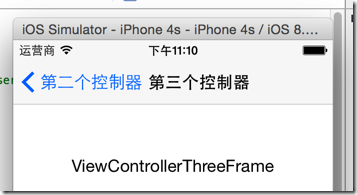
3     self.navigationItem.title = @"第一个view";

4 }

 1 - (void)viewDidLoad {

 2     [super viewDidLoad];

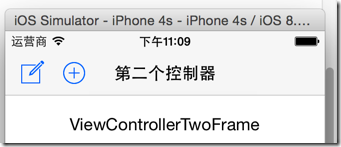
 3     self.navigationItem.title = @"第二个控制器";

 4

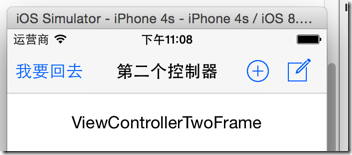
 5 //     设置左上角的item

 6     self.navigationItem.leftBarButtonItem = [[UIBarButtonItem alloc] initWithTitle:@"我要回去" style:UIBarButtonItemStylePlain target:nil action:nil];

 7

 8     // 设置右上角的item

 9     // 使用bar按钮

10     UIBarButtonItem *item1 = [[UIBarButtonItem alloc] initWithBarButtonSystemItem:UIBarButtonSystemItemCompose target:nil action:nil];

11

12     // 使用自定义view

13     UIBarButtonItem *item2 = [[UIBarButtonItem alloc] initWithCustomView:[UIButton buttonWithType:UIButtonTypeContactAdd]];

14

15     // 这是这是从右到左排列显示

16     self.navigationItem.rightBarButtonItems = @[item1,item2];

17 }
1 // 第二个控制器

2 - (void)viewDidLoad {

3     [super viewDidLoad];

4      ...

5     // 设置第二个控制器的“返回”样式

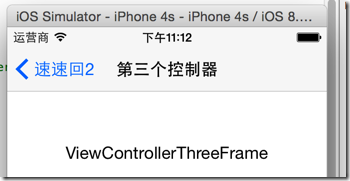
6     self.navigationItem.backBarButtonItem = [[UIBarButtonItem alloc] initWithTitle:@"速速回2" style:UIBarButtonItemStylePlain target:nil action:nil];

7 }
1 - (void)applicationDidBecomeActive:(UIApplication *)application {

2     // 必须在加载完毕激活app后,所有的view的尺寸位置才能确定

3     UINavigationController *nvController = (UINavigationController *)self.window.rootViewController;

4     NSLog(@"%@", NSStringFromCGRect(nvController.view.frame)); // 整个导航控制器的frame

5     NSLog(@"%@", NSStringFromCGRect(nvController.navigationBar.frame)); // 导航条的frame

6 }
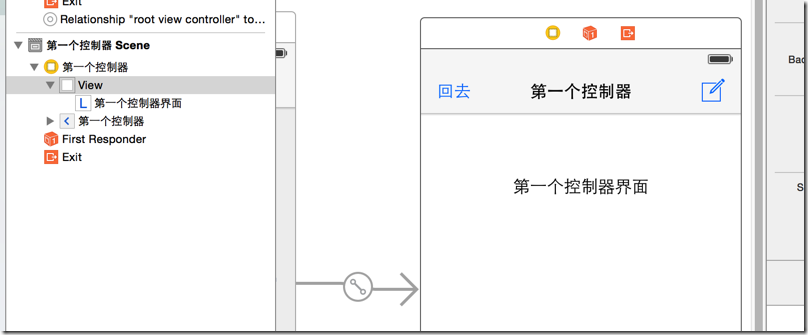
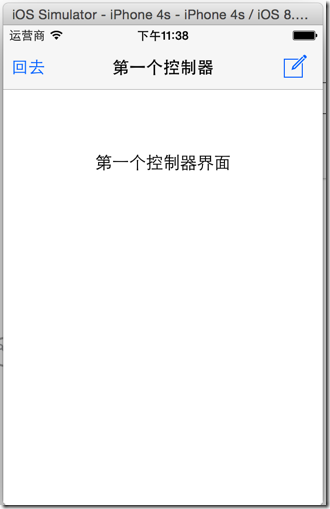
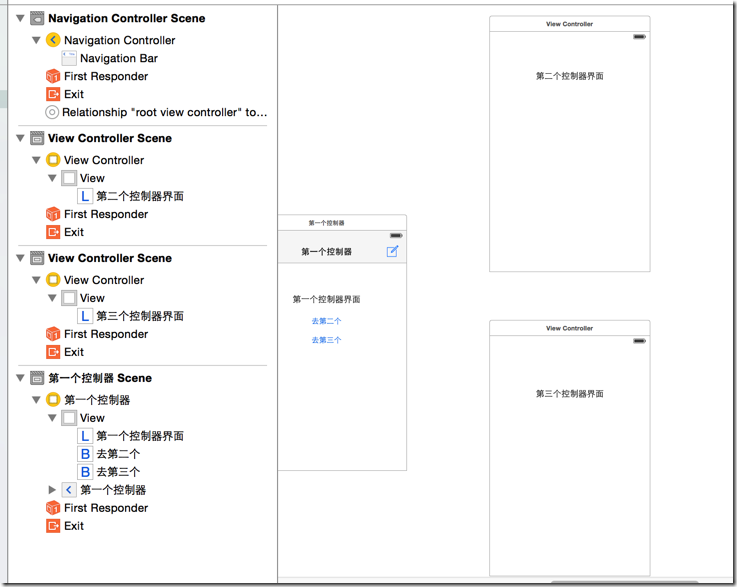
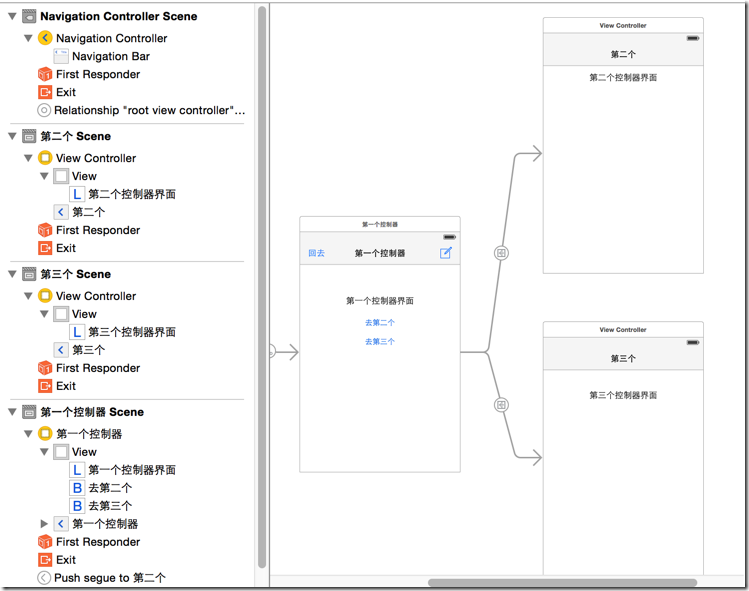
最后的点击链接图:
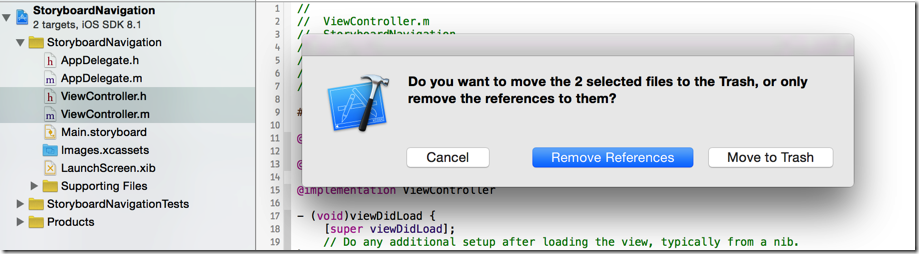
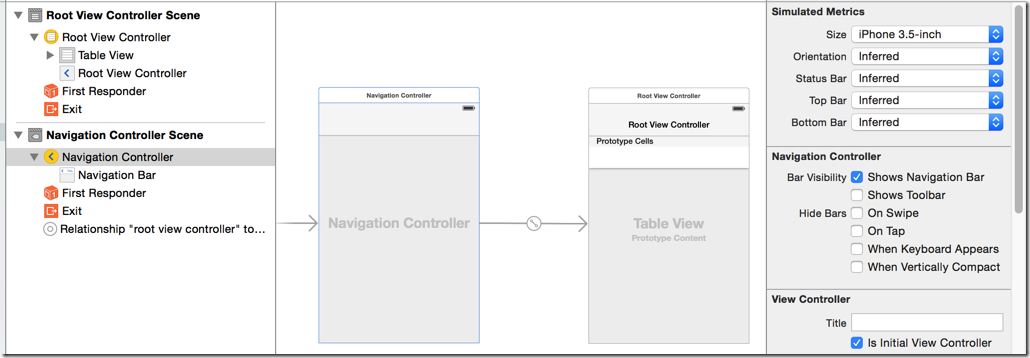
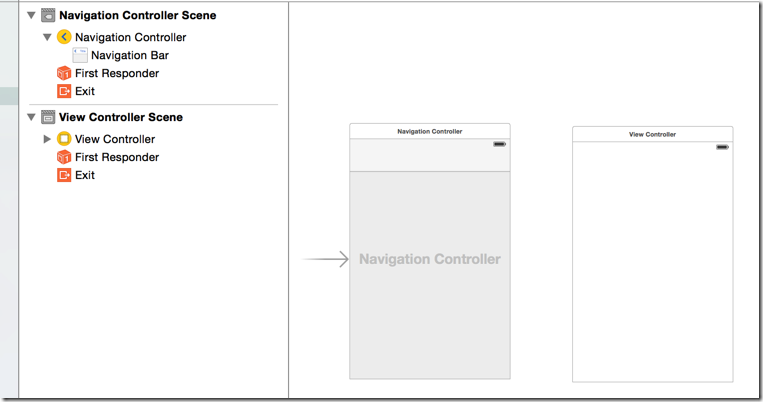
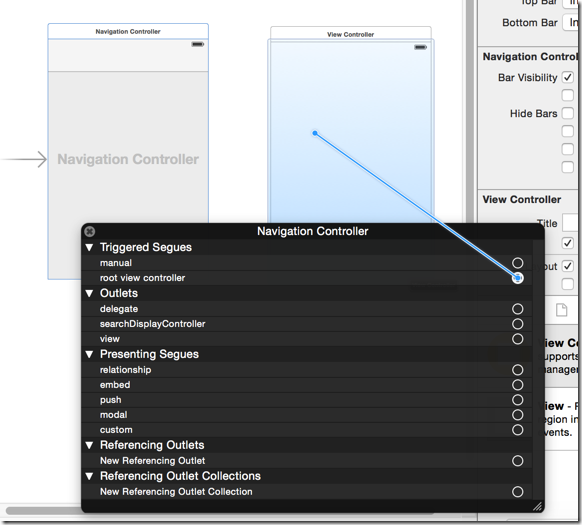

[iOS基础控件 - 6.11.2] - UINavigationController 多控制器 简单使用的更多相关文章
- [iOS基础控件 - 6.11.3] 私人通讯录Demo 控制器的数据传递、存储
A.需求 1.搭建一个"私人通讯录"Demo 2.模拟登陆界面 账号 密码 记住密码开关 自动登陆开关 登陆按钮 3.退出注销 4.增删改查 5.恢复数据(取消修改) 这个代码 ...
- [iOS基础控件 - 6.11.4] storyboard 的 Segue
A.概念 storyboard中的跳转事件连线,都是一个UIStoryboardSegue对象(Segue) 来源控制器 触发控制器 目标控制器 跳转到的控制器 Seg ...
- [iOS基础控件 - 6.11.5] 沙盒 & 数据存储
A.沙盒 每个APP都有一个沙盒,是独立存在的 1.Xcode5和Xcode6的模拟器文件目录 a.模拟器路径改版 (1)Xcode5中模拟器路径为:/Users/用户名/Library/Appl ...
- [iOS基础控件 - 6.11.1] - 控制器 & 控制器view
A.控制器的创建 控制器常见的创建方式有以下几种通过storyboard创建 直接创建 ViewController *vc = [[ViewController alloc] init]; ...
- [iOS基础控件 - 5.5] 代理设计模式 (基于”APP列表"练习)
A.概述 在"[iOS基础控件 - 4.4] APP列表 进一步封装,初见MVC模式”上进一步改进,给“下载”按钮加上效果.功能 1.按钮点击后,显示为“已下载”,并且不 ...
- [iOS基础控件 - 6.12.1] QQ菜单管理 UITabBarController 控制器管理
A.需求 1.类似QQ.微信顶部或者底部的窗口转换导航条 2.给每个页面添加相应内容 B.UITabBarController 1.基本概念: (1)内容高度 iOS7之前内容高度为:屏幕高度 - ...
- iOS 基础控件(下)
上篇介绍了UIButton.UILabel.UIImageView和UITextField,这篇就简短一点介绍UIScrollView和UIAlertView. UIScrollView 顾名思义也知 ...
- [iOS基础控件 - 7.0] UIWebView
A.基本使用 1.概念 iOS内置的浏览器控件 Safari浏览器就是通过UIWebView实现的 2.用途:制作简易浏览器 (1)基本请求 创建请求 加载请求 (2)代理监听webView加载, ...
- [iOS基础控件 - 6.10.2] PickerView 自定义row内容 国家选择Demo
A.需求 1.自定义一个UIView和xib,包含国家名和国旗显示 2.学习row的重用 B.实现步骤 1.准备plist文件和国旗图片 2.创建模型 // // Flag.h // Co ...
随机推荐
- UVa 11235 (RMQ) Frequent values
范围最值问题,O(nlogn)的预处理,O(1)的查询. 这个题就是先对这些数列进行游程编码,重复的元素只记录下重复的次数. 对于所查询的[L, R]如果它完全覆盖了某些连续的重复片段,那么查询的就是 ...
- javascript留言板
用DOM相关方法创建的留言板 <html xmlns="http://www.w3.org/1999/xhtml"> <head> <style> ...
- jquery获取div距离顶部的距离
获取元素到页面顶部距离的语句为: 1.jquery写法:$(“#divID”).offset().top //推荐 $("#vertical").position().top 2. ...
- asp.net的decimal保留两位小数
C#的decimal保留两位小数 方法一: decimal d = 46.28111; string dStr = Math.Round( d,2 ).ToString(); 结果:dStr = 46 ...
- 8款PHP调试工具
Web 开发并不是一项轻松的任务,有超级多服务端脚本语言提供给开发者,但是当前 PHP 因为具有额外的一些强大的功能而越来越流行.PHP 是最强大的服务端脚本语言之一,同时也是 web 开发者和设计者 ...
- Brew 编译mod错误Error: L6265E: Non-RWPI Section libspace.o(.bss) cannot be assigned to PI Exec region ER_ZI
Error: L6265E: Non-RWPI Section libspace.o(.bss) cannot be assigned to PI Exec region ER_ZI.: Error: ...
- 如何让Vim显示dos下的^M符号
/*********************************************************************** * 如何让Vim显示dos下的^M符号 * 声明: * ...
- 【C#学习笔记】读SQL Server2008
using System; using System.Data.SqlClient; namespace ConsoleApplication { class Program { static voi ...
- eclipse的使用
类似于数据库系统的三层目录结构,一般而言IDE在逻辑上都有三层目录结构:工作空间(或解决方案) -> 工程 -> 文件. 当然,如果构建java project,那么目录结构是可以更深,因 ...
- Java 如何防止线程意外中止
Thread的run方法是不抛出任何检查型异常(checked exception)的,但是它自身却可能因为一个异常而被终止,导致这个线程的终结.最麻烦的是,在线程中抛出的异常即使使用try...ca ...