
使用python画一只佩奇
打开界面:
打开python shell界面。

建立脚本:
单击"file"——"new file"来建立脚本。
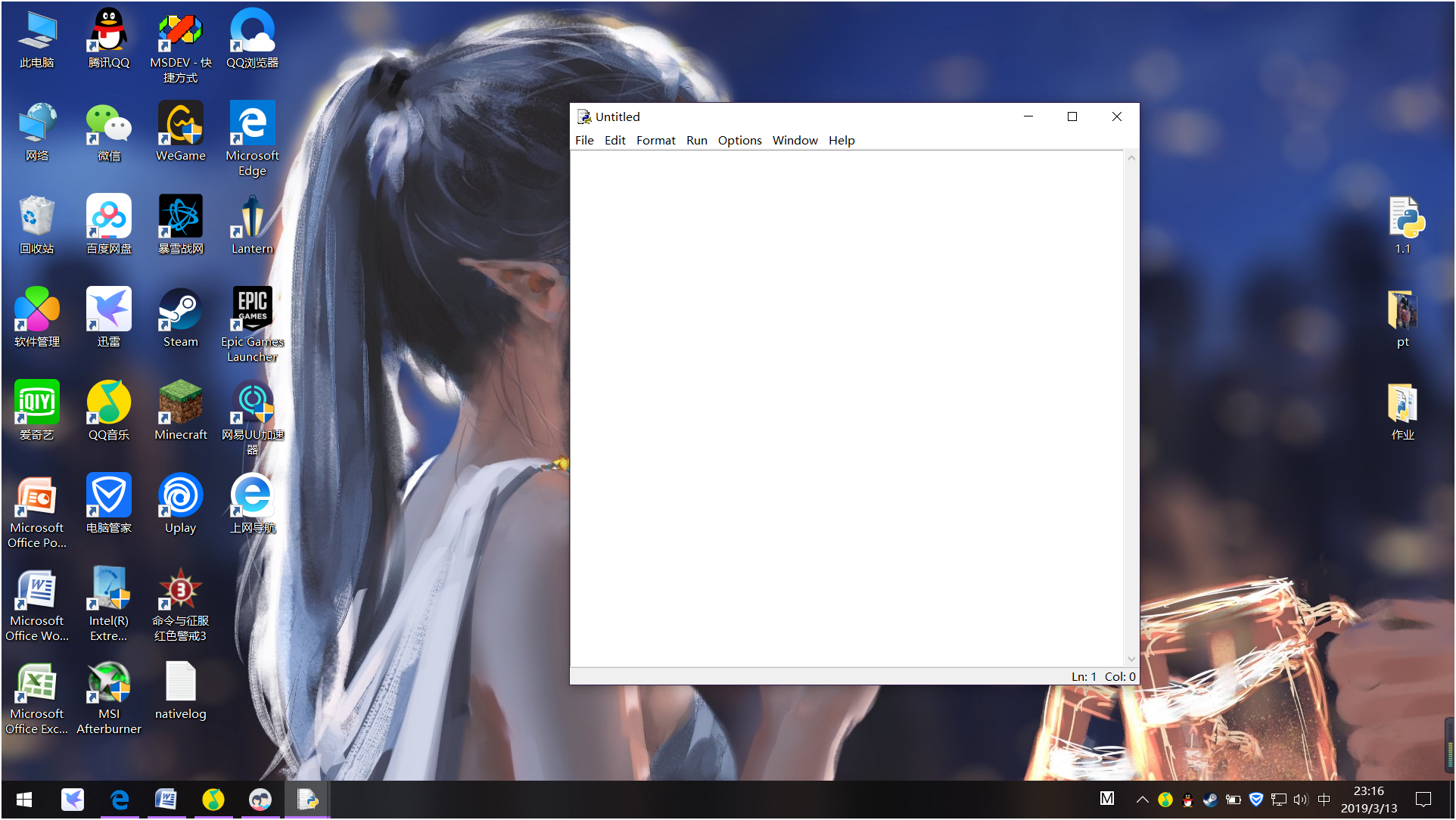
编写代码:
具体的代码如下。
- import turtle as t
- '''''
- t.pu() 提起画笔
- t.pd() 移动时绘制图形,缺省时也为绘制
- t.seth 设置当前朝向为angle角度
- t.begin_fill() 准备开始填充图形
- t.color 同时设置pencolor=color1, fillcolor=color2
- t.goto 设置笔的坐标
- t.circle(70,20) 半径 度数
- 15,124,215 乔治裤子颜色外面
- 66,163,242 乔治裤子颜色里面
- 134 196 247 天空的颜色
- 123,245,95 草地的颜色
- 253,6,6 鞋子外面
- 253,70,70 鞋子里面
- 130,119,100 泥坑
- '''
- r_a=0.8
- wight = 1100
- height = 700
- #t.pensize(4)
- t.hideturtle()
- t.colormode(255)
- t.color((255,155,192),"pink")
- t.setup(wight,height)
- t.speed(10)
- def move_pen(x,y):
- t.pu()
- t.goto(x-wight/2+50,y-height/2+50)
- t.pd()
- def pen_set(size,r1,g1,b1,r2=0,g2=0,b2=0):
- t.pensize(size)
- t.color((r1,g1,b1),(r2,g2,b2))
- def draw_grid():
- pen_set(1,0,0,0,0,0,0)
- for i in range(20):
- move_pen(0+i*50,0)
- t.seth(90)
- t.fd(600)
- for i in range(12):
- move_pen(0,0+i*50)
- t.seth(0)
- t.fd(1000)
- def draw_bg():
- #画草地
- move_pen(0,350)
- pen_set(4,123,245,95, 123,245,95)
- t.begin_fill()
- t.seth(-90)
- t.fd(350)
- t.seth(0)
- t.fd(1000)
- t.seth(90)
- t.fd(350)
- t.end_fill()
- #画天空
- move_pen(0,350)
- pen_set(4,134,196,247, 134,196,247)
- t.begin_fill()
- t.seth(90)
- t.fd(250)
- t.seth(0)
- t.fd(1000)
- t.seth(-90)
- t.fd(250)
- a=-180 + r_a
- for i in range(50):
- a = a - r_a/50
- t.seth(a)
- t.fd(500/50)
- a =180
- for i in range(50):
- a = a - r_a/50
- t.seth(a)
- t.fd(500/50)
- t.end_fill()
- def draw_mud_pit():
- #画泥坑
- pen_set(5,130,119,100, 130,119,100)
- move_pen(350,150)
- t.begin_fill()
- t.seth(-180)
- t.circle(50,125)
- t.seth(-20)
- t.circle(350,60)
- t.seth(20)
- t.circle(50,30)
- t.seth(10)
- t.circle(50,30)
- t.seth(0)
- t.circle(50,30)
- t.seth(40)
- t.circle(50,90)
- t.seth(170)
- t.circle(500,45)
- t.end_fill()
- def draw_shoes():
- pen_set(3,253,6,6, 253,70,70)
- move_pen(400,100)
- t.begin_fill()
- t.seth(0)
- t.fd(50)
- t.seth(87)
- t.fd(50)
- t.seth(180)
- t.fd(25)
- t.seth(-93)
- t.fd(20)
- t.seth(-180)
- t.fd(25)
- t.seth(-120)
- t.circle(45,38)
- t.end_fill()
- move_pen(470,100)
- t.begin_fill()
- t.seth(0)
- t.fd(50)
- t.seth(87)
- t.fd(50)
- t.seth(180)
- t.fd(25)
- t.seth(-93)
- t.fd(20)
- t.seth(-180)
- t.fd(25)
- t.seth(-120)
- t.circle(45,38)
- t.end_fill()
- def draw_leg():
- pen_set(6,255,155,192, 255,155,192)
- move_pen(440,140)
- t.seth(90)
- t.fd(20)
- move_pen(510,140)
- t.seth(90)
- t.fd(20)
- def draw_trousers():
- move_pen(400,300)
- pen_set(6,15,124,215, 66,163,242)
- t.begin_fill()
- d_a = 100
- a=-130
- for i in range(60):
- a = a + 2
- t.seth(a)
- t.fd(3)
- for i in range(14):
- a = a + 0.02
- t.seth(a)
- t.fd(2)
- a = 0-a
- for i in range(14):
- a = a + 0.02
- t.seth(a)
- t.fd(2)
- for i in range(60):
- a = a + 2.2
- t.seth(a)
- t.fd(3)
- t.end_fill()
- def draw_tile():
- move_pen(550,177)
- pen_set(6,255,155,192, 255,155,192)
- a=-60
- for i in range(25):
- a = a + 4
- t.seth(a)
- t.fd(1)
- t.circle(5)
- a = -a
- for i in range(30):
- a = a + 4
- t.seth(a)
- t.fd(1)
- def draw_hands():
- move_pen(550,250)
- pen_set(6,255,155,192, 255,155,192)
- t.seth(20)
- t.fd(70)
- move_pen(600,270)
- t.seth(60)
- t.fd(20)
- move_pen(600,270)
- t.seth(-20)
- t.fd(20)
- move_pen(380,250)
- t.seth(160)
- t.fd(50)
- move_pen(350,260)
- t.seth(100)
- t.fd(20)
- move_pen(350,260)
- t.seth(-140)
- t.fd(20)
- def draw_face():
- move_pen(400,360)
- pen_set(4,255,155,192, 255,196,218)
- t.begin_fill()
- a=-120
- for i in range(20):
- a = a + 2.5
- t.seth(a)
- t.fd(2.2)
- for i in range(130):
- a = a + 1.3
- t.seth(a)
- t.fd(1.8)
- for i in range(35):
- a = a + 1.4
- t.seth(a)
- t.fd(2)
- for i in range(50):
- a = a + 0.35
- t.seth(a)
- t.fd(2)
- for i in range(50):
- a = a + 0.2
- t.seth(a)
- t.fd(2)
- n=0.4
- for i in range(180):
- if 0<=i<30 or 60<=i<90 or 120<=i<150 :
- n=n+0.08
- 度
- t.fd(n) #向前走a的步长
- else:
- n=n-0.08
- t.lt(3)
- t.fd(n)
- a=-50
- for i in range(20):
- a = a + 2.8
- t.seth(a)
- t.fd(5)
- t.end_fill()
- def draw_other():
- move_pen(310,440)
- pen_set(6,255,145,192, 255,145,192)
- t.begin_fill()
- t.circle(3)
- t.end_fill()
- move_pen(330,430)
- t.begin_fill()
- t.circle(3)
- t.end_fill()
- pen_set(6,255,145,192, 255,255,255)
- move_pen(410,425)
- t.begin_fill()
- t.circle(10)
- t.end_fill()
- move_pen(460,395)
- t.begin_fill()
- t.circle(10)
- t.end_fill()
- pen_set(6,0,0,0,0,0,0)
- move_pen(405,429)
- t.begin_fill()
- t.circle(3)
- t.end_fill()
- move_pen(455,399)
- t.begin_fill()
- t.circle(3)
- t.end_fill()
- move_pen(510,310)
- pen_set(6,255,155,192, 255,155,192)
- t.begin_fill()
- t.circle(25)
- t.end_fill()
- move_pen(410,340)
- pen_set(6,255,145,192, 255,145,192)
- a=-80
- for i in range(20):
- a = a + 6
- t.seth(a)
- t.fd(3)
- move_pen(430,445)
- pen_set(4,255,155,192, 255,196,218)
- t.begin_fill()
- a=120
- for i in range(40):
- a = a - 2
- t.seth(a)
- t.fd(1.2)
- a=-a
- for i in range(45):
- a = a - 2
- t.seth(a)
- t.fd(1.2)
- t.end_fill()
- move_pen(480,430)
- t.begin_fill()
- a=70
- for i in range(40):
- a = a -1.5
- t.seth(a)
- t.fd(1.5)
- a=-80
- for i in range(45):
- a = a -1.5
- t.seth(a)
- t.fd(1.5)
- t.end_fill()
- draw_bg()
- draw_mud_pit()
- #draw_grid()
- draw_leg()
- draw_shoes()
- draw_trousers()
- draw_tile()
- draw_hands()
- draw_face()
- draw_other()
- t.mainloop()
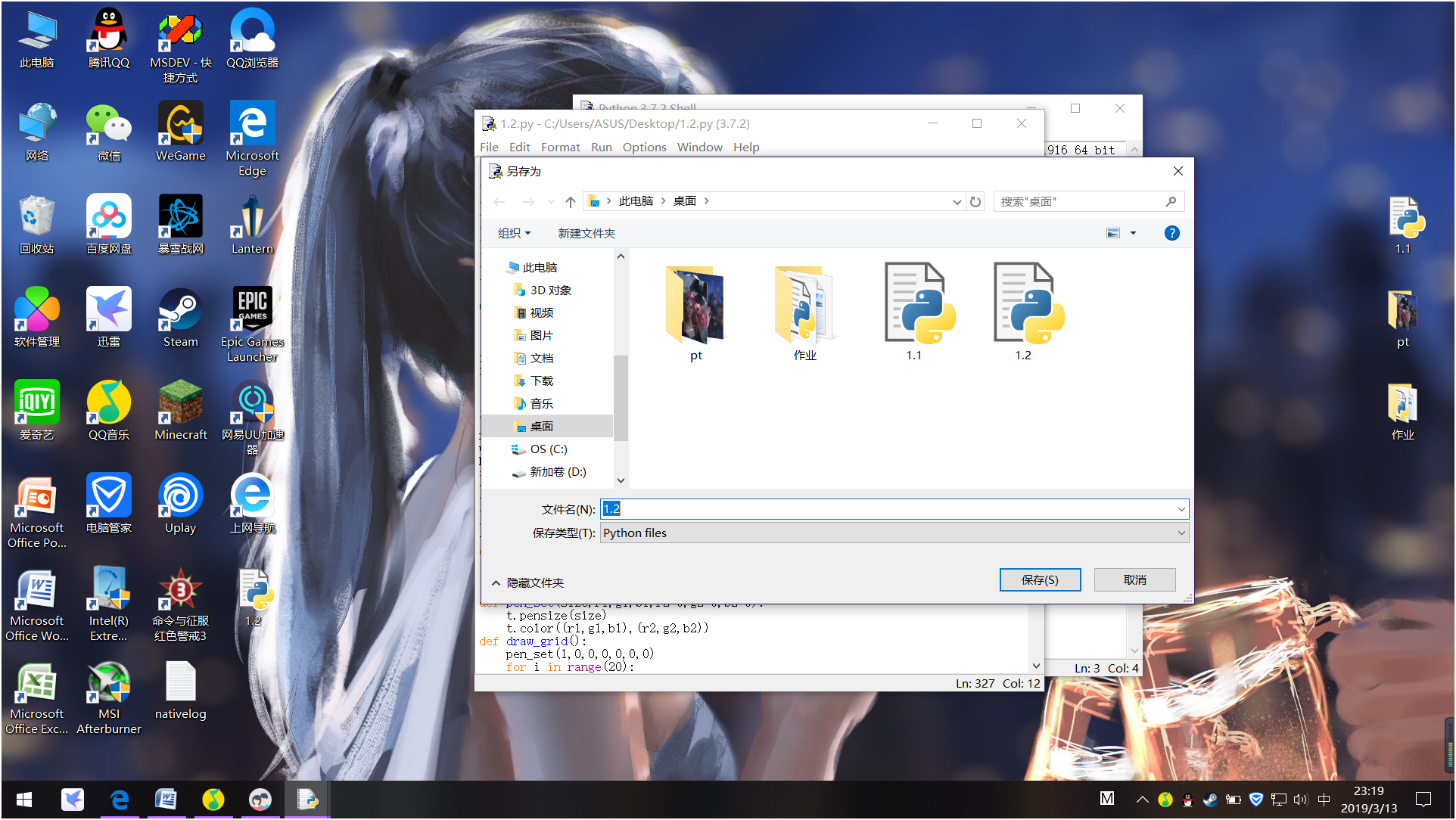
4.保存脚本:
5执行脚本及效果:
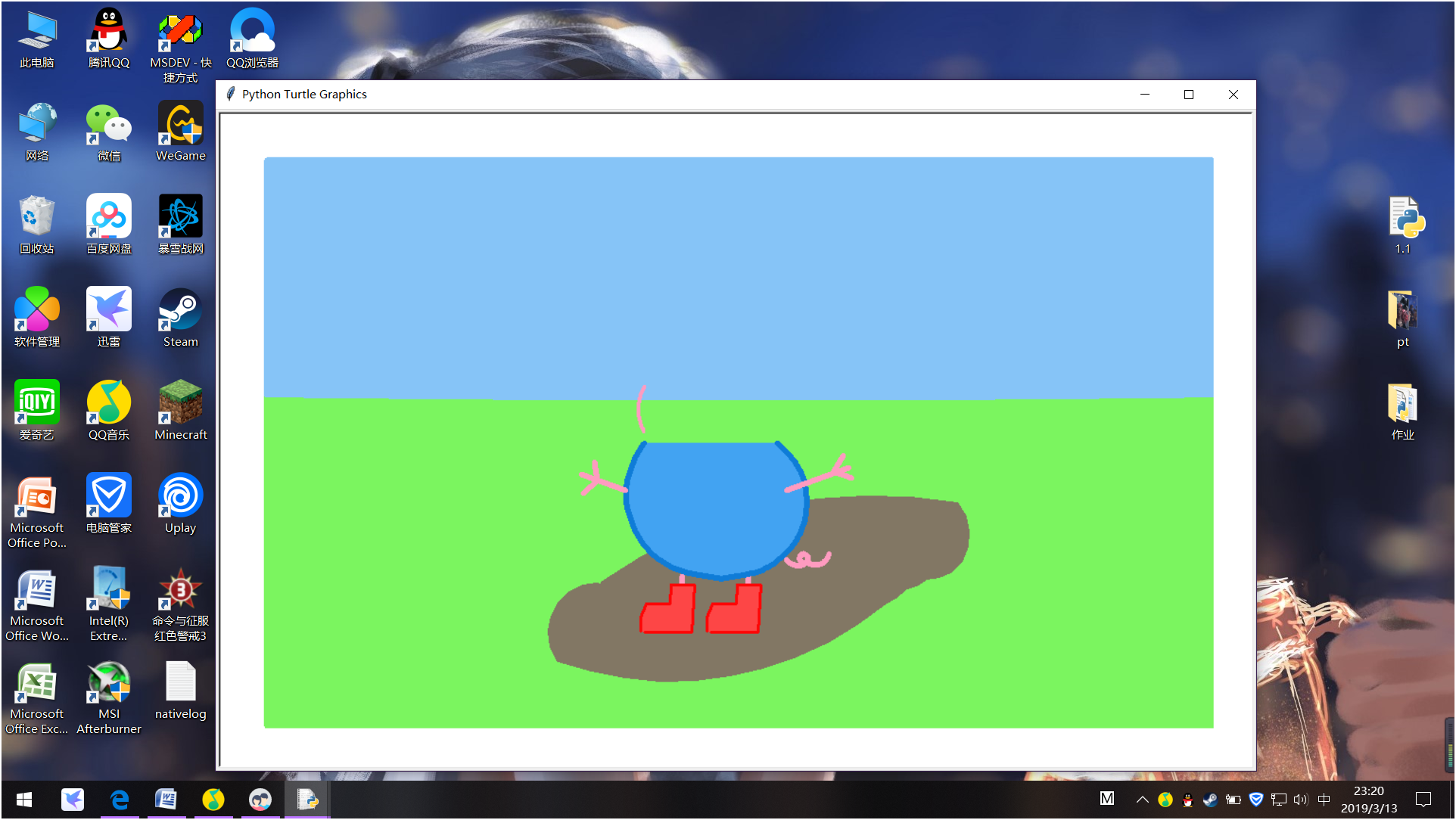
6.结果:

使用python画一只佩奇的更多相关文章
- python画一只佩奇
用python画一只佩奇 from turtle import* def nose(x,y):#鼻子 penup()#提起笔 goto(x,y)#定位 pendown()#落笔,开始画 sethead ...
- python 画个小猪佩奇
不知道大家小时候有没有学习过logo语言,就是操纵一只小王八,来画各种图案.博主小学微机课就学习了这个,最近发现python的turtle包就是logo语言,所以画个小猪佩奇和大家分享. 代码来自知乎 ...
- python 画小猪佩奇
转自:python画个小猪佩奇 # -*- coding: utf-8 -*- """ Created on Mon May 20 11:36:03 2019 @auth ...
- 沉淀再出发:用python画各种图表
沉淀再出发:用python画各种图表 一.前言 最近需要用python来做一些统计和画图,因此做一些笔记. 二.python画各种图表 2.1.使用turtle来画图 import turtle as ...
- 为什么学Python语言,只需四步全面了解Python语言
为什么学Python语言,只需四步全面了解Python语言每个时代都会悄悄犒赏会选择的人,Python现在风口的语言Python--第三大主流编程语言Python , 是一种面向对象的解释型计算机程序 ...
- python画樱花
用python画简单的樱花 代码如下: import turtle as T import random import time # 画樱花的躯干(60,t) def Tree(branch, t): ...
- 利用Python制作一个只属于和她的聊天器,再也不用担心隐私泄露啦!
------------恢复内容开始------------ 是否担心微信的数据流会被监视?是否担心你和ta聊天的小秘密会被保存到某个数据库里?没关系,现在我们可以用Python做一个只属于你和ta的 ...
- div+css画一个小猪佩奇
用DIV+CSS画一个小猪佩奇,挺可爱的,嘻嘻. HTML部分(全是DIV) <!-- 小猪佩奇整体容器 --> <div class="pig_container&quo ...
- 用python画 pareto front
用python画 pareto front 觉得有用的话,欢迎一起讨论相互学习~Follow Me 2D pf import os import matplotlib.pyplot as plt im ...
随机推荐
- {"error":"Content-Type header [application/x-www-form-urlencoded] is not supported","status":406}
ElasticSearch-head 查询报 406错误码 {"error":"Content-Type header [application/x-www-form-u ...
- C# 使用NPOI 操作Excel
首先 Nuget 引入NPOI 1.读取Excel /// <summary> /// 读取Excel数据 /// </summary> public static void ...
- 初识异步、并发处理纯代码及Demo
多线程Thread 处理 Thread thread = new Thread(()=> { ; i < ; i++) { Console.WriteLine("这是第" ...
- iOS解决cell重用问题
在写sina 微博界面的过程中使用到了cell,那么就是在cell上添加一些控件,但是由于每条微博的内容都是不同的,所以在显示的过程中,出现了内容重叠的问题,其实就是UITableViewCell重用 ...
- matlab-调用摄像头人脸识别
----------------------------边学边写边学习------------------------------------- 版本:2014a 调用摄像头 a = imaqhwin ...
- 树莓派(Raspberry Pi 3)安装centos7后yum无法使用解决办法
树莓派(Raspberry Pi 3)安装centos7后yum无法使用解决办法 人穷,闲鱼淘了个二手的树莓派3 英国版,无奈咱也不会用,很无奈~ 安装教程百度到的差不多都可以,找个格式正常的一步一步 ...
- MySQL(索引)
索引 索引,是数据库中专门用于帮助用户快速查询数据的一种数据结构.类似于字典中的目录,查找字典内容时可以根据目录查找到数据的存放位置,然后直接获取即可. MySQL中常见索引有: 普通索引 唯一索引 ...
- python--对象实例化过程
实例化过程: class luffy_stu: def __init__(self,name,age,sex): self.name = name self.age = age self.sex = ...
- 关于总结一些CentOS7常用的运维命令
Centos7日常需要用的运维命令 1.删除0字节文件 find-type f -size 0 -exec rm -rf {} \ 2.查看进程 按内存从大到小排列 ps -e -o " ...
- Redis基础用法、高级特性与性能调优以及缓存穿透等分析
一.Redis介绍 Redis是一个开源的,基于内存的结构化数据存储媒介,可以作为数据库.缓存服务或消息服务使用.Redis支持多种数据结构,包括字符串.哈希表.链表.集合.有序集合.位图.Hype ...