
Spark RDD/Core 编程 API入门系列之动手实战和调试Spark文件操作、动手实战操作搜狗日志文件、搜狗日志文件深入实战(二)
1、动手实战和调试Spark文件操作
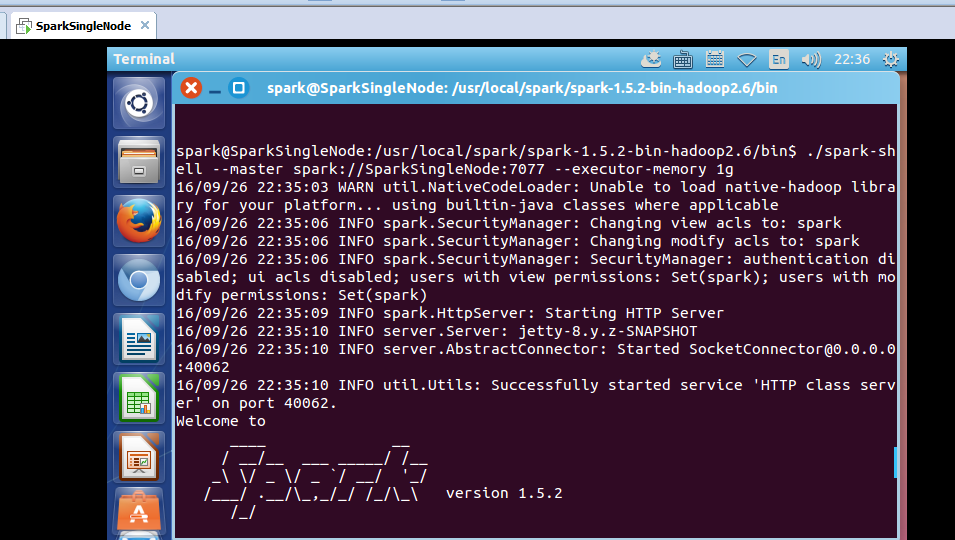
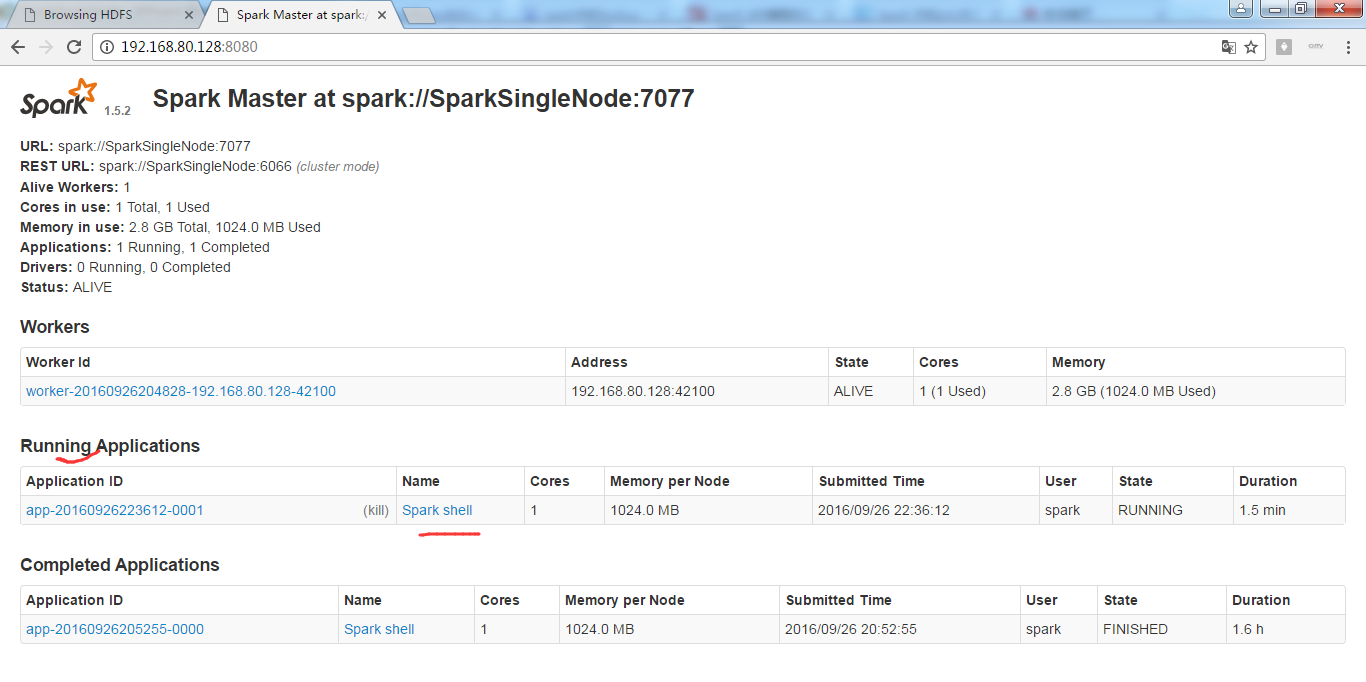
这里,我以指定executor-memory参数的方式,启动spark-shell。
启动hadoop集群
spark@SparkSingleNode:/usr/local/hadoop/hadoop-2.6.0$ jps
8457 Jps
spark@SparkSingleNode:/usr/local/hadoop/hadoop-2.6.0$ sbin/start-dfs.sh
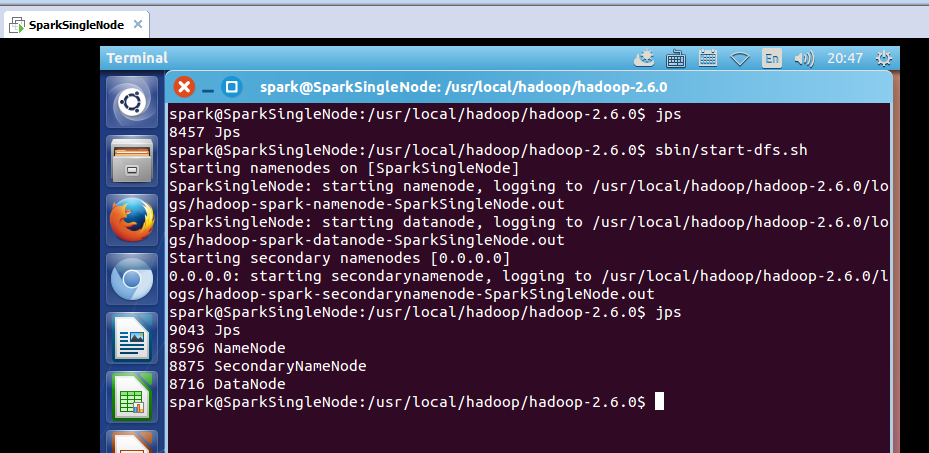
启动spark集群
spark@SparkSingleNode:/usr/local/spark/spark-1.5.2-bin-hadoop2.6$ sbin/start-all.sh
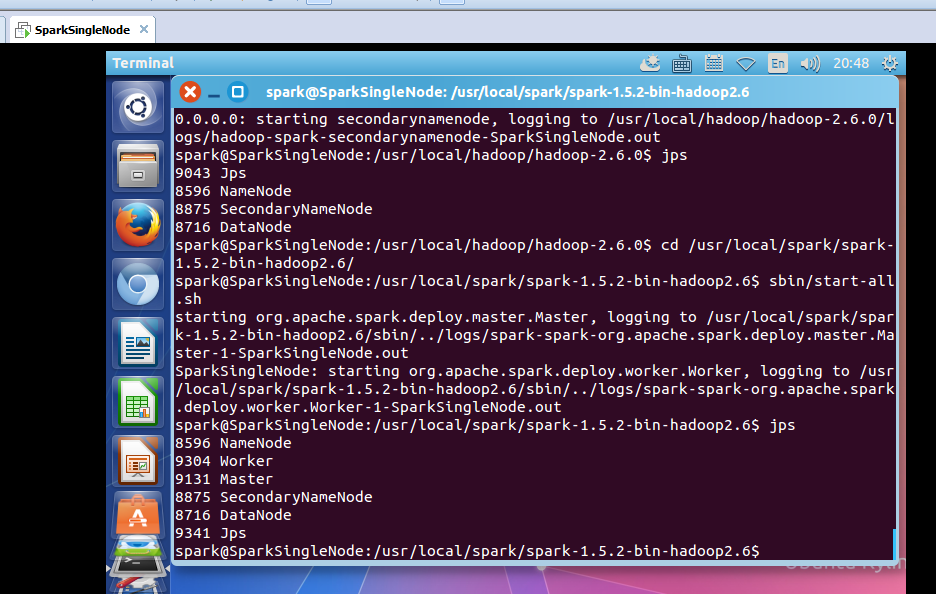
spark@SparkSingleNode:/usr/local/spark/spark-1.5.2-bin-hadoop2.6/bin$ ./spark-shell --master spark://SparkSingleNode:7077 --executor-memory 1g
在命令行中,我指定了spark-shell运行时暂时用的每个机器上executor的内存大小为1GB。
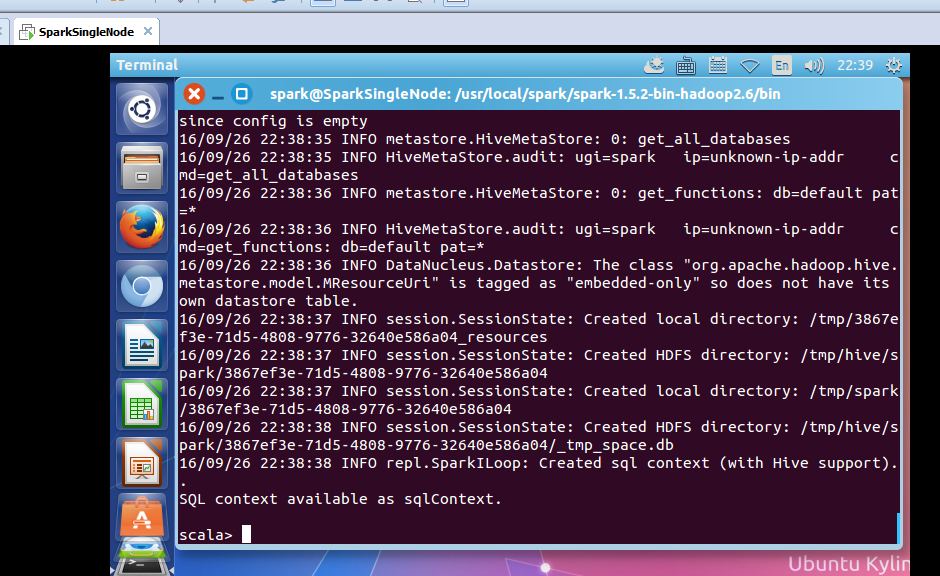
从HDFS上读取该文件
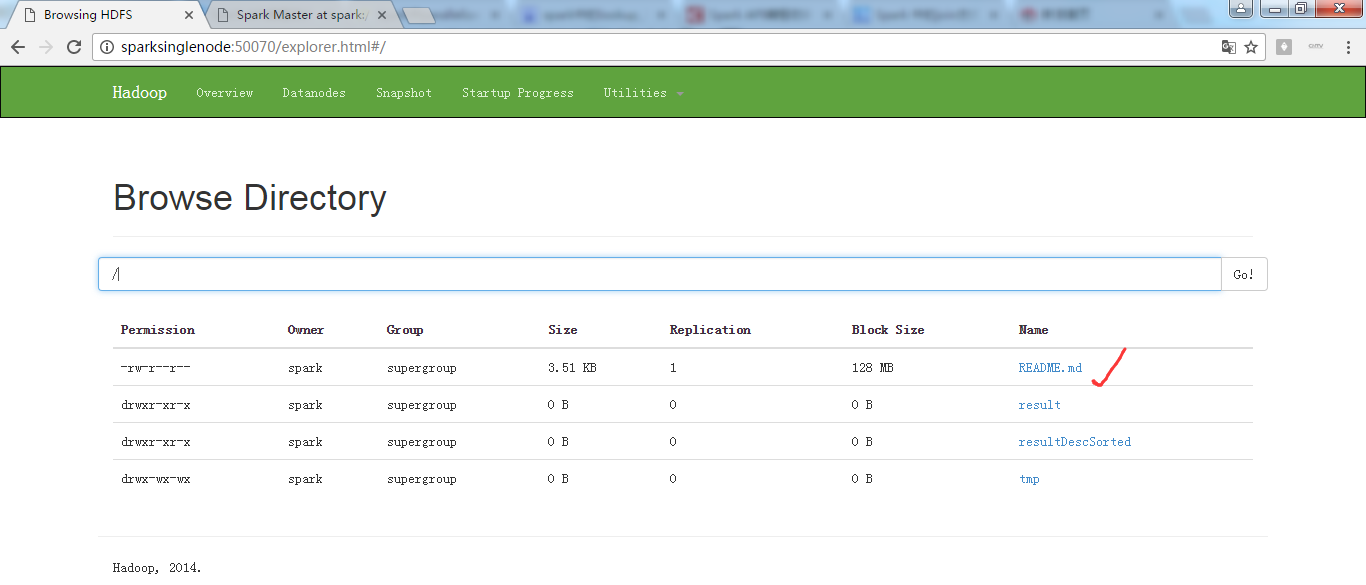
scala> val rdd1 = sc.textFile("/README.md")
或
scala> val rdd1 = sc.textFile("hdfs:SparkSingleNode:9000/README.md")
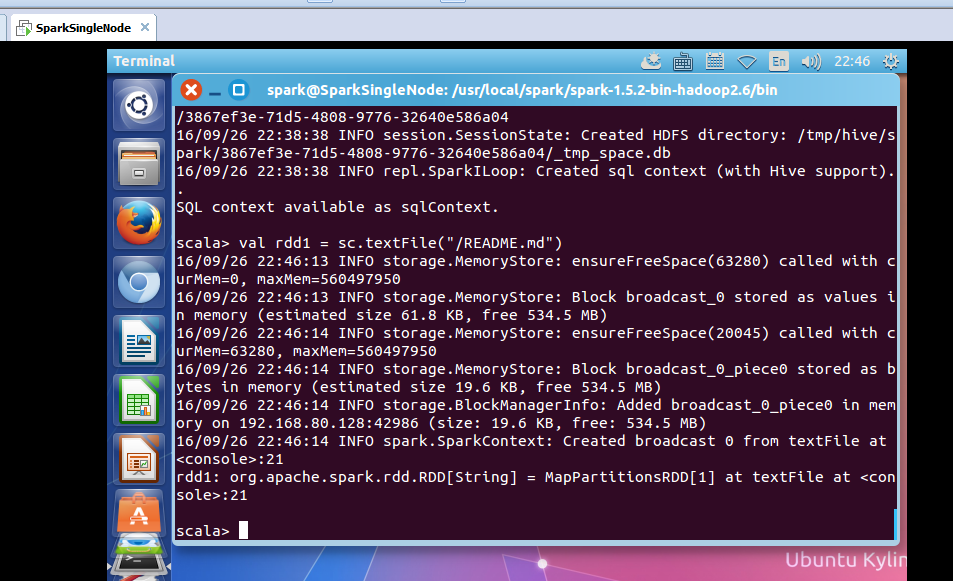
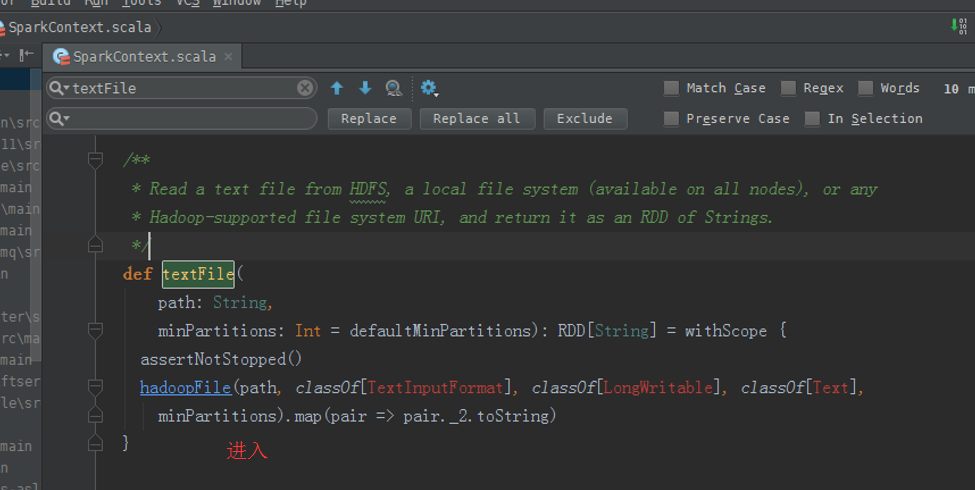
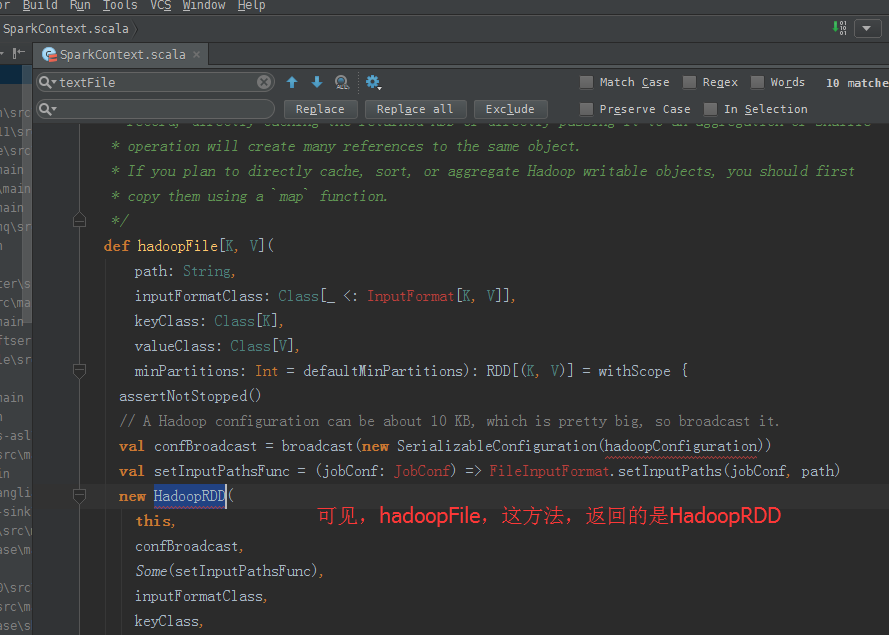
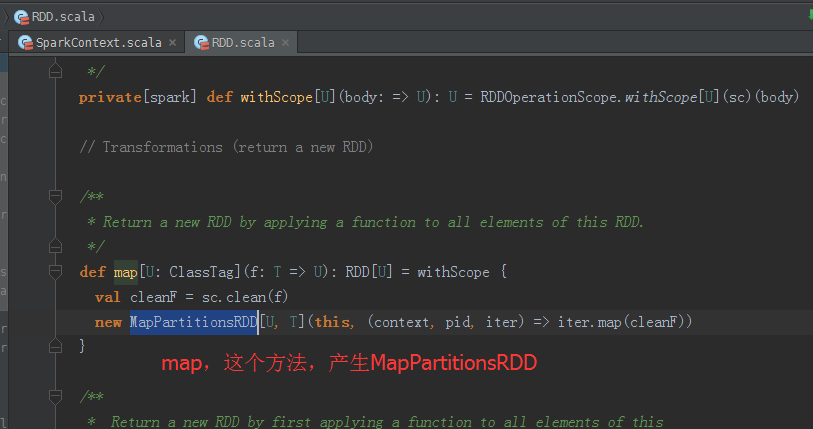
返回,MapPartitionsRDD
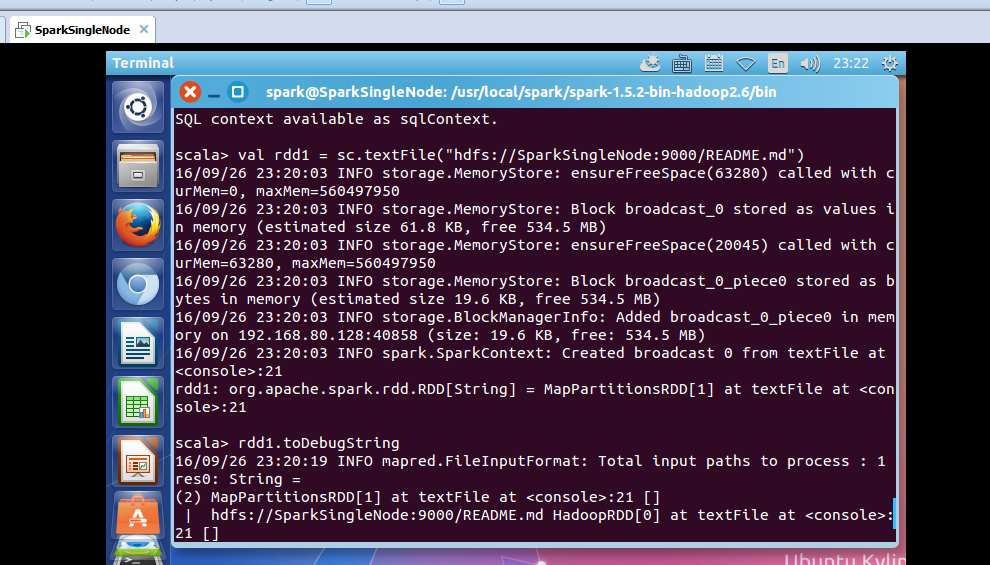
使用,toDebugString,可以查看其lineage的关系。
rdd1: org.apache.spark.rdd.RDD[String] = MapPartitionsRDD[1] at textFile at <console>:21
scala> rdd1.toDebugString
16/09/26 22:47:01 INFO mapred.FileInputFormat: Total input paths to process : 1
res0: String =
(2) MapPartitionsRDD[1] at textFile at <console>:21 []
| /README.md HadoopRDD[0] at textFile at <console>:21 []
scala>

可以看出,MapPartitionsRDD是HadoopRDD转换而来的。
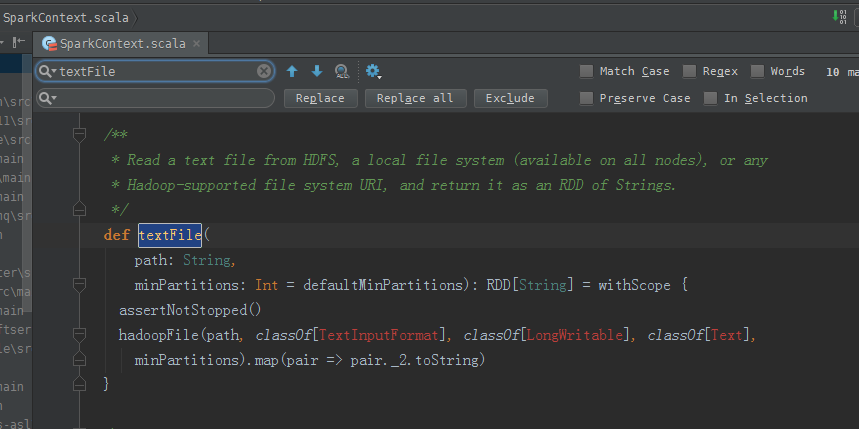
hadoopFile,这个方法,产生HadoopRDD
map,这个方法,产生MapPartitionsRDD
从源码分析过程
scala> val result = rdd1.flatMap(_.split(" ")).map((_,1)).reduceByKey(_+_).collect

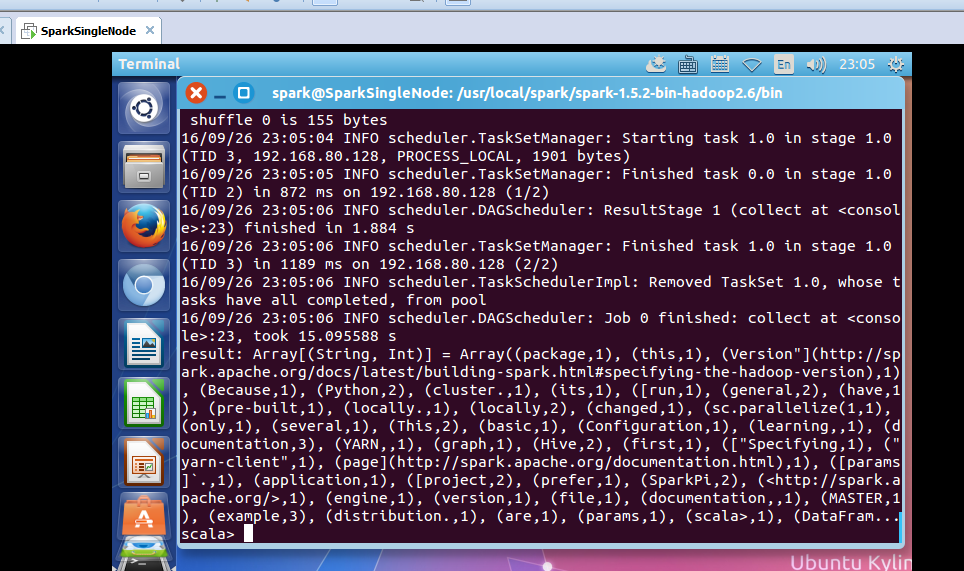
le>:23, took 15.095588 s
result: Array[(String, Int)] = Array((package,1), (this,1), (Version"](http://spark.apache.org/docs/latest/building-spark.html#specifying-the-hadoop-version),1), (Because,1), (Python,2), (cluster.,1), (its,1), ([run,1), (general,2), (have,1), (pre-built,1), (locally.,1), (locally,2), (changed,1), (sc.parallelize(1,1), (only,1), (several,1), (This,2), (basic,1), (Configuration,1), (learning,,1), (documentation,3), (YARN,,1), (graph,1), (Hive,2), (first,1), (["Specifying,1), ("yarn-client",1), (page](http://spark.apache.org/documentation.html),1), ([params]`.,1), (application,1), ([project,2), (prefer,1), (SparkPi,2), (<http://spark.apache.org/>,1), (engine,1), (version,1), (file,1), (documentation,,1), (MASTER,1), (example,3), (distribution.,1), (are,1), (params,1), (scala>,1), (DataFram...
scala>
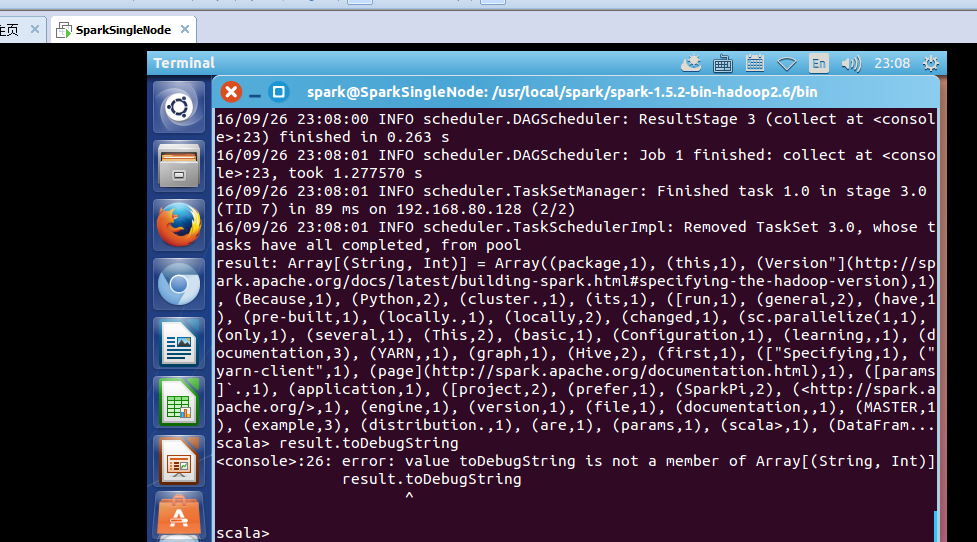
不可这样使用toDebugString
scala> result.toDebugString
<console>:26: error: value toDebugString is not a member of Array[(String, Int)]
result.toDebugString

scala> val wordcount = rdd1.flatMap(_.split(" ")).map((_,1)).reduceByKey(_+_)
wordcount: org.apache.spark.rdd.RDD[(String, Int)] = ShuffledRDD[10] at reduceByKey at <console>:23
scala> wordcount.toDebugString
res3: String =
(2) ShuffledRDD[10] at reduceByKey at <console>:23 []
+-(2) MapPartitionsRDD[9] at map at <console>:23 []
| MapPartitionsRDD[8] at flatMap at <console>:23 []
| MapPartitionsRDD[1] at textFile at <console>:21 []
| /README.md HadoopRDD[0] at textFile at <console>:21 []
scala>
或者
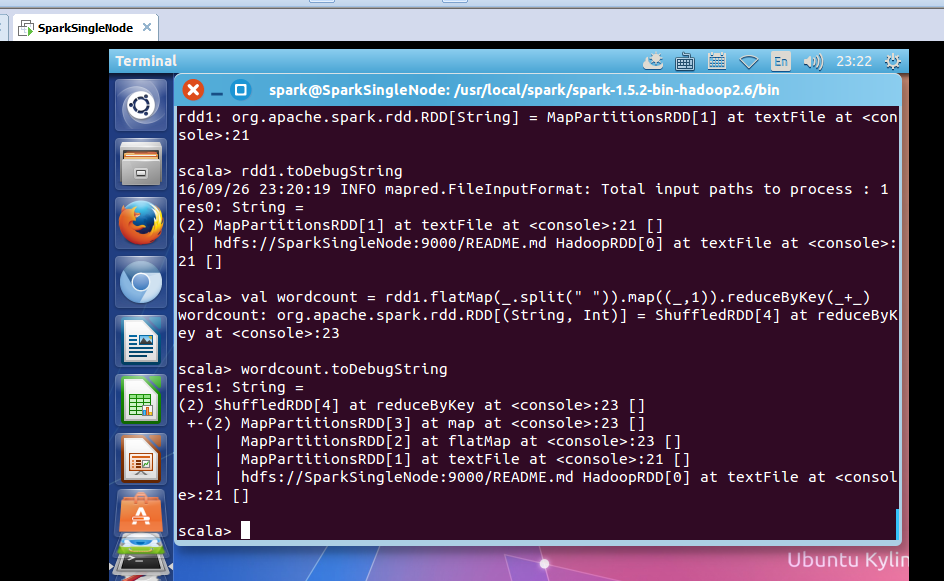
疑问:为什么没有MappedRDD?难道是版本问题??
2、动手实战操作搜狗日志文件
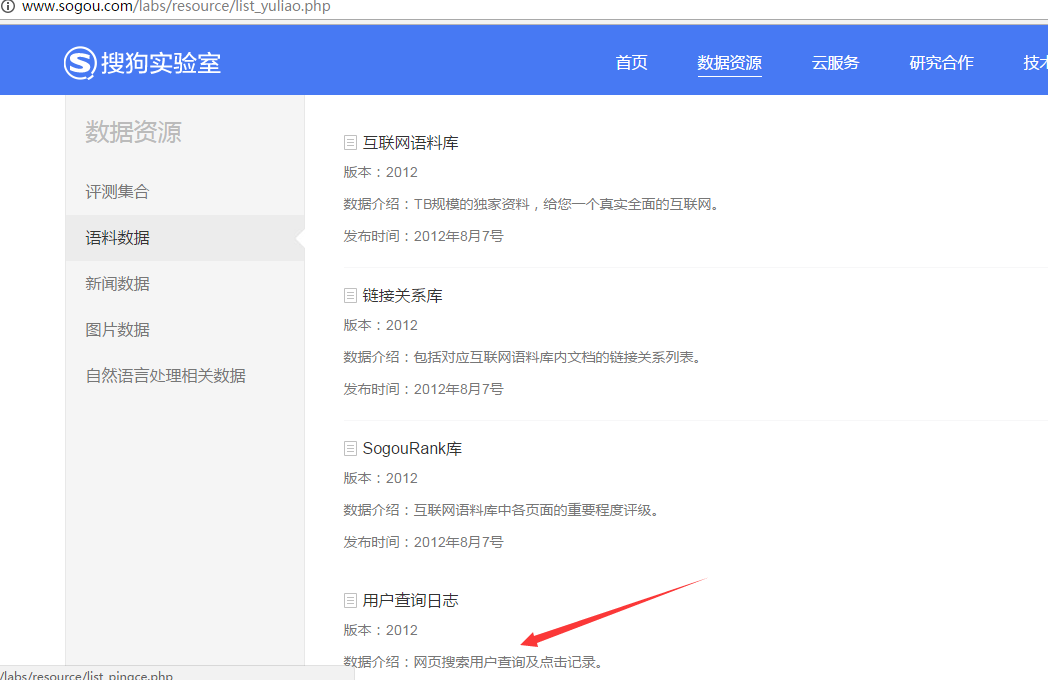
本节中所用到的内容是来自搜狗实验室,网址为:http://www.sogou.com/labs/dl/q.html
我们使用的是迷你版本的tar.gz格式的文件,其大小为87K,下载后如下所示:
因为,考虑我的机器内存的自身情况。
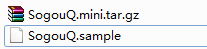
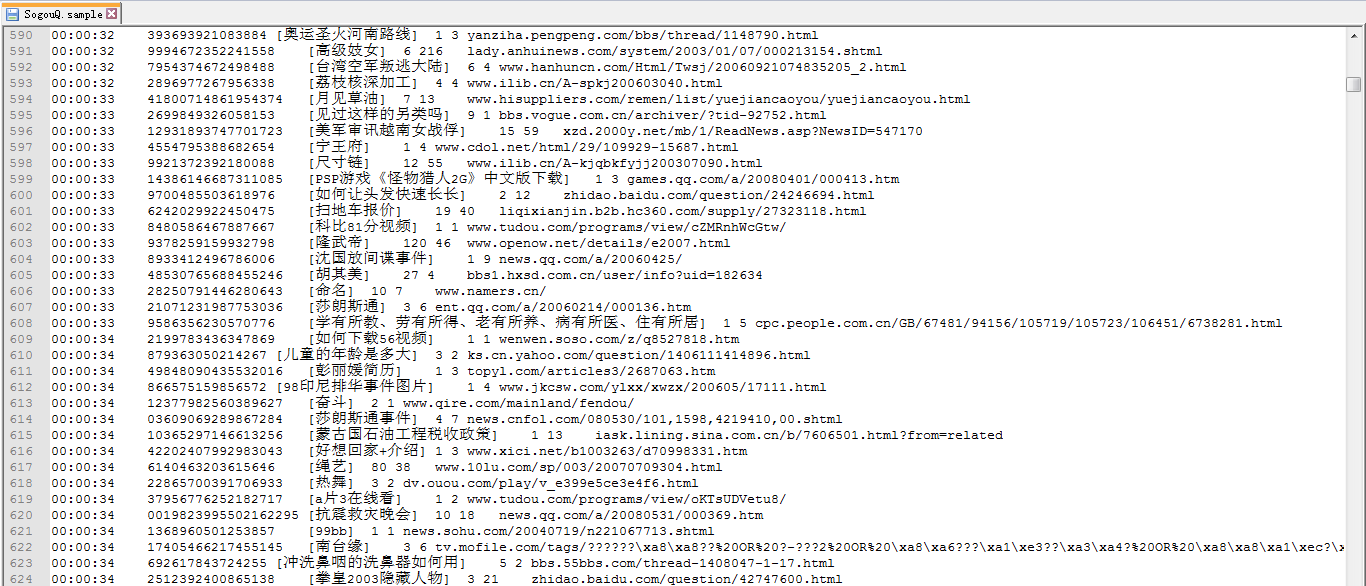
或者
spark@SparkSingleNode:~$ wget http://download.labs.sogou.com/dl/sogoulabdown/SogouQ/SogouQ2012.mini.tar.gz
spark@SparkSingleNode:~$ tar -zxvf SogouQ2012.mini.tar.gz

查看它的部分内容
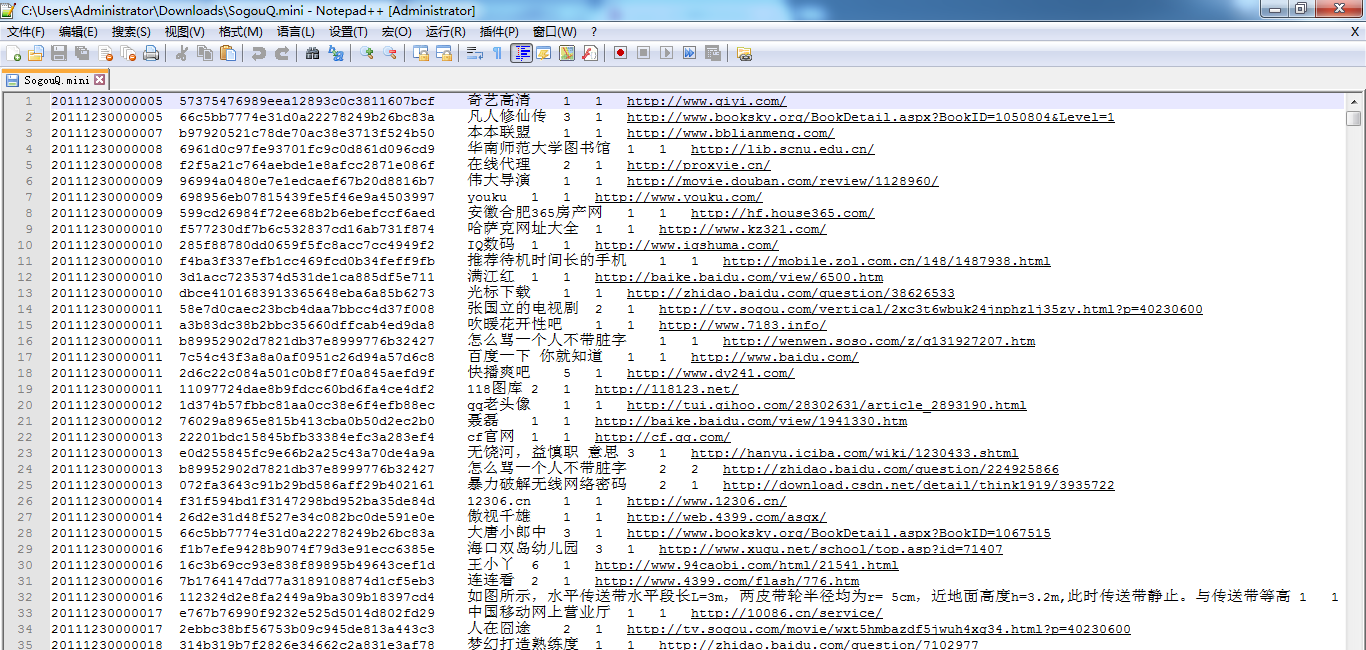
spark@SparkSingleNode:~$ head SogouQ.mini
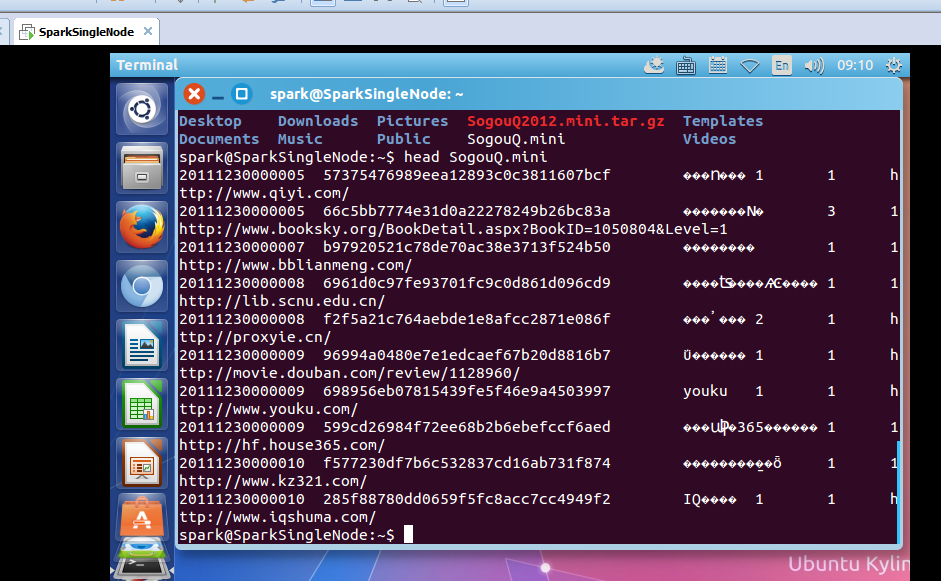
该文件的格式如下所示:
访问时间 \t 用户ID \t 查询词 \t 该URL在返回结果中的排名 \ t用户点击的顺序号 \t 用户点击的URL
开启hdfs和spark集群
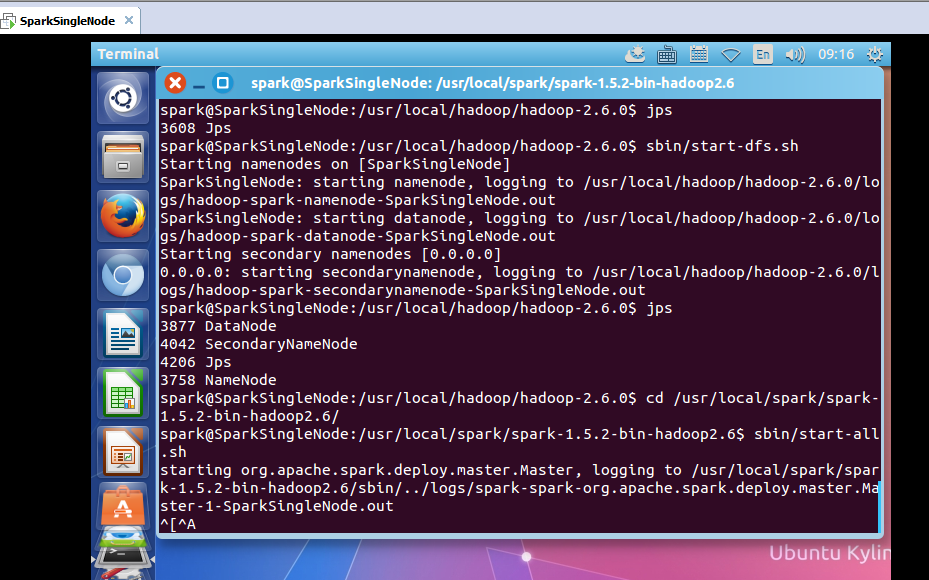
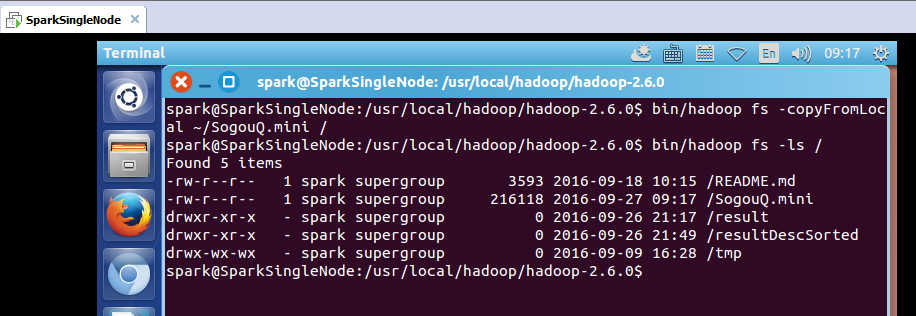
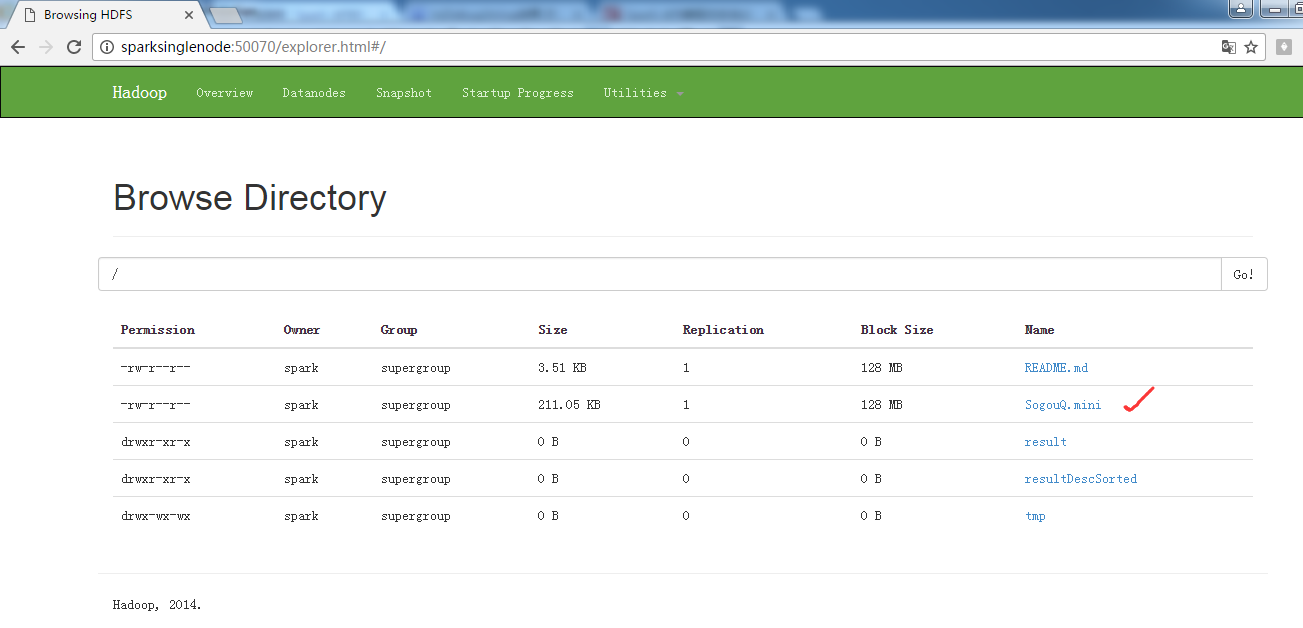
把解压后的文件上传到hdfs的/目录下
spark@SparkSingleNode:/usr/local/hadoop/hadoop-2.6.0$ bin/hadoop fs -copyFromLocal ~/SogouQ.mini /
开启spark-shell
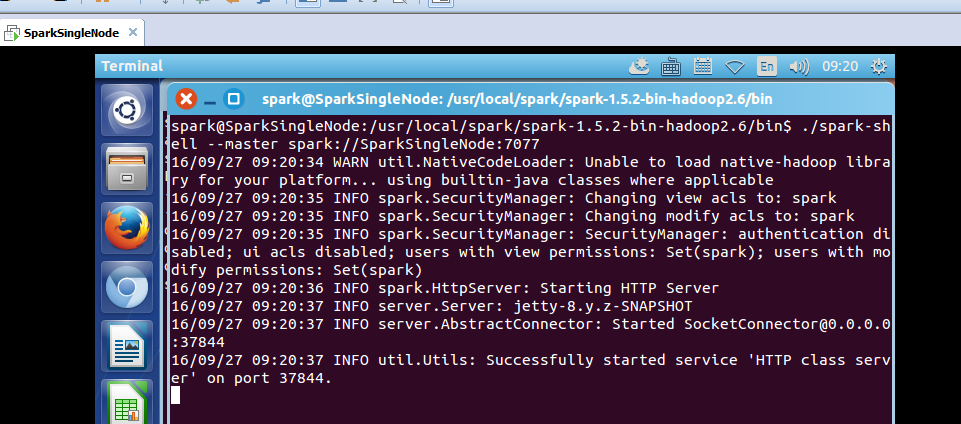
spark@SparkSingleNode:/usr/local/spark/spark-1.5.2-bin-hadoop2.6/bin$ ./spark-shell --master spark://SparkSingleNode:7077
接下来 我们使用Spark获得搜索结果排名第一同时点击结果排名也是第一的数据量,也就是第四列值为1同时第五列的值也为1的总共的记录的个数。
读取SogouQ.mini文件
scala> val soGouQRdd = sc.textFile("hdfs://SparkSingleNode:9000/SogouQ.mini")
scala> soGouQRdd.count
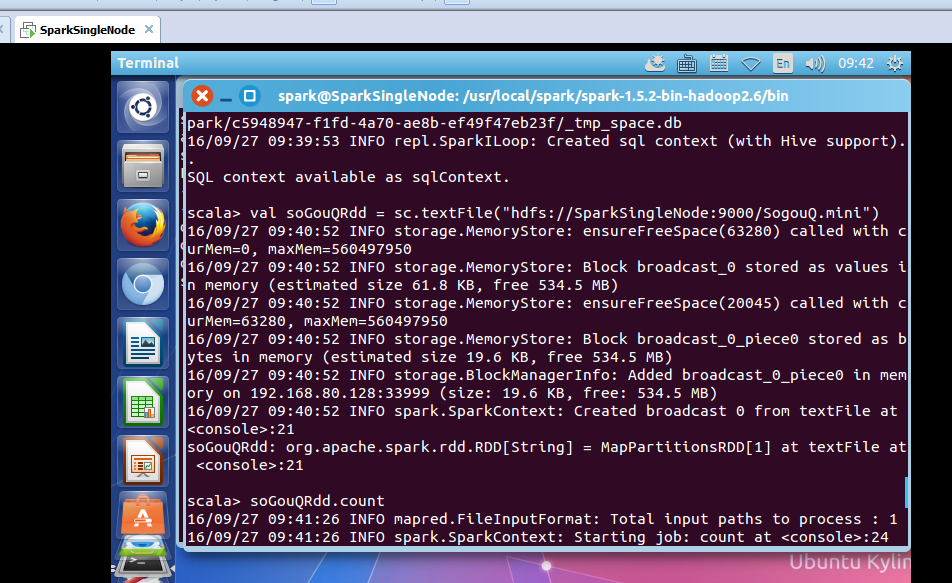
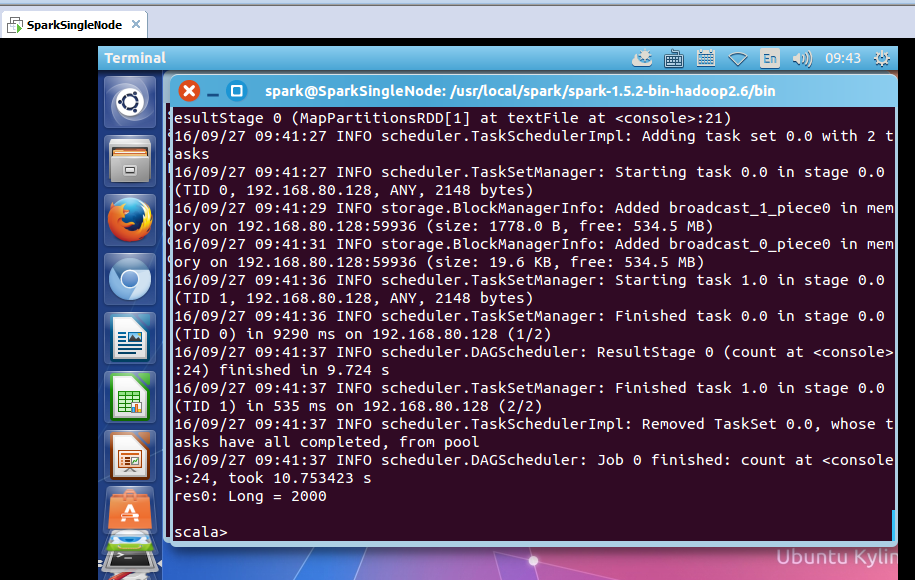
took 10.753423 s
res0: Long = 2000
可以看出,count之后有2000条记录

首先过滤出有效的数据:
scala> val mapSoGouQRdd = soGouQRdd.map((_.split("\t"))).filter(_.length == 6)
mapSoGouQRdd: org.apache.spark.rdd.RDD[Array[String]] = MapPartitionsRDD[3] at filter at <console>:23
scala> mapSoGouQRdd.count
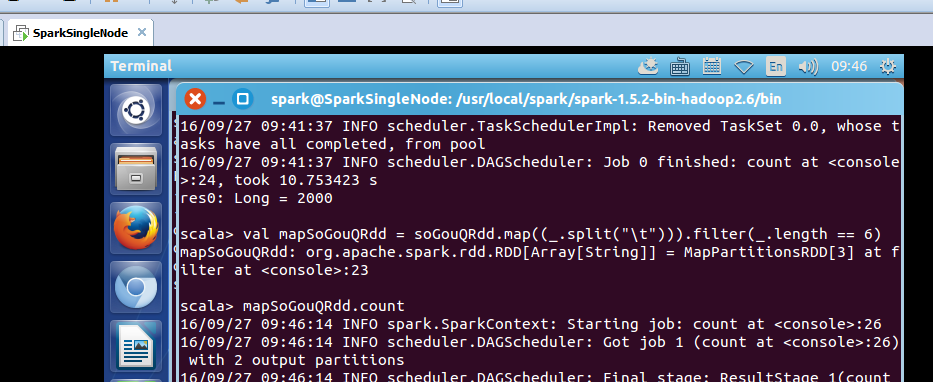
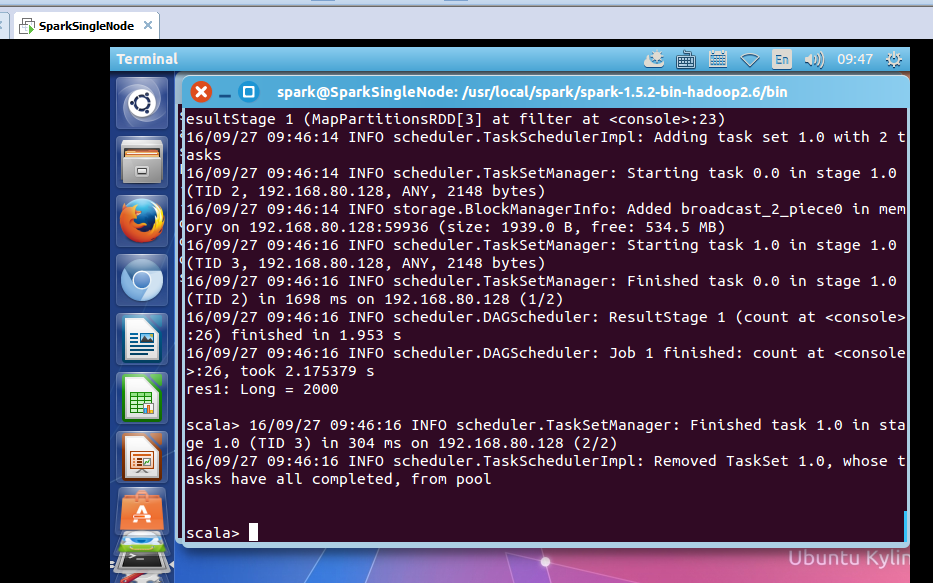
took 2.175379 s
res1: Long = 2000
可以发现该文件中的数据都是有效数据。
该文件的格式如下所示:
访问时间 \t 用户ID \t 查询词 \t 该URL在返回结果中的排名 \ t用户点击的顺序号 \t 用户点击的URL

下面使用spark获得搜索结果排名第一同时点击结果排名也是第一的数据量:
scala> val filterSoGouQRdd = mapSoGouQRdd.filter(_(3).toInt == 1).filter(_(4).toInt == 1)
filterSoGouQRdd: org.apache.spark.rdd.RDD[Array[String]] = MapPartitionsRDD[5] at filter at <console>:25
scala> filterSoGouQRdd.count
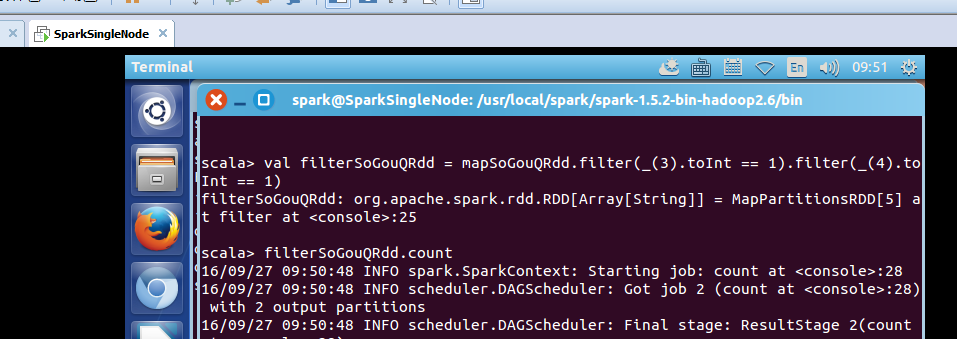
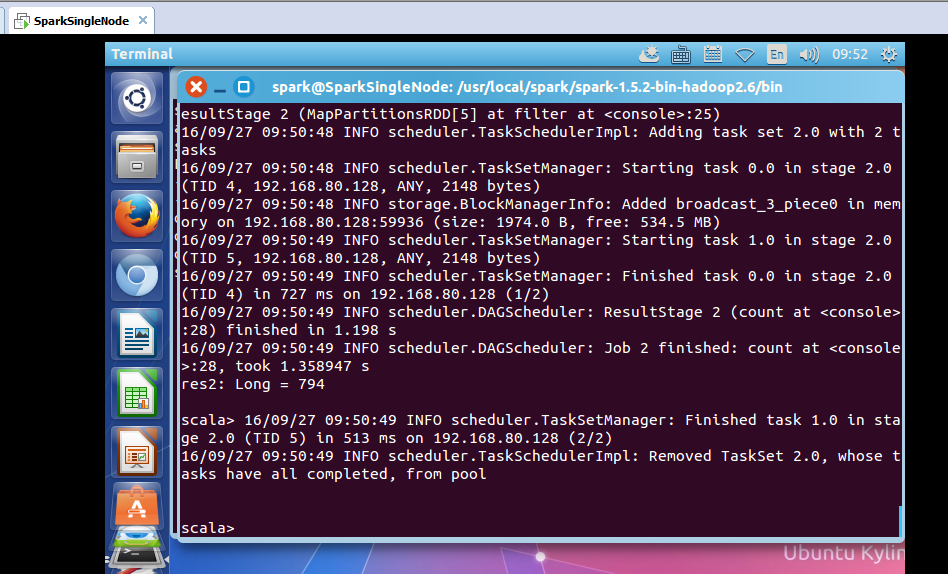
可以发现搜索结果排名第一同时点击结果排名也是第一的数据量为794条;
使用toDebugString查看一下其lineage:
scala> filterSoGouQRdd.toDebugString
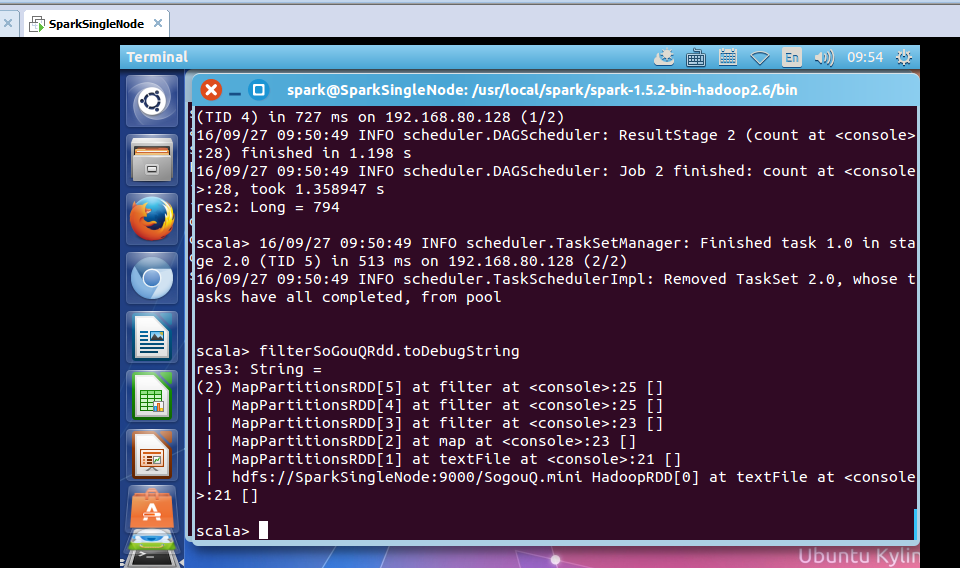
res3: String =
(2) MapPartitionsRDD[5] at filter at <console>:25 []
| MapPartitionsRDD[4] at filter at <console>:25 []
| MapPartitionsRDD[3] at filter at <console>:23 []
| MapPartitionsRDD[2] at map at <console>:23 []
| MapPartitionsRDD[1] at textFile at <console>:21 []
| hdfs://SparkSingleNode:9000/SogouQ.mini HadoopRDD[0] at textFile at <console>:21 []
scala>
为什么没有?
HadoopRDD->MappedRDD->MappedRDD->FilteredRDD->FilteredRDD->FilteredRDD
3、搜狗日志文件深入实战
下面看,用户ID查询次数排行榜:
该文件的格式如下所示:
访问时间 \t 用户ID \t 查询词 \t 该URL在返回结果中的排名 \ t用户点击的顺序号 \t 用户点击的URL
scala> val sortedSoGouQRdd = mapSoGouQRdd.map(x => (x(1),1)).reduceByKey(_+_).map(x => (x._2,x._1)).sortByKey(false).map(x => (x._2,x._1))
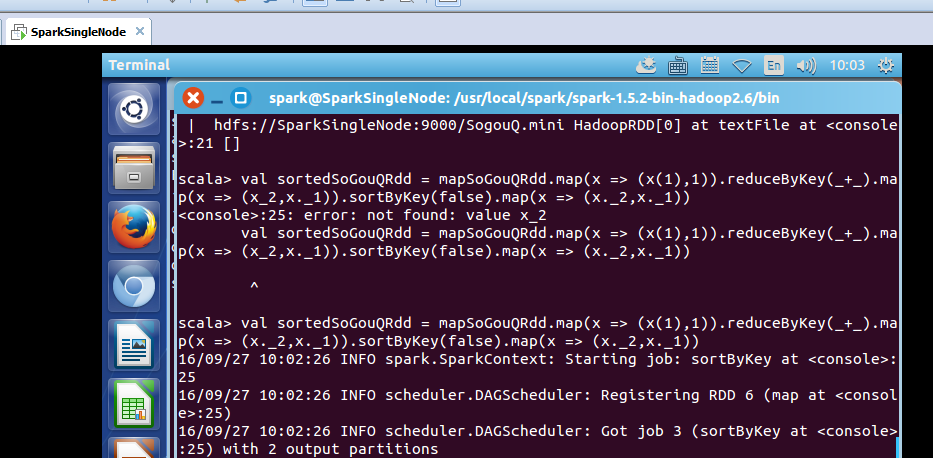
对sortedSogouQRdd进行collect操作:(不要乱collect 会出现OOM的)
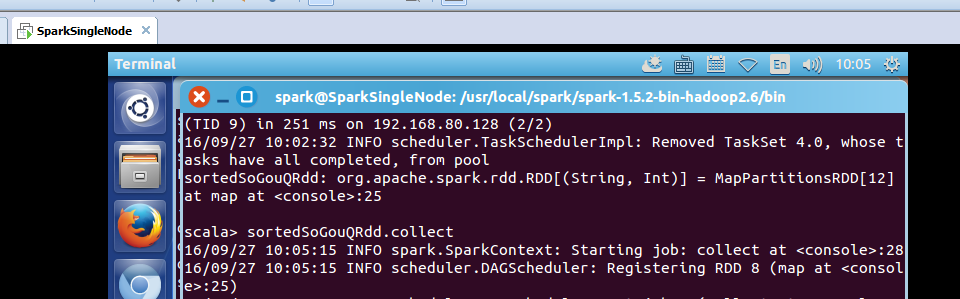
scala> sortedSoGouQRdd.collect
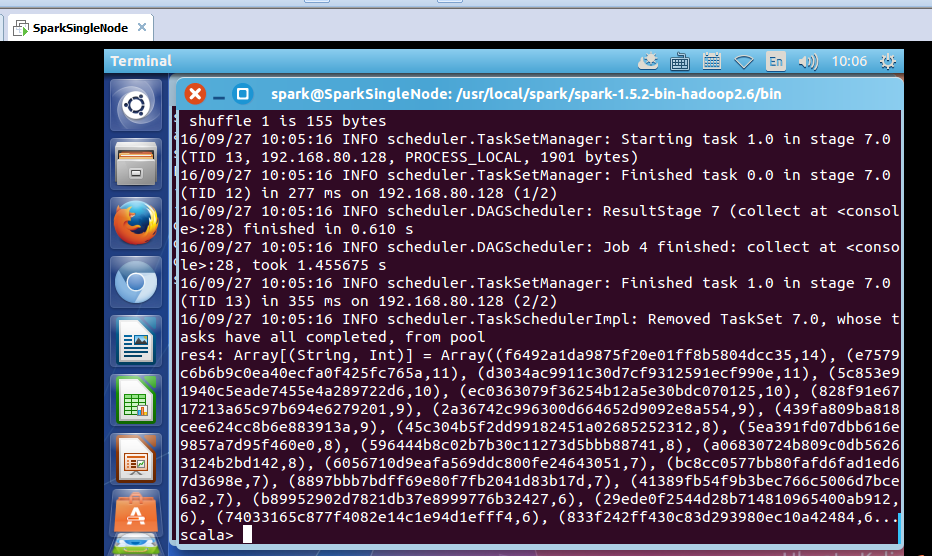
res4: Array[(String, Int)] = Array((f6492a1da9875f20e01ff8b5804dcc35,14), (e7579c6b6b9c0ea40ecfa0f425fc765a,11), (d3034ac9911c30d7cf9312591ecf990e,11), (5c853e91940c5eade7455e4a289722d6,10), (ec0363079f36254b12a5e30bdc070125,10), (828f91e6717213a65c97b694e6279201,9), (2a36742c996300d664652d9092e8a554,9), (439fa809ba818cee624cc8b6e883913a,9), (45c304b5f2dd99182451a02685252312,8), (5ea391fd07dbb616e9857a7d95f460e0,8), (596444b8c02b7b30c11273d5bbb88741,8), (a06830724b809c0db56263124b2bd142,8), (6056710d9eafa569ddc800fe24643051,7), (bc8cc0577bb80fafd6fad1ed67d3698e,7), (8897bbb7bdff69e80f7fb2041d83b17d,7), (41389fb54f9b3bec766c5006d7bce6a2,7), (b89952902d7821db37e8999776b32427,6), (29ede0f2544d28b714810965400ab912,6), (74033165c877f4082e14c1e94d1efff4,6), (833f242ff430c83d293980ec10a42484,6...
scala>
把结果保存在hdfs上:
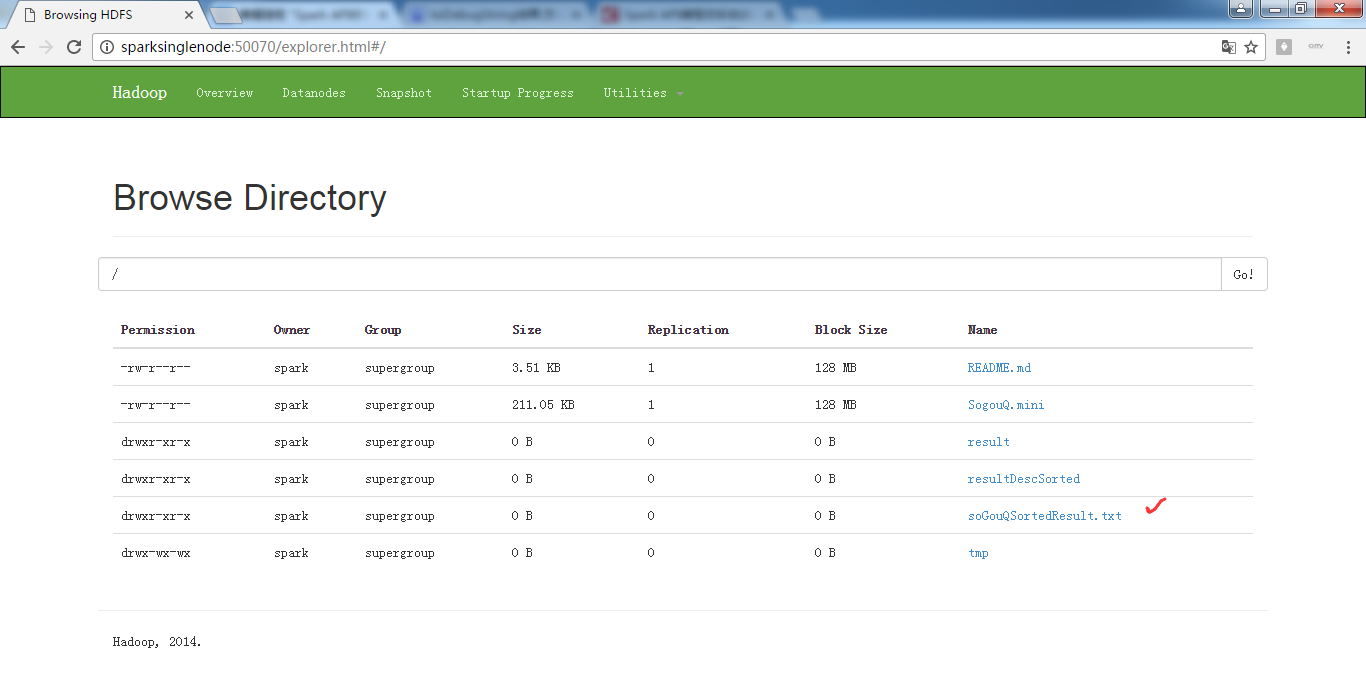
scala> sortedSoGouQRdd.saveAsTextFile("hdfs://SparkSingleNode:9000/soGouQSortedResult.txt")
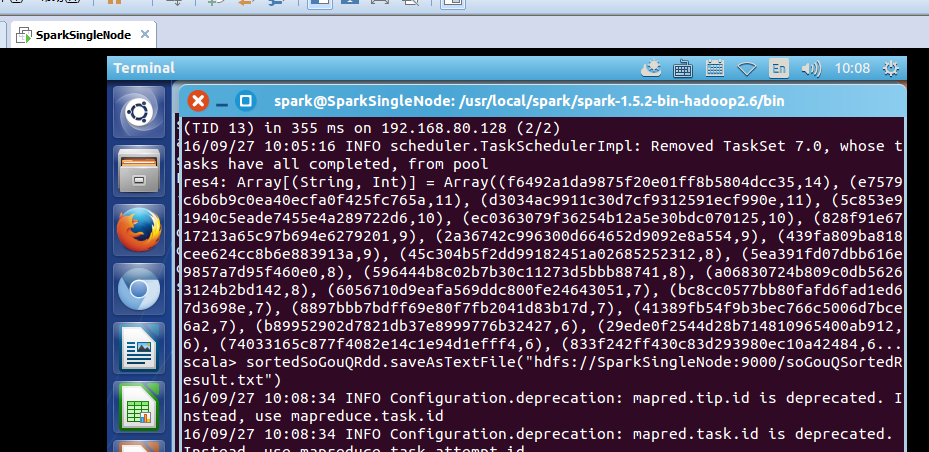

把这些,输出信息,看懂,深入,是大牛必经之路。
scala> sortedSoGouQRdd.saveAsTextFile("hdfs://SparkSingleNode:9000/soGouQSortedResult.txt")
16/09/27 10:08:34 INFO Configuration.deprecation: mapred.tip.id is deprecated. Instead, use mapreduce.task.id
16/09/27 10:08:34 INFO Configuration.deprecation: mapred.task.id is deprecated. Instead, use mapreduce.task.attempt.id
16/09/27 10:08:34 INFO Configuration.deprecation: mapred.task.is.map is deprecated. Instead, use mapreduce.task.ismap
16/09/27 10:08:34 INFO Configuration.deprecation: mapred.task.partition is deprecated. Instead, use mapreduce.task.partition
16/09/27 10:08:34 INFO Configuration.deprecation: mapred.job.id is deprecated. Instead, use mapreduce.job.id
16/09/27 10:08:35 INFO spark.SparkContext: Starting job: saveAsTextFile at <console>:28
16/09/27 10:08:35 INFO spark.MapOutputTrackerMaster: Size of output statuses for shuffle 0 is 155 bytes
16/09/27 10:08:35 INFO scheduler.DAGScheduler: Got job 5 (saveAsTextFile at <console>:28) with 2 output partitions
16/09/27 10:08:35 INFO scheduler.DAGScheduler: Final stage: ResultStage 10(saveAsTextFile at <console>:28)
16/09/27 10:08:35 INFO scheduler.DAGScheduler: Parents of final stage: List(ShuffleMapStage 9)
16/09/27 10:08:35 INFO scheduler.DAGScheduler: Missing parents: List()
16/09/27 10:08:35 INFO scheduler.DAGScheduler: Submitting ResultStage 10 (MapPartitionsRDD[13] at saveAsTextFile at <console>:28), which has no missing parents
16/09/27 10:08:35 INFO storage.MemoryStore: ensureFreeSpace(128736) called with curMem=105283, maxMem=560497950
16/09/27 10:08:35 INFO storage.MemoryStore: Block broadcast_8 stored as values in memory (estimated size 125.7 KB, free 534.3 MB)
16/09/27 10:08:36 INFO storage.MemoryStore: ensureFreeSpace(43435) called with curMem=234019, maxMem=560497950
16/09/27 10:08:36 INFO storage.MemoryStore: Block broadcast_8_piece0 stored as bytes in memory (estimated size 42.4 KB, free 534.3 MB)
16/09/27 10:08:36 INFO storage.BlockManagerInfo: Added broadcast_8_piece0 in memory on 192.168.80.128:33999 (size: 42.4 KB, free: 534.5 MB)
16/09/27 10:08:36 INFO spark.SparkContext: Created broadcast 8 from broadcast at DAGScheduler.scala:861
16/09/27 10:08:36 INFO scheduler.DAGScheduler: Submitting 2 missing tasks from ResultStage 10 (MapPartitionsRDD[13] at saveAsTextFile at <console>:28)
16/09/27 10:08:36 INFO scheduler.TaskSchedulerImpl: Adding task set 10.0 with 2 tasks
16/09/27 10:08:36 INFO scheduler.TaskSetManager: Starting task 0.0 in stage 10.0 (TID 14, 192.168.80.128, PROCESS_LOCAL, 1901 bytes)
16/09/27 10:08:36 INFO storage.BlockManagerInfo: Added broadcast_8_piece0 in memory on 192.168.80.128:59936 (size: 42.4 KB, free: 534.5 MB)
16/09/27 10:08:41 INFO scheduler.TaskSetManager: Starting task 1.0 in stage 10.0 (TID 15, 192.168.80.128, PROCESS_LOCAL, 1901 bytes)
16/09/27 10:08:41 INFO scheduler.TaskSetManager: Finished task 0.0 in stage 10.0 (TID 14) in 5813 ms on 192.168.80.128 (1/2)
16/09/27 10:08:43 INFO scheduler.DAGScheduler: ResultStage 10 (saveAsTextFile at <console>:28) finished in 7.719 s
16/09/27 10:08:43 INFO scheduler.DAGScheduler: Job 5 finished: saveAsTextFile at <console>:28, took 8.348232 s
16/09/27 10:08:43 INFO scheduler.TaskSetManager: Finished task 1.0 in stage 10.0 (TID 15) in 2045 ms on 192.168.80.128 (2/2)
16/09/27 10:08:43 INFO scheduler.TaskSchedulerImpl: Removed TaskSet 10.0, whose tasks have all completed, from pool
scala>
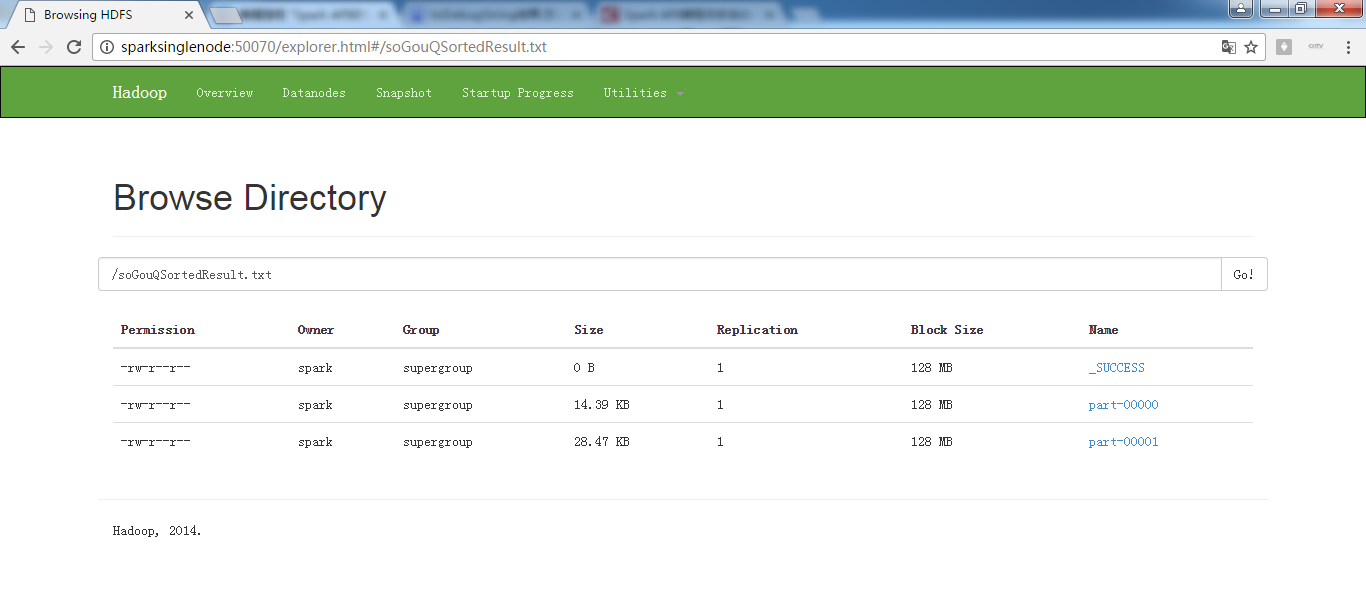
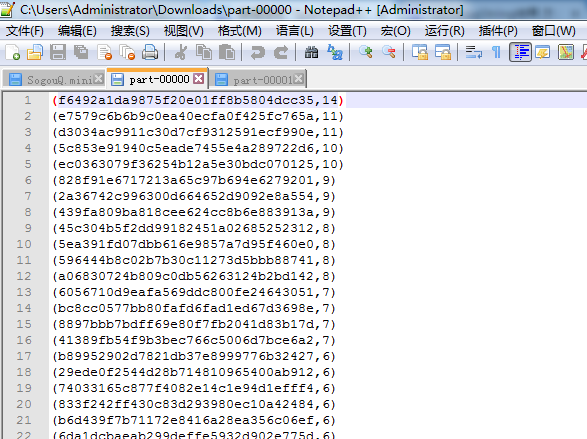

hdfs命令行查询:
part-0000:
spark@SparkSingleNode:/usr/local/hadoop/hadoop-2.6.0$ bin/hadoop fs -text /soGouQSortedResult.txt/part-00000
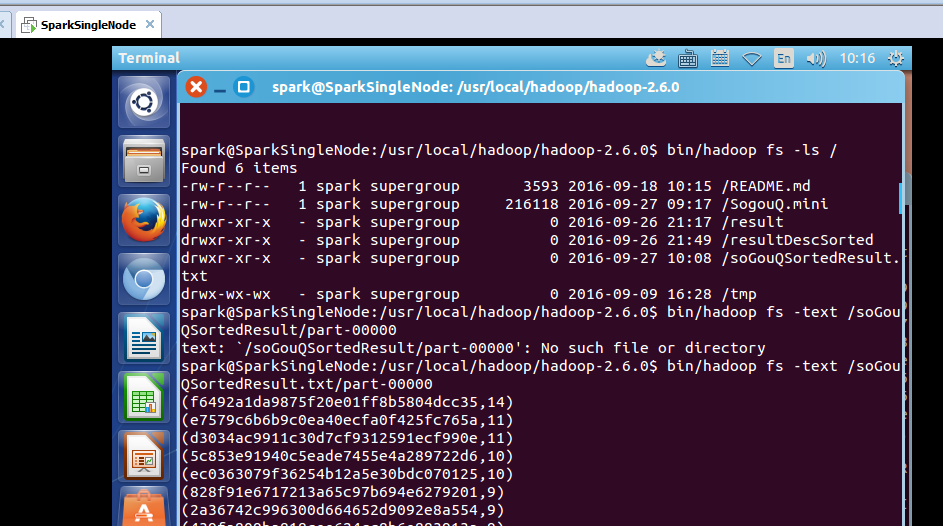
hdfs命令行查询:
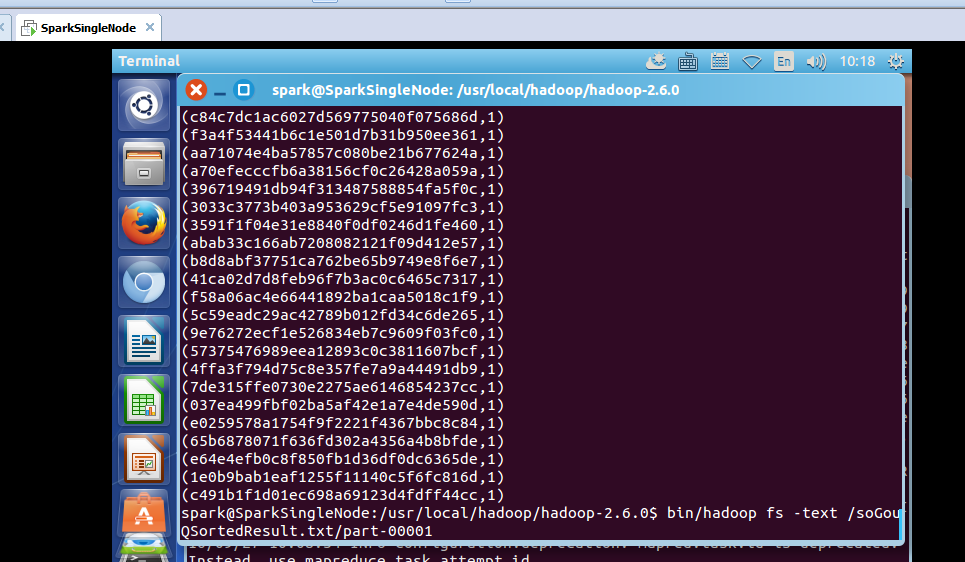
part-0000:
spark@SparkSingleNode:/usr/local/hadoop/hadoop-2.6.0$ bin/hadoop fs -text /soGouQSortedResult.txt/part-00001
我们通过hadoop命令把上述两个文件的内容合并起来:
spark@SparkSingleNode:/usr/local/hadoop/hadoop-2.6.0$ bin/hadoop fs -getmerge hdfs://SparkSingleNode:9000/soGouQSortedResult.txt combinedSortedResult.txt //注意,第二个参数,是本地文件的目录
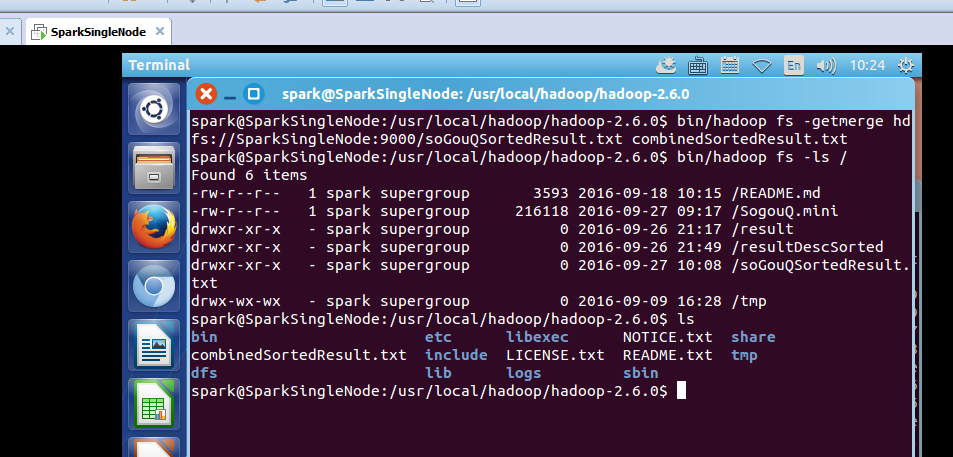
spark@SparkSingleNode:/usr/local/hadoop/hadoop-2.6.0$ bin/hadoop fs -ls /
Found 6 items
-rw-r--r-- 1 spark supergroup 3593 2016-09-18 10:15 /README.md
-rw-r--r-- 1 spark supergroup 216118 2016-09-27 09:17 /SogouQ.mini
drwxr-xr-x - spark supergroup 0 2016-09-26 21:17 /result
drwxr-xr-x - spark supergroup 0 2016-09-26 21:49 /resultDescSorted
drwxr-xr-x - spark supergroup 0 2016-09-27 10:08 /soGouQSortedResult.txt
drwx-wx-wx - spark supergroup 0 2016-09-09 16:28 /tmp
spark@SparkSingleNode:/usr/local/hadoop/hadoop-2.6.0$ ls
bin etc libexec NOTICE.txt share
combinedSortedResult.txt include LICENSE.txt README.txt tmp
dfs lib logs sbin
spark@SparkSingleNode:/usr/local/hadoop/hadoop-2.6.0$
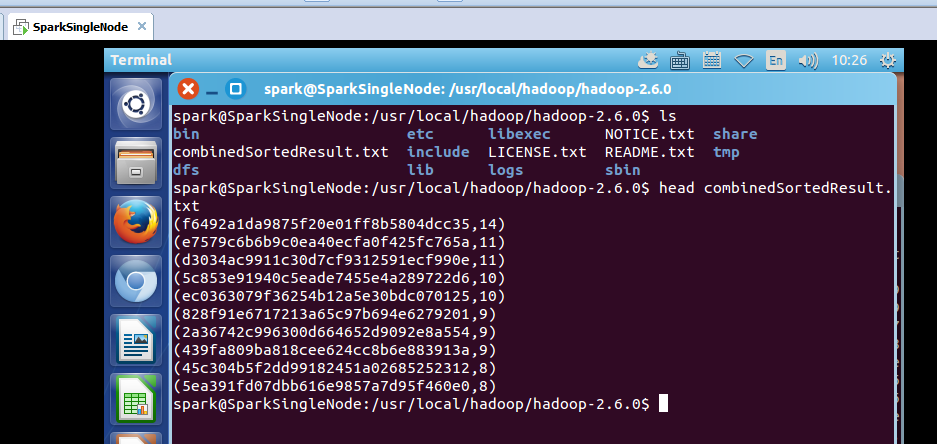
或者
spark@SparkSingleNode:/usr/local/hadoop/hadoop-2.6.0$ bin/hdfs dfs -getmerge hdfs://SparkSingleNode:9000/soGouQSortedResult.txt combinedSortedResult.txt //两者是等价的
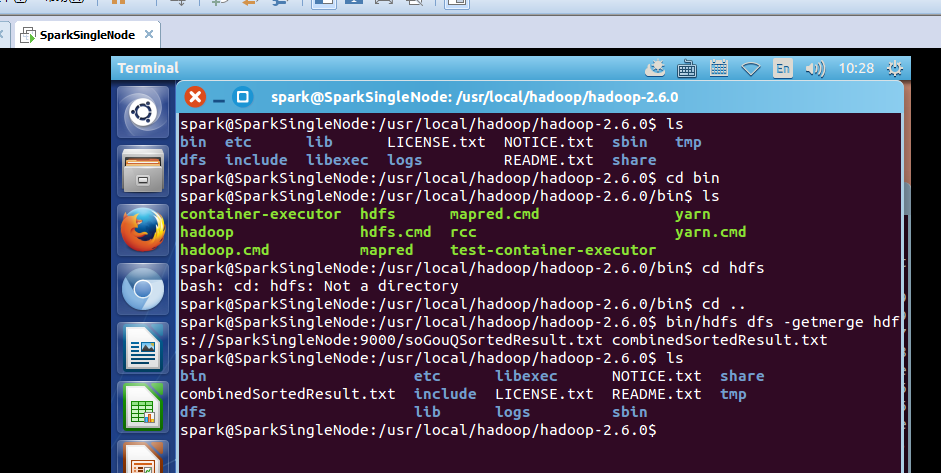
spark@SparkSingleNode:/usr/local/hadoop/hadoop-2.6.0$ ls
bin etc lib LICENSE.txt NOTICE.txt sbin tmp
dfs include libexec logs README.txt share
spark@SparkSingleNode:/usr/local/hadoop/hadoop-2.6.0$ cd bin
spark@SparkSingleNode:/usr/local/hadoop/hadoop-2.6.0/bin$ ls
container-executor hdfs mapred.cmd yarn
hadoop hdfs.cmd rcc yarn.cmd
hadoop.cmd mapred test-container-executor
spark@SparkSingleNode:/usr/local/hadoop/hadoop-2.6.0/bin$ cd hdfs
bash: cd: hdfs: Not a directory
spark@SparkSingleNode:/usr/local/hadoop/hadoop-2.6.0/bin$ cd ..
spark@SparkSingleNode:/usr/local/hadoop/hadoop-2.6.0$ bin/hdfs dfs -getmerge hdfs://SparkSingleNode:9000/soGouQSortedResult.txt combinedSortedResult.txt
spark@SparkSingleNode:/usr/local/hadoop/hadoop-2.6.0$ ls
bin etc libexec NOTICE.txt share
combinedSortedResult.txt include LICENSE.txt README.txt tmp
dfs lib logs sbin
spark@SparkSingleNode:/usr/local/hadoop/hadoop-2.6.0$
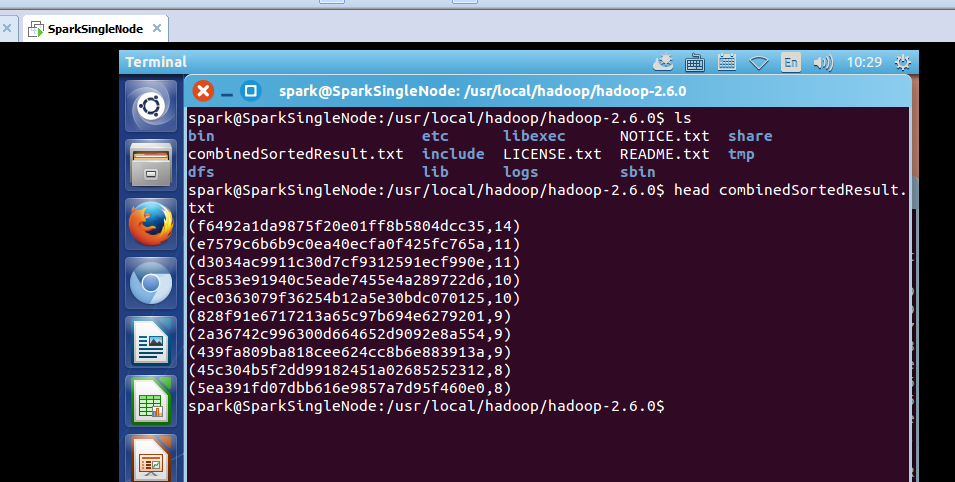
参考博客:
http://blog.csdn.net/stark_summer/article/details/43054491
Spark RDD/Core 编程 API入门系列之动手实战和调试Spark文件操作、动手实战操作搜狗日志文件、搜狗日志文件深入实战(二)的更多相关文章
- Spark RDD/Core 编程 API入门系列之简单移动互联网数据(五)
通过对移动互联网数据的分析,了解移动终端在互联网上的行为以及各个应用在互联网上的发展情况等信息. 具体包括对不同的应用使用情况的统计.移动互联网上的日常活跃用户(DAU)和月活跃用户(MAU)的统计, ...
- Spark RDD/Core 编程 API入门系列 之rdd实战(rdd基本操作实战及transformation和action流程图)(源码)(三)
本博文的主要内容是: 1.rdd基本操作实战 2.transformation和action流程图 3.典型的transformation和action RDD有3种操作: 1. Trandform ...
- Spark RDD/Core 编程 API入门系列之map、filter、textFile、cache、对Job输出结果进行升和降序、union、groupByKey、join、reduce、lookup(一)
1.以本地模式实战map和filter 2.以集群模式实战textFile和cache 3.对Job输出结果进行升和降序 4.union 5.groupByKey 6.join 7.reduce 8. ...
- Spark RDD/Core 编程 API入门系列 之rdd案例(map、filter、flatMap、groupByKey、reduceByKey、join、cogroupy等)(四)
声明: 大数据中,最重要的算子操作是:join !!! 典型的transformation和action val nums = sc.parallelize(1 to 10) //根据集合创建RDD ...
- Spark SQL 编程API入门系列之SparkSQL的依赖
不多说,直接上干货! 不带Hive支持 <dependency> <groupId>org.apache.spark</groupId> <artifactI ...
- Hadoop MapReduce编程 API入门系列之压缩和计数器(三十)
不多说,直接上代码. Hadoop MapReduce编程 API入门系列之小文件合并(二十九) 生成的结果,作为输入源. 代码 package zhouls.bigdata.myMapReduce. ...
- HBase编程 API入门系列之create(管理端而言)(8)
大家,若是看过我前期的这篇博客的话,则 HBase编程 API入门系列之put(客户端而言)(1) 就知道,在这篇博文里,我是在HBase Shell里创建HBase表的. 这里,我带领大家,学习更高 ...
- HBase编程 API入门系列之delete(客户端而言)(3)
心得,写在前面的话,也许,中间会要多次执行,连接超时,多试试就好了. 前面的基础,如下 HBase编程 API入门系列之put(客户端而言)(1) HBase编程 API入门系列之get(客户端而言) ...
- HBase编程 API入门系列之get(客户端而言)(2)
心得,写在前面的话,也许,中间会要多次执行,连接超时,多试试就好了. 前面是基础,如下 HBase编程 API入门系列之put(客户端而言)(1) package zhouls.bigdata.Hba ...
随机推荐
- C# 给picturebox添加滚动条
在一个项目中需要给picturebox增加滚动条,我先前的做法和网上一样,将picturebox放在一个panel上,将panel的AutoScroll设置为ture,将picturebox的Size ...
- HTML实体
<!DOCTYPE html> <html> <head> <meta http-equiv="Content-Type" content ...
- REST API之前端跨域访问
关键字:跨域访问,cross-origin, NodeJS, REST API, JavaScript, Access-Control-Allow-Origin 1.新建并运行一个 NodeJS的se ...
- WPF窗体禁用最大化按钮
禁用WPF窗体的最大化按钮可以使用Windows API改变按钮状态的方法实现.使用GetWindowLong可以得到当前按钮的状态.使用SetWindowLong可以设置按钮的状态.使用SetWin ...
- C# 使用Salt+Hash来为密码加密
(一) 为什么要用哈希函数来加密密码 如果你需要保存密码(比如网站用户的密码),你要考虑如何保护这些密码数据,象下面那样直接将密码写入数据库中是极不安全的,因为任何可以打开数据库的人,都将可以直接看到 ...
- su: Bad item passed to pam_*_item()
su: Bad item passed to pam_*_item() 查看 /etc/default/locale 该文件应该只含义如下格式的文字: LANG=en_US.UTF-8 如何还没有解决 ...
- 国内外最全的asp.net开源项目 (转)
最近一些项目开始用到CMS系统,最开始是研究JAVA的,无奈国内JAVA的CMS开源系统还是比较少,最多最成熟的还是PHP的,当然现在.NET的也不少了,这里做一下汇总备忘,留待学习研究. 国内系统: ...
- 【POJ 1639】 Picnic Planning (最小k度限制生成树)
[题意] 有n个巨人要去Park聚会.巨人A和先到巨人B那里去,然后和巨人B一起去Park.B君是个土豪,他家的停车场很大,可以停很多车,但是Park的停车场是比较小.只能停k辆车.现在问你在这个限制 ...
- 【UVA 11383】 Golden Tiger Claw (KM算法副产物)
Omi, Raymondo, Clay and Kimiko are on new adventure- in search of new Shen Gong Wu. But EvilBoy Geni ...
- USB做Host的OTG原理
在介绍USBOTG的基础上,着重介绍Maxim公司的MAX3301E型USBOTG电路的特点.内部结构和工作原理. 1 引言 随着USB2.0版本的发布,USB越来越流行,已经成为一种标准接口.现在, ...