
Spark RDD/Core 编程 API入门系列之动手实战和调试Spark文件操作、动手实战操作搜狗日志文件、搜狗日志文件深入实战(二)
1、动手实战和调试Spark文件操作
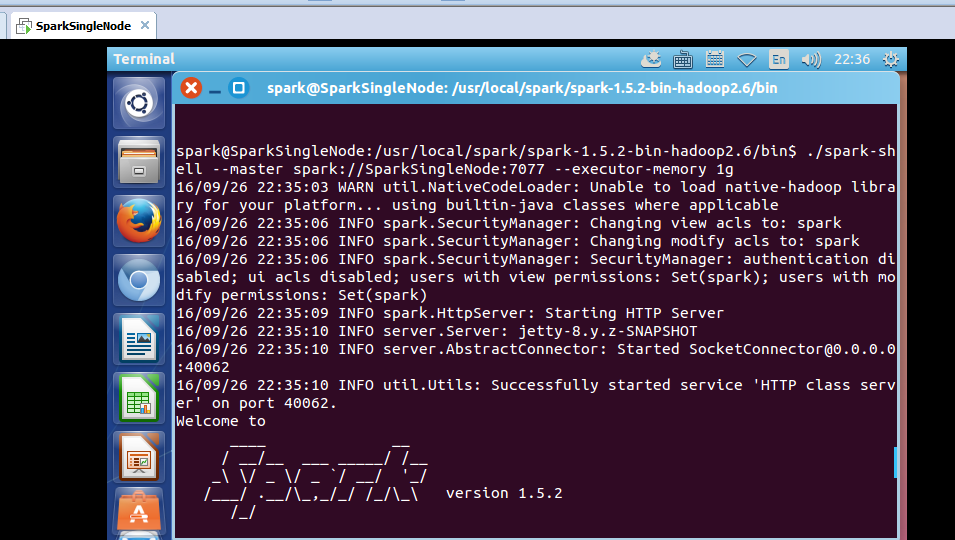
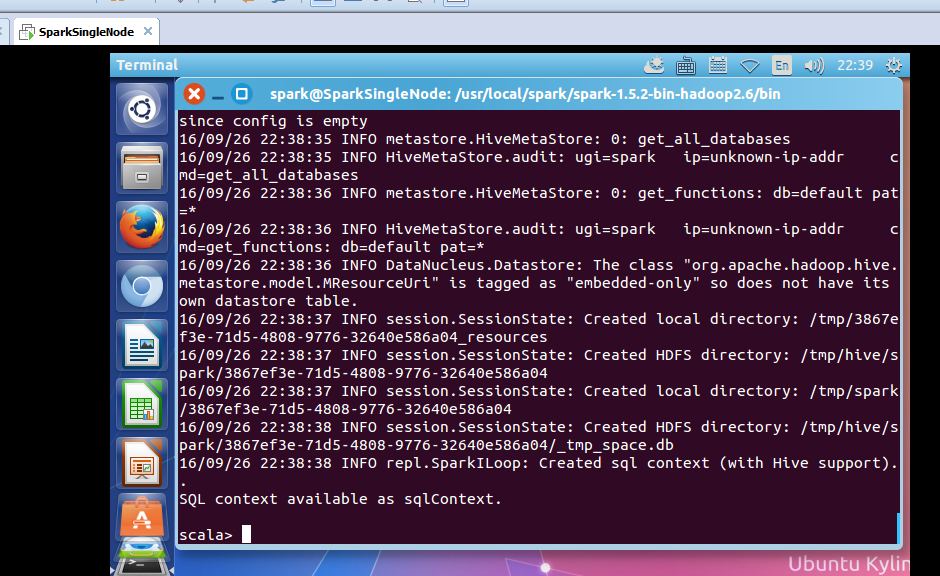
这里,我以指定executor-memory参数的方式,启动spark-shell。
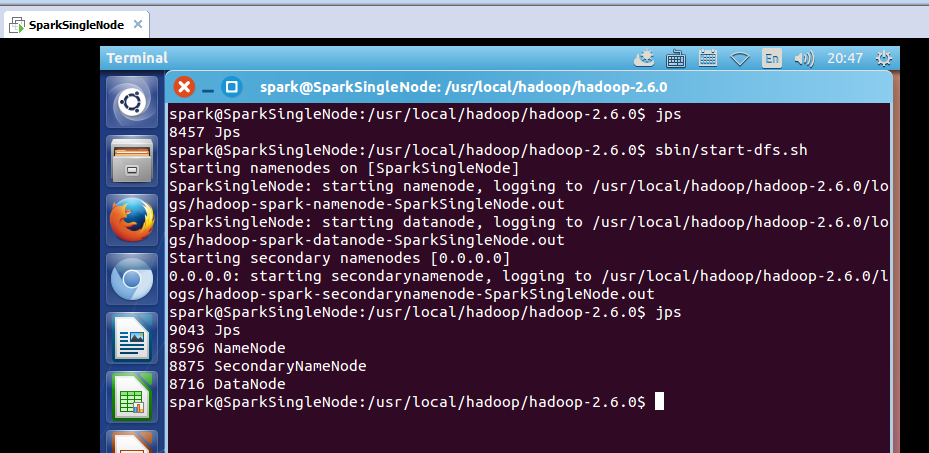
启动hadoop集群
spark@SparkSingleNode:/usr/local/hadoop/hadoop-2.6.0$ jps
8457 Jps
spark@SparkSingleNode:/usr/local/hadoop/hadoop-2.6.0$ sbin/start-dfs.sh
启动spark集群
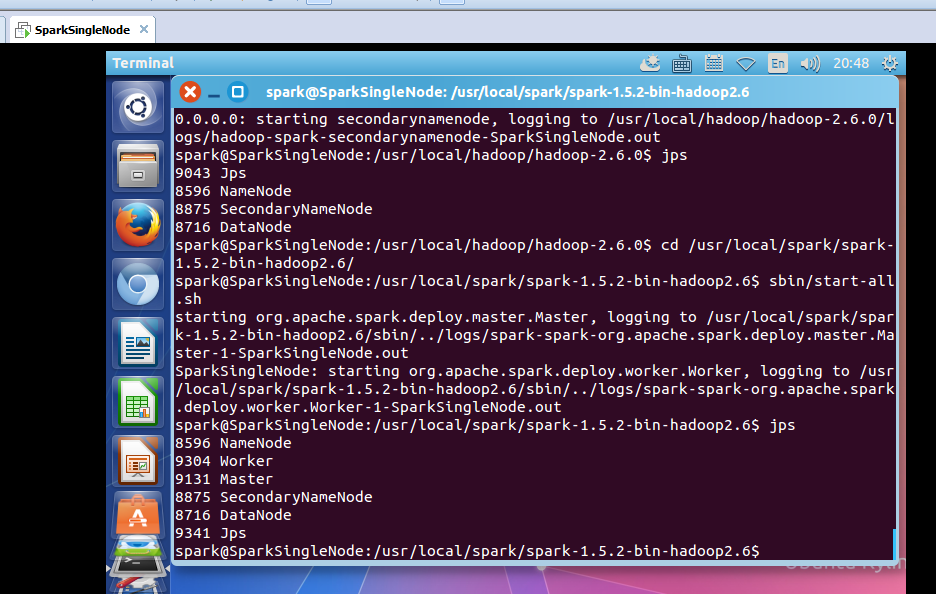
spark@SparkSingleNode:/usr/local/spark/spark-1.5.2-bin-hadoop2.6$ sbin/start-all.sh
spark@SparkSingleNode:/usr/local/spark/spark-1.5.2-bin-hadoop2.6/bin$ ./spark-shell --master spark://SparkSingleNode:7077 --executor-memory 1g
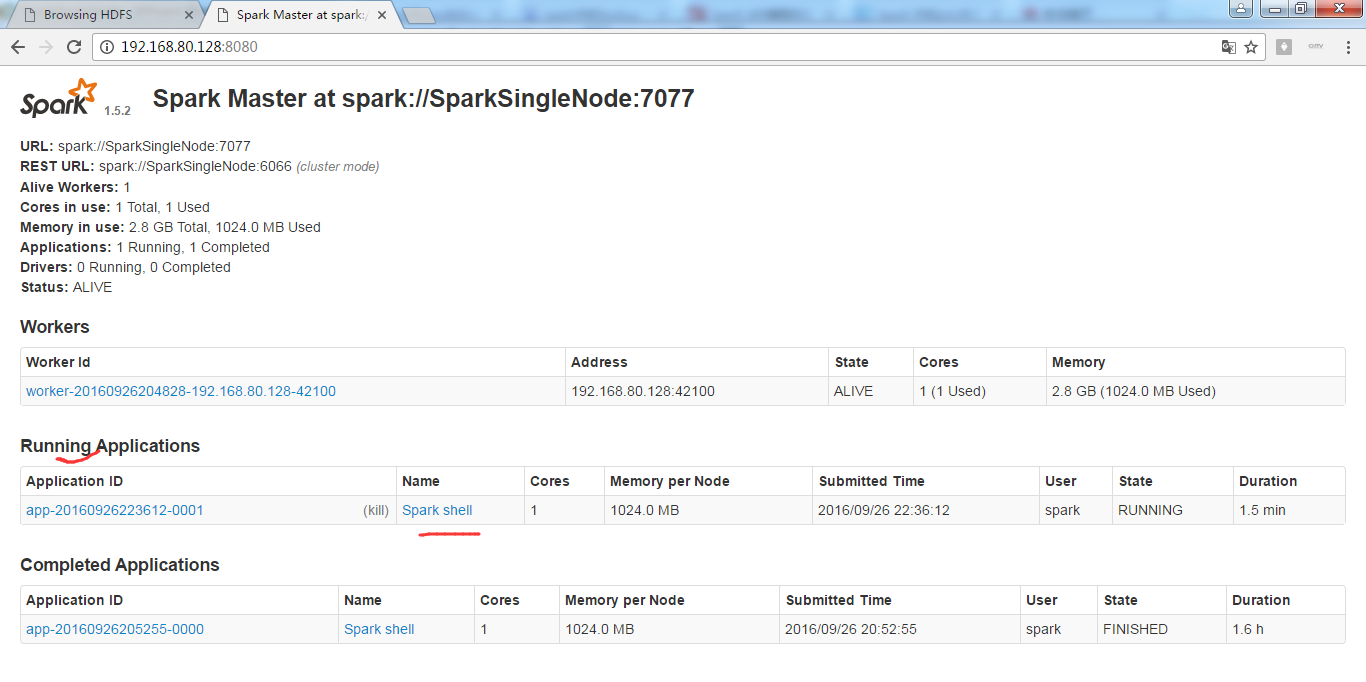
在命令行中,我指定了spark-shell运行时暂时用的每个机器上executor的内存大小为1GB。
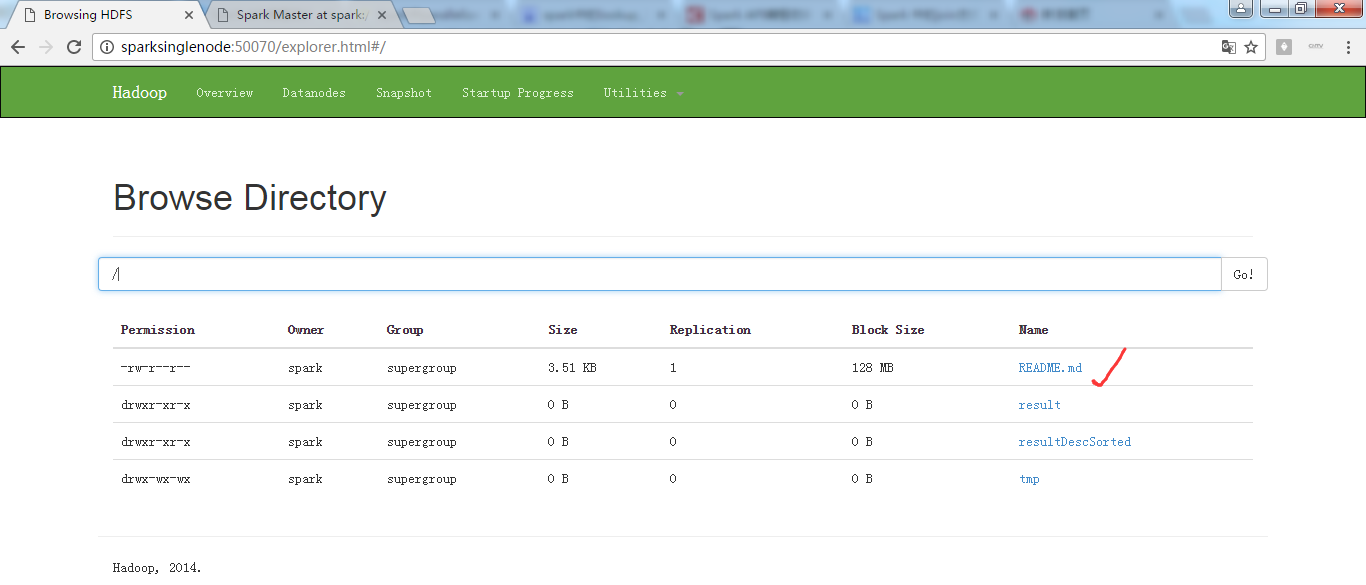
从HDFS上读取该文件
scala> val rdd1 = sc.textFile("/README.md")
或
scala> val rdd1 = sc.textFile("hdfs:SparkSingleNode:9000/README.md")
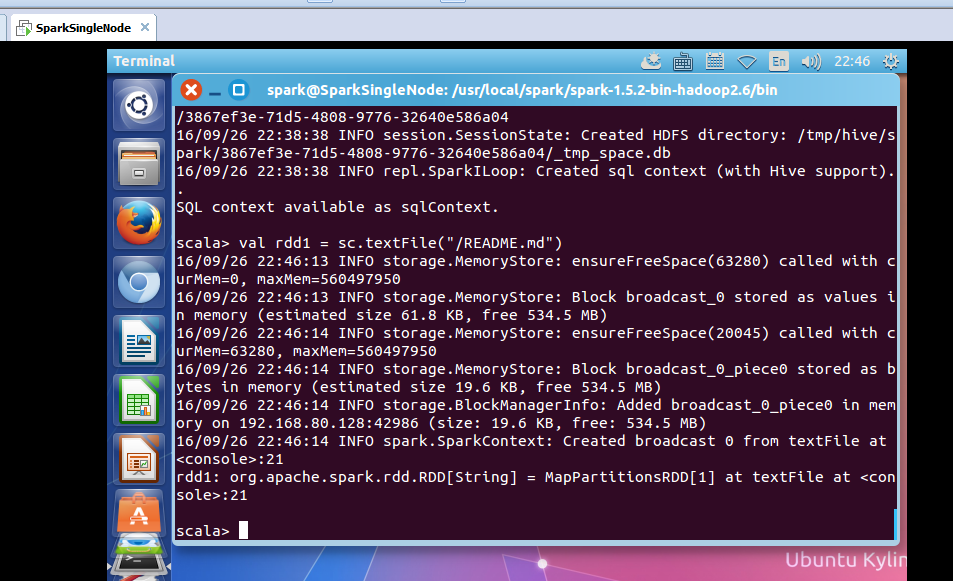
返回,MapPartitionsRDD
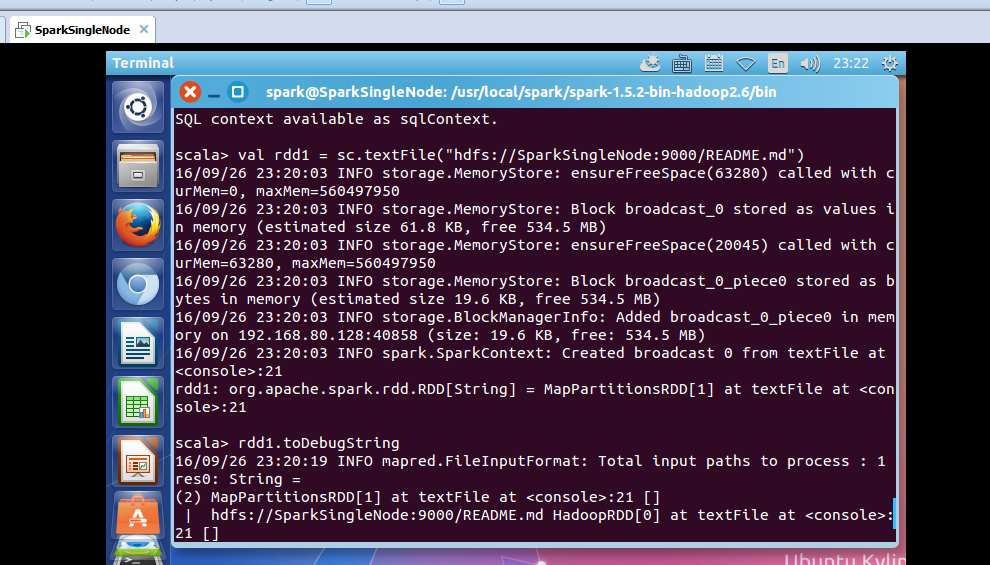
使用,toDebugString,可以查看其lineage的关系。
rdd1: org.apache.spark.rdd.RDD[String] = MapPartitionsRDD[1] at textFile at <console>:21
scala> rdd1.toDebugString
16/09/26 22:47:01 INFO mapred.FileInputFormat: Total input paths to process : 1
res0: String =
(2) MapPartitionsRDD[1] at textFile at <console>:21 []
| /README.md HadoopRDD[0] at textFile at <console>:21 []
scala>

可以看出,MapPartitionsRDD是HadoopRDD转换而来的。
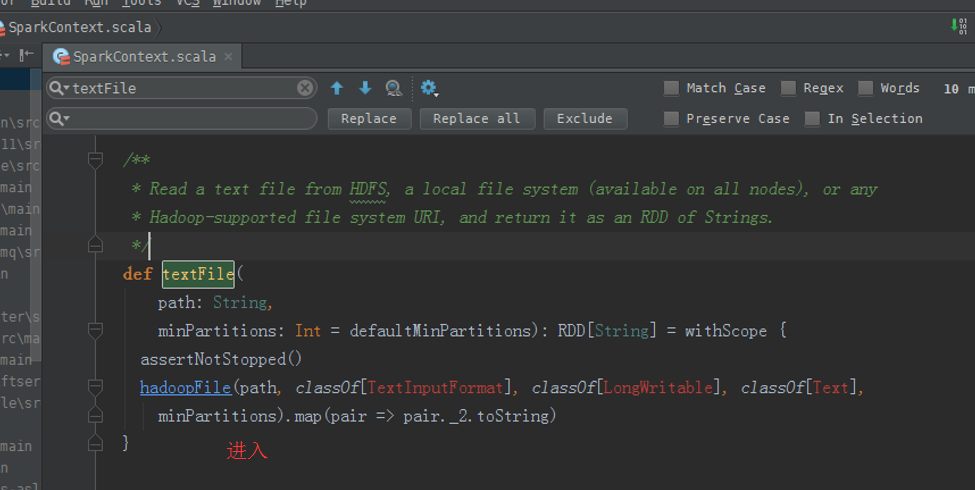
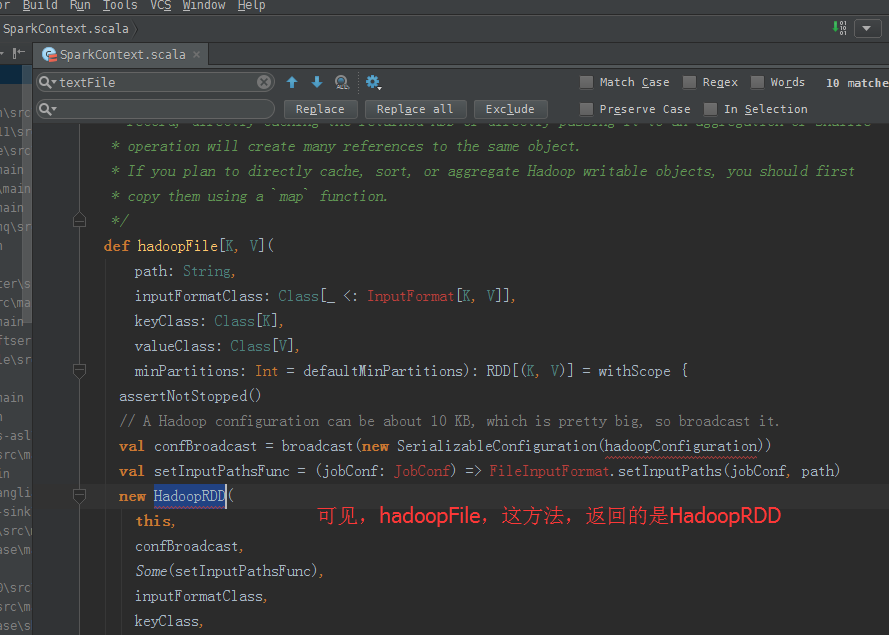
hadoopFile,这个方法,产生HadoopRDD
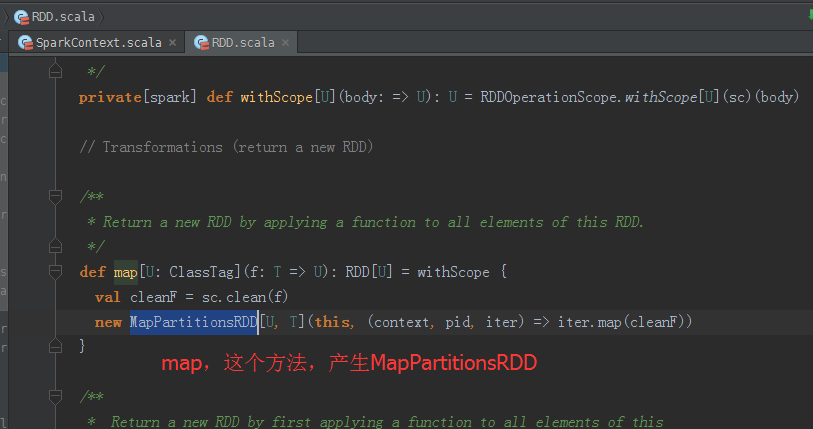
map,这个方法,产生MapPartitionsRDD
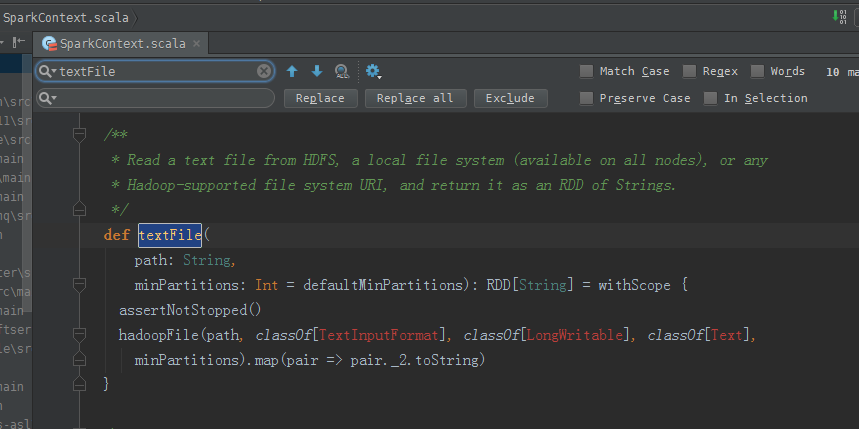
从源码分析过程
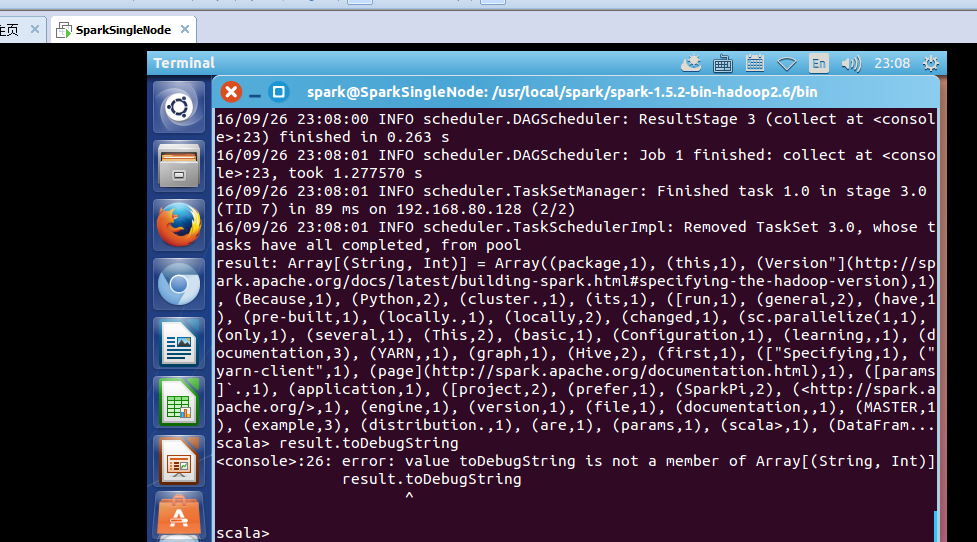
scala> val result = rdd1.flatMap(_.split(" ")).map((_,1)).reduceByKey(_+_).collect

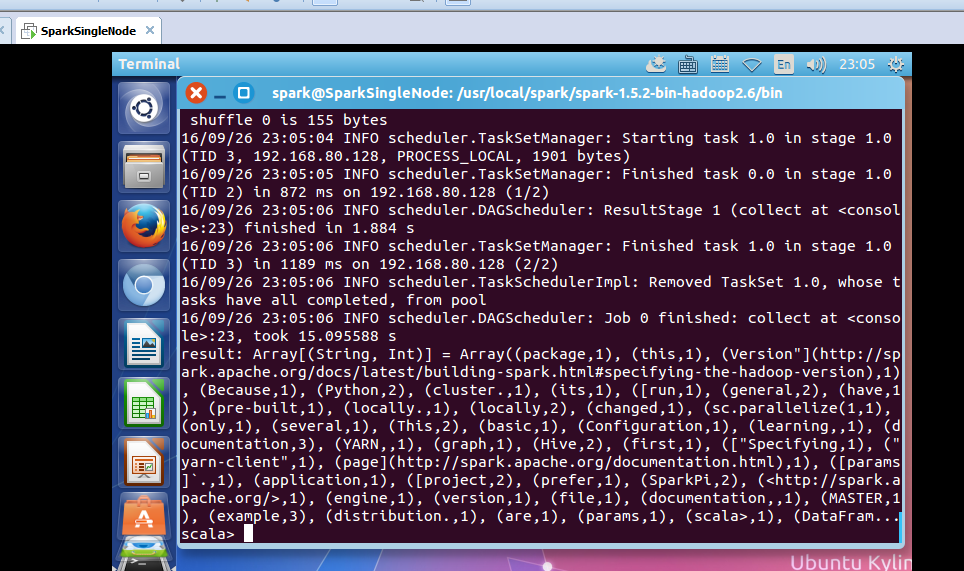
le>:23, took 15.095588 s
result: Array[(String, Int)] = Array((package,1), (this,1), (Version"](http://spark.apache.org/docs/latest/building-spark.html#specifying-the-hadoop-version),1), (Because,1), (Python,2), (cluster.,1), (its,1), ([run,1), (general,2), (have,1), (pre-built,1), (locally.,1), (locally,2), (changed,1), (sc.parallelize(1,1), (only,1), (several,1), (This,2), (basic,1), (Configuration,1), (learning,,1), (documentation,3), (YARN,,1), (graph,1), (Hive,2), (first,1), (["Specifying,1), ("yarn-client",1), (page](http://spark.apache.org/documentation.html),1), ([params]`.,1), (application,1), ([project,2), (prefer,1), (SparkPi,2), (<http://spark.apache.org/>,1), (engine,1), (version,1), (file,1), (documentation,,1), (MASTER,1), (example,3), (distribution.,1), (are,1), (params,1), (scala>,1), (DataFram...
scala>
不可这样使用toDebugString
scala> result.toDebugString
<console>:26: error: value toDebugString is not a member of Array[(String, Int)]
result.toDebugString

scala> val wordcount = rdd1.flatMap(_.split(" ")).map((_,1)).reduceByKey(_+_)
wordcount: org.apache.spark.rdd.RDD[(String, Int)] = ShuffledRDD[10] at reduceByKey at <console>:23
scala> wordcount.toDebugString
res3: String =
(2) ShuffledRDD[10] at reduceByKey at <console>:23 []
+-(2) MapPartitionsRDD[9] at map at <console>:23 []
| MapPartitionsRDD[8] at flatMap at <console>:23 []
| MapPartitionsRDD[1] at textFile at <console>:21 []
| /README.md HadoopRDD[0] at textFile at <console>:21 []
scala>
或者
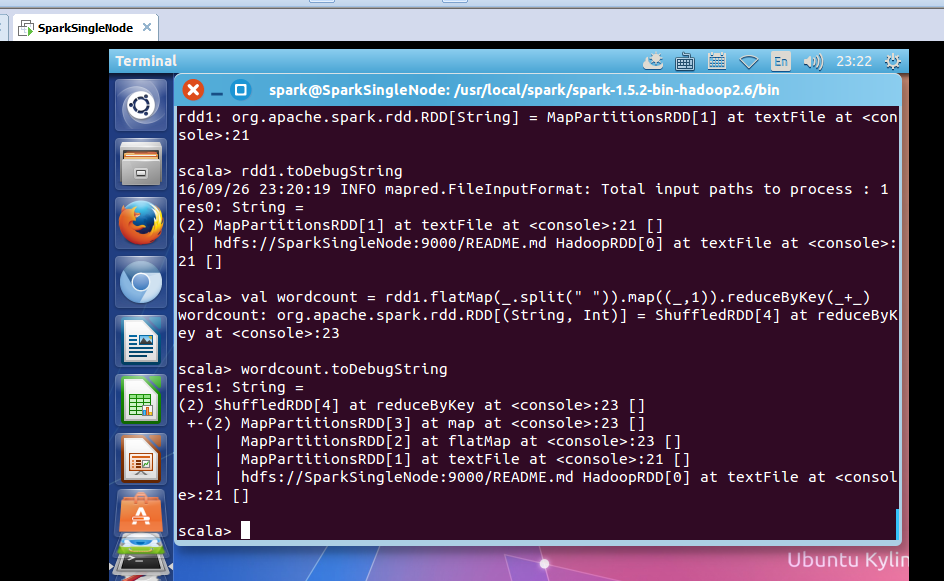
疑问:为什么没有MappedRDD?难道是版本问题??
2、动手实战操作搜狗日志文件
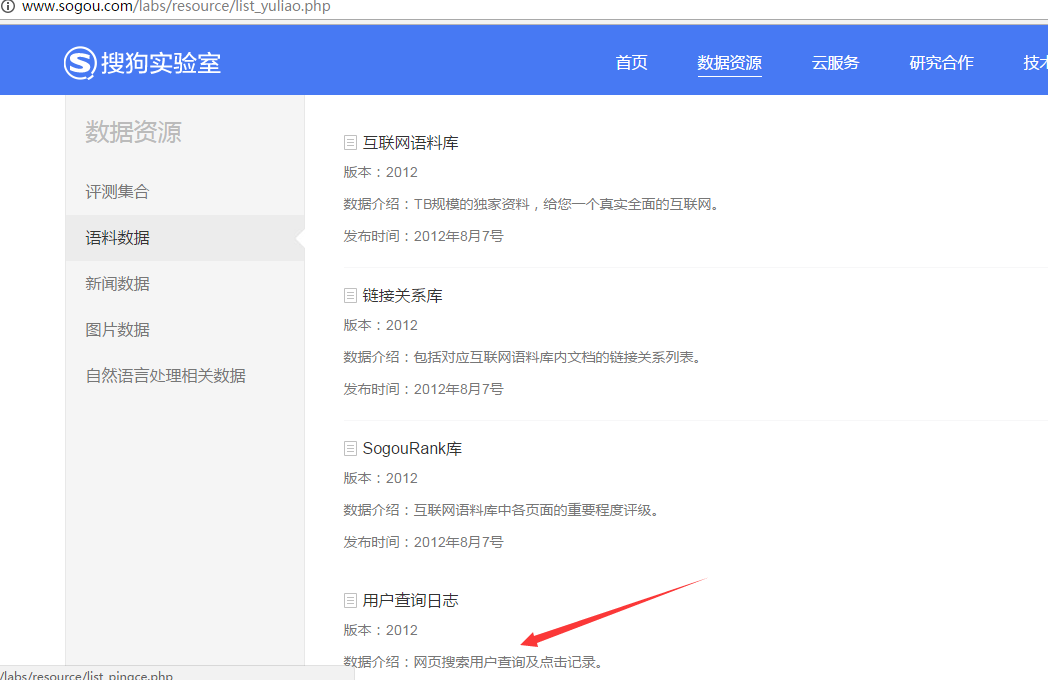
本节中所用到的内容是来自搜狗实验室,网址为:http://www.sogou.com/labs/dl/q.html
我们使用的是迷你版本的tar.gz格式的文件,其大小为87K,下载后如下所示:
因为,考虑我的机器内存的自身情况。
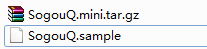
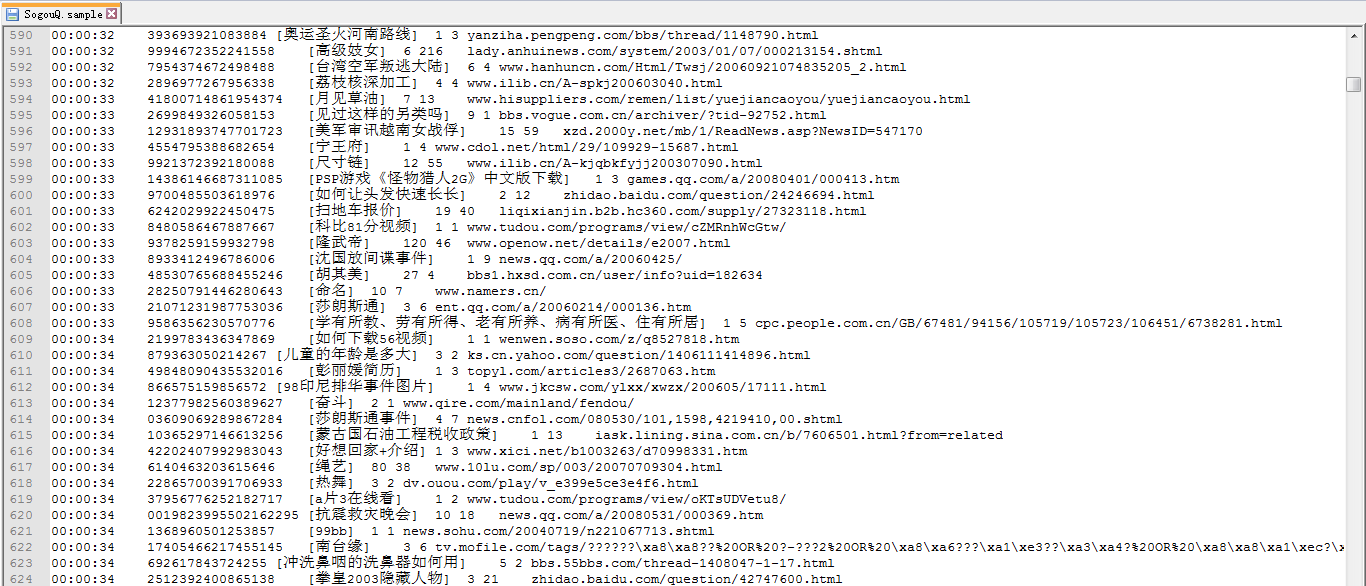
或者
spark@SparkSingleNode:~$ wget http://download.labs.sogou.com/dl/sogoulabdown/SogouQ/SogouQ2012.mini.tar.gz
spark@SparkSingleNode:~$ tar -zxvf SogouQ2012.mini.tar.gz

查看它的部分内容
spark@SparkSingleNode:~$ head SogouQ.mini
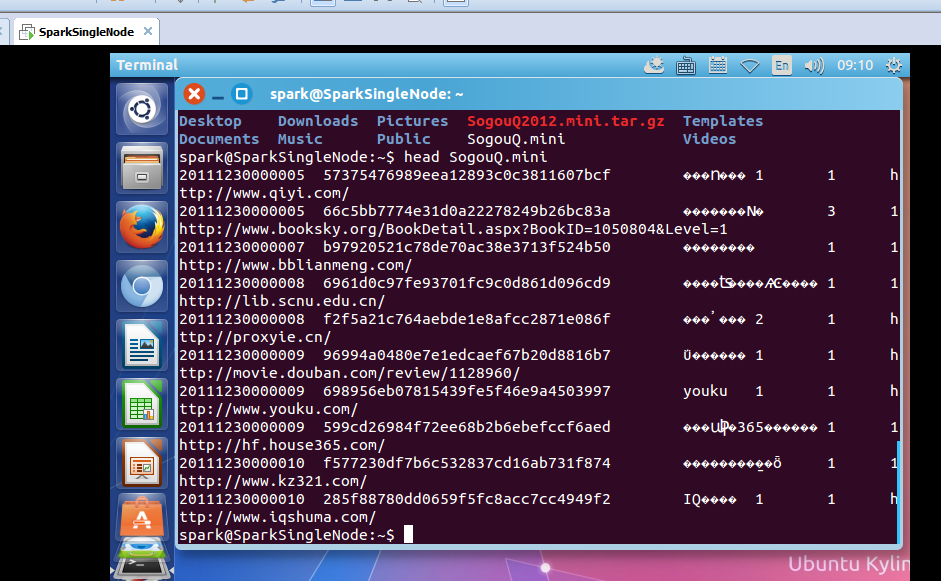
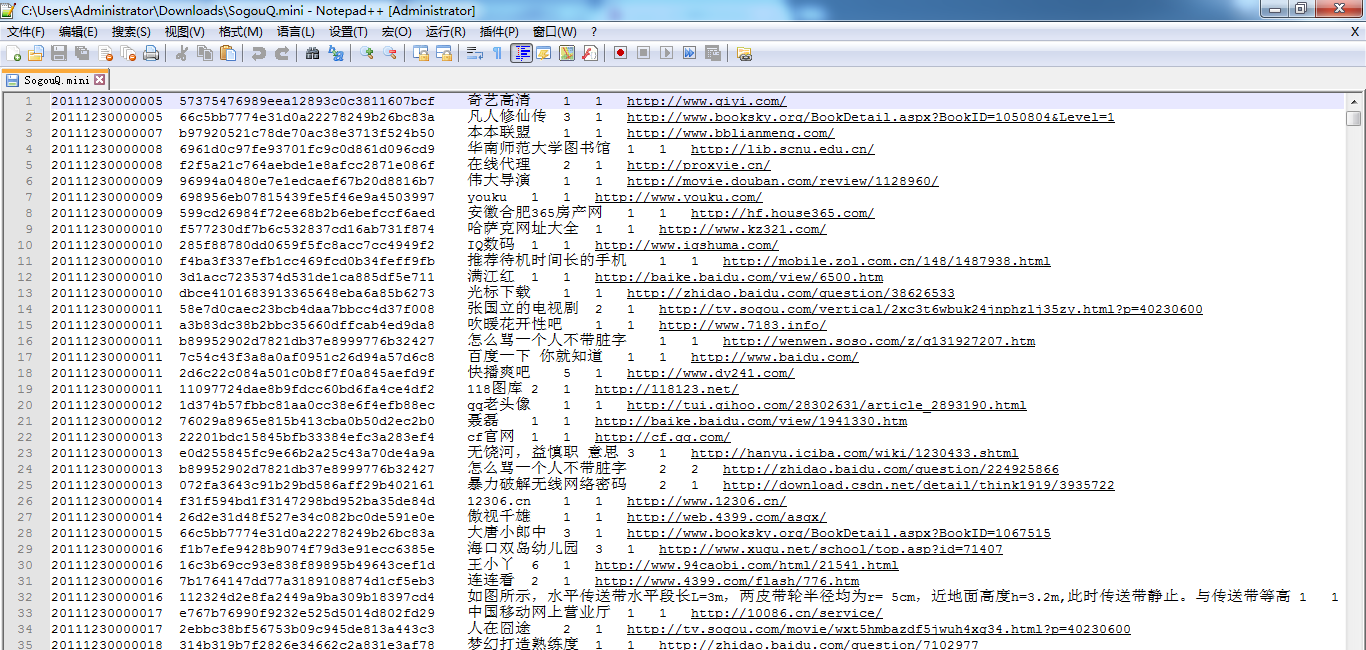
该文件的格式如下所示:
访问时间 \t 用户ID \t 查询词 \t 该URL在返回结果中的排名 \ t用户点击的顺序号 \t 用户点击的URL
开启hdfs和spark集群
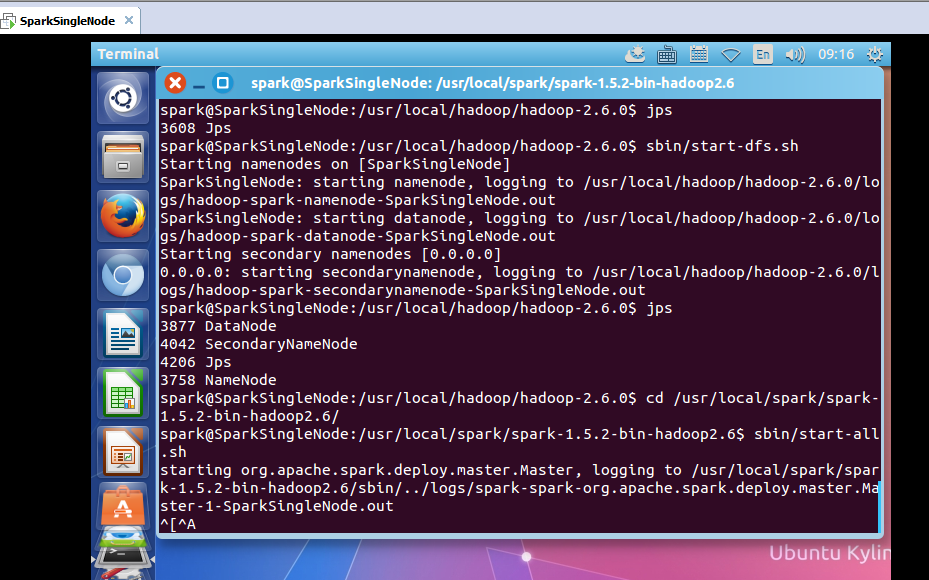
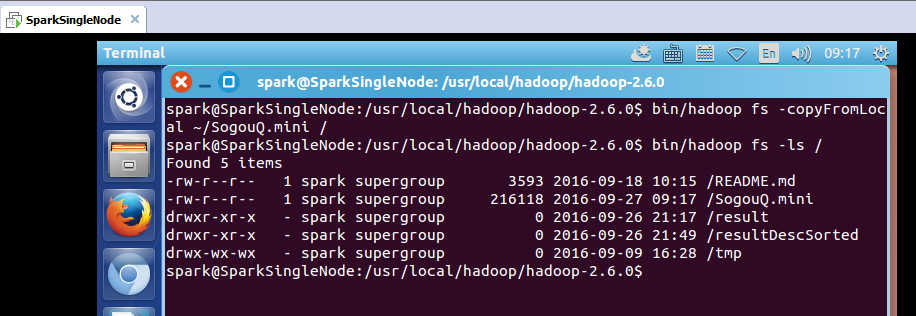
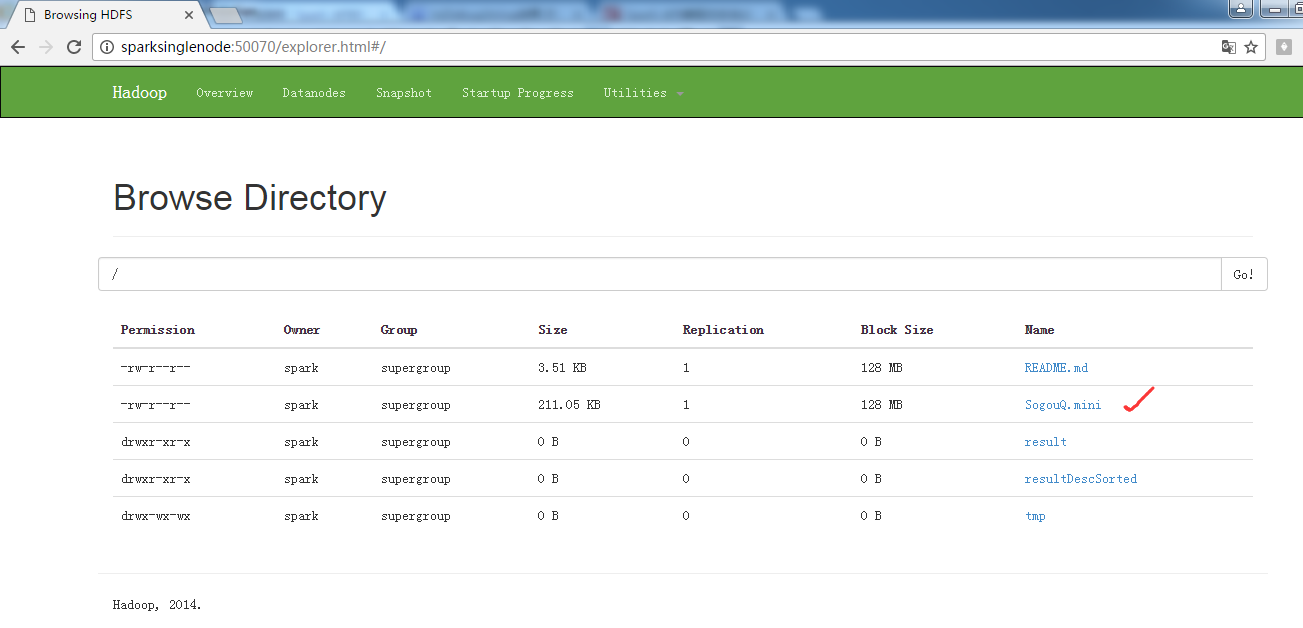
把解压后的文件上传到hdfs的/目录下
spark@SparkSingleNode:/usr/local/hadoop/hadoop-2.6.0$ bin/hadoop fs -copyFromLocal ~/SogouQ.mini /
开启spark-shell
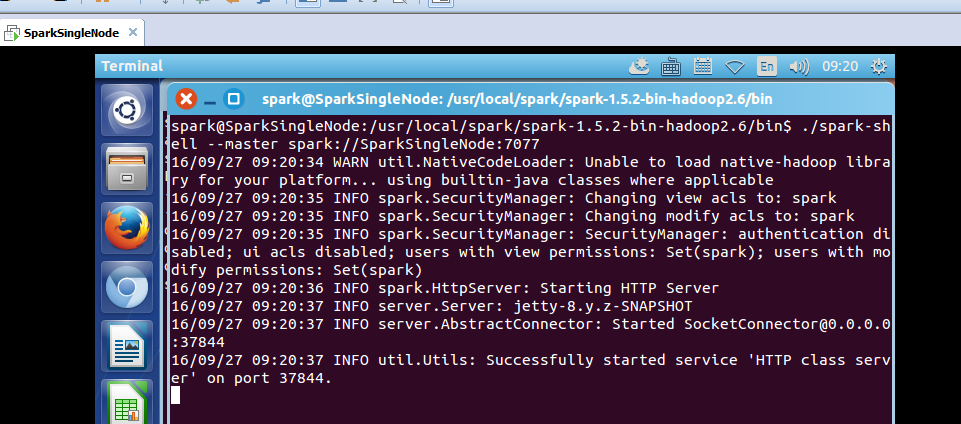
spark@SparkSingleNode:/usr/local/spark/spark-1.5.2-bin-hadoop2.6/bin$ ./spark-shell --master spark://SparkSingleNode:7077
接下来 我们使用Spark获得搜索结果排名第一同时点击结果排名也是第一的数据量,也就是第四列值为1同时第五列的值也为1的总共的记录的个数。
读取SogouQ.mini文件
scala> val soGouQRdd = sc.textFile("hdfs://SparkSingleNode:9000/SogouQ.mini")
scala> soGouQRdd.count
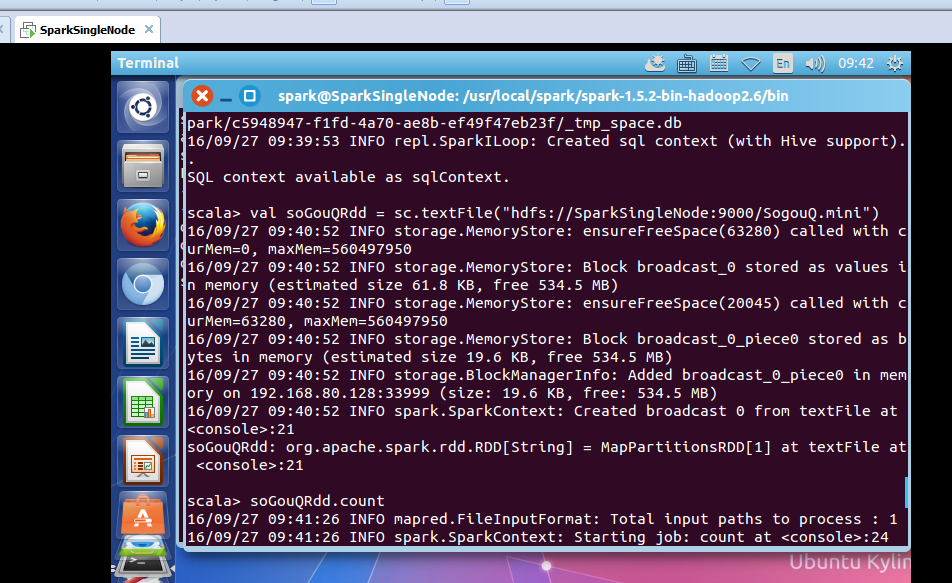
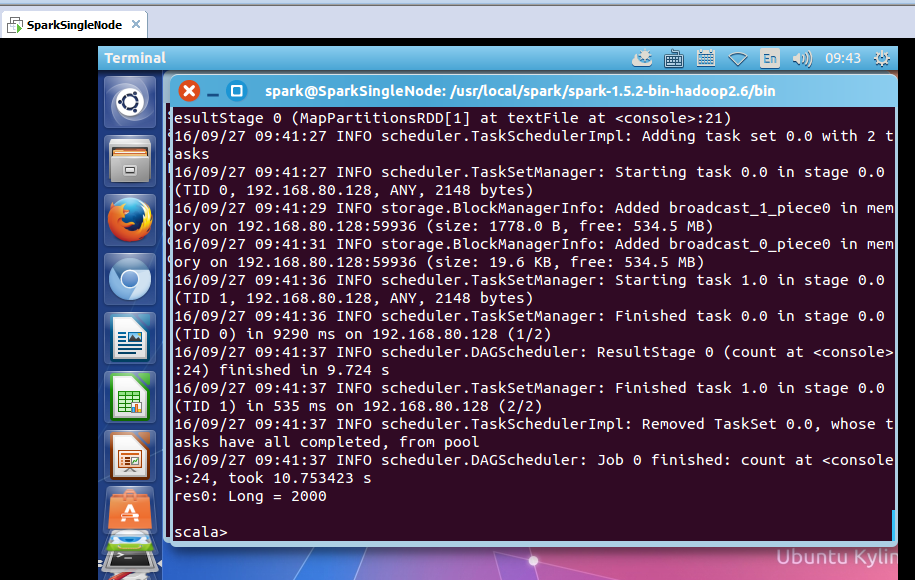
took 10.753423 s
res0: Long = 2000
可以看出,count之后有2000条记录

首先过滤出有效的数据:
scala> val mapSoGouQRdd = soGouQRdd.map((_.split("\t"))).filter(_.length == 6)
mapSoGouQRdd: org.apache.spark.rdd.RDD[Array[String]] = MapPartitionsRDD[3] at filter at <console>:23
scala> mapSoGouQRdd.count
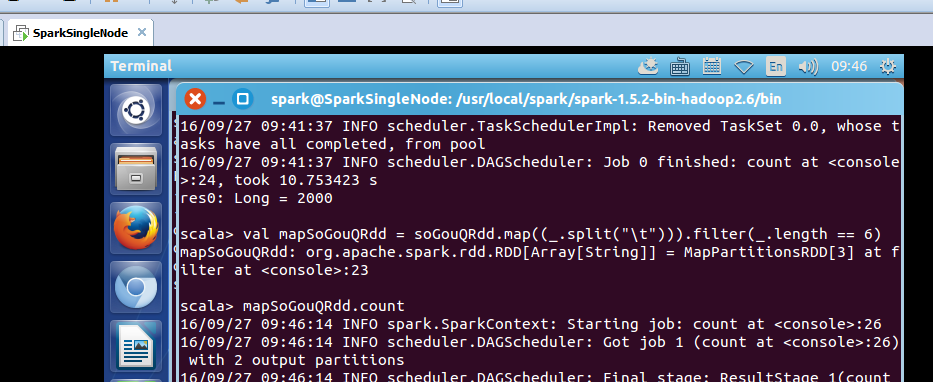
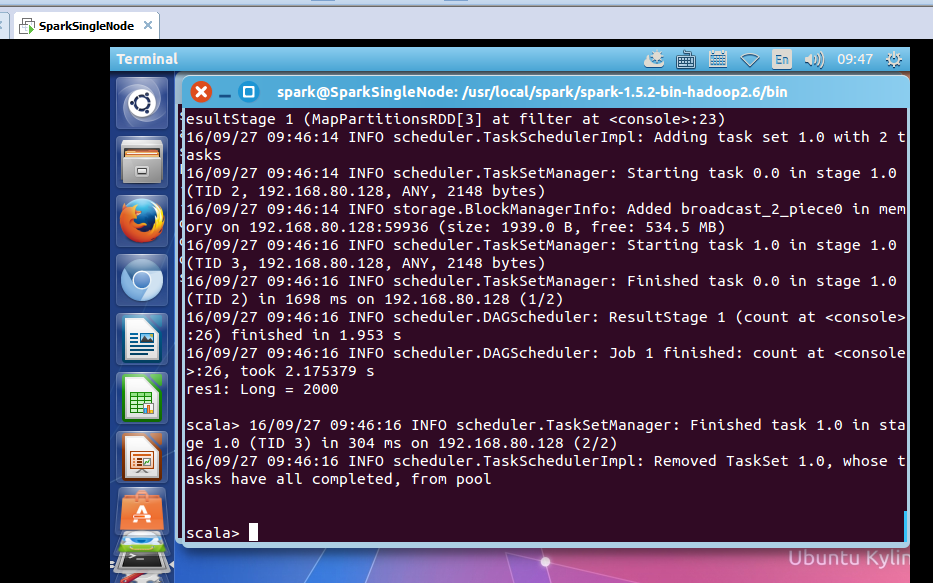
took 2.175379 s
res1: Long = 2000
可以发现该文件中的数据都是有效数据。
该文件的格式如下所示:
访问时间 \t 用户ID \t 查询词 \t 该URL在返回结果中的排名 \ t用户点击的顺序号 \t 用户点击的URL

下面使用spark获得搜索结果排名第一同时点击结果排名也是第一的数据量:
scala> val filterSoGouQRdd = mapSoGouQRdd.filter(_(3).toInt == 1).filter(_(4).toInt == 1)
filterSoGouQRdd: org.apache.spark.rdd.RDD[Array[String]] = MapPartitionsRDD[5] at filter at <console>:25
scala> filterSoGouQRdd.count
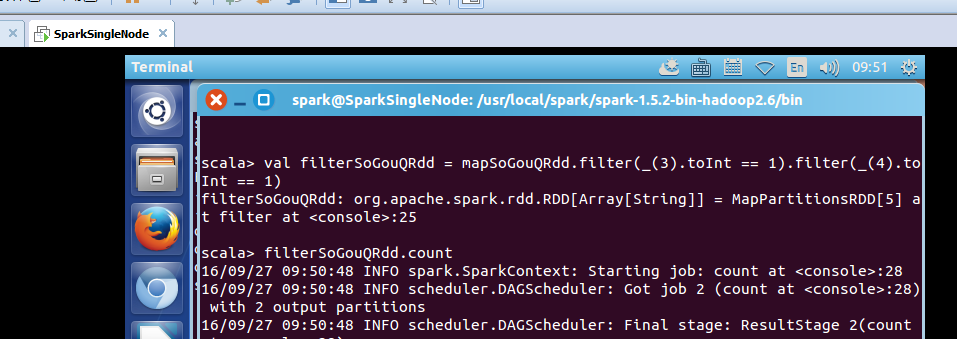
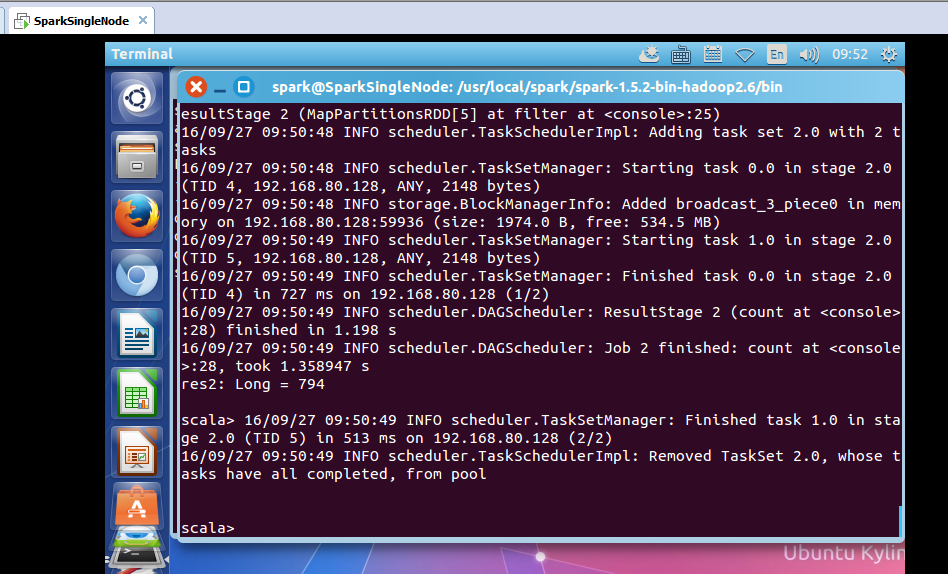
可以发现搜索结果排名第一同时点击结果排名也是第一的数据量为794条;
使用toDebugString查看一下其lineage:
scala> filterSoGouQRdd.toDebugString
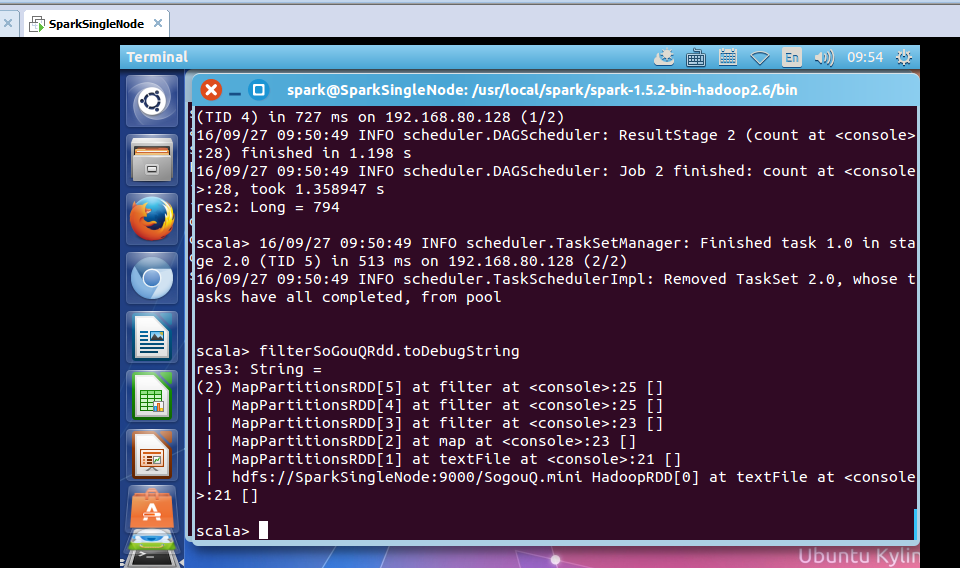
res3: String =
(2) MapPartitionsRDD[5] at filter at <console>:25 []
| MapPartitionsRDD[4] at filter at <console>:25 []
| MapPartitionsRDD[3] at filter at <console>:23 []
| MapPartitionsRDD[2] at map at <console>:23 []
| MapPartitionsRDD[1] at textFile at <console>:21 []
| hdfs://SparkSingleNode:9000/SogouQ.mini HadoopRDD[0] at textFile at <console>:21 []
scala>
为什么没有?
HadoopRDD->MappedRDD->MappedRDD->FilteredRDD->FilteredRDD->FilteredRDD
3、搜狗日志文件深入实战
下面看,用户ID查询次数排行榜:
该文件的格式如下所示:
访问时间 \t 用户ID \t 查询词 \t 该URL在返回结果中的排名 \ t用户点击的顺序号 \t 用户点击的URL
scala> val sortedSoGouQRdd = mapSoGouQRdd.map(x => (x(1),1)).reduceByKey(_+_).map(x => (x._2,x._1)).sortByKey(false).map(x => (x._2,x._1))
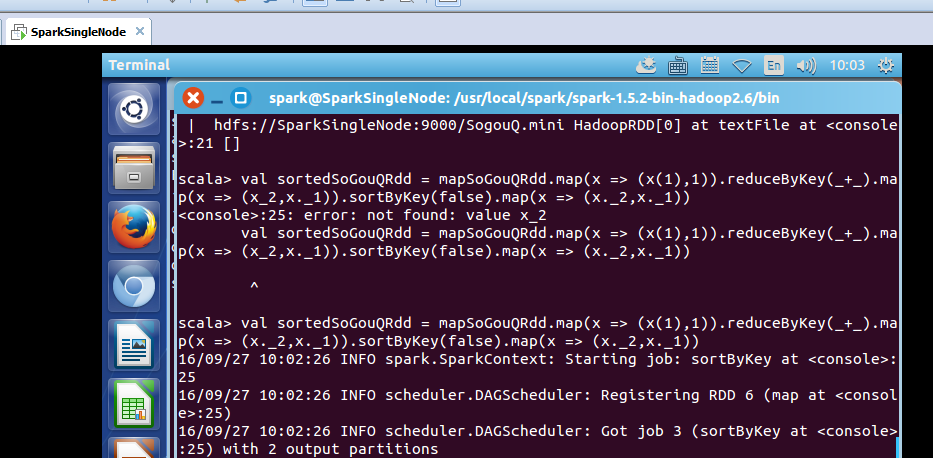
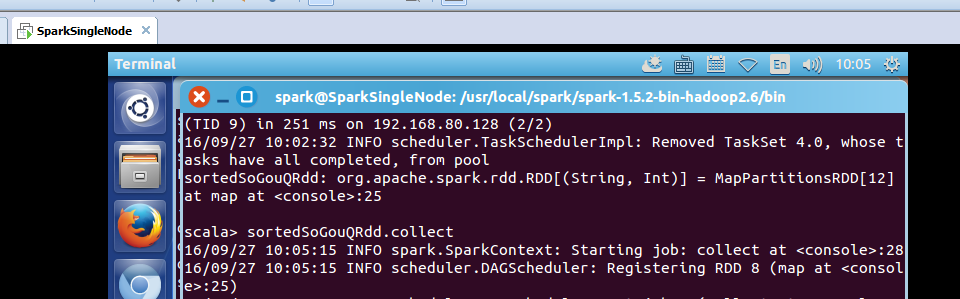
对sortedSogouQRdd进行collect操作:(不要乱collect 会出现OOM的)
scala> sortedSoGouQRdd.collect
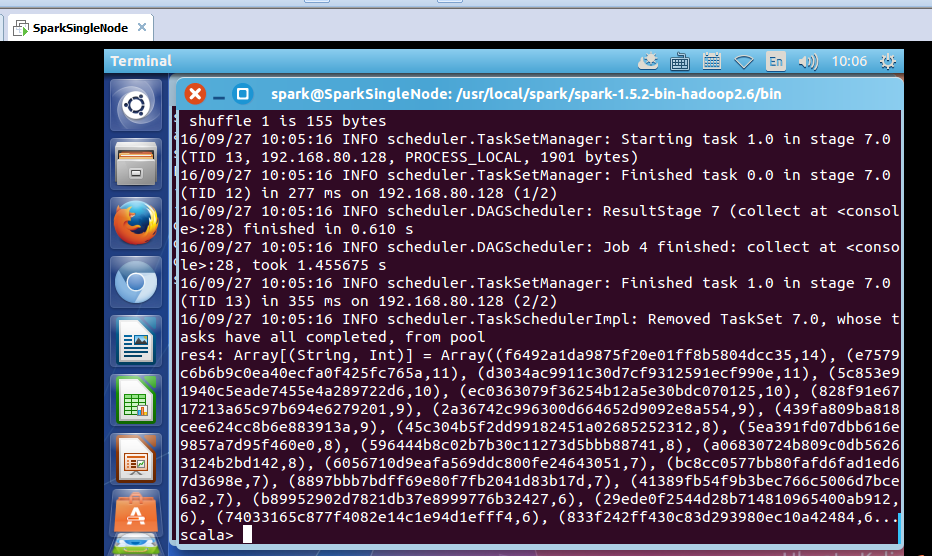
res4: Array[(String, Int)] = Array((f6492a1da9875f20e01ff8b5804dcc35,14), (e7579c6b6b9c0ea40ecfa0f425fc765a,11), (d3034ac9911c30d7cf9312591ecf990e,11), (5c853e91940c5eade7455e4a289722d6,10), (ec0363079f36254b12a5e30bdc070125,10), (828f91e6717213a65c97b694e6279201,9), (2a36742c996300d664652d9092e8a554,9), (439fa809ba818cee624cc8b6e883913a,9), (45c304b5f2dd99182451a02685252312,8), (5ea391fd07dbb616e9857a7d95f460e0,8), (596444b8c02b7b30c11273d5bbb88741,8), (a06830724b809c0db56263124b2bd142,8), (6056710d9eafa569ddc800fe24643051,7), (bc8cc0577bb80fafd6fad1ed67d3698e,7), (8897bbb7bdff69e80f7fb2041d83b17d,7), (41389fb54f9b3bec766c5006d7bce6a2,7), (b89952902d7821db37e8999776b32427,6), (29ede0f2544d28b714810965400ab912,6), (74033165c877f4082e14c1e94d1efff4,6), (833f242ff430c83d293980ec10a42484,6...
scala>
把结果保存在hdfs上:
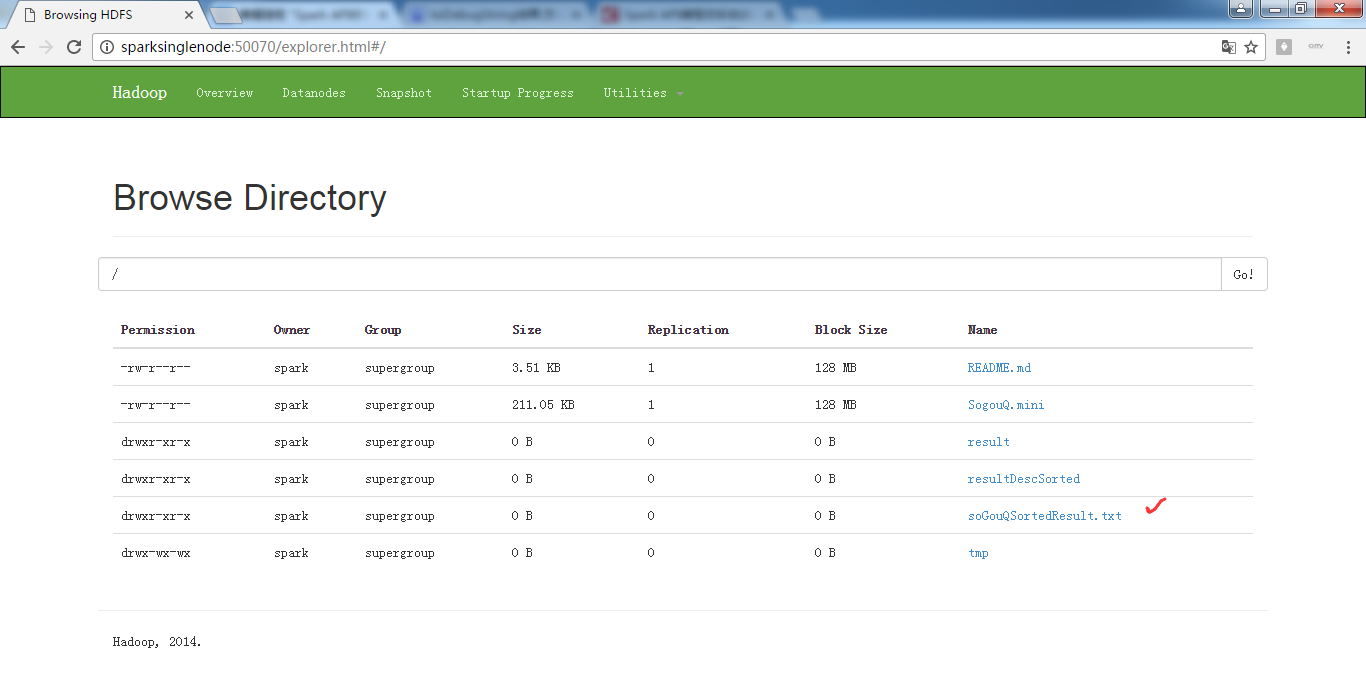
scala> sortedSoGouQRdd.saveAsTextFile("hdfs://SparkSingleNode:9000/soGouQSortedResult.txt")
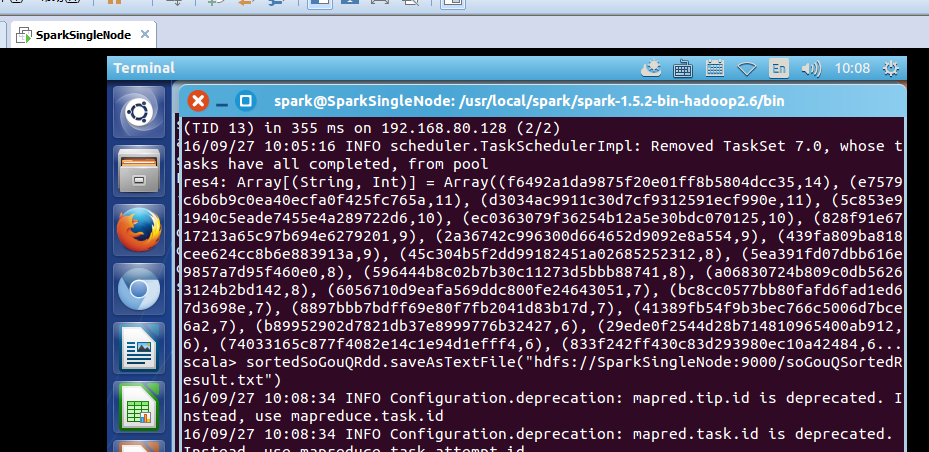

把这些,输出信息,看懂,深入,是大牛必经之路。
scala> sortedSoGouQRdd.saveAsTextFile("hdfs://SparkSingleNode:9000/soGouQSortedResult.txt")
16/09/27 10:08:34 INFO Configuration.deprecation: mapred.tip.id is deprecated. Instead, use mapreduce.task.id
16/09/27 10:08:34 INFO Configuration.deprecation: mapred.task.id is deprecated. Instead, use mapreduce.task.attempt.id
16/09/27 10:08:34 INFO Configuration.deprecation: mapred.task.is.map is deprecated. Instead, use mapreduce.task.ismap
16/09/27 10:08:34 INFO Configuration.deprecation: mapred.task.partition is deprecated. Instead, use mapreduce.task.partition
16/09/27 10:08:34 INFO Configuration.deprecation: mapred.job.id is deprecated. Instead, use mapreduce.job.id
16/09/27 10:08:35 INFO spark.SparkContext: Starting job: saveAsTextFile at <console>:28
16/09/27 10:08:35 INFO spark.MapOutputTrackerMaster: Size of output statuses for shuffle 0 is 155 bytes
16/09/27 10:08:35 INFO scheduler.DAGScheduler: Got job 5 (saveAsTextFile at <console>:28) with 2 output partitions
16/09/27 10:08:35 INFO scheduler.DAGScheduler: Final stage: ResultStage 10(saveAsTextFile at <console>:28)
16/09/27 10:08:35 INFO scheduler.DAGScheduler: Parents of final stage: List(ShuffleMapStage 9)
16/09/27 10:08:35 INFO scheduler.DAGScheduler: Missing parents: List()
16/09/27 10:08:35 INFO scheduler.DAGScheduler: Submitting ResultStage 10 (MapPartitionsRDD[13] at saveAsTextFile at <console>:28), which has no missing parents
16/09/27 10:08:35 INFO storage.MemoryStore: ensureFreeSpace(128736) called with curMem=105283, maxMem=560497950
16/09/27 10:08:35 INFO storage.MemoryStore: Block broadcast_8 stored as values in memory (estimated size 125.7 KB, free 534.3 MB)
16/09/27 10:08:36 INFO storage.MemoryStore: ensureFreeSpace(43435) called with curMem=234019, maxMem=560497950
16/09/27 10:08:36 INFO storage.MemoryStore: Block broadcast_8_piece0 stored as bytes in memory (estimated size 42.4 KB, free 534.3 MB)
16/09/27 10:08:36 INFO storage.BlockManagerInfo: Added broadcast_8_piece0 in memory on 192.168.80.128:33999 (size: 42.4 KB, free: 534.5 MB)
16/09/27 10:08:36 INFO spark.SparkContext: Created broadcast 8 from broadcast at DAGScheduler.scala:861
16/09/27 10:08:36 INFO scheduler.DAGScheduler: Submitting 2 missing tasks from ResultStage 10 (MapPartitionsRDD[13] at saveAsTextFile at <console>:28)
16/09/27 10:08:36 INFO scheduler.TaskSchedulerImpl: Adding task set 10.0 with 2 tasks
16/09/27 10:08:36 INFO scheduler.TaskSetManager: Starting task 0.0 in stage 10.0 (TID 14, 192.168.80.128, PROCESS_LOCAL, 1901 bytes)
16/09/27 10:08:36 INFO storage.BlockManagerInfo: Added broadcast_8_piece0 in memory on 192.168.80.128:59936 (size: 42.4 KB, free: 534.5 MB)
16/09/27 10:08:41 INFO scheduler.TaskSetManager: Starting task 1.0 in stage 10.0 (TID 15, 192.168.80.128, PROCESS_LOCAL, 1901 bytes)
16/09/27 10:08:41 INFO scheduler.TaskSetManager: Finished task 0.0 in stage 10.0 (TID 14) in 5813 ms on 192.168.80.128 (1/2)
16/09/27 10:08:43 INFO scheduler.DAGScheduler: ResultStage 10 (saveAsTextFile at <console>:28) finished in 7.719 s
16/09/27 10:08:43 INFO scheduler.DAGScheduler: Job 5 finished: saveAsTextFile at <console>:28, took 8.348232 s
16/09/27 10:08:43 INFO scheduler.TaskSetManager: Finished task 1.0 in stage 10.0 (TID 15) in 2045 ms on 192.168.80.128 (2/2)
16/09/27 10:08:43 INFO scheduler.TaskSchedulerImpl: Removed TaskSet 10.0, whose tasks have all completed, from pool
scala>
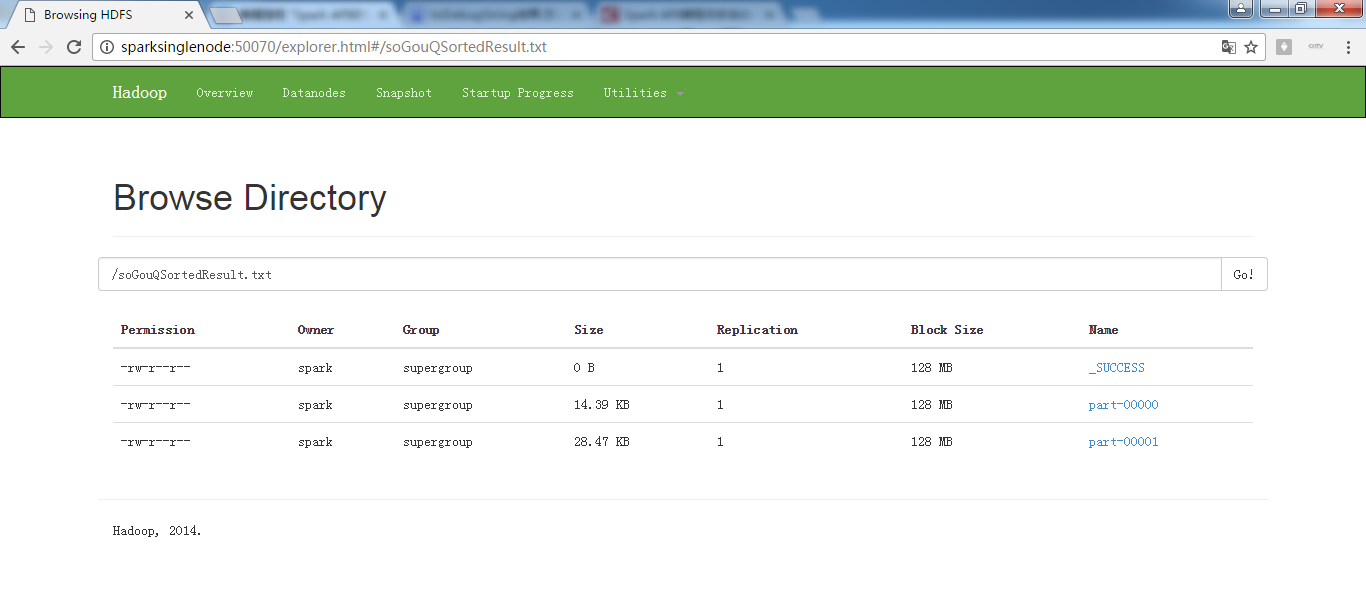
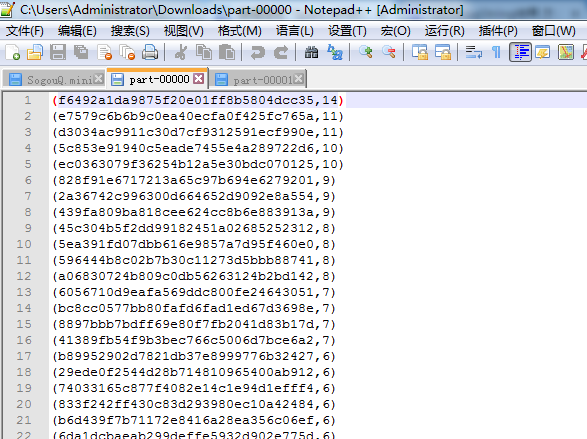

hdfs命令行查询:
part-0000:
spark@SparkSingleNode:/usr/local/hadoop/hadoop-2.6.0$ bin/hadoop fs -text /soGouQSortedResult.txt/part-00000
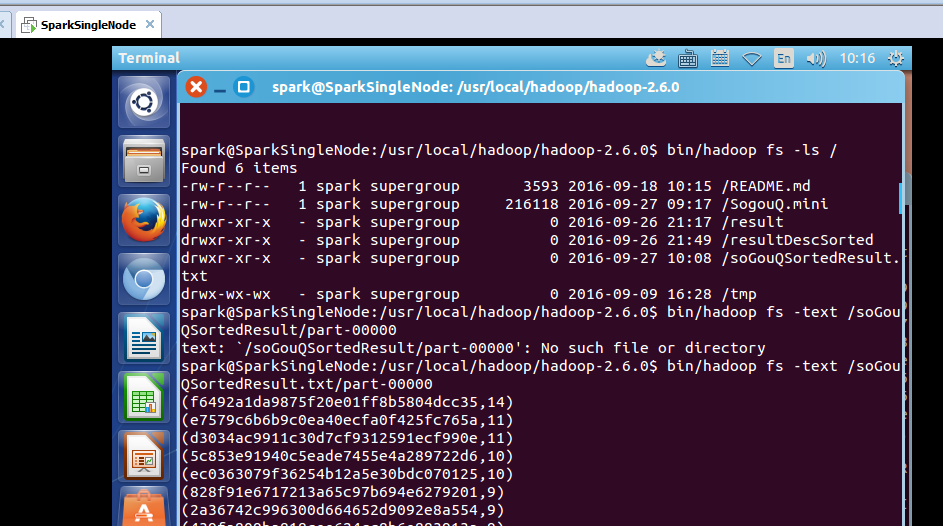
hdfs命令行查询:
part-0000:
spark@SparkSingleNode:/usr/local/hadoop/hadoop-2.6.0$ bin/hadoop fs -text /soGouQSortedResult.txt/part-00001
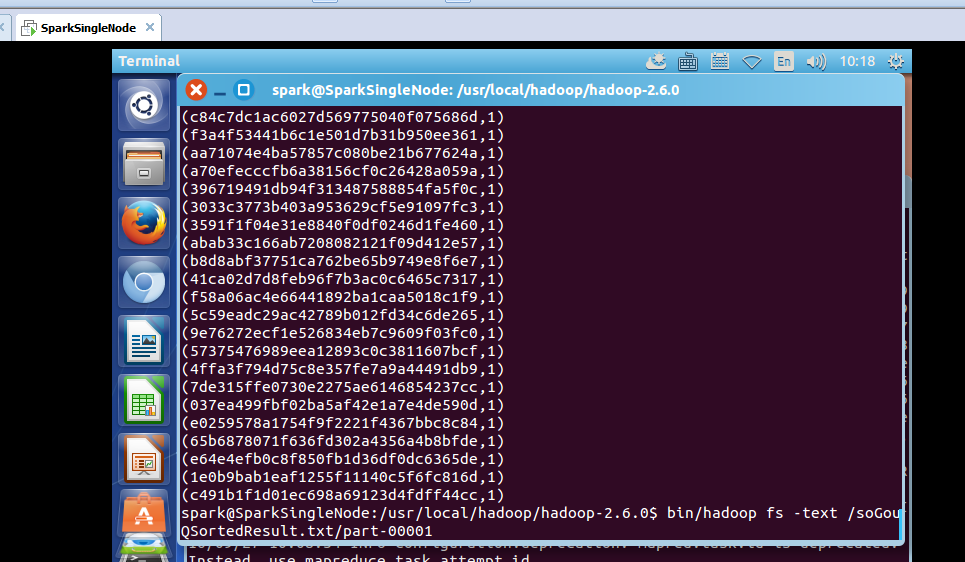
我们通过hadoop命令把上述两个文件的内容合并起来:
spark@SparkSingleNode:/usr/local/hadoop/hadoop-2.6.0$ bin/hadoop fs -getmerge hdfs://SparkSingleNode:9000/soGouQSortedResult.txt combinedSortedResult.txt //注意,第二个参数,是本地文件的目录
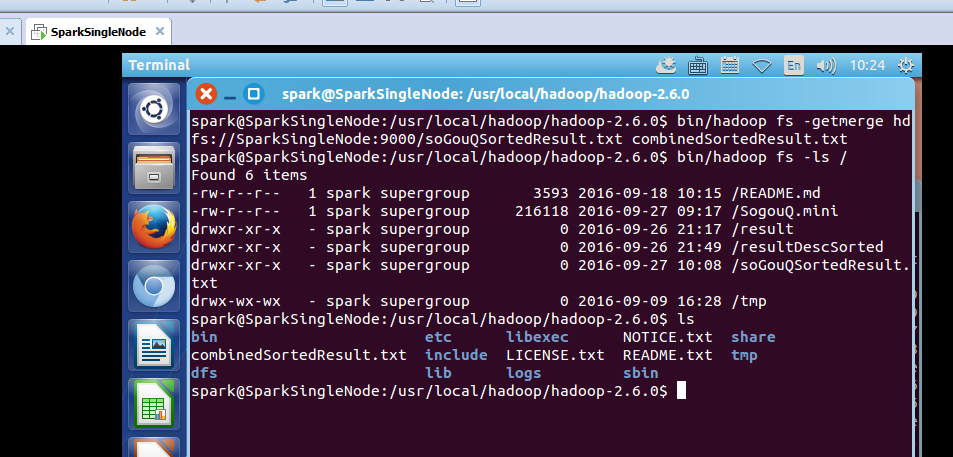
spark@SparkSingleNode:/usr/local/hadoop/hadoop-2.6.0$ bin/hadoop fs -ls /
Found 6 items
-rw-r--r-- 1 spark supergroup 3593 2016-09-18 10:15 /README.md
-rw-r--r-- 1 spark supergroup 216118 2016-09-27 09:17 /SogouQ.mini
drwxr-xr-x - spark supergroup 0 2016-09-26 21:17 /result
drwxr-xr-x - spark supergroup 0 2016-09-26 21:49 /resultDescSorted
drwxr-xr-x - spark supergroup 0 2016-09-27 10:08 /soGouQSortedResult.txt
drwx-wx-wx - spark supergroup 0 2016-09-09 16:28 /tmp
spark@SparkSingleNode:/usr/local/hadoop/hadoop-2.6.0$ ls
bin etc libexec NOTICE.txt share
combinedSortedResult.txt include LICENSE.txt README.txt tmp
dfs lib logs sbin
spark@SparkSingleNode:/usr/local/hadoop/hadoop-2.6.0$
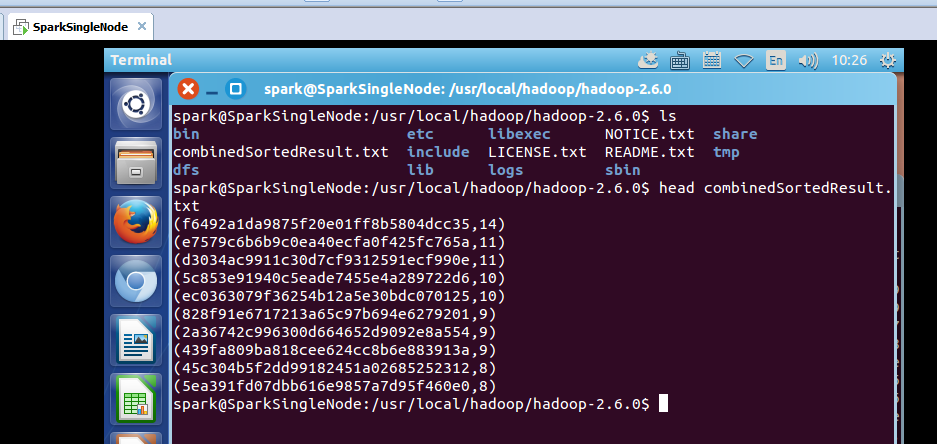
或者
spark@SparkSingleNode:/usr/local/hadoop/hadoop-2.6.0$ bin/hdfs dfs -getmerge hdfs://SparkSingleNode:9000/soGouQSortedResult.txt combinedSortedResult.txt //两者是等价的
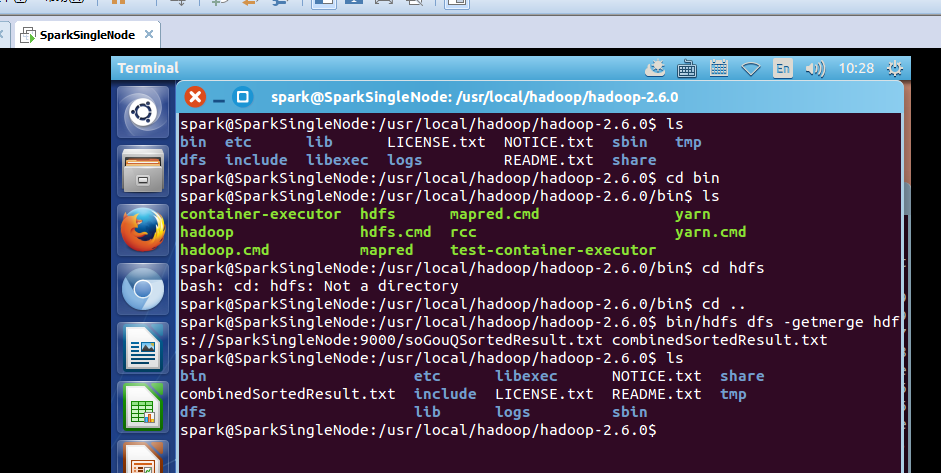
spark@SparkSingleNode:/usr/local/hadoop/hadoop-2.6.0$ ls
bin etc lib LICENSE.txt NOTICE.txt sbin tmp
dfs include libexec logs README.txt share
spark@SparkSingleNode:/usr/local/hadoop/hadoop-2.6.0$ cd bin
spark@SparkSingleNode:/usr/local/hadoop/hadoop-2.6.0/bin$ ls
container-executor hdfs mapred.cmd yarn
hadoop hdfs.cmd rcc yarn.cmd
hadoop.cmd mapred test-container-executor
spark@SparkSingleNode:/usr/local/hadoop/hadoop-2.6.0/bin$ cd hdfs
bash: cd: hdfs: Not a directory
spark@SparkSingleNode:/usr/local/hadoop/hadoop-2.6.0/bin$ cd ..
spark@SparkSingleNode:/usr/local/hadoop/hadoop-2.6.0$ bin/hdfs dfs -getmerge hdfs://SparkSingleNode:9000/soGouQSortedResult.txt combinedSortedResult.txt
spark@SparkSingleNode:/usr/local/hadoop/hadoop-2.6.0$ ls
bin etc libexec NOTICE.txt share
combinedSortedResult.txt include LICENSE.txt README.txt tmp
dfs lib logs sbin
spark@SparkSingleNode:/usr/local/hadoop/hadoop-2.6.0$
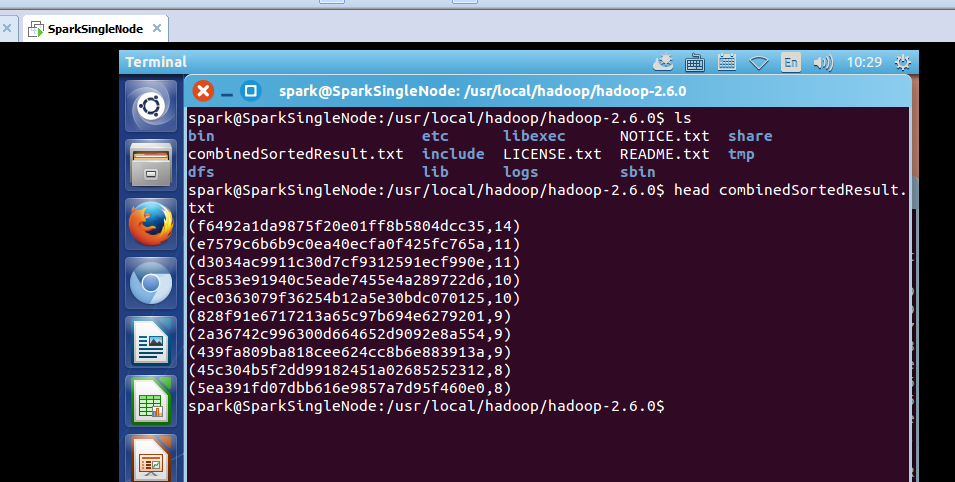
参考博客:
http://blog.csdn.net/stark_summer/article/details/43054491
Spark RDD/Core 编程 API入门系列之动手实战和调试Spark文件操作、动手实战操作搜狗日志文件、搜狗日志文件深入实战(二)的更多相关文章
- Spark RDD/Core 编程 API入门系列之简单移动互联网数据(五)
通过对移动互联网数据的分析,了解移动终端在互联网上的行为以及各个应用在互联网上的发展情况等信息. 具体包括对不同的应用使用情况的统计.移动互联网上的日常活跃用户(DAU)和月活跃用户(MAU)的统计, ...
- Spark RDD/Core 编程 API入门系列 之rdd实战(rdd基本操作实战及transformation和action流程图)(源码)(三)
本博文的主要内容是: 1.rdd基本操作实战 2.transformation和action流程图 3.典型的transformation和action RDD有3种操作: 1. Trandform ...
- Spark RDD/Core 编程 API入门系列之map、filter、textFile、cache、对Job输出结果进行升和降序、union、groupByKey、join、reduce、lookup(一)
1.以本地模式实战map和filter 2.以集群模式实战textFile和cache 3.对Job输出结果进行升和降序 4.union 5.groupByKey 6.join 7.reduce 8. ...
- Spark RDD/Core 编程 API入门系列 之rdd案例(map、filter、flatMap、groupByKey、reduceByKey、join、cogroupy等)(四)
声明: 大数据中,最重要的算子操作是:join !!! 典型的transformation和action val nums = sc.parallelize(1 to 10) //根据集合创建RDD ...
- Spark SQL 编程API入门系列之SparkSQL的依赖
不多说,直接上干货! 不带Hive支持 <dependency> <groupId>org.apache.spark</groupId> <artifactI ...
- Hadoop MapReduce编程 API入门系列之压缩和计数器(三十)
不多说,直接上代码. Hadoop MapReduce编程 API入门系列之小文件合并(二十九) 生成的结果,作为输入源. 代码 package zhouls.bigdata.myMapReduce. ...
- HBase编程 API入门系列之create(管理端而言)(8)
大家,若是看过我前期的这篇博客的话,则 HBase编程 API入门系列之put(客户端而言)(1) 就知道,在这篇博文里,我是在HBase Shell里创建HBase表的. 这里,我带领大家,学习更高 ...
- HBase编程 API入门系列之delete(客户端而言)(3)
心得,写在前面的话,也许,中间会要多次执行,连接超时,多试试就好了. 前面的基础,如下 HBase编程 API入门系列之put(客户端而言)(1) HBase编程 API入门系列之get(客户端而言) ...
- HBase编程 API入门系列之get(客户端而言)(2)
心得,写在前面的话,也许,中间会要多次执行,连接超时,多试试就好了. 前面是基础,如下 HBase编程 API入门系列之put(客户端而言)(1) package zhouls.bigdata.Hba ...
随机推荐
- mysql复制表数据或表结构到新表中
MySQL复制表数据到新表的几个步骤. 1.MySQL复制表结构及数据到新表 CREATE TABLE new_table SELECT * FROM old_table; 2.只复制表结构到新表 C ...
- 浏览器测试功能(jquery1.9以后已取消)
// 1.9以后取消了msie这些私有方法判断.这里封装加回. var matched = (function(ua) { ua = ua.toLowerCase(); var match = /(o ...
- svn-添加忽略文件
svn ps svn:ignore '文件夹名|文件名(不能是文件夹/文件名)' . svn pe svn:ignore . export SVN_EDITOR=/usr/bin/vim #设置环境变 ...
- Linux - tar命令过滤某个目录
tar -zcvf abc.20140325.tar.gz --exclude=./abc/kkk/--exclude=./abc/hhh/ ./abc/ 发现没有过滤成功,后来发现这种方法是不对的( ...
- C语言小结之链表
链表的学习 在数据结构中有一种结构叫做线性表,线性表是储存一个线性数据的表格,本文就简要的介绍一下线性表的构成. 一.线性表的定义定义:由同种类型数据元素构成的有序数列的线性结构长度.表头.表尾Lis ...
- cocos2d-x笔记4: TextField不能删除内容,以及我的解决办法。。。
3.0正式版,win32下,TextField按下backspace键不能删除内容.网上搜了下,很早就有的问题了,正式版了竟然还不解决... 真心无力吐槽啊!!!这种巨大而又明显的Bug... 从昨天 ...
- JS单元测试框架:QUnit
QUnit:jQuery的单元测试框架,但不仅限于jQuery(从这个工具不需要引用jquery.js可以看出) index.html <!-- 官网 http://qunitjs.com/ - ...
- keybd_event函数用法
转自不用winio,直接达到驱动级模拟键盘效果的keybd_event函数用法 键盘模拟技术是在编写游戏外挂时经常使用的技术.但是由于很多游戏采用了directinput的方式,使得发送的一般键盘消息 ...
- mytbatis配置多数据源
http://blog.zous-windows.com/archives/207.html http://www.oschina.net/question/144055_141255?sort=ti ...
- POJ 2892 Tunnel Warfare || HDU 1540(树状数组+二分 || 线段树的单点更新+区间查询)
点我看题目 题意 :N个村子连成一条线,相邻的村子都有直接的地道进行相连,不相连的都由地道间接相连,三个命令,D x,表示x村庄被摧毁,R ,表示最后被摧毁的村庄已经重建了,Q x表示,与x直接或间 ...