
Autorotation and Autosizing
配置应用级别的旋转方向——Global Setting
方法:点击项目-General-Deployment-Device Orientation
It doesn’t necessarily mean that every view in your application will use all of the selected orientations; but if you’re going to support an orientation in any of your application’s views, that orientation must be selected here.
配置视图级别的旋转方向——Local Setting
方法:ViewController.m中
- (NSUInteger)supportedInterfaceOrientations

{

    return (UIInterfaceOrientationMaskPortrait | UIInterfaceOrientationMaskLandscapeLeft);

}
同一个App的不同视图,旋转方向的限制可能不一样。只能在应用级别的旋转方向上限制更多,比如应用级别不支持Upside-down,视图级别也一定不行。
附,旋转方向:
- UIInterfaceOrientationMaskPortrait
- UIInterfaceOrientationMaskLandscapeLeft
- UIInterfaceOrientationMaskLandscapeRight
- UIInterfaceOrientationMaskPortraitUpsideDown
- UIInterfaceOrientationMaskLandscape
- UIInterfaceOrientationMaskAll
- UIInterfaceOrientationMaskAllButUpsideDown
旋转,横竖视图排版一样
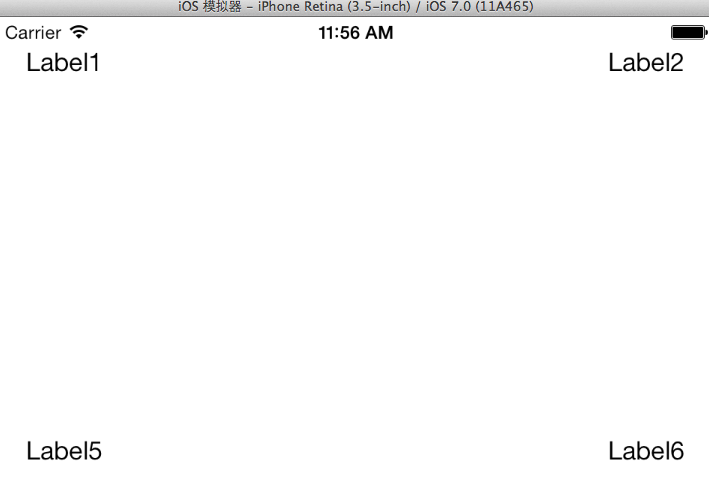
添加四个角(1,2,5,6)的Label
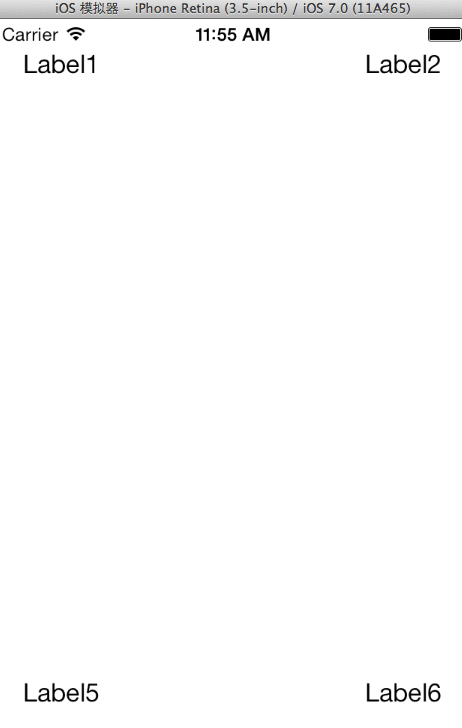
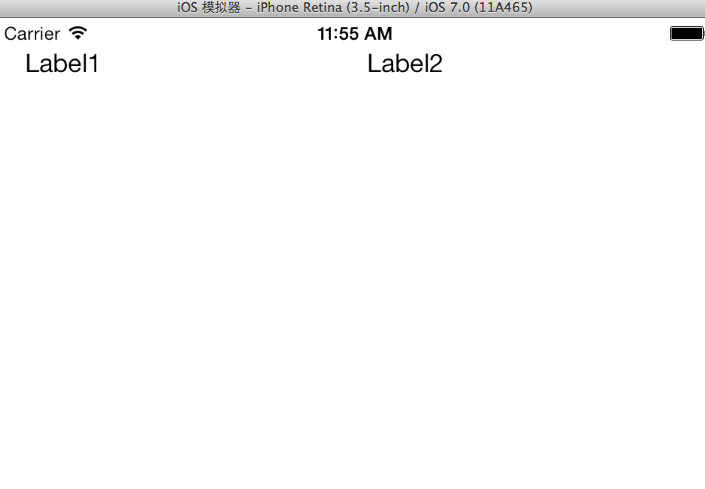
全选四个角(1,2,5,6)的Label,选择Editor -> Resolve Auto Layout Issues -> Add Missing Constraints
添加中间(3,4)的Label,对齐
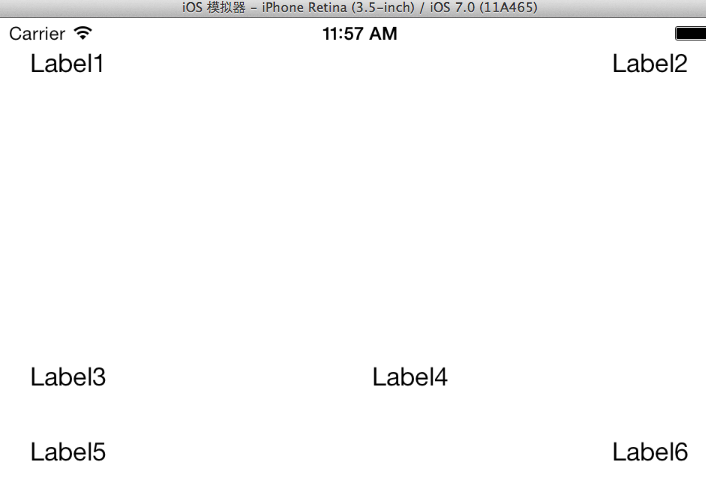
左中(3)Editor -> Align -> Vertical Center in Container
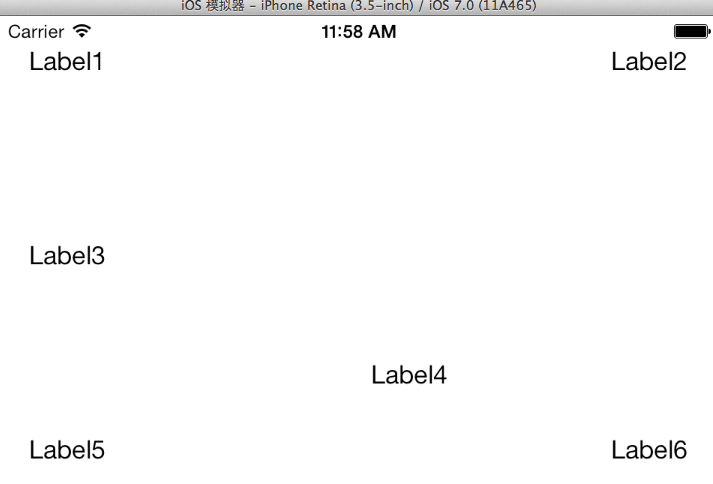
右中(4)Editor -> Resolve Auto Layout Issues -> Add Missing Constraints
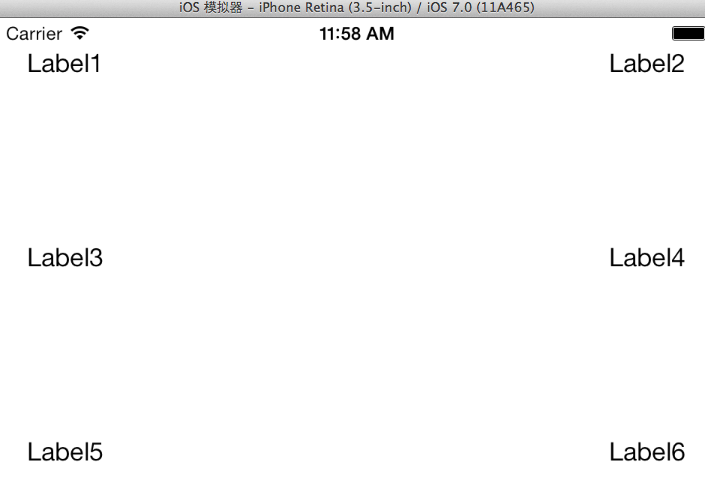
(1,2)加背景颜色,调整它们的宽度(随便,不一定等宽)
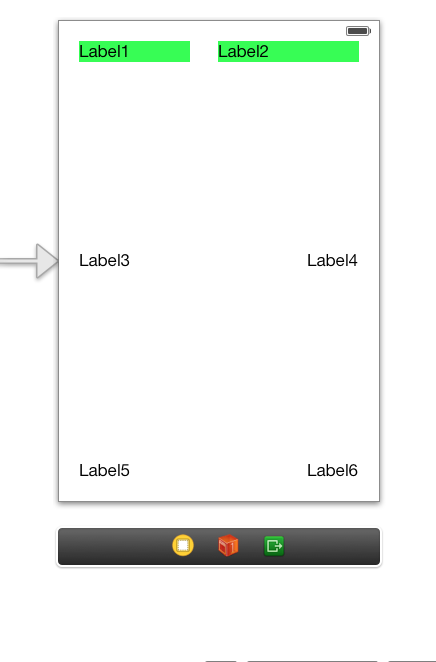
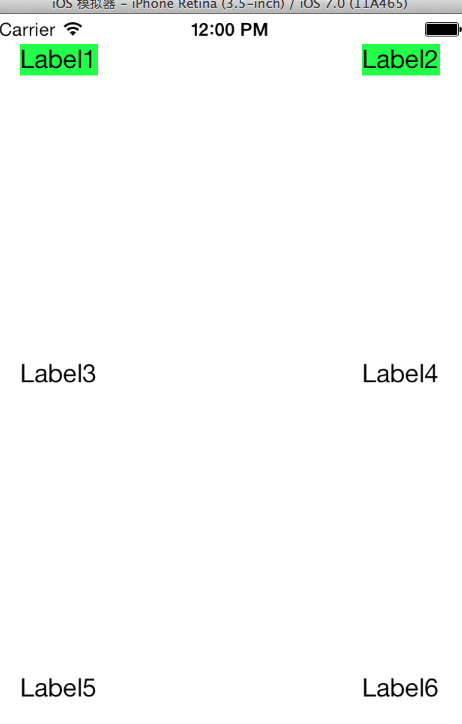
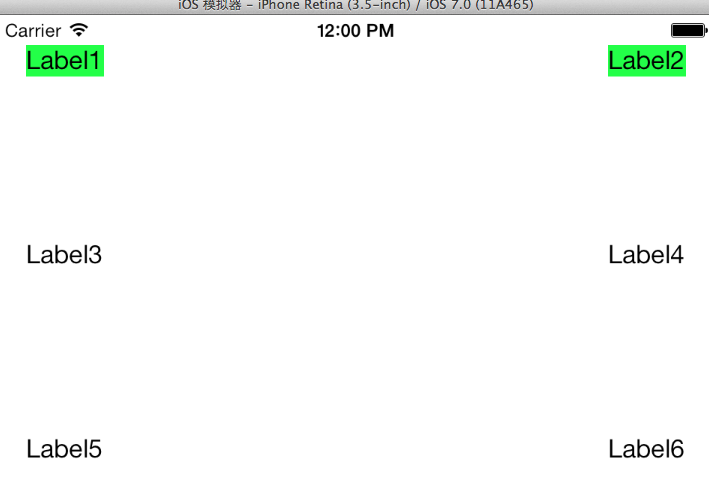
(1,2) Editor -> Pin -> Horizontal Spacing(无论怎么旋转都不等宽)

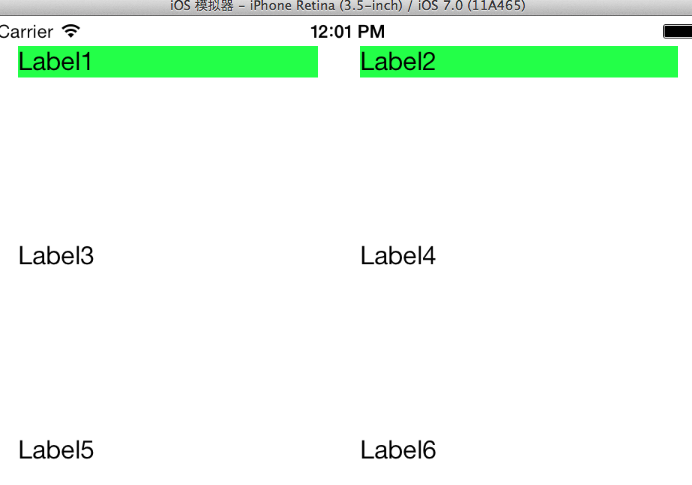
(1,2) Editor -> Pin -> Widths Equally(无论怎么旋转都等宽)
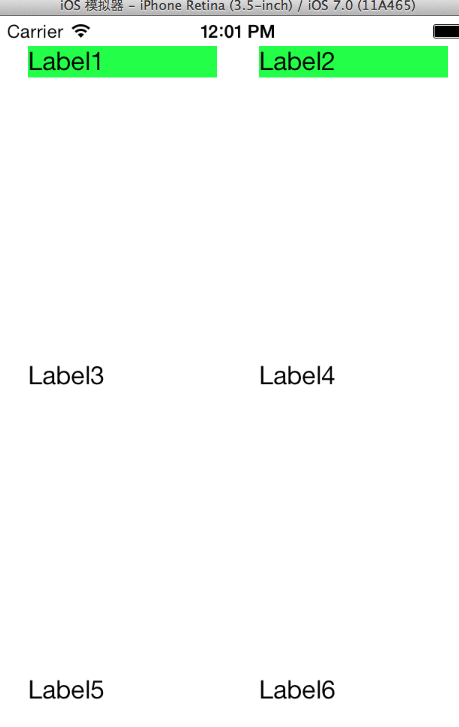
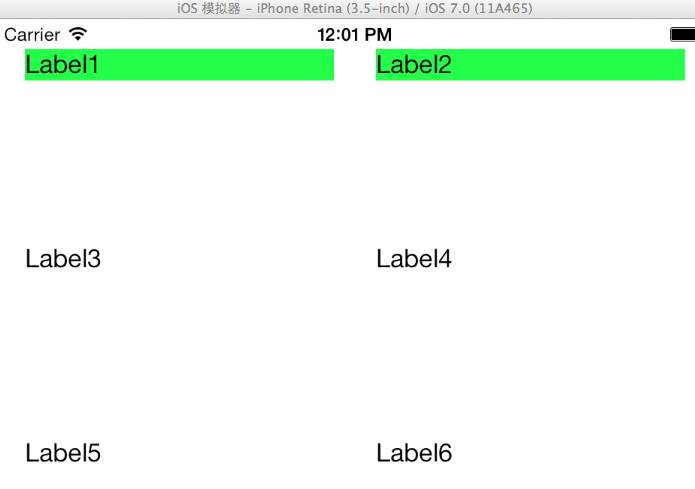
旋转,横竖视图排版不一样
创建SingleViewApplication,在View的File Inspector中取消AutoLayout,我们要利用代码实现布局。
在Main.storyboard中拖入一个View和4个Button,并设置该View的背景颜色。
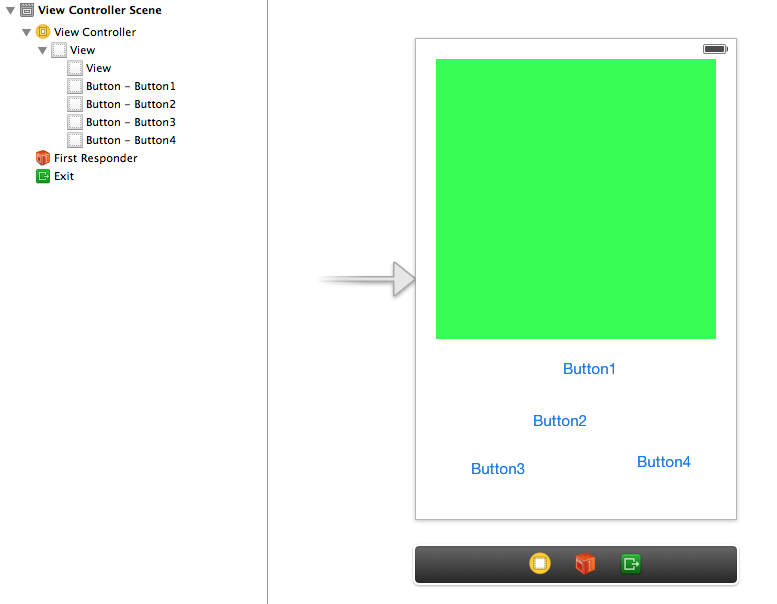
ViewController.m中实现代码
旋转的时候就自动调用
- (void)willAnimateRotationToInterfaceOrientation:(UIInterfaceOrientation)toInterfaceOrientation duration:(NSTimeInterval)duration

{

    [self adjustLayout:toInterfaceOrientation];

}
- (void)adjustLayout:(UIInterfaceOrientation)toInterfaceOrientation

{

    if (UIInterfaceOrientationIsPortrait(toInterfaceOrientation))

    {

        [self layoutPortrait];

    }

    else

    {

        [self layoutLandscape];

    }

}
static const CGFloat btnHeight = ;

static const CGFloat btnWidth = ;

static const CGFloat spacing = ;

- (void)layoutPortrait

{

    CGRect b = self.view.bounds;

    CGFloat contentHeight = CGRectGetHeight(b)-btnHeight*-spacing*;

    CGFloat contentWidth = CGRectGetWidth(b) - spacing*;

    self.contentView.frame = CGRectMake(spacing, spacing, contentWidth, contentHeight);

    CGFloat btn1x = spacing;

    CGFloat btn2x = CGRectGetWidth(b)-spacing-btnWidth;

    CGFloat btn1y = contentHeight+*spacing;

    CGFloat btn2y = btn1y+btnHeight+spacing;

    self.btn1.frame = CGRectMake(btn1x, btn1y, btnWidth, btnHeight);

    self.btn2.frame = CGRectMake(btn2x, btn1y, btnWidth, btnHeight);

    self.btn3.frame = CGRectMake(btn1x, btn2y, btnWidth, btnHeight);

    self.btn4.frame = CGRectMake(btn2x, btn2y, btnWidth, btnHeight);

}

- (void)layoutLandscape

{

    CGRect b = self.view.bounds;

    CGFloat contentHeight = CGRectGetHeight(b)-spacing*;

    CGFloat contentWidth = CGRectGetWidth(b) - spacing*-btnWidth;

    self.contentView.frame = CGRectMake(spacing, spacing, contentWidth, contentHeight);

    CGFloat btnx = CGRectGetWidth(b)-spacing-btnWidth;

    CGFloat btny1 = spacing;

    CGFloat btny4 = CGRectGetHeight(b)-spacing-btnHeight;

    CGFloat btny2 = btny1+(btny4-btny1)/3.0;

    CGFloat btny3 = btny2+(btny4-btny1)/3.0;

    self.btn1.frame = CGRectMake(btnx, btny1, btnWidth, btnHeight);

    self.btn2.frame = CGRectMake(btnx, btny2, btnWidth, btnHeight);

    self.btn3.frame = CGRectMake(btnx, btny3, btnWidth, btnHeight);

    self.btn4.frame = CGRectMake(btnx, btny4, btnWidth, btnHeight);

}
viewDidLoad只在程序启动时调用了一次;屏幕旋转的时候没有调用它,调用的是- (void)willAnimateRotationToInterfaceOrientation:duration:
- (void)viewDidLoad

{

    [super viewDidLoad];

    // Do any additional setup after loading the view, typically from a nib.
  //处理启动时不是默认竖屏的情况。

    UIApplication *app = [UIApplication sharedApplication];

    UIInterfaceOrientation currentOrientation = app.statusBarOrientation;

    [self adjustLayout:currentOrientation];

}
效果
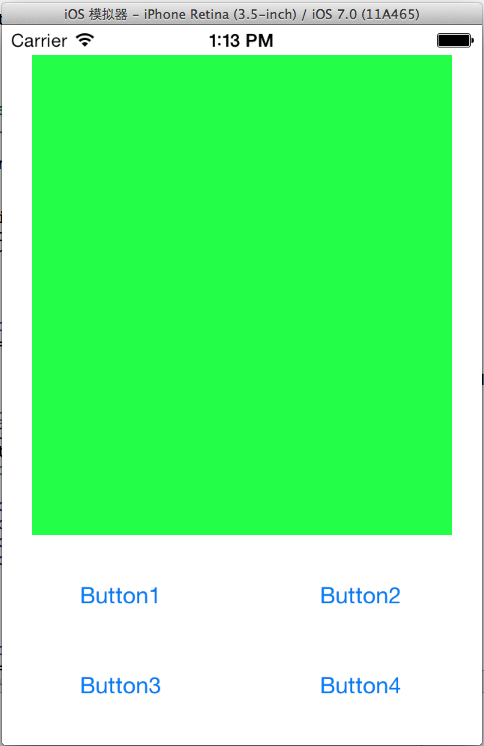
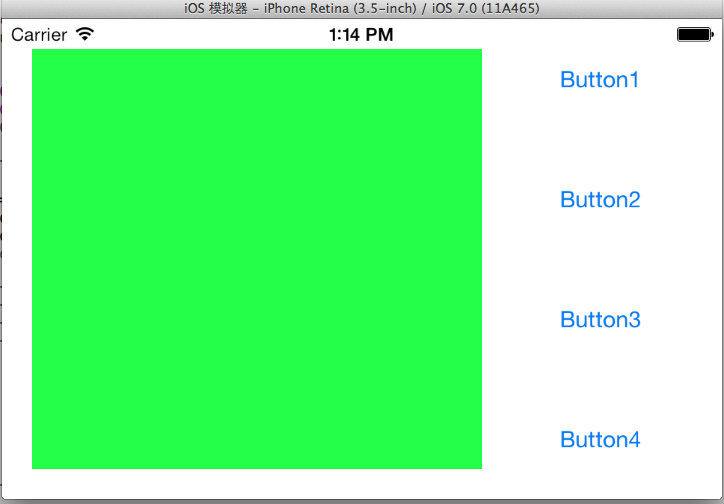
Autorotation and Autosizing的更多相关文章
- 从零开始学ios开发(八):Autorotation and Autosizing
不好意思,这一篇间隔的时间有点长,最近实在是事情太多,耽搁了,好了,长话短说,下面继续学习ios. 这次学习的内容是Autorotation和Autosizing,Autorotation就是屏幕内容 ...
- 【 Beginning iOS 7 Development《精通iOS7开发》】05 Autorotation and Autosizing
一.旋转后相对位置不变 watermark/2/text/aHR0cDovL2Jsb2cuY3Nkbi5uZXQvZ29nbGVy/font/5a6L5L2T/fontsize/400/fill/I0 ...
- iOS iphone5屏幕适配 autosizing
转自:http://blog.sina.com.cn/s/blog_a843a8850101jxhh.html iphone5出来了,从不用适配的我们也要像android一样适配不同分辨率的屏幕了. ...
- xcode中没有autoSizing的设置
转自:http://blog.sina.com.cn/s/blog_954bb2f001016oyx.html 学习Xcode的iOS编程时,可能会发现Autosizing Control不见了,其原 ...
- Xcode无法设置视图的 autosizing control原因
转自:Xcode无法设置视图的 autosizing control原因 学习Xcode的iOS编程时,可能会发现Autosizing Control不见了,其原因很简单,因为你在设置中选择了Auto ...
- Android Oreo 8.0 新特性实战 Autosizing TextView --自动缩放TextView
Android Oreo 8.0 新特性实战 Autosizing TextView --自动缩放TextView 8.0出来很久了,这个新特性已经用了很久了,但是一直没有亲自去试试.这几天新的需求来 ...
- TextView 的新特性,Autosizing 到底是如何实现的? | 源码分析
一.前言 Hi,大家好,我是承香墨影! 前两天聊了一下 Autosizing 的使用,反映还不错.毕竟是这种能解决实际问题的新 Api,确实在需要的时候,用起来会很顺手. 简单回顾一下,Autosiz ...
- Android Autosizing TextViews
https://developer.android.com/guide/topics/ui/look-and-feel/autosizing-textview Autosizing TextView ...
- iOS Programming Autorotation, Popover Controllers, and Modal View Controllers
iOS Programming Autorotation, Popover Controllers, and Modal View Controllers 自动旋转,Popover 控制器,Moda ...
随机推荐
- POI-word转html
package com.test.poiword; import android.app.Activity; import android.os.Bundle; import android.webk ...
- spring Di依赖注入
依赖注入有两种方式 通过 get set 方法 Person.java package cn.itcast.spring.sh.di.set; import java.util.List; imp ...
- Incorrect integer value: '' for column 'mid' at row 11366Incorrect integer value: '' for column 'mid' at row 1,自增字段为空,添加记录时出错
在本地机器做测试时,数据可以正常添加,但是将代码放置到服务器上时,提示:Incorrect integer value: '' for column 'mid' at row 11366Incorre ...
- STL容器分析--queue
queue,顾名思义,是指队列.满足先进先出的原则.
- XML - 十分钟了解XML结构以及DOM和SAX解析方式
引言 NOKIA 有句著名的广告语:"科技以人为本".不论什么技术都是为了满足人的生产生活须要而产生的.详细到小小的一个手机.里面蕴含的技术也是浩如烟海.是几千年来人类科技的结晶, ...
- 怎样防止应用因获取IDFA被AppStore拒绝
由于Appstore禁止不使用广告而採集IDFA的app上架,友盟提供IDFA版和不含IDFA版两个SDK,两个SDK在数据上并没有差异.採集IDFA是为了防止今后由于苹果可能禁止眼下使用的openu ...
- Mac 上的一些骚操作和技巧
0.自定义mac touch bar 上的图标 系统偏好设置-键盘-自定义control strip.. 接下来就精彩了:先用手指按住你touch bar 的siri,然后移到最左边的删除图标,将它移 ...
- ubuntu命令改变文档权限和所有者
chgrp :改变档案所属群组 chown :改变档案拥有者 chmod :改变档案的权限, SUID, SGID, SBIT等等的特性,可读.可写.可执行 1 chgrp 例子 chgrp [-R] ...
- rpm | yum 安装软件包时key过期
1.问题: yum -y install docker-io Loaded plugins: fastestmirror, refresh-packagekit, security Setting u ...
- python字符串操作,以及对应的C#实现
--IndexOf-- python: inx = str.find("aa") c#: var inx = str.IndexOf("aa"); --Last ...