
crossplatform---Nodejs in Visual Studio Code 08.IIS
1.开始
本文部分内容均转载自文章:
http://www.hanselman.com/blog/InstallingAndRunningNodejsApplicationsWithinIISOnWindowsAreYouMad.aspx
https://github.com/tjanczuk/iisnode
作者:SCOTT HANSELMAN
标题:Installing and Running node.js applications within IIS on Windows - Are you mad?
发布日期:2011.08.28
2.为什么我要在Windows IIS上运行Node.js
首先,我主要编写的是Asp.Net应用程序,对windows和iis很熟悉,如果在使用Node.js生产的应用如果能部署在IIS上,那么我想很快就能将Node.js开发的应用发布在生产环境中。
虽然在IIS运行Node.js上并不是最优选择,但是我主要开发企业级应用,单机并发访问量3K、4K足矣并不如大型互联网企业那样会遇到极大的并发、调优压力。
最后微软有一帮人正在IIS上玩转Node.js,我表示跟着入坑试一试。
- 进程管理:iisnode模块将会对node.exe进行简单而暴力的全生命周期的进程管理来增强其可靠性。你不必担心何时开启、结束node.exe,或者开着软件监控node.exe的运行状态。
- 多核服务器的可扩展性:node.exe是一个单进程运行的程序,你需要额外编写基础设施代码来扩展其支持多核服务器,如果使用iisnode,你无须编写代码,将可以配置打开多个进程的node.exe,同时将HTTP请求均衡的负载到多个node.exe上。
- 自动更新:iisnode将会监视js文件,如果有任何更新将会自动回收并重启node.exe加载新的js代码,你不必担心正在执行的http请求,因为这些请求将会仍然使用旧版本的js直至执行完毕。
- HTTP访问日志:iisnode将会把HTTP请求中调用console.log输出的内存存储在output中,这些输出内容对于调试远程服务器来说是很重要的资源。
- 混合开发:iisnode是IIS的一个模块而已,你在一个站点中可以包含node.js、php、asp.net等多个应用程序。
- 少量的代码修改:为了将node.js程序部署在IIS中你还是需要修改一下node.js代码的,比如process.env.PORT
- 集成管理经验:iisnode是IIS的一个模块,你可以用到IIS的一些特点如下
- 端口共享,你可以在80端口下部署多个不同的应用asp.net、node.js、php啊,爱谁谁。
- HTTPS支持
- Url rewriting
- 压缩
- 缓存
- 日志
3.如何在IIS上运行Node.js
- 环境要求
- Windows Vista, Windows 7, Windows 8, Windows Server 2008, or Windows Server 2012
- IIS 7.x with IIS Management Tools and ASP.NET
- WebSocket functionality requires IIS 8.x on Windows 8 or Windows Server 2012
- URL rewrite module for IIS
- (Win10:https://www.microsoft.com/en-us/download/details.aspx?id=47337)
- Latest node.js build for Windows
- 为IIS7.x/8.x安装iisnode扩展
4.学习iisnode
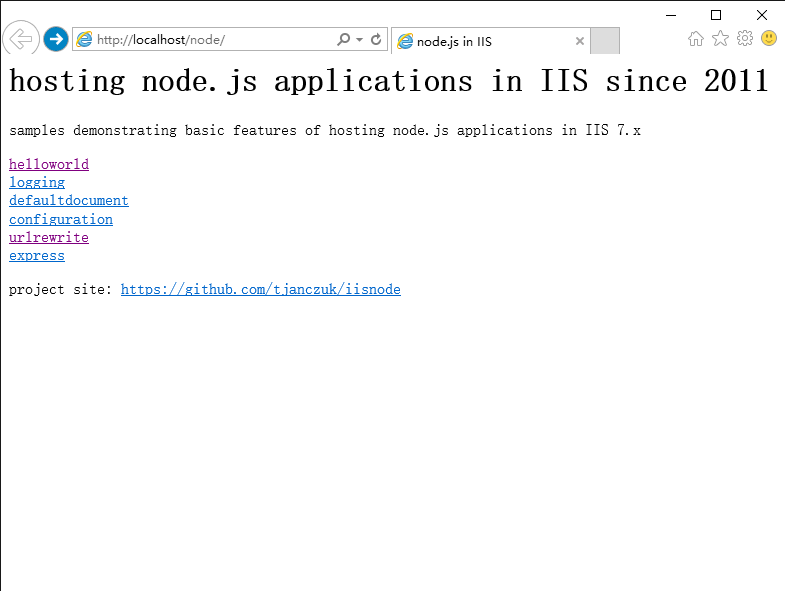
通过上面安装node示例,查看示例发现iis下新增了一个node目录。

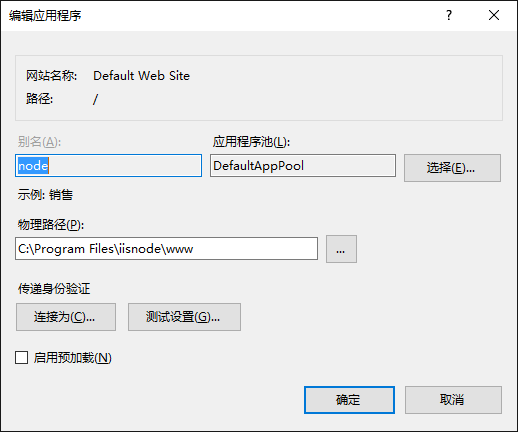
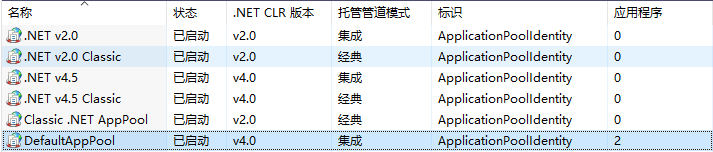
这个node目录运行在DefaultAppPool中(.Net 4.0集成)
打开Express示例的文件夹,包括以下内容
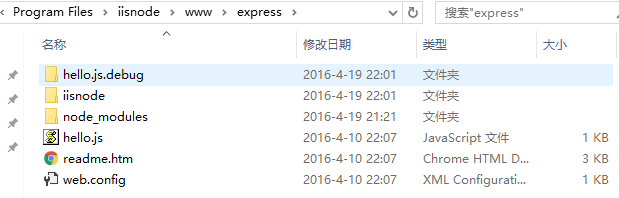
在Hello.js中定义了两个不同的接口myapp/foo、myapp/bar
|
1
2
3
4
5
6
7
8
9
10
11
12
13
|
var express = require('express');var app = express.createServer();app.get('/node/express/myapp/foo', function (req, res) { res.send('Hello from foo! [express sample]');});app.get('/node/express/myapp/bar', function (req, res) { res.send('Hello from bar! [express sample]');});app.listen(process.env.PORT); |
在Web.Config中指定了,Hello.js作为入口函数,同时将myapp/*请求映射给hello.js执行
|
1
2
3
4
5
6
7
8
9
10
11
12
13
14
15
16
17
18
19
20
21
22
23
24
25
26
27
28
29
30
|
<configuration> <system.webServer> <!-- indicates that the hello.js file is a node.js application to be handled by the iisnode module --> <handlers> <add name="iisnode" path="hello.js" verb="*" modules="iisnode" /> </handlers> <!-- use URL rewriting to redirect the entire branch of the URL namespace to hello.js node.js application; for example, the following URLs will all be handled by hello.js: http://localhost/node/express/myapp/foo http://localhost/node/express/myapp/bar --> <rewrite> <rules> <rule name="myapp"> <match url="myapp/*" /> <action type="Rewrite" url="hello.js" /> </rule> </rules> </rewrite> </system.webServer></configuration> |
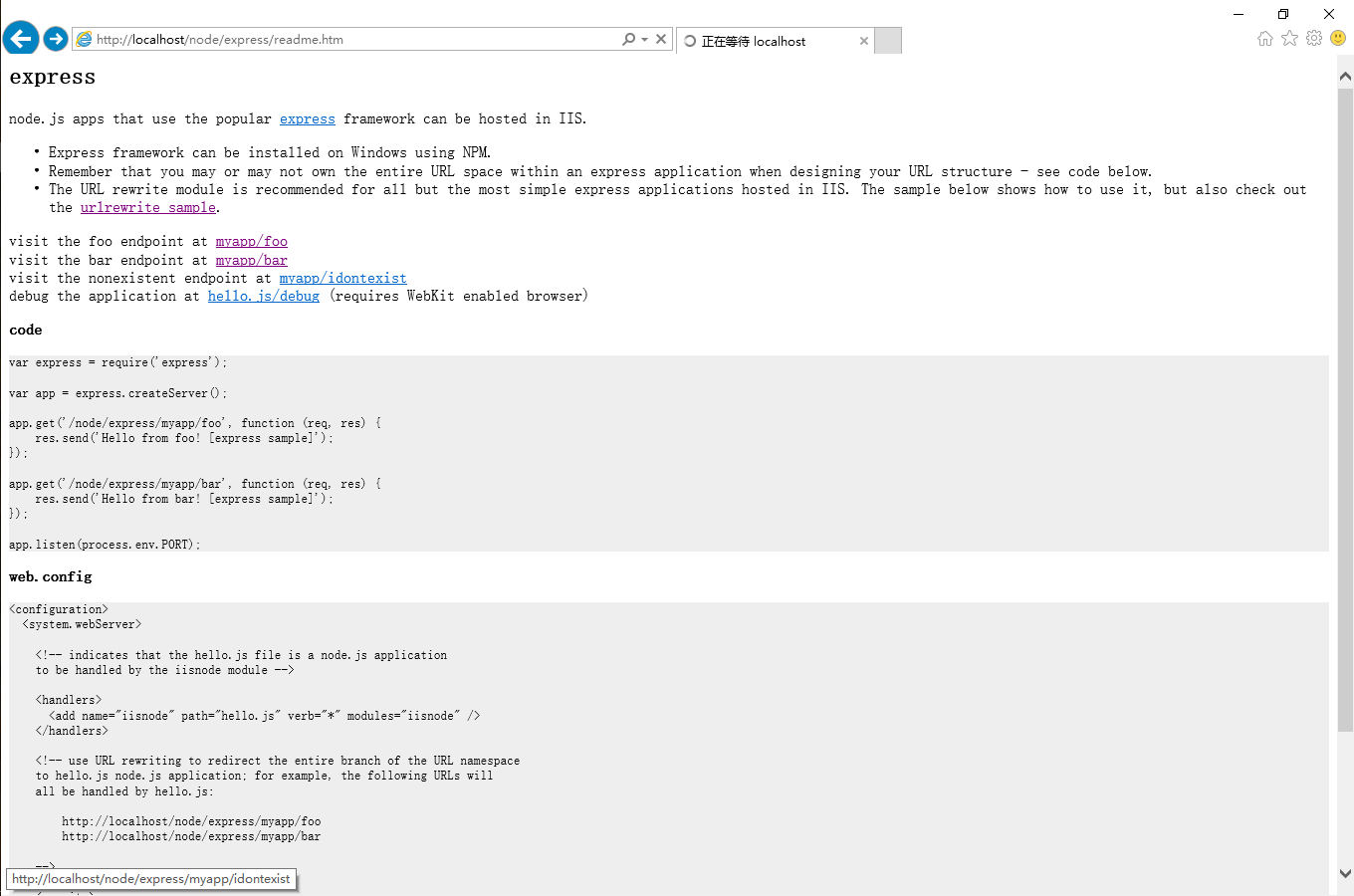
打开示例页http://localhost/node/express/readme.htm进一步查看调用情况
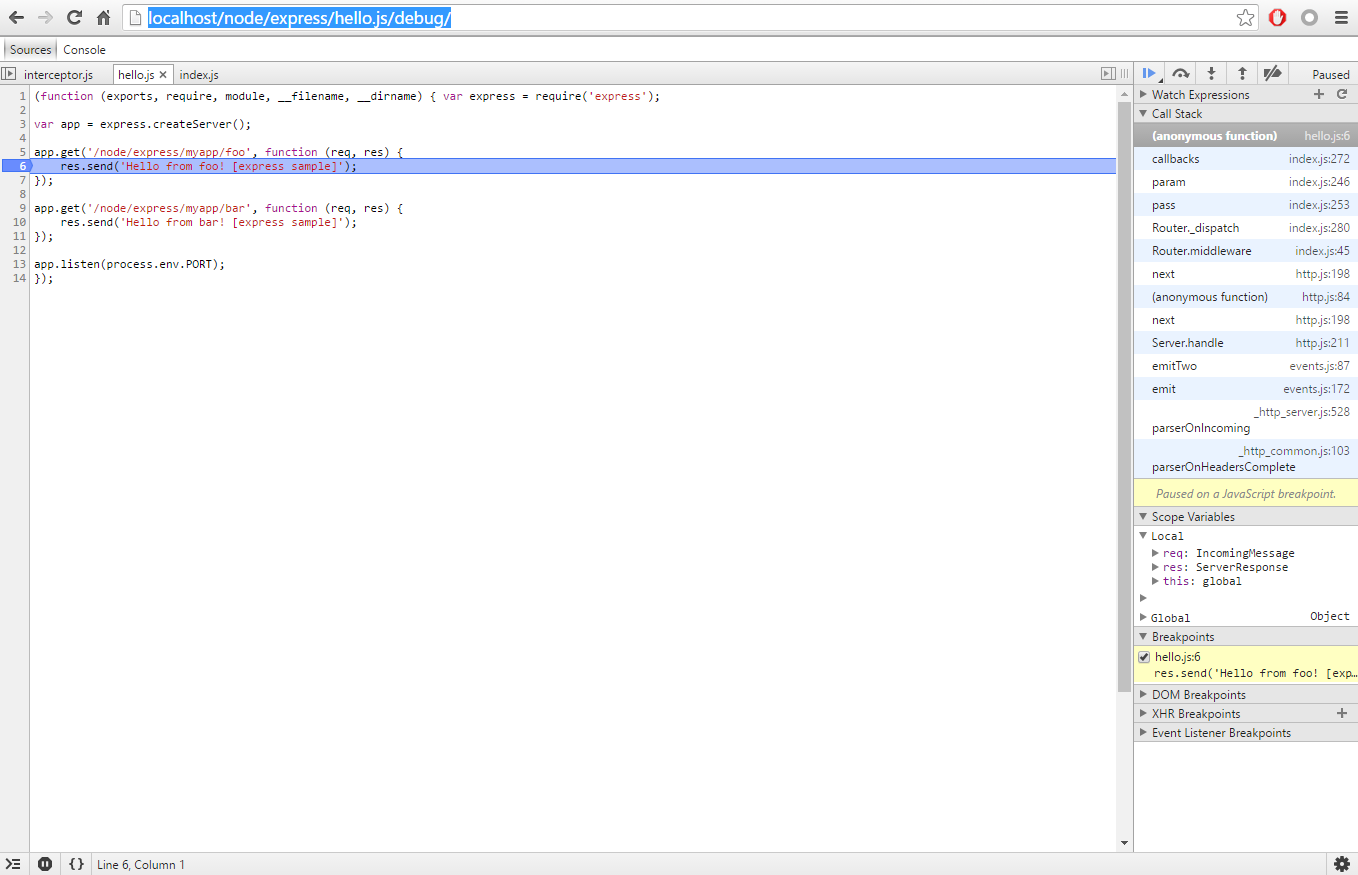
最后打开Chrome浏览器,输入http://localhost/node/express/hello.js/debug,可以远程调试服务,真乃神器也。。
5.总结
node.js + express即可以快速开发RestAPI和模版站点,又可以在iis中进行部署,远程调试,可以满足项目需要。
以下内容参考:Debugger Don't work https://github.com/tjanczuk/iisnode/issues/396
由于IIS7.X不支持WebSockets所以无法使用最新的远程调试器,但是可以通过配置旧的远程调试器(
|
1
|
<iisnode debuggerExtensionDll="iisnode-inspector.dll" /> |
)来支持IIS7.X,仅需要修改一下Web.Config配置,如下
|
1
2
3
4
5
6
7
8
9
10
11
12
13
14
15
16
17
18
19
20
21
22
23
24
25
26
27
28
29
30
|
<configuration> <system.webServer> <!-- indicates that the hello.js file is a node.js application to be handled by the iisnode module --> <handlers> <add name="iisnode" path="hello.js" verb="*" modules="iisnode" /> </handlers> <!-- use URL rewriting to redirect the entire branch of the URL namespace to hello.js node.js application; for example, the following URLs will all be handled by hello.js: http://localhost/node/express/myapp/foo http://localhost/node/express/myapp/bar --> <rewrite> <rules> <rule name="myapp"> <match url="myapp/*" /> <action type="Rewrite" url="hello.js" /> </rule> </rules> </rewrite> <iisnode debuggerExtensionDll="iisnode-inspector.dll" /> </system.webServer></configuration> |
旧调试器就是丑点。。
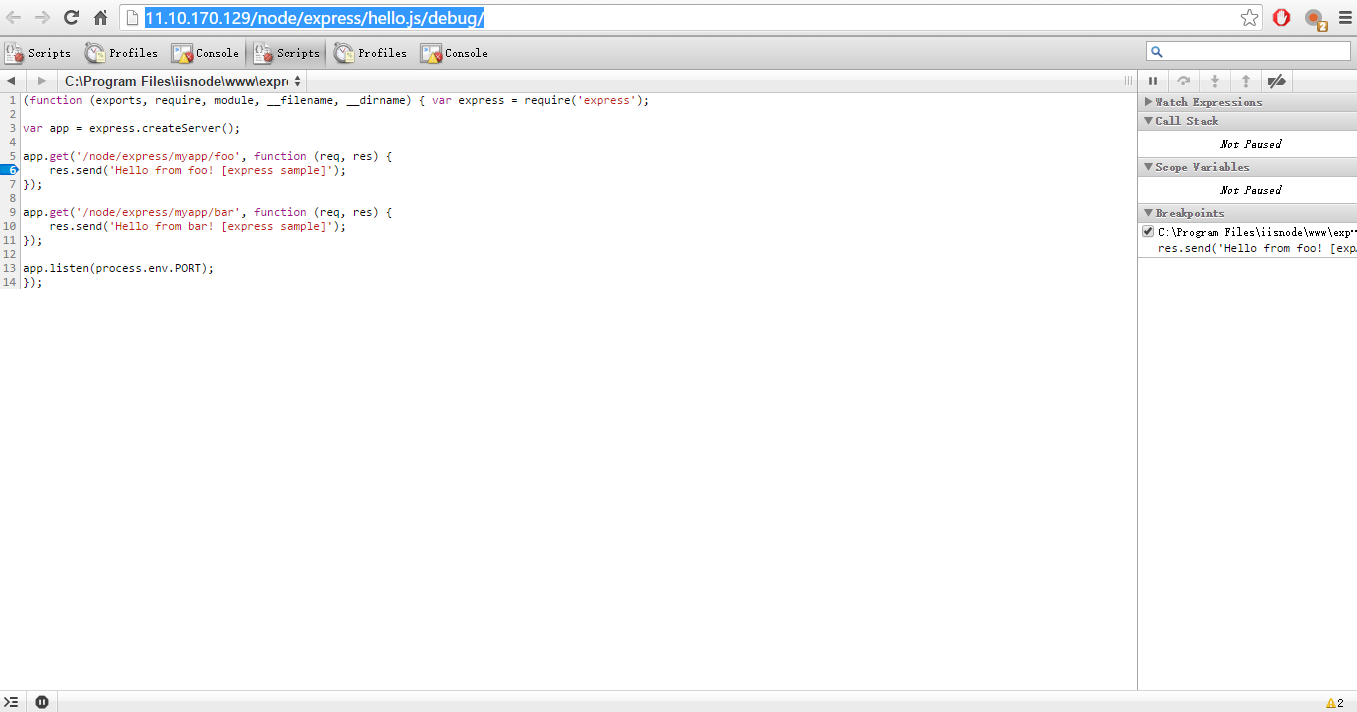
http://www.cnblogs.com/mengkzhaoyun/p/5410185.html
crossplatform---Nodejs in Visual Studio Code 08.IIS的更多相关文章
- Nodejs in Visual Studio Code 08.IIS
1.开始 本文部分内容均转载自文章: http://www.hanselman.com/blog/InstallingAndRunningNodejsApplicationsWithinIISOnWi ...
- Nodejs in Visual Studio Code 14.IISNode与IIS7.x
1.开始 部署IISNode环境请参考:Nodejs in Visual Studio Code 08.IIS 部署Nodejs程序请参考:Nodejs in Visual Studio Code 1 ...
- Nodejs in Visual Studio Code 10.IISNode
1.开始 Nodejs in Visual Studio Code 08.IIS : http://www.cnblogs.com/mengkzhaoyun/p/5410185.html 参考此篇内容 ...
- Nodejs in Visual Studio Code 11.前端工程优化
1.开始 随着互联网技术的发展,企业应用里到处都是B/S设计,我有幸经历了很多项目有Asp.Net的,有Html/js的,有Silverlight的,有Flex的.很遗憾这些项目很少关注前端优化的问题 ...
- Nodejs in Visual Studio Code 01.简单介绍Nodejs
1.开始 作者自己:开发人员,Asp.Net , html / js , restful , memcached , oracle ,windows , iis 目标读者:供自己以后回顾 2.我看No ...
- Nodejs in Visual Studio Code 04.Swig模版
1.开始 设置Node_Global:npm config set prefix "C:\Program Files\nodejs" Express组件:npm install e ...
- Nodejs in Visual Studio Code 07.学习Oracle
1.开始 Node.js:https://nodejs.org OracleDB: https://github.com/oracle/node-oracledb/blob/master/INSTAL ...
- Nodejs in Visual Studio Code 05.Swig+Bootstrap
1. 开始 准备好Express+Swig的练习代码:https://github.com/Mengkzhaoyun/nodepractise 准备好AdminLTE后台管理模版:https://ww ...
- Nodejs in Visual Studio Code 12.构建单页应用Scrat实践
1.开始 随着前端工程化深入研究,前端工程师现在碉堡了,甚至搞了个自己的前端网站http://div.io/需要邀请码才能注册,不过里面的技术确实牛.距离顶级的前端架构,目前博主应该是far away ...
随机推荐
- P1159岳麓山上打水
P1159岳麓山上打水 https://vijos.org/p/1159 dfsID,第一次听说这东西,但是感觉不太靠谱啊. 一开始的时候,想到了排个序后,然后进行dp,如果要输出字典序最小其实还是可 ...
- POJ 1696 - Space Ant 凸包的变形
Technorati Tags: POJ,计算几何,凸包 初学计算几何,引入polygon后的第一个挑战--凸包 此题可用凸包算法做,只要把压入凸包的点从原集合中排除即可,最终形成图形为螺旋线. 关于 ...
- DropDownList的使用,RadioButtonList的使用
DropDownList的使用之从后台动态获取值 前端aspx代码如下 <asp:DropDownList ID="DDLTypeID" runat="server ...
- AngularJS学习--- 事件处理(Event Handlers) ng-click操作 step 10
本文主要通过介绍ng-click方法来对angularjs中的事件处理方法做个了解. 1.切换目录 git checkout step- npm start 2.效果 点击右边的小图片,那么左边框中将 ...
- [转] linux虚拟带库操作笔记
原文来自:“王旺的书房” ---- http://blog.itpub.net/271063/viewspace-1059840/ 分类: Linux 查看设备[root@node1 ~]# lssc ...
- C#动态执行字符串(动态创建代码)
在编写C#程序的时候,有时我们需要动态生成一些代码并执行.然而C#不像JavaScript有一个Eval函数,可以动态的执行代码.所有这些功能都要我们自己去完成.如下是实例. 动态创建代码: usin ...
- Python.Scrapy.14-scrapy-source-code-analysis-part-4
Scrapy 源代码分析系列-4 scrapy.commands 子包 子包scrapy.commands定义了在命令scrapy中使用的子命令(subcommand): bench, check, ...
- AngularJs自定义指令详解(1) - restrict
下面所有例子都使用angular-1.3.16.下载地址:http://cdn.bootcss.com/angular.js/1.3.16/angular.min.js 既然AngularJs快要发布 ...
- js原型
1.js基本类型和对象类型 js的简单类型包括数字(其中NaN为数字类型).字符串(类似'A'为字符,js没字符类型).布尔值.null值和undefined值.其他所有的值都是对象.数字.字符串和布 ...
- C++ STL中vector(向量容器)使用简单介绍
原文:http://www.seacha.com/article.php/knowledge/cbase/2013/0903/2205.html C++ vector(向量容器)是一个线性顺序结构.相 ...