
吴裕雄 实战python编程(3)
import requests
from bs4 import BeautifulSoup
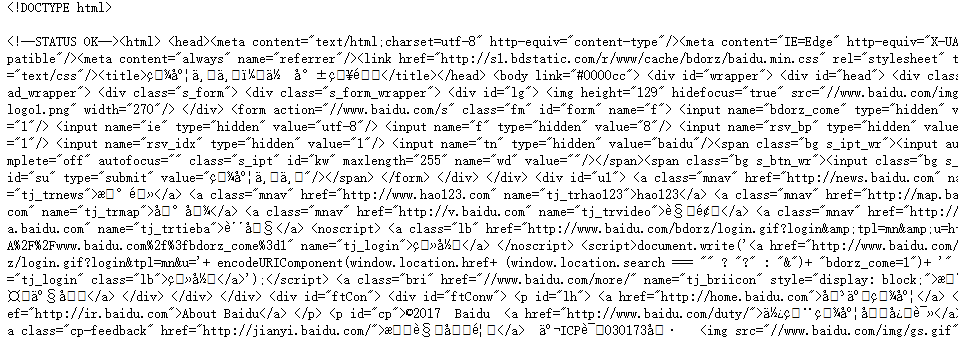
url = 'http://www.baidu.com'
html = requests.get(url)
sp = BeautifulSoup(html.text, 'html.parser')
print(sp)
html_doc = """
<html><head><title>页标题</title></head>
<p class="title"><b>文件标题</b></p>
<p class="story">Once upon a time there were three little sisters; and their names were
<a href="http://example.com/elsie" class="sister" id="link1">Elsie</a>,
<a href="http://example.com/lacie" class="sister" id="link2">Lacie</a> and
<a href="http://example.com/tillie" class="sister" id="link3">Tillie</a>;
and they lived at the bottom of a well.</p>
<p class="story">...</p>
"""
from bs4 import BeautifulSoup
sp = BeautifulSoup(html_doc,'html.parser')
print(sp.find('b')) # 返回值:<b>文件标题</b>
print(sp.find_all('a')) #返回值: [<b>文件标题</b>]
print(sp.find_all("a", {"class":"sister"}))
data1=sp.find("a", {"href":"http://example.com/elsie"})
print(data1.text) # 返回值:Elsie
data2=sp.find("a", {"id":"link2"})
print(data2.text) # 返回值:Lacie
data3 = sp.select("#link3")
print(data3[0].text) # 返回值:Tillie
print(sp.find_all(['title','a']))
data1=sp.find("a", {"id":"link1"})
print(data1.get("href")) #返回值: http://example.com/elsie

import requests
from bs4 import BeautifulSoup
url = 'http://www.wsbookshow.com/'
html = requests.get(url)
html.encoding="gbk"
sp=BeautifulSoup(html.text,"html.parser")
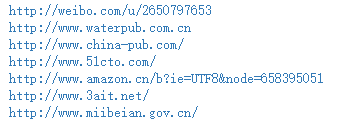
links=sp.find_all(["a","img"]) # 同时读取 <a> 和 <img>
for link in links:
href=link.get("href") # 读取 href 属性的值
# 判断值是否为非 None,以及是不是以http://开头
if((href != None) and (href.startswith("http://"))):
print(href)
import requests
from bs4 import BeautifulSoup
url = 'http://www.taiwanlottery.com.tw/'
html = requests.get(url)
sp = BeautifulSoup(html.text, 'html.parser')
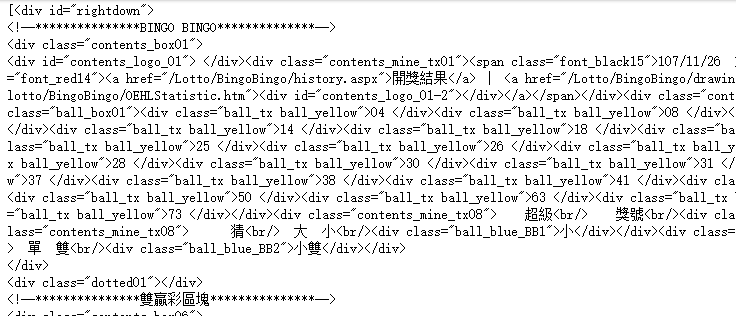
data1 = sp.select("#rightdown")
print(data1)
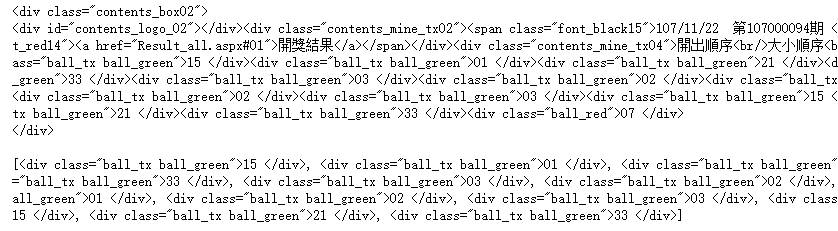
data2 = data1[0].find('div', {'class':'contents_box02'})
print(data2)
print()
data3 = data2.find_all('div', {'class':'ball_tx'})
print(data3)
import requests
from bs4 import BeautifulSoup
url1 = 'http://www.pm25x.com/' #获得主页面链接
html = requests.get(url1) #抓取主页面数据
sp1 = BeautifulSoup(html.text, 'html.parser') #把抓取的数据进行解析
city = sp1.find("a",{"title":"北京PM2.5"}) #从解析结果中找出title属性值为"北京PM2.5"的标签
print(city)
citylink=city.get("href") #从找到的标签中取href属性值
print(citylink)
url2=url1+citylink #生成二级页面完整的链接地址
print(url2)
html2=requests.get(url2) #抓取二级页面数据
sp2=BeautifulSoup(html2.text,"html.parser") #二级页面数据解析
#print(sp2)
data1=sp2.select(".aqivalue") #通过类名aqivalue抓取包含北京市pm2.5数值的标签
pm25=data1[0].text #获取标签中的pm2.5数据
print("北京市此时的PM2.5值为:"+pm25) #显示pm2.5值

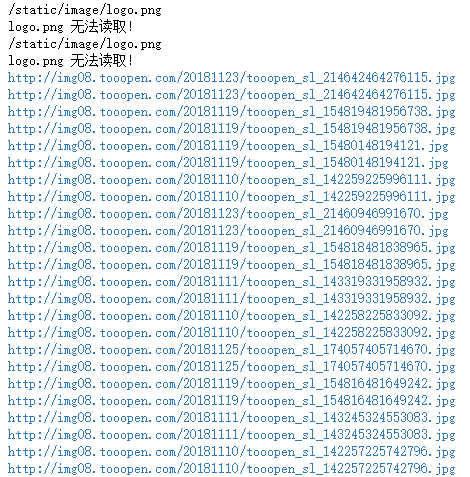
import requests,os
from bs4 import BeautifulSoup
from urllib.request import urlopen
url = 'http://www.tooopen.com/img/87.aspx'
html = requests.get(url)
html.encoding="utf-8"
sp = BeautifulSoup(html.text, 'html.parser')
# 建立images目录保存图片
images_dir="E:\\images\\"
if not os.path.exists(images_dir):
os.mkdir(images_dir)
# 取得所有 <a> 和 <img> 标签
all_links=sp.find_all(['a','img'])
for link in all_links:
# 读取 src 和 href 属性内容
src=link.get('src')
href = link.get('href')
attrs=[src,src]
for attr in attrs:
# 读取 .jpg 和 .png 檔
if attr != None and ('.jpg' in attr or '.png' in attr):
# 设置图片文件完整路径
full_path = attr
filename = full_path.split('/')[-1] # 取得图片名
ext = filename.split('.')[-1] #取得扩展名
filename = filename.split('.')[-2] #取得主文件名
if 'jpg' in ext: filename = filename + '.jpg'
else: filename = filename + '.png'
print(attr)
# 保存图片
try:
image = urlopen(full_path)
f = open(os.path.join(images_dir,filename),'wb')
f.write(image.read())
f.close()
except:
print("{} 无法读取!".format(filename))
吴裕雄 实战python编程(3)的更多相关文章
- 吴裕雄 实战PYTHON编程(10)
import cv2 cv2.namedWindow("frame")cap = cv2.VideoCapture(0)while(cap.isOpened()): ret, im ...
- 吴裕雄 实战PYTHON编程(9)
import cv2 cv2.namedWindow("ShowImage1")cv2.namedWindow("ShowImage2")image1 = cv ...
- 吴裕雄 实战PYTHON编程(8)
import pandas as pd df = pd.DataFrame( {"林大明":[65,92,78,83,70], "陈聪明":[90,72,76, ...
- 吴裕雄 实战PYTHON编程(7)
import os from win32com import client word = client.gencache.EnsureDispatch('Word.Application')word. ...
- 吴裕雄 实战PYTHON编程(6)
import matplotlib.pyplot as plt plt.rcParams['font.sans-serif']=['Simhei']plt.rcParams['axes.unicode ...
- 吴裕雄 实战PYTHON编程(5)
text = '中华'print(type(text))#<class 'str'>text1 = text.encode('gbk')print(type(text1))#<cla ...
- 吴裕雄 实战PYTHON编程(4)
import hashlib md5 = hashlib.md5()md5.update(b'Test String')print(md5.hexdigest()) import hashlib md ...
- 吴裕雄 实战python编程(2)
from urllib.parse import urlparse url = 'http://www.pm25x.com/city/beijing.htm'o = urlparse(url)prin ...
- 吴裕雄 实战python编程(1)
import sqlite3 conn = sqlite3.connect('E:\\test.sqlite') # 建立数据库联接cursor = conn.cursor() # 建立 cursor ...
随机推荐
- Django的 admin管理工具
admin组件使用 Django 提供了基于 web 的管理工具. Django 自动管理工具是 django.contrib 的一部分.你可以在项目的 settings.py 中的 INSTALLE ...
- Bootstrap table的一些简单使用总结
在GitHub上Bootstrap-table的源码地址是:https://github.com/wenzhixin/bootstrap-table Bootstrap-table的文档地址:http ...
- shell 5参数
shell传递参数 我们可以在执行shell脚本时,向脚本传递参数. $n n代表数字.0表示执行的脚本名称,1表示第1个参数,2是第2个参数 $# 传递到脚本的参数个数 $$ 脚本运行的当前进程的I ...
- MySQL concat用法举例
concat配合information_schema的应用 1 concat的一般用法主要是用于拼接 示例: 执行语句 SELECT CONCAT('M','y','S','Q','L') 可以 ...
- CentOS 6.4 添加永久静态路由所有方法汇总(原创)
转摘,原文章地址:http://blog.sina.com.cn/s/blog_828e50020101ern5.html 查看路由的命令route -n CentOS添加永久静态路由 在使用双网卡, ...
- Unreal Engine 4(虚幻UE4)GameplayAbilities 插件入门教程(二)
我们接着学习.如果没有学习第一篇,请前往学习. 由于GameplayAbilities插件基本上没有资料(除了前面提供的那篇Dave的博文以外,再无资料,有迹象表明Dave是这个插件的开发者). 这个 ...
- Nginx的启动、停止、重启
启动 启动代码格式:nginx安装目录地址 -c nginx配置文件地址 例如: [root@LinuxServer sbin]# /usr/local/nginx/sbin/nginx -c /us ...
- Windows7下搭建Eclipse+Python开发环境
机器: Windows7_x86_64 前提: 机器已成功安装Python2.7,并配置好环境变量. 步骤: 一.Eclipse的安装 Eclipse是基于java的一个应用程序,因此需要一个java ...
- json串反转义(消除反斜杠)-- 转载
JSon串在被串行化后保存在文件中,读取字符串时,是不能直接拿来用JSON.parse()解析为JSON 对象的.因为它是一个字符串,不是一个合法的JSON对象格式.例如下面的JSON串保存在文件中 ...
- SQL查询日期:
SQL查询日期: 今天的所有数据:select * from 表名 where DateDiff(dd,datetime类型字段,getdate())=0 昨天的所有数据:select * from ...