
吴裕雄 实战python编程(3)
import requests
from bs4 import BeautifulSoup
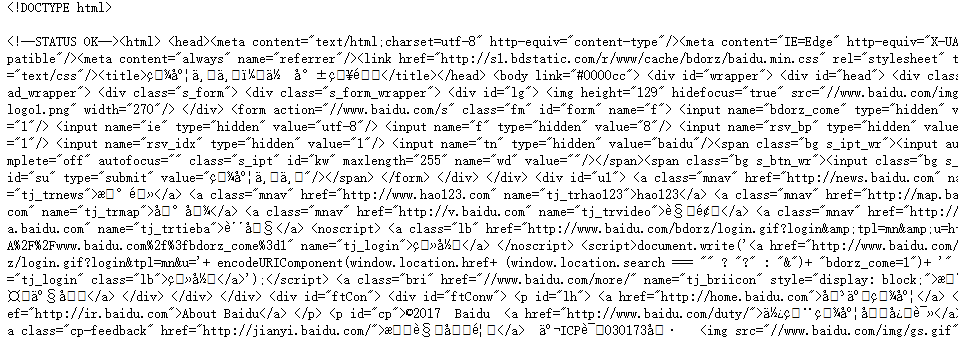
url = 'http://www.baidu.com'
html = requests.get(url)
sp = BeautifulSoup(html.text, 'html.parser')
print(sp)
html_doc = """
<html><head><title>页标题</title></head>
<p class="title"><b>文件标题</b></p>
<p class="story">Once upon a time there were three little sisters; and their names were
<a href="http://example.com/elsie" class="sister" id="link1">Elsie</a>,
<a href="http://example.com/lacie" class="sister" id="link2">Lacie</a> and
<a href="http://example.com/tillie" class="sister" id="link3">Tillie</a>;
and they lived at the bottom of a well.</p>
<p class="story">...</p>
"""
from bs4 import BeautifulSoup
sp = BeautifulSoup(html_doc,'html.parser')
print(sp.find('b')) # 返回值:<b>文件标题</b>
print(sp.find_all('a')) #返回值: [<b>文件标题</b>]
print(sp.find_all("a", {"class":"sister"}))
data1=sp.find("a", {"href":"http://example.com/elsie"})
print(data1.text) # 返回值:Elsie
data2=sp.find("a", {"id":"link2"})
print(data2.text) # 返回值:Lacie
data3 = sp.select("#link3")
print(data3[0].text) # 返回值:Tillie
print(sp.find_all(['title','a']))
data1=sp.find("a", {"id":"link1"})
print(data1.get("href")) #返回值: http://example.com/elsie

import requests
from bs4 import BeautifulSoup
url = 'http://www.wsbookshow.com/'
html = requests.get(url)
html.encoding="gbk"
sp=BeautifulSoup(html.text,"html.parser")
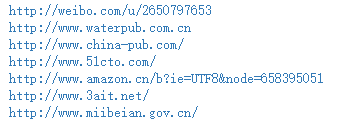
links=sp.find_all(["a","img"]) # 同时读取 <a> 和 <img>
for link in links:
href=link.get("href") # 读取 href 属性的值
# 判断值是否为非 None,以及是不是以http://开头
if((href != None) and (href.startswith("http://"))):
print(href)
import requests
from bs4 import BeautifulSoup
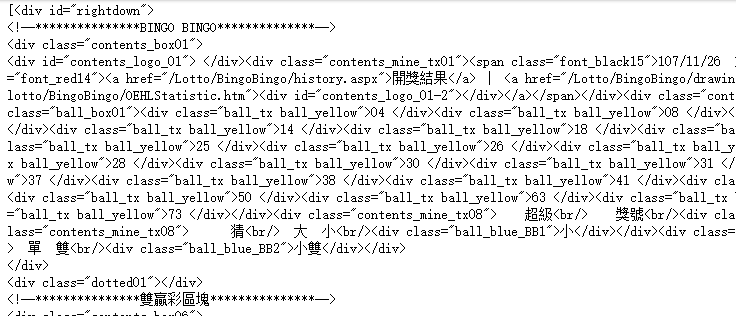
url = 'http://www.taiwanlottery.com.tw/'
html = requests.get(url)
sp = BeautifulSoup(html.text, 'html.parser')
data1 = sp.select("#rightdown")
print(data1)
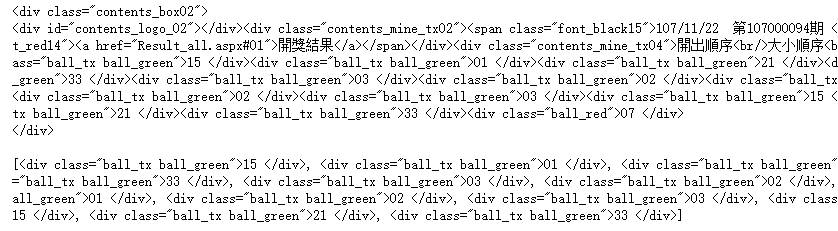
data2 = data1[0].find('div', {'class':'contents_box02'})
print(data2)
print()
data3 = data2.find_all('div', {'class':'ball_tx'})
print(data3)
import requests
from bs4 import BeautifulSoup
url1 = 'http://www.pm25x.com/' #获得主页面链接
html = requests.get(url1) #抓取主页面数据
sp1 = BeautifulSoup(html.text, 'html.parser') #把抓取的数据进行解析
city = sp1.find("a",{"title":"北京PM2.5"}) #从解析结果中找出title属性值为"北京PM2.5"的标签
print(city)
citylink=city.get("href") #从找到的标签中取href属性值
print(citylink)
url2=url1+citylink #生成二级页面完整的链接地址
print(url2)
html2=requests.get(url2) #抓取二级页面数据
sp2=BeautifulSoup(html2.text,"html.parser") #二级页面数据解析
#print(sp2)
data1=sp2.select(".aqivalue") #通过类名aqivalue抓取包含北京市pm2.5数值的标签
pm25=data1[0].text #获取标签中的pm2.5数据
print("北京市此时的PM2.5值为:"+pm25) #显示pm2.5值

import requests,os
from bs4 import BeautifulSoup
from urllib.request import urlopen
url = 'http://www.tooopen.com/img/87.aspx'
html = requests.get(url)
html.encoding="utf-8"
sp = BeautifulSoup(html.text, 'html.parser')
# 建立images目录保存图片
images_dir="E:\\images\\"
if not os.path.exists(images_dir):
os.mkdir(images_dir)
# 取得所有 <a> 和 <img> 标签
all_links=sp.find_all(['a','img'])
for link in all_links:
# 读取 src 和 href 属性内容
src=link.get('src')
href = link.get('href')
attrs=[src,src]
for attr in attrs:
# 读取 .jpg 和 .png 檔
if attr != None and ('.jpg' in attr or '.png' in attr):
# 设置图片文件完整路径
full_path = attr
filename = full_path.split('/')[-1] # 取得图片名
ext = filename.split('.')[-1] #取得扩展名
filename = filename.split('.')[-2] #取得主文件名
if 'jpg' in ext: filename = filename + '.jpg'
else: filename = filename + '.png'
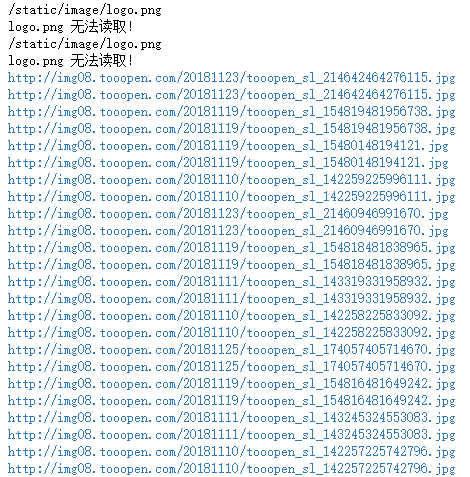
print(attr)
# 保存图片
try:
image = urlopen(full_path)
f = open(os.path.join(images_dir,filename),'wb')
f.write(image.read())
f.close()
except:
print("{} 无法读取!".format(filename))
吴裕雄 实战python编程(3)的更多相关文章
- 吴裕雄 实战PYTHON编程(10)
import cv2 cv2.namedWindow("frame")cap = cv2.VideoCapture(0)while(cap.isOpened()): ret, im ...
- 吴裕雄 实战PYTHON编程(9)
import cv2 cv2.namedWindow("ShowImage1")cv2.namedWindow("ShowImage2")image1 = cv ...
- 吴裕雄 实战PYTHON编程(8)
import pandas as pd df = pd.DataFrame( {"林大明":[65,92,78,83,70], "陈聪明":[90,72,76, ...
- 吴裕雄 实战PYTHON编程(7)
import os from win32com import client word = client.gencache.EnsureDispatch('Word.Application')word. ...
- 吴裕雄 实战PYTHON编程(6)
import matplotlib.pyplot as plt plt.rcParams['font.sans-serif']=['Simhei']plt.rcParams['axes.unicode ...
- 吴裕雄 实战PYTHON编程(5)
text = '中华'print(type(text))#<class 'str'>text1 = text.encode('gbk')print(type(text1))#<cla ...
- 吴裕雄 实战PYTHON编程(4)
import hashlib md5 = hashlib.md5()md5.update(b'Test String')print(md5.hexdigest()) import hashlib md ...
- 吴裕雄 实战python编程(2)
from urllib.parse import urlparse url = 'http://www.pm25x.com/city/beijing.htm'o = urlparse(url)prin ...
- 吴裕雄 实战python编程(1)
import sqlite3 conn = sqlite3.connect('E:\\test.sqlite') # 建立数据库联接cursor = conn.cursor() # 建立 cursor ...
随机推荐
- 百度地图JavaScript如何清除指定类型的覆盖物
由于一个地图中有很多种类型的覆盖物,由于某个覆盖物(一般是自定义)整个地图中只允许出现一次 那第一想到的就是,每次创建这个类型的覆盖物时先清除这一类型的覆盖物,比较简单判断覆盖物的类型 instanc ...
- 工欲善其事必先利其器系列之:更换Visual Studio代码风格.
前言:如果你厌倦了默认的VS的背景颜色,可以在studiostyl下载.vssettinggs文件,将其导入VS中,黑色的风格还是蛮不错的,如果用的12的话就没这个必要了我觉得. 从网站下载后会得到扩 ...
- phonegap 2.9 IOS Xcode 搭建环境
一:下载phoneGap2.9和安装Xcode5(目前最新版) 选择2.9是因为3.0以上坑爹版本编译神马的要在有网络情况. 二: 下载phonegap后解压到你的指定文件夹中,解压后找到create ...
- C/C++基础----顺序容器
通常没有特别的原因,用vector. list和forward_list有额外的内存开销,如果有很多小元素,不要使用. 如果只在读取输入时需要在容器中间位置插入元素,随后需要随机访问. 1确定是否真正 ...
- 导入wordpress数据库到mysql报错
mysql字符集编码错误的导入数据会提示错误了,这个和插入数据一样如果保存的数据与mysql编码不一样那么肯定会出现导入乱码或插入数据丢失的问题,下面我们一起来看一个例子. 恢复数据库报错:由于字符集 ...
- SpringMVC中的重定向和转发的实现
1.请求转发和重定向的区别 请求重定向和请求转发都是web开发中资源跳转的方式. 请求转发是服务器内部的跳转 地址栏比发生变化 只有一个请求相应 可以通过request域对跳转目标的请求 请求重定向是 ...
- sublime text 3 3143
下载链接:https://download.sublimetext.com/Sublime%20Text%20Build%203143%20x64%20Setup.exe 注册信息:sublime t ...
- 每秒查询率QPS
每秒查询率QPS是对一个特定的查询服务器在规定时间内所处理流量多少的衡量标准,在因特网上,作为域名系统服务器的机器的性能经常用每秒查询率来衡量. 原理:每天80%的访问集中在20%的时间里,这20%时 ...
- 关于rawurldecode PHP自动解码
发表于: 2007-12-05 12:16:20 在网上找到资料说通过javascript传递参数时如果用了encodeURIComponent函数对参数进行编码,在PHP里面需要用 rawurl ...
- PHP mysqli 增强 批量执行sql 语句的实现代码
本篇文章介绍了,在PHP中 mysqli 增强 批量执行sql 语句的实现代码.需要的朋友参考下. mysqli 增强-批量执行sql 语句 <?php //mysqli 增强-批量执行sql ...