
matplotlib 进阶之Tight Layout guide
matplotlib教程学习笔记
如何使用tight_layout?
tight_layout作用于ticklabels, axis, labels, titles等Artist
简单的例子
import matplotlib.pyplot as plt

import numpy as np
下面的例子和constrained_layout中的是一样的,notebook没有显示出其中的问题,就是labels被遮挡了
plt.rcParams['savefig.facecolor'] = "0.8"

def example_plot(ax, fontsize=12):

    ax.plot([1, 2])

    ax.locator_params(nbins=3)

    ax.set_xlabel('x-label', fontsize=fontsize)

    ax.set_ylabel('y-label', fontsize=fontsize)

    ax.set_title('Title', fontsize=fontsize)

plt.close('all')

fig, ax = plt.subplots()

example_plot(ax, fontsize=24)
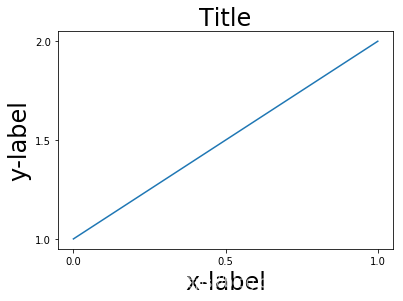
fig, ax = plt.subplots()

example_plot(ax, fontsize=24)

plt.tight_layout()
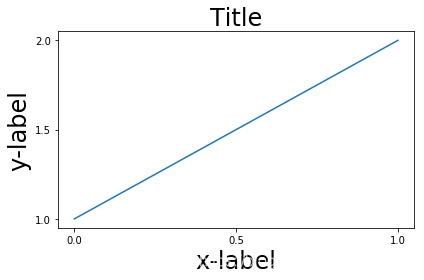
注意到,每次作图,我们都需要通过使用plt.tight_layout()函数来激活,我们也可以通过
fig.set_tight_layout(True)使得每次作图都会自动tight布局,当然,还可以通过将
figure.autolayout rcParam设置为True来实现。
有多个plots的时候,会出现重叠的现象,通过tight_layout可以解决
plt.close('all')

fig, ((ax1, ax2), (ax3, ax4)) = plt.subplots(nrows=2, ncols=2)

example_plot(ax1)

example_plot(ax2)

example_plot(ax3)

example_plot(ax4)
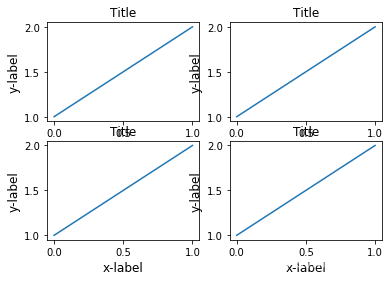
fig, ((ax1, ax2), (ax3, ax4)) = plt.subplots(nrows=2, ncols=2)

example_plot(ax1)

example_plot(ax2)

example_plot(ax3)

example_plot(ax4)

plt.tight_layout()
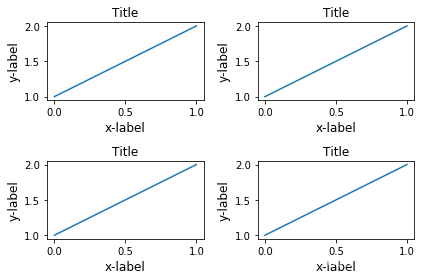
tight_layout可以通过参数pad, w_pad, h_pad来设置一些布局的细节
fig, ((ax1, ax2), (ax3, ax4)) = plt.subplots(nrows=2, ncols=2)

example_plot(ax1)

example_plot(ax2)

example_plot(ax3)

example_plot(ax4)

plt.tight_layout(pad=0.4, w_pad=0.5, h_pad=2)
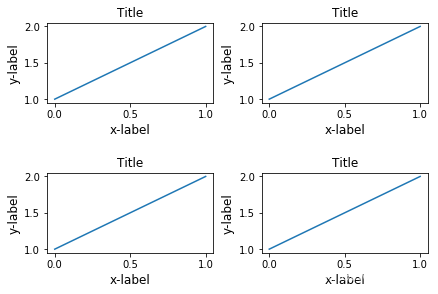
即使subplots的大小不一致,tight_layout依旧能够工作
plt.close('all')

fig = plt.figure()

ax1 = plt.subplot(221)

ax2 = plt.subplot(223)

ax3 = plt.subplot(122)

example_plot(ax1)

example_plot(ax2)

example_plot(ax3)

plt.tight_layout()
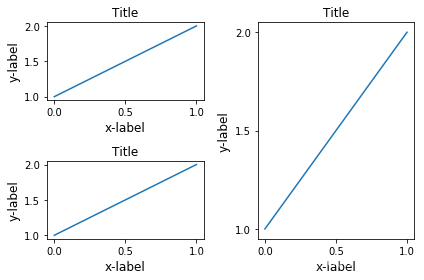
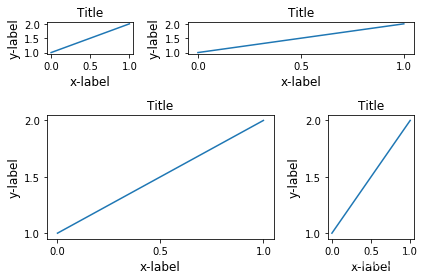
对subplot2grid也有效,注意subplot2grid参数为:
shape: e.g. (3, 3) 表示\(3 \times 3\)个格子
loc: e.g. (0, 1) 表示从第一行第二列个格子开始
rowspan: 跨行
colspan: 跨列
plt.close('all')

fig = plt.figure()

ax1 = plt.subplot2grid((3, 3), (0, 0))

ax2 = plt.subplot2grid((3, 3), (0, 1), colspan=2)

ax3 = plt.subplot2grid((3, 3), (1, 0), colspan=2, rowspan=2)

ax4 = plt.subplot2grid((3, 3), (1, 2), rowspan=2)

example_plot(ax1)

example_plot(ax2)

example_plot(ax3)

example_plot(ax4)

plt.tight_layout()
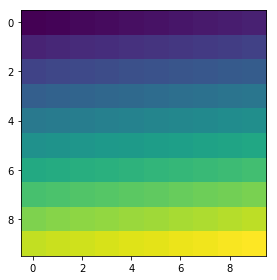
arr = np.arange(100).reshape((10, 10))

plt.close('all')

fig = plt.figure(figsize=(5, 4))

ax = plt.subplot(111)

im = ax.imshow(arr, interpolation="none")

plt.tight_layout()
Use with GridSpec
Gridspec 拥有自己的tight_layout()方法, 当然,plt.tight_layout也是有效的
import matplotlib.gridspec as gridspec

plt.close('all')

fig = plt.figure()

gs1 = gridspec.GridSpec(2, 1)

ax1 = fig.add_subplot(gs1[0])

ax2 = fig.add_subplot(gs1[1])

example_plot(ax1)

example_plot(ax2)

gs1.tight_layout(fig)
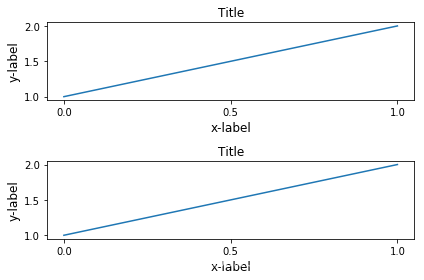
gs.tight_layout提供rect参数,表示一个外界的框框
默认是(0, 0, 1, 1)
(x1, y1, x2, y2)
(x1, y1)矩形限制框左下角点
(x2, y2)矩形限制框右上角点
fig = plt.figure()

gs1 = gridspec.GridSpec(2, 1)

ax1 = fig.add_subplot(gs1[0])

ax2 = fig.add_subplot(gs1[1])

example_plot(ax1)

example_plot(ax2)

gs1.tight_layout(fig, rect=[0, 0, 0.5, 1])
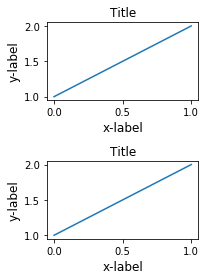
这个功能可以很好的用在分割图形,以及分块操作上
fig = plt.figure()

gs1 = gridspec.GridSpec(2, 1)

ax1 = fig.add_subplot(gs1[0])

ax2 = fig.add_subplot(gs1[1])

example_plot(ax1)

example_plot(ax2)

gs1.tight_layout(fig, rect=[0, 0, 0.5, 1])

gs2 = gridspec.GridSpec(3, 1)

for ss in gs2:

    ax = fig.add_subplot(ss)

    example_plot(ax)

    ax.set_title("")

    ax.set_xlabel("")

ax.set_xlabel("x-label", fontsize=12)

gs2.tight_layout(fig, rect=[0.5, 0, 1, 1], h_pad=0.5)

# We may try to match the top and bottom of two grids ::

#为了让俩块图形上下一致,需要进行下面的操作

top = min(gs1.top, gs2.top)

bottom = max(gs1.bottom, gs2.bottom)

gs1.update(top=top, bottom=bottom)

gs2.update(top=top, bottom=bottom)

plt.show()
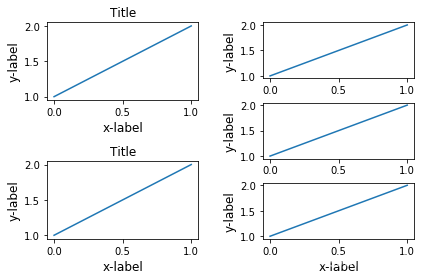
但是呢,Title和右边的边边不齐,所以框框是不包含title的?
fig = plt.gcf()

gs1 = gridspec.GridSpec(2, 1)

ax1 = fig.add_subplot(gs1[0])

ax2 = fig.add_subplot(gs1[1])

example_plot(ax1)

example_plot(ax2)

gs1.tight_layout(fig, rect=[0, 0, 0.5, 1])

gs2 = gridspec.GridSpec(3, 1)

for ss in gs2:

    ax = fig.add_subplot(ss)

    example_plot(ax)

    ax.set_title("")

    ax.set_xlabel("")

ax.set_xlabel("x-label", fontsize=12)

gs2.tight_layout(fig, rect=[0.5, 0, 1, 1], h_pad=0.5)

top = min(gs1.top, gs2.top)

bottom = max(gs1.bottom, gs2.bottom)

gs1.update(top=top, bottom=bottom)

gs2.update(top=top, bottom=bottom)

top = min(gs1.top, gs2.top)

bottom = max(gs1.bottom, gs2.bottom)

gs1.tight_layout(fig, rect=[None, 0 + (bottom-gs1.bottom),

                            0.5, 1 - (gs1.top-top)])

gs2.tight_layout(fig, rect=[0.5, 0 + (bottom-gs2.bottom),

                            None, 1 - (gs2.top-top)],

                 h_pad=0.5)
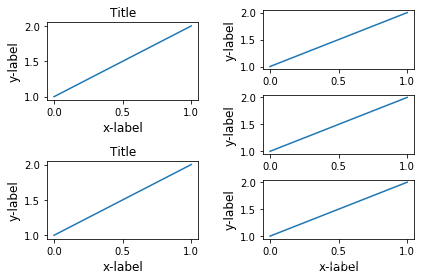
Legend and Annotations
fig, ax = plt.subplots(figsize=(4, 3))

lines = ax.plot(range(10), label='A simple plot')

ax.legend(bbox_to_anchor=(0.7, 0.5), loc='center left',)

fig.tight_layout()

plt.show()
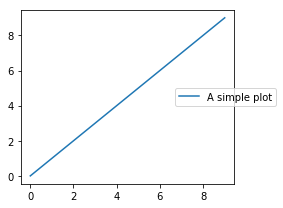
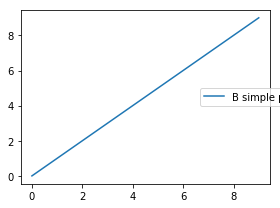
有些时候,我们不希望legend也在tight_layout的掌控范围之内,这个时候,我们可以设置leg.set_in_layout(False)
fig, ax = plt.subplots(figsize=(4, 3))

lines = ax.plot(range(10), label='B simple plot')

leg = ax.legend(bbox_to_anchor=(0.7, 0.5), loc='center left',)

leg.set_in_layout(False)

fig.tight_layout()

plt.show()
Use with AxesGrid1
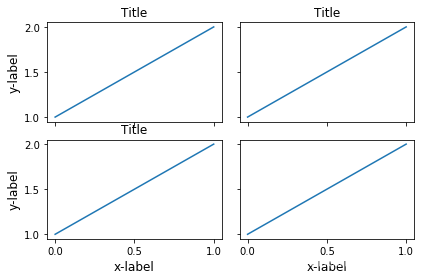
没看懂
from mpl_toolkits.axes_grid1 import Grid

plt.close('all')

fig = plt.figure()

grid = Grid(fig, rect=111, nrows_ncols=(2, 2),

            axes_pad=0.25, label_mode='L',

            )

for ax in grid:

    example_plot(ax)

ax.title.set_visible(False)

plt.tight_layout()
Colorbar
plt.close('all')

arr = np.arange(100).reshape((10, 10))

fig = plt.figure(figsize=(4, 4))

im = plt.imshow(arr, interpolation="none")

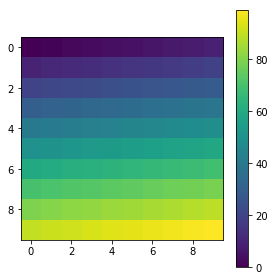
plt.colorbar(im, use_gridspec=True)

plt.close('all')

arr = np.arange(100).reshape((10, 10))

fig = plt.figure(figsize=(4, 4))

im = plt.imshow(arr, interpolation="none")

plt.colorbar(im, use_gridspec=True)

plt.tight_layout()
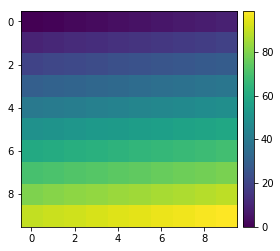
from mpl_toolkits.axes_grid1 import make_axes_locatable

plt.close('all')

arr = np.arange(100).reshape((10, 10))

fig = plt.figure(figsize=(4, 4))

im = plt.imshow(arr, interpolation="none")

divider = make_axes_locatable(plt.gca())

cax = divider.append_axes("right", "5%", pad="3%")

plt.colorbar(im, cax=cax)

plt.tight_layout()
函数链接
matplotlib 进阶之Tight Layout guide的更多相关文章
- matplotlib 进阶之Constrained Layout Guide
目录 简单的例子 Colorbars Suptitle Legends Padding and Spacing spacing with colobars rcParams Use with Grid ...
- Safe Area Layout Guide
原文:Safe Area Layout Guide Apple在iOS 7中引入了topLayoutGuide和bottomLayoutGuide作为UIViewController属性.它们允许您创 ...
- xcode9报错 Safe Area Layout Guide before iOS9.0
运行工程的时候会遇到 Safe Area Layout Guide before iOS9.0 这是因为xcode9 storyboard的设置里面多了 个 Safe Area Layout Gu ...
- Xcode 9.0 报错, Safe Area Layout Guide Before IOS 9.0
Xcode 9.0 新建工程报错 xcode Safe Area Layout Guide Before IOS 9.0 如下图,在Builds for 选择iOS9.0 and Later,不勾选U ...
- Safe Area Layout Guide before iOS 9.0
今天使用Xcode9.1重建项目,什么都没写运行报错:Safe Area Layout Guide before iOS 9.0!目前为止,不晓得原因,现记录解决方法:
- matplotlib 进阶之Legend guide
目录 matplotlib.pyplot.legend 方法1自动检测 方法2为现有的Artist添加 方3显示添加图例 控制图例的输入 为一类Artist设置图例 Legend 的位置 loc, b ...
- Log4j2进阶使用(Pattern Layout详细设置)
1.进阶说明 通过配置Layout打印格式化的日志, Log4j2支持很多的Layouts: CSV GELF HTML JSON Pattern Serialized Syslog XML YAML ...
- iOS---------- Safe Area Layout Guide before iOS 9.0
如果你们的项目不做iOS9以下支持就打开main.storyboard 去除Use safe Area Layout 如果不考虑iOS9以下支持就按照下面的步骤 选中控制器,右边面板的Build ...
- 【python】matplotlib进阶
参考文章:https://liam0205.me/2014/09/11/matplotlib-tutorial-zh-cn/ 几个重要对象:图像.子图.坐标轴.记号 figure:图像, subplo ...
随机推荐
- 系列好文 | Kubernetes 弃用 Docker,我们该何去何从?
作者 | 张攀(豫哲) 来源 | 尔达 Erda 公众号 导读:Erda 作为一站式云原生 PaaS 平台,现已面向广大开发者完成 70w+ 核心代码全部开源!**在 Erda 开源的同时,我们计划编 ...
- Windows系统安装MySQL详细教程和安装过程中问题汇总(命令安装),更新时间2021-12-8
安装包下载 下载地址:https://dev.mysql.com/downloads/mysql/ 点击下载之后,可以选择注册Oracle账号,也可以跳过直接下载. 下载完成后,选择一个磁盘内放置并解 ...
- 【Penetration】红日靶场(一)
nmap探查存活主机 nmap -sP 10.10.2.0/24 图片: https://uploader.shimo.im/f/cfuQ653BEvyA42FR.png!thumbnail?acce ...
- OpenStack之二: 安装OpenStack的yum源及相关组件
#: 在所有节点执行 [root@localhost ~]# yum install centos-release-openstack-stein -y #: 安装相关组件(只在管理端和计算几点安装) ...
- Hadoop生态圈学习-1(理论基础)
一.大数据技术产生的背景 1. 计算机和信息技术(尤其是移动互联网)的迅猛发展和普及,行业应用系统的规模迅速扩大(用户数量和应用场景,比如facebook.淘宝.微信.银联.12306等),行业应用所 ...
- Sentry 监控 - 私有 Docker Compose 部署与故障排除详解
内容整理自官方开发文档 系列 1 分钟快速使用 Docker 上手最新版 Sentry-CLI - 创建版本 快速使用 Docker 上手 Sentry-CLI - 30 秒上手 Source Map ...
- C++STL标准库学习笔记(三)multiset
C++STL标准库学习笔记(三)multiset STL中的平衡二叉树数据结构 前言: 在这个笔记中,我把大多数代码都加了注释,我的一些想法和注解用蓝色字体标记了出来,重点和需要关注的地方用红色字体标 ...
- Linux 文件属性及详细操作
目录 Linux 文件属性 文件属性信息组成 文件属性概念说明 文件软硬链接说明 硬链接 软链接 补充知识 存储数据相关-inode/block inode: block: 读取文件原理图 Linux ...
- 安装火狐浏览器报错找不到VCRUNTIME140_1.DLL
产生原因参考及下载地址:https://cn.dll-files.com/vcruntime140_1.dll.html vcruntime140_1.dll 相关的错误可能源于多种不同原因.比如,错 ...
- <转>网络爬虫原理
网络爬虫是捜索引擎抓取系统的重要组成部分.爬虫的主要目的是将互联网上的网页下载到本地形成一个或联网内容的镜像备份.这篇博客主要对爬虫以及抓取系统进行一个简单的概述. 一.网络爬虫的基本结构及工作流程 ...