
Masonry基本用法
使用步骤:
1.导入框架
2.导入头文件,或者直接导入.pch文件中
//省略前缀 'max_'的宏:

#define MAS_SHORTHAND

// 自动装箱:自动把基本数据类型转化成对象,int => NSNumber

#define MAS_SHORTHAND_GLOBALS

#import "Masonry.h"
3.实例1>:假设有个红色的View,居中显示,尺寸100.效果图:
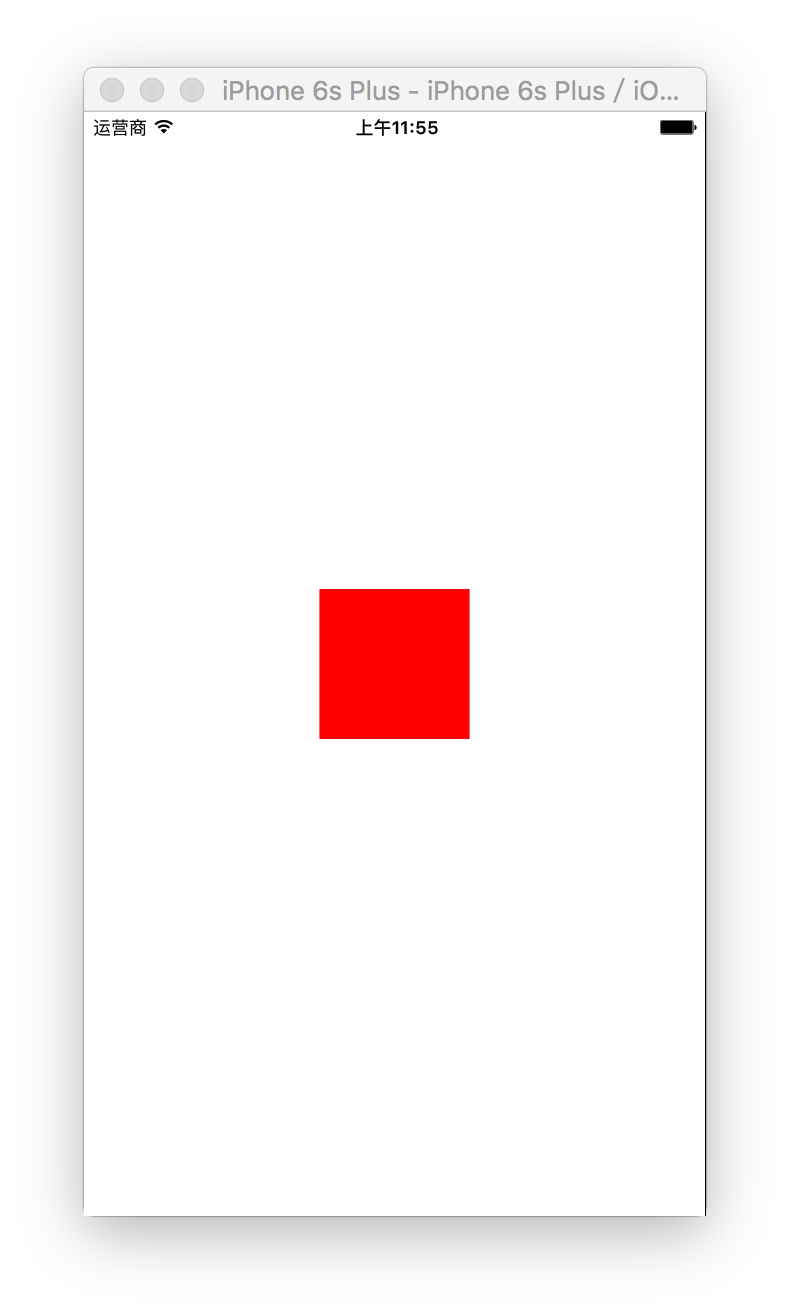
   UIView *redV = [[UIView alloc]init];

    redV.backgroundColor = [UIColor redColor];

    [self.view addSubview:redV];

    // 设置布局

    [redV makeConstraints:^(MASConstraintMaker *make) {

        // 在这里设置布局,描述make,这个make就表示红色所有的布局约束

        // 约束make == 约束redV

        // self.view 表示在self.view中居中

        make.center.equalTo(self.view);

        make.size.equalTo(CGSizeMake(, ));

    }];
实例2>:假设有个红色的View,上下左右有个20的间距. 效果图:
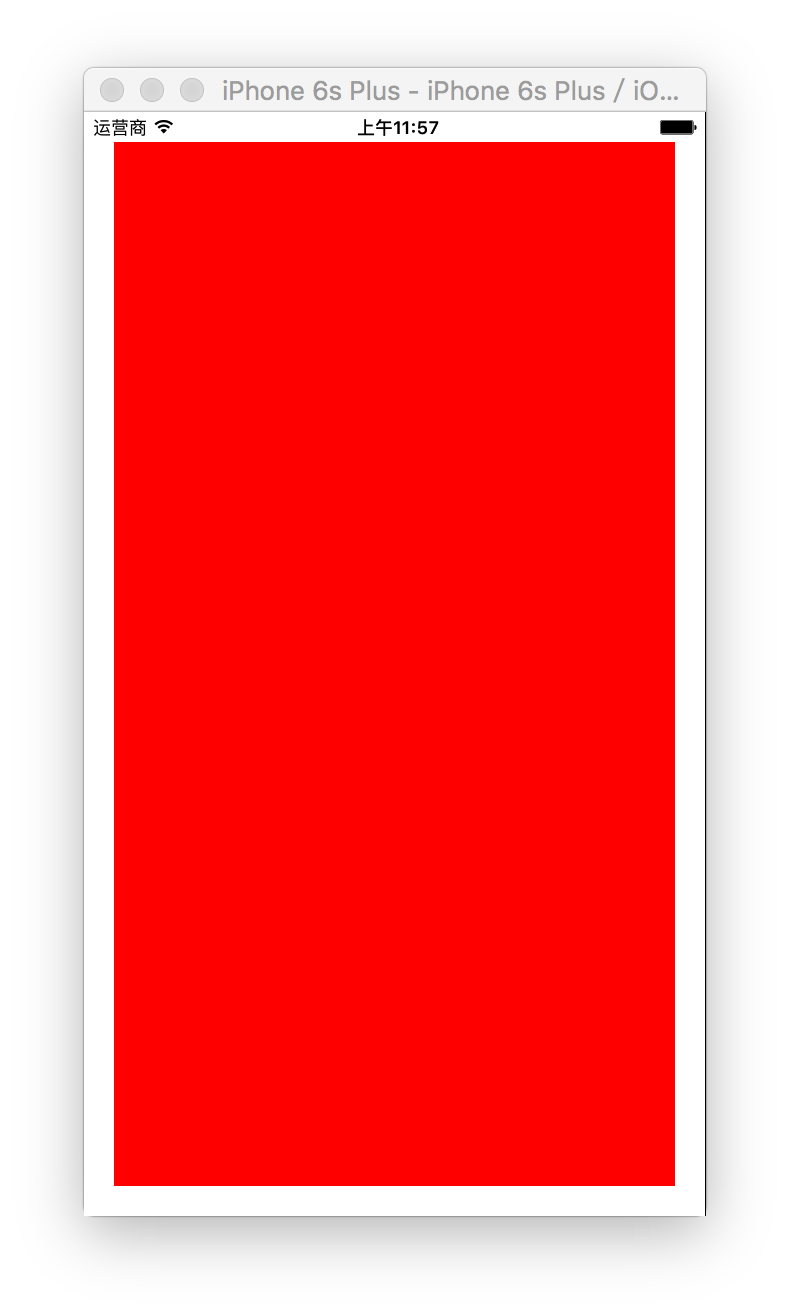
实现该效果有三种方法:
第一种:分别对redView的上左下右进行约束
    UIView *redV = [[UIView alloc]init];

    redV.backgroundColor = [UIColor redColor];

    [self.view addSubview:redV];

    // 设置布局

    [redV makeConstraints:^(MASConstraintMaker *make) {

                // 上

                make.top.equalTo(self.view).offset();

                // 下

                make.bottom.equalTo(self.view).offset(-);

                // 左

                make.left.equalTo(self.view).offset();

                // 右

                make.right.equalTo(self.view).offset(-);

    }];
第二种:合并约束条件相同的属性:
[redV makeConstraints:^(MASConstraintMaker *make) {// 上左

                make.top.left.equalTo(self.view).offset();

                // 下右

                make.right.bottom.equalTo(self.view).offset(-);

    }];
第三种,使用内边距结构体:
    [redV makeConstraints:^(MASConstraintMaker *make) {

        UIEdgeInsets inset = UIEdgeInsetsMake(, , , );

        make.edges.equalTo(inset);

    }];
实例3>参照兄弟view
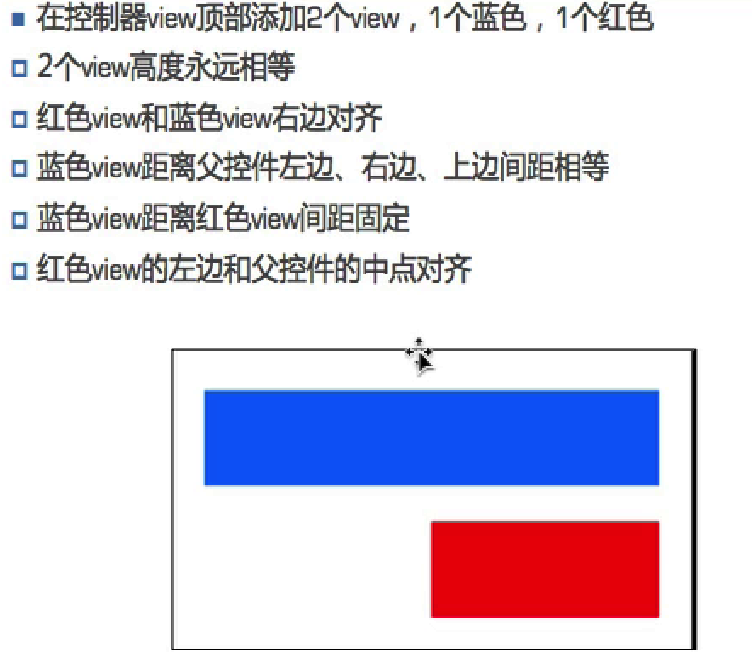
    // 蓝色blueV

    UIView *blueV = [[UIView alloc]init];

    blueV.backgroundColor = [UIColor blueColor];

    [self.view addSubview:blueV];

    // 设置约束蓝色blueV,左,上,右20,高50

    [blueV makeConstraints:^(MASConstraintMaker *make) {

        make.top.left.equalTo(self.view).offset();

        make.right.equalTo(self.view).offset(-);

        make.height.equalTo();

    }];

    // 红色redV

    UIView *redV = [[UIView alloc]init];

    redV.backgroundColor = [UIColor redColor];

    [self.view addSubview:redV];

    // 设置红色view,约束:宽度 = 蓝色*0.5 ,高度相等,right= right,顶部20的间距

    [redV makeConstraints:^(MASConstraintMaker *make) {

        make.width.equalTo(blueV).multipliedBy(0.5);

        make.right.height.equalTo(blueV);

        make.top.equalTo(blueV.bottom).offset();

    }];
前言
说到iOS自动布局,有很多的解决办法。有的人使用xib/storyboard自动布局,也有人使用frame来适配。对于前者,笔者并不喜欢,也不支持。对于后者,更是麻烦,到处计算高度、宽度等,千万大量代码的冗余,对维护和开发的效率都很低。
笔者在这里介绍纯代码自动布局的第三方库:Masonry。这个库使用率相当高,在全世界都有大量的开发者在使用,其star数量也是相当高的。
效果图
本节详解Masonry的基本用法,先看看效果图:

我们这里要布局使这三个控件的高度一致,而绿色和红色的控件高度和宽度相待。
核心代码
看下代码:
|
1
2
3
4
5
6
7
8
9
10
11
12
13
14
15
16
17
18
19
20
21
22
23
24
25
26
27
28
29
30
31
32
33
34
35
36
37
38
39
40
41
42
43
44
45
46
47
48
49
|
- (void)viewDidLoad {
[super viewDidLoad];
UIView *greenView = UIView.new;
greenView.backgroundColor = UIColor.greenColor;
greenView.layer.borderColor = UIColor.blackColor.CGColor;
greenView.layer.borderWidth = 2;
[self.view addSubview:greenView];
UIView *redView = UIView.new;
redView.backgroundColor = UIColor.redColor;
redView.layer.borderColor = UIColor.blackColor.CGColor;
redView.layer.borderWidth = 2;
[self.view addSubview:redView];
UIView *blueView = UIView.new;
blueView.backgroundColor = UIColor.blueColor;
blueView.layer.borderColor = UIColor.blackColor.CGColor;
blueView.layer.borderWidth = 2;
[self.view addSubview:blueView];
// 使这三个控件等高
CGFloat padding = 10;
[greenView mas_makeConstraints:^(MASConstraintMaker *make) {
make.top.mas_equalTo(padding);
make.left.mas_equalTo(padding);
make.right.mas_equalTo(redView.mas_left).offset(-padding);
make.bottom.mas_equalTo(blueView.mas_top).offset(-padding);
// 三个控件等高
make.height.mas_equalTo(@[redView, blueView]);
// 红、绿这两个控件等高
make.width.mas_equalTo(redView);
}];
[redView mas_makeConstraints:^(MASConstraintMaker *make) {
make.top.height.bottom.mas_equalTo(greenView);
make.right.mas_equalTo(-padding);
make.left.mas_equalTo(greenView.mas_right).offset(padding);
}];
[blueView mas_makeConstraints:^(MASConstraintMaker *make) {
make.height.mas_equalTo(greenView);
make.bottom.mas_equalTo(-padding);
make.left.mas_equalTo(padding);
make.right.mas_equalTo(-padding);
}];
}
|
讲解
添加约束的方法是:mas_makeConstraints。我们可以看到,约束可以使用链式方式,使用方法很简单,看起来像一句话。
看这句话:make.top.height.bottom.mas_equalTo(greenView),意思是:使我的顶部、高度和底部都与greenView的顶部、高度和底部相等。因此,只要greenView的约束添加好了,那么redView的顶部、高度和底部也就自动计算出来了。
大多时候,我们并不会将一句话完整地写出来,而是使用简写的方式。如:
|
1
2
3
|
make.right.mas_equalTo(-padding);
|
其完整写法为:
|
1
2
3
|
make.right.mas_equalTo(bludView.superView.mas_right).offset(-padding);
|
当我们是要与父控件相对约束时,可以省略掉父视图。注意,并不是什么时候都可以省略,只有约束是同样的才可以省略。比如,约束都是right才可以。如果是一个left一个是right,那么就不能省略了。
Masonry基本用法的更多相关文章
- masonry 基本用法
一:masonry 基本用法 fistView=[[UIView alloc] init]; fistView.backgroundColor=[UIColor redColor]; [self.vi ...
- Autolayout 第三方开源库
转载自:http://blog.csdn.net/hmt20130412/article/details/46638625 今天才发现CSDN支持markdown了…还是给出新博客地址:Autolay ...
- 关于Masonry框架(AutoLayout)的用法--面向初学者
Masonry作为目前较为流行的自动布局第三方框架,简单易用,大大减少了程序员花在UI布局和屏幕适配的精力与时间. 1 基本用法 1.1 事例1: 图1-1 // 首先是view1自动布局 [view ...
- Masonry和FDTemplateLayoutCell 结合使用示例Demo
我们知道,界面布局可以用Storyboard或Xib结合Autolayout实现,如果用纯代码布局,比较热门的有Masonry.SDAutoLayout,下面的简单demo,采用纯代码布局,实现不定高 ...
- Masonry tableviewCell布局(转)
转载自:http://www.henishuo.com/masonry-tableviewcell-layout/ 前言 说到iOS自动布局,有很多的解决办法.有的人使用xib/storyboard自 ...
- 【原】iOS学习之Masonry第三方约束
1.Masonry概述 目前最流行的Autolayout第三方框架 用优雅的代码方式编写Autolayout 省去了苹果官方恶心的Autolayout代码 大大提高了开发效率 框架地址:https:/ ...
- Coding源码学习第四部分(Masonry介绍与使用(三))
接上篇继续进行Masonry 的学习. (12)tableViewCell 布局 #import "TableViewController.h" #import "Tes ...
- iOS自动布局进阶用法
本文主要介绍几个我遇到并总结的相对高级的用法(当然啦牛人会觉得这也不算什么). 简单的storyboard中上下左右约束,固定宽高啥的用法在这里就不做赘述了. autolayout自动布局是iOS6以 ...
- Masonry学习分享
不完整目录 •UIScrollView 应用Masonry的正确用法 •tableHeaderView使用Masonry •同向文字显示优先级 1.基础篇 1.1基础使用 1.1.1运行效果 1.1. ...
随机推荐
- SpringMVC(8) - 处理器映射
在以前的Spring版本中,用户需要在Web应用程序上下文中定义一个或多个HandlerMapping bean,以将传入的Web请求映射到适当的处理器.通过引入带注解的控制器,就不需要像之前那样定义 ...
- C#的特性学习草稿
原文发布时间为:2008-11-22 -- 来源于本人的百度文章 [由搬家工具导入] 举个简单的例子: 先定义个特性 从Attribute继承,并标明用法 [AttributeUsage(Attrib ...
- 转:Linux性能评测工具之一:gprof篇
1 简介 改进应用程序的性能是一项非常耗时耗力的工作,但是究竟程序中是哪些函数消耗掉了大部分执行时间,这通常都不是非常明显的.GNU 编译器工具包所提供了一种剖析工具 GNU profiler(gpr ...
- html5 拖拽元素
利用html5实现元素的拖拽,让拖动元素在指定的容器中拖动. 注意点:1.被拖元素要设置拖动属性.draggable="true" 2.容器元素要设置阻止默认事件处理 实现效果图如 ...
- java获取本机机器名
java获取本机机器名 InetAddress.getLocalHost().getHostName().toString();
- 系统优化(一)Maven打包同一个jar有不同的:版本号+时间戳(解决思路)
解决:maven仓库的ear里面有非常多个同样的jar(仅仅是包括不同的:版本号+时间戳) 问题描写叙述: 发现ear里面有非常多个同样的jar,仅仅是包括不同的:版本号+时间戳,例如以下图所看到的: ...
- 浏览器websocket
使用浏览器,PHP 来构建的应用,发现都是每次浏览器发送一次http 请求,PHP 回一个响应. 这样,后端的PHP 在处理多次http请求是,每次都是不同的进程在处理. 这就加大了开销, 而且,PH ...
- CentOS 7下安装Logstash ELK Stack 日志管理系统(下)
修改防火墙,对外开放tcp/5601 [root@elk elk]# firewall-cmd --permanent --add-port=5601/tcpSuccess[root@elk elk] ...
- ln 软连接 & 硬连接
创建软连接的方式 #ln -s soure /file object 创建软连接是连接文件本身,可以跨分区建立软连接,不会应为不同分区而出现不能使用的问题. 在创建软连接的文件中,修改一处文件另一处同 ...
- ZOJ 3316 Game 一般图最大匹配带花树
一般图最大匹配带花树: 建图后,计算最大匹配数. 假设有一个联通块不是完美匹配,先手就能够走那个没被匹配到的点.后手不论怎么走,都必定走到一个被匹配的点上.先手就能够顺着这个交错路走下去,最后一定是后 ...