
iOS开发UI篇—Quartz2D使用(信纸条纹)
iOS开发UI篇—Quartz2D使用(信纸条纹)
一、前导程序
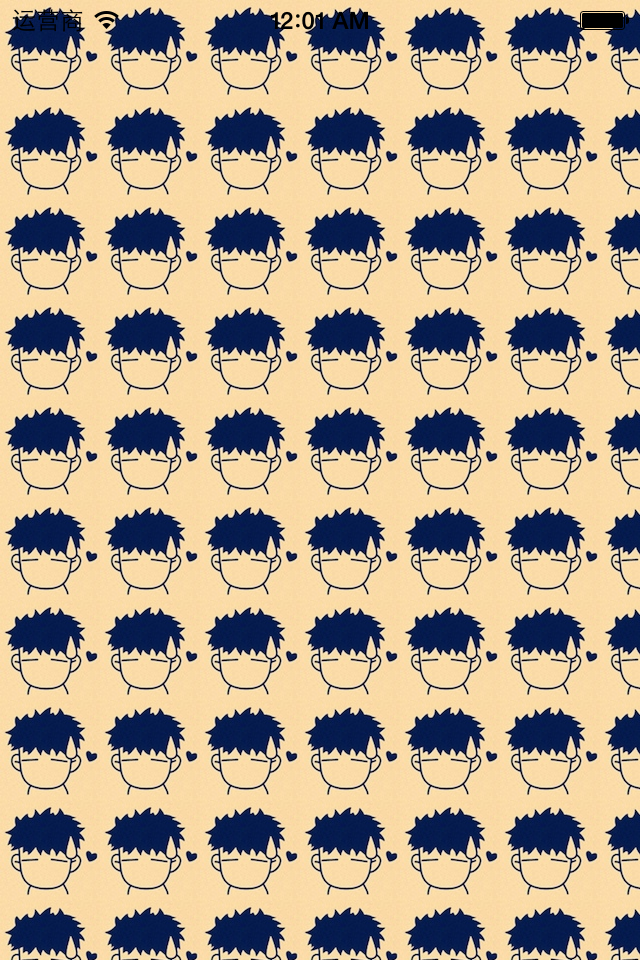
新建一个项目,在主控制器文件中实现以下几行代码,就能轻松的完成图片在视图中的平铺。
 #import "YYViewController.h"

 @interface YYViewController ()

 @end

 @implementation YYViewController

 - (void)viewDidLoad

 {

     [super viewDidLoad];

     UIImage *image=[UIImage imageNamed:@"me"];

     UIColor *color=[UIColor colorWithPatternImage:image];

     self.view.backgroundColor=color;

 }

 @end
效果:
二、实现信纸条纹的效果
 //

 //  YYViewController.m

 //  01-信纸条纹

 //

 //  Created by 孔医己 on 14-6-11.

 //  Copyright (c) 2014年 itcast. All rights reserved.

 //

 #import "YYViewController.h"

 @interface YYViewController ()

 @end

 @implementation YYViewController

 - (void)viewDidLoad

 {

     [super viewDidLoad];

     // 1.生成一张以后用于平铺的小图片

     CGSize size = CGSizeMake(self.view.frame.size.width, );

     UIGraphicsBeginImageContextWithOptions(size , NO, );

     // 2.画矩形

     CGContextRef ctx = UIGraphicsGetCurrentContext();

     CGFloat height = ;

     CGContextAddRect(ctx, CGRectMake(, , self.view.frame.size.width, height));

     [[UIColor whiteColor] set];

     CGContextFillPath(ctx);

     // 3.画线条

     CGFloat lineWidth = ;

     CGFloat lineY = height - lineWidth;

     CGFloat lineX = ;

     CGContextMoveToPoint(ctx, lineX, lineY);

     CGContextAddLineToPoint(ctx, , lineY);

     [[UIColor blackColor] set];

     CGContextStrokePath(ctx);

     UIImage *image=UIGraphicsGetImageFromCurrentImageContext();

     UIColor *color=[UIColor colorWithPatternImage:image];

     self.view.backgroundColor=color;

 }

 @end
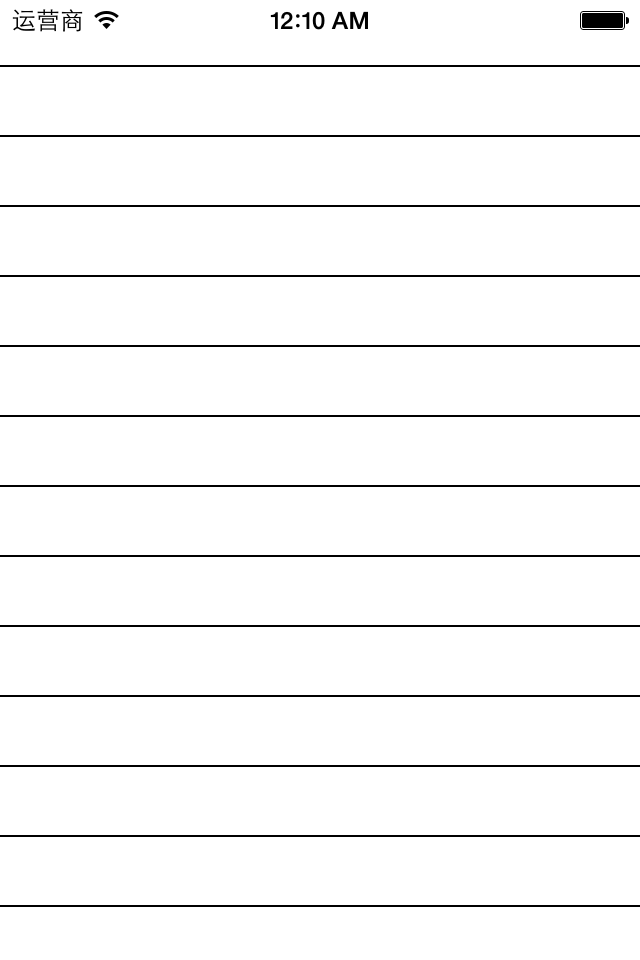
效果:
三、应用场景
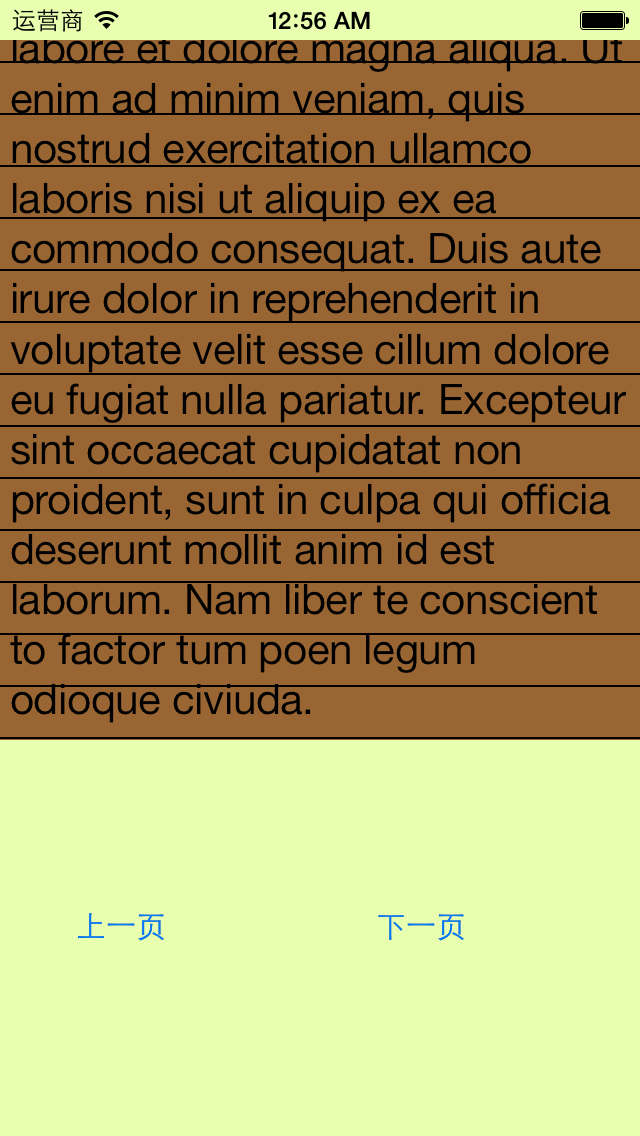
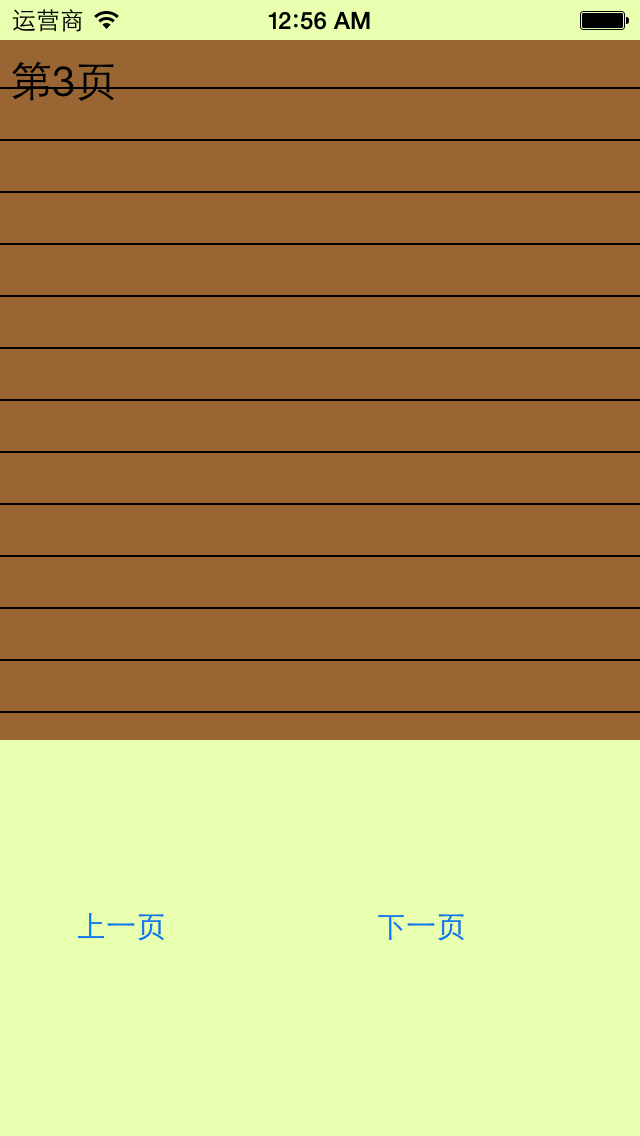
完成一个简陋的电子书阅读器
代码:
 //

 //  YYViewController.m

 //  01-信纸条纹

 //

 //  Created by 孔医己 on 14-6-11.

 //  Copyright (c) 2014年 itcast. All rights reserved.

 //

 #import "YYViewController.h"

 @interface YYViewController ()

 @property (weak, nonatomic) IBOutlet UITextView *textview;

 - (IBAction)perBtnClick:(UIButton *)sender;

 - (IBAction)nextBtnClick:(UIButton *)sender;

 @property(nonatomic,assign)int index;

 @end

 @implementation YYViewController

 - (void)viewDidLoad

 {

     [super viewDidLoad];

     // 1.生成一张以后用于平铺的小图片

     CGSize size = CGSizeMake(self.view.frame.size.width, );

     UIGraphicsBeginImageContextWithOptions(size , NO, );

     // 2.画矩形

     CGContextRef ctx = UIGraphicsGetCurrentContext();

     CGFloat height = ;

     CGContextAddRect(ctx, CGRectMake(, , self.view.frame.size.width, height));

     [[UIColor brownColor] set];

     CGContextFillPath(ctx);

     // 3.画线条

     CGFloat lineWidth = ;

     CGFloat lineY = height - lineWidth;

     CGFloat lineX = ;

     CGContextMoveToPoint(ctx, lineX, lineY);

     CGContextAddLineToPoint(ctx, , lineY);

     [[UIColor blackColor] set];

     CGContextStrokePath(ctx);

     UIImage *image=UIGraphicsGetImageFromCurrentImageContext();

     UIColor *color=[UIColor colorWithPatternImage:image];

     //self.view.backgroundColor=color;

     self.textview.backgroundColor=color;

 }

 - (IBAction)perBtnClick:(UIButton *)sender {

     self.index--;

     self.textview.text=[NSString stringWithFormat:@"第%d页",self.index];

     CATransition *ca = [[CATransition alloc] init];

     ca.type = @"pageCurl";

     [self.textview.layer addAnimation:ca forKey:nil];

 }

 - (IBAction)nextBtnClick:(UIButton *)sender {

     self.index++;

     self.textview.text=[NSString stringWithFormat:@"第%d页",self.index];

     CATransition *ca = [[CATransition alloc] init];

     ca.type = @"pageCurl";

     [self.textview.layer addAnimation:ca forKey:nil];

 }

 @end
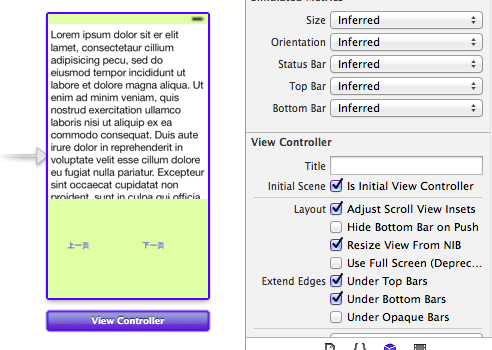
storyboard中的界面布局
实现的简单效果:
iOS开发UI篇—Quartz2D使用(信纸条纹)的更多相关文章
- iOS开发UI篇—Quartz2D使用(绘制基本图形)
iOS开发UI篇—Quartz2D使用(绘制基本图形) 一.简单说明 图形上下文(Graphics Context):是一个CGContextRef类型的数据 图形上下文的作用:保存绘图信息.绘图状态 ...
- iOS开发UI篇—Quartz2D简单介绍
iOS开发UI篇—Quartz2D简单介绍 一.什么是Quartz2D Quartz 2D是⼀个二维绘图引擎,同时支持iOS和Mac系统 Quartz 2D能完成的工作: 绘制图形 : 线条\三角形\ ...
- iOS开发UI篇—Quartz2D简单使用(一)
iOS开发UI篇—Quartz2D简单使用(一) 一.画直线 代码: // // YYlineview.m // 03-画直线 // // Created by apple on 14-6-9. // ...
- iOS开发UI篇—Quartz2D简单使用(二)
iOS开发UI篇—Quartz2D简单使用(二) 一.画文字 代码: // // YYtextview.m // 04-写文字 // // Created by 孔医己 on 14-6-10. // ...
- iOS开发UI篇—Quartz2D使用(图形上下文栈)
iOS开发UI篇—Quartz2D使用(图形上下文栈) 一.qurza2d是怎么将绘图信息和绘图的属性绘制到图形上下文中去的? 说明: 新建一个项目,自定义一个view类和storyboard关联后, ...
- iOS开发UI篇—Quartz2D使用(矩阵操作)
iOS开发UI篇—Quartz2D使用(矩阵操作) 一.关于矩阵操作 1.画一个四边形 通过设置两个端点(长和宽)来完成一个四边形的绘制. 代码: - (void)drawRect:(CGRect)r ...
- iOS开发UI篇—Quartz2D使用(图片剪切)
iOS开发UI篇—Quartz2D使用(图片剪切) 一.使用Quartz2D完成图片剪切 1.把图片显示在自定义的view中 先把图片绘制到view上.按照原始大小,把图片绘制到一个点上. 代码: - ...
- iOS开发UI篇—Quartz2D简单使用(三)
iOS开发UI篇—Quartz2D简单使用(三) 一.通过slider控制圆的缩放 1.实现过程 新建一个项目,新建一个继承自UIview的类,并和storyboard中自定义的view进行关联. 界 ...
- iOS开发UI篇—Quartz2D使用(绘图路径)
iOS开发UI篇—Quartz2D使用(绘图路径) 一.绘图路径 A.简单说明 在画线的时候,方法的内部默认创建一个path.它把路径都放到了path里面去. 1.创建路径 cgmutablepat ...
随机推荐
- ACCESS自动编号清零
ACCESS的数据库,当每次删除所有记录后,表里的一个ID字段(自动编号),无限递增,位数无限扩.当每次执行删除查询时,程序就把“自动编号”型ID字段清零,然后重新从“初始值”开始,解决方法如下: ...
- android-eclipse-phonegap 2..9以下(包含2.9)的项目配置
1.搭建android.eclipse环境,下载phonegap 2.9包 2.新建android项目 3.拷贝phonegap-2.9.0\lib\android\cordova-2.9.0.jar ...
- 原生js快速渲染dom节点
function renderDom(str){ var _div = document.createElement('div'); _div.innerHTML = str; var dom_tem ...
- RCNN--对象检测的又一伟大跨越 2(包括SPPnet、Fast RCNN)(持续更新)
继续上次的学习笔记,在RCNN之后是Fast RCNN,但是在Fast RCNN之前,我们先来看一个叫做SPP-net的网络架构. 一,SPP(空间金字塔池化,Spatial Pyramid Pool ...
- MyEclipse启动慢的办法
禁用myeclipse updating indexes MyEclipse 总是不停的在 Update index,研究发现Update index...是Maven在下载更新,但很是影响myecl ...
- javascript中的自增与自减
一直都对自增与自减的执行顺序有点糊涂,今天查了资料,来总结一下 a++(a--),就是指当时计算a,当下一次使用这个变量的时候才执行++或者-- ++a(--a),就是指当时就计算++或者-- 例1: ...
- 解决Failed to allocate memory: 8转
解决Failed to allocate memory: 8 昨天换了x64的Win7,发现在Eclipse上启动模拟器的时候存在问题,当设置的模拟器分辨率大于400×800的时候会出现 Failed ...
- HTML5之FileReader的使用
HTML5定义了FileReader作为文件API的重要成员用于读取文件,根据W3C的定义,FileReader接口提供了读取文件的方法和包含读取结果的事件模型. FileReader的使用方式非常简 ...
- 31、springmvc(注解)
回顾什么是springmvc,它与spring有什么关系 springmvc属于spring框架的后续产品,用在基于MVC的表现层开发,类似于struts2框架 参见<<springmvc ...
- oracle物化视图
物化视图是一种特殊的物理表,“物化”(Materialized)视图是相对普通视图而言的.普通视图是虚拟表,应用的局限性大,任何对视图的查询,Oracle都实际上转换为视图SQL语句的查询. 这样对整 ...