
08.IdentityServer4登录中心
08.IdentityServer4登录中心
IdentityServer就是一套Framework,实现了OAuth的授权
理解OAuth流程,学会怎么使用他
http://ruanyifeng.com/blog/2014/05/oauth_2_0.html
客户端模式(client credentials)
客户端模式,在使用微信支付或者支付宝支付的时候,会使用这种模式

简单的实现一个IdentityServer
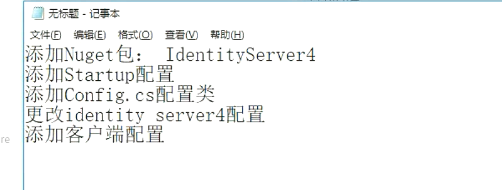
首先新建webapi的项目
在我的电脑D:\MyDemos\jesse\下创建文件夹IdentityServerSample
D:\MyDemos\jesse\IdentityServerSample
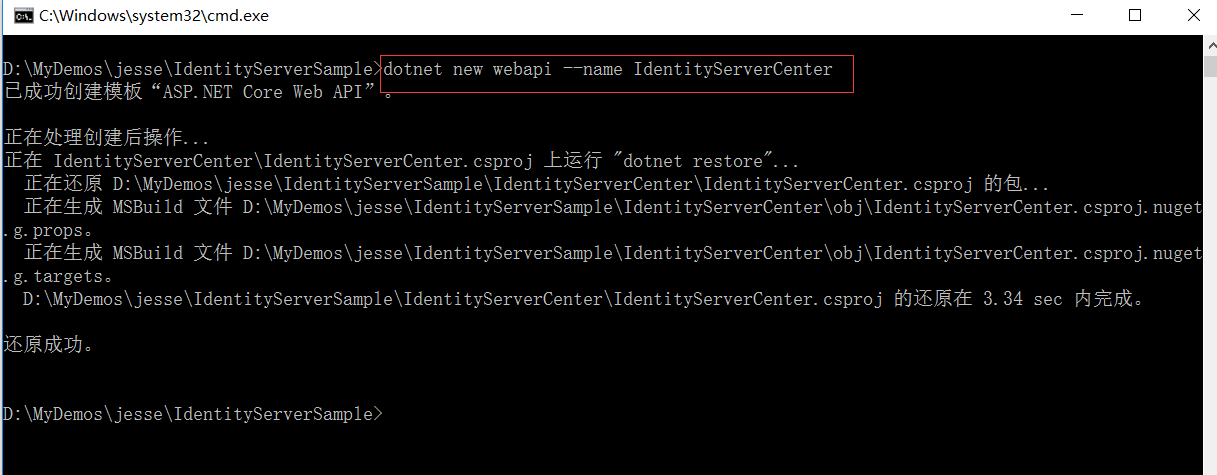
然后在这个文件夹下面打开dos窗体。创建webapi的项目
dotnet new webapi --name IdentityServerCenter
D:\MyDemos\jesse\IdentityServerSample\IdentityServerCenter
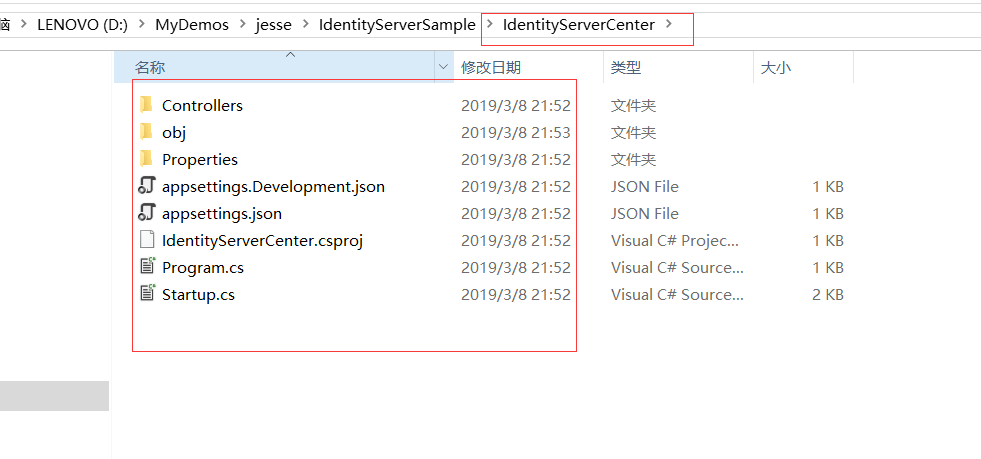
视频上用VScode打开的。 我还是用VS2017打开吧
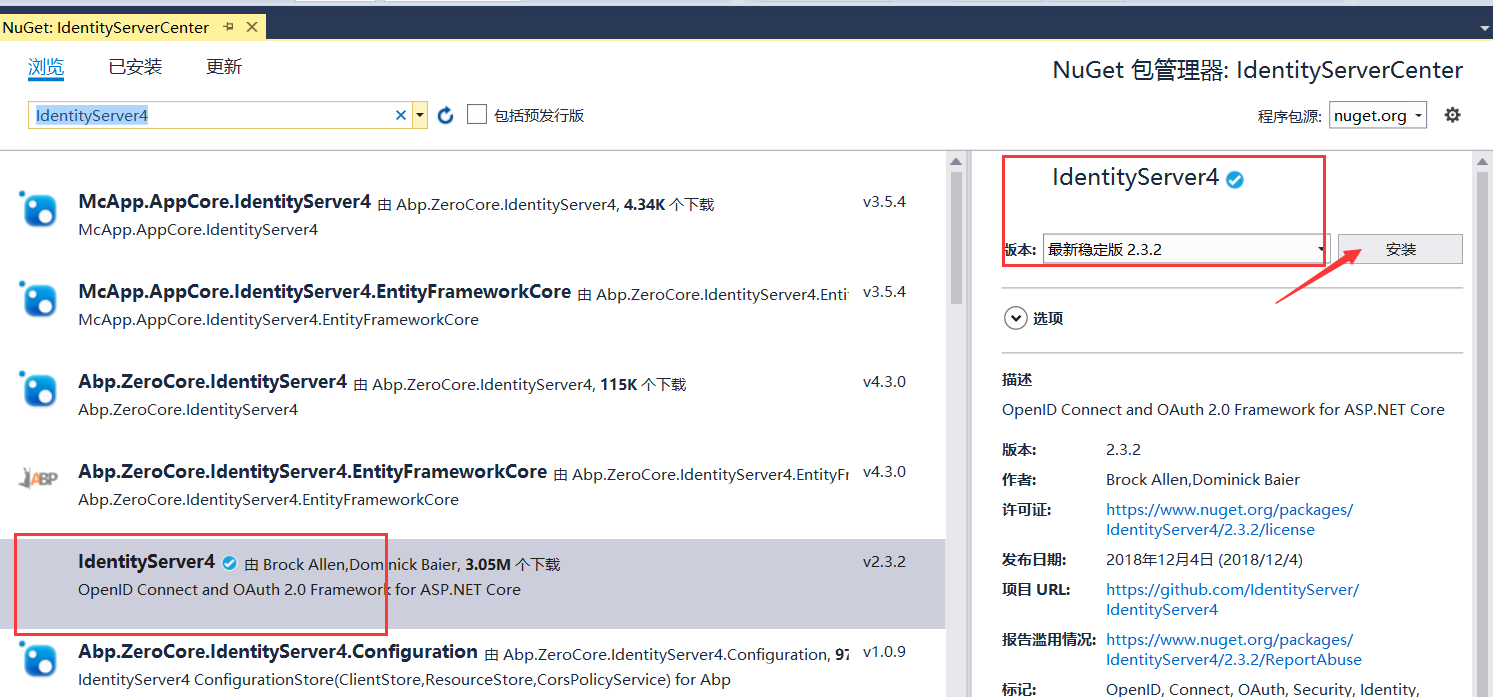
添加Nuget包
Nuget安装包:IdentityServer4
添加StartUp配置
在MVC以前添加service配置
引入命名空间 using IdentityServer4;
配置添加到依赖注入里面
services.AddIdentityServer()
.AddDeveloperSigningCredential();

添加完依赖注入以后,要使用这个Identity
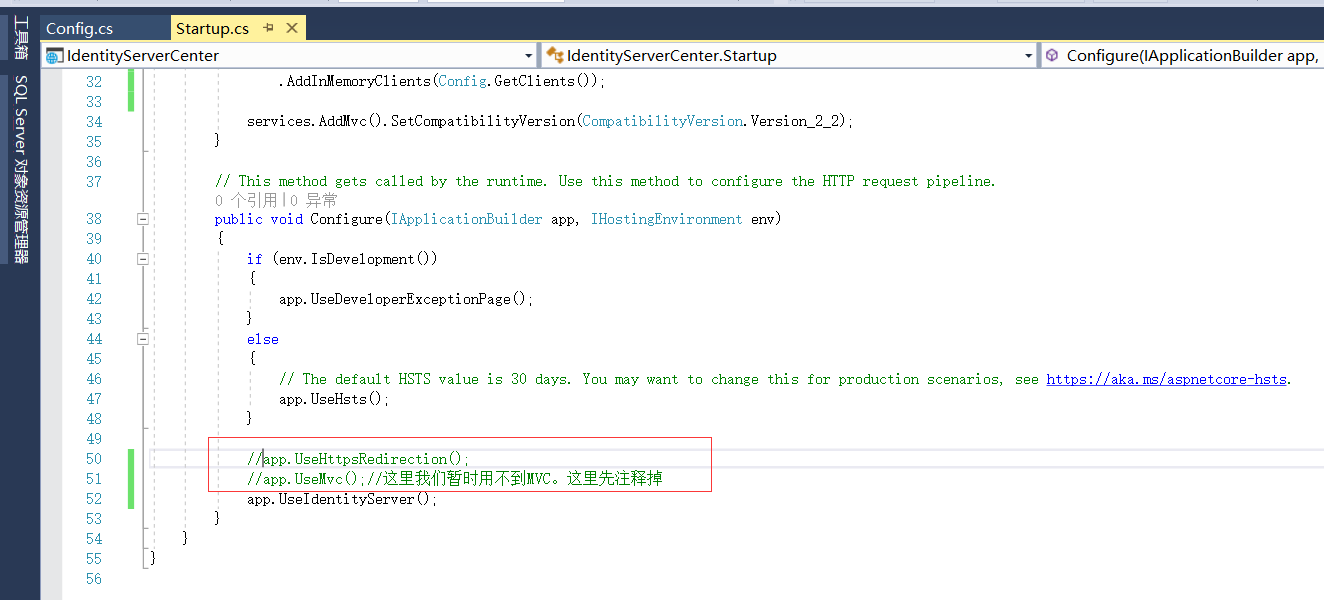
 //app.UseMvc();//这里我们暂时用不到MVC。这里先注释掉

 app.UseIdentityServer();

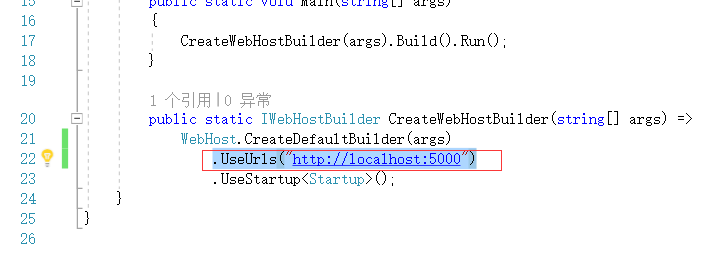
然后我们在Program.cs里面
设置启动地方为5000端口
.UseUrls("http://localhost:5000")
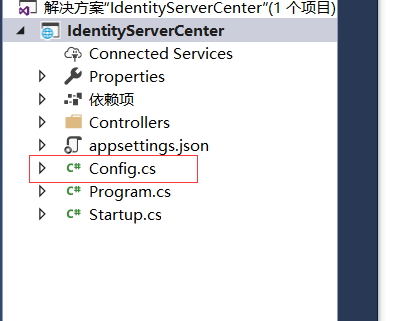
Config.cs类
在根目录下创建 Config.cs文件
这个类是我们暂时用来初始化IdentityServer的
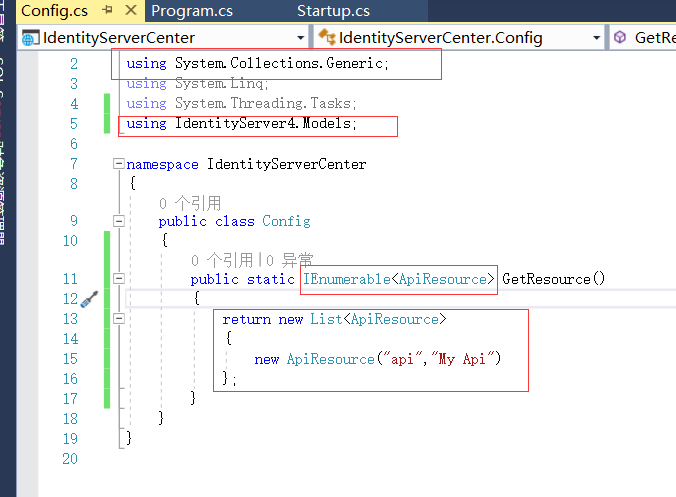
类里面我们会写一些静态方法
这里返回一个Resource
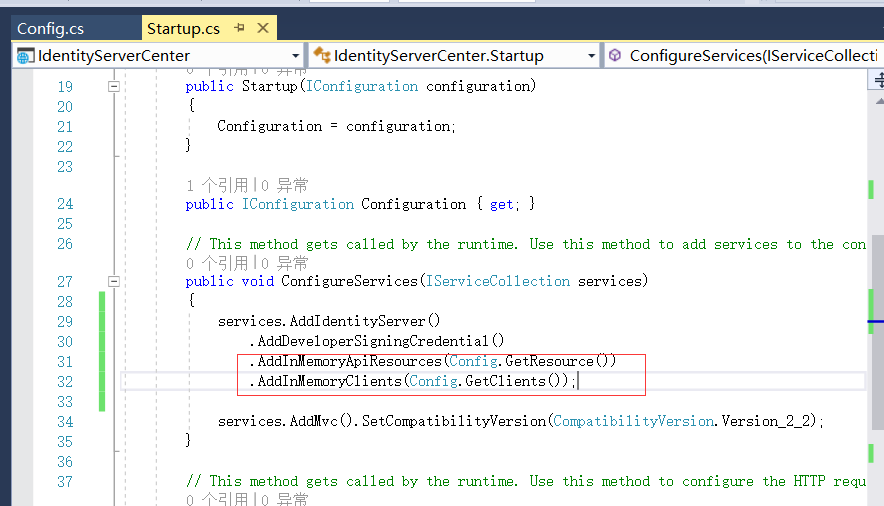
接下来定义Client客户端
在给一个可以访问Resource,就是这个Client呢可以访问我们那些Resource

using System;

using System.Collections.Generic;

using System.Linq;

using System.Threading.Tasks;

using IdentityServer4.Models;

namespace IdentityServerCenter

{

    public class Config

    {

        public static IEnumerable<ApiResource> GetResource()

        {

            return new List<ApiResource>

            {

                new ApiResource("api","My Api")

            };

        }

        public static IEnumerable<Client> GetClients()

        {

            return new List<Client>()

            {

                new Client()

                {

                    ClientId="client",

                    AllowedGrantTypes=GrantTypes.ClientCredentials,//最简单的模式

                    ClientSecrets={

                        new Secret("secret".Sha256())

                    },

                    AllowedScopes={ "api"}

                }

            };

        }

    }

}
把我们的ApiResoure加入进来
运行程序
这里我先都注释掉
这里没有添加mvc的管道也没有添加webapi
webapi和mvc实际上一个管道。
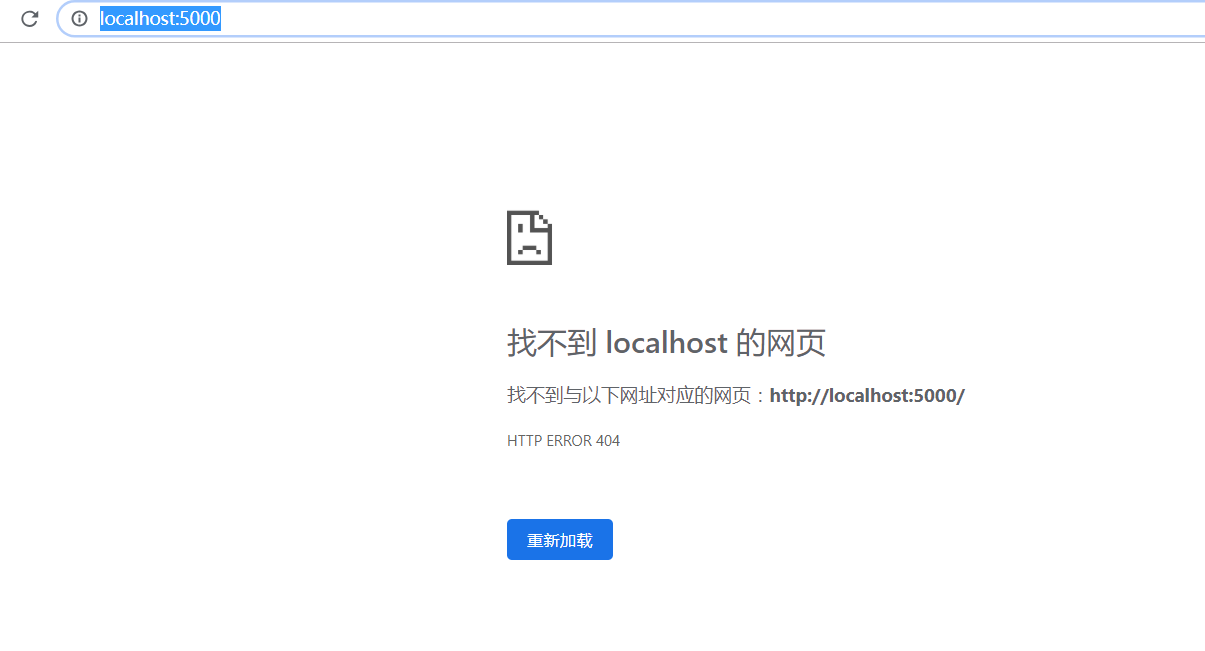
打开地址,什么也看不到
http://localhost:5000/
identityServer给我提供一个固定的地址:
http://localhost:5000/.well-known/openid-configuration
这里给我们一些基本的配置,基本的信息
{

    "issuer": "http://localhost:5000",

    "jwks_uri": "http://localhost:5000/.well-known/openid-configuration/jwks",

    "authorization_endpoint": "http://localhost:5000/connect/authorize",

    "token_endpoint": "http://localhost:5000/connect/token",

    "userinfo_endpoint": "http://localhost:5000/connect/userinfo",

    "end_session_endpoint": "http://localhost:5000/connect/endsession",

    "check_session_iframe": "http://localhost:5000/connect/checksession",

    "revocation_endpoint": "http://localhost:5000/connect/revocation",

    "introspection_endpoint": "http://localhost:5000/connect/introspect",

    "device_authorization_endpoint": "http://localhost:5000/connect/deviceauthorization",

    "frontchannel_logout_supported": true,

    "frontchannel_logout_session_supported": true,

    "backchannel_logout_supported": true,

    "backchannel_logout_session_supported": true,

    "scopes_supported": [

        "api",

        "offline_access"

    ],

    "claims_supported": [],

    "grant_types_supported": [

        "authorization_code",

        "client_credentials",

        "refresh_token",

        "implicit",

        "urn:ietf:params:oauth:grant-type:device_code"

    ],

    "response_types_supported": [

        "code",

        "token",

        "id_token",

        "id_token token",

        "code id_token",

        "code token",

        "code id_token token"

    ],

    "response_modes_supported": [

        "form_post",

        "query",

        "fragment"

    ],

    "token_endpoint_auth_methods_supported": [

        "client_secret_basic",

        "client_secret_post"

    ],

    "subject_types_supported": [

        "public"

    ],

    "id_token_signing_alg_values_supported": [

        "RS256"

    ],

    "code_challenge_methods_supported": [

        "plain",

        "S256"

    ]

}
这里是支持的几种模式

这里是加密的方式

会暴露一些endpoint

下一节课 我们要实现Resource。写一个API
08.IdentityServer4登录中心的更多相关文章
- 【ASP.NET Core分布式项目实战】(一)IdentityServer4登录中心、oauth密码模式identity server4实现
本博客根据http://video.jessetalk.cn/my/course/5视频整理 资料 OAuth2 流程:http://www.ruanyifeng.com/blog/2014/05/o ...
- ASP.NET Core分布式项目-1.IdentityServer4登录中心
源码下载 一.添加服务端的api 1.添加NUGet包 IdentityServer4 点击下载,重新生成 2.添加Startup配置 打开Startup文件 public class Startup ...
- Asp.Net Core 中IdentityServer4 授权中心之自定义授权模式
一.前言 上一篇我分享了一篇关于 Asp.Net Core 中IdentityServer4 授权中心之应用实战 的文章,其中有不少博友给我提了问题,其中有一个博友问我的一个场景,我给他解答的还不够完 ...
- IdentityServer4 登录成功后,跳转到原来页面
IdentityServer4 登录成功后,默认会跳转到Config.Client配置的RedirectUris地址http://localhost:5003/callback.html,用于获取 T ...
- Easyui入门视频教程 第08集---登录实现 ajax button的使用
目录 ----------------------- Easyui入门视频教程 第09集---登录完善 图标自定义 Easyui入门视频教程 第08集---登录实现 ajax button的使用 ...
- Asp.Net Core 中IdentityServer4 授权中心之应用实战
一.前言 查阅了大多数相关资料,查阅到的IdentityServer4 的相关文章大多是比较简单并且多是翻译官网的文档编写的,我这里在 Asp.Net Core 中IdentityServer4 的应 ...
- IdentityServer4 登录使用数据库
业务场景: IdentityServer4 默认使用TestUser和UserStore,需要模拟和加载所有的用户数据,正式环境肯定不能这样实现,我们想从自己的数据库中读取用户信息,另外,因为 Ide ...
- 统一登录中心SSO 单点登录系统的构想
什么是单点登录?我想肯定有一部分人“望文生义”的认为单点登录就是一个用户只能在一处登录,其实这是错误的理解.单点登录指的是多个子系统只需要登录一个,其他系统不需要登录了(一个浏览器内).一个子系统退出 ...
- IdentityServer4登陆中心
1. 使用Vsual Studio Code 终端执行 dotnet new webapi --name IdentityServerSample 命令创建一个webapi 的 IdentitySer ...
随机推荐
- pyqt5 学习总结
关于基类 一般的文件都会基于QWidget,QtWidgets.QMainWindow 或QDialog,like this class Example(QWidget): QWidget类是所有用户 ...
- 关于0基础磁盘管理(gpt UEFI...)最好的一篇文章(来自gentoo linux)
放链接:https://wiki.gentoo.org/wiki/Handbook:AMD64/Installation/Disks 顺便几张图 watermark/2/text/aHR0cDovL2 ...
- Python自动生成文章
为了应付某些情况,需要做17份记录.虽然不很重要,但是17份完全雷同也不很好.大体看了一下,此记录大致分为四段.于是决定每段提供四种选项,每段四选一,拼凑成四段文字,存成一个文件.文件名就叫“XX记录 ...
- Android开发之裁切(拍照+相冊)图像并设置头像小结
先看效果: watermark/2/text/aHR0cDovL2Jsb2cuY3Nkbi5uZXQv/font/5a6L5 ...
- shift:解决shell编程中的入渗问题
我说过了,shell是我的常规武器,目前虽然还不纯熟,但是我爱shell这门语言,在Linux下面混,总要写脚本.程序员是有基因,对编程语言是有偏好的,你让我写C代码,我会觉得很爽,会有困难,会有痛苦 ...
- photoswipe 实现图片的单击放大
1.项目结构 2.HTML 代码 <%@ Page Language="C#" AutoEventWireup="true" CodeBehind=&qu ...
- C++笔记之外部类访问内部类的私有成员
如下图所示 内部类可以访问外部类的私有成员 而外部类无法访问内部类的私有成员 为了能让外部类访问内部类的私有成员,将外部类声明为内部类的友元类即可 #include <iostream> ...
- Linux环境下安装ActiveMq
一.准备安装的tar包 1.将安装包放在服务器上:apache-activemq-5.10.2.tar.gz 2.将安装包解压:tar -zxvf apache-activemq-5.10.2.tar ...
- [Java多线程] volatile 关键字正确使用方法
volatile 变量具有 synchronized 的可见性特性,但是不具备原子特性,即多线程环境中,使用 volatile 关键字的变量仅可以保证不同线程读取变量时,可以读到最新修改的变量值,但是 ...
- 使用官方Android-support-v7在低版本上使用ActionBarActivity
昨天晚上更新了下Android SDK Manager,发现Extras下的Android Support Library已经更新到19.1了,上网一查原来是sdk\extras\android\su ...