
ASP.NET Core分布式项目-1.IdentityServer4登录中心
一.添加服务端的api
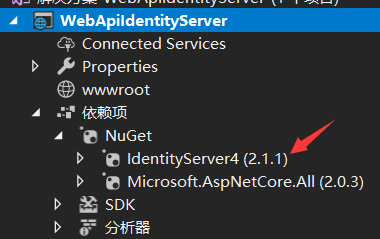
1.添加NUGet包 IdentityServer4

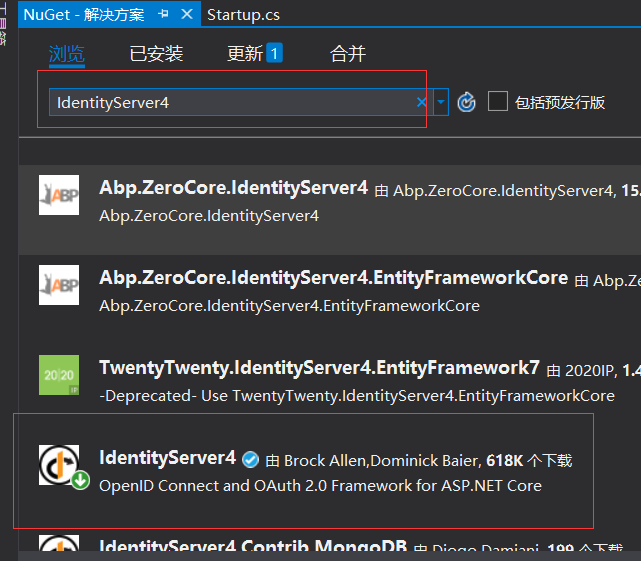
点击下载,重新生成
2。添加Startup配置
打开Startup文件
 public class Startup

    {

        public Startup(IConfiguration configuration)

        {

            Configuration = configuration;

        }

        public IConfiguration Configuration { get; }

        // This method gets called by the runtime. Use this method to add services to the container.

        public void ConfigureServices(IServiceCollection services)

        {

            //添加依赖注入配置

            services.AddIdentityServer()

                .AddDeveloperSigningCredential();

            services.AddMvc();

        }

        // This method gets called by the runtime. Use this method to configure the HTTP request pipeline.

        public void Configure(IApplicationBuilder app, IHostingEnvironment env)

        {

            if (env.IsDevelopment())

            {

                app.UseDeveloperExceptionPage();

            }

            app.UseIdentityServer();

            //app.UseMvc();

        }

    }
3.添加config配置,添加一个config类
    public class config

    {

        public static IEnumerable<ApiResource> GetResources()

        {

            return new List<ApiResource> { new ApiResource("api","MQapi")};

        }

        public static IEnumerable<Client> GetClients()

        {

            return new List<Client>

            {

                new Client()

                {

                    ClientId="ClientId",

                    AllowedGrantTypes=GrantTypes.ClientCredentials,

                    ClientSecrets={ new Secret("secrt".Sha256())},

                    AllowedScopes={ "api"}

                }

            };

        }

    }
4.修改IdentityServer的配置,打开Startup文件
 public void ConfigureServices(IServiceCollection services)

        {

            //添加依赖注入配置

            services.AddIdentityServer()

                .AddDeveloperSigningCredential()

                .AddInMemoryApiResources(config.GetResources())

                .AddInMemoryClients(config.GetClients());

            services.AddMvc();

        }
运行在浏览器中输入http://localhost:51227/.well-known/openid-configuration

二,添加客户端的api
添加一个api项目 ClientCredentialApi, 应用NuGet 包IdentityServer4.AccessTokenValidation
在控制器上添加[Authorize]标识。
然后在Startup文件里把认证授权添加进来
public void ConfigureServices(IServiceCollection services)

        {

            services.AddAuthentication("Bearer")

                .AddIdentityServerAuthentication(c =>

                {

                    c.Authority = "http://localhost:50000";

                    c.RequireHttpsMetadata = false;

                    c.ApiName = "api";

                });

            services.AddMvc();

        }
我们用visual studio code 把两个项目打开
运行WebApiIdentityServer项目 dotnet run

打开浏览器http://localhost:50000/.well-known/openid-configuration

可以通过http://localhost:50000/connect/token 这个拿到token
打开Postman
post访问http://localhost:50000/connect/token
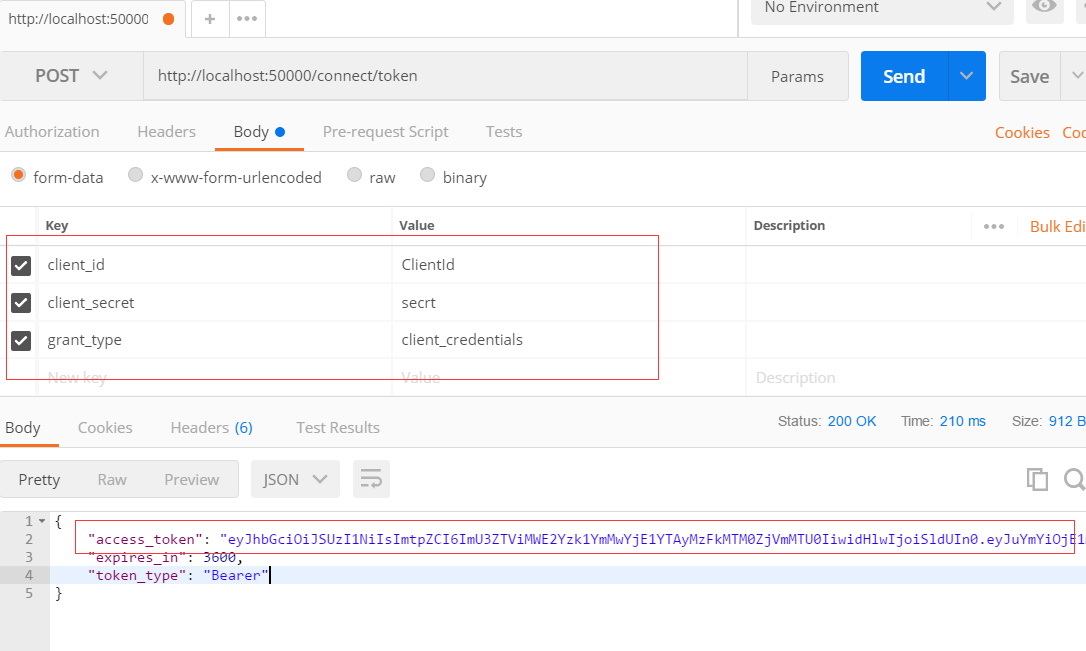
参数是在这里设置的
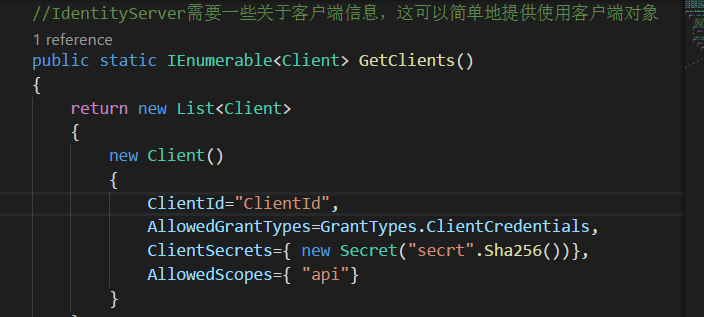
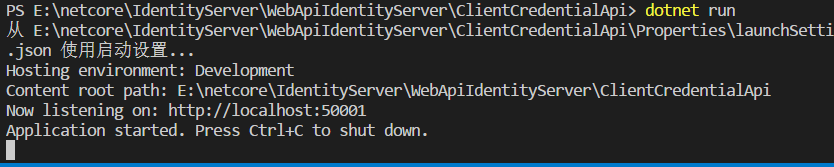
我再启动客户端
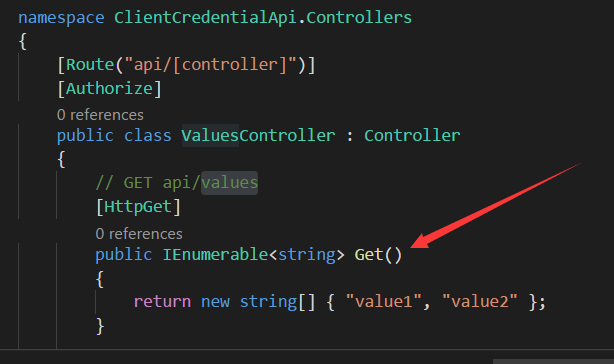
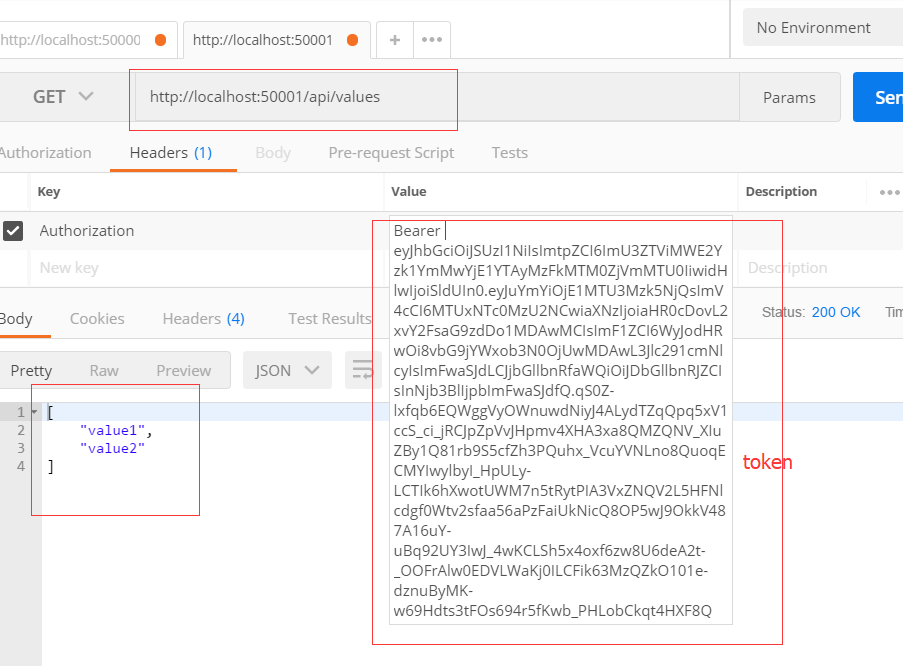
打开postMan去访问http://localhost:50001/api/values
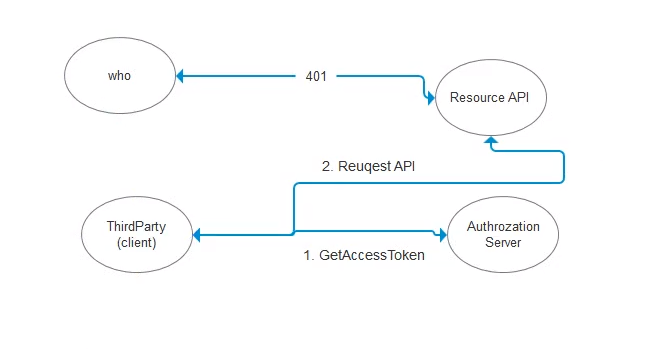
最后一张流程图
ASP.NET Core分布式项目-1.IdentityServer4登录中心的更多相关文章
- ASP.NET Core分布式项目-2.oauth密码模式identity server4实现
源码下载 这里根据<ASP.NET Core分布式项目-1.IdentityServer4登录中心>的代码来继续更新oauth密码模式,这里的密码模式比上次的客户端模式更安全 在WebAp ...
- ASP.NET Core分布式项目实战
ASP.NET Core开发者成长路线图 asp.net core 官方文档 https://docs.microsoft.com/zh-cn/aspnet/core/getting-started/ ...
- 【笔记目录2】ASP.NET Core分布式项目实战
当前标签: ASP.NET Core分布式项目实战 共2页: 上一页 1 2 11.ClientCredential模式总结 GASA 2019-03-11 12:59 阅读:26 评论:0 10. ...
- 【笔记目录1】ASP.NET Core分布式项目实战
当前标签: ASP.NET Core分布式项目实战 共2页: 1 2 下一页 35.Docker安装Mysql挂载Host Volume GASA 2019-06-20 22:02 阅读:51 评论 ...
- ASP.NET Core分布式项目实战-目录
前言 今年是2018年,发现已经有4年没有写博客了,在这4年的时光里,接触了很多的.NET技术,自己的技术也得到很大的进步.在这段时光里面很感谢张队长以及其他开发者一直对.NET Core开源社区做出 ...
- 【ASP.NET Core分布式项目实战】(三)整理IdentityServer4 MVC授权、Consent功能实现
本博客根据http://video.jessetalk.cn/my/course/5视频整理(内容可能会有部分,推荐看源视频学习) 前言 由于之前的博客都是基于其他的博客进行开发,现在重新整理一下方便 ...
- 【ASP.NET Core分布式项目实战】(一)IdentityServer4登录中心、oauth密码模式identity server4实现
本博客根据http://video.jessetalk.cn/my/course/5视频整理 资料 OAuth2 流程:http://www.ruanyifeng.com/blog/2014/05/o ...
- 【ASP.NET Core分布式项目实战】(二)oauth2 + oidc 实现 server部分
本博客根据http://video.jessetalk.cn/my/course/5视频整理(内容可能会有部分,推荐看源视频学习) 资料 我们基于之前的MvcCookieAuthSample来做开发 ...
- 【ASP.NET Core分布式项目实战】(六)Gitlab安装
Gitlab GitLab是由GitLabInc.开发,使用MIT许可证的基于网络的Git仓库管理工具,且具有wiki和issue跟踪功能.使用Git作为代码管理工具,并在此基础上搭建起来的web服务 ...
随机推荐
- 2018-2019-2 20165312《网络攻防技术》Exp7 网络欺诈防范
2018-2019-2 20165312<网络攻防技术>Exp7 网络欺诈防范 目录 一.相关知识点总结 二.实验内容 三.实验步骤 四.实验总结及问题回答 五.实验中遇到的问题及解决方法 ...
- SSH 三大框架整合
Spring整合web项目 在Servlet当中直接加载配置文件,获取对象 存在问题 每次请求都会创建一个Spring的工厂,这样浪费服务器资源,应该一个项目只有一个Spring的工厂. 在服务器启动 ...
- delphi 解决android 9上无法使用http协议
delphi 解决android 9上无法使用http协议 安卓9不让客户端通过非https方式访问服务端数据(不允许发送明文http请求)的问题. 解决方法: 1.选择安卓平台编译一次程序,在项目根 ...
- scroll-view组件实现下拉刷新, 拉到底加载更多
官方文档已声明,即使在page.json和app.json中开启下拉刷新,scroll-view组件也是不支持的.但我们可以通过曲线救国的方法来实现 实现代码 // wxml <scroll-v ...
- appium-FAQ(持续更新...)
Q1:未安装APP直接启用appium sever,初始化driver :driver = new AndroidDriver(new URL("http://127.0.0.1:4723/ ...
- Java并发包线程池之ForkJoinPool即ForkJoin框架(二)
前言 前面介绍了ForkJoinPool相关的两个类ForkJoinTask.ForkJoinWorkerThread,现在开始了解ForkJoinPool.ForkJoinPool也是实现了Exec ...
- 015-命令行下载安装brew
一.brew 1.安装Homebrew 安装命令: ruby -e "$(curl -fsSL https://raw.githubusercontent.com/Homebrew/inst ...
- word 2010中设置默认粘贴为 只保留文本粘贴【visio也适用于快捷键方式】
VISIO也适用如下方式: 3. 当然也可以直接是 Ctrl + Alt + V打开选择性粘贴选项卡 来选择其中某项来粘贴也是可以的 转: word 2010中设置默认粘贴为 只保留文本粘贴 2012 ...
- sql日期比较
sql 中 datetime日期类型字段比较 mysql 可以直接用大于号,也可以用 between and SELECT * FROM staff WHERE UPDATE_DATE >= ...
- 单层反查BOM
*&---------------------------------------------------------------------* *& Report YCX_001 * ...