
iOS 自动化打包发布(Fastlane+ Jenkins+蒲公英)
安装 Xcode 命令行工具:xcode-select --install
安装 fastlane:sudo gem install fastlane --verbose
安装成功后查看版本:fastlane --version
配置 fastlane:
终端进入工程主目录:
输入:fastlane init
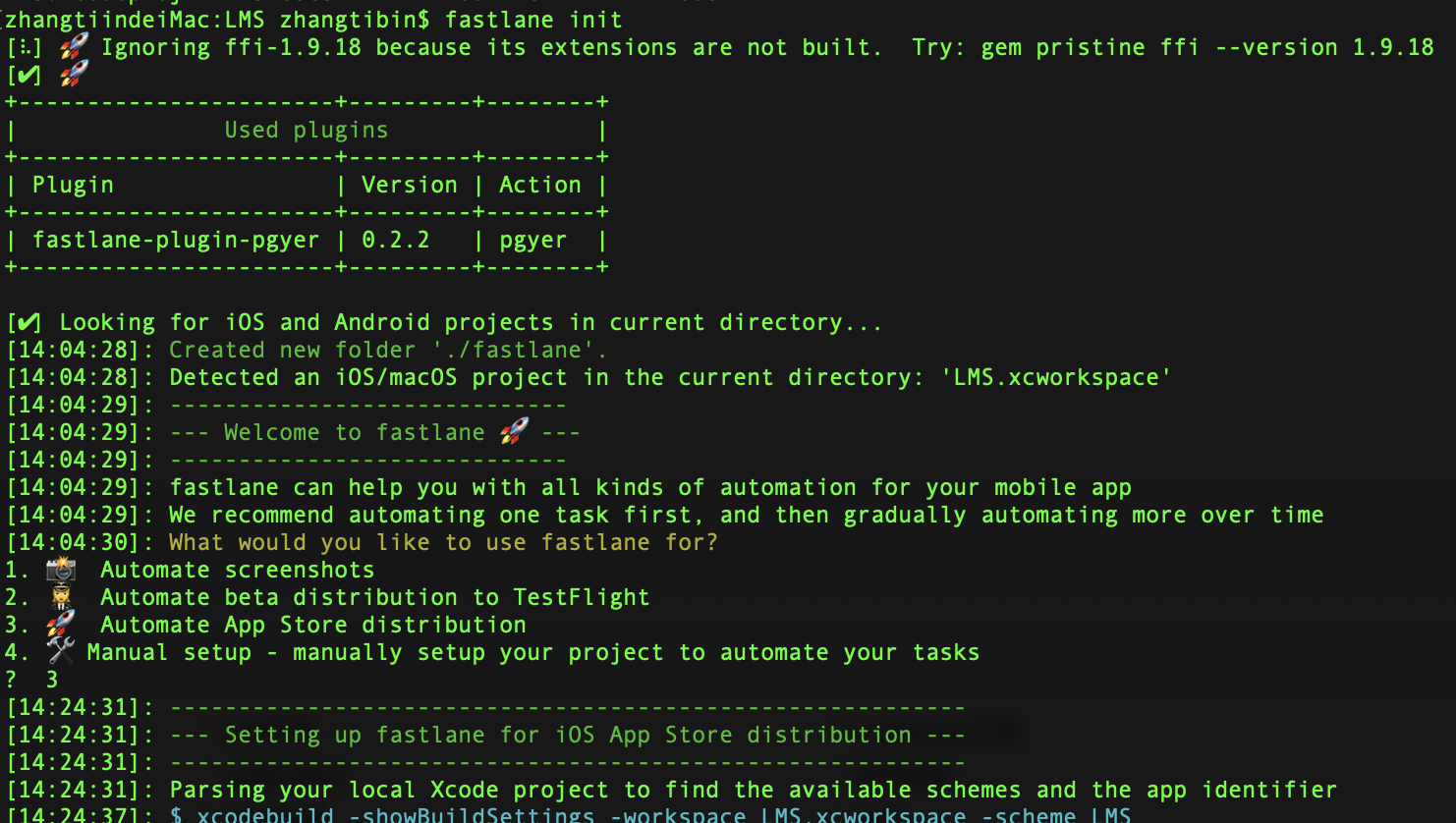
出现:What would you like to use fastlane for? 选项时,选择 3,输入苹果开发者账号和密码。
下面的步骤根据提示输入回车,完成后,fastlane 文件中会多出两个配置文件 Appfile 和 Fastfile

Appfile 中:
# app_identifier("[[APP_IDENTIFIER]]") # The bundle identifier of your app
# apple_id("[[APPLE_ID]]") # Your Apple email address
# For more information about the Appfile, see:
# https://docs.fastlane.tools/advanced/#appfile
替换对应的 bundle identifier 和 开发者账号。
Fastfle 配置:
# This file contains the fastlane.tools configuration

# You can find the documentation at https://docs.fastlane.tools

#

# For a list of all available actions, check out

#

#     https://docs.fastlane.tools/actions

#

# For a list of all available plugins, check out

#

#     https://docs.fastlane.tools/plugins/available-plugins

#

# Uncomment the line if you want fastlane to automatically update itself

# update_fastlane

# 定义fastlane版本号

fastlane_version “2.116.”

# 定义打包平台

default_platform(:ios)

def updateProjectBuildNumber

currentTime = Time.new.strftime("%Y%m%d")

build = get_build_number()

if build.include?"#{currentTime}."

    # => 为当天版本 计算迭代版本号

    lastStr = build[build.length-..build.length-]

    lastNum = lastStr.to_i

    lastNum = lastNum +

    lastStr = lastNum.to_s

if lastNum <

    lastStr = lastStr.insert(,"")

    end

    build = "#{currentTime}.#{lastStr}"

else

# => 非当天版本 build 号重置

    build = "#{currentTime}.01"

    end

    puts("*************| 更新build #{build} |*************")

# => 更改项目 build 号

increment_build_number(

build_number: "#{build}"

)

end

#指定项目的scheme名称

scheme=“修改成你的工程scheme名称”

#蒲公英api_key和user_key

api_key=“修改成蒲公英管理后台中应用的 API Key”

user_key=“修改成蒲公英管理平台中应用的 User Key”

platform :ios do

  lane :development_build do|options|

branch = options[:branch]

puts “开始打development ipa”

updateProjectBuildNumber #更改项目build号

# 开始打包

gym(

#输出的ipa名称

output_name:”#{scheme}_#{get_build_number()}”,

# 是否清空以前的编译信息 true:是

clean:true,

# 指定打包方式,Release 或者 Debug

configuration:"Debug",

# 指定打包所使用的输出方式,目前支持app-store, package, ad-hoc, enterprise, development

export_method:"development",

# 指定输出文件夹

output_directory:"./fastlane/build",

)

puts "开始上传蒲公英"

# 开始上传蒲公英

pgyer(api_key: “#{api_key}”, user_key: “#{user_key}”)

  end

end
安装蒲公英插件:fastlane add_plugin pgyer (⚠️进入到工程目录中执行安装蒲公英插件命令)
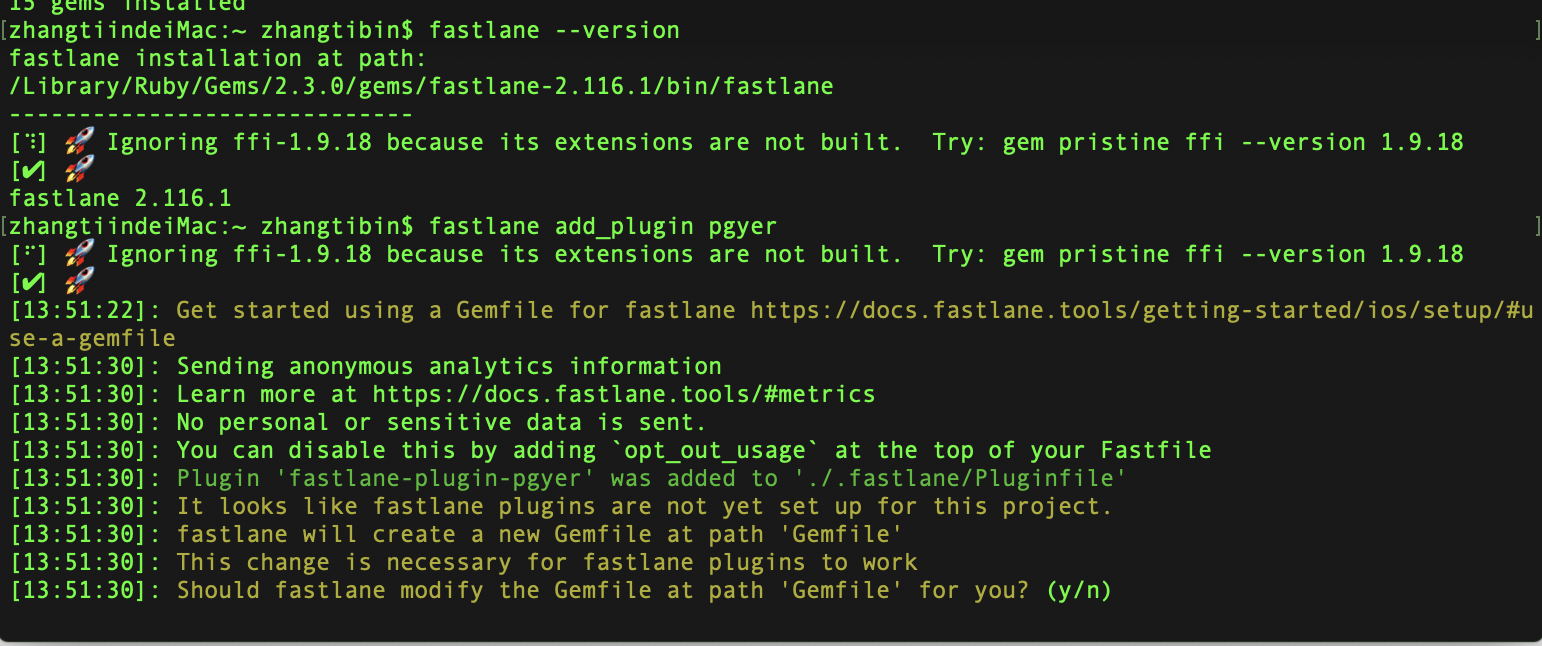
选择 y
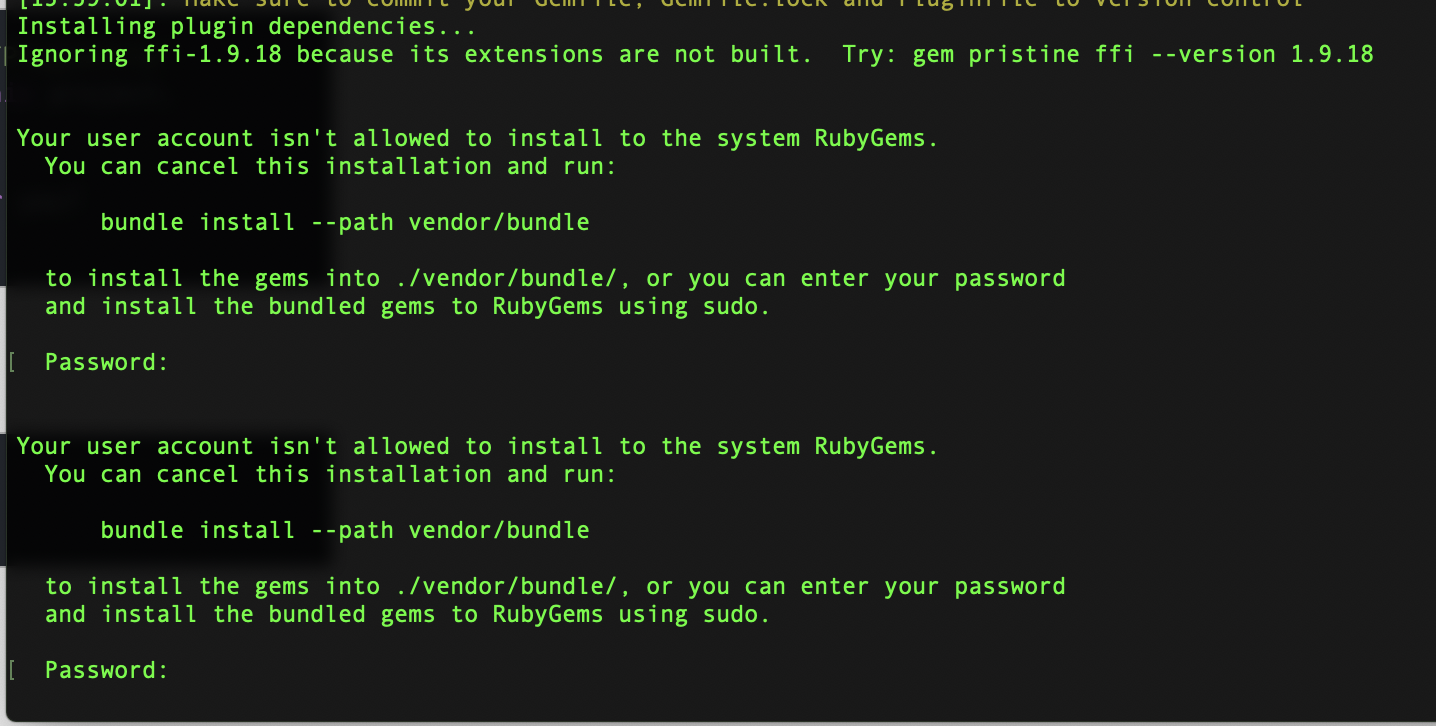
输入电脑密码,安装成功,出现:Successfully installed plugins。
开始打包:fastlane development_build
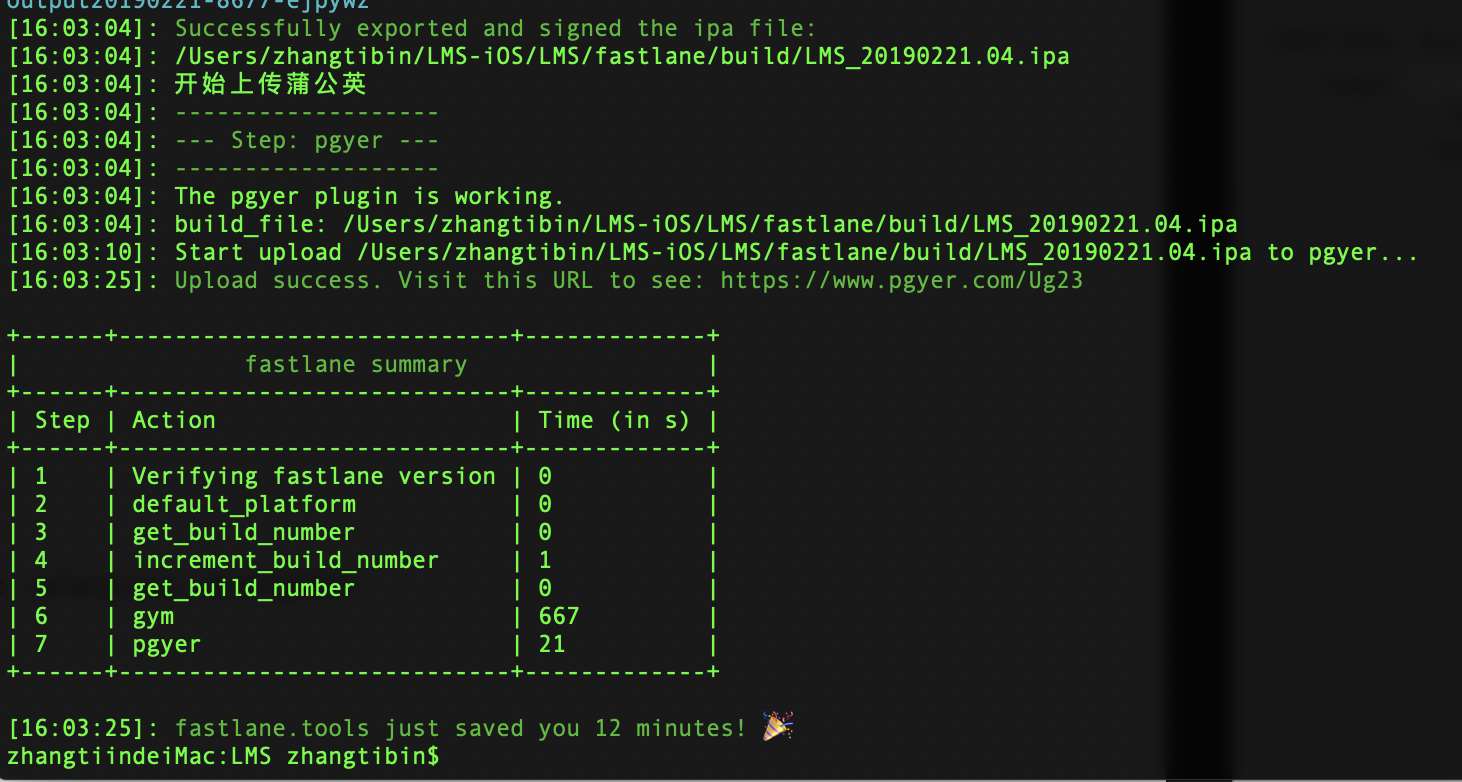
进入蒲公英后台就可以查看到最新版本更新了。

遇到的坑:
1、Could not find action, lane or variable 'pgyer'. Check out the documentation for more details: https://docs.fastlane.tools/actions
找不到蒲公英插件,原来是安装目录错了,应该在工程目录下安装:fastlane add_plugin pgyer
2、xcodebuild -showBuildSettings timed out after 4 retries with a base timeout of 3. You can override the base timeout value with the environment variable FASTLANE_XCODEBUILD_SETTINGS_TIMEOUT, and the number of retries with the environment variable FASTLANE_XCODEBUILD_SETTINGS_RETRIES
重试打包命令或修改编译时长。
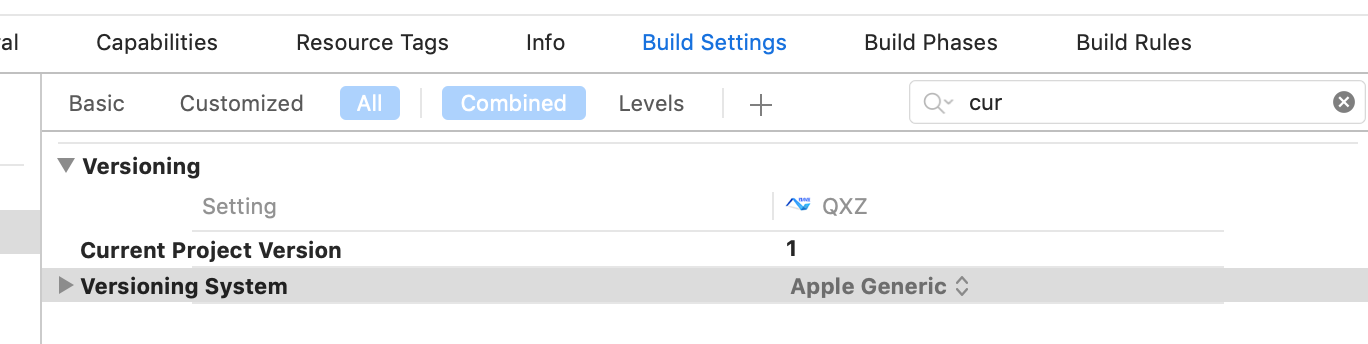
3、[!] Exit status of command 'cd /*** && agvtool what-version -terse' was 6 instead of 0. (FastlaneCore::Interface::FastlaneShellError)
Fastfile 中配置的 Build 自增,需要在 Xcode ->build setting -> version -> current 中配置如下:
iOS 自动化打包发布(Fastlane+ Jenkins+蒲公英)的更多相关文章
- iOS自动化打包发布(fastlane)
一.FastLane介绍 1.1 FastLane是什么? FastLane是一种配置iOS和Android自动化Beta部署和发布的最简单的方法之一.它可以简化一些乏味.单调.重复的工作,像截图.代 ...
- Mac Jenkins+fastlane 简单几步实现iOS自动化打包发布 + jenkins节点设置
最近在使用jenkins 实现ios自动化打包发布蒲公英过程实践遇到了一些坑,特意记录下来方便有需要的人. 进入正题: 一.安装Jenkins 1.Mac上安装Jenkins 遇到到坑 因为 Jenk ...
- Jenkins+ Xcode+ 蒲公英 实现IOS自动化打包和分发
Jenkins+ Xcode+ 蒲公英 实现IOS自动化打包和分发 直接入正题: Screen Shot 2015-09-18 at 16.56.20.png Mac上安装Jekins jekins下 ...
- 【2】IOS APP打包发布
目的: 本文的目的是对IOS APP打包发布做了对应的介绍,大家可根据文档步骤进行mac环境部署: 申请苹果开发者账号 此处略 创建申请证书 这样做的目的就是为你的电脑安装发布许可证,只有这样你的电脑 ...
- IOS自动化打包介绍
IOS自动化打包介绍 标签: app打包 , Ios打包 , iphone打包 , iphone自动化打渠道包 分类:无线客户端技术, 贴吧技术 摘要 随着苹果手持设备用户的不断增加,ios应 ...
- iOS自动化打包上传的踩坑记
http://www.cocoachina.com/ios/20160624/16811.html 很久以前就看了很多关于iOS自动打包ipa的文章, 看着感觉很简单, 但是因为一直没有AppleDe ...
- iOS自动化打包 Jenkins+Gitlab+Fastlane+蒲公英+钉钉
前言 这两天花时间整理一下自动化打包的整套流程,现在iOS端的整套流程是没有问题了,这个过程中踩得坑也的确是特别多,所以这周末把整个流程整理一下,总结出来这篇文章,希望能对有需要的小伙伴有点点帮助. ...
- iOS 自动化打包
理想的情况:不打开工程的情况下,直接双击就能打包出一个IPA文件,这样就可以让测试直接使用 itools 进行安装. 分如下两种情况: 1)不依赖cocoapod 管理项目的自动化. 如果没有一个简 ...
- iOS企业版打包 发布在线安装包 plist
本文转载至 http://blog.csdn.net/u011452278/article/details/49511385 原文转载:http://blog.csdn.net/pang040328/ ...
随机推荐
- linux - 异常:安装包冲突 conflicts with
问题描述 解决方案 删除冲突的包 命令格式:yum -y remove 包名 yum -y remove httpd24u yum -y remove httpd24u-tools
- jqgrid中分页和搜索,jqgrid loadonce:true后trigger("reloadGrid")无效
第一次接触jqgrid,发现项目中好多地方都用到. jqgrid是典型的B/S架构(浏览器/服务器模式),服务器端只需提供数据管理,浏览器只需负责数据显示. jqGrid是用ajax实现对 ...
- SpringBoot--自动配置原理-4个注解
一.自动配置原理 四个元注解:修饰注解的注解 @Target(ElementType.TYPE) 这个注解用在那个位置上,可以使用在类上,方法上,成员变量上 @Retention(RetentionP ...
- Django | pycharm 提示 unresolved attribute referene 'objects' for class 'xxxx'
objects高亮,提示信息为unresolved attribute referene 'objects' for class 'BookInfo' 当前情况是pycharm没有识别到objects ...
- 融e学 一个专注于重构知识,培养复合型人才的平台【获取考试答案_破解】
考试系统-融e学-一个专注于重构知识,培养复合型人才的平台.[获取答案] ganquanzhong 背景:今天去完成学校在融e学上开设的必修课和选修课考试,由于自己的时间有限(还有其他的事情要去做). ...
- MyBatis-单表的增删改查(CRUD)操作
在学习MyBatis的单表的增删改查操作之前,还是再次熟悉下MyBatis这个框架,只有对其熟悉的情况下,才能很好的使用,灵活的开发. MyBatis优点: ...
- 基于Java+HttpClient+TestNG的接口自动化测试框架(八)------ 针对文件的处理
在实际的接口测试中,有时需要根据情况进行文件的上传和下载.在文件数量比较小的时候,我们当然可以直接处理(比如若干个接口都用一个文件).但是,如果我们上传的文件需要使用不同文件夹里不同的文件,而且数量又 ...
- C++-POJ1067-取石子游戏
//(ak,bk)=([k*(1+sqrt(5))/2],[k*(1+sqrt(5))/2]+k)=(ak,ak+k) #include <cstdio> double sqrt5=2.2 ...
- 题解【洛谷P1938】 [USACO09NOV]找工就业Job Hunt
题面 题解 将路径连边\((x, y, d)\) ,将航线连边\((x, y, d - w)\).其中线路是从\(x\)到\(y\),航线的费用为\(w\),\(d\)的含义如题面. 跑一遍\(SPF ...
- 每天进步一点点------Allegro 动态显示走线长度
手工布线时还可以动态显示当前走线的长度,设置方法为执行菜单命令Setup->User preferences,打开User preferences Editor对话框.在Etch对应的环境变量中 ...