
Spring Boot 2.0 整合 FreeMarker 模板引擎
本篇博文将和大家一起使用Spring Boot 2.0 和FreeMarker 模板引擎整合实战。
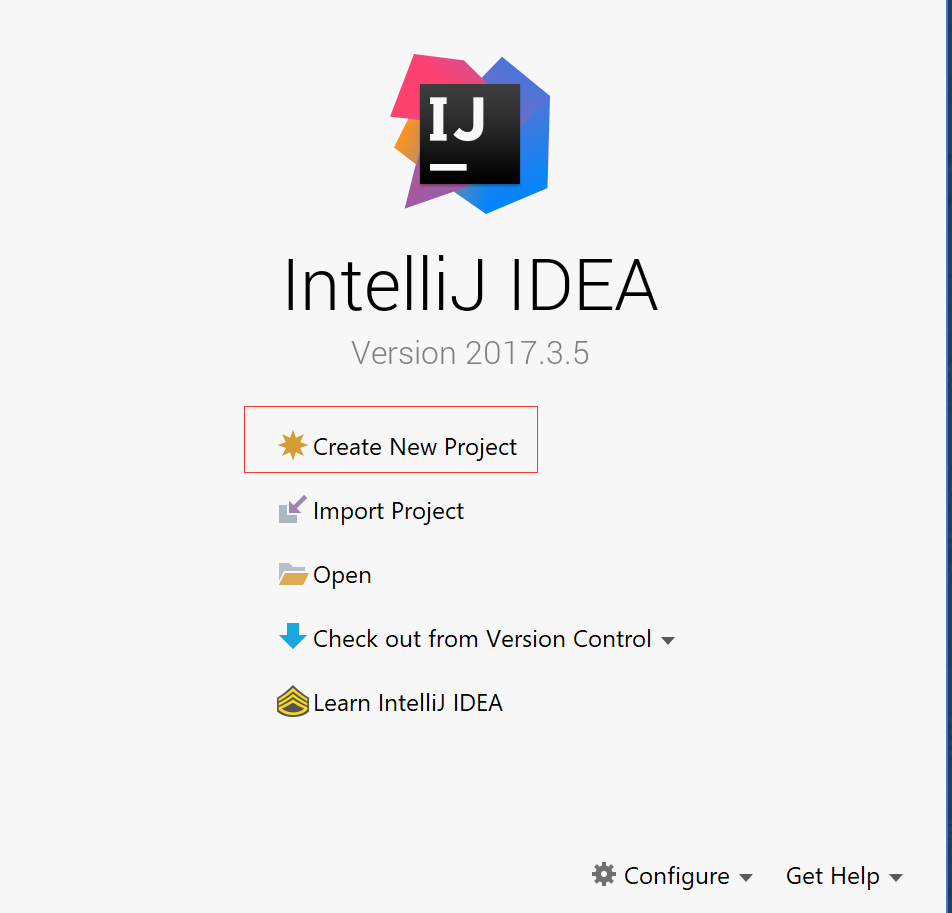
1. 创建新的项目
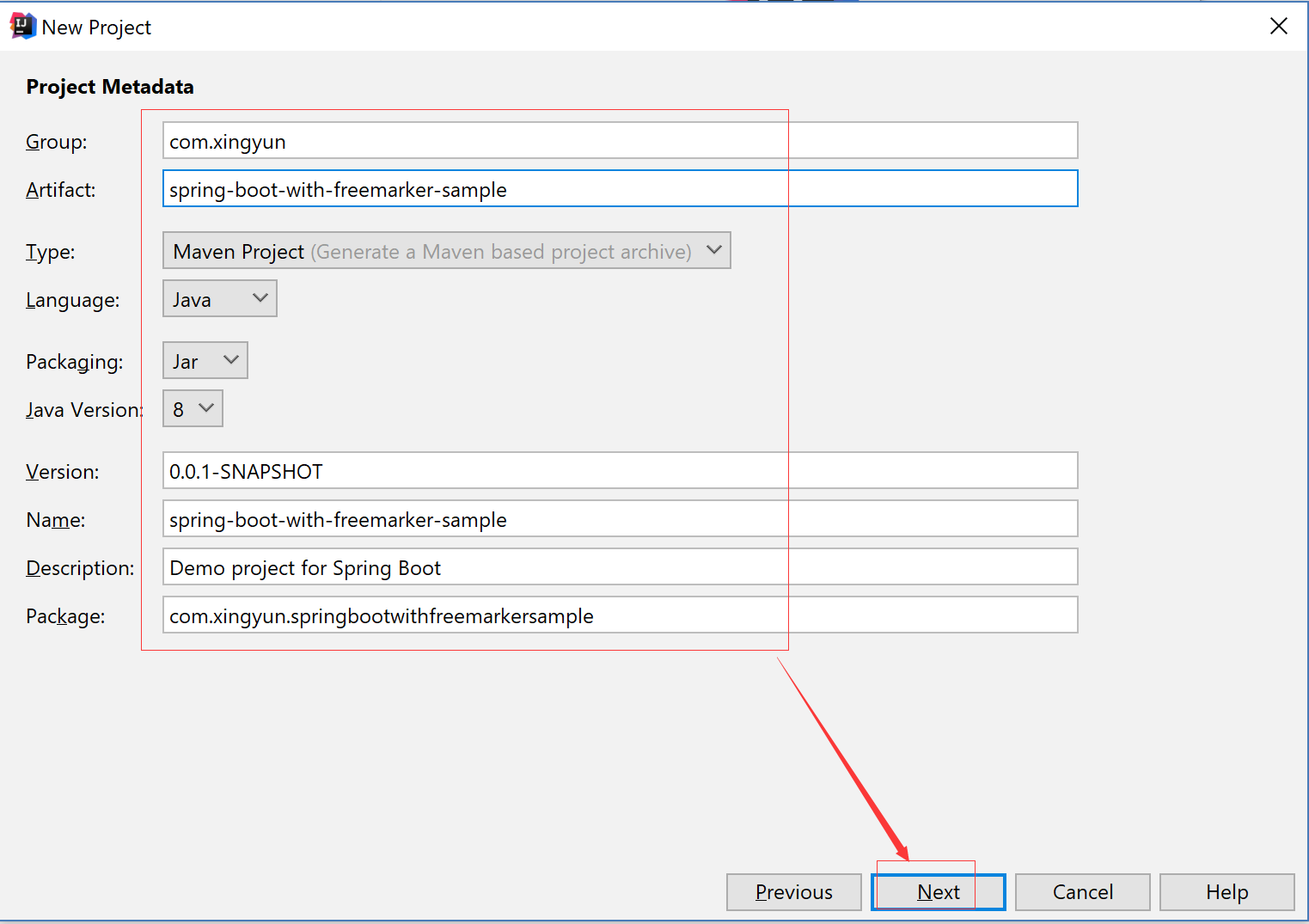
2. 填写项目配置信息
3. 勾选web 模块
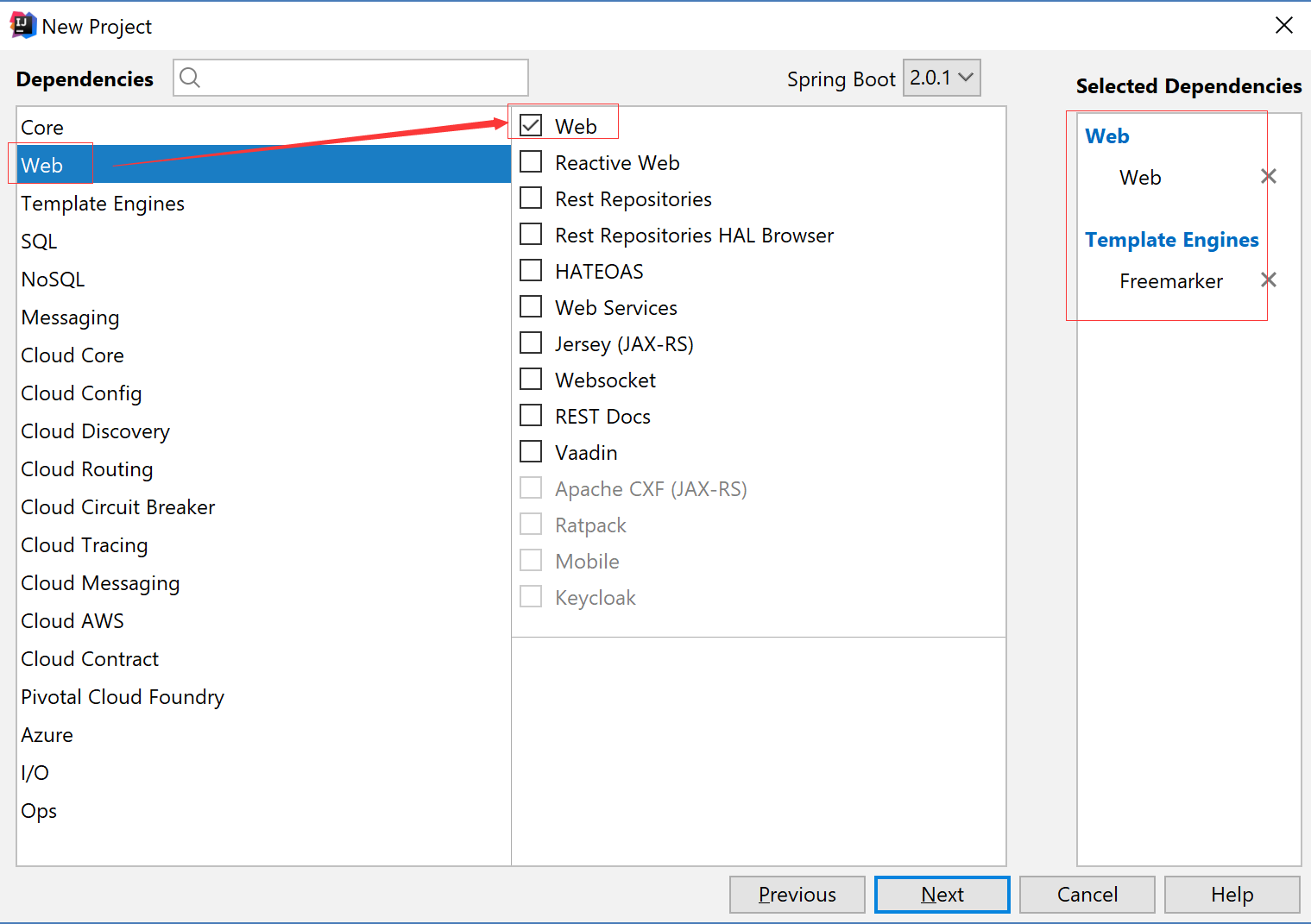
4. 勾选freemarker模板引擎模块

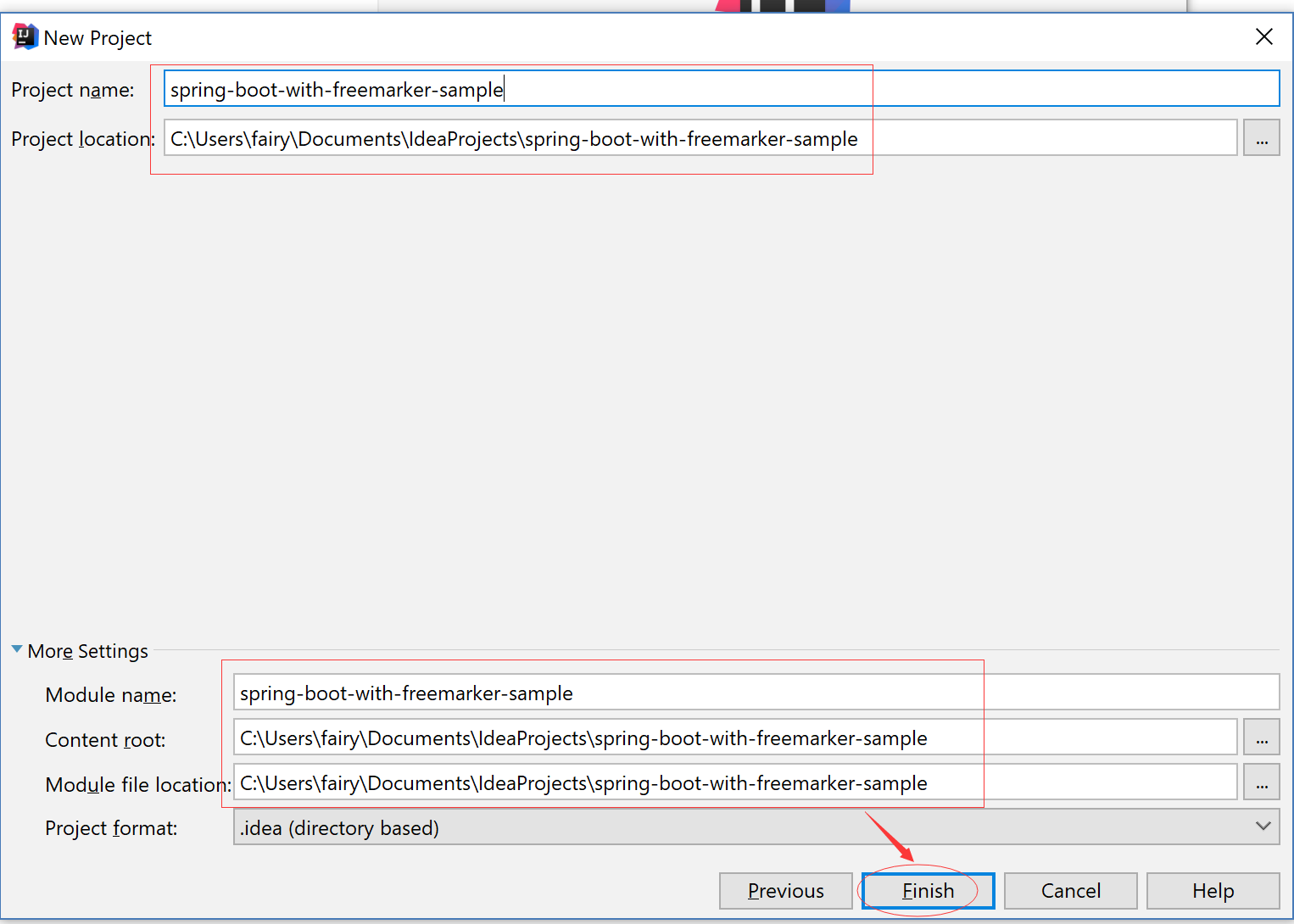
5.填写项目名称和项目保存路径
6. 修改POM文件,添加Freemarker 项目依赖
<?xml version="1.0" encoding="UTF-8"?>

<project xmlns="http://maven.apache.org/POM/4.0.0" xmlns:xsi="http://www.w3.org/2001/XMLSchema-instance"

    xsi:schemaLocation="http://maven.apache.org/POM/4.0.0 http://maven.apache.org/xsd/maven-4.0.0.xsd">

    <modelVersion>4.0.0</modelVersion>

    <groupId>com.xingyun</groupId>

    <artifactId>spring-boot-with-freemarker-sample</artifactId>

    <version>0.0.1-SNAPSHOT</version>

    <packaging>jar</packaging>

    <name>spring-boot-with-freemarker-sample</name>

    <description>Demo project for Spring Boot</description>

    <parent>

        <groupId>org.springframework.boot</groupId>

        <artifactId>spring-boot-starter-parent</artifactId>

        <version>2.0.1.RELEASE</version>

        <relativePath/> <!-- lookup parent from repository -->

    </parent>

    <properties>

        <project.build.sourceEncoding>UTF-8</project.build.sourceEncoding>

        <project.reporting.outputEncoding>UTF-8</project.reporting.outputEncoding>

        <java.version>1.8</java.version>

    </properties>

    <dependencies>

        <dependency>

            <groupId>org.springframework.boot</groupId>

            <artifactId>spring-boot-starter-freemarker</artifactId>

        </dependency>

        <dependency>

            <groupId>org.springframework.boot</groupId>

            <artifactId>spring-boot-starter-web</artifactId>

        </dependency>

        <dependency>

            <groupId>org.springframework.boot</groupId>

            <artifactId>spring-boot-starter-test</artifactId>

            <scope>test</scope>

        </dependency>

    </dependencies>

    <build>

        <plugins>

            <plugin>

                <groupId>org.springframework.boot</groupId>

                <artifactId>spring-boot-maven-plugin</artifactId>

            </plugin>

        </plugins>

    </build>

</project>
7. 配置applicaiton.properties
# 设定ftl文件路径

spring.freemarker.template-loader-path=classpath:/templates

spring.freemarker.cache=false

spring.freemarker.charset=UTF-8

spring.freemarker.check-template-location=true

spring.freemarker.content-type=text/html

spring.freemarker.expose-request-attributes=false

spring.freemarker.expose-session-attributes=false

spring.freemarker.request-context-attribute=request

spring.freemarker.suffix=.ftl
Tips: 其实我试了下,把.ftl 换成.jsp ,创建JSP 文件也是可以的。
8. 创建文件夹和ftl格式文件
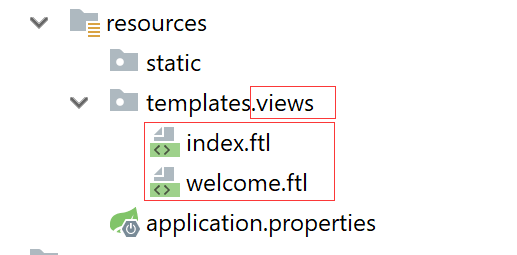
index.ftl
<!DOCTYPE html>

<html lang="en">

<head>

    <meta charset="UTF-8">

    <title>Title</title>

</head>

<body>

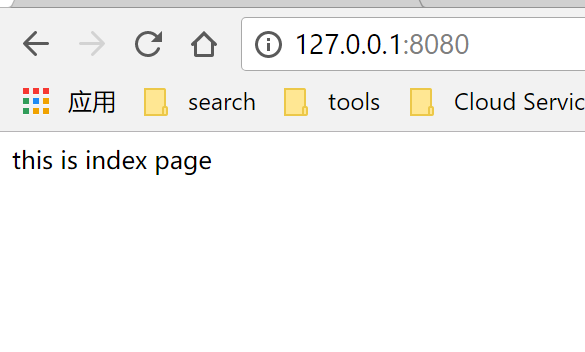
this is index page

</body>

</html>
welcome.ftl
<!DOCTYPE html>

<html lang="en">

<head>

    <meta charset="UTF-8">

    <title>Title</title>

</head>

<body>

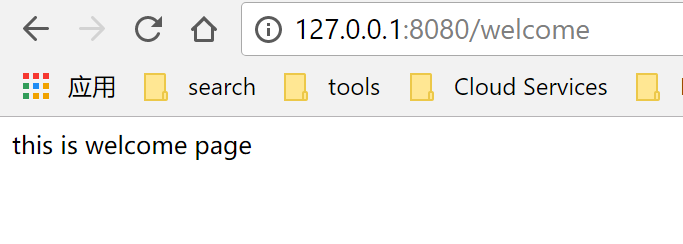
this is welcome page

</body>

</html>
9. 创建 Controller
package com.xingyun.springbootwithfreemarkersample.controller;

import org.springframework.stereotype.Controller;

import org.springframework.ui.ModelMap;

import org.springframework.web.bind.annotation.GetMapping;

import org.springframework.web.bind.annotation.RequestBody;

import org.springframework.web.bind.annotation.RequestMapping;

import org.springframework.web.bind.annotation.RestController;

@Controller

public class HomeController {

    @RequestMapping(value = "/")

    public String index(){

        return "views/index";

    }

    @RequestMapping(value = "/welcome")

    public String home(){

        return "views/welcome";

    }

}
Tips: 由于要返回模板页面文件,所以我们只能使用@Controller 而不可以使用@RestController
10. 访问 http://127.0.0.1:8080
11. 访问 http://127.0.0.1:8080/welcome
Spring Boot 2.0 整合 FreeMarker 模板引擎的更多相关文章
- Spring Boot 2.0 整合Thymeleaf 模板引擎
本节将和大家一起实战Spring Boot 2.0 和thymeleaf 模板引擎 1. 创建项目 2. 使用Spring Initlizr 快速创建Spring Boot 应用程序 3. 填写项目配 ...
- spring boot 2.0 整合 elasticsearch6.5.3,spring boot 2.0 整合 elasticsearch NoNodeAvailableException
原文地址:spring boot 2.0 整合 elasticsearch NoNodeAvailableException 原文说的有点问题,下面贴出我的配置: 原码云项目地址:https://gi ...
- Spring Boot 2.0 整合携程Apollo配置中心
原文:https://www.jianshu.com/p/23d695af7e80 Apollo(阿波罗)是携程框架部门研发的分布式配置中心,能够集中化管理应用不同环境.不同集群的配置,配置修改后能够 ...
- Spring Boot Web开发与thymeleaf模板引擎
简介: 使用Springboot应用,选中需要的模块, Spring已经默认将场景配置好了,只需在配置文件中少量配置就可以运行起来 自己编写业务代码 自动配置原理 这个场景Springboot帮我们配 ...
- Spring Boot Web开发中Thymeleaf模板引擎的使用
这里使用的是idea 1.新建Spring Boot项目 File-->New-->Project...,然后选择左边的Spring Initializr-->Next,可根据自己的 ...
- Spring Boot 知识笔记(thymleaf模板引擎)
一.pom.xml中引入 <dependency> <groupId>org.springframework.boot</groupId> <artifact ...
- springboot整合freemarker模板引擎后在页面获取basePath绝对路径
在项目中引用静态资源文件或者进行ajax请求时我们有时候会使用 ${basePath} ,其实这就是一种获取绝对路径的方式: 那么在springboot项目中要怎么配置才能使用 basePaht呢? ...
- freemarker模板引擎的使用
freemarker是一套前端模板引擎,在使用时,要先在web项目中添加freemarker.jar的依赖. 我在这里主要演示spring-mvc整合freemarker模板引擎.项目案例的文件包结构 ...
- Spring Boot MVC 使用 JSP 作为模板
Spring Boot 默认使用 Thymeleaf 作为模板引擎,直接在 template 目录中存放 JSP 文件并不能正常访问,需要在 main 目录下新建一个文件夹来存放 JSP 文件,而且需 ...
随机推荐
- BZOJ1192 [HNOI2006]鬼谷子的钱袋 数学推理
欢迎访问~原文出处——博客园-zhouzhendong 去博客园看该题解 题目传送门 - BZOJ1192 题意概括 把一个数m拆成很多数字. 问至少拆成多少个数字,1~m中的所有数字才可以用这些数字 ...
- 6-1 平衡的括号 uva673
简单栈题 #include<bits/stdc++.h> using namespace std; int main() { int cas;cin>>cas;getchar( ...
- Ubuntu 16.04 LTS 安装Mongodb 3.4
第一步:安装 #setp 1. Import the public key used by the package management system. sudo apt-key adv --keys ...
- python tkinter-菜单栏
菜单栏 Menu f = tkinter.Menu(root) root['menu']=f f.add_command(label='菜单')# f.add_command(label='关于' ...
- 在docker中运行mysql实例
Docker是一种新兴的虚拟化技术,能够一定程度上的代替传统虚拟机.下图是容器跟虚拟机的对比 对docker有个大致了解,学习docker断断续续,虽说学习不能急于求成,但断断续续学的话,浪费的碎片化 ...
- Linux笔记 rm -rf 嘻嘻
学习目标:常用linux命令的使用 JAVAEE :后台应用都会涉及到linux系统,应用程序的部署,运维,分布式集群,大数据,云计算 虚拟机:虚拟出来的计算机 虚拟机软件:用来产生虚拟机的一个软件 ...
- Web前端性能优化进阶——完结篇
前言 在之前的文章 如何优化网站性能,提高页面加载速度 中,我们简单介绍了网站性能优化的重要性以及几种网站性能优化的方法(没有看过的可以狂戳 链接 移步过去看一下),那么今天我们深入讨论如何进一步优化 ...
- 深港DJ好听的歌曲
好听女声 Dj陈爷-全中文全国语慢歌连版音乐挑选磁性女声翻唱慢摇串烧 http://www.vvvdj.com/play/154270.html DjPad仔-全中文国粤语Rnb音乐清风主流吃鸡学猫叫 ...
- mysql week 的使用方法
mysql week 的使用方法,详情请看: https://dev.mysql.com/doc/refman/5.7/en/date-and-time-functions.html#function ...
- Vue插件写、用详解(附demo)
出处http://blog.csdn.net/qq20004604 Vue插件 1.概述 简单来说,插件就是指对Vue的功能的增强或补充. 比如说,让你在每个单页面的组件里,都可以调用某个方法,或者共 ...