
Windows Terminal 安装及美化
windows terminal 是今年微软Build大会上推出的一款的全新终端,用来代替cmder之类的第三方终端。具有亚克力透明、多标签、Unicode支持(中文,Emoji)、自带等宽字体等这些特性。
现在可以在微软商店里面进行安装,系统要求是win10 1903及以上,不过目前还是preview的,可能有些bug,但是我用着还没遇到过。
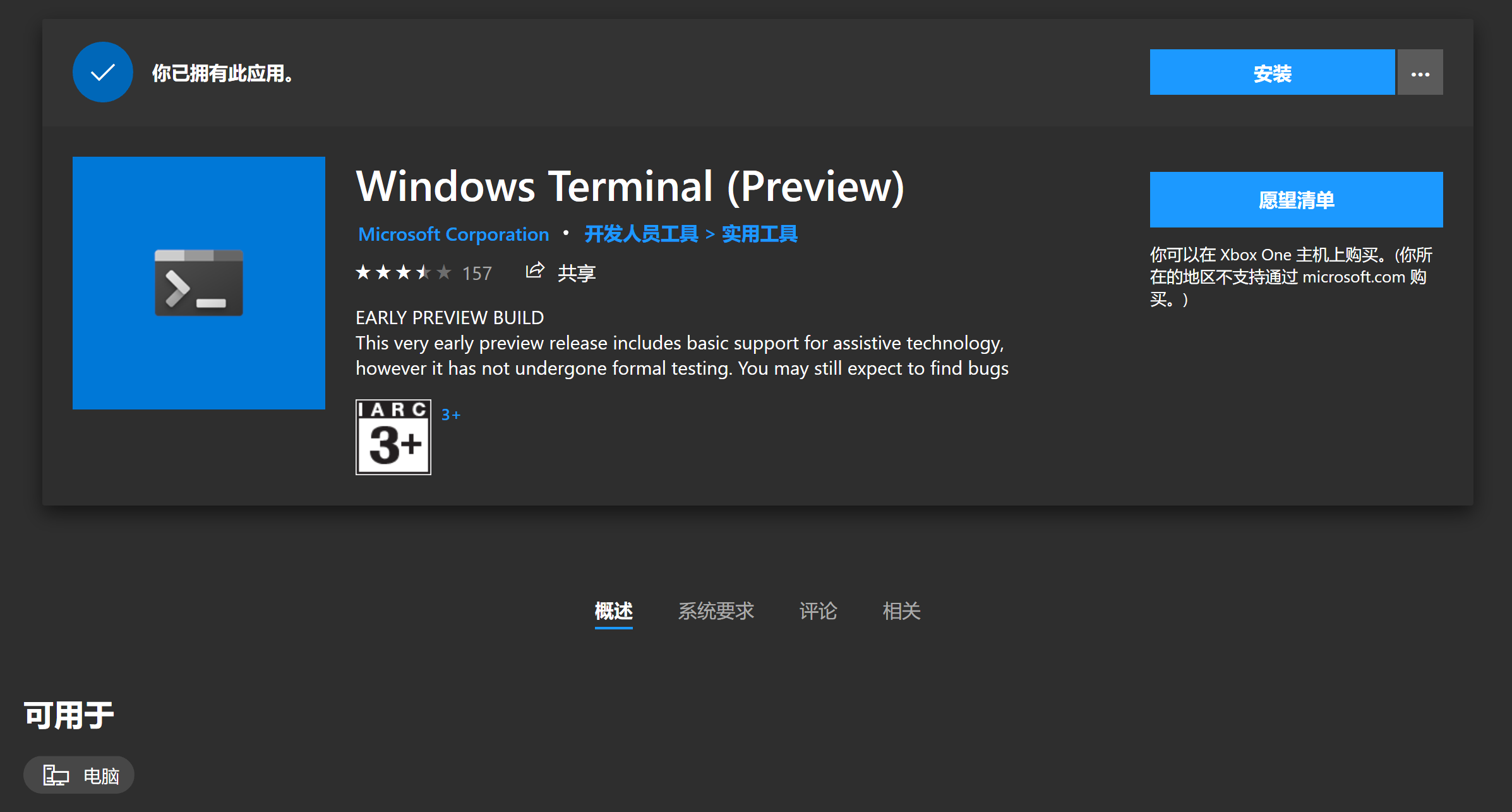
点击直接安装即可,先打开来瞅瞅长啥样。

说实话看着有点丑,接下来就让我们来美化它吧~
自定义配置
Windows Terminal提供了许多设置和配置选项,可以对Terminal的外观自定义设置。配置文件格式为json,对于程序员来说很友好。
打开设置
{

    "globals" :

    {

        "alwaysShowTabs" : true,

        "copyOnSelect" : false,

        "defaultProfile" : "{61c54bbd-c2c6-5271-96e7-009a87ff44bf}",

        "initialCols" : 120,

        "initialRows" : 30,

        "keybindings" :

        [

            ...

        ],

        "requestedTheme" : "system",

        "showTabsInTitlebar" : true,

        "showTerminalTitleInTitlebar" : true,

        "wordDelimiters" : " ./\\()\"'-:,.;<>~!@#$%^&*|+=[]{}~?\u2502"

    },

    "profiles" :

    [

        {

            "acrylicOpacity" : 0.5,

            "background" : "#012456",

            "closeOnExit" : true,

            "colorScheme" : "Campbell",

            "commandline" : "powershell.exe",

            "cursorColor" : "#FFFFFF",

            "cursorShape" : "bar",

            "fontFace" : "Consolas",

            "fontSize" : 10,

            "guid" : "{61c54bbd-c2c6-5271-96e7-009a87ff44bf}",

            "historySize" : 9001,

            "icon" : "ms-appx:///ProfileIcons/{61c54bbd-c2c6-5271-96e7-009a87ff44bf}.png",

            "name" : "Windows PowerShell",

            "padding" : "0, 0, 0, 0",

            "snapOnInput" : true,

            "startingDirectory" : "%USERPROFILE%",

            "useAcrylic" : false

        },

        ...

    ],

    "schemes" :

    [

        ...

    ]

}
结构很简单,globals是全局设置,profiles是各个不同的shell的配置,schemes是配色的方案, ms-appx:///xxx 指的是应用程序包的xxx文件,在我电脑上对应的路径是C:\Program Files\WindowsApps\Microsoft.WindowsTerminal_0.4.2382.0_x64__8wekyb3d8bbwe
设置默认shell
"defaultProfile": "{c6eaf9f4-32a7-5fdc-b5cf-066e8a4b1e40}"
将defaultProfile设置成profile的guid值即可,我设置为了wsl的guid
设置字体
"fontFace": "DejaVu Sans Mono"
设置背景图
   "acrylicOpacity": 0.5,

   "useAcrylic": true,

   "backgroundImage": "C:\\Users\\Kira Yoshikage\\Pictures\\wallhaven-36230.png",

   "backgroundImageOpacity": 0.75,

   "backgroundImageStretchMode": "fill"
设置schemes
{

 "schemes": [

    {

      "name": "Campbell",

      "foreground": "#F2F2F2",

      "background": "#0C0C0C",

      "colors": [

        "#0C0C0C",

        "#C50F1F",

        "#13A10E",

        "#C19C00",

        "#0037DA",

        "#881798",

        "#3A96DD",

        "#CCCCCC",

        "#767676",

        "#E74856",

        "#16C60C",

        "#F9F1A5",

        "#3B78FF",

        "#B4009E",

        "#61D6D6",

        "#F2F2F2"

      ]

    },

    {

      "name": "Solarized Dark",

      "foreground": "#FDF6E3",

      "background": "#073642",

      "colors": [

        "#073642",

        "#D30102",

        "#859900",

        "#B58900",

        "#268BD2",

        "#D33682",

        "#2AA198",

        "#EEE8D5",

        "#002B36",

        "#CB4B16",

        "#586E75",

        "#657B83",

        "#839496",

        "#6C71C4",

        "#93A1A1",

        "#FDF6E3"

      ]

    },

    {

      "name": "Solarized Light",

      "foreground": "#073642",

      "background": "#FDF6E3",

      "colors": [

        "#073642",

        "#D30102",

        "#859900",

        "#B58900",

        "#268BD2",

        "#D33682",

        "#2AA198",

        "#EEE8D5",

        "#002B36",

        "#CB4B16",

        "#586E75",

        "#657B83",

        "#839496",

        "#6C71C4",

        "#93A1A1",

        "#FDF6E3"

      ]

    },

    {

      "name": "Ubuntu",

      "foreground": "#EEEEEC",

      "background": "#2C001E",

      "colors": [

        "#EEEEEC",

        "#16C60C",

        "#729FCF",

        "#B58900",

        "#268BD2",

        "#D33682",

        "#2AA198",

        "#EEE8D5",

        "#002B36",

        "#CB4B16",

        "#586E75",

        "#657B83",

        "#839496",

        "#6C71C4",

        "#93A1A1",

        "#FDF6E3"

      ]

    },

    {

      "name": "UbuntuLegit",

      "foreground": "#EEEEEE",

      "background": "#2C001E",

      "colors": [

        "#4E9A06",

        "#CC0000",

        "#300A24",

        "#C4A000",

        "#3465A4",

        "#75507B",

        "#06989A",

        "#D3D7CF",

        "#555753",

        "#EF2929",

        "#8AE234",

        "#FCE94F",

        "#729FCF",

        "#AD7FA8",

        "#34E2E2",

        "#EEEEEE"

      ]

    }

}
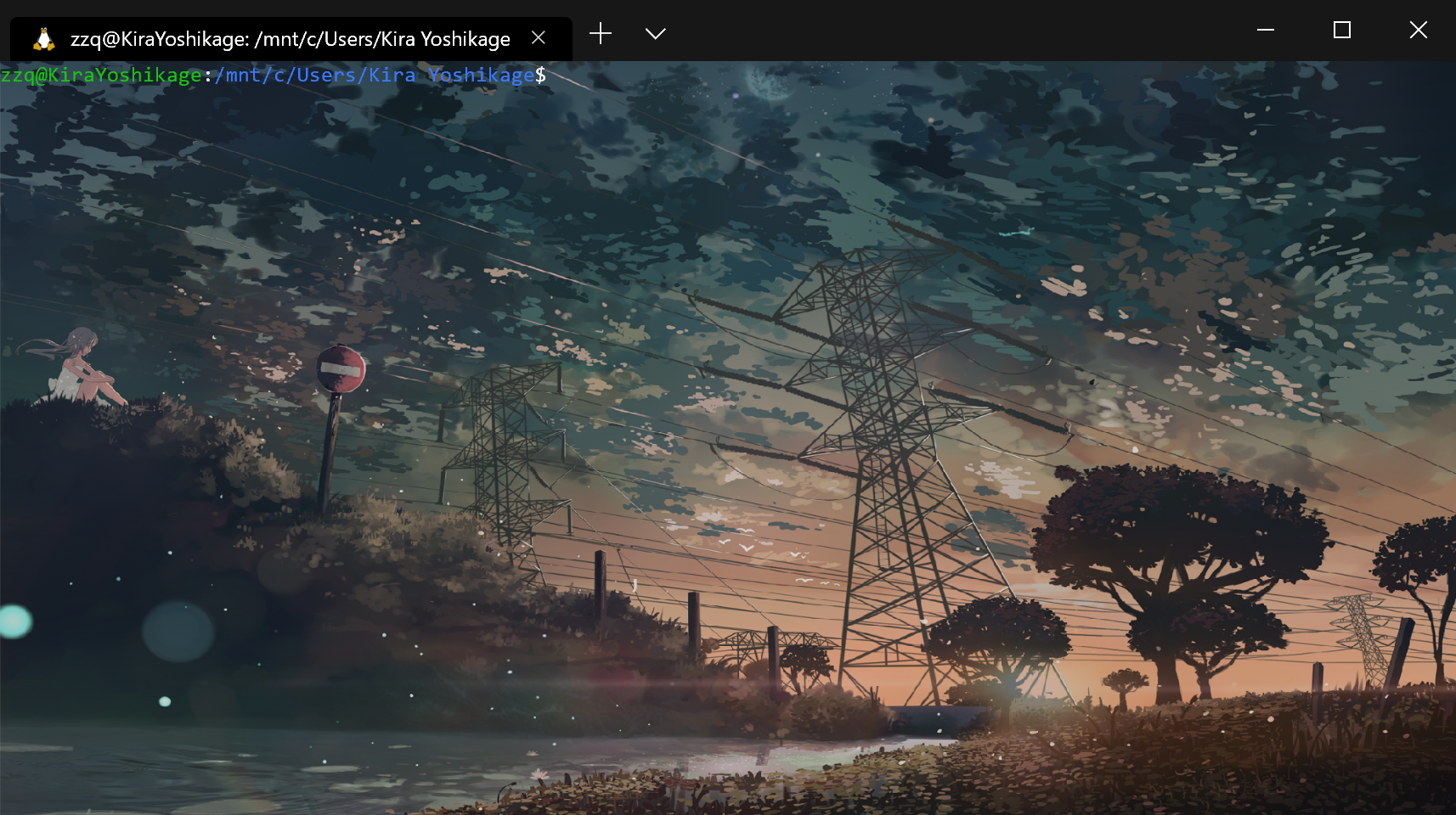
最终结果
Windows Terminal 安装及美化的更多相关文章
- Windows Terminal安装并美化
介绍 Windows Teminal是一款新式.快速.高效.强大的终端应用程序,适用于命令行工具.命令提示符.PowerShell.WSL(Linux子系统)等等的Shell用户,主要功能包括多选项卡 ...
- Windows Terminal 安装与配置
1 安装 安装可以从应用商店安装(直接搜索即可)或者Github安装(可以戳这里): 下载msixbundle格式的文件即可直接打开安装. 2 配置前准备 2.1 下载字体 推荐使用FiraCode, ...
- Windows Terminal 新手入门
翻译自 Kayla Cinnamon 2020年12月17日的文章<Getting Started with Windows Terminal> [1] 安装 Windows Termin ...
- 黑科技抢先尝(续2) - Windows terminal中Powershell Tab的极简美化指南
目录 安装python 安装git 安装powerline字体 主题定制 安装oh-my-posh 查看策略组的执行权限 使用choco 安装终端模拟器 - ConEmu 优化 PowerShell ...
- 黑科技抢先尝(续) - Windows terminal中WSL Linux 终端的极简美化指南
目录 修改默认源,为apt-get安装提速 安装python 和 python pip 安装 zsh 安装powerline-font中的特定字体 安装powerline-shell 修改~目录下的配 ...
- Windows10上安装Linux子系统(WSL2,Ubuntu),配合Windows Terminal使用
Linux 的 Windows 子系统可让开发人员按原样运行 GNU/Linux 环境 - 包括大多数命令行工具.实用工具和应用程序 - 且不会产生传统虚拟机或双启动设置开销. WSL 说白了安装Li ...
- 深入浅出,遇见Windows Terminal(Windows终端器),体验及美化新一代终端神器
Windows Terminal 简介 Windows Terminal is a new, modern, feature-rich, productive terminal application ...
- Windows Terminal 美化教程
Windows Terminal 美化教程 1.安装Windows Terminal 在微软商店搜索Windows Terminal下载即可 2.安装相应的插件 使用管理员权限打开Windows Te ...
- 使用 oh-my-posh 美化 windows terminal,让其接近oh-my-zsh
本文旨在快速让你进行美化,少踩一些坑,原文出自我的博客:prettier-windows-terminal-with-oh-my-posh 为了同 iterm2 下的 oh-my-zsh 保持基本一致 ...
随机推荐
- eclipse中导入外部包却无法查看对应源码或Javadoc的入坑指南
eclipse中导入外部包却无法查看对应源码或Javadoc的 入坑指南 出现这个错误的原因是,你虽然导入了.jar包,但没有配置对应的Javadoc或源码路径,所以在编辑器中无法查看源 码和对应AP ...
- NLP(五) 词性标注和文法
NLTK内置词性标注器 用nltk.pos_tag()函数进行词性标注 import nltk nltk.download('averaged_perceptron_tagger') simpleSe ...
- dp递推题2010年吉林省省赛 1456: 逃票的chanming(3)
1456: 逃票的chanming(3) 时间限制: 2 Sec 内存限制: 128 MB提交: 326 解决: 48[提交][状态][讨论版] 题目描述 这是一个神奇的国度. 这个国度一 ...
- Java微服务(一):dubbo-admin控制台的使用
1.环境准备 使用CentOS7+Docker+Zookeeper3.4.10搭建dubbo微服务 1.1.安装docker容器 (1).uname -r:docker要求CentOS的内核版本高于3 ...
- tomcat,nginx日志定时清理
1. Crontab定时任务 Crontab 基本语法 t1 t2 t3 t4 t5 program 其中 t1 是表示分钟,t2 表示小时,t3 表示一个月份中的第几日,t4 表示月份,t5 表示一 ...
- 一小时入门 Python
因为需求, 需要用到py, 所以来学学py, 因为有java基础 一小时入门py语法是不成问题的, 但是仅仅入门基础语法而已, 不涉及算法,不涉及大数据,机器学习,人工智能, 但是py这么火爆,就在于 ...
- 做一个完整的Hadoop项目
1. 完整的数据流图 由同ip访问的次数: SQL查询 select ip,count(ip) from tablename Group by ip; 基于Hadoop分析 使用Hadoop分析,需 ...
- Docker 学习线路
起因 之前的几篇博客,需要一定的docker知识(虽然可以直接上手),但是对于没有docker基础的人来说是不知道为什么要这样做的. 我把之前学习docker的步骤整理出来,希望可以帮助更多的人去学习 ...
- 第一次作业:学习C++指针
1 内存空间的访问方式 计算机的内存存储器被划分为一个个存储单元.储存单元按一定的规则编号,这个编号就是存储单元的地址.地址编码的基本单位是字节,每个字节由8个二进制位组成,也就是说每个字节是一个基本 ...
- 3.httphandler和httpmodule各种的作用以及工作原理?
首先应该知道的是ASP.NET 请求处理过程是基于管道模型的,这个管道模型是由多个HttpModule和HttpHandler组成,ASP.NET 把http请求依次传递给管道中各个HttpModul ...