
windows10 使用elasticsearch和kibana
https://artifacts.elastic.co/downloads/elasticsearch/elasticsearch-7.6.2-windows-x86_64.zip
https://github.com/medcl/elasticsearch-analysis-ik/releases/download/v7.4.0/elasticsearch-analysis-ik-7.4.0.zip
https://artifacts.elastic.co/downloads/kibana/kibana-7.6.2-windows-x86_64.zip
放到迅雷里面下载
解压elasticsearch-7.6.2-windows-x86_64.zip
修改 elasticsearch-7.6.2->config->elasticsearch.yml
启动配置->http.port: 9200
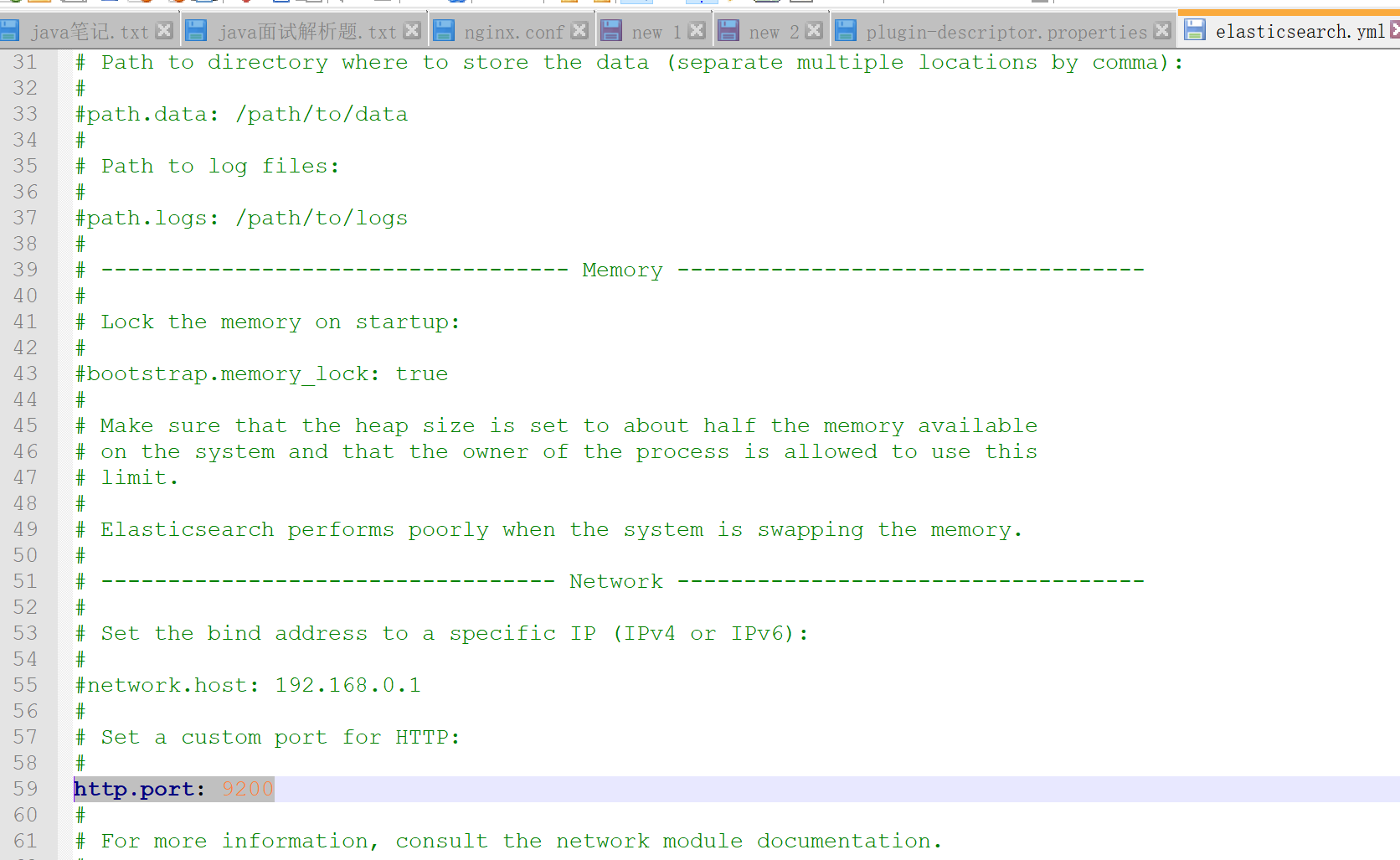
elasticsearch-analysis-ik-7.4.0.zip 解压放到 elasticsearch-7.6.2-windows-x86_64 ->plugins->analysis-ik(需要自己创建)
修改plugin-descriptor.properties的配置
# Elasticsearch plugin descriptor file

# This file must exist as 'plugin-descriptor.properties' at

# the root directory of all plugins.

#

# A plugin can be 'site', 'jvm', or both.

#

### example site plugin for "foo":

#

# foo.zip <-- zip file for the plugin, with this structure:

#   _site/ <-- the contents that will be served

#   plugin-descriptor.properties <-- example contents below:

#

# site=true

# description=My cool plugin

# version=1.0

#

### example jvm plugin for "foo"

#

# foo.zip <-- zip file for the plugin, with this structure:

#   <arbitrary name1>.jar <-- classes, resources, dependencies

#   <arbitrary nameN>.jar <-- any number of jars

#   plugin-descriptor.properties <-- example contents below:

#

# jvm=true

# classname=foo.bar.BazPlugin

# description=My cool plugin

# version=2.0.0-rc1

# elasticsearch.version=2.0

# java.version=1.7

#

### mandatory elements for all plugins:

#

# 'description': simple summary of the plugin

description=IK Analyzer for Elasticsearch

#

# 'version': plugin's version

version=7.4.0

#

# 'name': the plugin name

name=analysis-ik

#

# 'classname': the name of the class to load, fully-qualified.

classname=org.elasticsearch.plugin.analysis.ik.AnalysisIkPlugin

#

# 'java.version' version of java the code is built against

# use the system property java.specification.version

# version string must be a sequence of nonnegative decimal integers

# separated by "."'s and may have leading zeros

java.version=1.8

#

# 'elasticsearch.version' version of elasticsearch compiled against

# You will have to release a new version of the plugin for each new

# elasticsearch release. This version is checked when the plugin

# is loaded so Elasticsearch will refuse to start in the presence of

# plugins with the incorrect elasticsearch.version.

elasticsearch.version=7.6.2
用cmd 命令cd 到elasticsearch-7.6.2\bin ,然后用elasticsearch 启动,系统需要安装JDK1.8 并且在环境变量里面配置
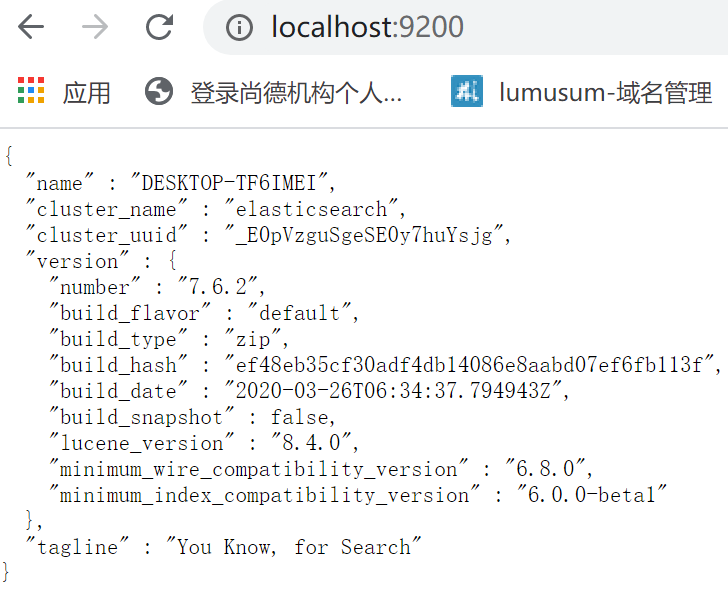
用浏览器打开http://localhost:9200/ 就可显示
{

  "name" : "计算机名称",

  "cluster_name" : "elasticsearch",

  "cluster_uuid" : "_E0pVzguSgeSE0y7huYsjg",

  "version" : {

    "number" : "7.6.2",

    "build_flavor" : "default",

    "build_type" : "zip",

    "build_hash" : "ef48eb35cf30adf4db14086e8aabd07ef6fb113f",

    "build_date" : "2020-03-26T06:34:37.794943Z",

    "build_snapshot" : false,

    "lucene_version" : "8.4.0",

    "minimum_wire_compatibility_version" : "6.8.0",

    "minimum_index_compatibility_version" : "6.0.0-beta1"

  },

  "tagline" : "You Know, for Search"

}
解压kibana-7.6.2-windows-x86_64.zip ,
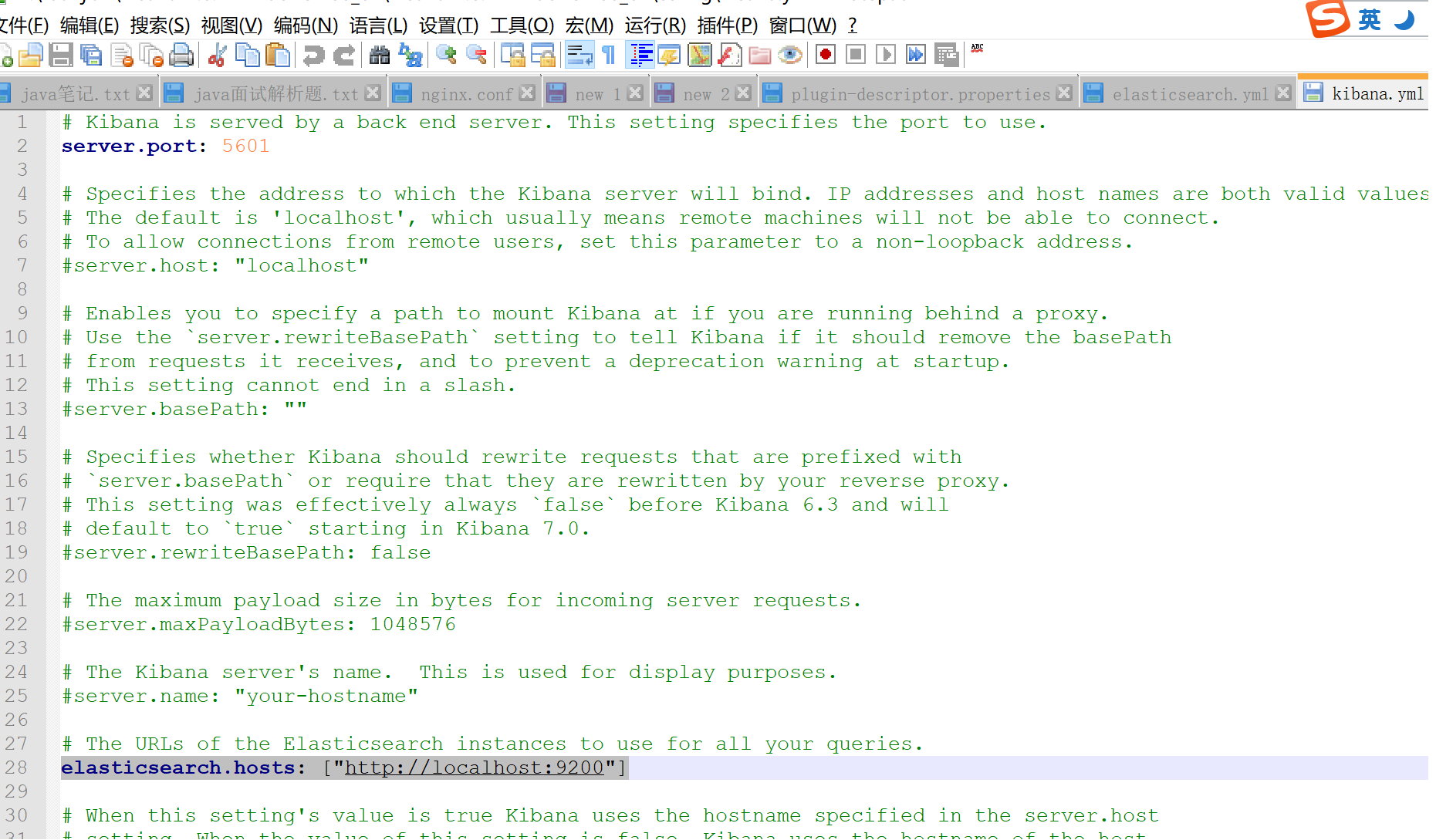
kibana-7.6.2-windows-x86_64——》config-》kibana.yml
开启
server.port: 5601
elasticsearch.hosts: ["http://localhost:9200"]
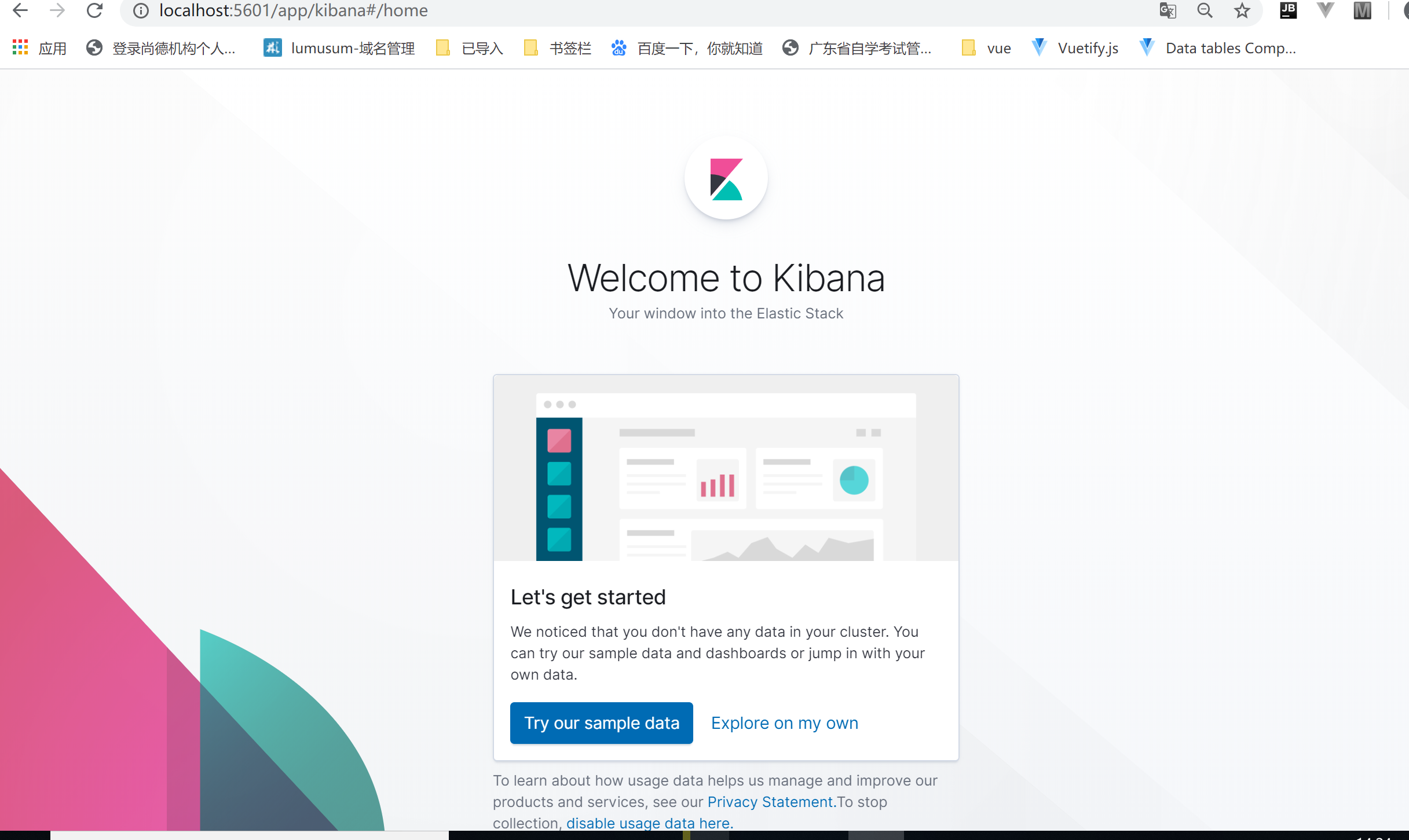
然后cmd 命令cd 到kibana-7.6.2-windows-x86_64\bin ,然后用kibana 启动
windows10 使用elasticsearch和kibana的更多相关文章
- 一键制作启动elasticsearch和kibana启动的脚本可执行程序
1.测试环境 测试环境: . windows10专业版 . elasticsearch6.5.4 . kibana6.5.4 2.启动的脚本run.py import os import time i ...
- 【转】ELK(ElasticSearch, Logstash, Kibana)搭建实时日志分析平台
[转自]https://my.oschina.net/itblog/blog/547250 摘要: 前段时间研究的Log4j+Kafka中,有人建议把Kafka收集到的日志存放于ES(ElasticS ...
- 使用ELK(Elasticsearch + Logstash + Kibana) 搭建日志集中分析平台实践--转载
原文地址:https://wsgzao.github.io/post/elk/ 另外可以参考:https://www.digitalocean.com/community/tutorials/how- ...
- ELK( ElasticSearch+ Logstash+ Kibana)分布式日志系统部署文档
开始在公司实施的小应用,慢慢完善之~~~~~~~~文档制作 了好作运维同事之间的前期普及.. ~~~~~~~~~~~~~~~~~~~~~~~~~~~~~~~ 软件下载地址: https://www.e ...
- Nlog、elasticsearch、Kibana以及logstash
Nlog.elasticsearch.Kibana以及logstash 前言 最近在做文档管理中,需要记录每个管理员以及用户在使用过程中的所有操作记录,本来是通过EF直接将操作数据记录在数据库中,在查 ...
- CentOS6.5安装elasticsearch+logstash+kibana
首先卸载低版本的java环境,然后安装 java环境和Apache服务 yum install -y java--openjdk httpd 安装ES环境 elasticsearch wget htt ...
- (转)开源分布式搜索平台ELK(Elasticsearch+Logstash+Kibana)入门学习资源索引
Github, Soundcloud, FogCreek, Stackoverflow, Foursquare,等公司通过elasticsearch提供搜索或大规模日志分析可视化等服务.博主近4个月搜 ...
- [翻译] 使用ElasticSearch,Kibana,ASP.NET Core和Docker可视化数据
原文地址:http://www.dotnetcurry.com/aspnet/1354/elastic-search-kibana-in-docker-dotnet-core-app 想要轻松地通过许 ...
- Elasticsearch和Kibana安装
Elasticsearch安装 Elasticsearch至少需要Java 8.在撰写本文时,建议你使用Oracle JDK版本1.8.0_131.Java安装因平台而异,所以在这里不再赘述.Orac ...
随机推荐
- 【学习笔记】CDQ分治(等待填坑)
因为我对CDQ分治理解不深,所以这篇博客只是我现在的浅显理解有任何不对的,希望大佬指出. 首先就是CDQ分治适用的题型: (1)带修改,但修改互相独立 (2)必须允许离线 (3)解决数据结构的题,能把 ...
- Docker Compose 的介绍、安装与使用
什么是 Docker Compose? Compose 是 Docker 官方的开源项目,负责实现Docker容器集群的快速编排,开源代码在 https://github.com/docker/com ...
- Win10搭建Jenkins部署Java项目(本机和远程Win10部署)
目录 一.前言&背景 二.环境准备 三.插件安装 四.全局配置 Maven JDK Git Maven 五.新建项目并配置 新建项目 配置 1.Discard old builds 2.Thi ...
- js运算符、 流程控制 、函数、内置对象、BOM与DOM操作
运算符 # 1.算术运算符 var x=10; var res1=x++; '先赋值后自增1' var res2=++x; '先自增1后赋值' # 2.比较运算符 弱等于:自动转换类型 '5' == ...
- 一文彻底搞懂JavaScript中的prototype
prototype初步认识 在学习JavaScript中,遇到了prototype,经过一番了解,知道它是可以进行动态扩展的 function Func(){}; var func1 = new Fu ...
- DDoS攻击--TCP攻击概述
https://blog.csdn.net/qq_34777600/article/details/81945594
- NoClassDefFoundError问题
问题: 遇到一个问题,报NoClassDefFoundError,如下图: NoClassDefFoundError和ClassNotFoundException区别 我们经常被java.lang.C ...
- CoaXPress 时间戳 Time Stamping
背景 在CXP2.0之前,CXP没有定义Time Stamping时间戳的概念,但是用户对Time Stamping是有实际需求的,比如我们要对比多台设备拍摄同一个物体不同角度的照片,或者记录触发完成 ...
- Spring Boot整合Swagger报错:"this.condition" is null
前段时间看到群里有吐槽swagger整合问题,当时没仔细看,总以为是姿势不对. 这两天正好自己升级Spring Boot版本,然后突然出现了这样的一个错误: Caused by: java.lang. ...
- ARM学习1
ARM相关概念 1.ARM的发展史 1. 1978年,CPU公司 Cambridge processing Unit 2. 1979年 Acorn 3. 1985年, 32位,8MHz, 使用的精简指 ...