
windows10 使用elasticsearch和kibana
https://artifacts.elastic.co/downloads/elasticsearch/elasticsearch-7.6.2-windows-x86_64.zip
https://github.com/medcl/elasticsearch-analysis-ik/releases/download/v7.4.0/elasticsearch-analysis-ik-7.4.0.zip
https://artifacts.elastic.co/downloads/kibana/kibana-7.6.2-windows-x86_64.zip
放到迅雷里面下载
解压elasticsearch-7.6.2-windows-x86_64.zip
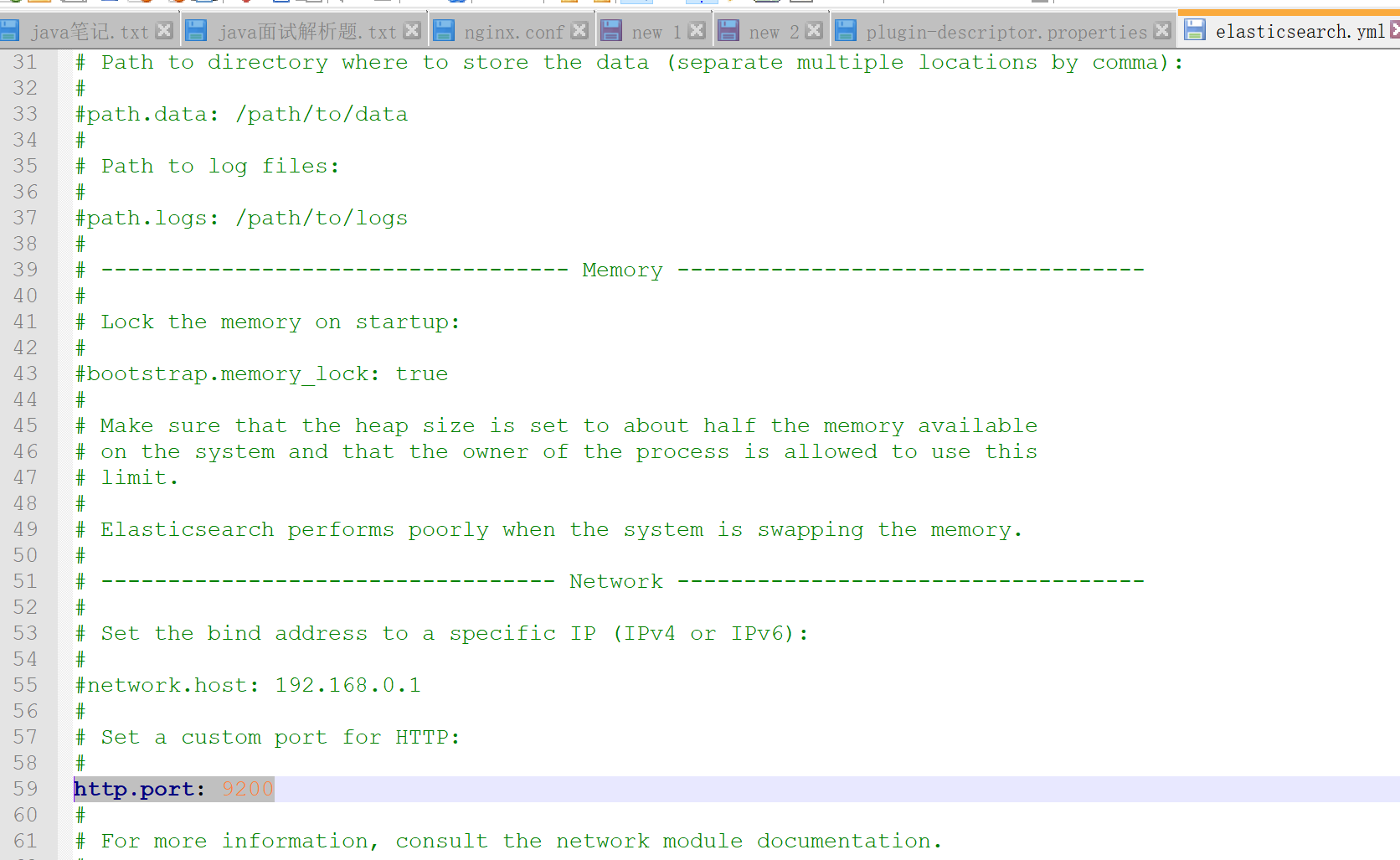
修改 elasticsearch-7.6.2->config->elasticsearch.yml
启动配置->http.port: 9200
elasticsearch-analysis-ik-7.4.0.zip 解压放到 elasticsearch-7.6.2-windows-x86_64 ->plugins->analysis-ik(需要自己创建)
修改plugin-descriptor.properties的配置
# Elasticsearch plugin descriptor file

# This file must exist as 'plugin-descriptor.properties' at

# the root directory of all plugins.

#

# A plugin can be 'site', 'jvm', or both.

#

### example site plugin for "foo":

#

# foo.zip <-- zip file for the plugin, with this structure:

#   _site/ <-- the contents that will be served

#   plugin-descriptor.properties <-- example contents below:

#

# site=true

# description=My cool plugin

# version=1.0

#

### example jvm plugin for "foo"

#

# foo.zip <-- zip file for the plugin, with this structure:

#   <arbitrary name1>.jar <-- classes, resources, dependencies

#   <arbitrary nameN>.jar <-- any number of jars

#   plugin-descriptor.properties <-- example contents below:

#

# jvm=true

# classname=foo.bar.BazPlugin

# description=My cool plugin

# version=2.0.0-rc1

# elasticsearch.version=2.0

# java.version=1.7

#

### mandatory elements for all plugins:

#

# 'description': simple summary of the plugin

description=IK Analyzer for Elasticsearch

#

# 'version': plugin's version

version=7.4.0

#

# 'name': the plugin name

name=analysis-ik

#

# 'classname': the name of the class to load, fully-qualified.

classname=org.elasticsearch.plugin.analysis.ik.AnalysisIkPlugin

#

# 'java.version' version of java the code is built against

# use the system property java.specification.version

# version string must be a sequence of nonnegative decimal integers

# separated by "."'s and may have leading zeros

java.version=1.8

#

# 'elasticsearch.version' version of elasticsearch compiled against

# You will have to release a new version of the plugin for each new

# elasticsearch release. This version is checked when the plugin

# is loaded so Elasticsearch will refuse to start in the presence of

# plugins with the incorrect elasticsearch.version.

elasticsearch.version=7.6.2
用cmd 命令cd 到elasticsearch-7.6.2\bin ,然后用elasticsearch 启动,系统需要安装JDK1.8 并且在环境变量里面配置
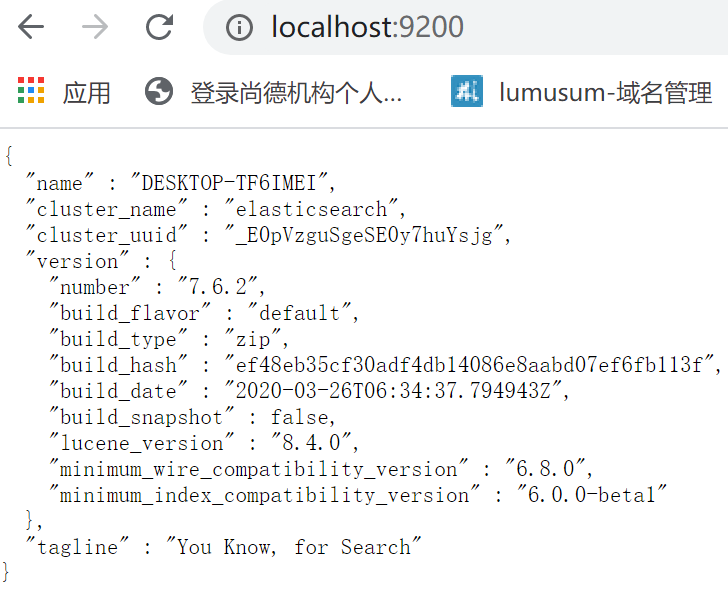
用浏览器打开http://localhost:9200/ 就可显示
{

  "name" : "计算机名称",

  "cluster_name" : "elasticsearch",

  "cluster_uuid" : "_E0pVzguSgeSE0y7huYsjg",

  "version" : {

    "number" : "7.6.2",

    "build_flavor" : "default",

    "build_type" : "zip",

    "build_hash" : "ef48eb35cf30adf4db14086e8aabd07ef6fb113f",

    "build_date" : "2020-03-26T06:34:37.794943Z",

    "build_snapshot" : false,

    "lucene_version" : "8.4.0",

    "minimum_wire_compatibility_version" : "6.8.0",

    "minimum_index_compatibility_version" : "6.0.0-beta1"

  },

  "tagline" : "You Know, for Search"

}
解压kibana-7.6.2-windows-x86_64.zip ,
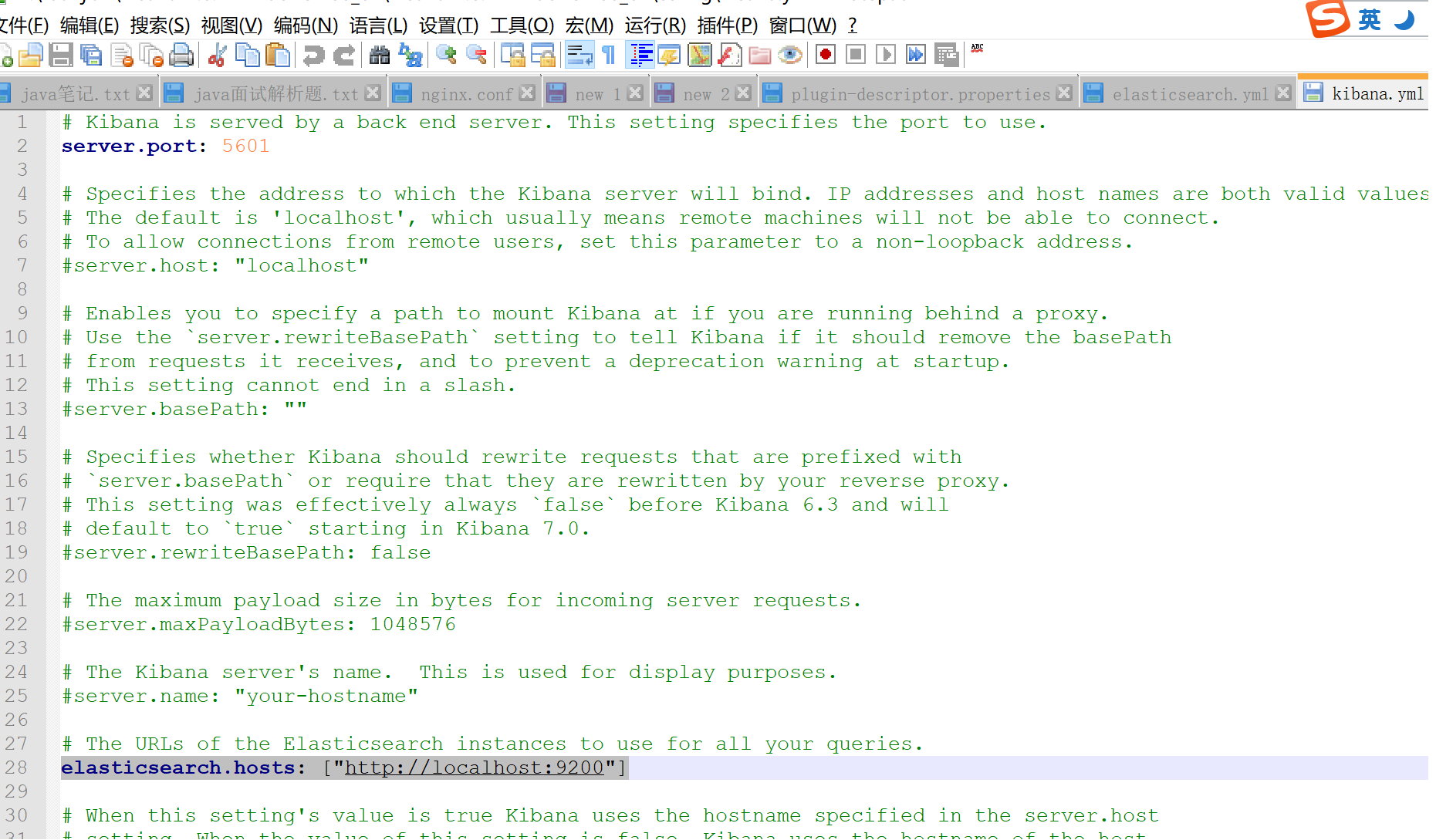
kibana-7.6.2-windows-x86_64——》config-》kibana.yml
开启
server.port: 5601
elasticsearch.hosts: ["http://localhost:9200"]
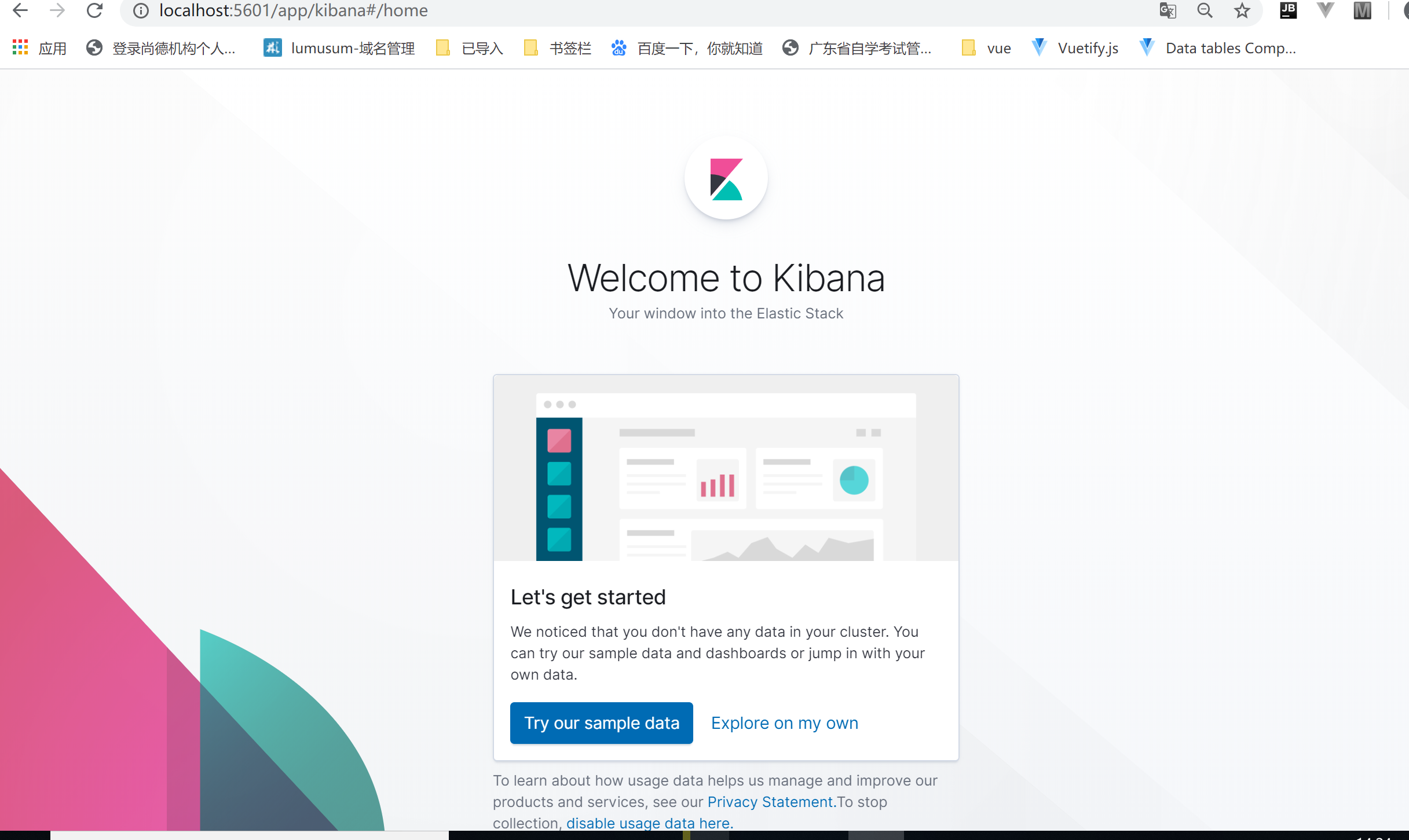
然后cmd 命令cd 到kibana-7.6.2-windows-x86_64\bin ,然后用kibana 启动
windows10 使用elasticsearch和kibana的更多相关文章
- 一键制作启动elasticsearch和kibana启动的脚本可执行程序
1.测试环境 测试环境: . windows10专业版 . elasticsearch6.5.4 . kibana6.5.4 2.启动的脚本run.py import os import time i ...
- 【转】ELK(ElasticSearch, Logstash, Kibana)搭建实时日志分析平台
[转自]https://my.oschina.net/itblog/blog/547250 摘要: 前段时间研究的Log4j+Kafka中,有人建议把Kafka收集到的日志存放于ES(ElasticS ...
- 使用ELK(Elasticsearch + Logstash + Kibana) 搭建日志集中分析平台实践--转载
原文地址:https://wsgzao.github.io/post/elk/ 另外可以参考:https://www.digitalocean.com/community/tutorials/how- ...
- ELK( ElasticSearch+ Logstash+ Kibana)分布式日志系统部署文档
开始在公司实施的小应用,慢慢完善之~~~~~~~~文档制作 了好作运维同事之间的前期普及.. ~~~~~~~~~~~~~~~~~~~~~~~~~~~~~~~ 软件下载地址: https://www.e ...
- Nlog、elasticsearch、Kibana以及logstash
Nlog.elasticsearch.Kibana以及logstash 前言 最近在做文档管理中,需要记录每个管理员以及用户在使用过程中的所有操作记录,本来是通过EF直接将操作数据记录在数据库中,在查 ...
- CentOS6.5安装elasticsearch+logstash+kibana
首先卸载低版本的java环境,然后安装 java环境和Apache服务 yum install -y java--openjdk httpd 安装ES环境 elasticsearch wget htt ...
- (转)开源分布式搜索平台ELK(Elasticsearch+Logstash+Kibana)入门学习资源索引
Github, Soundcloud, FogCreek, Stackoverflow, Foursquare,等公司通过elasticsearch提供搜索或大规模日志分析可视化等服务.博主近4个月搜 ...
- [翻译] 使用ElasticSearch,Kibana,ASP.NET Core和Docker可视化数据
原文地址:http://www.dotnetcurry.com/aspnet/1354/elastic-search-kibana-in-docker-dotnet-core-app 想要轻松地通过许 ...
- Elasticsearch和Kibana安装
Elasticsearch安装 Elasticsearch至少需要Java 8.在撰写本文时,建议你使用Oracle JDK版本1.8.0_131.Java安装因平台而异,所以在这里不再赘述.Orac ...
随机推荐
- CPU缓存L1/L2/L3工作原理
点击上方"开源Linux",选择"设为星标" 回复"学习"获取独家整理的学习资料! 一.前言 在过去的几年中,计算机处理器取得了相当大的进步 ...
- go 语言开发1 环境配置和语言基础
Go 语言环境配置 windows 环境变量: 设置 GOROOT (安装路径),GOPATH(工程目录) Path 中加入 %GOROOT%/bin 和 %GOPATH%/bin mac 环境变量: ...
- Vue组件之间通信
vue组件传值有以下几种情况: 父组件向子组件传值.子组件向父组件传值.兄弟组件之间传值等 一.父组件向子组件传值: 传值方式: props <father> // 动态传递值 <s ...
- vs code 终端字体间距过大(全角的样子)
文件-首选项-设置 将 terminal.integrated.fontFamily 配置为 Consolas, 'Courier New', monospace 或其他想要的字体,或者点击齿轮按钮重 ...
- 归约与分组 - 读《Java 8实战》
区分Collection,Collector和collect 代码中用到的类与方法用红框标出,可从git库中查看 收集器用作高级归约 // 按货币对交易进行分组 Map<Currency, Li ...
- 自学c语言
C 语言是一种通用的.面向过程式的计算机程序设计语言. 当前最新的 C 语言标准为 C18 前期准备 C 编译器 写在源文件中的源代码是人类可读的源.它需要"编译",转为机器语言 ...
- Thymeleaf 公共css,js提取及自有css,js导入
https://www.jianshu.com/p/2102fa4772ba
- 遍历list集合泛型为map
public class ListAddMap { public static void main( String args[] ) { List<Map<String, Object&g ...
- React设置proxy后依旧报CROS错误
1.判断表单数据是否为后端接收的类型 POST GET2.axios自动转换问题 手动添加标头这份表单数据包括了files (二进制数据)而标头显示是JSON格式 不符 所以报CROS 更多文章请移步 ...
- JAVA - ArrayList是否会越界?
JAVA - ArrayList是否会越界? ArrayList并发add()可能出现数组下标越界异常. ArrayList是实现了基于动态数组的数据结构. LinkedList是基于链表的数据结构 ...