
Simulating a Freight robot in Gazebo
Installation
Before installing the simulation environment, make sure your desktop is setup with a standard installation of ROS Indigo on Ubuntu 14.04. Once your APT repositories are configured, you can install the simulator:
$ sudo apt-get update

$ sudo apt-get install ros-indigo-fetch-gazebo-demo
Warning
Never run the simulator on the robot. Simulation requires that the ROS parameter use_sim_time be set to true, which will cause the robot drivers to stop working correctly. In addition, be sure to never start the simulator in a terminal that has the ROS_MASTER_URI set to your robot for the same reasons.
Starting the Simulator
The fetch_gazebo and fetch_gazebo_demo packages provide the Gazebo environment for Fetch. fetch_gazebo includes several launch files:
- simulation.launch spawns a robot in an empty world.
- playground.launch spawns a robot inside a lab-like test environment. This environment has some tables with items that may be picked up and manipulated. It also has a pre-made map which can be used to test out robot navigation and some simple demonstrations of object grasping.
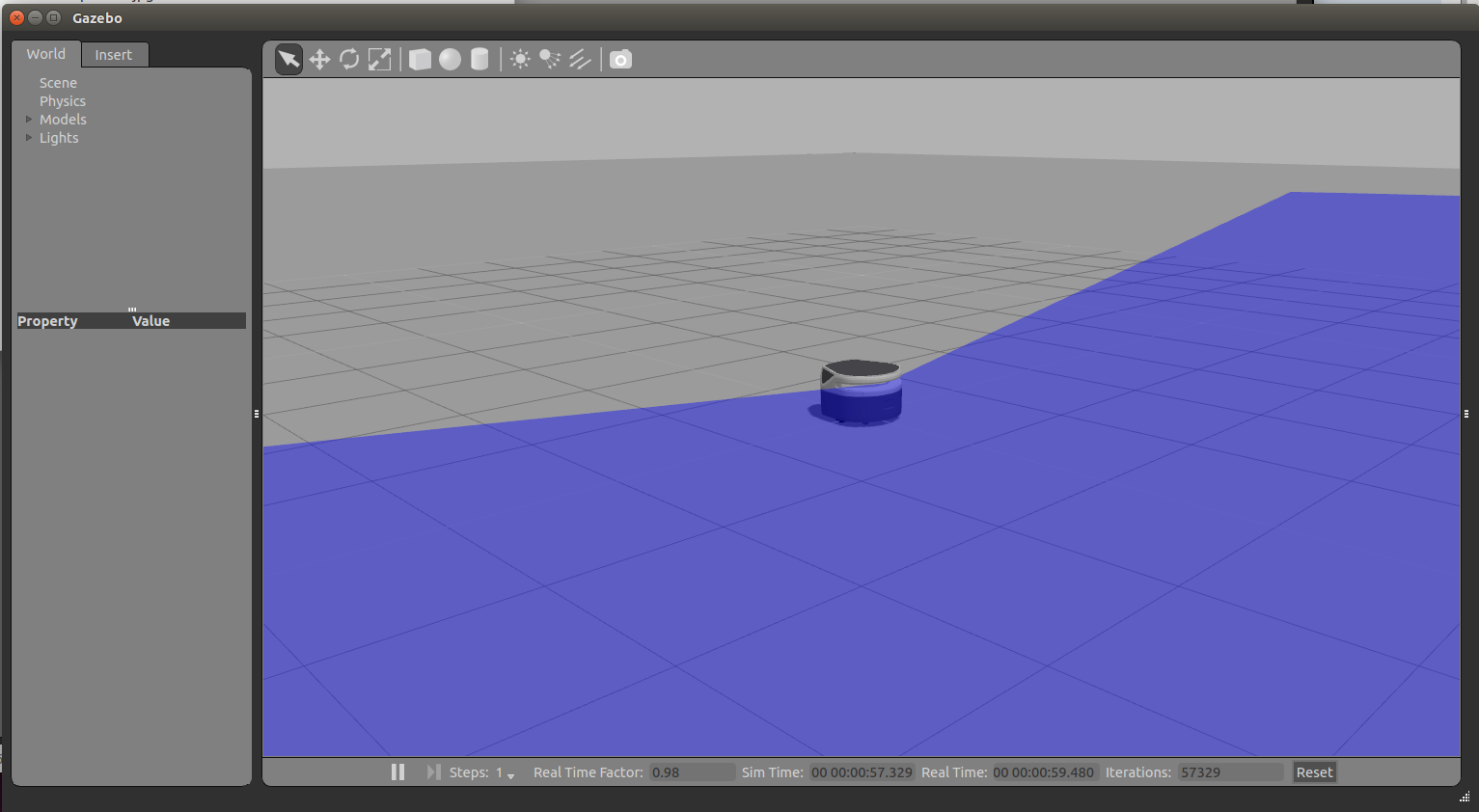
To start the simplest environment with Freight
$ roslaunch fetch_gazebo simulation.launch robot:=freight
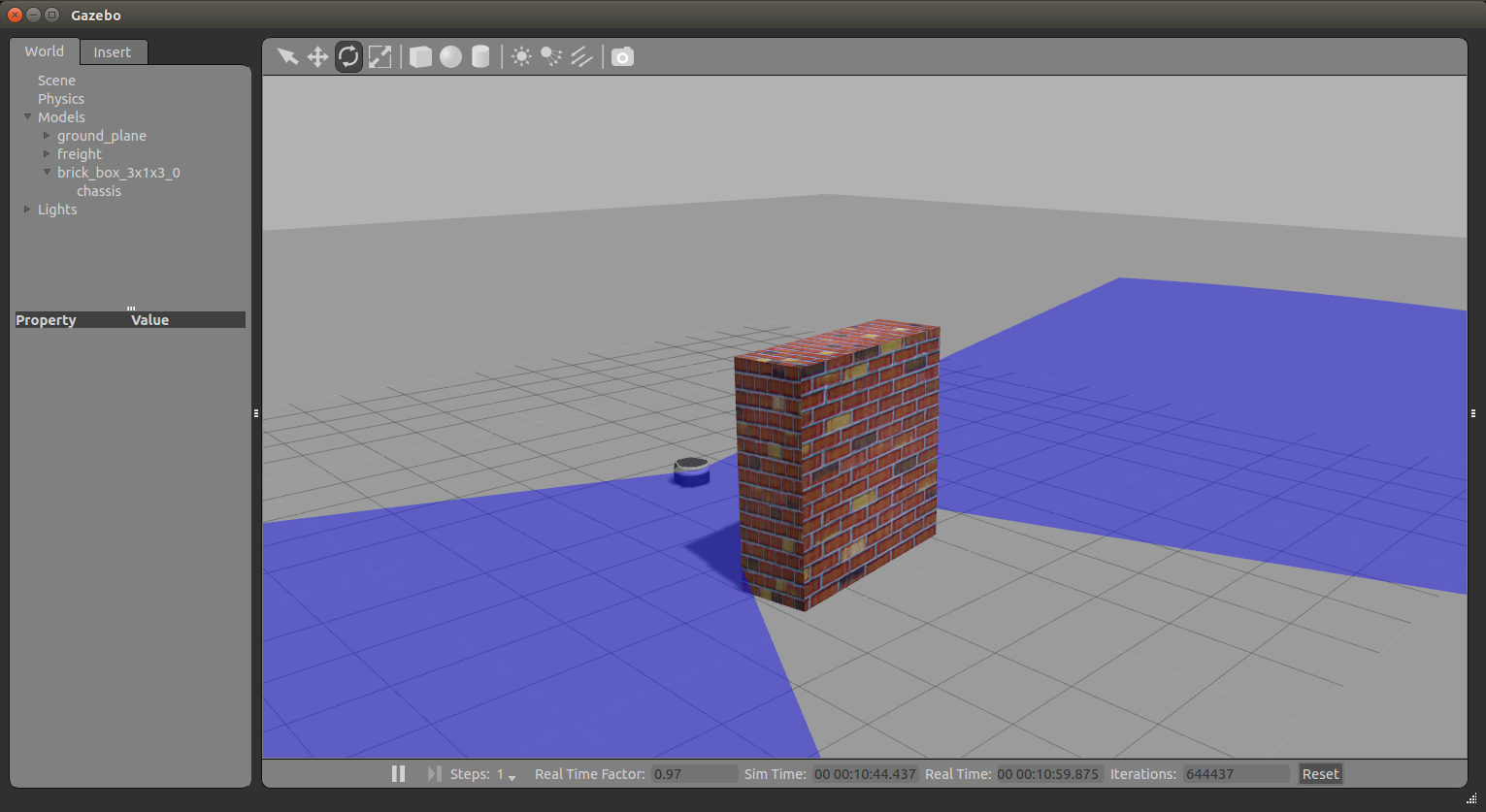
Adding a Brick wall to see how lidar scan works:
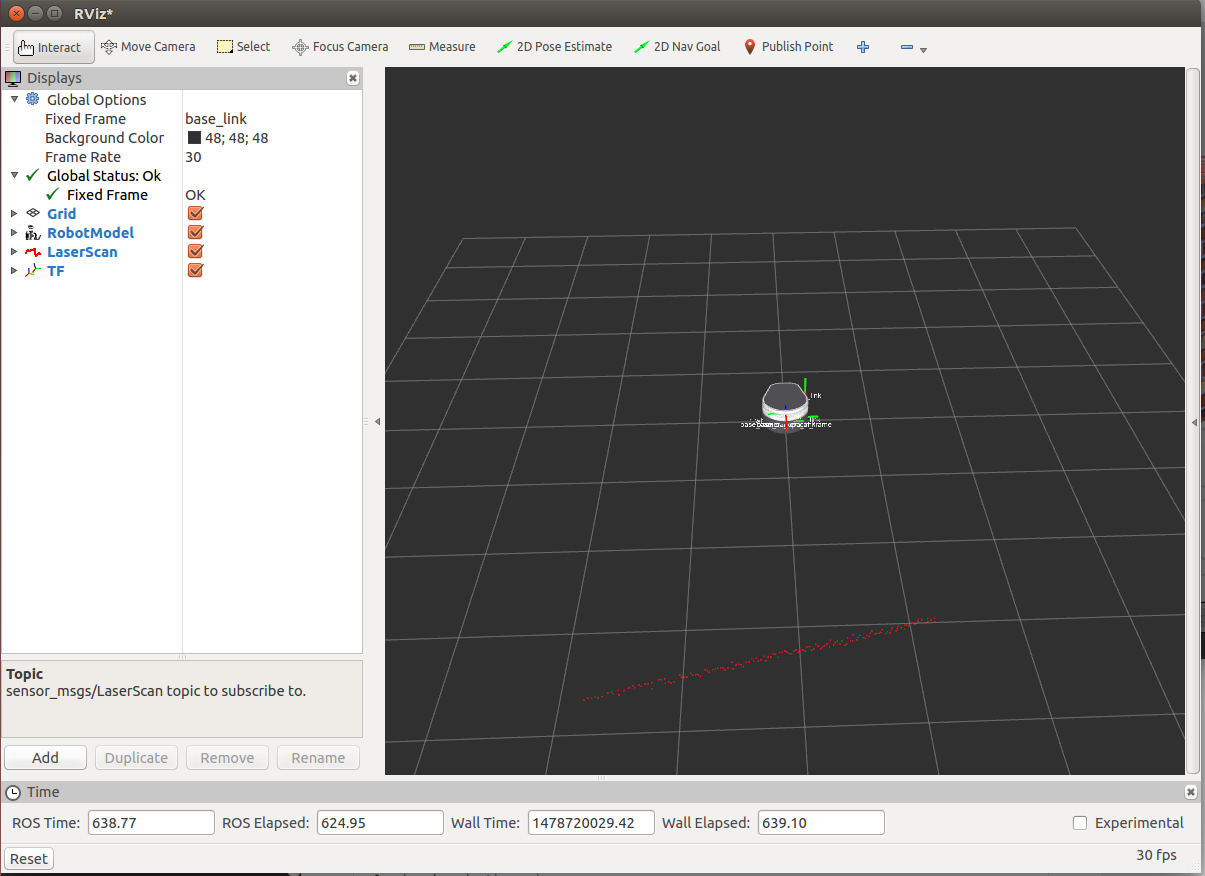
Visualizing with RVIZ
Even though Gazebo has a graphical visualization, RVIZ is still the preferred tool for interacting with your robot.
$ rosrun rviz rviz
Simulating a Freight robot in Gazebo的更多相关文章
- Simulating a Fetch robot in Gazebo
Installation Before installing the simulation environment, make sure your desktop is setup with a st ...
- run a Freight robot (1)
1. Freight robot The Fetch and Freight Research Edition Robots are indoor laboratory robots. Coordin ...
- run a Freight robot (2)
3. Network Setup Connecting Freight to a Monitor The easiest way to configure the wireless networki ...
- implement "slam_karto" package on a Freight robot
1. login ssh fetch@<robot ip or robot name> 2. set robot master modify .bashrc in robot's com ...
- run a Freight robot (3)
5.Logging In Once the robot is turned on and the robot is on the network, ssh into the computer of t ...
- Making my own Autonomous Robot in ROS / Gazebo, Day 1: Building the static model
Day 1: Setting up ROS: Indigo OS: Ubuntu 14.04 OS: Gazebo 7.0.0 Initialize the workspace To create t ...
- Gazebo機器人仿真學習探索筆記(七)连接ROS
中文稍后补充,先上官方原版教程.ROS Kinetic 搭配 Gazebo 7 附件----官方教程 Tutorial: ROS integration overview As of Gazebo 1 ...
- Gazebo Ros入门
教程代码 First step with gazebo and ros • setup a ROS workspace • create projects for your simulated rob ...
- getting started with building a ROS simulation platform for Deep Reinforcement Learning
Apparently, this ongoing work is to make a preparation for futural research on Deep Reinforcement Le ...
随机推荐
- git使用记录(新手入门)
最近参与了公司的项目开发,最后要用git来把代码添加到远程库,但是没怎么接触过git,记录一下使用的流程 首先,当然是先下载git,这个略过不提,下载完之后,在你想要保存代码的目录下,用git ini ...
- 161013、java实现邮件群发带附件
要完成Java群发邮件功能,首先须加入mail.jar和activation.jar这两个包 下面是邮件的例子: import java.io.File; import java.util.Prope ...
- 图解 交集(join)和 合并(union)
假设我们有两张表. Table A 是左边的表. Table B 是右边的表. 其各有四条记录,其中有两条记录是相同的,如下所示: id name id name 1 Pirate ...
- awr报告生成方法
以上是在linux的oracle的命令截图. 如果是在unix的命令,则需要在命令前面加上\符号,变成了\@$ORACLE_HOME/rdbms/admin/awrrpt.sql
- 自定义tableViewCell
http://my.oschina.net/joanfen/blog/137601 效果如下图:可触发按钮事件 1.创建一个Empty Application 2.新建一个TableViewContr ...
- HDU 1060 Leftmost Digit
基本思路:(参考大神和加自己的思考) 考虑到此题需要输入这么大的数a,并且还的求aa,求出来会更大,更多位.当时考虑用大数方法求(数组实现),结果实现不行.看网上大神采用对数法,巧妙避开处理这么大的数 ...
- 修改sql2005字段
alter table 表名 add 字段名 数据类型 default 默认值 增加:alter table AdCategory ADD SEOTitleNo varchar(50); 删除:ALT ...
- 【转】cvs2svn 把CVS档案库转换为SVN档案库
转载地址:http://jackdown.blog.sohu.com/66646130.html 在linux下的操作 1).安装 下载:Python 2.0 地址:http://www.pyth ...
- Lambda表达式 一些基本用法
带条件的:IQueryable<UserInfo> demo=db.UserInfo.where<UserInfo>(u=>u.ID>2); 取指定列数据:var ...
- Java线程池与java.util.concurrent
Java(Android)线程池 介绍new Thread的弊端及Java四种线程池的使用,对Android同样适用.本文是基础篇,后面会分享下线程池一些高级功能. 1.new Thread的弊端执行 ...