
Simulating a Freight robot in Gazebo
Installation
Before installing the simulation environment, make sure your desktop is setup with a standard installation of ROS Indigo on Ubuntu 14.04. Once your APT repositories are configured, you can install the simulator:
$ sudo apt-get update

$ sudo apt-get install ros-indigo-fetch-gazebo-demo
Warning
Never run the simulator on the robot. Simulation requires that the ROS parameter use_sim_time be set to true, which will cause the robot drivers to stop working correctly. In addition, be sure to never start the simulator in a terminal that has the ROS_MASTER_URI set to your robot for the same reasons.
Starting the Simulator
The fetch_gazebo and fetch_gazebo_demo packages provide the Gazebo environment for Fetch. fetch_gazebo includes several launch files:
- simulation.launch spawns a robot in an empty world.
- playground.launch spawns a robot inside a lab-like test environment. This environment has some tables with items that may be picked up and manipulated. It also has a pre-made map which can be used to test out robot navigation and some simple demonstrations of object grasping.
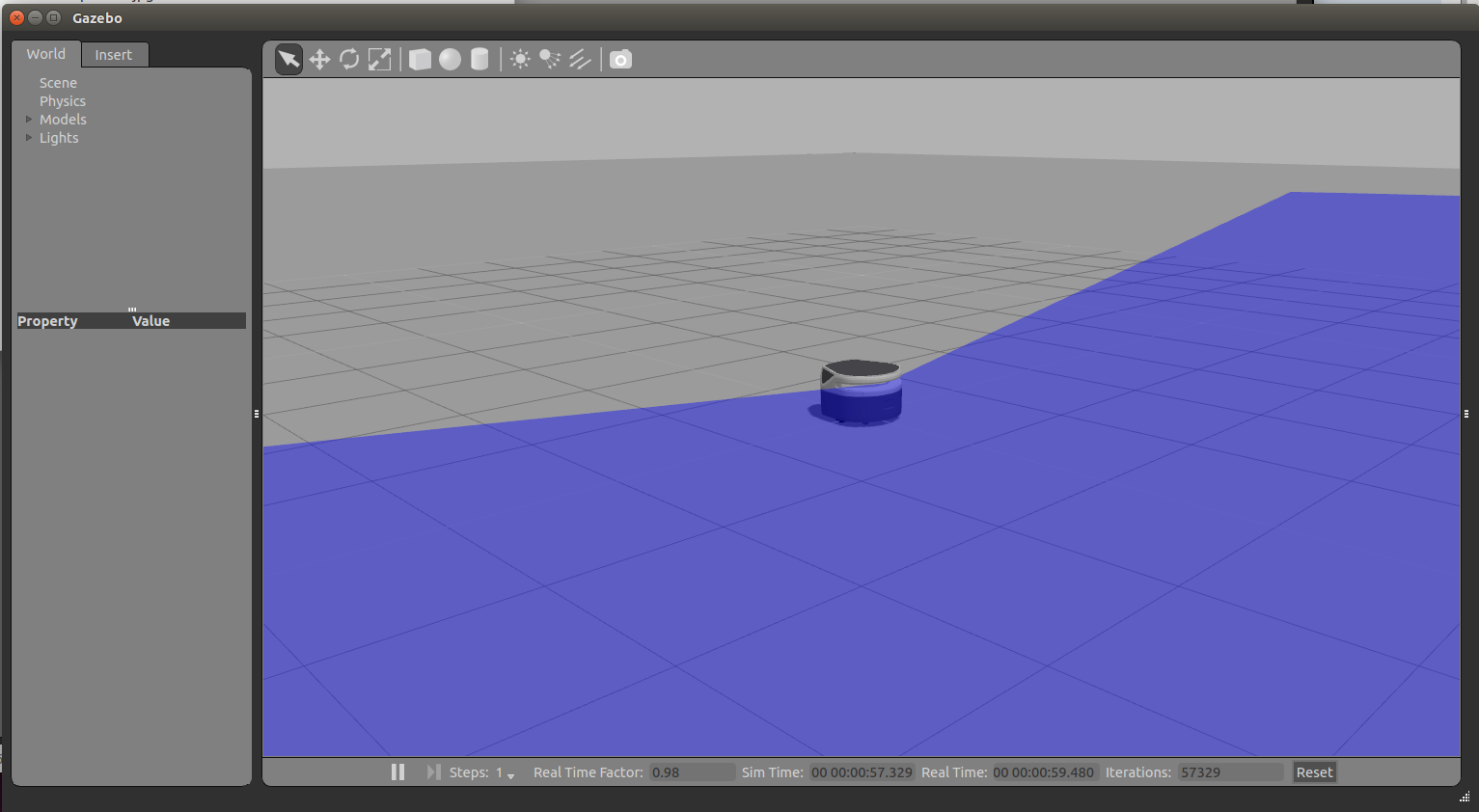
To start the simplest environment with Freight
$ roslaunch fetch_gazebo simulation.launch robot:=freight
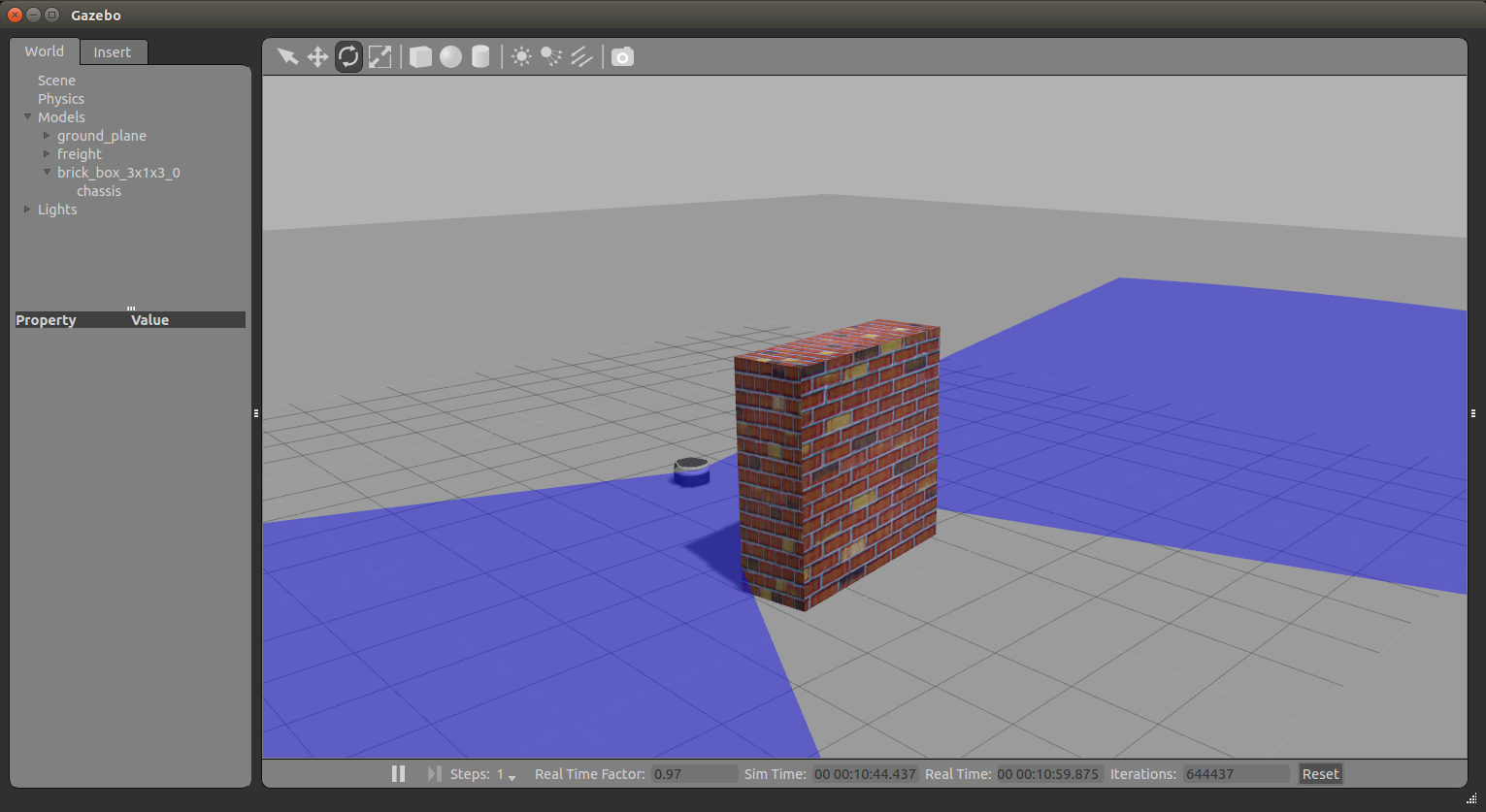
Adding a Brick wall to see how lidar scan works:
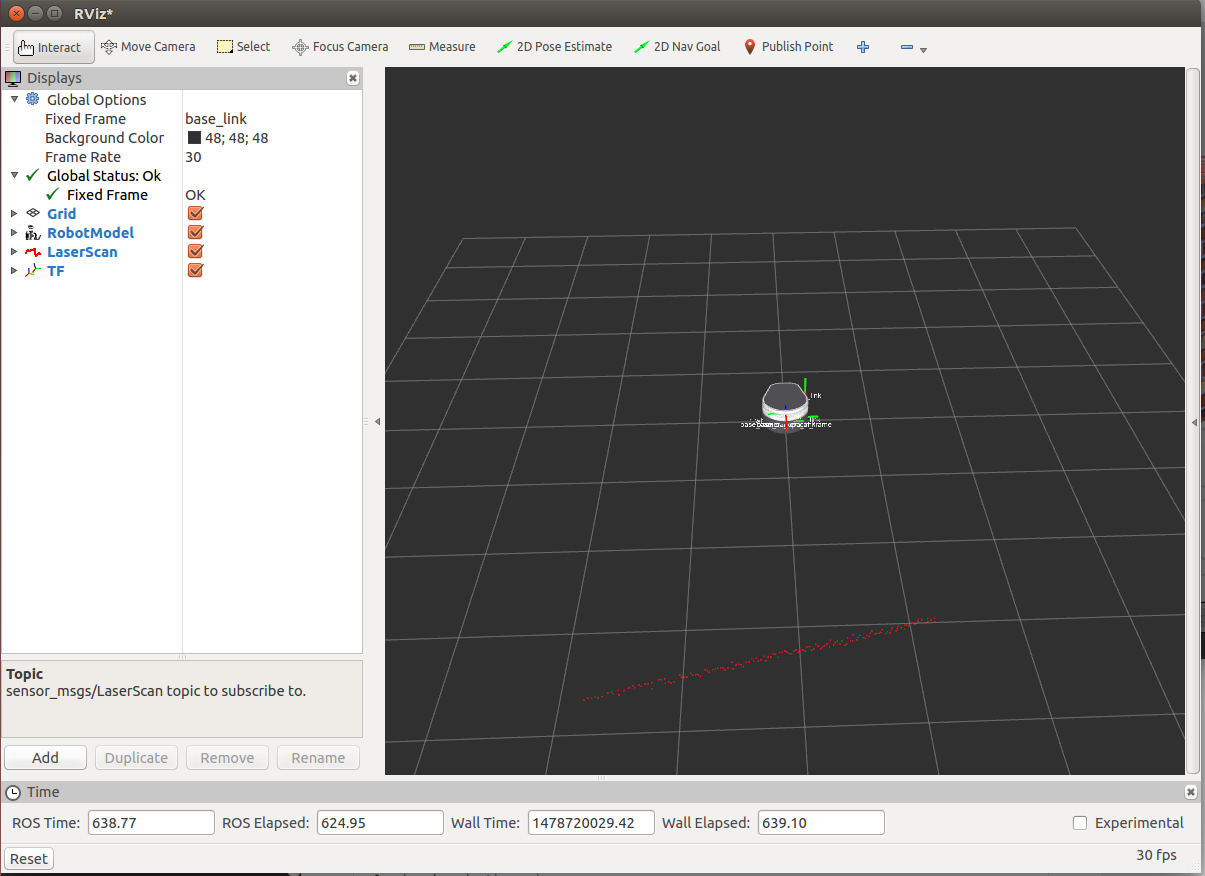
Visualizing with RVIZ
Even though Gazebo has a graphical visualization, RVIZ is still the preferred tool for interacting with your robot.
$ rosrun rviz rviz
Simulating a Freight robot in Gazebo的更多相关文章
- Simulating a Fetch robot in Gazebo
Installation Before installing the simulation environment, make sure your desktop is setup with a st ...
- run a Freight robot (1)
1. Freight robot The Fetch and Freight Research Edition Robots are indoor laboratory robots. Coordin ...
- run a Freight robot (2)
3. Network Setup Connecting Freight to a Monitor The easiest way to configure the wireless networki ...
- implement "slam_karto" package on a Freight robot
1. login ssh fetch@<robot ip or robot name> 2. set robot master modify .bashrc in robot's com ...
- run a Freight robot (3)
5.Logging In Once the robot is turned on and the robot is on the network, ssh into the computer of t ...
- Making my own Autonomous Robot in ROS / Gazebo, Day 1: Building the static model
Day 1: Setting up ROS: Indigo OS: Ubuntu 14.04 OS: Gazebo 7.0.0 Initialize the workspace To create t ...
- Gazebo機器人仿真學習探索筆記(七)连接ROS
中文稍后补充,先上官方原版教程.ROS Kinetic 搭配 Gazebo 7 附件----官方教程 Tutorial: ROS integration overview As of Gazebo 1 ...
- Gazebo Ros入门
教程代码 First step with gazebo and ros • setup a ROS workspace • create projects for your simulated rob ...
- getting started with building a ROS simulation platform for Deep Reinforcement Learning
Apparently, this ongoing work is to make a preparation for futural research on Deep Reinforcement Le ...
随机推荐
- Centos的Inode及Block相关知识
Centos的Inode及Block相关知识 时间:2016-06-04 01:54来源:blog.51cto.com 作者:"tao" 博客 举报 点击:173次 本经验均在Ce ...
- PHP将XML数据转换为数组
<?php $s=join(,file('httpapi.elong.comxmlv2.0hotelcn0132701501.xml')); $result = xml_to_array($s) ...
- php的内存分配还是很智能的
<?php echo memory_get_usage().PHP_EOL;$a = 1;$b = $a;echo memory_get_usage().PHP_EOL; <?php ec ...
- redis 几种数据类型往数据库存数据和取数据的帮助类
package com.fndsoft.bcis.utils; import org.springframework.beans.factory.annotation.Autowired; impor ...
- ubuntu12.04下安卓编译环境搭建总结
前言: 因为工作需要,经常要编译安卓下的动态库,公司有已经搭建好环境的服务器,但是第一自己想自己搭建一下了解一个整个过程,另外,公司的服务器也经常出现问 题,导致编译不了,所以就想自己搭建环 ...
- Java中的ClassLoader
Java中类的加载过程(如Dog类): 通过类型信息定位Dog.class文件. 载入Dog.class文件,创建相应的Class对象. 执行父类的静态字段定义时初始化语句和父类的静态初始化块 ...
- Unity-Animator深入系列---StateMachineBehaviour初始化时间测试
回到 Animator深入系列总目录 结果和想的有点出入 测试结果: 1.SMB初始化会被调用多次,次数不可控,当Animator组件重复开关则重复初始化. 2.SMB支持构造函数 MyClass p ...
- Uva 12186 工人的请愿书
题目链接:https://uva.onlinejudge.org/external/121/12186.pdf 题意: 给出一个树状关系图,公司里只有一个老板编号为0,其他人员从1开始编号.除了老板, ...
- oracle 导出导入常见问题
oracle 导入导出常见有两种方法 EXP和IMP是客户端工具程序,它们既可以在客户端使用,也可以在服务端使用.EXPDP和IMPDP是服务端的工具程序,他们只能在ORACLE服务端使用,不能在客户 ...
- java 7-nio异步I/O-将来式和回调式
java7中三个异步通道 1.AsynchronousFileChannle:用于文件I/O 2.AsynchronousSockeChannle:用于套接字I/O,支持连接超时 3.Asynchro ...