
pygame-KidsCanCode系列jumpy-part15-PowerUp加速器
这一节我们给游戏增加点额外的奖励,大多数游戏中都会有金币、装备啥的来激励玩家,在jumpy这个游戏中,我们也可以增加类似的道具:加速器。效果图如下:
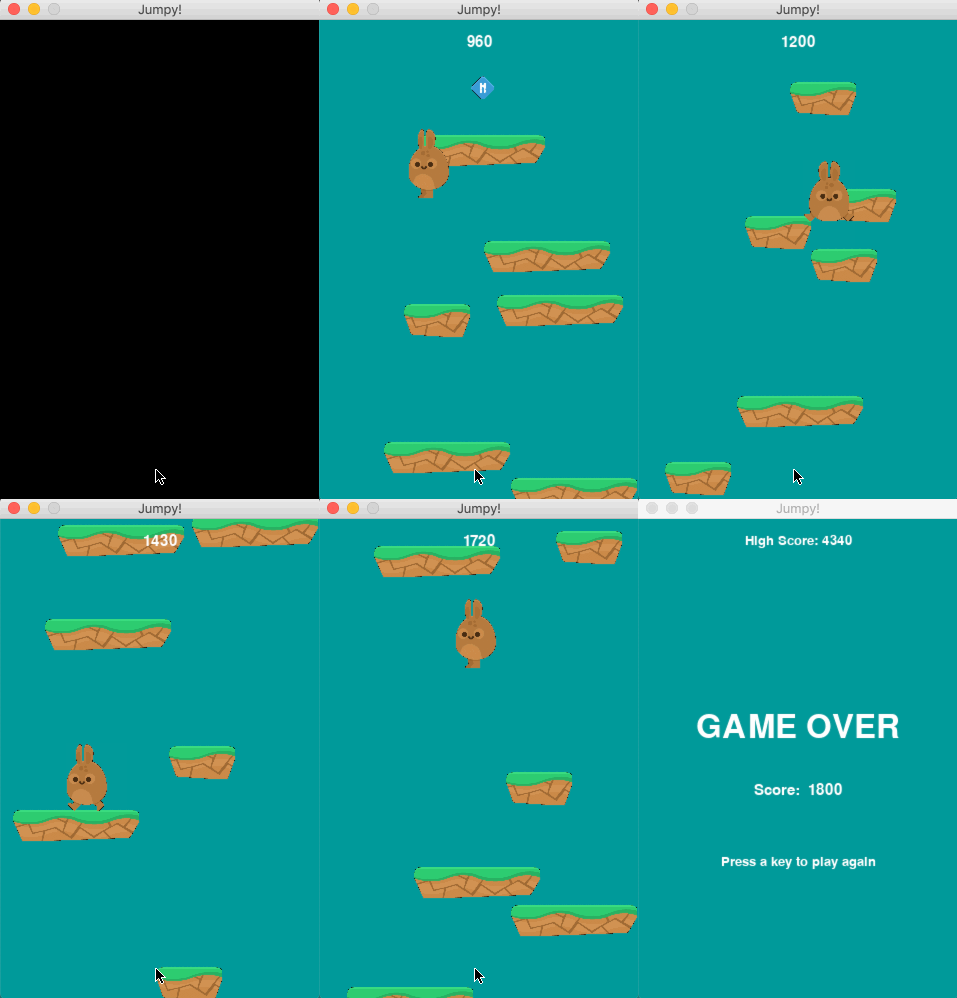
档板上会随机出现一些加速器(power up),小兔子碰到它后,会获取额外的跳跃速度,跳得更高,得分自然也更高。实现原理如下:
首先得有一个PowerUp类:
 # PowerUp 加速器

 class PowerUp(pg.sprite.Sprite):

     def __init__(self, game, plat):

         pg.sprite.Sprite.__init__(self)

         self.game = game

         self.plat = plat

         self.current_frame = 0

         self.last_update = 0

         self.images = [self.game.spritesheet.get_image("powerup_empty.png"),

                        self.game.spritesheet.get_image("powerup_jetpack.png")]

         self.image = random.choice(self.images)

         self.rect = self.image.get_rect()

         # 停在档板的中间

         self.rect.centerx = self.plat.rect.centerx

         self.rect.bottom = self.plat.rect.top - 5

     def update(self):

         self.animate()

         self.rect.bottom = self.plat.rect.top - 5

         if not self.game.platforms.has(self.plat):

             self.kill()

     def animate(self):

         now = pg.time.get_ticks()

         if now - self.last_update > 200:

             self.last_update = now

             self.current_frame += 1

             self.image = self.images[self.current_frame % len(self.images)]

             self.rect = self.image.get_rect()

             self.rect.bottom = self.plat.rect.top - 5

             self.rect.centerx = self.plat.rect.centerx
大致就是轮播2个图片,形成动画,并停在档板的中间位置。
然后在Platform类中,随机出现这些加速器:
 class Platform(pg.sprite.Sprite):

     def __init__(self, game, x, y):

         pg.sprite.Sprite.__init__(self)

         self.game = game

         images = [self.game.spritesheet.get_image("ground_grass_broken.png"),

                   self.game.spritesheet.get_image("ground_grass_small_broken.png")]

         self.image = random.choice(images)

         self.rect = self.image.get_rect()

         self.rect.x = x

         self.rect.y = y

         # 随机出现power-up加速器

         if random.randrange(100) < BOOST_POWER_PERCENT:

             power = PowerUp(self.game, self)

             self.game.all_sprites.add(power)

             self.game.powerups.add(power)
其中常量BOOST_POWER_PERCENT是定义在settings.py中的,代表随机出现的概率。
# power up

BOOST_POWER = 50

BOOST_POWER_PERCENT = 15
另一个常量BOOST_POWER代表小兔子碰到加速器后,获取的额外跳跃速度,下面马上会用到。
main.py的update函数中,加入powerup的碰撞检测:
     def update(self):

         self.all_sprites.update()

         ...

         if self.player.rect.top < HEIGHT / 4:

             self.player.pos.y += max(abs(self.player.vel.y), 2)

             for plat in self.platforms:

                 plat.rect.top += max(abs(self.player.vel.y), 2)

                 if plat.rect.top > HEIGHT:

                     plat.kill()

                     self.score += 10

         # 检测power up碰撞

         pow_hits = pg.sprite.spritecollide(self.player, self.powerups, True)

         for _ in pow_hits:

             self.boost_sound.play()

             self.player.vel.y = -BOOST_POWER

             self.player.jumping = False

         ...
当然,还可以参考上节的方法,加上音效处理,就不再赘述了。代码可参考:https://github.com/yjmyzz/kids-can-code/tree/master/part_15
pygame-KidsCanCode系列jumpy-part15-PowerUp加速器的更多相关文章
- pygame系列_原创百度随心听音乐播放器_完整版
程序名:PyMusic 解释:pygame+music 之前发布了自己写的小程序:百度随心听音乐播放器的一些效果图 你可以去到这里再次看看效果: pygame系列_百度随心听_完美的UI设计 这个程序 ...
- pygame系列
在接下来的blog中,会有一系列的文章来介绍关于pygame的内容,pygame系列偷自http://www.cnblogs.com/hongten/p/hongten_pygame_install. ...
- pygame系列_pygame安装
在接下来的blog中,会有一系列的文章来介绍关于pygame的内容,所以把标题设置为pygame系列 在这篇blog中,主要描述一下我们怎样来安装pygame 可能很多人像我一样,发现了pygame是 ...
- pygame系列_小球完全弹性碰撞游戏
之前做了一个基于python的tkinter的小球完全碰撞游戏: 今天利用业余时间,写了一个功能要强大一些的小球完全碰撞游戏: 游戏名称: 小球完全弹性碰撞游戏规则: 1.游戏初始化的时候,有5个不同 ...
- pygame系列_draw游戏画图
说到画图,pygame提供了一些很有用的方法进行draw画图. ''' pygame.draw.rect - draw a rectangle shape draw a rectangle shape ...
- pygame系列_mouse鼠标事件
pygame.mouse提供了一些方法获取鼠标设备当前的状态 ''' pygame.mouse.get_pressed - get the state of the mouse buttons get ...
- pygame系列_font游戏字体
在pygame游戏开发中,一个友好的UI中,漂亮的字体是少不了的 今天就给大伙带来有关pygame中字体的一些介绍说明 首先我们得判断一下我们的pygame中有没有font这个模块 1 if not ...
- pygame系列_游戏窗口显示策略
在这篇blog中,我将给出一个demo演示: 当我们按下键盘的‘f’键的时候,演示的窗口会切换到全屏显示和默认显示两种显示模式 并且在后台我们可以看到相关的信息输出: 上面给出了一个简单的例子,当然在 ...
- pygame系列_游戏中的事件
先看一下我做的demo: 当玩家按下键盘上的:上,下,左,右键的时候,后台会打印出玩家所按键的数字值,而图形会随之移动 这是客观上面存在的现象. 那么啥是事件呢? 你叫我做出定义,我不知道,我只能举个 ...
随机推荐
- 关系网络数据可视化:1. 关系网络图&Gephi
1.关系网络图 如何来表示两个对象之间的关系? 把对象变成点,点的大小.颜色可以是它的两个参数,两个点之间的关系可以用连线来表示.连线分为无向(只是连接的导向,一些简单的关系很容易体现)和有向(复杂网 ...
- ASP.NET 页面执行顺序
1.对象初始化(Onlnit方法) 页面中的控件(包括页面本身)都是在它们最初的form中被首次初始化的,通过在aspx页面的后台代码文件的构造器中声明你的对象,页面将知道对象的类型,并知道需要创建多 ...
- 使用EndNote在Word中插入参考文献
以百度文库为例,首先找到我们要插入的参考文献,比如 搜索关键词,然后下需要的论文下面点击引用 得到 点击下面导出链接的EndNote,会下载一个.enw文件 找到此文件并双击打开后即已经导入到EndN ...
- hdu5745(dp+bitset)
题目:http://acm.hdu.edu.cn/showproblem.php?pid=5745 C++ bitset的用法:https://www.cnblogs.com/magisk/p/880 ...
- 001.Redis简介及安装
一 Redis简介 1.1 Redis 简介 Redis 是完全开源免费的,遵守BSD协议,是一个高性能的key-value数据库. Redis 与其他 key-value 缓存产品有以下三个特点: ...
- vue cli3.0 结合echarts3.0和地图的使用方法
echarts 提供了直观,交互丰富,可高度个性化定制的数据可视化图表.而vue更合适操纵数据. 最近一直忙着搬家,就没有更新博客,今天抽出空来写一篇关于vue和echarts的博客.下面是结合地图的 ...
- Springmvc借助SimpleUrlHandlerMapping实现接口开关功能
一.接口开关功能 1.可配置化,依赖配置中心 2.接口访问权限可控 3.springmvc不会扫描到,即不会直接的将接口暴露出去 二.接口开关使用场景 和业务没什么关系,主要方便查询系统中的一些状态信 ...
- gdb windbg and od use
gdb aslr -- 显示/设置 gdb 的 ASLR asmsearch -- Search for ASM instructions in memory asmsearch "int ...
- python简单名片管理系统
- 分布式缓存技术redis系列(二)——详细讲解redis数据结构(内存模型)以及常用命令
https://www.cnblogs.com/hjwublog/p/5639990.html