
9.Query on Embedded/Nested Documents-官方文档摘录
1.插入案例
db.inventory.insertMany( [

   { item: "journal", qty: 25, size: { h: 14, w: 21, uom: "cm" }, status: "A" },

   { item: "notebook", qty: 50, size: { h: 8.5, w: 11, uom: "in" }, status: "A" },

   { item: "paper", qty: 100, size: { h: 8.5, w: 11, uom: "in" }, status: "D" },

   { item: "planner", qty: 75, size: { h: 22.85, w: 30, uom: "cm" }, status: "D" },

   { item: "postcard", qty: 45, size: { h: 10, w: 15.25, uom: "cm" }, status: "A" }

]);
2.匹配内嵌文档
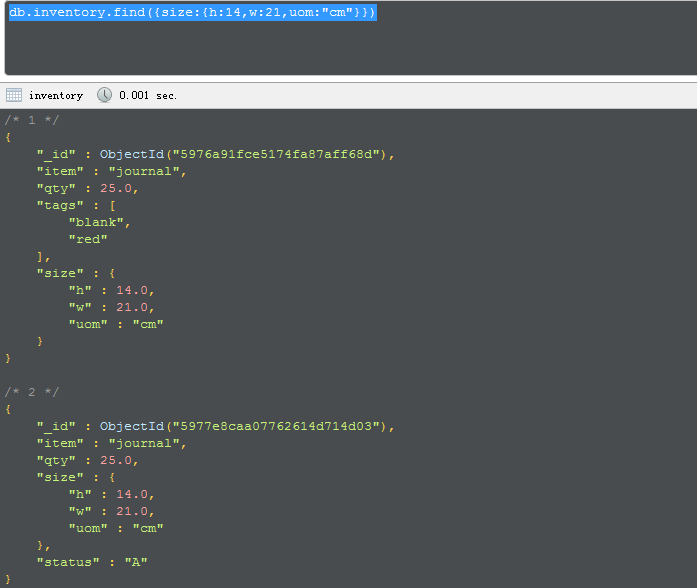
db.inventory.find({size:{h:14,w:21,uom:"cm"}})
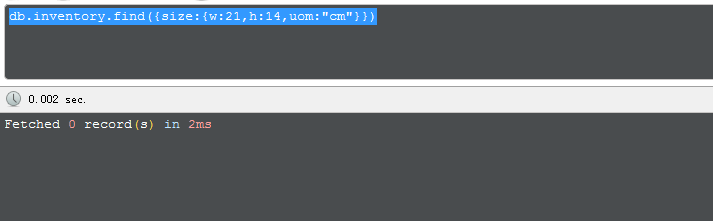
如果顺序不一致,则无法出正确数据
3 在嵌套字段中查找
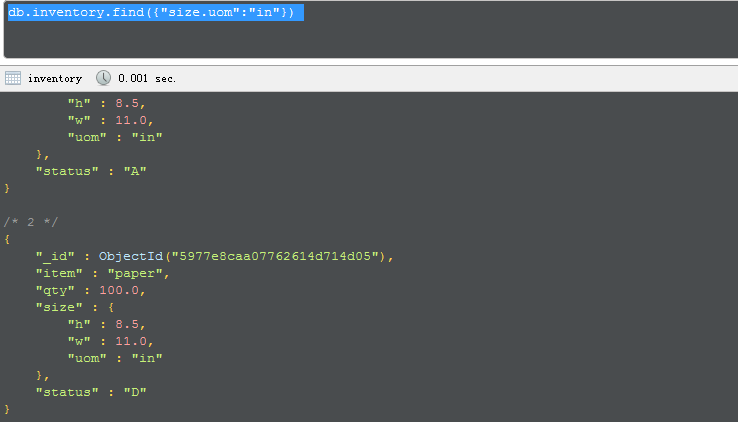
db.inventory.find({"size.uom":"in"})
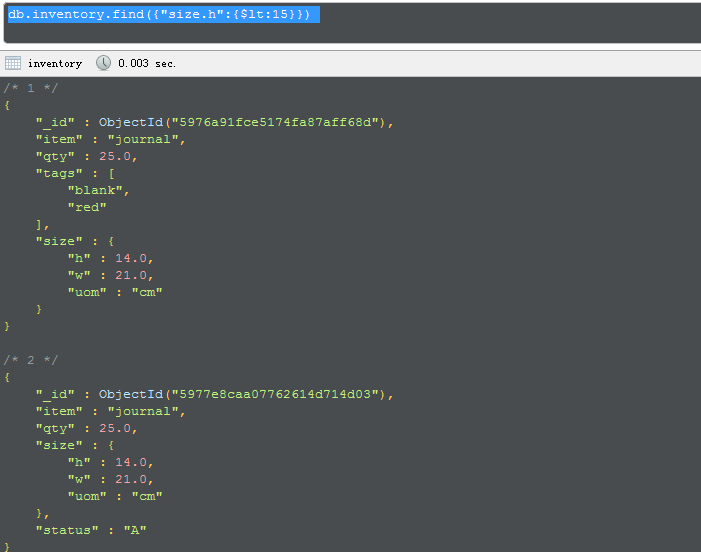
db.inventory.find({"size.h":{$lt:15}})
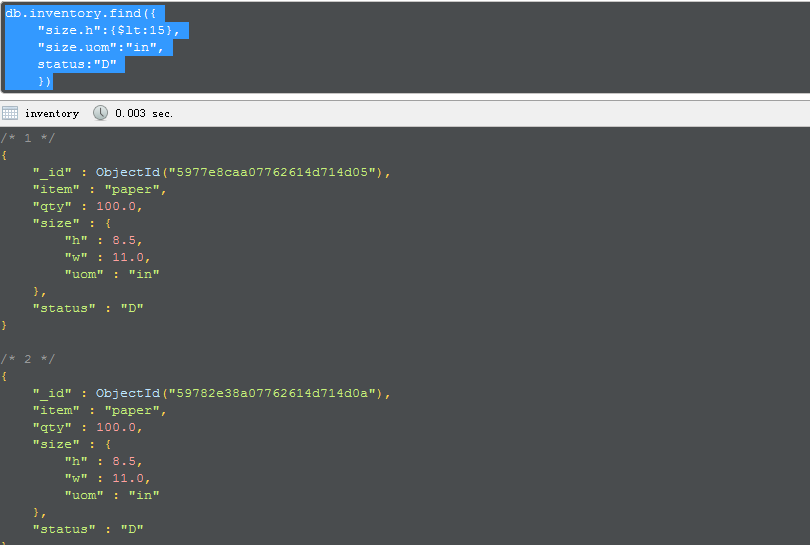
db.inventory.find({

    "size.h":{$lt:15},

    "size.uom":"in",

    status:"D"

    })
This page provides examples of query operations on embedded/nested documents using thedb.collection.find() method in the mongo shell. The examples on this page use the inventorycollection. To populate the inventory collection, run the following:
db.inventory.insertMany( [

   { item: "journal", qty: 25, size: { h: 14, w: 21, uom: "cm" }, status: "A" },

   { item: "notebook", qty: 50, size: { h: 8.5, w: 11, uom: "in" }, status: "A" },

   { item: "paper", qty: 100, size: { h: 8.5, w: 11, uom: "in" }, status: "D" },

   { item: "planner", qty: 75, size: { h: 22.85, w: 30, uom: "cm" }, status: "D" },

   { item: "postcard", qty: 45, size: { h: 10, w: 15.25, uom: "cm" }, status: "A" }

]);
You can run the operation in the web shell below:
Match an Embedded/Nested Document
To specify an equality condition on a field that is an embedded/nested document, use the query filter document { <field>: <value> } where <value> is the document to match.
For example, the following query selects all documents where the field size equals the document { h: 14,w: 21, uom: "cm" }:
db.inventory.find( { size: { h: 14, w: 21, uom: "cm" } } )
Equality matches on the whole embedded document require an exact match of the specified <value>document, including the field order. For example, the following query does not match any documents in theinventory collection:
db.inventory.find( { size: { w: 21, h: 14, uom: "cm" } } )
Query on Nested Field
To specify a query condition on fields in an embedded/nested document, use the dot notation("field.nestedField").
Specify Equality Match on a Nested Field
The following example selects all documents where the field uom nested in the size field equals "in":
db.inventory.find( { "size.uom": "in" } )
Specify Match using Query Operator
A query filter document can use the query operators to specify conditions in the following form:
{ <field1>: { <operator1>: <value1> }, ... }
The following query uses the less than operator ($lt) on the field h embedded in the size field:
db.inventory.find( { "size.h": { $lt: 15 } } )
Specify AND Condition
The following query selects all documents where the nested field h is less than 15, the nested field uomequals "in", and the status field equals "D":
db.inventory.find( { "size.h": { $lt: 15 }, "size.uom": "in", status: "D" } )
Additional Query Tutorials
For additional query examples, see:
9.Query on Embedded/Nested Documents-官方文档摘录的更多相关文章
- Cocos Creator 加载和切换场景(官方文档摘录)
Cocos Creator 加载和切换场景(官方文档摘录) 在 Cocos Creator 中,我们使用场景文件名( 可以不包含扩展名)来索引指代场景.并通过以下接口进行加载和切换操作: cc.dir ...
- ng的概念层次(官方文档摘录)
官方文档是这么说的: You write Angular applications by: composing HTML templates with Angularized markup, writ ...
- 13.Query for Null or Missing Fields-官方文档摘录
1 插入数据 db.inventory.insertMany([ { _id: 1, item: null }, { _id: 2 } ]) 2 查询null值 db.inventory.find({ ...
- Cocos Creator 生命周期回调(官方文档摘录)
Cocos Creator 为组件脚本提供了生命周期的回调函数.用户通过定义特定的函数回调在特定的时期编写相关 脚本.目前提供给用户的声明周期回调函数有: onLoad start update la ...
- Cocos Creator 使用计时器(官方文档摘录)
在 Cocos Creator 中,我们为组件提供了方便的计时器,这个计时器源自于 Cocos2d-x 中的 cc.Scheduler,我们将它保留在了 Cocos Creator 中并适配了基于组件 ...
- angular 模板语法(官方文档摘录)
https://angular.cn/guide/template-syntax {{}} 和"" 如果嵌套,{{}}里面求完值,""就是原意 <h3&g ...
- 11.Query an Array of Embedded Documents-官方文档摘录
总结 1.插入数据 db.inventory.insertMany( [ { item: "journal", instock: [ { warehouse: "A&qu ...
- 10.Query an Array-官方文档摘录
1.插入 db.inventory.insertMany([ { item: "journal", qty: 25, tags: ["blank", " ...
- 8.Query Documents-官方文档摘录
总结 1 先插入数据 db.inventory.insertMany([ { item: "journal", qty: 25, size: { h: 14, w: 21, uom ...
- 5.MongoDB CRUD Operations-官方文档摘录
总结 1. CRUD:create, read, update, and delete DOCUMENT 2.在3.2版本的插入方式 db.collection.insertOne() db.coll ...
随机推荐
- iOS获取当前设备方向
三种方式: self.interfaceOrientation [[UIApplication sharedApplication] statusBarOrientation] [[UIDevice ...
- makefile之findstring函数
#$(findstring <find>,<in> ) #功能:在字串<in>中查找<find>字串. #返回:如果找到,那么返回<find> ...
- C++忽略字符大小写比较
在项目中用到对两个字符串进行忽略大小写的比较,有两个方法实现 1.使用C++提供的忽略大小写比较函数实现 代码实现: /* 功能 :忽略大小写进行字符串比较 */ #ifdef __LINUX__ # ...
- 自定义Django的admin界面
第6章介绍了Django的admin界面,现在是回过头来仔细看看这个的时候了 我们前面讲的几次admin是Django的"杀手级特性",并且大多数Django开发人员很快爱上了它节 ...
- 文件IO之——阻塞和非阻塞及perror函数
读常规文件是不会阻塞的,不管读多少字节,read一定会在有限的时间内返回.从终端设备或网络读则不一定,如果从终端输入的数据没有换行符,调用read读终端设备就会阻塞,如果网络上没有接收到数据包,调用r ...
- linux学习笔记11---命令more
more命令,功能类似 cat ,cat命令是整个文件的内容从上到下显示在屏幕上. more会以一页一页的显示方便使用者逐页阅读,而最基本的指令就是按空白键(space)就往下一页显示,按 b 键就会 ...
- java模拟http请求上传文件,基于Apache的httpclient
1.依赖 模拟http端的请求需要依赖Apache的httpclient,需要第三方JSON支持,项目中添加 <dependency> <groupId>org.apache& ...
- !KMP算法完整教程
KMP算法完整教程 全称: Knuth_Morris_Pratt Algorithm(KMP算法) 类型: ...
- display:flex和display:box布局浏览器兼容性分析
display:flex和display:box都可用于弹性布局,不同的是display:box是2009年的命名,已经过时,用的时候需要加上前缀:display:flex是2012年之后的命名.在实 ...
- 使用AllocConsole()添加调试用控制台
AllocConsole 函数 为调用进程分配一个新的控制台. 使用步骤: 1. AllocConsole(); //分配控制台 2. HANDLE g_hOutput=GetStdHandle( ...