
11.Query an Array of Embedded Documents-官方文档摘录
总结
1.插入数据
db.inventory.insertMany( [

   { item: "journal", instock: [ { warehouse: "A", qty: 5 }, { warehouse: "C", qty: 15 } ] },

   { item: "notebook", instock: [ { warehouse: "C", qty: 5 } ] },

   { item: "paper", instock: [ { warehouse: "A", qty: 60 }, { warehouse: "B", qty: 15 } ] },

   { item: "planner", instock: [ { warehouse: "A", qty: 40 }, { warehouse: "B", qty: 5 } ] },

   { item: "postcard", instock: [ { warehouse: "B", qty: 15 }, { warehouse: "C", qty: 35 } ] }

]);
2.查找嵌套在数组中的文档
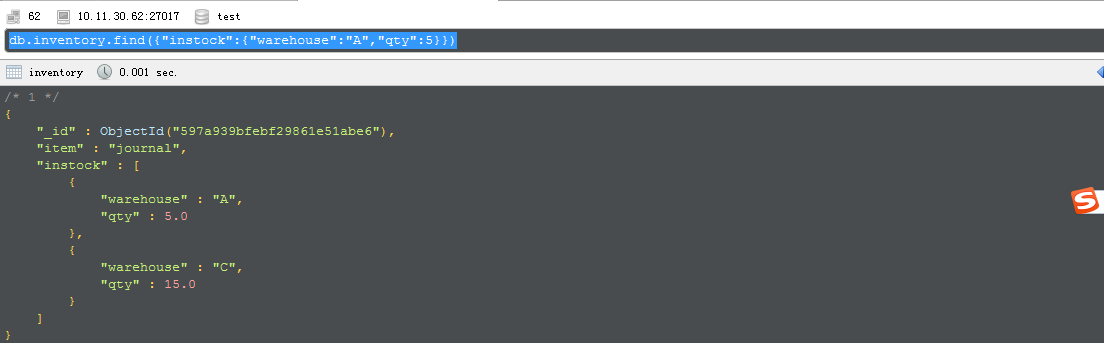
db.inventory.find({"instock":{"warehouse":"A","qty":5}})
3.根据数组索引查找内嵌文档元素
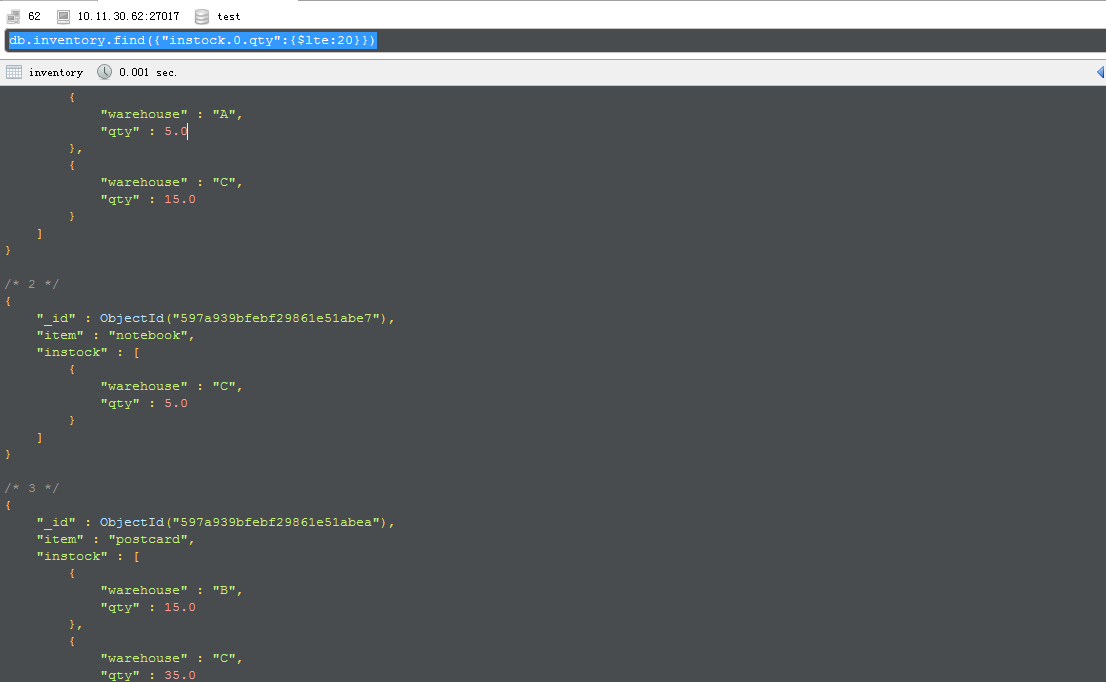
db.inventory.find({"instock.0.qty":{$lte:20}})
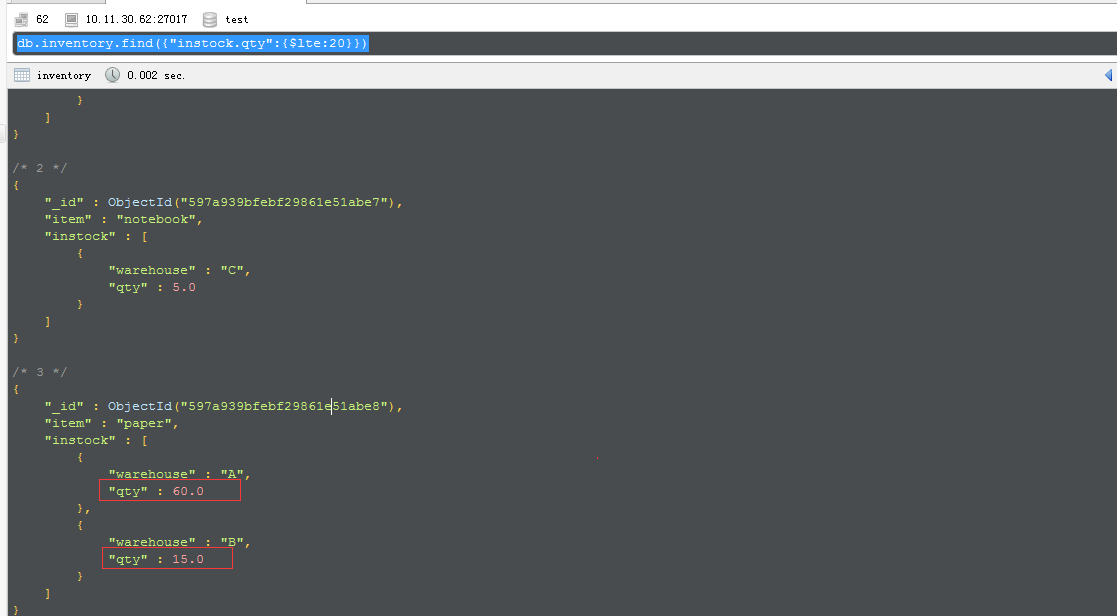
如果不是精确到具体的索引元素,则只要里面满足即可展现
db.inventory.find({"instock.qty":{$lte:20}})
4.使用elemMatch来查找符合数组元素的条件
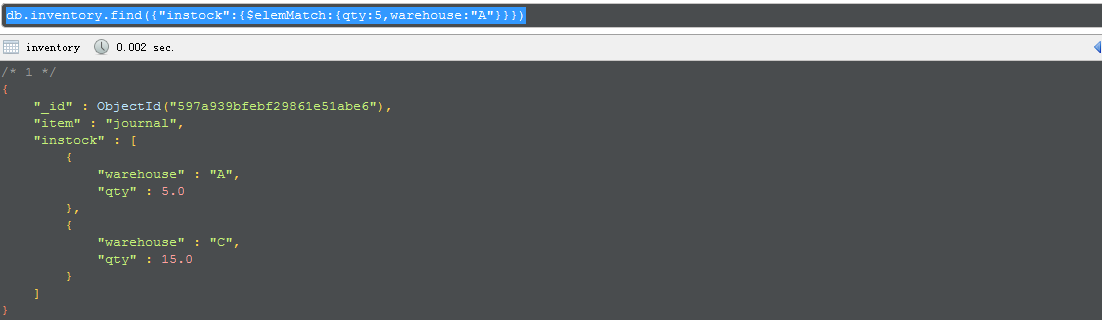
db.inventory.find({"instock":{$elemMatch:{qty:5,warehouse:"A"}}})
5.使用elemMatch查找范围
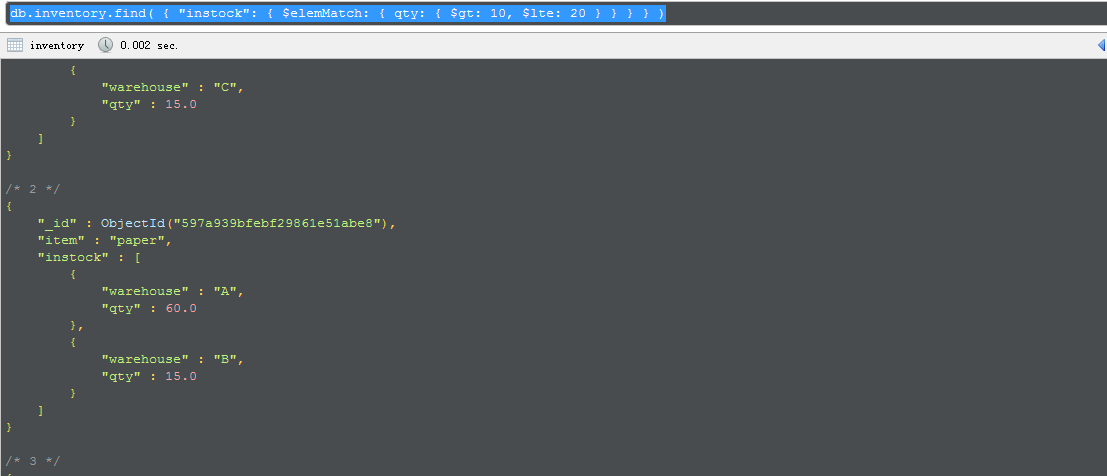
db.inventory.find( { "instock": { $elemMatch: { qty: { $gt: 10, $lte: 20 } } } } )
This page provides examples of query operations on an array of nested documents using thedb.collection.find() method in the mongo shell. The examples on this page use the inventorycollection. To populate the inventory collection, run the following:
db.inventory.insertMany( [

   { item: "journal", instock: [ { warehouse: "A", qty: 5 }, { warehouse: "C", qty: 15 } ] },

   { item: "notebook", instock: [ { warehouse: "C", qty: 5 } ] },

   { item: "paper", instock: [ { warehouse: "A", qty: 60 }, { warehouse: "B", qty: 15 } ] },

   { item: "planner", instock: [ { warehouse: "A", qty: 40 }, { warehouse: "B", qty: 5 } ] },

   { item: "postcard", instock: [ { warehouse: "B", qty: 15 }, { warehouse: "C", qty: 35 } ] }

]);
You can run the operation in the web shell below:
Query for a Document Nested in an Array
The following examples selects all documents where an element in the instock array matches the specified document:
db.inventory.find( { "instock": { warehouse: "A", qty: 5 } } )
Equality matches on the whole embedded/nested document require an exact match of the specified document, including the field order. For example, the following query does not match any documents in theinventory collection:
db.inventory.find( { "instock": { qty: 5, warehouse: "A" } } )
Specify a Query Condition on a Field in an Array of Documents
Use the Array Index to Query for a Field in the Embedded Document
Using the dot notation, you can specify query conditions for field in a document at a particular index or position of the array. The array uses zero-based indexing.
The following example selects all documents where the instock array has as its first element a document that contains the field qty whose value is less than or equal to 20:
db.inventory.find( { 'instock.0.qty': { $lte: 20 } } )
Specify a Query Condition on a Field Embedded in an Array of Documents
If you do not know the index position of the document nested in the array, concatenate the name of the array field, with a dot (.) and the name of the field in the nested document.
The following example selects all documents where the instock array has at least one embedded document that contains the field qty whose value is less than or equal to 20:
db.inventory.find( { 'instock.qty': { $lte: 20 } } )
Specify Multiple Conditions for Array of Documents
When specifying conditions on more than one field nested in an array of documents, you can specify the query such that either a single document meets these condition or any combination of documents (including a single document) in the array meets the conditions.
A Single Nested Document Meets Multiple Query Conditions on Nested Fields
Use $elemMatch operator to specify multiple criteria on an array of embedded documents such that at least one embedded document satisfies all the specified criteria.
The following example queries for documents where the instock array has at least one embedded document that contains both the field qty equal to 5 and the field warehouse equal to A:
db.inventory.find( { "instock": { $elemMatch: { qty: 5, warehouse: "A" } } } )
The following example queries for documents where the instock array has at least one embedded document that contains the field qty that is greater than 10 and less than or equal to 20:
db.inventory.find( { "instock": { $elemMatch: { qty: { $gt: 10, $lte: 20 } } } } )
Combination of Elements Satisfies the Criteria
If the compound query conditions on an array field do not use the $elemMatch operator, the query selects those documents whose array contains any combination of elements that satisfies the conditions.
For example, the following query matches documents where any document nested in the instock array has the qty field greater than 10 and any document (but not necessarily the same embedded document) in the array has the qty field less than or equal to 20:
db.inventory.find( { "instock.qty": { $gt: 10, $lte: 20 } } )
The following example queries for documents where the instock array has at least one embedded document that contains the field qty equal to 5 and at least one embedded document (but not necessarily the same embedded document) that contains the field warehouse equal to A:
db.inventory.find( { "instock.qty": 5, "instock.warehouse": "A" } )
Additional Query Tutorials
For additional query examples, see:
11.Query an Array of Embedded Documents-官方文档摘录的更多相关文章
- 9.Query on Embedded/Nested Documents-官方文档摘录
1.插入案例 db.inventory.insertMany( [ { item: "journal", qty: 25, size: { h: 14, w: 21, uom: & ...
- Cocos Creator 加载和切换场景(官方文档摘录)
Cocos Creator 加载和切换场景(官方文档摘录) 在 Cocos Creator 中,我们使用场景文件名( 可以不包含扩展名)来索引指代场景.并通过以下接口进行加载和切换操作: cc.dir ...
- ng的概念层次(官方文档摘录)
官方文档是这么说的: You write Angular applications by: composing HTML templates with Angularized markup, writ ...
- Cocos Creator 生命周期回调(官方文档摘录)
Cocos Creator 为组件脚本提供了生命周期的回调函数.用户通过定义特定的函数回调在特定的时期编写相关 脚本.目前提供给用户的声明周期回调函数有: onLoad start update la ...
- Cocos Creator 使用计时器(官方文档摘录)
在 Cocos Creator 中,我们为组件提供了方便的计时器,这个计时器源自于 Cocos2d-x 中的 cc.Scheduler,我们将它保留在了 Cocos Creator 中并适配了基于组件 ...
- angular 模板语法(官方文档摘录)
https://angular.cn/guide/template-syntax {{}} 和"" 如果嵌套,{{}}里面求完值,""就是原意 <h3&g ...
- 8.Query Documents-官方文档摘录
总结 1 先插入数据 db.inventory.insertMany([ { item: "journal", qty: 25, size: { h: 14, w: 21, uom ...
- 10.Query an Array-官方文档摘录
1.插入 db.inventory.insertMany([ { item: "journal", qty: 25, tags: ["blank", " ...
- Gora官方文档之二:Gora对Map-Reduce的支持 分类: C_OHTERS 2015-01-31 11:27 232人阅读 评论(0) 收藏
参考官方文档:http://gora.apache.org/current/tutorial.html 项目代码见:https://code.csdn.net/jediael_lu/mygoradem ...
随机推荐
- 兼容IE getElementsByClassName取标签
function getElementsByClassName(className,root,tagName) { //root:父节点,tagName:该节点的标签名. 这两个参数均可有可无 if( ...
- ORACLE 中 TRANSLATE的用法
--TRANSLATE(string,from_str,to_str) --to_str和from_str中的字符一一对应 --如果string里有,from_str字符集里没有的字符,将保留 --如 ...
- deepin linux 下C开发环境配置
# deepin linux 下C开发环境配置 ## 前言-----------------------------deepin操作系统商店默认提供了 eclipse for c\c++但是系统没有提 ...
- OSI七层模型与TCP/IP五层模型详解
博主是搞是个FPGA的,一直没有真正的研究过以太网相关的技术,现在终于能静下心学习一下,希望自己能更深入的掌握这项最基本的通信接口技术.下面就开始搞了. 一.OSI参考模型 今天我 ...
- iOS swift跑马灯滚动可以点击
跑马灯,从右至左循环滚动显示信息,并且支持点击事件,使用swift4.0语法完成,更加简介,通用性强,布局部分全部使用snpkit 代码: // // HXQMarqueeView.swift // ...
- lua工具库penlight--07函数编程(一)
函数编程 序列 Lua 迭代器 (最简单的形式) 是一个函数,可以多次调用返回一个或多个值.for in语句理解迭代器和循环,直到该函数将返回nil. Lua有标准的序列迭代器 (ipairs和pai ...
- datagrid多复选框
<!DOCTYPE html><html><head> <meta charset="UTF-8"> <title>Ch ...
- cocos2dx-是男人就坚持20s 练手项目
前言 前段时间心血来潮看了下app游戏方面的东西 ,对比了下各种技术和市场招聘情况,赶脚cocos2dx在2D游戏方向还算是大有所为,遂找了几个基础教程看看了解了解.并附上一个简单demo作为成果 准 ...
- Vector类与Enumeration接口
Vector类用于保存一组对象,由于java不支持动态数组,Vector可以用于实现跟动态数组差不多的功能.如果要将一组对象存放在某种数据结构中,但是不能确定对象的个数时,Vector是一个不错的选择 ...
- Android开发人员必须掌握的10 个开发工具+应该深入学习的10个开源应用项目
一.Android开发人员必须掌握的10 个开发工具 Android SDK 本身包含很多帮助开发人员设计.开发.测试和发布 Android 应用的工具,在本文中,我们将讨论 10 个最常用的工具. ...