
Cyber Security - Palo Alto Basic Introduction
Preparation of the Lab Environment:
Download and Install Pan-OS from the following website https://docs.gns3.com/appliances/pan-vm-fw.html or https://me.csdn.net/download/hotbrandon
URL https://IP
Default Username/Password: admin/admin
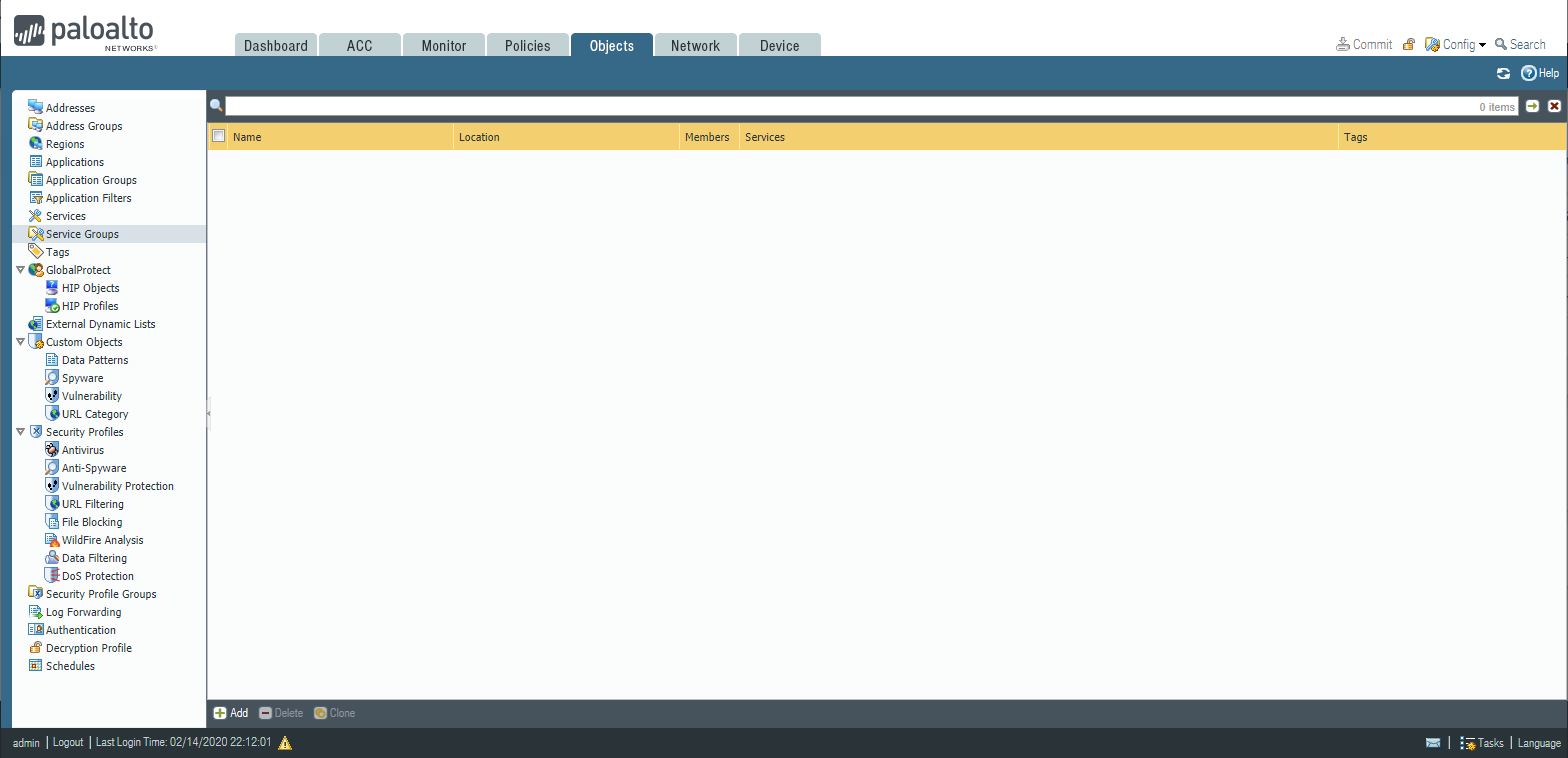
PAN-OS 8 Configuration Tabs:
- Object tab: Configure Firewall objects(address - services - object groups)
- Policy tab: Configure Firewall policies(security -NAT -QoS - PBR)
- Network tab: Configure Firewall interfaces and routing settings
- Device tab: Perform maintenance tasks and administrative tasks.
- Configuration backup and restore.
- High availability.
- Users and administrators.
- Directory synchronization(Active Directory)
PAN-OS 8 Monitoring Tabs:
- ACC Tab: Application command center overview
- Monitor tab: User traffic monitoring based on applied policies
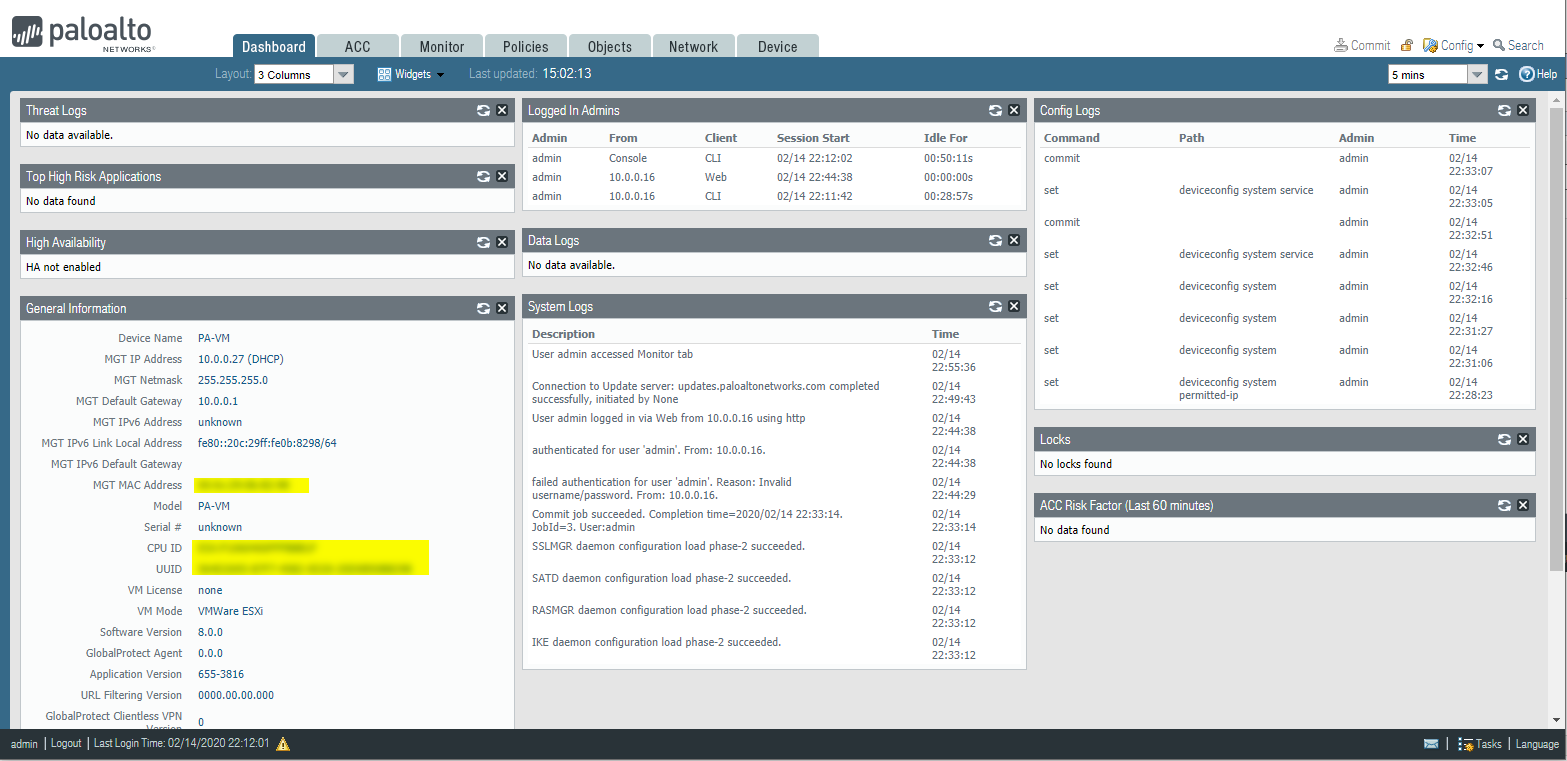
Dashboard:
Console - Based Administration
Action commands - show, request, test, configure
CLI structure:{action}{section}{element}
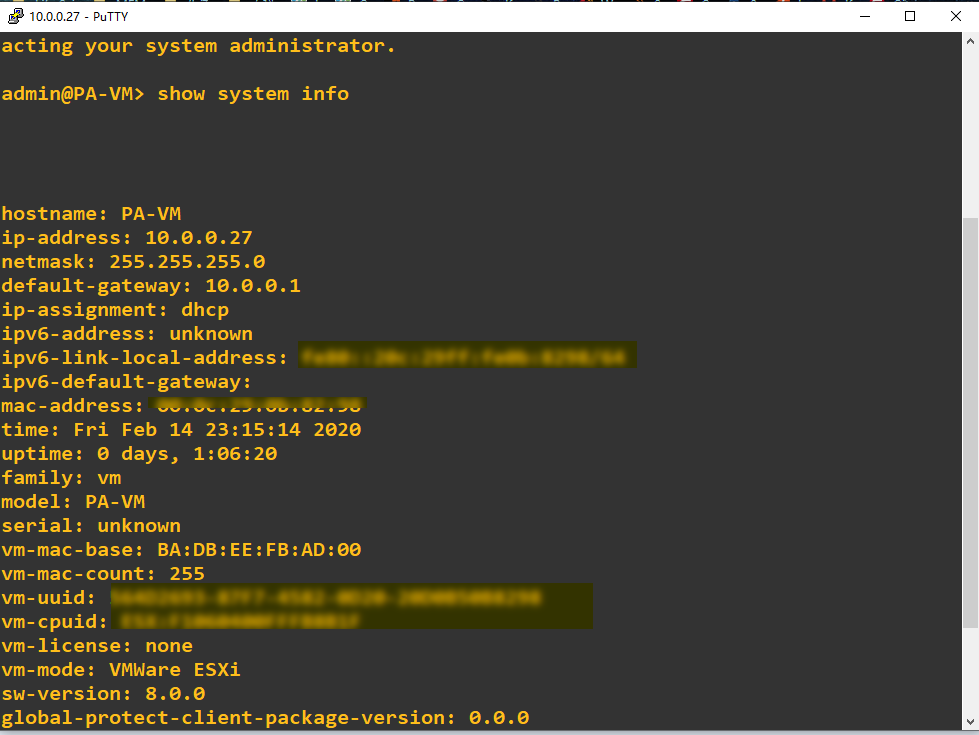
show:
show system info
request:
request system restart

Test:
test vpn ike-sa gateway {name}

test vpn ipsec-sa gateway {name}

Device Management Overview
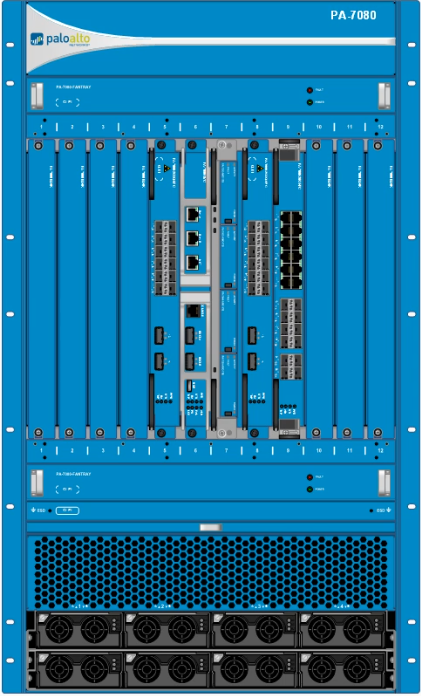
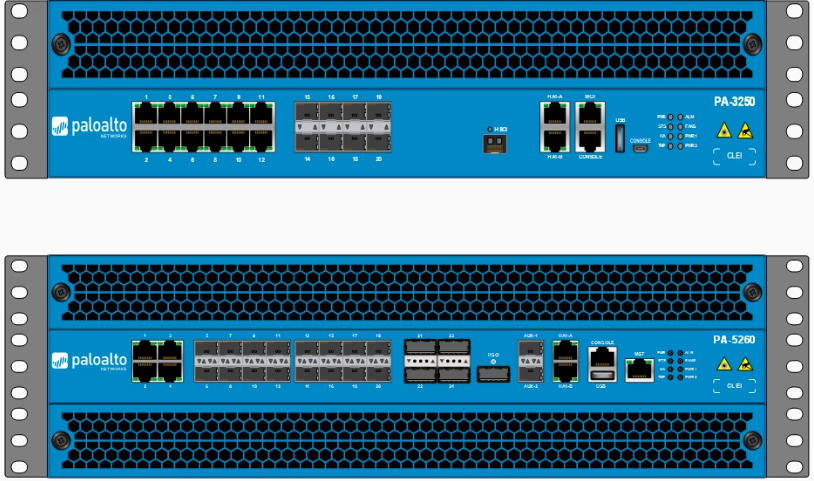
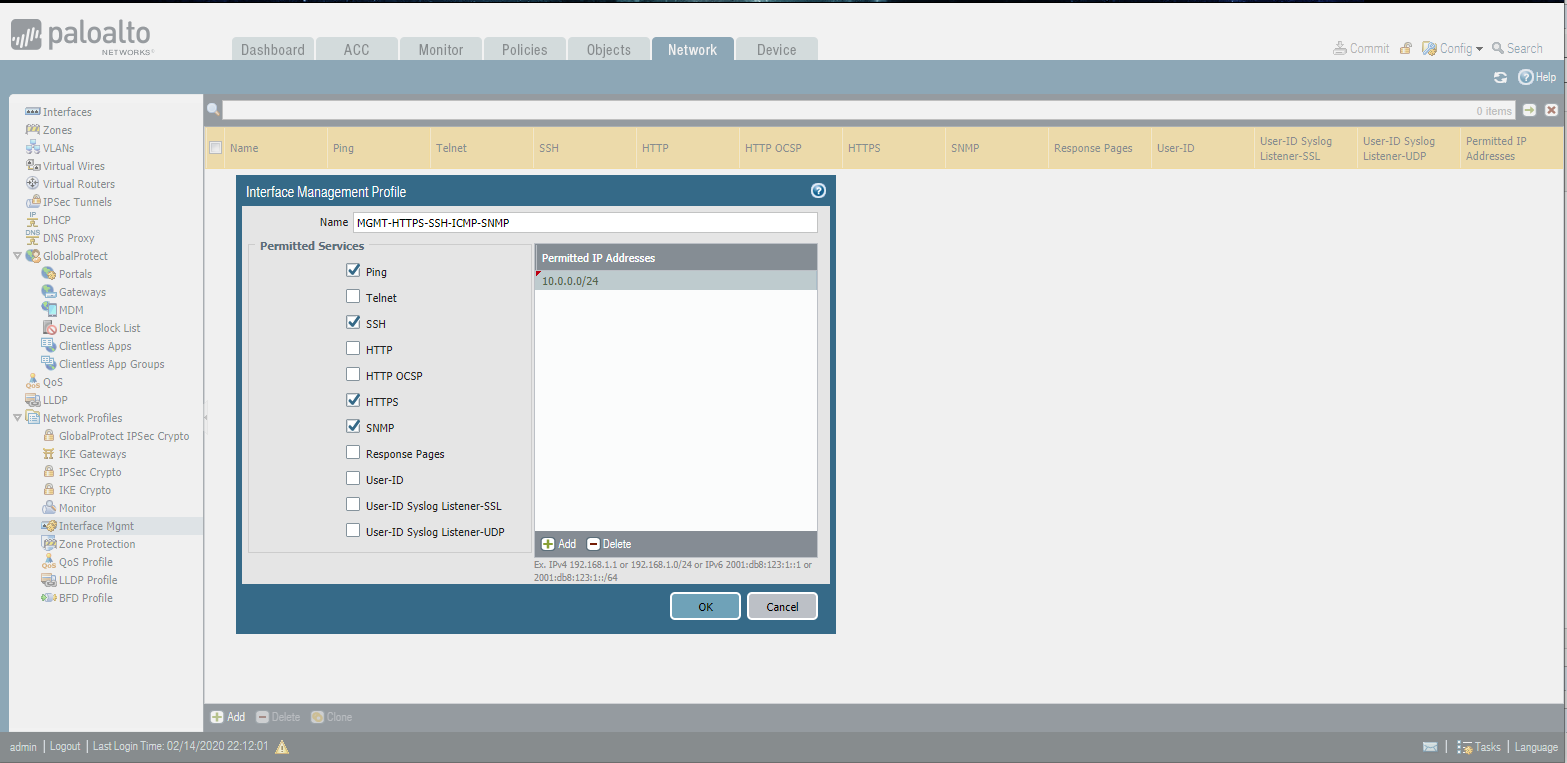
Interface Management Profile
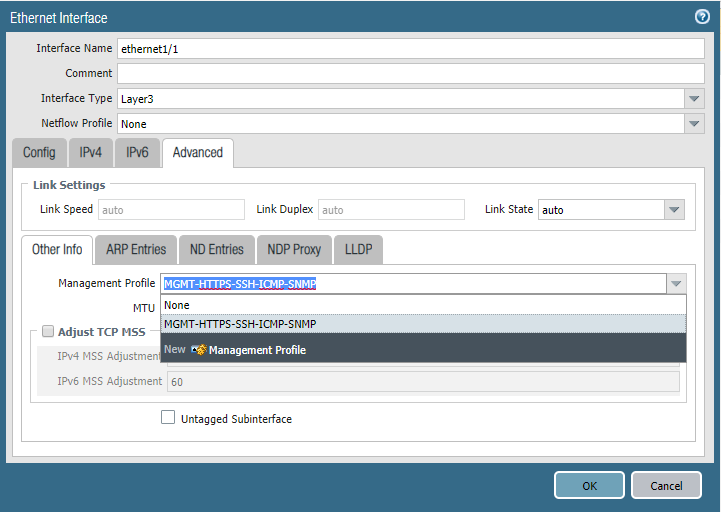
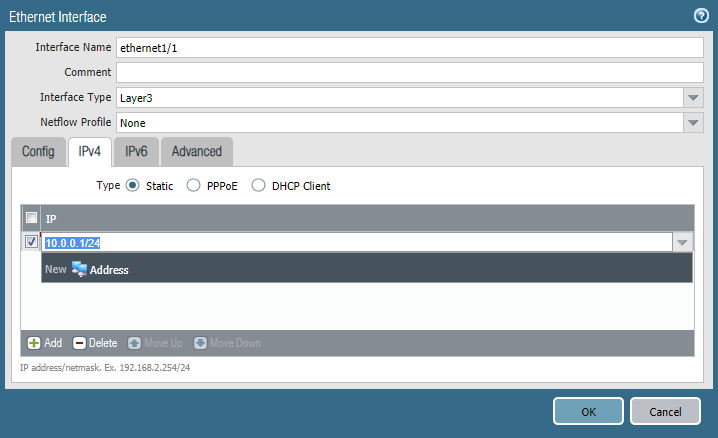
Ethernet Interface
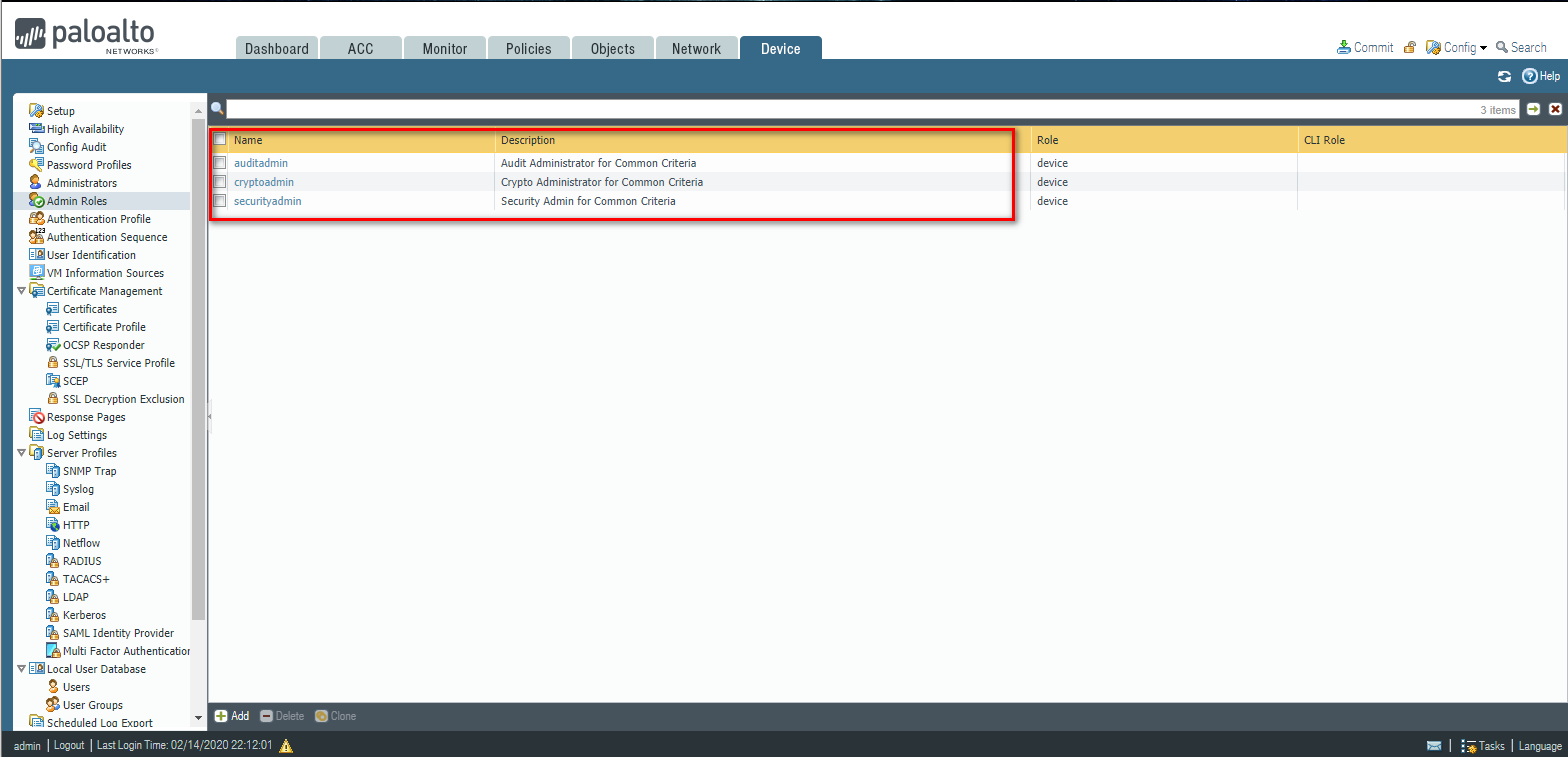
Local admin
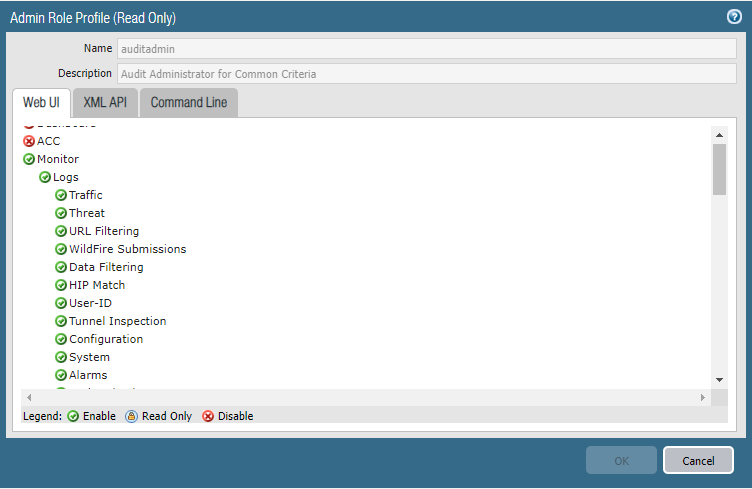
Create a new Role Profile(All function except Policies, Objects, Device, and Privacy.)
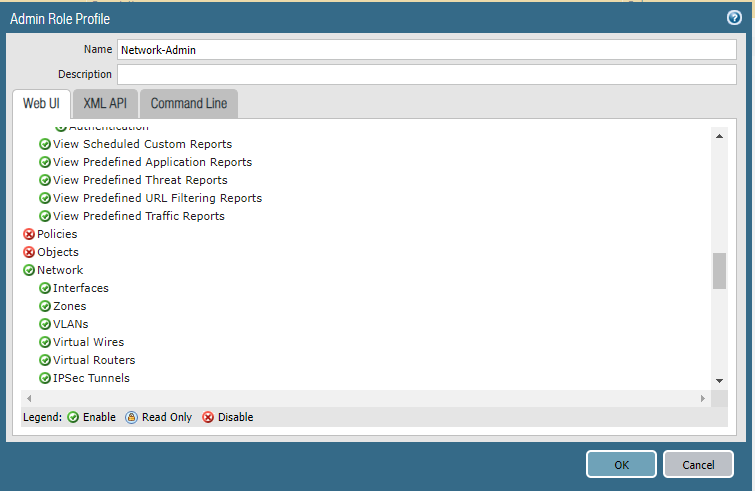
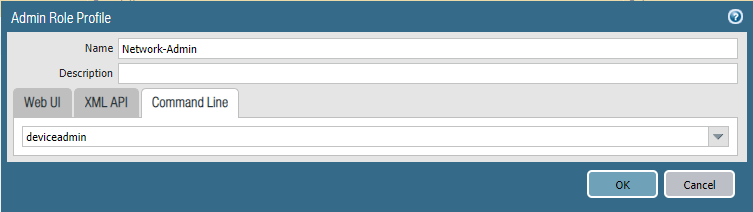
Add a new network administrator.

Cyber Security - Palo Alto Basic Introduction的更多相关文章
- Cyber Security - Palo Alto Firewall Objects Addresses, Services, and Groups(3)
LDAP Authentication and Remote Users and Groups Create Remote User Objects and LDAP Integration: sam ...
- Cyber Security - Palo Alto Firewall Objects Addresses, Services, and Groups(1)
Address Objects and Groups Creating address objects. Organizing address objects with address groups ...
- Cyber Security - Palo Alto Firewall Interface Types
Multiple options to integrate the Palo Alto Firewall into your: Network Layer 2 interfaces and VLAN ...
- Cyber Security - Palo Alto Security Policies(2)
Task 3 The SOC(Security Operation Center) monitoring team dashboard reported more 1,000 requests to ...
- Cyber Security - Palo Alto Security Policies(1)
Security policies: Enforcing network traffic by configuring rules of what is allowed or denied to co ...
- Cyber Security - Palo Alto Firewall V-Wires
Leveraging V-Wires Bridge two physical connections and apply security Policies without influencing a ...
- Cyber Security - Palo Alto Firewall Security Zones
Firewall Security Zones Zones: The foundational aspect of every Firewall. Police network traffic Enf ...
- Cyber Security - Palo Alto Firewall Objects Addresses, Services, and Groups(2)
Users Objects and Groups Creating local user objects. Creating local user groups. https://docs.paloa ...
- Palo Alto GlobalProtect上的PreAuth RCE
0x00 前言 SSL VPN虽然可以保护企业资产免受互联网被攻击的风险影响,但如果SSL VPN本身容易受到攻击呢?它们暴露在互联网上,可以可靠并安全地连接到内网中.一旦SSL VPN服务器遭到入侵 ...
随机推荐
- SQL去掉重复数据
SELECT vc_your_email,vc_our_ref_or_code INTO #tmp FROM( SELECT vc_your_email,vc_our_ref_or_code,ROW_ ...
- 事务的特性ACID、隔离级别
1.事务特性ACID 1.1 事务的四大特性 1.原子性(Atomicity) 事务包装的一组sql,要么都执行成功,要么都失败.这些操作是不可分割的. 2.一致性(Consistency) 数据库的 ...
- 懂了!VMware/KVM/Docker原来是这么回事儿
云计算时代,计算资源如同小马哥当年所言,已经成为了互联网上的水和电. 虚拟主机.web服务器.数据库.对象存储等等各种服务我们都可以通过各种各样的云平台来完成. 而在云计算欣欣向荣的背后,有一个重要的 ...
- DOM对象增删元素
<!DOCTYPE html><html lang="en"><head> <meta charset="UTF-8" ...
- Spring Security(一) —— Architecture Overview
摘要: 原创出处 https://www.cnkirito.moe/spring-security-1/ 「老徐」欢迎转载,保留摘要,谢谢! 1 核心组件 一直以来我都想写一写Spring Secur ...
- Git超详细用法,通俗易懂
创建本地仓库 和 远端共享仓库 直接下载安装包:Git下载地址 安装 git,查看 git 版本,git version 配置项目的 git 账号 git config --global user.n ...
- rpm部分命令解读
rpm部分命令解读 rpm---RedHat Package Manger---打包及安装工具 rpm参数列表 rpm -a rpm -q < rpm package name> 解读 ...
- tyvj 1198 矩阵连乘——区间dp
tyvj 1198 矩阵连乘 题目描述 一个n*m矩阵由n行m列共n*m个数排列而成.两个矩阵A和B可以相乘当且仅当A的列数等于B的行数.一个N*M的矩阵乘以一个M*P的矩阵等于一个N*P的矩阵,运算 ...
- 二叉树的深度(剑指offer-38)
题目描述 输入一棵二叉树,求该树的深度.从根结点到叶结点依次经过的结点(含根.叶结点)形成树的一条路径,最长路径的长度为树的深度. 递归解析: 思路: 从根节点出发,查询左子树的深度,获取右子树的深度 ...
- Vue防止按钮重复提交
参考了:https://www.cnblogs.com/adbg/p/11271237.html 方法:使用全局指令的方式. 一.新建指令 1.我们首先新建一个js文件,例如起名为plugins.js ...