
Springboot整合SpringSecurity--对静态文件进行权限管理
文章目录
一、要求
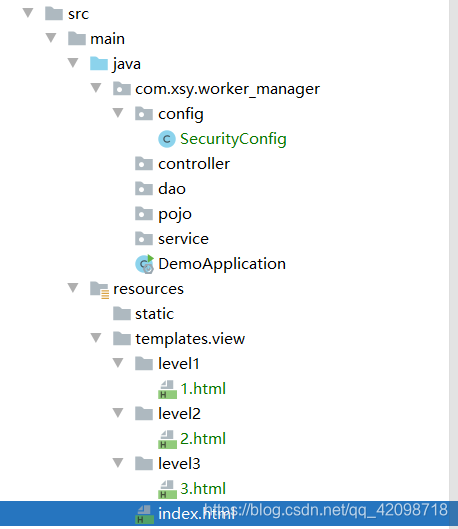
index.html 可以被所有用户访问
1.html只能被VIP1访问
2.html只能被VIP2访问
3.html只能被VIP3访问
没有权限跳到登录页
二、依赖管理
- springboot 2.2.5
- spring security 5.2.4
pom.xml需要的依赖如下:
	<dependencies>

		<!--web-->

		<dependency>

			<groupId>org.springframework.boot</groupId>

			<artifactId>spring-boot-starter-web</artifactId>

		</dependency>

		<!--security-->

		<dependency>

			<groupId>org.springframework.boot</groupId>

			<artifactId>spring-boot-starter-security</artifactId>

		</dependency>

	</dependencies>
三、配置config文件
我们先看看官网的教程:spring security 5.2.4 配置教程
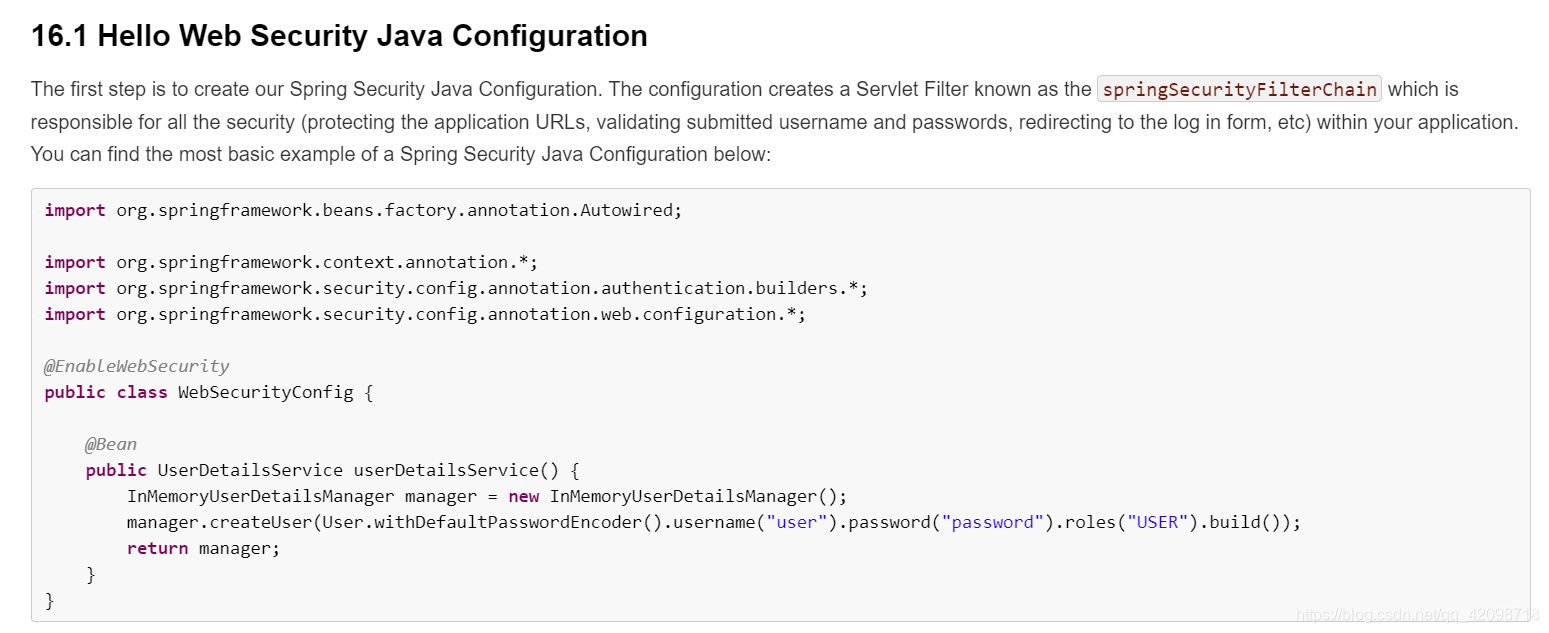
模拟官网教程配置如下:
package com.xsy.worker_manager.config;

import org.springframework.security.config.annotation.authentication.builders.AuthenticationManagerBuilder;

import org.springframework.security.config.annotation.web.builders.HttpSecurity;

import org.springframework.security.config.annotation.web.configuration.EnableWebSecurity;

import org.springframework.security.config.annotation.web.configuration.WebSecurityConfigurerAdapter;

import org.springframework.security.crypto.bcrypt.BCryptPasswordEncoder;

@EnableWebSecurity // 开启web security服务

public class SecurityConfig extends WebSecurityConfigurerAdapter {

    //请求认证的规则

    @Override

    protected void configure(HttpSecurity http) throws Exception {

        //首页可以访问,功能页只有有权限的人才能访问

        http.authorizeRequests()

                .antMatchers("/").permitAll()

                .antMatchers("/level1/**").hasRole("vip1")

                .antMatchers("/level2/**").hasRole("vip2")

                .antMatchers("/level3/**").hasRole("vip3");

        //没有权限跳到登录页 /login,登陆后跳到主页

        http.formLogin();

        //开启注销功能 /logout, 注销后跳到首页

        http.logout().logoutSuccessUrl("/index.html");

        //开启记住我功能

        http.rememberMe();

    }

    //授权

    //密码编码

    //spring security 5.0+要密码加密

    @Override

    protected void configure(AuthenticationManagerBuilder auth) throws Exception {

        //将用户信息放到内存里

        auth.inMemoryAuthentication().passwordEncoder(new BCryptPasswordEncoder()).

                withUser("xsy").password(new BCryptPasswordEncoder().encode("123456")).roles("vip3").

        and().withUser("csy").password(new BCryptPasswordEncoder().encode("123456")).roles("vip2").

        and().withUser("sy").password(new BCryptPasswordEncoder().encode("123456")).roles("vip1");

    }

}
四、扩展
如果需要在后台接口设置权限,则需要在config配置文件上使用如下注解:
@EnableGlobalMethodSecurity(prePostEnabled = true)
然后直接在contoller的接口方法上添加注解如下:
@PreAuthorize("hasRole('vip1')")
Springboot整合SpringSecurity--对静态文件进行权限管理的更多相关文章
- SpringBoot整合SpringSecurity示例实现前后分离权限注解
SpringBoot 整合SpringSecurity示例实现前后分离权限注解+JWT登录认证 作者:Sans_ juejin.im/post/5da82f066fb9a04e2a73daec 一.说 ...
- (十三)整合 SpringSecurity 框架,实现用户权限管理
整合 SpringSecurity 框架,实现用户权限管理 1.Security简介 1.1 基础概念 1.2 核心API解读 2.SpringBoot整合SpringSecurity 2.1 流程描 ...
- Springboot 整合ApachShiro完成登录验证和权限管理
1.前言 做一个系统最大的问题就是安全问题以及权限的问题,如何正确的选择一个安全框架对自己的系统进行保护,这方面常用的框架有SpringSecurity,但考虑到它的庞大和复杂,大多数公司还是会选择 ...
- 9、SpringBoot整合之SpringBoot整合SpringSecurity
SpringBoot整合SpringSecurity 一.创建项目,选择依赖 选择Spring Web.Thymeleaf即可 二.在pom文件中导入相关依赖 <!-- 导入SpringSecu ...
- boke练习: springboot整合springSecurity出现的问题,传递csrf
boke练习: springboot整合springSecurity出现的问题,传递csrf freemarker模板 在html页面中加入: <input name="_csrf&q ...
- SpringBoot整合Shiro实现基于角色的权限访问控制(RBAC)系统简单设计从零搭建
SpringBoot整合Shiro实现基于角色的权限访问控制(RBAC)系统简单设计从零搭建 技术栈 : SpringBoot + shiro + jpa + freemark ,因为篇幅原因,这里只 ...
- SpringBoot整合SpringSecurity简单实现登入登出从零搭建
技术栈 : SpringBoot + SpringSecurity + jpa + freemark ,完整项目地址 : https://github.com/EalenXie/spring-secu ...
- (十二)整合 Shiro 框架,实现用户权限管理
整合 Shiro 框架,实现用户权限管理 1.Shiro简介 1.1 基础概念 1.2 核心角色 1.3 核心理念 2.SpringBoot整合Shiro 2.1 核心依赖 2.2 Shiro核心配置 ...
- SpringBoot整合SpringSecurity实现JWT认证
目录 前言 目录 1.创建SpringBoot工程 2.导入SpringSecurity与JWT的相关依赖 3.定义SpringSecurity需要的基础处理类 4. 构建JWT token工具类 5 ...
随机推荐
- SpringBoot — HelloWorld开发部署
springboot官方推荐使用jdk1.8 一.配置pom.xml 二.Application.java 三.HelloController.java 四.项目运行: Application.jav ...
- 30_栈的定义.swf
上面的局部变量 i int*p中的p指针变量,是在栈中分配的,malloc申请的内存是在堆中分配的,动态申请的都在堆中分配的. 栈是一种数据存储的结果,先进后出的数据结构.
- SSH网上商城一
Java高级项目之SSH网上商城项目实战: 1.采用目前最主流的三大框架开发即Struts2+Spring+Hibernate框架整合开发.2.通过AJAX技术提供良好的用户体验.3.提供了邮箱激活的 ...
- redis高级命令1
设置name的过期时间是20秒 redis默认是16个数据库,默认是将数据存储在第0个数据库中 因为默认是0,当你选择其他数据的时候,是没有值的
- Ubuntu k80深度学习环境搭建
英伟达驱动安装 英伟达驱动下载:https://www.nvidia.cn/Download/driverResults.aspx/135493/cn/ 由于是驱动的冲突,那么自然是要杀掉和显卡结合不 ...
- Docker(五)Docker镜像讲解
Docker镜像讲解 镜像概念 镜像是一种轻量级.可执行的独立软件包,用来打包软件运行环境和基于运行环境开发的软件,它包含运行某个软件所需的所有内容,包括代码.运行时.库.环境变量和配置文件 Dock ...
- 我的.net开发百宝箱
一.Resharper http://www.jetbrains.com/resharper/ 最强悍的VisualStudio的插件,它包括一系列丰富的,能大大增加C#和Visual Basic . ...
- SDL软件安全读书笔记(一)
# 如何应对当前的全球网络安全威胁? 开发安全漏洞尽可能少的软件,应该着眼于源头安全. 边界安全盒深度防御是重要的安全手段,但软件自身的安全是安全防护的第一关. 即使软件源头存在较少的漏洞,这些漏洞也 ...
- py4j.protocol.Py4JJavaError: An error occurred while calling z:org.apache.spark.api.python.PythonRDD.collectAndServe. : java.lang.IllegalArgumentException: Unsupported class file major version 55
今天小编用Python编写Spark程序报了如下异常: py4j.protocol.Py4JJavaError: An error occurred while calling z:org.apach ...
- 全栈的自我修养: 001环境搭建 (使用Vue,Spring Boot,Flask,Django 完成Vue前后端分离开发)
全栈的自我修养: 环境搭建 Not all those who wander are lost. 彷徨者并非都迷失方向. Table of Contents @ 目录 前言 环境准备 nodejs v ...