
Unity3D_(API)场景切换SceneManager
Unity场景切换SceneManager 官方文档:传送门
静态方法
创建场景
GetActiveScene Gets the currently active Scene.
GetSceneAt Get the Scene at index in the SceneManager's list of loaded Scenes.
GetSceneByName Searches through the Scenes loaded for a Scene with the given name.
GetSceneByPath Searches all Scenes loaded for a Scene that has the given asset path.
LoadScene Loads the Scene by its name or index in Build Settings.
LoadSceneAsync Loads the Scene asynchronously in the background.
MergeScenes This will merge the source Scene into the destinationScene.
MoveGameObjectToScene Move a GameObject from its current Scene to a new Scene.
SetActiveScene Set the Scene to be active.
UnloadSceneAsync Destroys all GameObjects associated with the given Scene and removes the Scene from the SceneManager
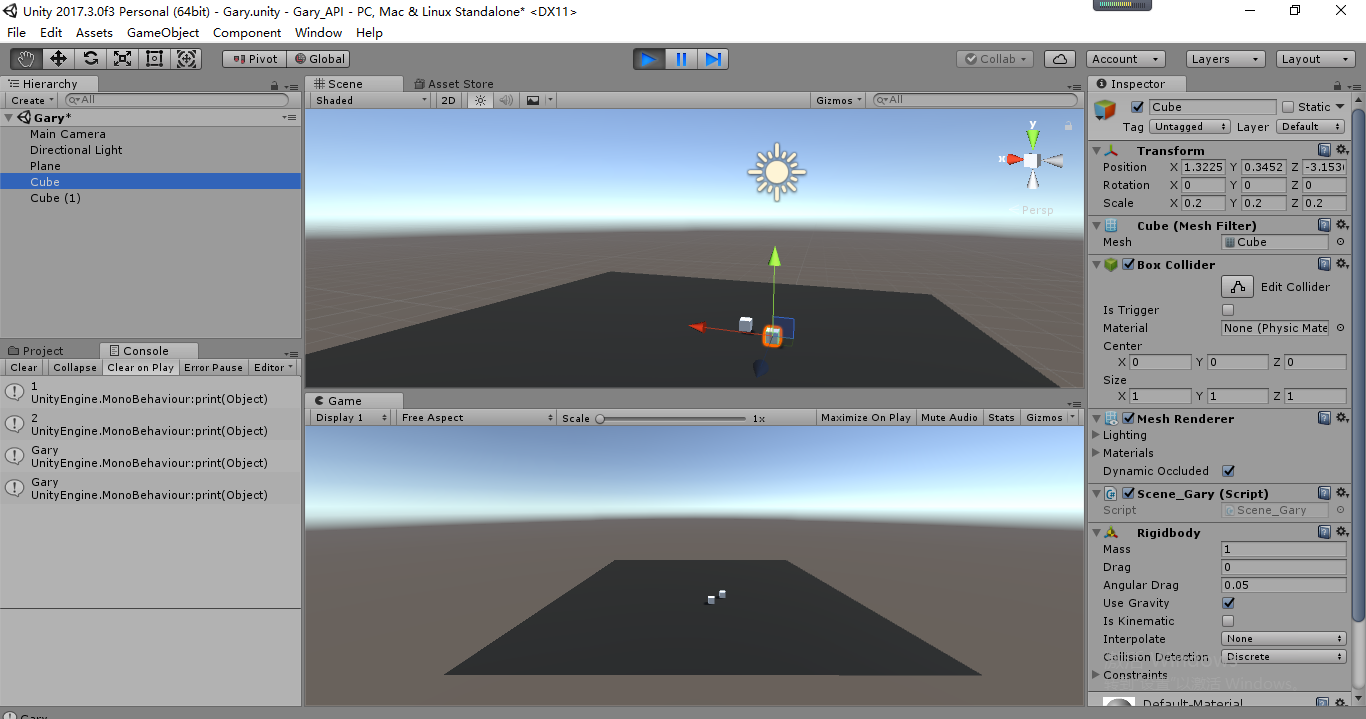
using System.Collections;

using System.Collections.Generic;

using UnityEngine;

using UnityEngine.SceneManagement;

public class Scene_Gary : MonoBehaviour {

    // Use this for initialization

    void Start () {

        //获得当前场景中的数量

        print(SceneManager.sceneCount);

        //获得BuildSettings中的名字

        print(SceneManager.sceneCountInBuildSettings);

        //获得当前激活场景名字

        print(SceneManager.GetActiveScene().name);

        print(SceneManager.GetSceneAt().name);

        SceneManager.activeSceneChanged += OnActiveSceneChanged;

        SceneManager.sceneLoaded += OnSceneLoaded;

    }

    void OnActiveSceneChanged(Scene a, Scene b)

    {

        print(a.name);

        print(b.name);

    }

    void OnSceneLoaded(Scene a ,LoadSceneMode mode)

    {

        print(a.name+" "+mode);

    }

    // Update is called once per frame

    void Update () {

        if (Input.GetKeyDown(KeyCode.Space))

        {

            //SceneManager.LoadScene(0);

            SceneManager.LoadScene(SceneManager.GetSceneByBuildIndex().name);

        }

    }

}
Scene_Gary.cs
     //获得当前场景中的数量

        print(SceneManager.sceneCount);

        //获得BuildSettings中的名字

        print(SceneManager.sceneCountInBuildSettings);

        //获得当前激活场景名字

        print(SceneManager.GetActiveScene().name);

        print(SceneManager.GetSceneAt().name);

        SceneManager.activeSceneChanged += OnActiveSceneChanged;

        SceneManager.sceneLoaded += OnSceneLoaded;
    void OnActiveSceneChanged(Scene a, Scene b)

    {

        print(a.name);

        print(b.name);

    }

    void OnSceneLoaded(Scene a ,LoadSceneMode mode)

    {

        print(a.name+" "+mode);

    }


   //重新加载场景

  //SceneManager.LoadScene(0);

  SceneManager.LoadScene(SceneManager.GetSceneByBuildIndex().name);
using System.Collections;

using System.Collections.Generic;

using UnityEngine;

using UnityEngine.SceneManagement;

public class Scene_Gary : MonoBehaviour {

    // Use this for initialization

    void Start () {

        SceneManager.sceneLoaded += this.OnSceneLoader;

    }

    //当场景加载出来调用触发的事件

    void OnSceneLoader(Scene scene,LoadSceneMode mode)

    {

        Debug.Log("Hello Gary~");

    }

    // Update is called once per frame

    void Update () {

        //加载场景

        SceneManager.LoadScene("Gary2");

        //获得当前场景

        Scene scene = SceneManager.GetActiveScene();

        //重新加载当前场景

        SceneManager.LoadScene(SceneManager.GetActiveScene().buildIndex);

    }

}
Scene_Gary.cs
    void Start () {

        //将OnSceneLoader()方法添加到场景管理类

        SceneManager.sceneLoaded += this.OnSceneLoader;

    }

    //当场景加载出来调用触发的事件

    void OnSceneLoader(Scene scene,LoadSceneMode mode)

    {

        Debug.Log("Hello Gary~");

    }
| CreateScene | Create an empty new Scene at runtime with the given name. |
| GetActiveScene | Gets the currently active Scene. |
| GetSceneAt | Get the Scene at index in the SceneManager's list of loaded Scenes. |
| GetSceneByBuildIndex | Get a Scene struct from a build index. |
| GetSceneByName | Searches through the Scenes loaded for a Scene with the given name. |
| GetSceneByPath | Searches all Scenes loaded for a Scene that has the given asset path. |
| LoadScene | Loads the Scene by its name or index in Build Settings. |
| LoadSceneAsync | Loads the Scene asynchronously in the background. |
| MergeScenes | This will merge the source Scene into the destinationScene. |
| MoveGameObjectToScene | Move a GameObject from its current Scene to a new Scene. |
| SetActiveScene | Set the Scene to be active. |
| UnloadSceneAsync | Destroys all GameObjects associated with the given Scene and removes the Scene from the SceneManager. |
场景构建
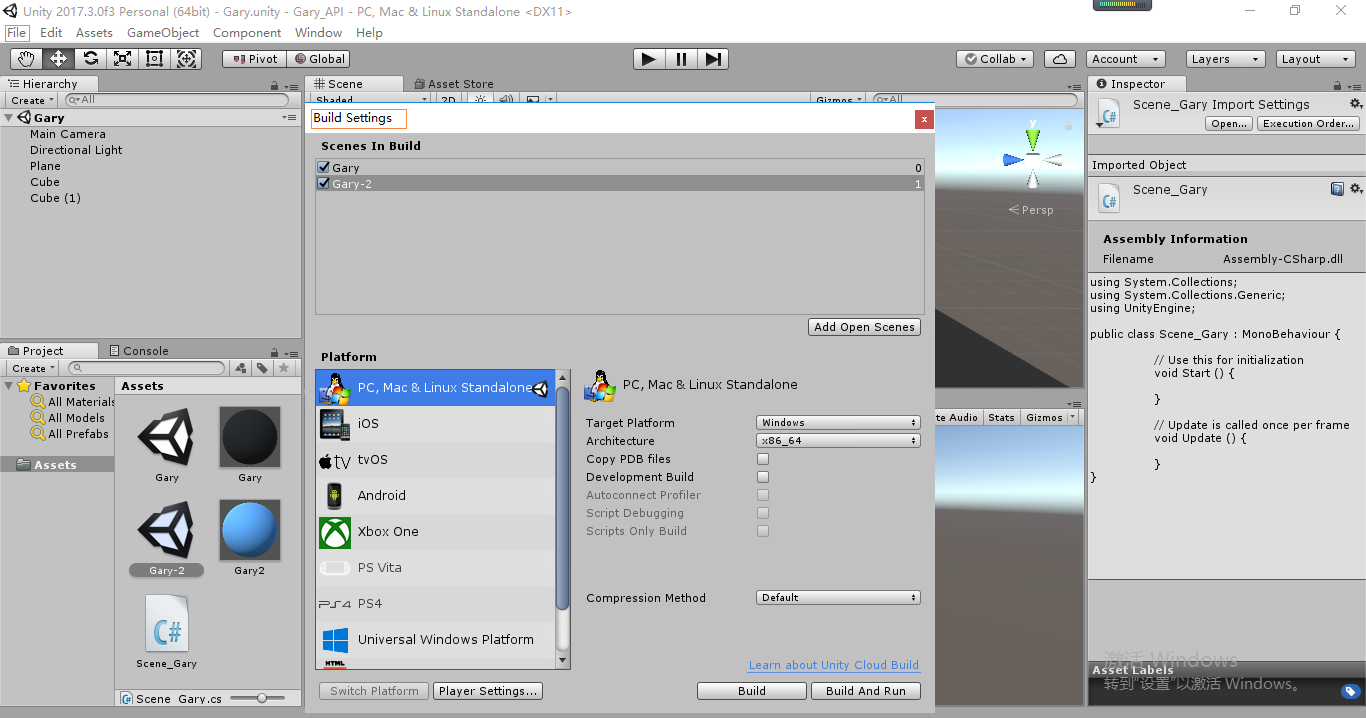
File->Build Settings
将场景放到Scenes In Build中,默认第一个场景index下标是0
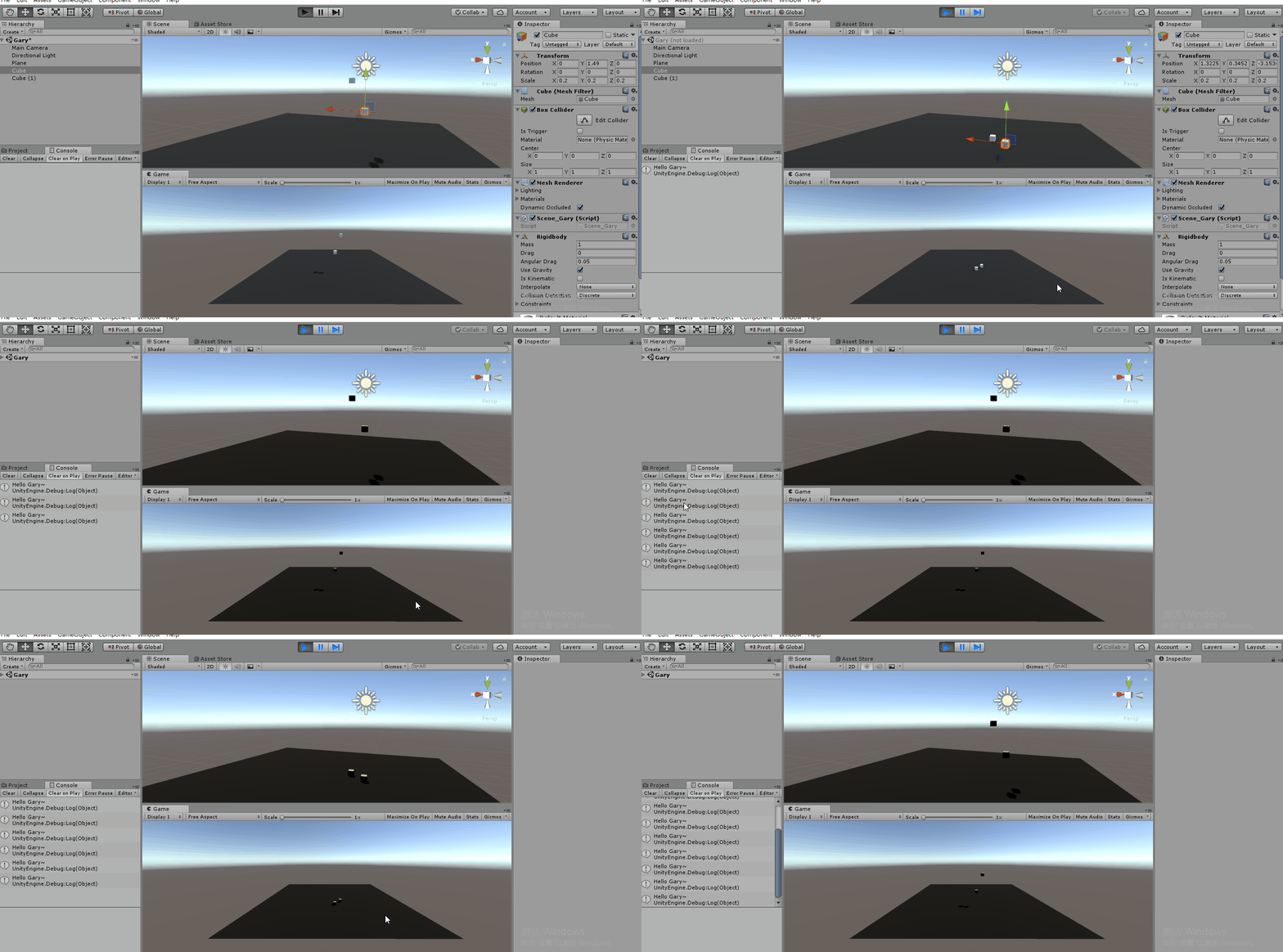
按下空格,加载下标为0的场景(Gary.scene)
通过OnSceneLoader()方法,触发加载场景触发的事件
using System.Collections;

using System.Collections.Generic;

using UnityEngine;

using UnityEngine.SceneManagement;

public class Scene_Gary : MonoBehaviour {

    // Use this for initialization

    void Start () {

        //将OnSceneLoader()方法添加到场景管理类

        SceneManager.sceneLoaded += this.OnSceneLoader;

    }

    //当场景加载出来调用触发的事件

    void OnSceneLoader(Scene scene,LoadSceneMode mode)

    {

        Debug.Log("Hello Gary~");

    }

    // Update is called once per frame

    void Update () {

        if (Input.GetKeyDown(KeyCode.Space))

        {

            SceneManager.LoadScene();

        }

    }

}
Scene_Gary.cs
Unity3D_(API)场景切换SceneManager的更多相关文章
- Unity 之 场景切换
Application.LoadLevel();//场景名称或索引,删除掉原场景的所有东西 Application.LoadLevelAdditive()//添加并加载场景,不删除当前场景的物体, ...
- Unity 中场景切换
Unity游戏开发中,单个Scene解决所有问题似乎不可能,那么多个Scene之间的切换是必然存在.如果仅仅是切换,似乎什么都好说,但是在场景比较大的时候不想让玩家等待加载或者说场景与场景之间想通过一 ...
- 动画间隔AnimationInterval 场景切换、图层叠加
从这一个月的学习进度上来看算比较慢的了,从开始学习C++到初试cocos,这也是我做过的比较大的决定,从工作中里挤出时间来玩玩自己喜欢的游戏开发也是一件非常幸福的事情,虽然现在对cocos的了解还只是 ...
- unity 之 场景切换进度条显示
一.UI.建立slider适当更改即可: 二.新增loadScene脚本,用来进行场景切换,将其绑定任意物体上面.博主以放置主相机为例.参数分别为进度条(用来设置value值),显示进度文本text: ...
- 【Cocos2d-x 3.x】 场景切换生命周期、背景音乐播放和场景切换原理与源码分析
大部分游戏里有很多个场景,场景之间需要切换,有时候切换的时候会进行背景音乐的播放和停止,因此对这块内容进行了总结. 场景切换生命周期 场景切换用到的函数: bool Setting::init() { ...
- texturepacker打包图片,场景切换时背景图有黑边
在使用TexturePacker打包图片之后,背景图在场景切换(有切换动画)时,明显能看到有黑边,在百度之后解决了. 知乎上边有网友贴出了两种解决方法,我抄过来如下: 第一种: 修改 ccConfig ...
- cocos2d-x 帧循环不严谨造成场景切换卡顿
最近在用cocos2d-x做引导界面,2dx版本是2.2.3,场景切换加上了效果,所有资源都已经使用texturepacker打包预加载,但是在实际运行调试中,场景切换相当卡顿. 各种纠结后,无意中将 ...
- 自制Unity小游戏TankHero-2D(5)声音+爆炸+场景切换+武器弹药
自制Unity小游戏TankHero-2D(5)声音+爆炸+场景切换+武器弹药 我在做这样一个坦克游戏,是仿照(http://game.kid.qq.com/a/20140221/028931.htm ...
- JavaScript强化教程 -- cocosjs场景切换
场景切换 在main.js,将StartScene作为我们初始化运行的场景,代码如下: cc.LoaderScene.preload(g_resources, function () { cc.dir ...
随机推荐
- CentOS7通过YUM安装MySQL5.6
检查系统中的 MySQL,并删除现有的 Mysql 软件包. $ rpm -qa | grep mysql 这里如果没有返回任何东西证明没有安装任何 MySQL 相关的应用.如下图: 由于 cento ...
- 1.bash总体介绍
1.总体介绍1.1 什么是Bash?Bash(Borune-Again SHell)是一个用于Linux操作系统的shell,即命令解释器Bash与sh兼容,并从ksh和csh引进了一些有用的功能,在 ...
- sql server lower函数
lower()函数 --将大写字符数据转换为小写字符数据 语法:lower(character_expression) --character_expression是指定要进行转换的字符串
- SQL----Scalar 函数
UCASE() 函数 UCASE 函数把字段的值转换为大写. SQL UCASE() 语法 SELECT UCASE(column_name) FROM table_name SQL UCASE() ...
- luogu P3226 [HNOI2012]集合选数
luogu 因为限制关系只和2和3有关,如果把数中2的因子和3的因子都除掉,那剩下的数不同的数是不会相互影响,所以每次考虑剩下的数一样的一类数,答案为每类数答案的乘积 如果选了一个数,那么2的因子多1 ...
- React源码深度解析视频 某课网(完整版)
<ignore_js_op> [课程介绍]: React毫无疑问是前端界主流的框架,而框架本身就是热点.课程以讲解React实现原理为主,并在实现过程中讲解这么做的原因,带来 ...
- 转载:elasticsearch入门篇
转自:https://www.cnblogs.com/hello-shf/p/11543408.html elasticsearch入门篇 elasticsearch专栏:https://www. ...
- linux中查看文件夹结构的小工具
tree命令是Linux/UNIX系统中常用的命令,可以非常方便地查看文件夹的结构,并且以树形目录的形式展示 在Ubuntu中安装 sudo apt-get install tree 在CentOS中 ...
- OpenSSL(2)创建私有证书颁发机构
如果想要建立自己的CA, OpenSSL已经包含了所有你需要的东西.所有的操作都通过纯命令行执行,虽然不那么友好,整个过程也比较长,但是这可以让你去思考每个细节. 我建议自己创建一套私有的 CA主要是 ...
- 2019.9.27PHP基础
PHP 基础语法规范: 1 <?php 开头 ?>结尾 2 php可以单独存在也可以和html等结合使用 3后缀名一般以.php结尾 php4,php5,php6,php7,phtml. ...